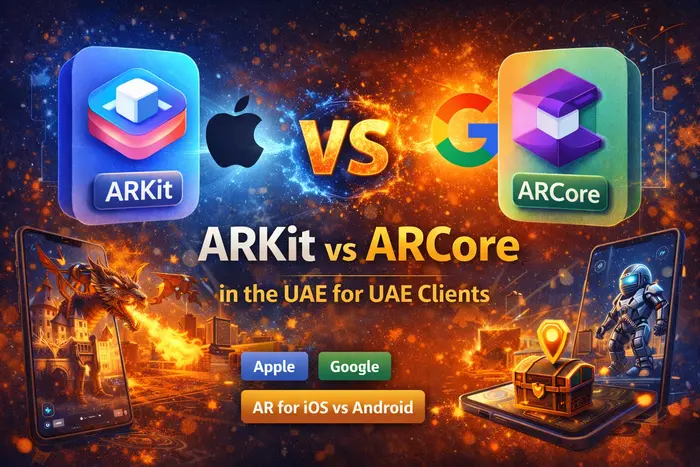
Short answer: Choose ARKit if you are building for iPhone and iPad only. Choose ARCore if you are building for Android. Use Unity ARFoundation if you want to target both with one codebase. Most commercial AR games use ARFoundation for exactly this reason.
ARKit is Apple's AR framework. ARCore is Google's. They do similar things — tracking surfaces, placing digital objects in the real world, handling light — but they run on different platforms and have different strengths.
If you are planning an AR game or app and trying to decide which one to build for, this page gives you a straight comparison. No filler, no jargon.
What Each One Is
ARKit
Made by Apple — launched 2017
iOS & iPadOS onlyARKit is Apple's built-in AR framework. It comes with every iPhone 6s or newer running iOS 11 or later. No download needed — it is part of the operating system.
It uses the device's camera and sensors to track surfaces, detect planes, and place digital objects in the real world. On iPhone 12 Pro and newer, it also uses the LiDAR sensor for much faster and more accurate tracking.
ARCore
Made by Google — launched 2018
Android-first, some iOSARCore is Google's AR framework. It runs on Android 7.0 and above on a wide range of supported devices. It also has limited iOS support, though most ARCore features are designed for Android.
It uses the same approach — camera, sensors, surface tracking — but is built around the Android ecosystem and integrates with Google Play Services. It also powers Cloud Anchors, which lets multiple users share the same AR space.
Side-by-Side Comparison
| Feature | ARKit (Apple) | ARCore (Google) |
|---|---|---|
| Platform | iOS and iPadOS only | Android (primary), some iOS |
| Device reach | ~26% of global smartphones (iPhone) | ~70% of global smartphones (Android) |
| Tracking accuracy | Slightly better on supported devices | Very good — better map recovery if tracking is lost |
| LiDAR support | Yes — iPhone 12 Pro and newer | No LiDAR; uses depth API on supported Android devices |
| Face tracking | Full face mesh tracking via TrueDepth camera | Basic face detection via ARCore Face APIs |
| Multi-user AR | Collaborative sessions (limited) | Cloud Anchors — persistent shared AR space across devices |
| WebAR support | Via WebXR on Safari (limited) | Better WebXR + Scene Viewer support on Android Chrome |
| Plane detection | Horizontal and vertical planes | Horizontal and vertical planes |
| Light estimation | Colour temperature + intensity | Pixel intensity value via Unity or Android Studio API |
| Image tracking | Faster and more accurate | Good — reliable but slightly slower |
| Object occlusion | People occlusion + environment occlusion | Environment occlusion on supported depth-capable devices |
| Unity support | Via ARFoundation | Via ARFoundation |
| Unreal support | Via UnrealAR plugin | Via UnrealAR plugin |
| Cost | Free (included with iOS SDK; Apple Developer Program $99/yr for App Store) | Free |
Where Each One Is Stronger
Tracking accuracy
ARKit is generally considered to have slightly better tracking on supported iPhone hardware, particularly on LiDAR-equipped devices. The LiDAR sensor on iPhone 12 Pro and newer lets ARKit detect surfaces almost instantly, even in low light, and place objects with much higher accuracy.
ARCore matches ARKit closely on most tasks, but edges ahead in one area: if the user's phone loses tracking — by covering the camera or moving too fast — ARCore recovers the map more reliably. It maintains larger maps, which helps it re-lock into position after interruptions.
Device reach
Android accounts for roughly 70% of global smartphone users. ARCore runs on most modern Android devices (Android 7.0 and above). If your goal is to reach the widest possible audience with one AR build, ARCore gives you significantly more device coverage.
ARKit runs on Apple devices only. That is roughly 26% of the global market — but iPhone users tend to have higher-spec devices, which means better AR performance and a more consistent experience across the audience you do reach.
Face tracking
ARKit has a clear lead here. On iPhones with TrueDepth cameras (iPhone X and newer), ARKit provides a full 3D face mesh with 52 blend shape parameters — meaning it can track very precise facial expressions and movements. This is what powers most AR filter apps.
ARCore offers basic face detection and some face tracking via its Face APIs, but it does not match ARKit's depth-based face mesh on comparable hardware.
Multi-user shared AR
ARCore leads here with Cloud Anchors. This lets two or more users share the same AR objects in the same real-world space across different Android devices — and even across iOS and Android together. The anchor is stored in the cloud, which means it also persists between sessions. You can place an AR object somewhere today, come back tomorrow, and it will still be there.
ARKit supports collaborative sessions within a local network, but this requires Apple devices and does not persist between sessions the same way Cloud Anchors do.
Web AR
ARCore has better WebAR support. Android Chrome handles WebXR natively, and ARCore powers Scene Viewer — a built-in Android AR viewer that lets users see 3D models in AR directly from a browser without installing an app.
Safari on iOS supports WebXR but with more restrictions. For browser-based AR without an app, tools like 8thWall bridge the gap and work across both platforms.
ARKit vs ARCore for Game Development
Most AR game development company today does not choose one over the other — they use Unity ARFoundation, which sits on top of both ARKit and ARCore and provides a single API that works across both platforms. You write the game once, Unity handles the ARKit and ARCore calls underneath.
Where you do need to make a choice is when you want to use platform-specific features that ARFoundation does not expose — like ARKit's LiDAR-based instant placement or ARCore's persistent Cloud Anchors.
| Game type | Better choice | Why |
|---|---|---|
| Premium iOS game | ARKit (native) | Full access to LiDAR, face mesh, RealityKit. Best tracking quality on Pro iPhones. |
| Mass market mobile game | ARFoundation (Unity) | Targets both ARKit and ARCore. Widest device reach with one codebase. |
| Location-based AR game | ARFoundation + ARCore Cloud Anchors | ARCore's persistent Cloud Anchors are essential for placing AR objects at GPS coordinates that persist across sessions and users. |
| Multiplayer AR game | ARFoundation + ARCore Cloud Anchors | Shared AR spaces across devices need Cloud Anchors. ARKit collaborative sessions are local-only. |
| Face filter / avatar game | ARKit (iOS) | ARKit's TrueDepth face mesh provides much higher fidelity than ARCore face APIs. |
| Branded WebAR experience | 8thWall | Neither ARKit nor ARCore is the right tool for browser-based AR. 8thWall works across both platforms without an app. |
Unity ARFoundation — Build Once, Run on Both
ARFoundation is Unity's cross-platform AR layer. It wraps both ARKit and ARCore behind a single set of APIs, so your game code does not need to know which one it is running on. Unity handles the switch under the hood based on the device.
This is how most professional AR games are built today. You write one game, test on both iOS and Android, and submit to both app stores. The only time you step outside ARFoundation is when you specifically need a feature that only exists on one platform — like ARKit's LiDAR occlusion or ARCore's Cloud Anchors — and Unity's cross-platform API does not yet expose that feature.
Unreal Engine has a similar system via the UnrealAR plugin, which supports both ARKit and ARCore in the same way.
ARFoundation does not expose every platform-specific feature. If your game needs ARKit's full face mesh or ARCore's persistent Cloud Anchors, you will need to call those APIs directly alongside ARFoundation, using platform-specific code blocks in your Unity project.
Which One Should You Choose?
The decision usually comes down to one question: who are you building for?
Choose ARKit if:
- Your target audience is iPhone users specifically
- You need LiDAR-based instant surface detection
- You are building a face filter or avatar-driven game
- You are releasing on the App Store only
- Premium device experience matters more than reach
Choose ARCore if:
- Your target audience is Android or a global market
- You need multi-user shared AR or persistent anchors
- You are building a location-based game
- You are targeting South Asia, Southeast Asia, Africa
- You want better WebAR support on mobile browsers
Choose ARFoundation (Unity) if:
- You are building a game for both iOS and Android
- You want one codebase for both platforms
- You are using Unity as your game engine
- This is the right choice for most AR game development company
Choose 8thWall if:
- You need AR that works in a browser with no app download
- You are building a branded AR campaign or WebAR experience
- You need cross-platform browser AR that works on both iOS and Android
Frequently Asked Questions
Is ARKit better than ARCore?
ARKit has slightly better tracking accuracy on supported iPhones, and its LiDAR integration on Pro models is a clear advantage for placement speed and precision. ARCore matches it closely on most features and leads on multi-user shared spaces and map recovery. Neither is universally better — the right choice depends on your target platform and the specific features your project needs.
Can I use ARKit on Android?
No. ARKit is an Apple framework and only runs on iOS and iPadOS. If you want AR on Android, you need ARCore. If you want to target both platforms with one codebase, use Unity ARFoundation.
Can I use ARCore on iPhone?
ARCore has limited iOS support, but it is primarily an Android framework. On iOS, ARCore calls the underlying ARKit APIs. For iOS development, it is generally better to use ARKit directly, or use Unity ARFoundation which handles both.
What does ARFoundation do?
ARFoundation is Unity's cross-platform AR framework. It sits on top of ARKit and ARCore and provides a single set of APIs for your game code. You write the AR logic once, and ARFoundation calls the right underlying SDK depending on whether the game is running on iOS or Android. It is the standard approach for commercial cross-platform AR games built in Unity.
Does ARCore work without the internet?
Yes — most ARCore features work offline. The exception is Cloud Anchors, which require an internet connection to save and retrieve shared spatial anchors from Google's servers.
What is the cost difference between building with ARKit vs ARCore?
Both SDKs are free to use. The cost difference comes from targeting iOS only (lower engineering scope) versus iOS and Android (roughly 30–50% more time and cost, depending on how different the two platforms behave for your specific game). Building with Unity ARFoundation reduces that gap significantly because you maintain one shared codebase rather than two separate ones.
Building an AR Game?
Tell us your target platform, game type, and whether you need multiplayer or location features. We build AR games on ARKit, ARCore, ARFoundation, and 8thWall — and we will tell you exactly which stack fits your project.
Talk to an AR developer →