If you operate an iGaming product in the Philippines, your Philippines iGaming deposits funnel depends on what users did before they opened your app. Therefore, your “deposit UX” must cover cash-in, transfers, fees, and failures. Otherwise, users drop and support gets flooded.
This guide shows how to design the full path: Cash-In → e-wallet → deposit → play. It stays practical, and it focuses on what operators can ship. Fewer deposit drop-offs by routing users to the right path, showing fees early, and handling failures clearly.
What Breaks Philippines iGaming Deposits?
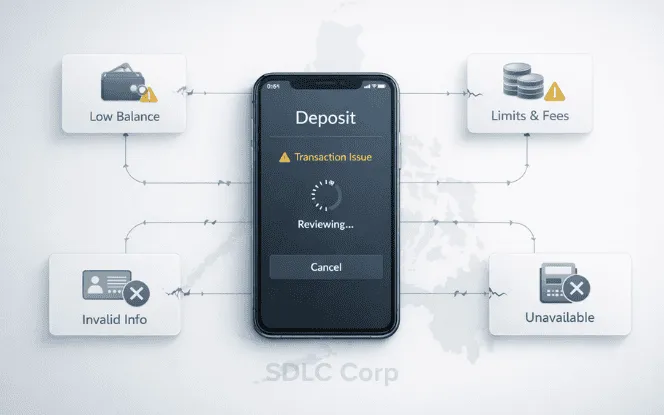
Deposits usually fail for simple reasons. However, they show up as “random issues” when your UX hides the cause.
Common causes you can control:
- Users don’t have wallet balance yet, so they abandon mid-flow.
- Users hit limits or fees late, therefore they quit at the confirm step.
- Users choose the wrong identifier, so transfers go nowhere.
- Transfers stay pending, and users try again, which creates duplicates.
- A method stops working, and your UI still sends users to it.
If you also want the policy angle, link this section to your delinking article: BSP delinking and why deposits suddenly fail.
Philippines iGaming Deposits: The Real Journey Has 3 Starting Points
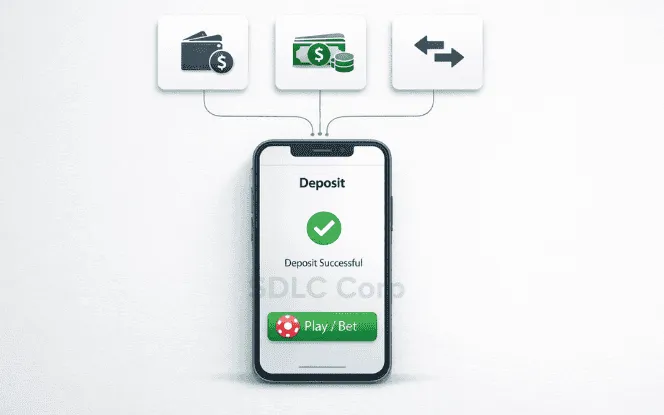
Your deposit screen should start by asking one question:
“Where is the user’s money right now?”
Because in practice, there are three starting points.
Already in wallet balance
This is the clean path. Therefore, your job is to reduce friction and confirm fast.
Needs cash-in (over-the-counter or partner channel)
This path needs instructions and expectations. Otherwise, users bounce to “do it later.”
Needs bank transfer (InstaPay / PESONet)
This path needs correct identifiers and pending handling. If not, users retry and double-pay. If you want the broader system view behind these rails, read iGaming payment architecture under Philippines restrictions.
For mobile constraints and low-data patterns, read Mobile-first iGaming UX in Philippines: low-data flow patterns.
When To Show GCash vs When To Show Maya
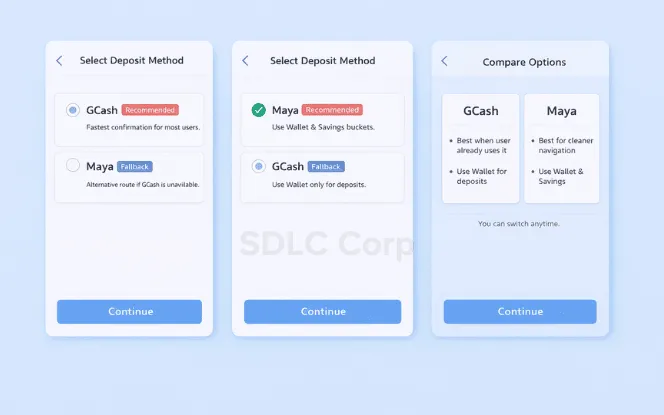
You can name wallets in headings if it helps clarity. So, here’s the operator logic
1) When to lead with GCash
Lead with GCash when you want the highest chance the user already uses it. As a result, “I can’t deposit” becomes less common. However, don’t assume the UI is simple. Some users feel overwhelmed, so your flow must stay minimal.
2) When to lead with Maya
Lead with Maya when you want a cleaner navigation path. Additionally, many users treat it like a money hub, not just a wallet. Therefore, they may keep funds in “wallet vs savings” buckets.
3) The safe operator rule
Show both wallets, but don’t make it a choice overload.
Put one primary option and one fallback.
Explain the difference in one line each.
Keep the method picker to one screen.
If trust is your bottleneck, read Why many Philippines bettors avoid online and what to build for trust.
Once deposits stabilize, plan the next layer with When ads tighten: retention + CRM + affiliate stack.
Design Cash-In As A Channel Choice, Not A Long Partner List
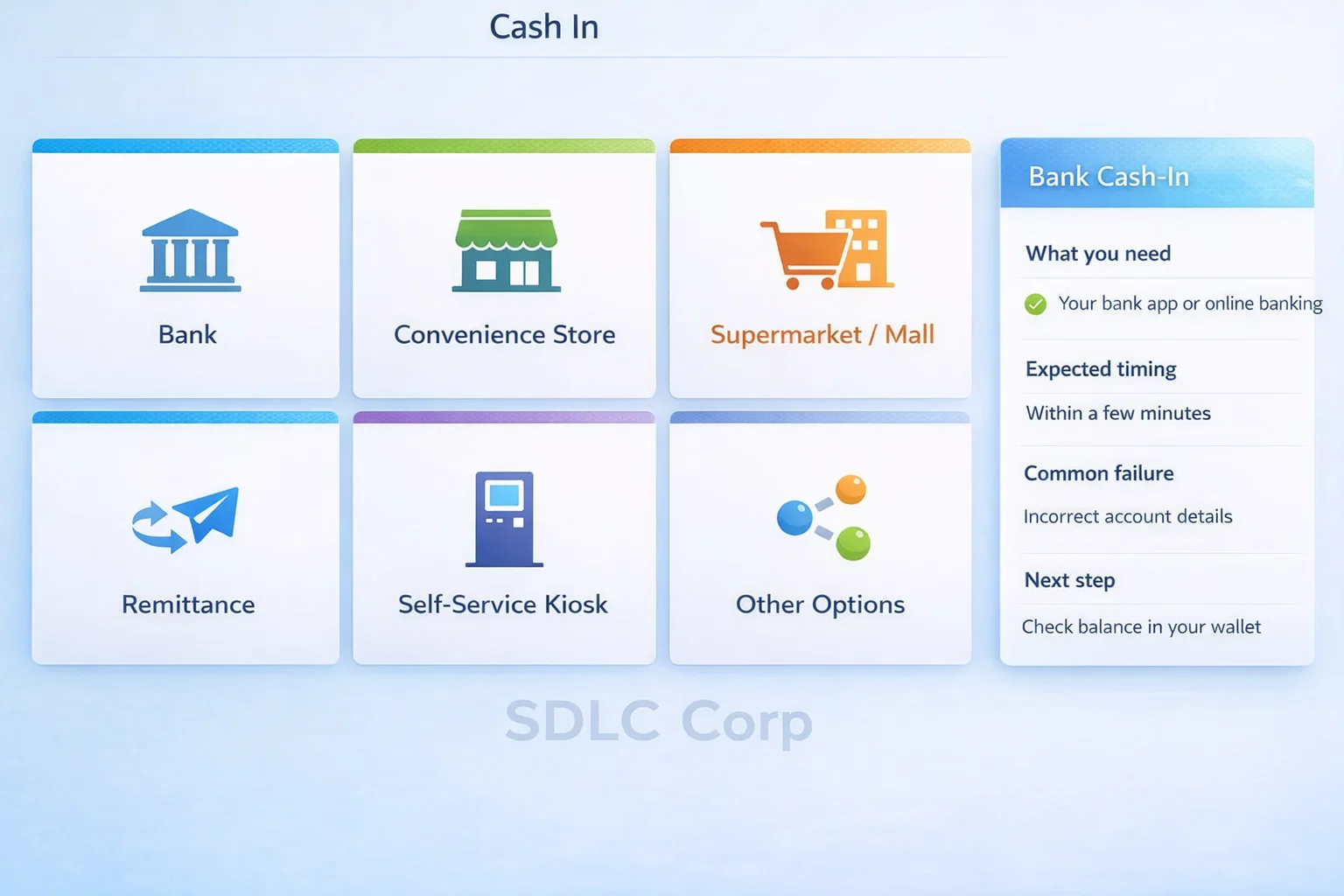
Users don’t think in “partner lists.” Instead, they think in places and actions. So your UI should start with channels, then show details.
Recommended deposit step: “How will you cash in?”
Use 4–6 tiles:
Bank
Convenience store
Supermarket / mall
Remittance
Self-service kiosk
Other options
Then show a short help panel per tile:
what the user needs (cash, phone number, reference code)
expected timing
common failure reasons
what to do next
This reduces cognitive load. Therefore, users finish the cash-in step and come back to deposit.
For fraud controls around cash-in and first deposit, read Anti-fraud signals Philippines operators should track from day 1.
Prevent Fee Shock Before The User Taps “Confirm”
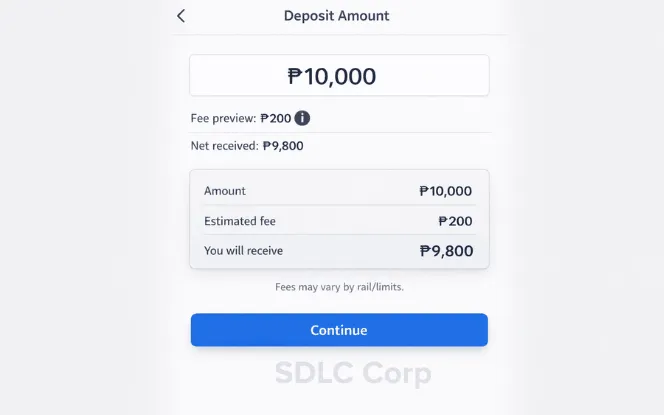
Fee shock is one of the fastest ways to lose a user. Meanwhile, it also creates angry tickets. You don’t need to argue about fees. Instead, you need to surface them early.
What to show on the amount screen
Fee preview line: “You may see a fee from your wallet or transfer rail.”
Net received line: “Your deposit will be ₱X after fees.”
Reason tooltip: “Some cash-in and bank transfers charge fees or change after limits.”
What to do when a fee appears late
Don’t show a generic error.
Explain what happened in one line.
Offer a fallback option immediately.
To reduce disputes and standardize status handling, align this with Casino withdrawal UX: SLAs, status codes, and dispute handling.
To keep proof and traceability clean, follow Audit logs operators miss: evidence you need in disputes.
Fix The Maya Wallet Vs Maya Bank Confusion In Your Deposit UX
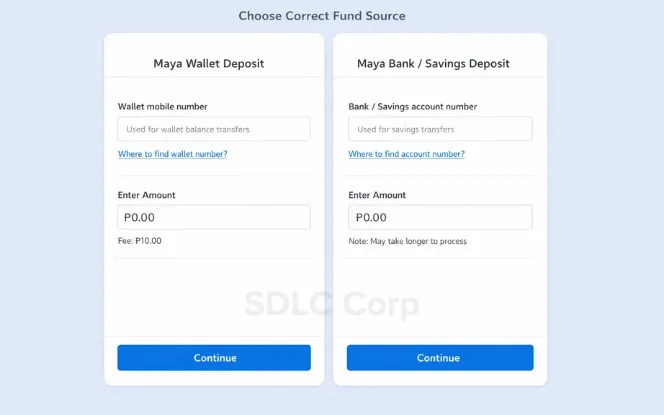
This confusion breaks transfers and deposits. Therefore, you should design for it directly.
Users often mix these two:
Wallet identity (usually tied to the mobile number)
Bank/savings identity (often a separate account number)
What operators should build
Clear labels in the UI
Use plain words: “Wallet number” and “Bank/Savings account number.”
Input validation
If the user enters the wrong format, block it early. Also explain how to find the right number.
A help link that answers in one screen
“Where do I find my bank account number?” should be one tap away.
A “fund source” prompt
Ask: “Are your funds in Wallet or Savings?” Then route them to the correct instructions.
KYC and upgrade status can also block users, so keep a quick exit path and guidance using KYC drop-off fix for betting apps without weak verification.
The Deposit Flow Blueprint Operators Can Ship
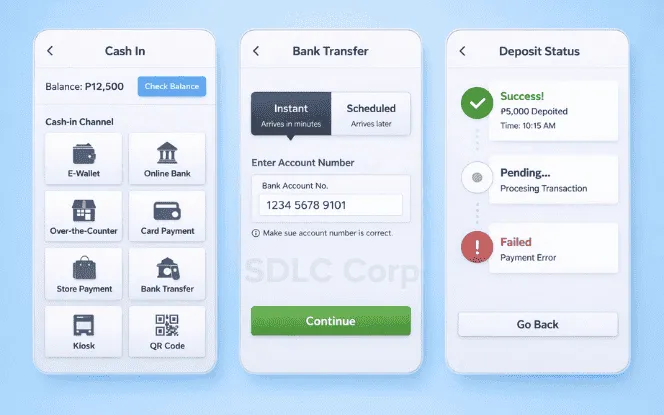
Below are three clean flows. Each flow has a defined checkpoint, so users don’t wander.
Flow A: Cash-in → wallet balance → deposit
Method picker (GCash / Maya)
Cash-in channel picker (bank / store / kiosk)
“Confirm you have balance” checkpoint
Amount + fee preview
Confirm
Status screen (Success / Pending / Failed)
Next action button (“Play now” or “Try another method”)
Why this works: it reduces false attempts. Therefore, failure rates drop and support load falls.
Flow B: Bank transfer → wallet/savings → deposit
Method picker
Rail choice (InstaPay or PESONet)
Destination identifier guidance (wallet vs bank account)
Timing expectation (“may be instant” vs “may take longer”)
“Funds received?” checkpoint with refresh
Deposit amount + fee preview
Confirm
Status screen with anti-duplicate warning
Key rule: If a transfer is pending, warn users not to retry blindly.
Flow C: Wallet-to-wallet transfer → deposit
Method picker
“Transfer money into your wallet” instructions
“Confirm received” checkpoint
Deposit amount + fee preview
Confirm
Status screen
For architecture and routing decisions behind these flows, read Compliance-by-design iGaming platform blueprint for the Philippines.
If you also run multiple product lines, map requirements using Philippines sportsbook stack: what the stack must include.
Failure Handling That Stops Rage Quits
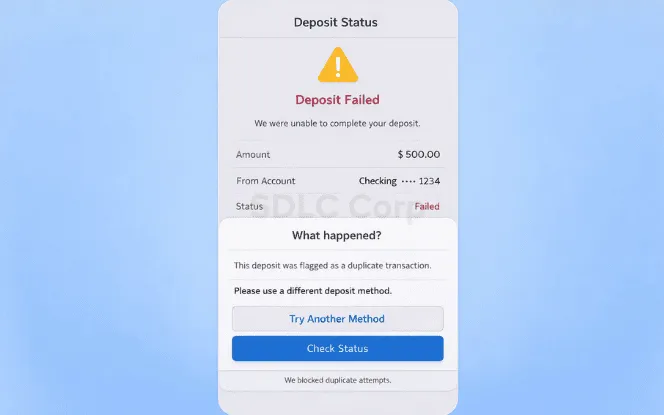
If you handle failures well, users keep trying. However, if you hide the cause, they churn.
Required failure states
Use clear status labels and next actions.
Insufficient balance → “Cash in now” and show channel tiles.
Limit reached → “Try smaller amount” or “Use bank transfer.”
Fee not accepted → “Change method” and show alternatives.
Wrong identifier → Explain and show “How to find the right number.”
Timeout → “Check status” and provide refresh.
Pending → “Don’t retry” + “We will update this screen.”
- Duplicate attempt blocked → Explain why and show the last attempt status.
Two rules that prevent duplicates
Treat “Pending” as a real state, not a generic spinner.
Lock the confirm button until you know the outcome.
For stricter status-code discipline and SLAs, follow Withdrawals, SLAs, and dispute handling.
For evidence design and replay-proof records, follow Audit logs and the proof operators forget to save.
Build Deposits For Regulation Risk, Not For Today Only
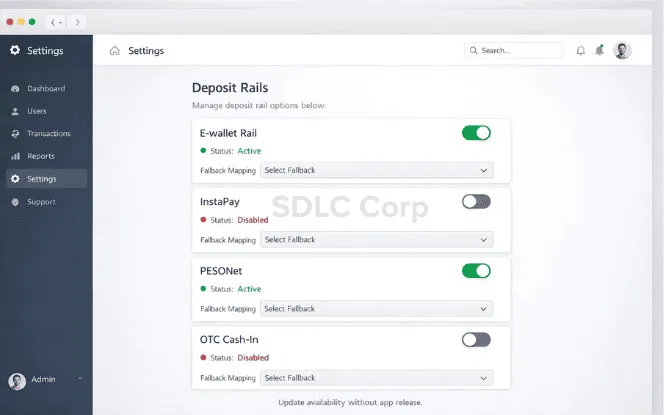
Payment access patterns can change. Therefore, you should avoid hardcoding one “forever flow.”
A simple operator approach:
Put each deposit rail behind a feature flag.
Support fast disable and fast fallback.
Update method availability from config, not app releases.
Investor chatter can also move markets fast. For example, proposed bills can trigger headlines around wallet linking and limits. Treat this as risk planning, not legal prediction.
For the policy-driven deposit break story, read BSP delinking: what changes and what operators must fix.
Operator Checklist
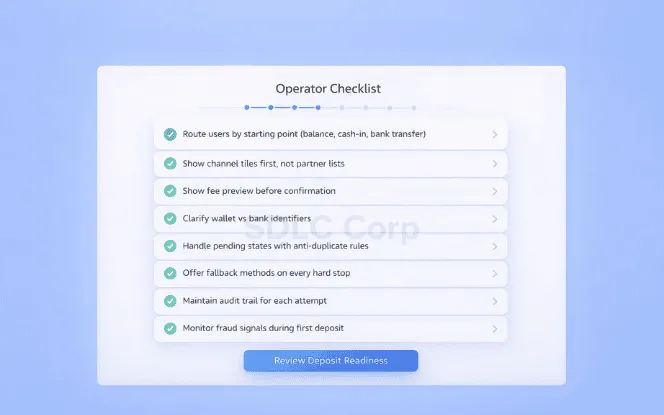
Use this list in your sprint planning. It’s short on purpose.
Route users by starting point (balance, cash-in, bank transfer).
Show channel tiles first, not partner lists.
Show fee preview before confirmation.
Clarify wallet vs bank identifiers.
Handle pending states with anti-duplicate rules.
Offer fallback methods on every hard stop.
Keep a clear audit trail for each attempt.
Monitor fraud signals during cash-in and first deposit.
For responsible defaults after first deposit, implement Responsible gaming controls to ship on day 1.
For broader platform governance, align teams with Compliance-by-design blueprint for Philippines operators.
Conclusion
Deposit failures usually come from confusion, hidden fees, and unclear flows not from lack of intent. When operators route users by starting point, show fees early, clarify wallet vs bank details, and handle pending states clearly, completion improves and support drops.
Treat deposit UX as core product infrastructure. Clear steps, fallback options, and strong status handling build trust, reduce disputes, and keep users moving.
FAQs
What is the Maya to GCash transfer fee?
It depends on the rail and the wallet’s current pricing. However, users often see a small transfer fee on real-time bank rails. Therefore, your UI should tell users to check the fee shown before confirming. Also show a fallback method if the fee is too high.
Maya Bank vs Maya Wallet: what’s the difference?
“Maya Wallet” is used for day-to-day wallet activity. Meanwhile, “Maya Bank” or “Savings” behaves like a bank account inside the same app. Therefore, users may have two identifiers and two balances. Your deposit UX should ask where the funds are stored, then guide the correct path.
What is the BDO to Maya transfer fee?
Banks set their own transfer fees, and they can change. In many cases, real-time transfers cost a small fixed fee, while batch rails can cost more or take longer. Therefore, your product should avoid hardcoded numbers. Instead, show “fees may apply” and focus on clear status handling. Mention the bank once as BDO Unibank, then keep the guidance generic.
What is a Maya Bank account number?
It’s the identifier used for bank-like features such as savings. However, users often confuse it with the wallet number. Therefore, your help UI should show where to find the bank account number inside the app, in one tap.
How to increase Maya’s limit to 500k?
Limits usually depend on account status and verification level. Therefore, users may need to upgrade their account and complete identity checks. As an operator, treat “limit reached” as a normal state. Then guide smaller deposits, or guide a different rail.
Is Maya and PayMaya the same?
PayMaya became Maya as a rebrand and product expansion. Therefore, some users still say “PayMaya” while they use “Maya.” For clarity, your deposit UI can say “Maya (formerly PayMaya)” once, then use “Maya” after that. Mention PayMaya only once.
Can PayMaya and GCash use the same number?
Many users register both apps with the same mobile number. However, they remain separate accounts with separate balances. Therefore, your support copy should say: “Same number is fine, but balances do not sync.”
BDO to Maya account number: which one should the user enter?
It depends on where the transfer is going. If the user is transferring to a wallet, they may use the wallet-linked number. Meanwhile, if the user is transferring to savings, they must use the bank/savings account number. Therefore, your UI should ask “Wallet or Savings?” before showing any input field.