WooCommerce Odoo Integration: Hidden Costs of Running Systems Separately
Disconnected systems do not just create extra work. They also create hidden cost across orders, stock, reporting, and customer support.
That cost builds fast. Gartner reports that poor data quality costs organizations an average of $12.9 million per year. In ecommerce, disconnected systems are one of the common reasons behind that problem.
Many WooCommerce businesses reach this stage in the same way. The store launches first because WooCommerce is quick to deploy. Later, Odoo gets added for inventory control, accounting, purchasing, or broader ERP workflows. However, both systems often keep running separately, and the team fills the gap with exports, spreadsheets, and manual checks.
Many businesses start searching for a WooCommerce Odoo integration when manual work begins increasing. A reliable WooCommerce Odoo connector helps connect store operations with ERP workflows, reduces avoidable errors, and improves data accuracy across orders, inventory, and reporting.
For businesses trying to sync WooCommerce with Odoo, the goal is not only convenience. It is also about creating a cleaner operating model where storefront activity, inventory movement, and back-office workflows stay aligned every day.
An Odoo ERP integration with WooCommerce gives businesses a more structured way to manage orders, stock, finance, and fulfillment from one connected flow instead of relying on disconnected updates between the storefront and ERP.
Why Businesses Keep Running Both Systems Separately
Nobody plans a disconnected workflow. It usually happens over time.
A store starts on WooCommerce because it is quick to launch and easy to manage. Later, the business needs better inventory control or stronger financial reporting. That is when Odoo enters the picture.
However, the two systems often never get fully connected. WooCommerce keeps running the storefront, while Odoo handles internal operations. As a result, many businesses start relying on an Odoo WooCommerce connector only after manual work begins affecting daily operations.
In the early stage, this feels manageable. Orders get copied over. Stock gets exported and re-imported. Finance checks everything at month end. Because order volume is still low, the team can live with the extra work for a while.
The disconnect becomes expensive when several things start happening at once:
- Order volume climbs past what one person can manually check each day
- The product catalog grows to hundreds or thousands of SKUs
- Stock changes become frequent across suppliers or warehouses
- Customer support requests increase as order volume rises
- Finance needs reliable real-time data instead of month-end exports
- The business starts planning expansion into new regions or channels
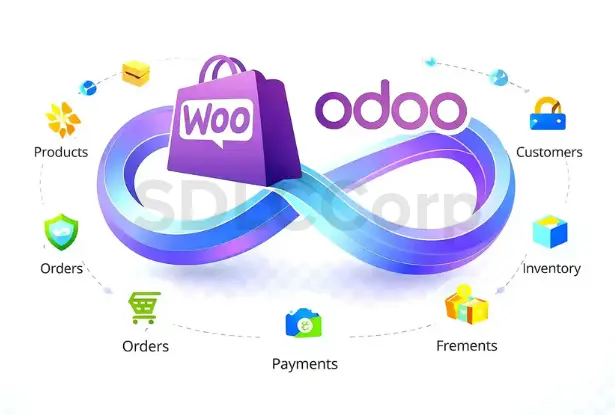
Cost Comparison: Manual vs Integrated WooCommerce–Odoo System
Here is a quick view of what changes when WooCommerce and Odoo move from a disconnected setup to a connected workflow:
| Area | Disconnected Workflow | Connected Workflow |
|---|---|---|
| Orders | Manually entered or verified in Odoo | Automatically flow from WooCommerce into Odoo |
| Inventory | Updated separately; mismatches are common | Real-time sync with one source of truth |
| Product Updates | Repeated across both systems | Managed once and synced automatically |
| Refunds | Coordinated manually between teams | Handled in one controlled workflow |
| Reporting | Split data that needs spreadsheet merging | Unified reporting pulled directly from Odoo |
| Customer Support | Staff switch between systems to answer queries | One system view with faster, clearer responses |
| Scalability | Operational pressure grows faster than revenue | Systems scale with the business |
Real-World Use Case: Before and After Integration
A mid-sized WooCommerce store handling around 120 orders per day often spends 5 to 6 staff hours on manual order checks, stock validation, refund coordination, and reporting cleanup when WooCommerce and Odoo run separately.
After implementing a structured WooCommerce Odoo integration, the same business can shift most of that work into automated order sync, inventory updates, and cleaner reporting flows. In practical terms, manual handling may fall to 1 to 2 hours per day, while the team gains faster visibility across operations.
How Integration Improves Business Efficiency
If a team spends 4 hours per day on manual order entry, stock checks, and spreadsheet reconciliation, that equals roughly 120 hours per month. Even at a modest internal cost of $8 to $15 per hour, that creates an operating cost of about $960 to $1,800 per month.
With an integrated workflow, much of that repeated work is removed. The business still manages exceptions, but the everyday cost of disconnected systems drops because orders, stock data, and reporting move through a more reliable process.
ROI of WooCommerce–Odoo Integration
Even a small manual error rate can create expensive problems at scale. For example, a 2% to 3% mismatch rate across 3,000 monthly orders can affect 60 to 90 orders through stock issues, wrong status updates, or refund handling delays.
Likewise, when each order takes 2 to 4 extra minutes to verify manually, teams lose 100 to 200 minutes per day at just 50 orders. At higher order volume, that time loss becomes a serious operating burden rather than a minor admin task.
Where WooCommerce Odoo Integration Gaps Create Hidden Costs
The cost of running WooCommerce and Odoo separately rarely appears as one big failure. Instead, it builds through small problems across daily operations. Each one may look manageable on its own. Together, they create a serious cost problem.
Without a proper Odoo WooCommerce sync, businesses rely on manual updates across both systems. This slows order processing, creates stock visibility issues, and weakens reporting accuracy. Over time, the lack of a structured WooCommerce ERP integration leads to higher operating cost and slower decision-making.
A strong ERP eCommerce integration reduces this gap by connecting storefront actions with ERP-side inventory, finance, fulfillment, and reporting workflows in one more dependable system flow.
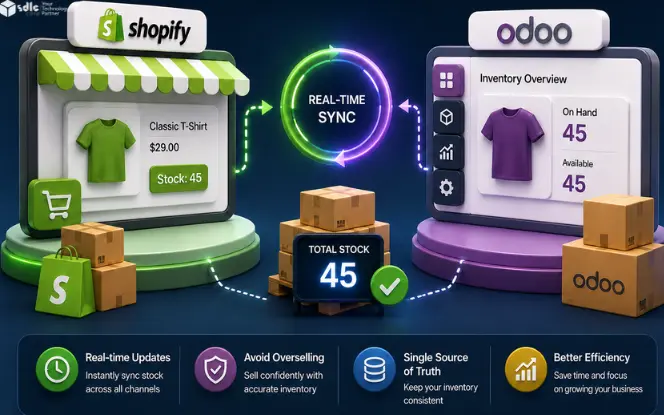
Businesses often need to automate WooCommerce inventory sync so stock availability stays accurate between the storefront and backend operations. That step is one of the most practical benefits of using a structured WooCommerce ERP connector instead of manual stock handling.
a. Manual Order Handling Takes More Time Than Most Teams Expect
Even 50 orders a day can create a serious manual workload when WooCommerce and Odoo are not connected. Staff must check the order in WooCommerce and then recreate or import it into Odoo for invoicing and fulfillment.
If one order takes four minutes to process manually, that is more than three hours lost every day. At 200 orders a day, that number rises to more than 13 hours.
This creates three clear problems. First, it pulls operations staff away from higher-value work. Second, it increases the chance of human error. Third, it becomes harder to manage during sales peaks and seasonal demand.
b. Inventory Mismatches Lead to Overselling and Support Escalations
When WooCommerce and Odoo do not update stock automatically, inventory accuracy drops fast.
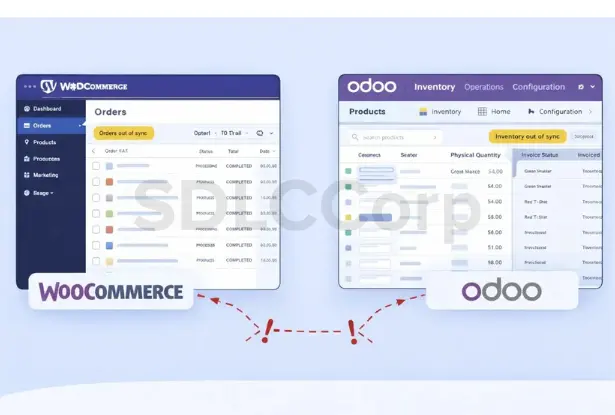
For example, the warehouse may receive 200 units and record them in Odoo. However, WooCommerce may still show the old stock level. That creates a gap between what the team sees internally and what customers see on the storefront.
As a result, the business may lose sales or accept orders it cannot fulfill. Both outcomes hurt margin and customer trust.
The bigger issue is operational behavior. Once teams stop trusting the system, they start double-checking stock, running manual counts, and keeping side records. That adds even more friction to the workflow.
Inventory gaps usually appear before teams measure their real cost. A connected WooCommerce–Odoo workflow helps reduce stock errors, manual checks, and customer-facing issues faster.
Get a Custom Integration Estimate
c. Product Updates Create Double Work and More Errors
Every price change, variant update, category edit, or product revision must be handled in both systems when no sync exists.
For a store with 200 SKUs, that already creates extra work each month. For a store with 2,000 SKUs or frequent pricing changes, it becomes hard to control.
That is when mistakes start to appear. A price may be updated in Odoo but missed in WooCommerce. Or a new variant may go live in WooCommerce but never reach Odoo. Then inventory, fulfillment, and checkout all start drifting out of sync.
A connected workflow removes that duplicate effort. The team updates product data once, and both systems stay aligned.
d. Refunds and Returns Turn Into a Multi-Team Process
Refunds and returns often reveal just how messy disconnected systems can become.
A customer contacts support about a return. The support team checks WooCommerce. Finance works in Odoo to issue a credit note. The warehouse needs a separate update so it can expect the returned item and adjust stock.
Because each team works in a different place, the process slows down. It also becomes easier for records to fall out of sync.
For example, finance may issue the credit note before the item physically arrives. Or WooCommerce may show a refund status that does not match Odoo. In both cases, the customer experience gets worse.
For businesses processing more than 20 to 30 returns a month, this cost becomes hard to ignore.
e. Reporting Becomes Slower and Less Reliable
Good reporting depends on clean, connected data. When WooCommerce holds sales data and Odoo holds inventory, purchasing, and finance data, teams cannot get one complete view without manual work.
That is why many finance teams end up with a recurring spreadsheet task every reporting cycle. They merge files, remove duplicates, check anomalies, and only then start the real analysis.
This does not just waste time. It also delays decisions. When teams work with stale or partial data, they react later than they should.
A proper integration gives Odoo one connected reporting base for operational and financial insight.
f. Customer Support Gets Slower and Less Accurate
Support quality depends on fast access to the right data. When agents must switch between WooCommerce and Odoo to answer simple order, stock, or refund questions, response time goes up and accuracy drops.
Instead of solving the issue quickly, agents spend time searching across systems. That slows service and increases the risk of giving the wrong update.
A connected workflow gives support teams one clearer view of order progress, refund status, shipment tracking, and stock availability.
g. Growth Makes Every Existing Gap More Expensive
These problems do not stay flat as the business grows. They get worse.
A process that takes three hours a day at 50 orders can take 12 hours at 200 orders. A few stock errors each week can turn into constant customer-facing issues. Reporting also becomes slower as SKU count and transaction volume increase.
That means the extra workload grows faster than the business should allow. Instead of creating efficiency, growth creates more manual pressure.
Teams that plan to add new products, channels, or warehouses should connect the systems before scaling further.
What disconnected systems cost
More manual work, more data checking, more reporting delay, and more customer-facing mistakes as order volume grows.
What connected workflows improve
Faster order flow, better stock visibility, cleaner refund control, and stronger confidence in reporting.
Real Operational Warning Signs
These signs usually show that the disconnected workflow is already costing more than the team realizes:
- Orders are manually entered or verified in Odoo every day
- Stock mismatches appear more than once or twice per week
- Refund processing needs coordination emails between support, finance, and warehouse
- Product changes are tracked in a shared spreadsheet so both systems get updated
- Finance spends meaningful time each reporting cycle merging data from both platforms
- Support agents regularly give customers incorrect order or refund status
- Operations become strained during sales events or high-demand periods
- New hires must learn two separate systems before handling one order end to end
If three or more of these issues are already happening, the cost is no longer small. It is already affecting daily operations.

What Improves With a WooCommerce Odoo Integration
A well-implemented WooCommerce Odoo connector improves more than speed. It makes the whole operation more reliable.
Orders move into Odoo automatically with the right customer, product, and payment data. Inventory stays updated across both platforms. Product changes sync without extra manual work. Refunds follow one cleaner process. Reporting pulls from one consistent data source.
As a result, the business saves time and trusts its data more. That leads to faster and better decisions.
A well-implemented WooCommerce Odoo integration removes these inefficiencies by creating a more reliable source of truth for operations. With a stable WooCommerce Odoo connector, businesses can automate order flow, maintain accurate inventory, and improve overall operational control as volume grows.
Once the cost of manual sync becomes clear, the next step is simple: move to a cleaner WooCommerce–Odoo workflow your team can trust every day. You can also download the connector app from Odoo Apps to review the module directly.
See How Much Manual Work You Can EliminateCommon Mistakes Businesses Make Before Connecting the Systems
Thinking manual work is still cheaper
Integration cost is easy to see. Daily manual work is harder to measure. However, once you include data fixes, refund coordination, reporting delays, and order errors, the hidden cost often becomes higher within the first year.
Only counting major failures
Businesses tend to count oversold items and missed shipments. They rarely measure the total hours spent on data entry, report preparation, refund coordination, or support delays. In many cases, those quieter costs are even larger.
Waiting until operations break
By the time the pain becomes obvious, staff are already overwhelmed, errors are reaching customers, and reporting has become unreliable. The cost has already been paid for months. The right time to connect the systems is before volume makes the problem visible.
Choosing a connector with limited sync
Not all WooCommerce Odoo connectors solve the full workflow. A connector that only pushes orders into Odoo will not fix inventory sync, product updates, refund handling, or reporting alignment. The integration must cover the real operating flow to create long-term value.
When Your Business Needs an Odoo ERP Integration With WooCommerce
The right moment to integrate is when:
- Manual order handling takes more than 30 to 60 minutes per day
- Inventory mismatches create customer-facing issues more than occasionally
- The product catalog changes often and updating both systems is a recurring burden
- Finance cannot trust reporting without manual reconciliation
- Customer support quality is being affected by slow access to order data
- The business plans to scale volume, channels, or warehouse locations
At that stage, the business no longer needs to ask whether integration is necessary. It needs to decide how quickly the systems can be connected before more cost builds up.
Conclusion
Running WooCommerce and Odoo as separate systems creates a daily cost across staff time, stock accuracy, fulfillment speed, refunds, reporting, and customer support.
At first, that cost may seem manageable. However, once order volume and operational complexity grow, the gap becomes much harder to control.
The businesses that scale well usually connect their systems before the problem turns visible to customers and teams. If your staff is still bridging WooCommerce and Odoo by hand, the cost is already active. The right time to fix it is now.
Frequently Asked Questions
What is the biggest hidden cost of running WooCommerce and Odoo without integration?
The biggest cost is usually the daily mix of manual order work and stock mismatch issues. Together, these problems waste staff time and create customer-facing errors. Reporting and refund delays often come next.
Why do businesses need to automate WooCommerce inventory sync?
Businesses need to automate WooCommerce inventory sync because each system keeps its own stock record. When a sale happens in WooCommerce, Odoo does not update automatically unless a sync is in place. The same problem happens when stock is received or adjusted in Odoo but WooCommerce does not reflect the change.
Does running WooCommerce and Odoo separately affect customer support quality?
Yes. Support agents often check WooCommerce for order details and Odoo for fulfillment, stock, or refund status. That slows response time and increases the chance of giving the wrong update.
Why does financial reporting become unreliable in a disconnected setup?
Financial reporting becomes unreliable because key business data sits in different systems. Teams must merge data by hand, and that creates delays and mistakes. As a result, neither system gives a full picture on its own.
When should a business invest in a WooCommerce ERP connector?
A practical trigger is when order entry, stock checking, refund coordination, or report preparation takes more than an hour a day. It is also time to act when customer-facing errors become more than occasional.
Is this problem limited to large ecommerce businesses?
No. Smaller businesses feel it too, especially when team capacity is limited. The point at which the problem becomes visible may differ, but the root issue stays the same.