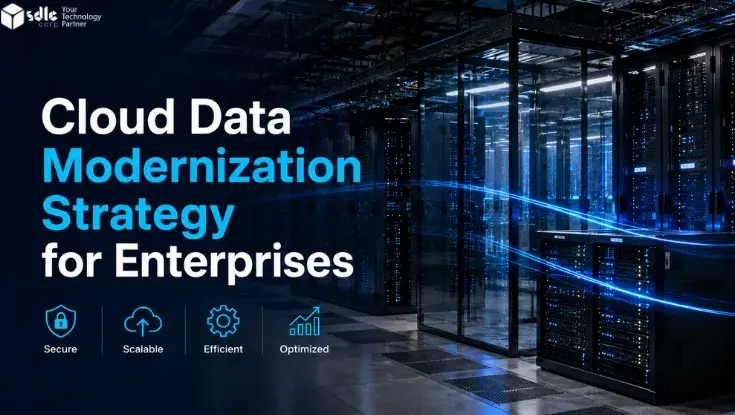
Cloud-native application architecture is the design of software around cloud services, elastic infrastructure, APIs, managed data platforms, automation, observability, and failure recovery. The goal is not simply to host an application in AWS, Azure, or Google Cloud. It is to design the application and its operating model so they can scale, recover, deploy, and evolve predictably.
A cloud-native design should make deliberate choices about containers, serverless, managed services, APIs, events, data stores, identity, networking, environments, CI/CD, monitoring, resilience, and cost control. This guide explains those decisions in a practical way for teams planning a new cloud application or reworking an existing product for the cloud.
In this guide 19 sections
- Cloud-native application architecture at a glance
- Start with workload characteristics, not a favorite cloud service
- Containers vs serverless vs managed runtimes
- Use managed services where they remove undifferentiated work
- Design APIs and events deliberately
- Choose data stores by access pattern
- Plan for failure from the beginning
- Design identity and permissions around least privilege
- Use infrastructure as code for repeatability
- Separate environments and deployment responsibilities
- Build CI/CD around safe change
- Observability is part of the architecture
- Plan autoscaling around real constraints
- Control cloud cost through architecture
- AWS vs Azure vs Google Cloud
- Cloud-hosted vs cloud-native
- Cloud-native architecture checklist
- Frequently asked questions
- Final takeaway
Cloud-native application architecture at a glance
| Area | Key decision | What it affects |
|---|---|---|
| Compute | Containers, serverless, VMs, managed runtimes | Scaling, operations, deployment complexity |
| Integration | APIs, events, queues, webhooks | Coupling, latency, reliability |
| Data | Relational, NoSQL, cache, object storage, search | Consistency, performance, cost |
| Resilience | Retries, queues, timeouts, failover, backups | Availability and recovery |
| Security | Identity, secrets, network controls, encryption | Risk and compliance |
| Delivery | CI/CD, IaC, environments, release strategy | Change speed and reliability |
| Observability | Logs, metrics, traces, alerts | Incident diagnosis and support |
| Cost | Right-sizing, autoscaling, storage and traffic controls | Cloud spend and unit economics |
Start with workload characteristics, not a favorite cloud service
Architecture should follow the workload. A public API with bursty traffic, an internal workflow platform, a multi-tenant SaaS product, and a data-intensive reporting system can all require different patterns even when they run on the same cloud provider.
Before selecting services, define expected traffic, latency, data volume, availability, regional needs, security constraints, integration dependencies, release cadence, support model, and growth assumptions.
Our cloud application development services focus on designing the application and its cloud operating architecture together instead of treating infrastructure as a separate afterthought.
Containers vs serverless vs managed runtimes
Containers are useful when teams need control over runtime behavior, dependencies, portability, or long-running services. They fit well when applications contain several services that need consistent packaging and deployment.
Serverless functions are useful for event-driven workloads, APIs, background tasks, and variable traffic where execution can scale on demand. They can reduce infrastructure management, but may introduce limits around execution time, cold starts, debugging, or platform-specific behavior.
Managed application runtimes can provide a middle ground: less operational overhead than raw infrastructure while preserving a conventional application model.
The right decision depends on workload behavior, team capability, portability needs, latency, and how much infrastructure control is actually valuable.
Use managed services where they remove undifferentiated work
Cloud platforms provide managed databases, queues, caches, object storage, identity, monitoring, search, event buses, and other platform capabilities. These services can reduce operational overhead when their constraints fit the product.
Managed does not mean maintenance-free. Teams still need to plan capacity, backups, security, version changes, failover, data retention, and cost.
Design APIs and events deliberately
Cloud applications often use a combination of synchronous APIs and asynchronous events. APIs work well when a caller needs an immediate response. Events and queues are useful when work can be processed independently, retried, or distributed across several consumers.
Use events when decoupling and resilience provide real value. Avoid turning every workflow into an event-driven system simply because the cloud platform supports it.
For broader integration decisions, see our software integration strategy guide.
Choose data stores by access pattern
Data architecture should reflect how the application reads, writes, searches, aggregates, and retains information. Relational databases remain the right choice for many transactional systems. NoSQL databases can be useful for specific scale or access patterns. Object storage is appropriate for files and large unstructured objects. Caches can reduce latency and load when used carefully.
Avoid introducing multiple database technologies unless the operational value is clear. Every additional data platform increases monitoring, backup, security, and skills requirements.
Plan for failure from the beginning
Cloud-native systems should assume that network calls fail, dependencies slow down, credentials expire, events may be duplicated, and individual components can become unavailable.
Useful resilience patterns include timeouts, retries with backoff, idempotency, queues, circuit breakers, health checks, failover, backups, dead-letter handling, and reconciliation.
Resilience should protect the business workflow, not just keep processes running.
Design identity and permissions around least privilege
Use separate identities for users, services, automation, and deployment systems. Avoid shared credentials and broad permissions that become difficult to audit.
Cloud security should cover service identities, secrets, encryption, API authorization, network boundaries, environment isolation, audit logs, key management, and access review.
Use infrastructure as code for repeatability
Infrastructure as code makes environments easier to reproduce, review, version, and recover. It reduces manual drift between development, test, staging, and production environments.
Terraform, cloud-native templates, or equivalent tooling can be used to define networks, compute, databases, roles, monitoring, and other infrastructure components alongside application delivery.
Separate environments and deployment responsibilities
Development, testing, staging, and production should have clearly defined purposes, data rules, access controls, and promotion paths. Production credentials or sensitive data should not leak into lower environments.
Define who can deploy, who can approve, and what checks must pass before production changes are allowed.
Build CI/CD around safe change
Continuous integration should automate code quality checks, tests, security scanning, and build packaging. Continuous delivery should promote verified artifacts through environments using repeatable deployment steps.
Release patterns may include rolling deployment, blue-green deployment, canary release, feature flags, or phased rollout depending on the application’s risk and architecture.
Observability is part of the architecture
Cloud applications generate large amounts of operational data, but useful observability requires structure. Logs, metrics, traces, dashboards, alerts, and correlation IDs should help teams follow a user request or business transaction across services and dependencies.
Monitoring should cover both technical health and business-impacting failures such as failed payments, stuck workflows, delayed events, or unusual error rates.
Plan autoscaling around real constraints
Autoscaling does not solve every performance problem. Applications may still be limited by database throughput, third-party APIs, connection pools, queues, or downstream systems.
Scale tests should identify bottlenecks before traffic spikes expose them in production.
Control cloud cost through architecture
Cloud cost is influenced by compute duration, storage, data transfer, managed service usage, database sizing, idle environments, logging volume, and scaling policies.
Cost control should begin during architecture design. Useful practices include right-sizing, scheduled shutdown of non-production resources, storage lifecycle rules, autoscaling limits, log retention policies, and unit-cost monitoring.
For SaaS-specific pricing, see our SaaS application cost on AWS guide.
AWS vs Azure vs Google Cloud
No provider is universally best. The right platform depends on workload, current enterprise technology, identity, data, integration requirements, regional coverage, team capability, existing contracts, and operating preferences.
Organizations already invested in Microsoft tooling may benefit from Azure alignment. AWS offers a broad service ecosystem and mature cloud-native tooling. Google Cloud can be strong for data, analytics, and Kubernetes-oriented workloads. Many architectural principles remain transferable across all three.
Cloud-hosted vs cloud-native
A cloud-hosted application may simply move an existing system onto cloud infrastructure. A cloud-native application is designed around cloud operating patterns from the start.
Cloud-hosted can be the right choice when speed matters and deep architectural change is not justified. Cloud-native design is more valuable when the product needs elastic scale, frequent releases, managed services, distributed components, or stronger automation.
Cloud-native architecture checklist
- Define workload, traffic, latency and availability requirements.
- Select compute based on workload rather than trend.
- Choose data stores by access pattern.
- Define APIs, events, queues and retry behavior.
- Design least-privilege identity and secrets management.
- Plan failure handling and recovery.
- Use infrastructure as code.
- Separate environments and access controls.
- Automate tests and deployments.
- Implement logs, metrics, traces and alerts.
- Test scaling and downstream limits.
- Track cloud cost as part of architecture.
Frequently asked questions
What is cloud-native application architecture?
Cloud-native application architecture is the design of software around cloud services, automation, APIs, managed infrastructure, resilience, observability, and scalable operating patterns.
Should I use containers or serverless?
Use containers when you need more runtime control, portability, or long-running services. Use serverless when workloads are event-driven, variable, and well suited to short execution patterns. Many systems use both.
Is Kubernetes required for cloud-native applications?
No. Kubernetes is useful for some containerized systems, but it adds operational complexity. Managed runtimes or serverless services may be a better fit for smaller teams or simpler workloads.
How should I choose between AWS, Azure and Google Cloud?
Compare workload fit, existing technology estate, identity, data needs, integration, regional availability, team experience, support model, and commercial commitments rather than choosing only by feature count.
What is the biggest cloud architecture mistake?
A common mistake is adding too many services and patterns before the workload requires them. Complexity should be introduced only when it solves a clear scaling, resilience, security, or delivery problem.
Final takeaway
Cloud-native architecture is not a checklist of fashionable services. It is a set of design choices that make applications easier to deploy, scale, recover, monitor, secure, and operate. The strongest designs use the simplest cloud patterns that satisfy the workload while keeping failure handling, observability, security, and cost visible from the start.