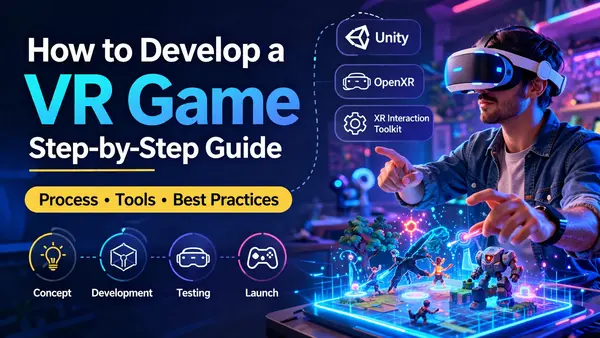
Short version: Define your game concept and pick a target headset → set up Unity with OpenXR and the XR Interaction Toolkit → decide on your locomotion system → prototype the core VR interaction → build the full game → test comfort and performance across devices → submit to the platform store. The stages match any game project, but comfort engineering and device performance take significantly more time in VR than in flat games.
This guide covers how to develop a VR game from concept to store submission — what to decide at each stage, what makes VR development different from flat game development, and where projects typically run into problems.
For budgeting, the VR game development cost guide has ranges by headset and game type. This page covers the development process only.
What You Need Before You Start
VR development done entirely in a simulator will fail the moment you put the headset on. Get the hardware and tooling in place before writing any game code.
| What you need | Details | Why |
|---|---|---|
| Unity 2022 LTS or 2023 LTS | Download via Unity Hub | LTS releases have stable XR package support. Avoid non-LTS builds for production VR projects |
| XR Plugin Management | Install via Edit → Project Settings → XR Plug-in Management | The system that manages which headset provider plugin runs. Required before enabling any headset support |
| OpenXR plugin | Install via Package Manager under Unity Registry | The cross-platform standard supported by Meta Quest, PC VR headsets, and most modern hardware. Recommended over platform-specific SDKs for most games |
| XR Interaction Toolkit (XRI) | Install via Package Manager. Import the Starter Assets sample | Unity's built-in VR interaction framework. Provides XR Origin, controller input presets, locomotion system, and grab interactions out of the box |
| Input System package | Required by XRI — installs automatically as a dependency | XRI uses Unity's new Input System, not the legacy Input Manager |
| Physical VR headset | Meta Quest 2 or 3 is the most practical starting point | Comfort, performance, and interaction all behave differently in a real headset than in the Unity editor. You need a device from the first week of development |
| Meta Quest: Developer Mode enabled | Enable in the Meta Horizon mobile app under Devices | Required to sideload development builds from Unity directly to the headset without going through the Meta Horizon Store |
| Android Build Support module | Add during Unity installation for Quest development | Meta Quest runs on Android. You need Android build support to deploy Unity builds to the headset |
Unity provides a VR template in Unity Hub that pre-configures XR Plugin Management, OpenXR, and XRI for you. For new projects, starting from the VR template saves an hour of manual package setup.
Unity VR Setup: First Steps
This sequence gets a working VR scene in Unity from a blank project. The first build to a physical headset takes about 30–45 minutes including initial setup.
- 1 Create a new project from the VR template — in Unity Hub, choose New Project and select the VR template. This pre-installs XR Plugin Management, OpenXR, and XRI and creates a working sample scene. If using a blank project, you will need to install these packages manually.
- 2 Set your platform target — for Meta Quest, open
File → Build Settingsand switch the platform to Android. For PC VR (Steam, Valve Index), leave the platform as Windows. For both, go toEdit → Project Settings → XR Plug-in Managementand enable OpenXR under the relevant platform tab. - 3 Add interaction profiles — in
Project Settings → XR Plug-in Management → OpenXR, click the + icon under Interaction Profiles and add the profile for your target controllers — Meta Quest Touch Controller Profile for Quest, Valve Index Controller Profile for Index, and so on. This tells OpenXR which controller input mappings to use. - 4 Run the Project Validator — still in the OpenXR settings, Unity shows a warning icon if required settings are missing. Click it to open the OpenXR Project Validator and fix any flagged issues. Common fixes include enabling the correct interaction profiles and setting the color space to Linear.
- 5 Set up the XR Origin — in your scene, right-click in the Hierarchy and choose
XR → XR Origin (VR). This adds the XR Origin GameObject with a Camera Offset and two controller GameObjects. The XR Interaction Manager is also added automatically. This is the player rig — everything the player sees and interacts with is relative to this. - 6 Import the Starter Assets — in Package Manager, select XR Interaction Toolkit and expand the Samples section. Import Starter Assets. These include pre-configured input action presets and prefabs for locomotion and interaction. Drag the
XRI Default Input Actionsasset into the XR Interaction Manager's Input Manager references, or use the auto-setup option in the XRI settings. - 7 Deploy to the headset — for Meta Quest, connect via USB, enable Developer Mode on the device, and build using
File → Build and Runwith Android selected as the platform. The first build takes several minutes. Once deployed, put the headset on and confirm the camera moves with your head and the controllers are tracked. If both work, your Unity VR setup is complete.
If controller input is not responding, check that your interaction profiles match the target headset and that the XRI Default Input Actions asset is correctly assigned. Most early setup issues trace back to one of these two points.
The VR Game Development Process: 8 Stages
The complete VR game development process with typical durations at each stage:
| # | Stage | What happens | Typical duration |
|---|---|---|---|
| 1 | Concept and scope | Define the game type, target headset, locomotion system, and whether multiplayer is needed | 1–2 weeks |
| 2 | Tech stack decisions | Choose game engine, SDK, and backend approach | 1 week |
| 3 | Locomotion prototype | Build and comfort-test the movement system on real hardware | 2–4 weeks |
| 4 | Game design document | Lock mechanics, levels, interaction design, and performance targets | 1–2 weeks |
| 5 | Art production | 360° environments, characters, objects, UI panels, VFX — runs in parallel with development | 8–20 weeks |
| 6 | Full development | Game logic, VR interactions, comfort systems, backend | 8–20 weeks |
| 7 | Comfort testing and QA | Testing across devices, comfort sessions with real users, performance profiling | 3–6 weeks |
| 8 | Certification and launch | Platform store submission, VRC compliance, server setup | 2–8 weeks |
VR Game Development Steps: Each Stage Explained
Concept and Scope
Three decisions shape every technical choice that follows:
- Target headset — Meta Quest standalone, PC VR (Steam), PlayStation VR2, or a combination. Each has different performance floors, SDKs, and certification requirements
- Locomotion system — how players move around your world. Teleportation is the safest choice for comfort. Smooth locomotion (thumbstick movement) reaches more players but is known to cause discomfort for many players, particularly in longer sessions. This is a design decision, not a detail — lock it in stage 1
- Multiplayer — whether your game needs real-time multiplayer or not. Adding it after the game is built requires rearchitecting the backend and game state. Decide before production begins
Tech Stack Decisions
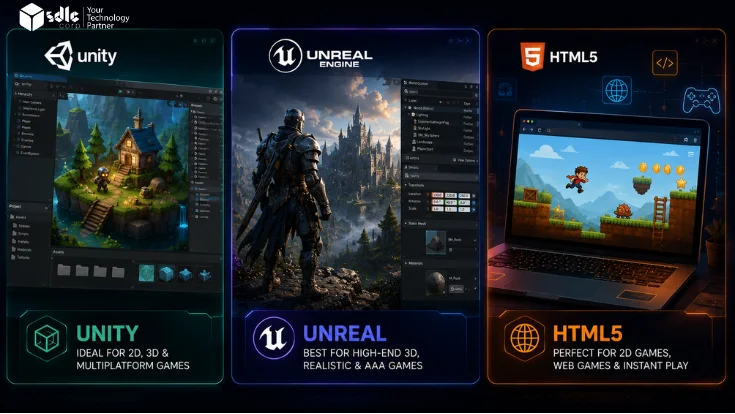
- Game engine — Unity with XR Interaction Toolkit is the most widely used choice for VR games. It supports OpenXR, Meta Quest, PSVR2, and most PC VR headsets through one framework. Unreal Engine supports VR through its built-in VR mode but has fewer pre-built VR interaction components
- SDK approach — OpenXR is the cross-platform standard supported by Meta, HTC, Valve, and Sony. For games targeting only Meta Quest with advanced hand tracking and social features, the Meta XR SDK provides deeper integration. For most commercial games, OpenXR is the right starting point
- Backend — if your game has leaderboards, user accounts, or multiplayer, set up the backend before writing game logic. Retrofitting it mid-development requires rebuilding game state management from scratch
Locomotion Prototype
Build the movement system before anything else and test it on at least five real people wearing the headset. This is the most important stage in VR development — more important than prototyping in AR because locomotion problems affect every player, not just those with a specific phone or surface.
Three common locomotion systems to consider:
- Teleportation — the player points at a spot and jumps there instantly. No motion sickness. Works well for puzzle, exploration, and narrative games. Limits gameplay designs that depend on real-time movement
- Smooth locomotion — thumbstick-driven movement. Familiar from flat games. Causes motion sickness in many players, especially over longer sessions. Adding a vignette effect during movement reduces but does not eliminate it
- Room-scale only — the player walks physically. No artificial locomotion at all. Works for small-space games like escape rooms and arcade titles. Limits the size of the playable area
Most commercial VR games offer teleportation as the default with smooth locomotion as an opt-in setting for players who are comfortable with it. Test this combination early.
Game Design Document
Lock the full game design before art production begins. A VR GDD covers all the standard elements — core loop, levels, progression, scoring — but must also include:
- Interaction design for every object the player can grab, push, activate, or throw
- Comfort guidelines — maximum movement speed, whether head bobbing is used, snap turning vs smooth turning settings
- Performance targets per device — polygon count per scene, texture resolution limits, draw call budgets for the target headset
- Locomotion options and accessibility settings
Art production can only start reliably once the GDD is locked. Art built for a mechanic that changes mid-build is wasted budget.
Art Production
VR art has requirements flat game art does not. Every room and environment needs to be finished on all sides — players look up, behind them, at the ceiling. Art scope is typically 30–40% higher than a comparable flat game with the same number of levels.
VR-specific art requirements:
- Draw call budgets — set per-scene polygon and draw call limits against your target headset before artists start. Quest standalone has much tighter limits than PC VR
- Hand and arm models — the player's virtual hands are visible at all times in first-person VR. These need higher detail and more polish than incidental props
- UI panels — flat 2D UI does not work in VR. All menus and interfaces need to be built as 3D world-space panels attached to the environment or the player's body
- Scale — objects must be built at real-world scale. Players have an instinctive sense of size in VR that they do not have in flat games. A door that is slightly too small feels wrong immediately
Full Development
The main build phase. Beyond standard game code, VR adds four specific engineering areas:
- Controller interactions — XRI's Interactor and Interactable components handle grab, activate, and UI interaction. Each interactable object needs its own interaction setup — what happens when you pick it up, throw it, press it, or activate it
- Hand tracking (if needed) — Unity's XR Hands package provides hand skeleton data from the Quest's cameras. Hand tracking replaces controller input, which requires redesigning all interactions to work without physical button presses
- Comfort systems — vignette during locomotion, snap turn options, height calibration, and seated mode if required. These need to be built as configurable settings, not hardcoded values
- Performance — frame rate stability is critical for comfort. On Quest standalone, the rendering budget is tight. Profile on real hardware from the start and address performance issues at the architecture level, not at the end
Comfort Testing and QA
VR QA has one requirement flat game QA does not: comfort testing with real human testers wearing the headset, not just engineers who have spent months in the game and built up tolerance.
What your QA plan should cover:
- Comfort sessions with new testers — people who have never worn a VR headset are your most important comfort testers. Their reaction in the first 10 minutes is much closer to what a first-time player will experience than the reaction of engineers who have spent months inside the game
- Device range — test on at least two Meta Quest models if targeting Quest, and on PC VR hardware with different GPU tiers if targeting Steam
- Performance profiling — use Unity's XR frame debugger and Meta's OVR Metrics Tool (for Quest) to identify GPU and CPU bottlenecks on target hardware
- Certification readiness — for Meta Horizon Store submission, review the VRC (VR Compatibility) requirements checklist early and address any failures before submitting. Sony PSVR2 certification has additional platform-specific requirements
Start comfort testing at the locomotion prototype stage. A comfort issue found in the last two weeks before submission almost always means revisiting the locomotion or interaction architecture.
Certification and Launch
Each VR platform has its own submission process:
- Meta Horizon Store — all titles go through VRC compliance review. Titles submitted for broader storefront visibility go through full VRC review. The App Lab pathway exists for limited distribution outside the main store, but Meta's publishing docs now centre the Meta Horizon Store as the primary distribution path. Build in at least two weeks for review and budget for one revision cycle
- Steam (PC VR) — the most straightforward submission process. Steamworks review is typically faster than console VR stores
- PlayStation VR2 — Sony's certification process is the strictest of the major VR platforms. Requires a formal developer agreement and a full technical review. Build in 4–8 weeks for the certification phase
Post-launch maintenance is ongoing. Meta, Valve, and Sony all update their SDKs and store requirements regularly. Plan for an annual compatibility review of your build even if no new features are being added.
Where VR Game Development Gets Hard
Six problems that slow down almost every VR project:
| Problem | Why it happens | How to handle it |
|---|---|---|
| Locomotion sickness | Smooth locomotion moves the player's view without the body moving. The mismatch between visual and physical motion is a known cause of discomfort for many VR users, particularly in longer sessions. | Make teleportation the default. Add smooth locomotion as an opt-in setting. Test with new users from stage 3, not just experienced testers at QA. |
| Interaction feel | Grabbing, throwing, and activating objects in VR needs to feel natural. Objects that clip through surfaces, float off-centre, or respond to the wrong hand position break immersion immediately. | Use XRI's built-in Interactable components and tune the attach transform for each object type. Test every interactable in a headset, not in the editor. |
| Performance on Quest standalone | Quest runs on mobile-grade hardware. The rendering budget is tight. Scenes that look fine in the Unity editor can drop to uncomfortable frame rates on a real Quest headset. | Set draw call and polygon budgets per scene before art production. Profile on a physical Quest from the prototype stage. Use the OVR Metrics Tool to monitor GPU and CPU load in real time. |
| Scale feels wrong | Players have an instinctive sense of real-world scale in VR that they do not have in flat games. A room that is slightly too small, a door that is slightly too tall, a table at the wrong height — all feel immediately wrong when you are standing inside them. | Model all environments at real-world scale from the start. Use a reference height marker (average human eye height is around 1.65m) in every scene during production. |
| Hand tracking replacing controller input | Hand tracking removes physical buttons. Every interaction that previously used a trigger press now needs a pinch gesture, a poke, or a grab. Redesigning interactions for hand tracking is a significant scope addition if not planned from the start. | Decide in stage 1 whether hand tracking is required. If yes, design all interactions to work without buttons. If hand tracking is optional, build controller interactions first and layer hand tracking on top. |
| Multiplayer sync in VR | Syncing full-body representation (head, two hands, body) for multiple players is significantly more complex than syncing a flat game character. Latency that is invisible in a flat shooter is visible and disorienting when watching another player's virtual hands. | Plan multiplayer from stage 1. Use a proven networking solution (Photon, Mirror, Unity Netcode) with VR avatar support. Dead-zone the hand positions to reduce small jitter — smooth interpolation between positions rather than snapping. |
6 Mistakes That Slow Down the VR Game Development Process
- 1 Not deciding locomotion in stage 1. The movement system affects art scope, interaction design, level design, and comfort QA scope. Teams that leave this decision until mid-development rebuild significant portions of the game when late comfort testing reveals problems.
- 2 Developing without a physical headset. To build a VR game properly, you need real hardware from week one. The Unity editor does not replicate scale, comfort, or performance. A scene that looks and feels fine on a monitor can feel cramped, nauseating, or unplayably slow on a physical headset. Get hardware before writing any game code.
- 3 Only testing with experienced VR users. Engineers who build VR games for months develop tolerance to comfort issues that real players do not have. Comfort testing with people who rarely or never use VR is the only way to know what your actual audience will experience.
- 4 Building art without performance budgets. Quest standalone has tight rendering limits. Art produced without per-scene polygon and draw call budgets almost always requires expensive optimisation or visual downgrades late in production.
- 5 Adding hand tracking as an afterthought. Hand tracking removes buttons. Every interaction built around trigger presses needs to be redesigned if you add hand tracking support after production has started. Decide in stage 1 and design for it from the beginning.
- 6 Not budgeting for certification revisions. Meta Horizon Store and Sony PSVR2 certification both have real review timelines and real failure modes. A first submission that fails VRC requirements adds weeks to your launch date. Review the VRC checklist during development, not at submission.
VR Game Development: Common Questions
How long does it take to develop a VR game?
A simple VR experience takes 3–5 months. A mid-range VR game takes 5–10 months. A large VR game with multiplayer takes 10–18 months. The locomotion prototype stage — which should not be skipped — adds 2–4 weeks to any project timeline before full production begins.
What is the best game engine for VR development?
Unity with XR Interaction Toolkit is the most widely used choice. It supports OpenXR, Meta Quest, PSVR2, and most PC VR headsets through one framework. Unreal Engine supports VR through its built-in VR mode and is a strong choice for visually intensive games, but has fewer pre-built VR interaction components than Unity's XRI.
What is OpenXR and should I use it?
OpenXR is the cross-platform industry standard for VR and XR development, supported by Meta, Valve, HTC, Sony, and Microsoft. Using OpenXR means your game can run on multiple headsets without maintaining separate codebases for each vendor's SDK. For most commercial VR games, OpenXR via Unity's XR Plugin Management is the recommended starting point. If you are building Quest-only with deep Meta social features or hand tracking, the Meta XR SDK gives additional capabilities not yet exposed through OpenXR.
What is teleportation vs smooth locomotion in VR?
Teleportation moves the player instantly to a new position with no continuous movement. It causes no motion sickness and is the standard comfort choice for VR games. Smooth locomotion moves the player continuously via a thumbstick, like a flat game. It is familiar but can cause discomfort for many players, particularly in longer sessions. Most commercial VR games offer both, with teleportation as the default.
How many people do I need to develop a VR game?
A minimal team for a simple VR game is 3–4 people: a VR engineer, a Unity developer, a 3D environment artist, and a QA tester. A mid-range VR game needs 5–7 people — adding a game designer, a character/prop artist, and a dedicated comfort QA tester. Multiplayer VR games need a backend developer and a team of 7–10 or more.
What is the difference between developing for Meta Quest vs PC VR?
Meta Quest is a standalone headset with a mobile-grade processor — it requires tight performance budgets, aggressive optimisation, and specific Android build settings in Unity. PC VR (Steam, Valve Index, HTC Vive) connects to a gaming PC, which means higher visual fidelity is possible but you need to account for a wider range of PC hardware configurations. Quest has a larger installed base than most PC VR platforms, though exact figures change as the market evolves. PC VR games typically command higher prices and reach a more enthusiast audience.
Building a VR Game?
Share your target headset, game type, and comfort requirements. We will outline the likely build stages, the right tech stack, and a realistic timeline.
Talk to a VR developer →