
- ODOO 18 COMPATIBLE
Free Odoo WooCommerce Connector for Real-Time
ERP Sync
Connect your WooCommerce store with Odoo ERP using a bi-directional integration for real-time sync of products, orders, customers, and inventory. Therefore, you reduce manual work and avoid data errors.
- Bi-Directional Sync - Sync data both ways
- Real-Time Automation - Instant webhook-based updates
- Multi-Store Support - One Odoo, multiple stores
- Why Choose Our free Odoo WooCommerce Connector
Built for Scalable, Real-Time WooCommerce Odoo Integration
Our connector is built for automation, accuracy, and scalability. Therefore, it syncs WooCommerce and Odoo without manual effort. Moreover, it ensures reliable data flow as your business grows..
Connect Multi-Woo Stores
Connect multiple WooCommerce stores to a single Odoo system for centralized management with independent store configurations.
Bi-Directional Order Sync
Enable bi-directional order sync between WooCommerce and Odoo, ensuring consistent order data with real-time status updates.
Map Any Woo Field with Odoo
Map WooCommerce fields to Odoo with flexible data mapping, ensuring seamless integration aligned with your business workflow.
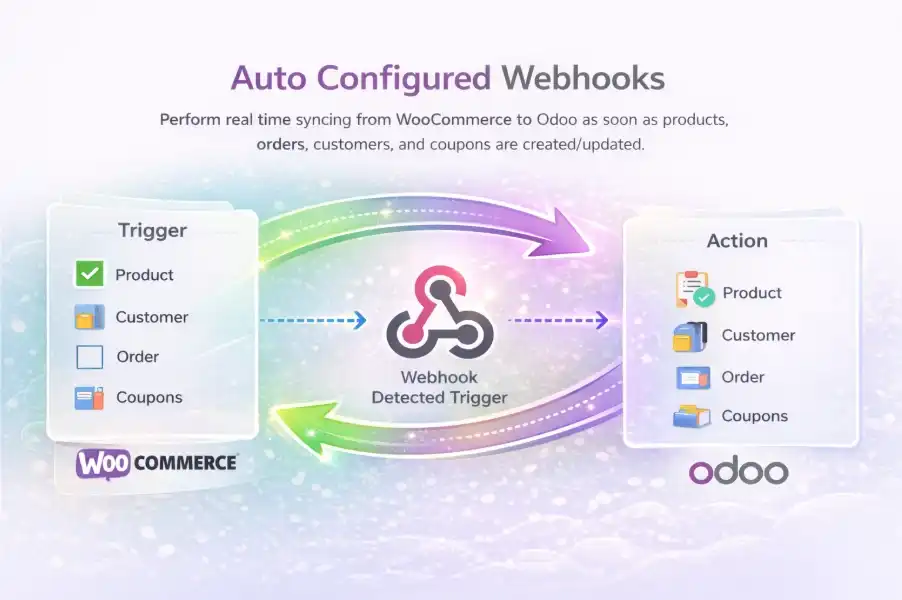
Auto Configured Webhooks
Auto-configured webhooks enable real-time data sync, ensuring instant updates with minimal setup and reliable performance.
Manage Stock & Refunds
Manage stock updates and refunds in Odoo with real-time inventory sync, ensuring accurate stock levels, aligned refund processes across systems.
Multi-Company Support
Manage multiple companies within a single Odoo environment. Therefore, you can handle separate business operations efficiently.
- How it Works
How Free Odoo WooCommerce Connector Works
Set up and manage your WooCommerce–Odoo integration through a structured process. Therefore, you can connect, configure, sync, and monitor your entire eCommerce workflow with accuracy and control.
Setup & Dashboard Overview
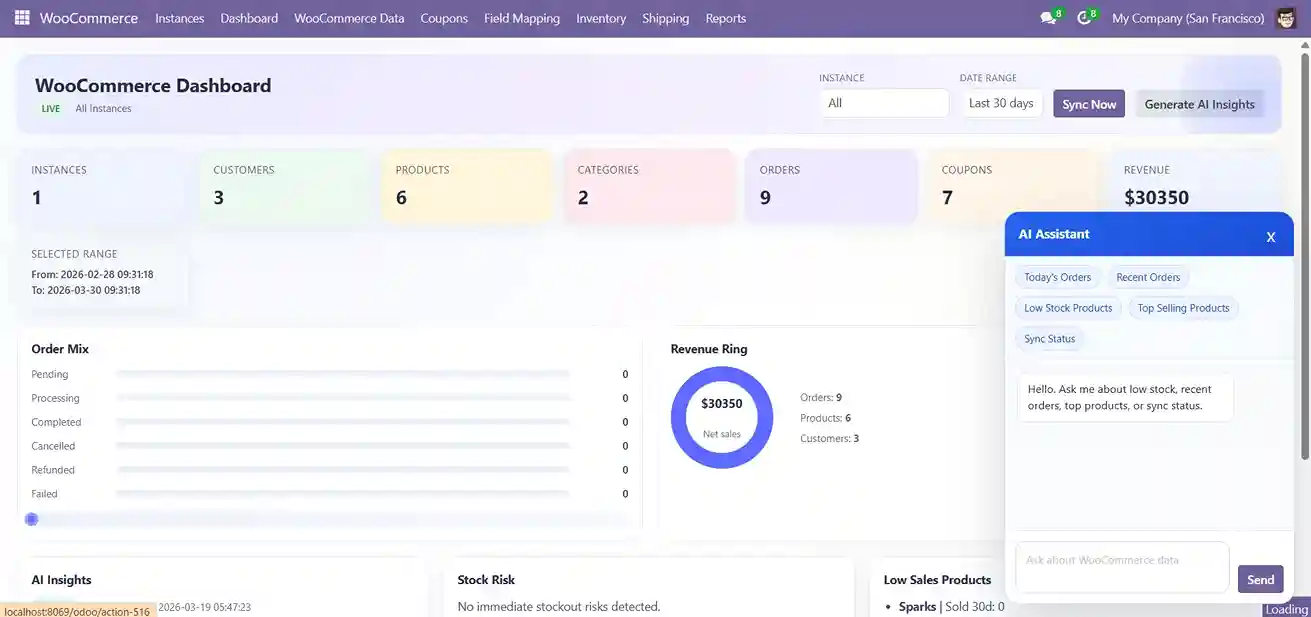
✔ Search and install WooCommerce Connector.
✔ Access WooCommerce dashboard inside Odoo.
✔ View overview: products, customers, orders, categories.
Instance Configuration
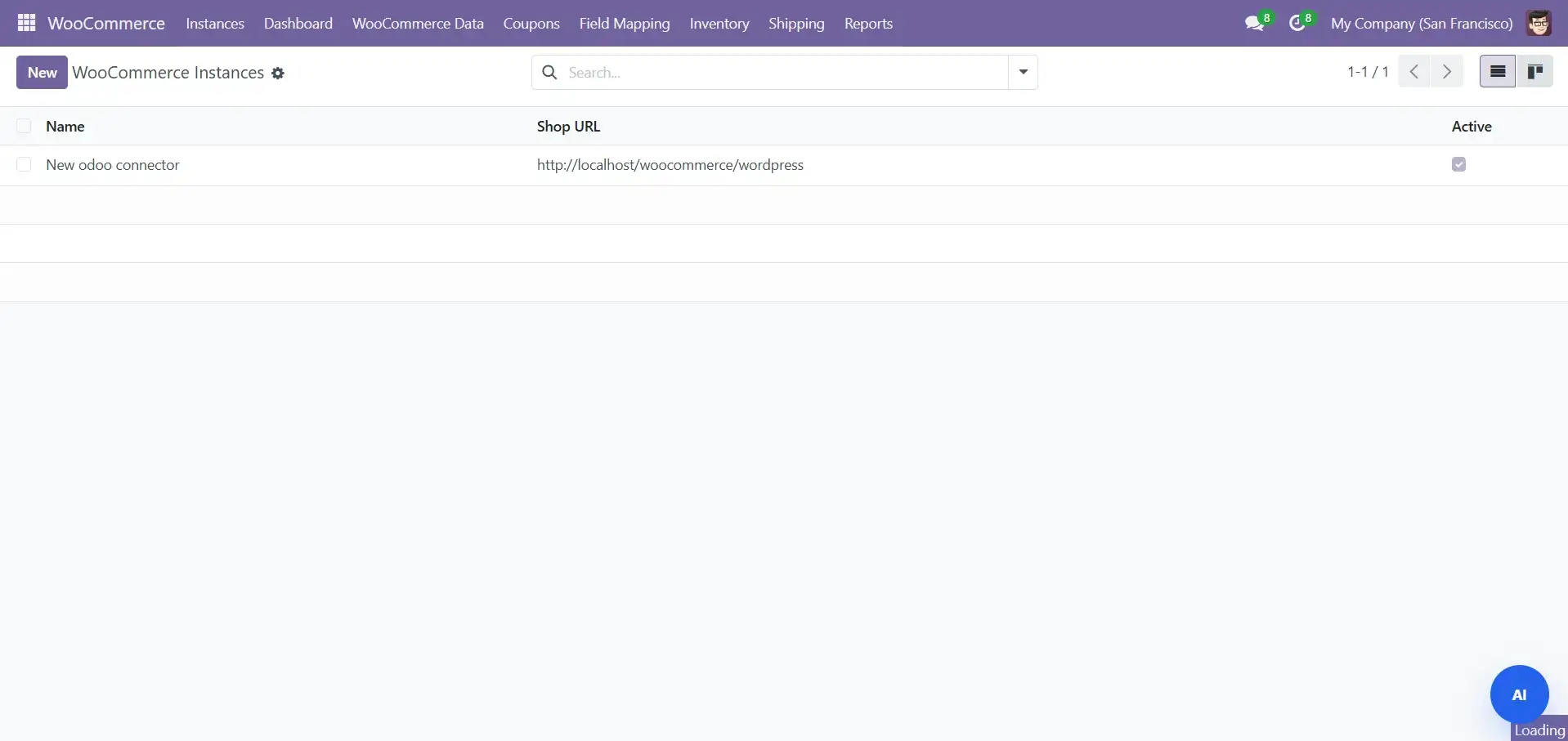
✔ Enter store URL and API credentials.
✔ Test connection before syncing.
Test Connection
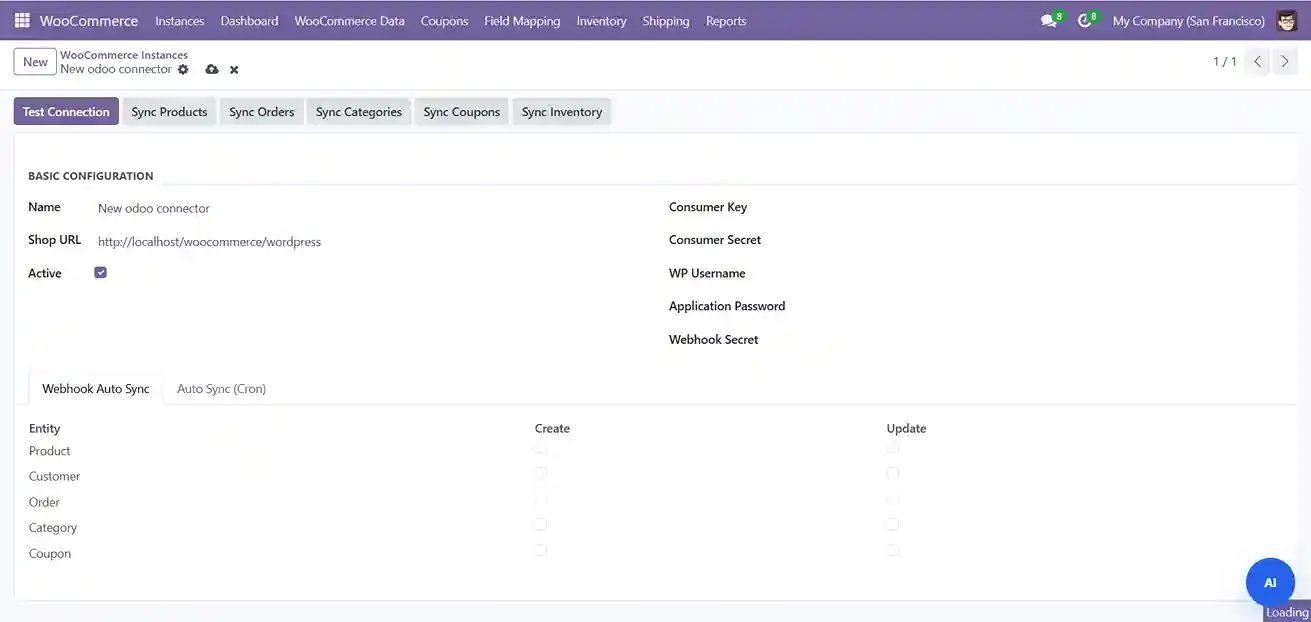
✔ Consumer Key & Secret – REST API authentication.
✔ WP Username & App Password – secure login access.
✔ Webhook Secret – secure webhook validation.
Data Management & Sync
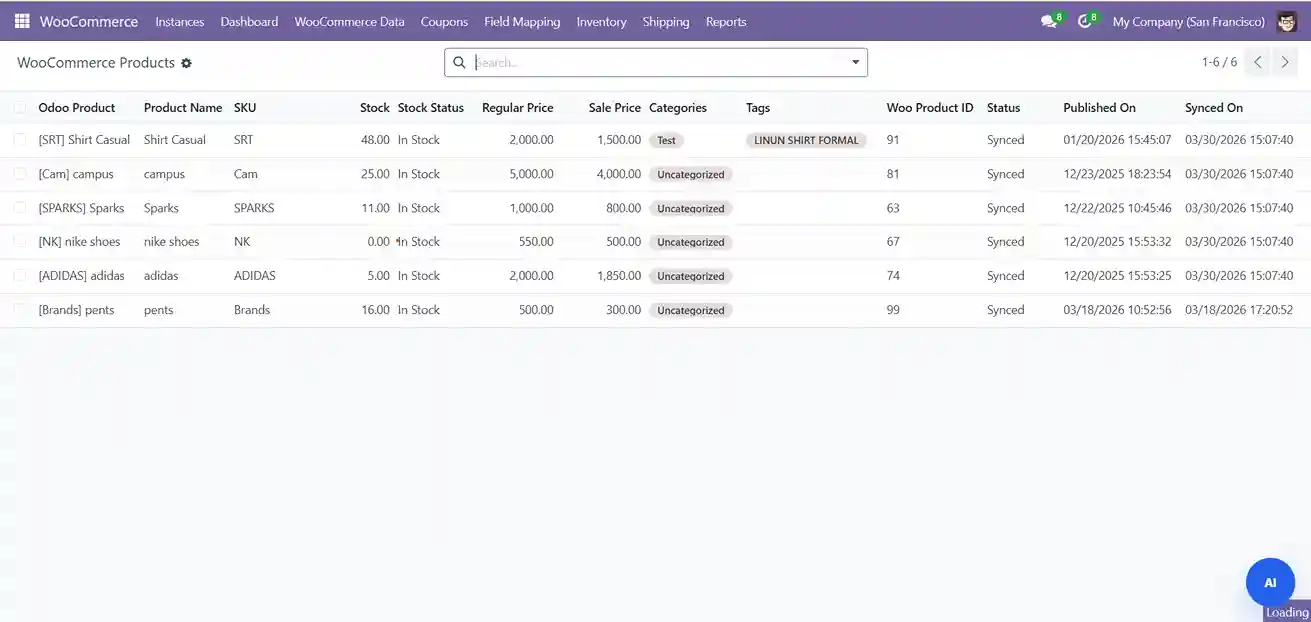
✔ Create and update products in Odoo.
✔ Push updates to WooCommerce instantly.
✔ Sync product variants, tags, and inventory.
Monitoring & Reports
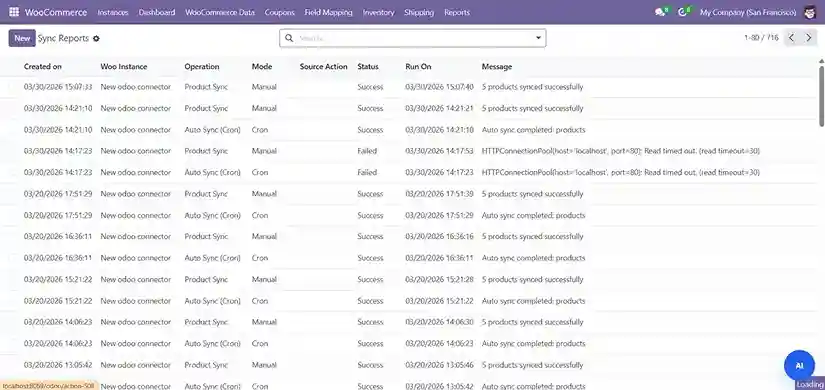
✔ Track successful and failed operations.
✔ Analyze data flow performance.
✔ Maintain audit records.
- Feature Implementation Process
How Our Free Odoo WooCommerce Connector implements in Real Business
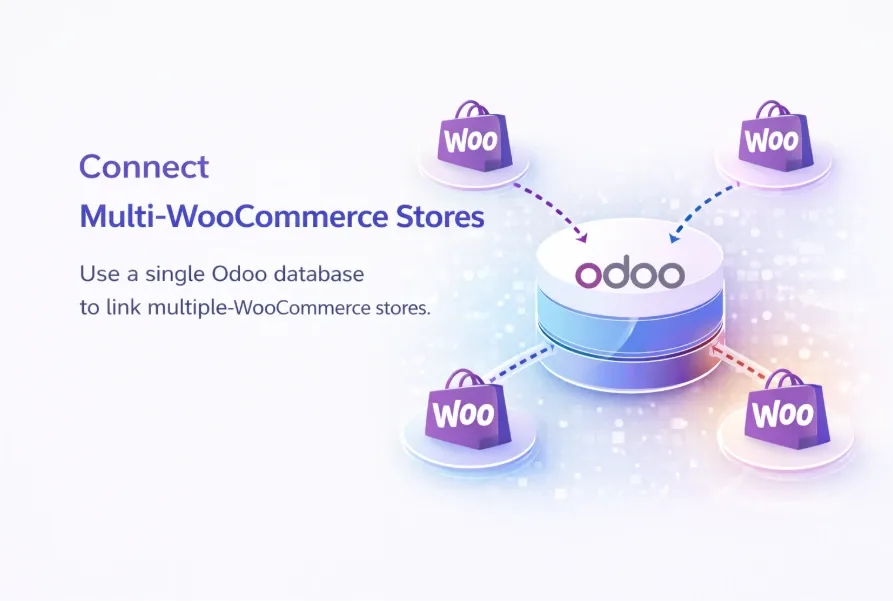
Multi-Store Support
Connect and manage multiple WooCommerce stores in one Odoo database. Therefore, you centralize operations while keeping each store independently configured with its own warehouse and sync settings.
- Multi-Store Centralization
- Warehouse & Sync Control
- Multi-Company Support
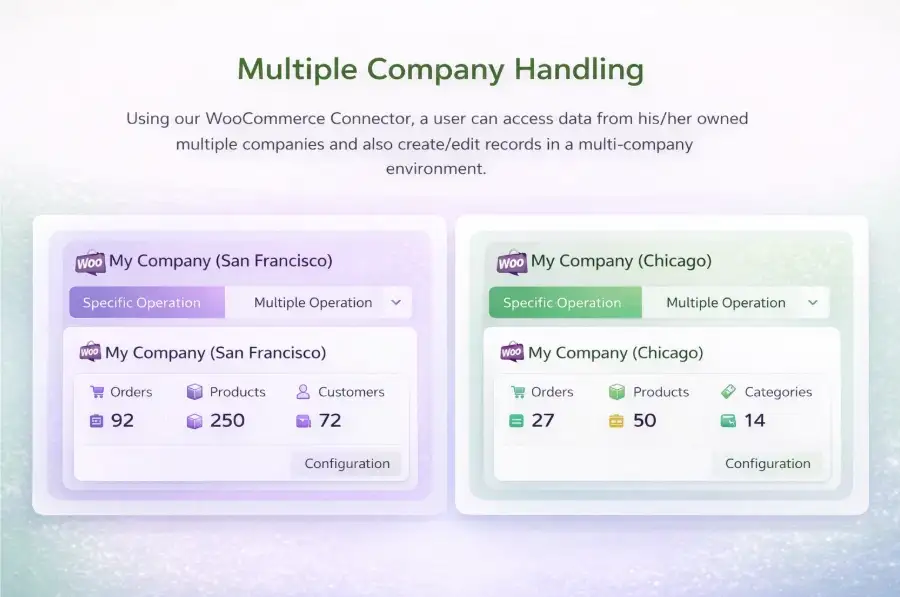
Multi-Company Management
- Multi-Company Data Access
- Cross-Company Record Management
- Separate Data Control
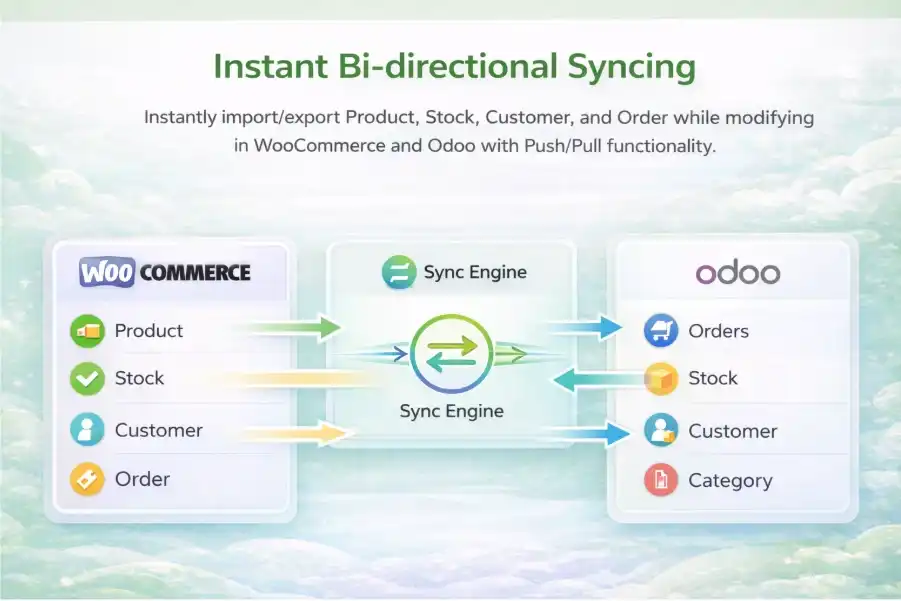
Instant Bi-Directional Sync Engine
- Products - SKU, price, stock, and images
- Inventory - real-time stock levels
- Customers - billing, shipping, and contact details
Real-Time Sync with Auto Webhooks
Webhook-based sync enables instant real-time updates from WooCommerce. Therefore, Secure validation and cron fallback ensure reliable and accurate data flow.
- Product creation & updates
- Customer registration & updates
- Order creation & status changes
- Pricing
WooCommerce to Odoo Connector Pricing
The connector is available with a one-time license fee. Optional setup and customization services are available if required.
WooCommerce – Odoo Connector
- Product synchronization between WooCommerce and Odoo
- Order import into Odoo Sales module
- Customer data sync and updates
- Inventory & price synchronization
Implementation & Customization
- Custom fields & mapping rules
- Special order/invoice automation
- Advanced reports & logs
- Priority support options
- Delivering Measurable ERP Sync Outcomes
Delivering Reliable WooCommerce - Odoo Sync Results
Real-time synchronization that reduces manual work, improves inventory accuracy, and gives teams full visibility inside Odoo.
Live Data Sync
Instantly sync orders, products, customers, and inventory with webhook-based real-time updates, ensuring accurate and up-to-date data in Odoo without delays.
Queue & Cron-Based Sync Engine
A queue-based sync engine with cron fallback and retry logic ensures efficient data processing, system stability, and reliable synchronization during high order volumes.
Two-Way Data Synchronization
Bi-directional sync between WooCommerce and Odoo keeps inventory, orders, and customer data aligned, reducing errors and ensuring operational accuracy.
Advanced Logs & Sync Tracking
Monitor WooCommerce–Odoo sync with real-time logs and tracking in Odoo, enabling quick issue resolution and complete operational visibility.
- Complete Integration Capabilities
All Your WooCommerce & Odoo Operations, Fully Connected
Product Management
Sync products with SKU, pricing, stock, images, categories, and tags. Edit in Odoo and push changes to WooCommerce instantly.
Customer Management
Order Management
Full order lifecycle sync – pending, processing, completed, cancelled, refunded. Auto-create Odoo sale orders from WooCommerce.
Category & Catalog Management
Sync WooCommerce categories to Odoo with parent/child relationships. Create and update categories in both directions.
Field Mapping & Data Control
Manage WooCommerce coupons and fixed cart discounts from Odoo. Create coupon codes with expiry dates and usage limits.
Inventory Management
Map any Odoo field to any WooCommerce field. Product, Customer, and Category mapping with Test Mapping and Load New Fields features.
- We are your technology partner
Built to Scale Your WooCommerce To Odoo Operations
Our WooCommerce to Odoo Connector is built for long-term reliability and scale.
It adapts to growing order volume, complex inventories, and evolving ERP workflows without rework.

- Get Started
Let’s Connect Your WooCommerce Store to Odoo
Get expert guidance on WooCommerce – Odoo integration, data sync setup, and ERP workflows so you can launch with confidence.
What happens after you submit?
- We review your WooCommerce & Odoo setup
- Quick call to understand sync needs
- Clear integration plan & next steps
- Secure Integration
- Odoo-Ready
- Global Clients
- Frequently Asked Questions
Everything You
Need to Know
What is an Odoo WooCommerce Connector?
Does the connector support real-time synchronization?
Is bi-directional sync available between WooCommerce and Odoo?
Can I connect multiple WooCommerce stores to one Odoo instance?
Does the connector support multi-company environments in Odoo?
Yes, the connector fully supports multi-company functionality in Odoo. Therefore, you can manage multiple business entities within one system. Moreover, each company can maintain separate products, orders, and customer data with flexible workflows.
What data can be synchronized between WooCommerce and Odoo?
✔ Products, variants, and categories
✔ Orders, order status, and invoices
✔ Customers, billing, and shipping details
✔ Inventory and stock levels
✔ Coupons, taxes, and pricing
Is the connector compatible with Odoo 18?
Yes. The connector is fully compatible with Odoo 18 and follows Odoo’s latest module and security standards.
How does the connector handle high order volumes?
The connector uses a queue-based processing system to manage large volumes of data efficiently. Therefore, it ensures smooth performance during peak traffic. Moreover, cron jobs and retry mechanisms prevent data loss and maintain synchronization reliability.


