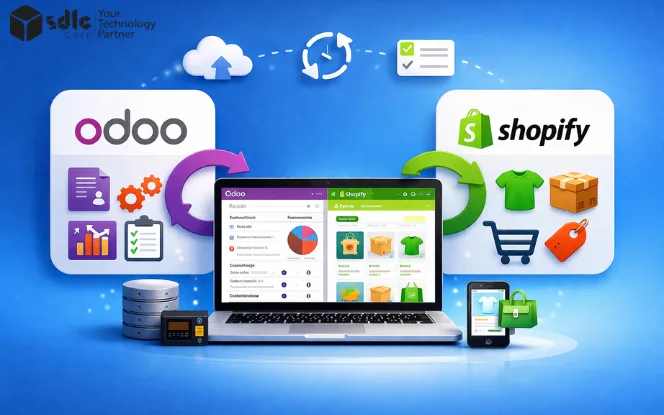
Odoo Shopify integration connects your Shopify store with Odoo ERP through one reliable workflow. It syncs orders, products, customers, inventory, and fulfilment data to reduce manual work and improve accuracy. Shopify manages the storefront and checkout, while Odoo handles backend operations such as inventory, accounting, purchasing, and reporting. This guide explains how the integration works and why a purpose-built connector is better than manual processes.
Why Businesses Connect Shopify With Odoo

Many ecommerce teams begin with manual processes. At low order volume, that can feel manageable. However, once the business grows, manual work becomes a serious operational risk.
A disconnected Shopify–Odoo setup often leads to:
- Delayed order entry into ERP
- Stock mismatches between storefront and warehouse
- Duplicate customer or product records
- Inconsistent prices or tax handling
How Shopify To Odoo Integration Works
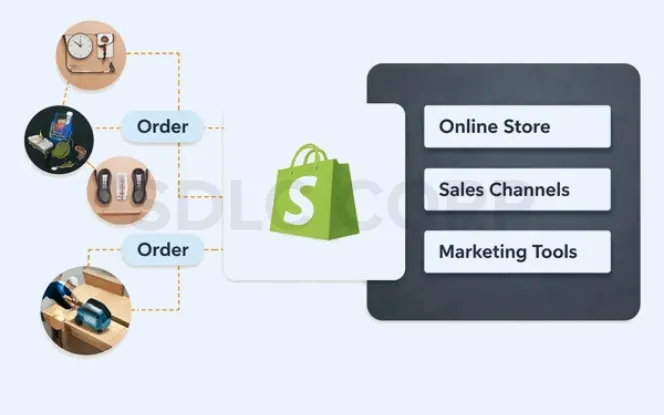
Although connectors differ in interface and configuration depth, the core workflow usually follows four stages.
Connect The Shopify Store To Odoo
First, the business securely connects Shopify to Odoo using API credentials, access tokens, or app-level authentication. Shopify’s documentation explains that webhook subscriptions require an endpoint and event subscriptions, and that webhooks are used to keep apps in sync with Shopify data.
Configure Sync Rules And Field Mapping
Next, the connector defines what should sync and how records should map between both systems. This usually includes products, orders, customers, categories, variants, and operational fields.
Enable Near-Real-Time Or Scheduled Sync
After configuration, the connector begins moving data. In many setups, Shopify webhooks trigger event-based updates. Shopify describes webhooks as a near-real-time way to receive event data and keep apps in sync, and also as a performant alternative to continuous polling. Scheduled jobs can still be used as a fallback or recovery layer if a record is delayed or missed.
Monitor Sync Activity Inside Odoo
Reliable integration does not stop at automation. Teams also need logs, history, retry tracking, and error visibility inside Odoo.
Data Sync Scope: What Can Sync Between Shopify And Odoo?
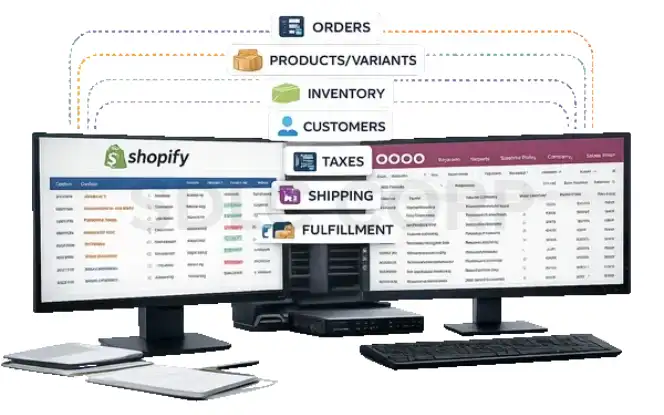
One important question in any Odoo Shopify integration project is simple: what exactly will sync between both systems? This must be defined before launch because sync scope affects operations, reporting, and user expectations.
Depending on the connector and setup,common sync data includes:
- Orders
- Products
- Product variants
- Inventory levels
- Customer records
- Billing addresses
- Shipping addresses
- Taxes
- Shipping methods or shipment-related details
- Selected payment-related references
This section matters because many businesses assume everything syncs automatically. However, that is rarely true. The exact scope depends on business rules, field mapping, workflow design, and connector capability. Therefore, a reliable connector should make the sync scope visible and configurable from the beginning.
How Shopify Orders Sync To Odoo
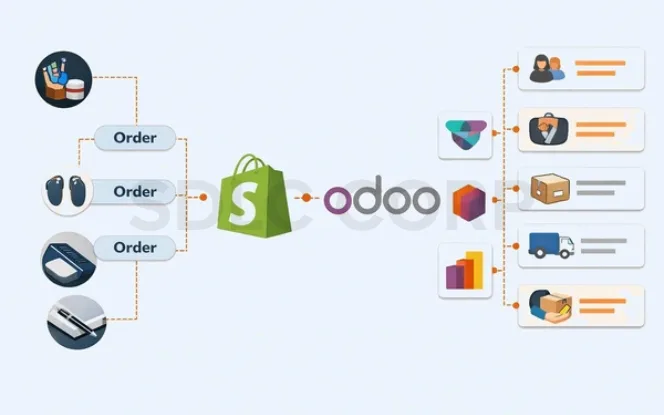
Order sync is usually the most important part of the integration because it affects revenue, stock allocation, fulfilment, customer service, and accounting at the same time.
A typical Shopify-to-Odoo order flow may include:
- Order number
- Customer details
- Billing and shipping addresses
- Product and variant lines
- Quantity
- Price and discount values
- Shipping charges
- Taxes
- Payment references
- Notes or tags
Shopify’s webhook documentation uses order events as a clear example of event-driven sync. It explains that webhook payloads are sent to the app endpoint when subscribed events occur. After import, Odoo usually creates a sales order and, based on connector setup, may also create or update the customer, delivery, invoice, tax links, or payment references.
Odoo documentation also supports sales order and product variant workflows as standard application behavior
Common Order Sync Models
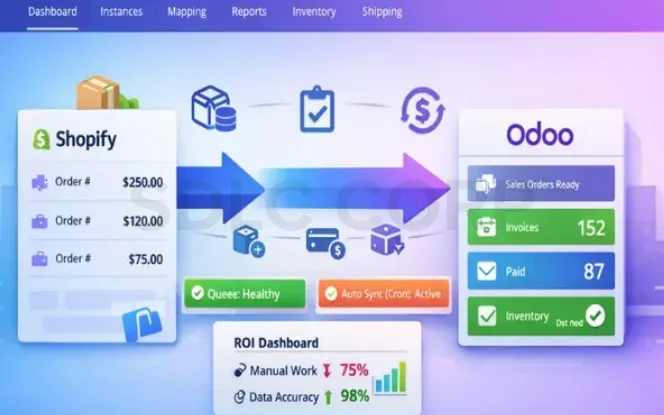
Real-Time Or Near-Real-Time Sync
Orders move into Odoo soon after placement. This model is best for businesses that need faster warehouse action and stronger stock visibility.
Scheduled Batch Sync
Orders move at timed intervals, such as every 15 minutes or every hour. This can work for smaller operations, although it creates more timing gaps.
Draft-State Sync
Some businesses prefer to create orders in Odoo as drafts first, especially when finance or operations teams want manual confirmation before fulfilment.
Why Order Sync Fails
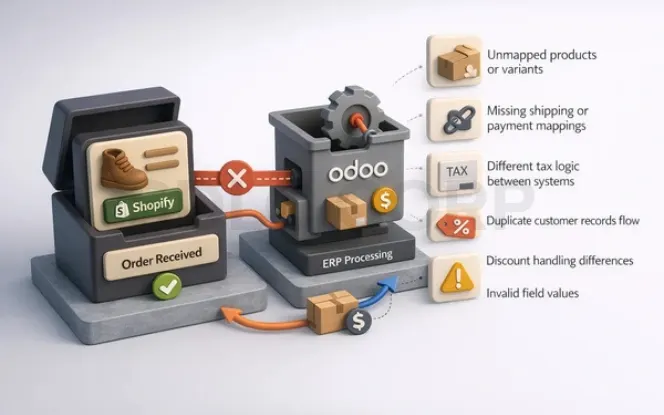
Order import often fails because of:
- Unmapped products or variants
- Missing shipping or payment mappings
- Different tax logic between systems
- Customer duplication rules
- Discount handling differences
Therefore, order sync should never be treated as a basic import task. It is a workflow layer that depends on product mapping, tax structure, payment rules, and ERP process design.
How Inventory Sync Logic Works
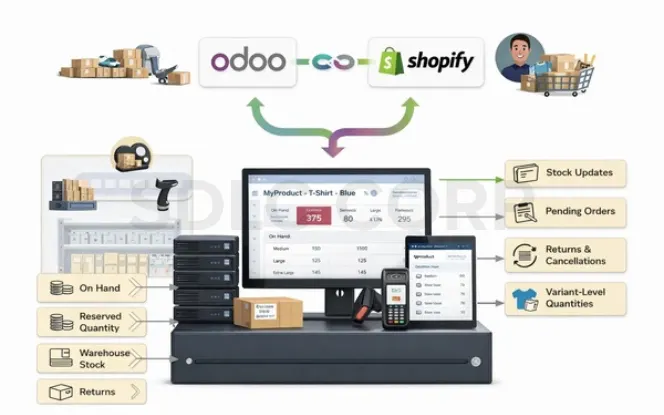
Inventory sync is where many integrations either prove their value or lose trust. If Shopify shows stock that Odoo does not really have, the business risks overselling, and if Odoo inventory changes do not reach Shopify quickly, the storefront can become inaccurate and sales can be lost. In many ERP-led setups, Odoo acts as the inventory source of truth, while the connector pushes updated quantities to Shopify. That model is practical because Odoo supports warehouse operations, reservations, and broader stock-control workflows beyond storefront inventory handling.
A strong integration should account for:
- On-hand quantity
- Reserved quantity
- Warehouse-specific stock
- Variant-level stock
- Returns and cancellations
- Committed stock from pending orders
Two-way inventory can also be supported by some connectors. However, that should be described as a connector capability, not as a universal feature of all Shopify–Odoo integrations. In practice, two-way inventory only works well when the business defines clear stock ownership rules.
Why Inventory Sync Breaks
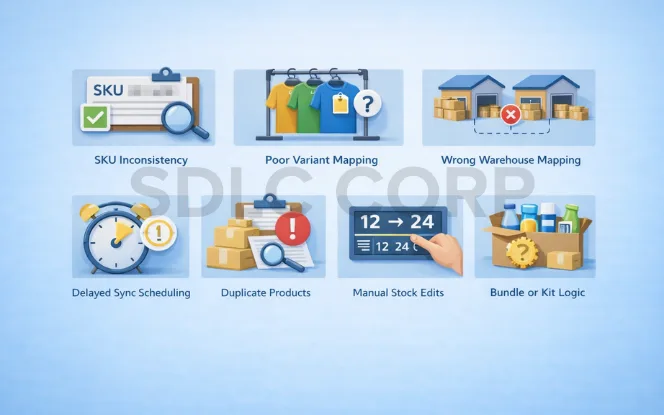
Inventory mismatches usually happen because of:
- SKU inconsistency
- Poor variant mapping
- Wrong warehouse mapping
- Delayed sync scheduling
- Duplicate products
- Manual stock edits in both systems
- Bundle or kit logic that is not configured properly
So, before go-live, the business should decide which system owns stock logic and how stock should flow back to Shopify. In many ERP-led setups, Odoo should control operational inventory.
Real Example: How Shopify And Odoo Work Together In Practice
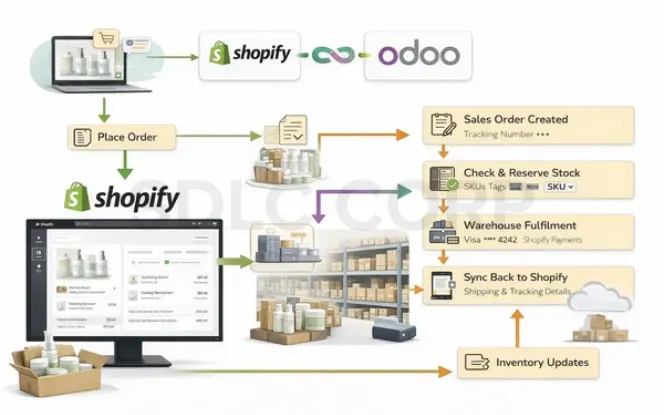
Imagine a skincare brand selling through Shopify while using Odoo for inventory, warehouse operations, and fulfilment. When a customer places an order, the connector sends that order into Odoo, where the sales order is created, SKUs are checked, and stock is reserved. Then the warehouse team processes fulfilment in Odoo, and shipment or tracking details can move back to Shopify depending on the connector setup.
This shows that integration is not only about moving orders, but about keeping commerce and ERP aligned across the workflow.
Customer And Product Data Mapping
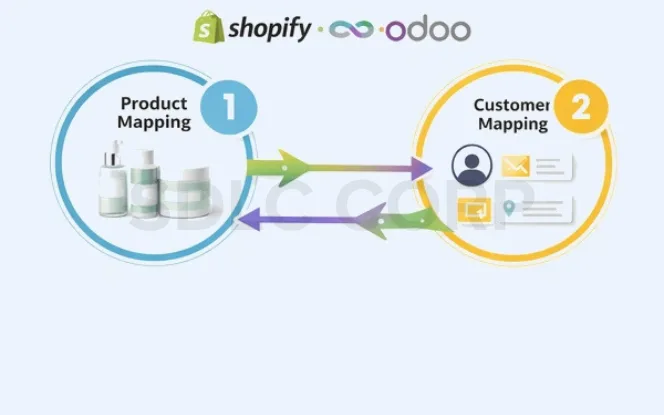
Data mapping is one of the most technical parts of Shopify–Odoo integration. It is also one of the most important. Even a connector with good sync speed will struggle if product, customer, tax, and category structures are not aligned.
Product mapping
Product mapping tells the connector which Shopify item corresponds to which Odoo item. That sounds simple, but the process becomes more complex when the catalog includes:
- Product variants
- Multiple categories
- Regional pricing rules
- Different tax classes
- Multi-warehouse stock
- Custom attributes
- Bundles or kits
A reliable product mapping structure should align SKU, title, variant relationships, price logic, tax treatment, and category relationships. Odoo’s documentation includes product variants on quotations and sales orders, which reinforces why variant alignment matters in integration projects.
Customer mapping
Customer mapping usually includes:
- Name
- Phone
- Billing address
- Shipping address
- Company fields
However, the real challenge is not just moving customer data. It is avoiding duplicates.
For example, one customer may place one order as a guest, another with a saved account, and a third with a slightly different address. If the connector does not apply clear matching logic, Odoo can end up with duplicate contacts and fragmented order history.
That is why the business should define:
- Whether guest checkouts create contacts
- Whether customers sync as individuals or companies
- Whether multiple addresses stay separate
- How duplicate matching should work
Refunds, Returns, And Cancellations
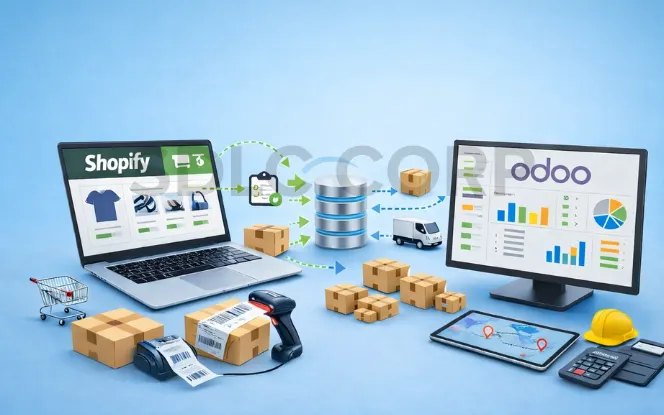
This is one of the biggest gaps in weak integration content, and a complete guide should state it clearly. Refunds, returns, and cancellations must be tested before launch because they affect inventory, accounting, and customer communication at the same time. Businesses should not assume post-purchase workflows work correctly unless return flows, partial refunds, cancellation updates, and stock reversal logic are explicitly tested.
Before go-live, test at least these scenarios:
- Full order cancellation before fulfilment
- Partial cancellation
- Full refund after fulfilment
- Partial refund on one line item
- Returned item going back into stock
- Returned item marked non-resellable
Odoo Version Compatibility And Connector Fit
If an article uses the phrase Complete Guide, readers also expect compatibility guidance. Connector support can vary by Odoo version, Shopify app design, and custom workflow depth. That is why version compatibility should be confirmed before implementation, especially when custom fields, advanced warehouse logic, or special accounting flows are involved.
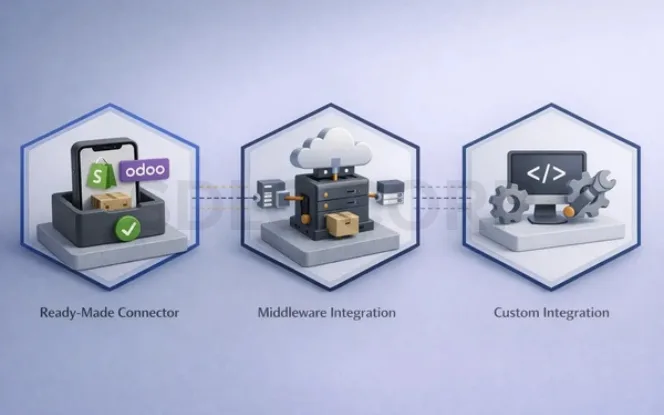
At the practical level, buyers usually choose between:
- A ready-made connector app
- Middleware integration
- A fully custom integration
A ready-made connector is usually the fastest path when your workflows are close to standard ecommerce and ERP operations. Middleware may suit businesses managing multiple systems. A custom integration may make sense when your tax logic, fulfilment flow, product structure, or approval steps are very specific.
Multi-Store, Multi-Company And Warehouse Complexity

As operations grow, one store is often no longer the only scenario.
Businesses may need to connect:
- Multiple Shopify storefronts
- Multiple warehouses
- Multiple legal entities or Odoo companies
- Different tax regions
- Different pricing structures
That is why connector choice should not be based only on basic order import. It should also be based on how well the integration handles multi-store routing, warehouse allocation, stock ownership, and reporting visibility.
Security, Permissions And Implementation Planning
Shopify’s webhook and app model depends on authenticated app access and event subscriptions, so security and permission planning matter from day one. At the same time, Odoo-side access rights should be limited to what the connector actually needs.
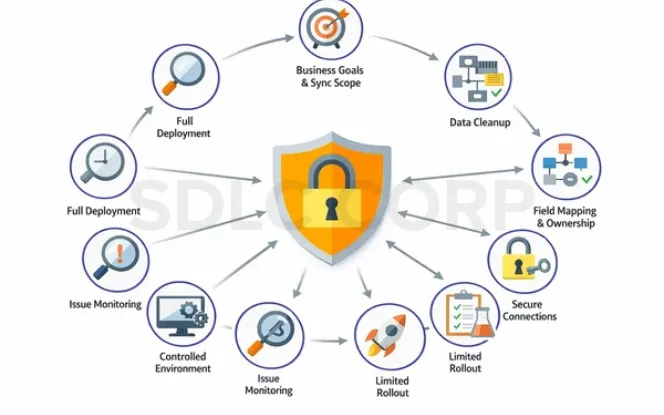
A sensible implementation flow usually looks like this:
- Confirm business goals and sync scope
- Clean SKUs, variants, and customer rules
- Define field mapping and stock ownership
- Connect systems securely
- Test live scenarios in a controlled environment
- Run a limited rollout
- Monitor failures and retry behavior
- Move to full production
A simple setup may go live quickly. A complex setup with multi-store logic, custom fields, or advanced accounting rules will take longer.
How To Choose The Right Shopify-Odoo Connector
Not every connector is built for the same level of operational complexity. Therefore, buyers should compare tools against business needs, not just feature lists.
Connector Checklist
A production-ready connector should ideally include:
- Webhook-based event sync
- Scheduled fallback or recovery jobs
- Manual re-sync options
- Flexible field mapping
- Variant-aware product mapping
- Customer matching controls
- Error logs and retry visibility
- Inventory ownership rules
- Multi-store or multi-warehouse support where needed
Cost Drivers To Evaluate
Implementation cost is usually affected by:
- Product catalog complexity
- Number of variants
- Warehouse logic
- Tax rules
- Custom fields
- Multi-store setup
- Accounting automation depth
- Need for historical data import
So, the cheapest connector is not always the lowest-cost project. A weak connector can create more support work, more reconciliation time, and more data cleanup later.
Common Sync Issues And How To Fix Them
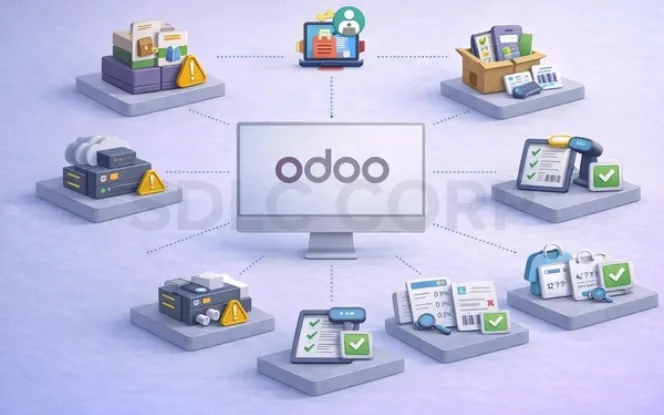
Even strong connectors need good configuration. So, it helps to know the most common failure points before launch.
Duplicate Products Or Customers
Cause: weak identifiers or inconsistent mapping rules
Fix: standardize SKU, email, and matching logic before go-live
Orders Fail To Sync
Cause: missing mapped products, taxes, shipping rules, or payment methods
Fix: review failed logs and complete the missing dependencies
Inventory Does Not Match Shopify
Cause: multiple stock authorities or delayed updates
Fix: assign clear stock ownership and review scheduler behavior
Variant Mapping Breaks
Cause: Shopify and Odoo variant structures do not align
Fix: normalize variant attributes and verify variant-level relationships
Tax Totals Differ
Cause: tax-inclusive and tax-exclusive logic is handled differently
Fix: test both scenarios before production launch
Most importantly, the connector should make failures visible. Shopify also notes that webhook ordering is not guaranteed and that apps should be built to handle webhook delivery safely, which is one reason retries and monitoring matter in serious integrations.
Best Practices For Reliable ERP Sync
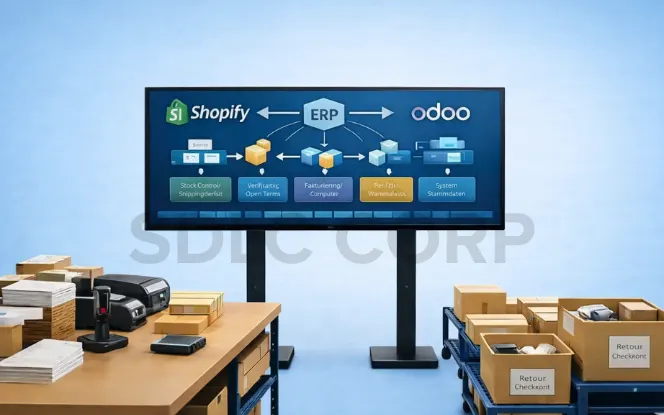
A stable integration does not come from installation alone. It comes from good operational design.
Use these best practices:
- Use Odoo as the operational source of truth for ERP records and stock logic.
- Clean your catalog before integration so SKUs, variants, and categories are consistent.
- Define tax, payment, shipping, warehouse, and customer mapping rules early.
- Test real scenarios, including discounts, refunds, partial fulfilment, and multi-variant orders.
- Avoid manual edits in both systems for the same operational fields.
- Combine event-driven sync with scheduled fallback for stronger reliability.
- Review logs and retry history regularly inside Odoo.
- Roll out in phases if your catalog or warehouse setup is complex.
- Document the sync rules so teams understand how the connector behaves.
Google’s official guidance also emphasizes helpful, reliable, people-first content and clear page structure, which is why technical integration pages should be written for real operators, not only for keyword placement.
Why Use a Connector Instead Of Manual Work
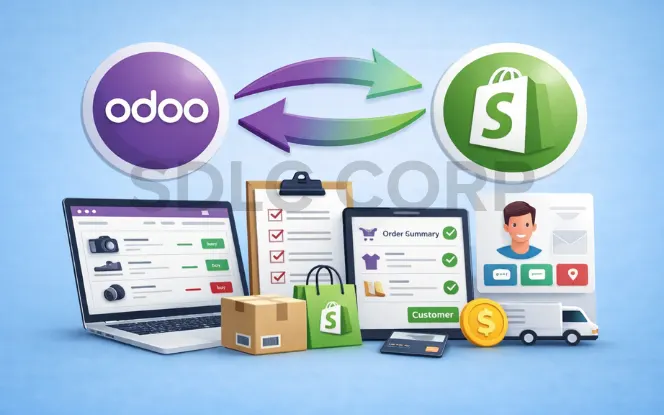
Some teams still manage Shopify and Odoo with spreadsheets, exports, imports, and repeated checks. At low scale, that may work for a short time. However, it rarely holds up once order volume, product count, or warehouse complexity increases.
Manual processes create hidden costs:
- More admin time
- Slower order release
- More stock errors
- More customer service issues
- More reconciliation work
By contrast, a purpose-built connector creates a structured sync layer between commerce and ERP.
A stronger connector usually provides:
- Automated order sync
- Inventory updates
- Customer and product mapping
- Flexible field mapping
- Logs and monitoring
- Error and retry visibility
- Scalability as volume increases
Conclusion
Odoo Shopify integration connects storefront activity with ERP operations through one reliable workflow. With clear data mapping, controlled order sync, strong inventory logic, and error visibility, it reduces manual work and improves accuracy across sales, stock, and fulfilment. As a result, the right Shopify Odoo connector strengthens operational control and keeps ecommerce and ERP systems aligned for growth.
FAQ
What is Odoo Shopify integration?
Odoo Shopify integration connects a Shopify storefront with an Odoo ERP system so core business data can move between both platforms. In a typical setup, it supports order flow, customer data, product mapping, and inventory-related updates so the business can reduce manual work and manage operations from Odoo more effectively.
How do Shopify orders sync to Odoo?
Many connectors use Shopify webhooks to receive order events in near real time, then create or update the related records inside Odoo. Depending on the setup, the sync can create a sales order and may also update customers, delivery records, invoices, and selected payment-related references. Shopify officially positions webhooks as a near-real-time way to keep apps in sync with Shopify data.
What data can sync between Shopify and Odoo?
That depends on the connector, but common data objects include products, variants, customers, orders, inventory levels, taxes, shipping details, and some payment-related references. The final scope depends on connector capability, field mapping, and business rules.
Which system should control inventory: Shopify or Odoo?
In many ERP-led setups, Odoo should control operational inventory because warehouse receipts, reservations, transfers, and fulfilment logic usually live there. Then Shopify receives updated stock from Odoo so the storefront stays aligned with warehouse reality.
Why do sync errors happen between Shopify and Odoo?
Most sync errors come from weak mapping or incomplete business rules. Common causes include missing SKUs, broken variant relationships, tax mismatches, duplicate customers, warehouse conflicts, and poor retry handling. That is why good monitoring, logs, and retries matter in production.
Why use a Shopify to Odoo connector instead of manual work?
Manual processes are slow, error-prone, and hard to scale. A dedicated connector gives the business structured automation, better data consistency, clearer monitoring, and stronger operational control.
Can Odoo handle multiple Shopify stores?
Yes, it can in the right setup. However, this depends on the connector, warehouse design, company structure, and reporting requirements. Multi-store support should be confirmed before implementation.
How are refunds and returns synced?
That depends on connector design and workflow configuration. Some connectors support refund references, cancellation updates, and stock return logic, while others need extra setup or manual handling. These scenarios should always be tested before launch.