Odoo Vs Sage: Finding the Right ERP Solution for Your Business
Odoo vs Sage: first identify the Sage product and the workflows you are comparing. Sage 50, Sage Intacct, and Sage X3 are different offerings; their capabilities and commercial terms cannot be treated as one ERP package.
Compare Odoo with the product that fits your finance and operations scope. Check the same reporting, inventory, production, integration, migration, and support requirements before selecting a platform.
What is Odoo?
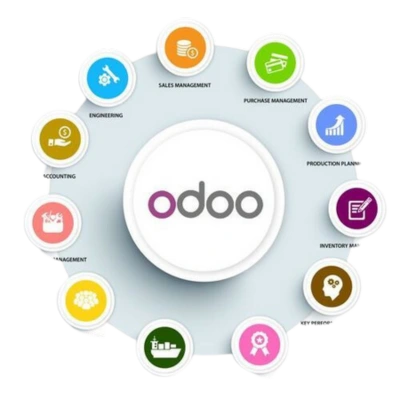
Odoo is a suite of business applications covering areas such as finance, sales, inventory, purchasing, CRM, and manufacturing. Applications can be configured and deployed in stages.
Distinguish Community from Enterprise and select the paid plan and hosting model where applicable. Standard and Custom subscriptions include all apps; Studio, multi-company, external API, and custom-code requirements need a specific plan and deployment assessment.
What is Sage?
Sage is a software portfolio, not a single ERP. Start with the proposed product and regional edition. Sage 50 is an accounting product, Sage Intacct is a cloud financial-management offering, and Sage X3 addresses broader manufacturing and distribution requirements.
For manufacturing or distribution, assess the proposed X3 configuration rather than assuming Sage only supplies basic accounting. See Sage’s product portfolio and Sage X3.
Flexibility and Customization
For Odoo, assess standard configuration, Studio, custom modules, and integrations against the chosen plan and hosting. Include permissions, upgrade testing, and extension support in the scope.
For Sage, assess the customization and integration tools of the specific product and edition. Demonstrate each required workflow change and compare delivery and maintenance effort. There is no useful brand-wide ranking of flexibility without those requirements.
Accounting and Financial Management
Use a finance-led test: chart of accounts, tax setup, bank reconciliation, approvals, month-end close, entity reporting, and audit access. Confirm local requirements and demonstrate them in the selected Odoo and Sage configurations.
Financial functionality depends on the Sage product, edition, and extensions in scope. Evaluate connections to sales, inventory, purchasing, and production where needed rather than assuming accounting is isolated from other operations.
Pricing and Cost
Odoo Standard and Custom paid plans include all apps for a per-user subscription; they are not priced on a pay-per-module basis. Community has no software license fee but needs a self-managed hosting and support budget.
Request pricing for the specific Sage product, region, edition, users, and add-ons. Compare renewal terms and a three-year implementation, integration, migration, training, and support budget. Check current Odoo pricing and the quoted Sage commercial terms.
Scalability and Growth
Test each proposed configuration against expected users, records, entities, locations, reporting, integrations, and transaction volumes. Include the next growth phase in the design and confirm what changes in licensing, infrastructure, and support.
Sage products serve different operational scopes; a conclusion about Sage 50 does not establish the limits of Sage Intacct or X3. Compare the selected product with Odoo against measurable performance and functional acceptance criteria.
Support and Community
Compare the support you will contract: response targets, business hours, escalation routes, version upgrades, custom-code coverage, backups, and integration ownership. Community forums and vendor support are different services.
For both Odoo and Sage, confirm which issues the vendor handles and which remain with your implementation partner or internal team. Document responsibilities before go-live.
Choose the right Sage comparison
| Shortlist | Focus | What to test against Odoo |
|---|---|---|
| Sage 50 | Accounting requirements and regional edition. | Core finance, reporting, local requirements, and connections to business operations. |
| Sage Intacct | Cloud financial-management scope and proposed extensions. | Entity reporting, close, approvals, accounting workflows, and required operational integrations. |
| Sage X3 | Manufacturing and distribution ERP scope. | Production, inventory, purchasing, finance, local requirements, and integration workflows. |
| Licensing and services | Specific product, region, users, edition, and add-ons. | Compare quoted subscriptions, migration, configuration, custom work, hosting, training, and support. |
Feature availability and pricing must be checked for the product and edition proposed. A single “Sage price” or brand-wide feature score is not a reliable basis for an ERP decision.
Get expert help with Odoo!
Boost efficiency with expert Odoo consulting today!
Conclusion
Choose between Odoo and the relevant Sage product using the same business scenarios and a scoped three-year budget. Finance-led requirements, manufacturing, distribution, and CRM can lead to different shortlists.
For an Odoo evaluation, an Odoo fit-gap assessment can identify standard functionality, configuration, custom work, and integration requirements before committing to implementation.