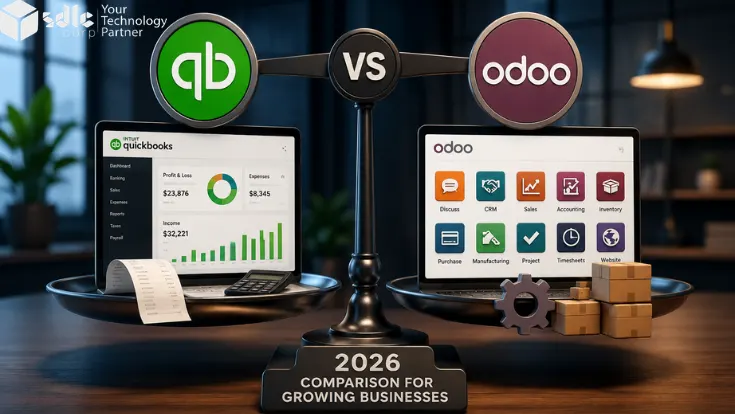
Choosing between Odoo and QuickBooks is not just about accounting software. It is about how your business handles money, sales, stock, customers, purchases, and daily work. QuickBooks works well when your finance needs are simple and you mainly need bookkeeping, invoices, expenses, bank feeds, and reports.
Odoo is a better fit when your business needs one connected system for accounting, CRM, sales, inventory, purchase, manufacturing, eCommerce, POS, projects, and operations. This guide compares Odoo vs QuickBooks so you can choose the right platform for your business in 2026.
Key Takeaways
- QuickBooks is best for simple bookkeeping, invoices, expenses, and financial reports.
- Odoo is better when accounting needs to connect with CRM, sales, inventory, purchase, manufacturing, and operations.
- QuickBooks is easier to set up. Odoo needs more planning because it covers more workflows.
- Odoo is a stronger choice when your business uses too many separate tools.
- QuickBooks may cost less at the start, but Odoo can give better long-term value for growing businesses.
For Simple Accounting
Use QuickBooks when your main goal is to manage books, invoices, expenses, reports, and basic finance workflows.
For Connected ERP
Use Odoo when accounting must connect with sales, stock, purchasing, manufacturing, CRM, and daily operations.
| Factor | Odoo | QuickBooks |
|---|---|---|
| Best For | Growing businesses needing ERP | Small businesses needing accounting |
| Main Use | Full business management | Bookkeeping and finance |
| Accounting | Built-in accounting app | Core accounting platform |
| Inventory | Advanced ERP inventory | Basic to mid-level inventory |
| CRM | Built-in CRM app | Needs integration |
| Manufacturing | Built-in manufacturing app | Needs third-party tools |
| Customization | High | Limited |
| Setup Time | Needs planning | Faster setup |
| Scalability | Better for complex growth | Better for simple finance needs |
What Is Odoo?
Odoo is an open-source ERP and business management platform. It includes apps that help companies manage accounting, sales, CRM, inventory, purchase, manufacturing, eCommerce, POS, HR, projects, and more. You can also review the Odoo accounting apps to understand its finance module options. Businesses that need a deeper ERP build can work with an Odoo development company to plan the right modules and workflows.
The biggest strength of Odoo is that all apps work together in one connected system. A sale can connect with inventory, invoicing, payment, delivery, accounting, and reporting without moving data between many tools.
Key Odoo Apps
- Accounting, CRM, and Sales
- Inventory, Purchase, and Manufacturing
- eCommerce, POS, and Project Management
- HR, Helpdesk, Marketing, Reporting, and payroll workflows
Best Fit For Odoo
- Growing businesses and manufacturers
- eCommerce, wholesale, and distribution companies
- Multi-location businesses
- Companies replacing disconnected tools
For India-based teams, payroll rules need careful setup. This Odoo Payroll India setup guide explains PF, ESI, PT, and TDS setup in simple steps.
Odoo is not always the quickest tool to set up. It needs proper planning, data migration, workflow mapping, user roles, testing, and training. A guided rollout through Odoo implementation services can help teams avoid mistakes and set up the system correctly. Once implemented well, Odoo can become the central system for the whole business.
What Is QuickBooks?
QuickBooks is accounting software made for small and mid-sized businesses. It helps teams manage bookkeeping, invoices, expenses, bank feeds, tax records, payments, payroll in some regions, and financial reporting. Its official QuickBooks features page gives a clear view of its core accounting tools.
QuickBooks is known for being easy to use. It is often a good option for business owners who want to manage accounts without building a full ERP system. It is also widely used by finance teams and accounting professionals, and Intuit has a dedicated QuickBooks for accountants resource area.
Key QuickBooks Features
- Income and expense tracking
- Invoicing, bills, and payments
- Bank connections and expense categorization
- Basic inventory, reports, tax support, and app integrations
Best Fit For QuickBooks
- Freelancers and small businesses
- Service companies and early-stage startups
- Small teams that need invoicing and reports
- Businesses without complex inventory or manufacturing needs
Odoo Vs QuickBooks: Main Difference
The real difference is how much of the business each platform needs to manage. QuickBooks is mainly accounting software. Odoo is an ERP system that includes accounting and also supports sales, CRM, inventory, purchase, manufacturing, eCommerce, HR, POS, projects, and more.
So, the real comparison is not only Odoo Accounting vs QuickBooks. It is Odoo ERP vs QuickBooks.
| Comparison Point | Odoo | QuickBooks |
|---|---|---|
| Software Type | ERP and business management system | Accounting software |
| Main Purpose | Manage full business operations | Manage accounting and finance |
| Accounting | Yes | Yes |
| CRM | Built-in | Requires integration |
| Inventory | Advanced | Available in selected plans |
| Manufacturing | Built-in manufacturing app | Not a native manufacturing ERP |
| eCommerce | Built-in website and eCommerce apps | Needs integrations |
| Custom Workflows | Strong customization options | More limited |
| Reporting | Cross-department reports | Strong finance reports |
| Best Use Case | Scaling operations | Simple accounting |
Odoo Vs QuickBooks Feature Comparison
Accounting And Invoicing
QuickBooks is simple for invoices, expenses, bank feeds, and financial reports. Odoo also supports accounting, but it connects invoices, payments, stock, sales, purchase, and reporting inside one workflow.
Inventory Management
QuickBooks can work for simple stock tracking in selected plans. Odoo is stronger for multi-warehouse stock, routes, replenishment, lots, serial numbers, barcode operations, purchasing, returns, and manufacturing inventory.
CRM And Sales
Odoo includes CRM and sales apps, so leads, quotations, sales orders, customers, invoices, and follow-ups stay in one system. QuickBooks usually needs a CRM integration for this workflow.
Purchase And Vendor Management
Odoo supports purchase orders, supplier pricelists, approvals, receiving, and vendor bills. QuickBooks can manage bills and payments, but it is not a full procurement ERP.
Manufacturing
Odoo includes bills of materials, work orders, production planning, quality checks, maintenance, and inventory connection. QuickBooks needs third-party tools for deeper production workflows.
Reporting And Dashboards
QuickBooks is strong for finance reports. Odoo can show reports across accounting, sales, inventory, purchase, manufacturing, CRM, projects, and operations.
Customization
Odoo can support custom fields, approval rules, reports, dashboards, inventory routes, manufacturing flows, and industry modules. With the right Odoo customization services, businesses can match the system to their real workflows. QuickBooks is easier, but less flexible for deep workflow changes.
Integrations
QuickBooks connects with many apps. Odoo also connects with external tools through Odoo integration services, but many common business functions already exist inside Odoo, so teams may need fewer separate subscriptions.
Need Help Comparing Odoo And QuickBooks?
Share your accounting, inventory, sales, CRM, and ERP needs. Our team can help you choose the right platform before you invest.
Odoo ERP Vs QuickBooks: Pricing And Total Cost
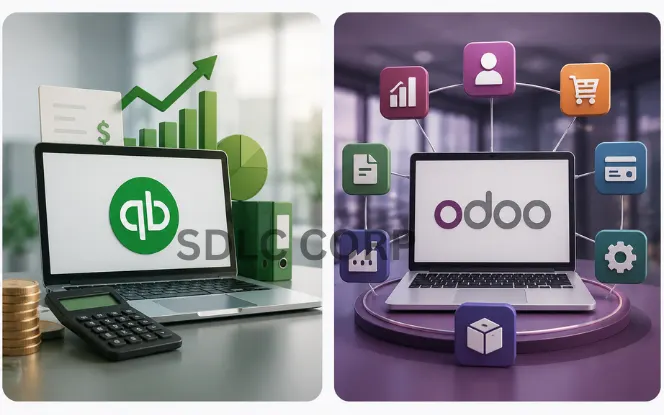
Pricing should not be compared only by monthly subscription. QuickBooks may look easier and cheaper at the start, and you can check the official QuickBooks pricing page for current plan details. Odoo may need more implementation work, so it is useful to compare plans from the official Odoo pricing page as well. But the right comparison depends on total cost.
QuickBooks Cost Factors
- Monthly subscription and number of users
- Payroll add-ons and payment fees
- Extra apps for CRM, inventory, and reports
- Migration, accountant setup, or integration costs
Odoo Cost Factors
- Odoo license plan and number of users
- Hosting option and apps used
- Implementation, customization, and data migration
- Training, integrations, and support
Ease Of Use And Setup Time
QuickBooks is easier to start with. A small business can set up invoices, expenses, bank feeds, and reports quickly.
Odoo takes more planning because it touches more parts of the business. Before implementation, a company should review accounting, sales, inventory, product data, customer and vendor records, tax rules, approvals, user roles, reports, and existing integrations.
This does not mean Odoo is difficult. It means Odoo needs a proper ERP setup process. If your team only needs bookkeeping, QuickBooks is simpler. If your team needs connected workflows, Odoo is worth the extra planning.
Scalability: Which Platform Grows Better?
QuickBooks is a strong starting point for small businesses. But some companies outgrow it when operations become more complex.
Signs You May Outgrow QuickBooks
- You manage inventory in spreadsheets
- Your sales team uses a separate CRM
- Your warehouse team updates stock manually
- Your accounting team waits for data from other teams
- Reports do not match across systems
Where Odoo Helps
- Connects finance, sales, stock, and purchase
- Supports warehouse and production workflows
- Reduces scattered data across tools
- Improves reporting across departments
- Gives structure for multi-location growth
When Should You Choose QuickBooks?
Choose QuickBooks if your business mainly needs accounting and finance management.
QuickBooks Can Be A Good Choice When
- You are a freelancer or small business
- You need simple invoicing and expense tracking
- You need basic reports
- You do not have complex inventory
- You want a fast setup
Best QuickBooks Use Cases
- Consultants and agencies
- Freelancers and small service companies
- Local businesses
- Simple online stores
- Early-stage startups
When Should You Choose Odoo?
Odoo becomes a stronger option when accounting is only one part of a larger operational problem.
Odoo Can Be Better When
- You need ERP
- You manage stock and warehouses
- You sell through multiple channels
- You need CRM and sales tracking
- You manufacture products or need custom workflows
Best Odoo Use Cases
- Manufacturing companies
- eCommerce businesses
- Wholesale distributors
- Retail chains and multi-location companies
- Businesses replacing multiple software tools
Odoo Vs QuickBooks For Different Business Types
| Business Type | Better Choice | Reason |
|---|---|---|
| Freelancer | QuickBooks | Simple accounting and invoicing |
| Small service business | QuickBooks | Easy setup and finance tracking |
| Growing eCommerce business | Odoo | Inventory, sales, website, and accounting connection |
| Manufacturer | Odoo | Manufacturing, BOM, inventory, and production support |
| Wholesale distributor | Odoo | Warehouse, purchase, stock, and sales workflows |
| Retail business | Odoo | POS, inventory, accounting, and customer data |
| Multi-location company | Odoo | Better control across locations |
| Company needing only bookkeeping | QuickBooks | Simple and cost-effective |
| Company replacing many tools | Odoo | Full ERP system |
QuickBooks To Odoo Migration: What To Know
Many growing businesses start with QuickBooks and later move to Odoo. This usually happens when accounting software is no longer enough. For a deeper migration plan, read this QuickBooks to Odoo migration guide. A proper migration should not be rushed. The goal is not just to move data. The goal is to set up better workflows.
Key Data To Migrate
- Chart of accounts
- Customers and vendors
- Products, services, and taxes
- Open invoices and bills
- Opening balances and inventory quantities
Migration Checklist
- Clean old records before import
- Check customer and vendor names
- Map tax rules correctly
- Verify SKUs and stock counts
- Train users before go-live
Common Migration Mistakes
- Moving messy data
- Ignoring opening balances
- Skipping tax mapping
- Migrating duplicate customers
- Going live without reconciliation
Plan scope and workflows
Clean and map data
Run test import
Review reports and balances
Go live with support
Pros And Cons Of Odoo And QuickBooks
Use this section to see where each platform works well and where it may need extra planning, add-ons, or support.
Why Businesses Choose Odoo
- Full ERP System
Covers accounting, CRM, sales, inventory, purchase, manufacturing, and more.
- Highly Customizable
Can match unique business workflows, reports, approvals, and operations.
- Strong Inventory
Good for warehouses, stock rules, replenishment, barcode, and multi-location stock.
- Manufacturing Support
Useful for production, BOMs, work orders, quality checks, and planning.
- Centralized Data
Reduces duplicate entry and helps teams work from one connected system.
What To Plan Before Odoo
- Needs Planning
ERP setup takes more preparation than simple accounting software.
- Implementation Cost
Setup, migration, training, and customization can increase the initial cost.
- Training Needed
Users need time to learn workflows, roles, reports, and approval steps.
- Customization Should Be Controlled
Too many custom changes can make the system harder to manage later.
Why Businesses Choose QuickBooks
- Easy To Use
Simple for accounting teams, owners, and small businesses.
- Quick Setup
Faster to start than an ERP system when needs are basic.
- Strong Accounting
Good for bookkeeping, invoicing, expense tracking, and finance reports.
- Popular With Accountants
Many accountants and bookkeepers already know how to use it.
- App Integrations
Connects with many business tools for extra features.
Where QuickBooks Can Fall Short
- Limited ERP Features
Not built as a full business management system.
- Less Customization
Deep workflow changes may be hard without extra apps.
- Manufacturing Limitations
Needs third-party tools for deeper production workflows.
- Separate Apps May Be Needed
CRM, inventory, sales, and operations may need extra systems.
- Data Can Become Scattered
Multiple apps can create duplicate work and reporting gaps.
Odoo Vs QuickBooks: Final Verdict
QuickBooks is a practical choice for small teams that need simple accounting, invoicing, expenses, bank feeds, and financial reports.
Odoo is a stronger fit when the business has outgrown separate tools and needs accounting, CRM, sales, inventory, purchase, manufacturing, eCommerce, and reporting in one connected system.
In simple terms, QuickBooks helps you manage your books. Odoo helps you manage the wider business behind those books.
Need Help Choosing Between Odoo And QuickBooks?
Not sure which system fits your business? Our team can review your accounting, inventory, sales, CRM, and ERP needs before you make a decision.