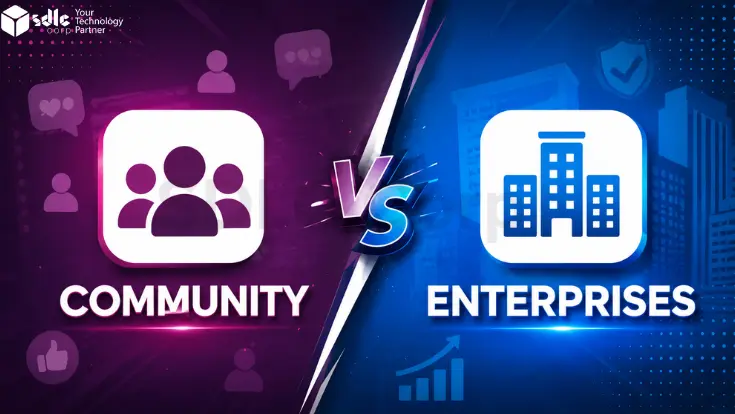
Choosing between Odoo Community vs Enterprise is one of the most consequential decisions before implementation. This 2026 guide covers every meaningful difference between Odoo Community vs Enterprise features, pricing, hosting, support, and migration so you can decide with confidence.
What Are Odoo Community and Odoo Enterprise?
Both editions share the same database structure and core framework. However Enterprise is not a separate product it is built on top of Community, adding a proprietary module layer and managed services above the same engine.
Odoo Community
- Free, open-source LGPLv3 licence
- Self-hosted only your server, your responsibility
- Unlimited users at no licence cost
- 18,000+ apps on the Odoo marketplace
- Community forums and GitHub for support
- Manual upgrades via OpenUpgrade
Odoo Enterprise
- Proprietary shared-source, subscription-based
- Here Odoo Online, Odoo.sh, or on-premise hosting
- $24.90/user/month (Standard) · $37.40 (Custom)
- Odoo SA helpdesk with guaranteed response
- Official automatic upgrade service included
Odoo Community vs Enterprise: Full Feature Comparison
The definitive odoo community vs enterprise features reference including the complete odoo enterprise features list and all odoo community limitations.
See also: free vs paid Odoo modules all Odoo modules and how they work
Odoo Enterprise Pricing & True Cost of Ownership
This comparison separates licence pricing from estimated implementation, hosting, upgrade, and support costs so businesses can evaluate the total cost more clearly.
According to Odoo's official pricing page, the Enterprise Standard plan starts at $24.90 per user per month.
Accounting in Odoo Community vs Enterprise - The Biggest Gap
When comparing Odoo Community vs Enterprise, accounting is one of the most significant functional differences between the two editions.
Community includes invoicing capabilities, whereas the complete Accounting application is part of the Enterprise edition.
This addresses a common question: does Odoo Community have accounting? The answer depends on how you define accounting. Community supports invoicing workflows, but businesses requiring broader financial management features should evaluate the capabilities available in Enterprise.
Community Invoicing Focus
- Manual bank statement entry
- Customer invoices and vendor bills
- Basic financial reporting capabilities
- No native bank synchronisation
- No recurring invoice automation
- No native multi-currency reconciliation tools
Enterprise Extended Accounting Features
- Bank synchronisation through supported providers
- OCR-assisted receipt and document processing
- Automated reconciliation workflows
- Multi-currency management capabilities
- Tax localisation packages for multiple countries
- Advanced financial reporting tools
When Enterprise Accounting Features May Be More Suitable
The importance of these accounting features depends on your organisation's size, regulatory obligations, transaction volume, and operational complexity.
Businesses with relatively straightforward invoicing requirements may find Community sufficient for their needs. However, organisations seeking greater automation may benefit from Enterprise capabilities such as bank synchronisation and automated reconciliation.
Likewise, companies operating across multiple jurisdictions or requiring more sophisticated financial controls should assess whether Enterprise functionality better supports their reporting and compliance objectives.
Read more: Odoo for finance and banking · Odoo accounting and finance services
Odoo Studio, Mobile App & Key Enterprise-Only Modules
Drag-and-drop no-code tool to build custom apps, create custom form, and create reports without writing code. In Community, every UI change requires a developer. Studio removes much of that dependency.
Native iOS and Android app optimised for field teams, warehouse staff, and remote approvals. Community can be accessed through a mobile browser, but it is not optimised for small screens.
Structured ticket management with configurable SLA rules, ticket stages, canned responses, and customer portal access. Community has no equivalent built-in helpdesk tool.
Multi-step drip campaigns, lead scoring, and automated follow-up sequences. Community offers basic email marketing, but it does not include a workflow automation engine.
More Enterprise-only modules
Hosting Options: Community vs Enterprise Compared
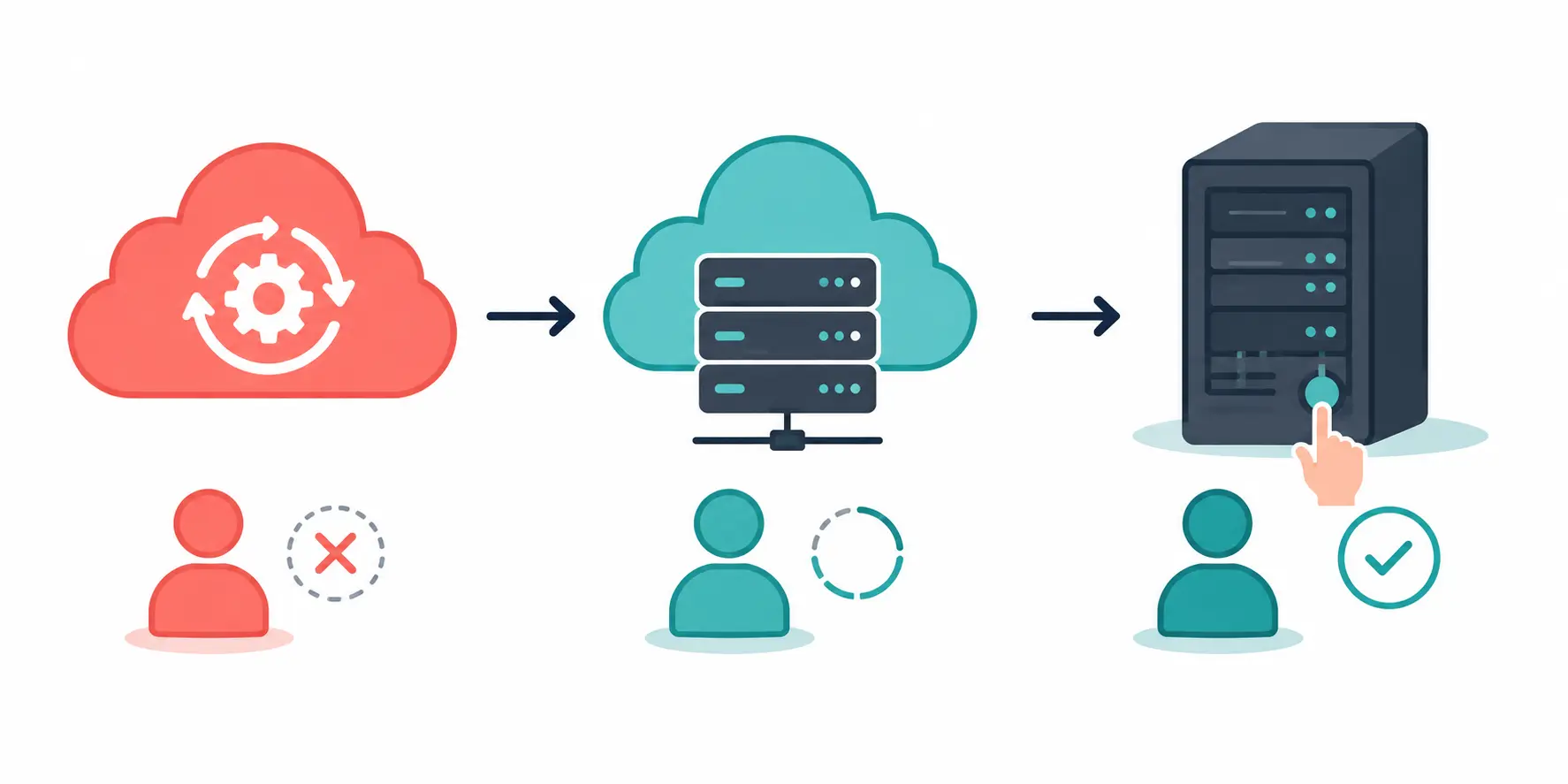
Community is self-hosted only. Enterprise gives you three hosting paths. This answers the common question: is odoo enterprise hosted on cloud?
Support, Upgrades & Maintenance: Who Does the Work?
The licence cost of Community is $0. However, the labour cost of maintaining it is not. This is where the true odoo total cost of ownership difference becomes an operational reality.
| Factor | Community | Enterprise |
|---|---|---|
| Upgrade method | Manual OpenUpgrade scripts | Official automated service |
| Upgrade time per major version | 2–6 weeks of developer time | Handled by Odoo SA |
| Support channel | Forums / GitHub / partner contracts | Odoo SA helpdesk portal |
| SLA guarantee | None | Defined response time |
| Studio customisation upgrades | Manual rebuild required | Auto-migrated |
| Security patches | Self-applied by your team | Applied by Odoo SA |
Choosing the right Odoo support for your business · Odoo support services
Odoo Community vs Enterprise by Industry
For manufacturers
Enterprise adds critical modules most manufacturers cannot operate without at scale:
- Master Production Scheduling (MPS) Enterprise only
- Barcode scanning on the shop floor - Enterprise only
- Quality control checks Enterprise only
- PLM (Product Lifecycle Management)- Enterprise only
- Maintenance module - Enterprise only
For retail & eCommerce
Whether you are just starting to set up an online store with Odoo or scaling an established one, Enterprise unlocks operational depth Community cannot match:
- Multi-warehouse routing and inter-warehouse transfers
- Carrier integrations FedEx, UPS, DHL (Enterprise only)
- eCommerce A/B testing and conversion analytics
- Subscriptions and recurring billing
- Advanced POS with loyalty programmes
For SMBs & startups
Community is the right starting point if:
- Budget is tight and you have an in-house developer
- Operations are single-entity and single-currency
- You only need CRM, sales, and basic inventory
- You are evaluating Odoo before committing long-term
For enterprises & multi-entity
Enterprise is non-negotiable when:
- You operate multiple legal entities or currencies
- Compliance and audit trails are required
- Teams work remotely and need mobile app access
- SLA-backed support is a procurement requirement
Which Odoo Edition Should You Choose?
The answer to odoo enterprise vs community which is better depends on your team's capacity, not just budget. Here is the clearest decision framework.
Choose Odoo Community if…
- You have an in-house Odoo developer
- Annual budget is under $10,000 total
- Operations are single entity, single currency
- You only need CRM, Sales, and basic inventory
- You are evaluating Odoo before a full commitment
- You want complete control over the source code
Choose Odoo Enterprise if…
- Your team works in the field or on mobile devices
- You need full accounting with bank synchronisation
- You have 10+ users and expect headcount to grow
- SLA-backed support is a business requirement
- You manufacture goods needing barcode or quality modules
- You want predictable costs and zero-effort upgrades
Deciding between a freelancer and a certified partner? Read: Odoo freelancer vs Odoo partner - how to choose. Our team provides Odoo consulting services to help scope the right edition.
How to Switch from Odoo Community to Enterprise
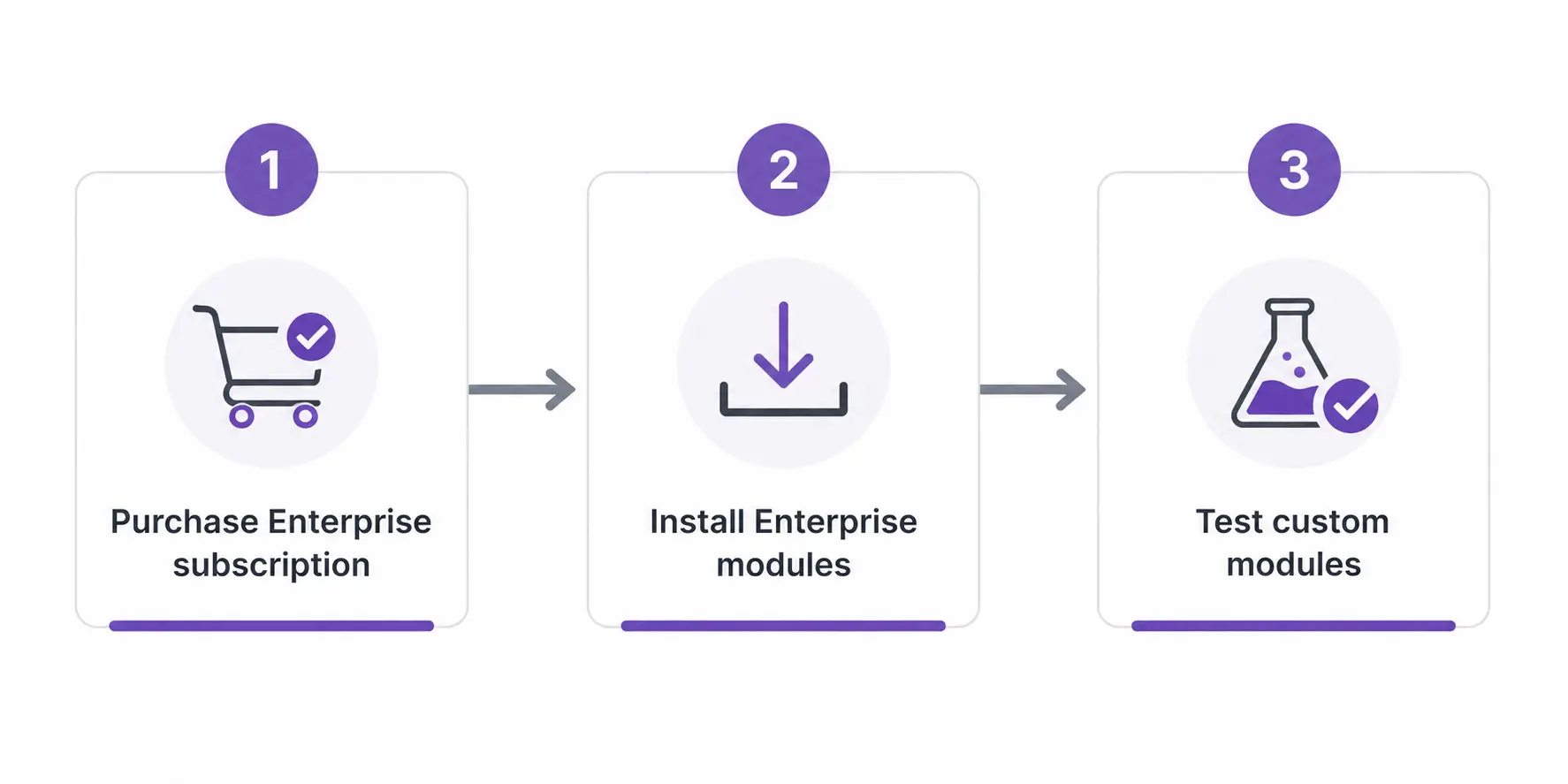
Three-step migration process
Purchase an Enterprise subscription from Odoo.com
Choose Standard (Odoo Online) or Custom (Odoo.sh / on-premise). Your subscription is tied to your database URL and user count.
Install Enterprise modules on your existing database
Community and Enterprise share the same data model. Adding the Enterprise licence immediately unlocks the proprietary module layer no data migration required in the traditional sense.
Test your custom modules for compatibility
Standard Community modules migrate cleanly. Custom-built modules need compatibility testing. Allow 1–3 days for a simple same-version upgrade and 4–8 weeks for a version jump with complex custom modules.
Conclusion
Odoo Community is ideal for businesses with technical expertise and simpler requirements, while Odoo Enterprise offers advanced features, official support, and reduced maintenance effort. Ultimately, the right choice depends on your business goals, internal capabilities, and the overall total cost of ownership rather than licence price alone.
Need help choosing or implementing Odoo?
Community gives you control. Enterprise gives you scale. SDLC Corp has delivered 300+ Odoo rollouts across manufacturing, retail, logistics, and healthcare we will help you get it right from the start.
Still unsure? Book a free consultation our certified consultants map your processes against both editions in one session.