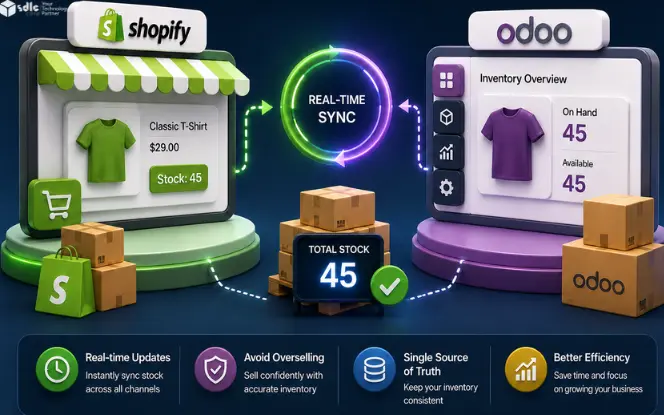
Inventory mismatch can hurt a growing Shopify store. Shopify shows stock to customers, while Odoo manages warehouse stock, orders, returns, and fulfillment. If both systems do not match, customers may order products that are not actually available.
This can lead to canceled orders, refunds, shipping delays, and more support work. Shopify Inventory Sync with Odoo helps keep stock data aligned, so sales, warehouse, and support teams can work with the same inventory view.
Key Takeaways
- Shopify should show only sellable stock, not every unit in the warehouse.
- Odoo is often the best source of truth for inventory because it controls warehouse movement.
- SKU, variant, warehouse, and location mapping must be clean before sync starts.
- Webhook sync is useful for fast updates, but cron backup helps catch missed records.
- Safety stock rules help reduce overselling during flash sales and high order volume.
- Returns, refunds, cancellations, and damaged goods need clear restock rules.
- Sync logs and retry options are important because every failed stock update can affect orders.
What Is Shopify Inventory Sync with Odoo?
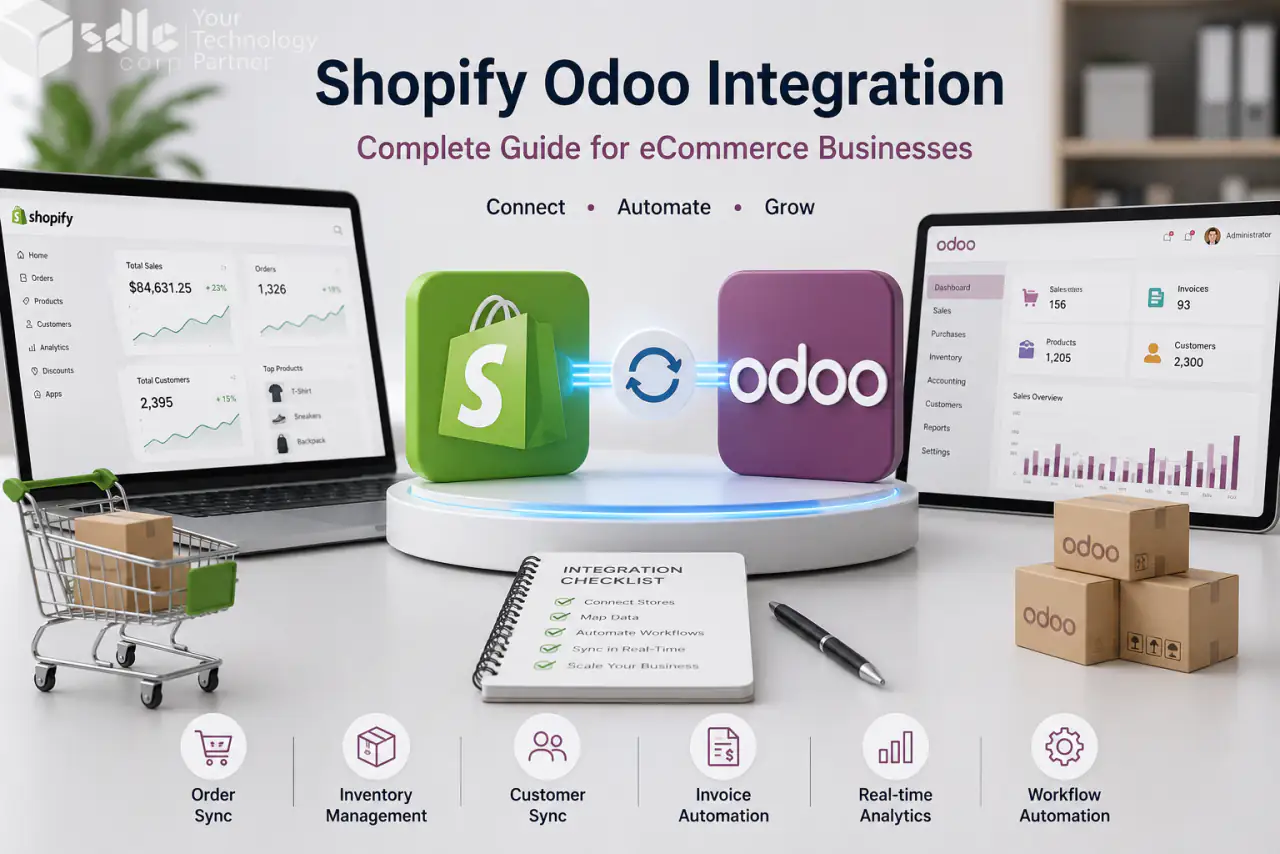
Shopify Inventory Sync with Odoo means stock data moves between Shopify and Odoo in a controlled way.
When stock changes in Odoo, Shopify can update the product quantity shown on the storefront. When a Shopify order is placed, Odoo can receive the order and adjust inventory based on your warehouse workflow.
Why Stock Mismatch Happens Between Shopify and Odoo
Stock mismatch usually happens when teams update inventory in two places. For example, the warehouse team updates stock in Odoo. At the same time, the eCommerce team changes stock in Shopify. Later, both systems show different numbers.
Small mismatch issues become bigger when order volume grows.
That is why inventory sync should be planned before scaling the store.
Why Overselling Is a Serious Problem
Overselling means Shopify accepts an order for a product that is not available to ship. This looks small at first, but it can affect many teams.
For high-volume stores, overselling can also damage ad performance, marketplace ratings, repeat orders, and customer reviews. That is why Shopify and Odoo inventory should not run as separate systems.
How Shopify Inventory Sync with Odoo Works
A strong Shopify Odoo inventory sync follows a clear flow. If you build a custom connector, Shopify’s inventory management app guide explains how apps can support inventory and fulfillment workflows.
Odoo becomes the inventory source
Odoo manages warehouse stock, purchase orders, transfers, receipts, deliveries, and returns.
Products and SKUs are mapped
Each Shopify product and variant must match the correct Odoo product.
Odoo sends sellable stock
Odoo should send the stock that is actually available for online sale.
Shopify orders move into Odoo
Odoo can handle sales orders, stock reservation, delivery, invoicing, and reporting.
Inventory updates go back
After stock changes in Odoo, Shopify updates the storefront quantity.
Logs track sync status
If a stock update fails, the team should know the record, reason, and retry option.
Which Stock Quantity Should Sync to Shopify?
This is one of the most important setup decisions. Do not sync a random stock field. Choose the stock value that matches how your business sells and fulfills orders. Shopify’s inventory states guide is useful when deciding what should be available, committed, or unavailable.
| Stock Type | Meaning | Best Use |
|---|---|---|
| On-hand stock | Total physical stock in the warehouse | Useful for internal warehouse tracking |
| Available stock | Stock that can be sold now | Best for most Shopify storefronts |
| Forecasted stock | Stock after expected incoming and outgoing moves | Useful when you sell based on planned availability |
| Safety stock | Stock kept aside to avoid overselling | Useful during flash sales and fast-moving items |
| Reserved stock | Stock already linked to orders | Should not be shown as sellable |
| Damaged or quality hold stock | Stock not ready to sell | Should not sync as available |
Simple Stock Calculation Example
Illustrative calculation: assume the 120 units are physical on-hand stock for the eligible location, and the 15 reserved, 5 damaged, and 10 buffer units are separate, non-overlapping exclusions. The result is 90 sellable units.
Use 90 units only under those assumptions. If the chosen Odoo field already excludes reservations or blocked stock, do not deduct them again. Reconcile the mapped quantity with Shopify inventory states and the specific location before publishing it.
Best Inventory Sync Rule
Odoo should control inventory. Shopify should display sellable stock. This keeps one system responsible for warehouse stock and avoids duplicate stock updates between sales and warehouse teams. For custom quantity rules, Shopify’s guide on managing inventory quantities and states can help developers plan safer sync logic.
Common Shopify Odoo Inventory Sync Problems and Fixes
| Problem | What Happens | How to Fix It |
|---|---|---|
| SKU mismatch | Wrong product gets updated or no product updates | Use one SKU format across Shopify and Odoo |
| Variant mismatch | Size, color, or bundle stock shows wrong | Map every variant before live sync |
| Manual Shopify edits | Shopify stock no longer matches Odoo | Lock stock updates to Odoo where possible |
| Missed webhook | Real-time update does not reach Odoo or Shopify | Use cron backup sync |
| Wrong warehouse mapping | Shopify shows stock from the wrong location | Map each Shopify location to the right Odoo warehouse |
| No safety stock | Store oversells during fast sales | Keep a buffer quantity for high-demand items |
| Returns restocked too early | Damaged items become available online | Add return quality check before restock |
| Failed sync not checked | Errors stay hidden until customers complain | Use logs, retry, and sync alerts |
Real-Time Sync vs Scheduled Sync
Event-driven updates can reduce delay, while scheduled reconciliation can detect missed changes. Choose supported methods for the connector and agree a measurable sync-delay target; neither method guarantees immediate consistency.
How Multi-Warehouse Sync Works
Many Shopify stores sell from more than one warehouse or location. A good Shopify Odoo inventory sync should map the right Odoo warehouse to the right Shopify location.
Common locations
- Main warehouse
- Retail store
- Third-party warehouse
- Regional fulfillment center
- Dropship location
Questions to answer before setup
- Which warehouse should fulfill this Shopify order?
- Which location stock should Shopify display?
- Should all warehouses sync to one Shopify location?
- Should only sellable warehouse stock be shown online?
- Should damaged or reserved stock be excluded?
Without location mapping, Shopify may show stock that exists in Odoo but is not available for that sales channel.
How Returns, Refunds, and Cancellations Affect Stock
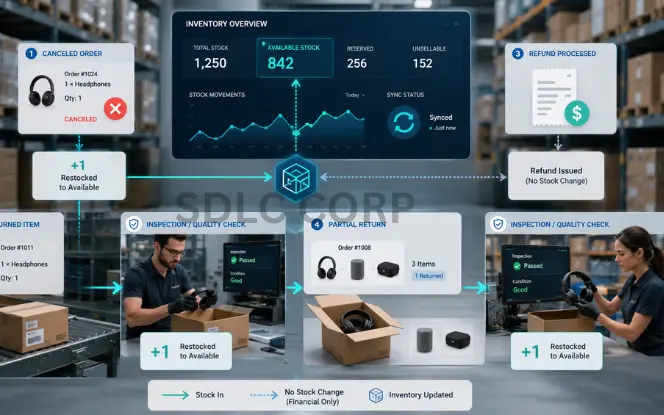
Inventory sync is not only about new orders. Returns, refunds, and cancellations also change stock.
Inventory Sync for Product Variants
Variants need special care. A product like “Blue T-Shirt” may have many variants such as Small, Medium, Large, and XL. Each variant has its own SKU and stock level.
If the variant mapping is wrong, Shopify may show stock for the wrong size or color.
- Product SKU
- Variant SKU
- Barcode
- Attribute values
- Shopify variant ID
- Odoo product variant
- Warehouse stock per variant
Inventory Sync for Bundles and Kits
Bundles are more complex than normal products. Shopify may sell a “Starter Kit” that includes a bottle, pouch, manual, and box, while Odoo tracks each item separately.
For component-based kits, calculate availability from the limiting component and the quantity required per kit, excluding reservations and blocked units once. Preassembled bundles may instead use their own stocked SKU. Confirm how the connector maps the bundle model and prevents shared components from being allocated twice.
- Gift boxes
- Subscription kits
- Combo packs
- Product bundles
- Assembly-based products
How Safety Stock Helps Avoid Overselling
Safety stock means keeping a small quantity hidden from Shopify. This buffer helps protect the business when stock moves fast or sync is delayed.
Simple example
Odoo stock: 50 units
Safety stock: 5 units
Shopify sellable stock: 45 units
Safety stock helps when:
- Two orders happen close together
- Warehouse stock count is slightly off
- API sync is delayed
- A marketplace or POS channel sells the same item
- A flash sale moves stock quickly
Safety stock is useful for fast-moving products, limited stock items, and products sold across many channels.
Can Inventory Sync Stop Overselling Completely?
Inventory sync can reduce overselling risk, but it cannot guarantee zero mismatch in every situation.
Stock issues can still happen if SKUs are wrong, warehouse mapping is incomplete, webhook updates fail, API limits slow down updates, or teams manually change stock in Shopify. Returns and damaged items can also create mismatch if restock rules are not clear.
What to Check Before Going Live
Before turning on Shopify Inventory Sync with Odoo, test the full inventory flow with real products, real variants, real warehouses, and real stock rules.
Do not go live after only one test order. Test new orders, cancellations, returns, damaged stock, failed sync retry, and reporting before launch.
Go-Live Checklist
16 checks before launch- Check all Shopify SKUs against Odoo SKUs
- Map product variants correctly
- Confirm Shopify locations and Odoo warehouses
- Decide the stock field to sync
- Add safety stock rules where needed
- Test new orders
- Test order cancellation
- Test return with restock
- Test return without restock
- Test damaged stock
- Test product update
- Test stock adjustment in Odoo
- Test failed sync retry
- Check logs and reporting
- Confirm cron backup is active
- Confirm users know where to check sync errors
Shopify Inventory Sync with Odoo: Manual vs Automated
| Area | Manual Inventory Update | Automated Shopify Odoo Sync |
|---|---|---|
| Stock updates | Team updates both systems | Stock moves through mapped rules |
| Error risk | High | Lower with logs and validation |
| Order speed | Slower | Faster order movement |
| Overselling risk | Higher during busy days | Lower with real-time sync and safety stock |
| Multi-warehouse control | Hard to manage manually | Easier with warehouse mapping |
| Returns | Often handled late | Can follow defined restock rules |
| Reporting | Data may not match | Odoo gives better operational visibility |
| Scale | Breaks as order volume grows | Supports growing catalog and order volume |
Manual updates may work for a small store. But once orders, variants, and warehouses grow, automation becomes necessary.
Basic Connector vs Proper Inventory Sync Setup
A basic connector can move Shopify orders into Odoo. That is helpful, but it may not fix stock mismatch by itself.
| Area | Basic Connector | Proper Inventory Sync Setup |
|---|---|---|
| Order import | Sends Shopify orders to Odoo | Sends orders and updates stock flow |
| SKU mapping | Uses basic product matching | Matches clean and correct SKUs |
| Variant sync | May miss size or color stock | Maps each variant correctly |
| Warehouse mapping | Uses one default warehouse | Maps the right Shopify location with the right Odoo warehouse |
| Safety stock | Usually not included | Keeps buffer stock hidden from Shopify |
| Return rules | May restock too quickly | Checks returns before stock goes live |
| Failed sync logs | Errors can be hard to find | Shows failed records and reasons |
| Retry support | Needs manual fixing | Lets the team retry failed updates |
A basic connector may work for small stores. Growing Shopify stores need proper inventory sync when they have many variants, returns, bundles, flash sales, or more than one warehouse.
Why Use SDLC Corp Shopify Odoo Connector?

SDLC Corp Shopify Odoo Connector is built to connect Shopify storefront data with Odoo ERP workflows.
For teams that want a ready connector instead of building everything from scratch, SDLC Corp’s Shopify Odoo Connector helps sync products, orders, customers, inventory, and payments between Shopify and Odoo with webhook-based sync and cron backup support.
It supports product, order, customer, inventory, and payment sync. It also uses real-time webhook-based sync with cron backup support, so teams can reduce missed updates.
Inventory team benefits
- Bi-directional inventory updates
- Product and variant mapping
- Odoo-based stock control
- Shopify order import into Odoo
- Cron backup for missed sync events
- Logs and error tracking inside Odoo
- Retry support for failed records
- Flexible field mapping
- Support for Odoo 18 and Odoo 19
- Setup support for custom workflows
This helps teams move away from manual stock checking and build a more reliable Shopify Odoo inventory process.
Example Workflow: From Shopify Order to Odoo Stock Update
Here is a simple example of how the order and inventory flow can work.
- Customer buys a product on Shopify The order starts from the storefront.
- Shopify sends the order to Odoo The connector moves the order into the ERP workflow.
- Odoo creates the sales order The sales order becomes part of Odoo operations.
- Odoo reserves the product stock The product quantity is reserved for fulfillment.
- Warehouse processes delivery The team picks, packs, and ships the order.
- Odoo updates stock level The latest stock value is created in Odoo.
- Connector updates Shopify Shopify receives the latest sellable quantity.
- Sync log shows status The team can see whether the update passed or failed.
This flow keeps sales, warehouse, and support teams working from cleaner data.
What Makes a Strong Shopify Odoo Inventory Sync Setup?
A strong setup is not only about connecting two systems. It needs clear rules.
Shopify Inventory Sync with Odoo for Growing Stores
A basic connector may be enough for simple order import. But growing stores need more control when orders, warehouses, returns, and product variants increase.
If your store needs custom Odoo workflows, special warehouse rules, or connector changes, you can hire an Odoo developer to build and maintain the setup.
You may need stronger sync if you manage:
- Many product variants
- More than one warehouse
- Shopify POS and online sales
- Wholesale and retail orders
- Bundles or kits
- High order volume
- Flash sales
- Frequent returns
- International fulfillment
- Multiple Shopify stores
- Custom Odoo workflows
Common Mistakes to Avoid
When Should You Connect Shopify Inventory with Odoo?
- Stock mismatch happens often
- Orders are delayed due to manual checking
- Shopify sells items that warehouse teams cannot ship
- Product variants are hard to manage
- You use Odoo for warehouse and sales orders
- You manage more than one warehouse
- You sell across Shopify, POS, or marketplaces
- Your team spends time fixing inventory reports
- Returns and cancellations create stock confusion
The sooner you fix inventory sync, the easier it is to scale operations.
Shopify Inventory Sync with Odoo Implementation Plan
Use this plan after your SKU, warehouse, and order flow are clear. For setup steps, follow this Shopify Odoo connector configuration guide.
- Review Current Inventory Flow Check how Shopify and Odoo currently manage products, orders, and stock.
- Clean Product and SKU Data Fix duplicate SKUs, missing SKUs, and wrong variant mapping.
- Select Source of Truth Choose whether Odoo or Shopify controls stock. For most ERP-led businesses, Odoo should control inventory.
- Map Warehouses and Locations Connect Shopify locations with Odoo warehouses and stock locations.
- Configure Sync Rules Decide which stock field should update Shopify.
- Set Safety Stock Add buffer rules for fast-moving products.
- Test Real Scenarios Test orders, cancellations, returns, refunds, stock adjustments, and failed sync retries.
- Go Live with Monitoring Track sync logs daily after launch.
Proof Before You Book a Demo
SDLC Corp has worked on Shopify and Odoo sync projects for cleaner stock, order, and customer data.
Before setup, our team checks SKUs, variants, warehouses, returns, failed sync logs, and backup sync. This helps the sync work better in real daily operations.
See Shopify Odoo DemoFAQs
What is Shopify Inventory Sync with Odoo?
Shopify Inventory Sync with Odoo keeps Shopify storefront stock and Odoo ERP stock aligned. It helps update product quantities, orders, variants, and warehouse stock between both systems.
How Do I Stop Overselling on Shopify?
Inventory sync reduces overselling risk but cannot guarantee zero overselling. Enable inventory tracking and review Continue selling when out of stock: disable it for variants that must stop selling at zero. Confirm online fulfillment locations, sellable quantities, reservations, sync monitoring, and a suitable buffer. Backorders and preorders need a deliberate policy.
Why Is My Shopify Inventory Not Syncing With My Backend System?
Inventory may not sync because of API errors, delayed cron jobs, wrong product mapping, SKU mismatch, or connection issues between Shopify and Odoo. Check the sync logs and make sure every product has the correct SKU.
Why does Shopify stock not match Odoo stock?
Stock mismatch can happen because of wrong SKU mapping, manual stock edits, missed sync jobs, incorrect warehouse mapping, returns, damaged stock, or delayed order import.
Can Odoo be the source of truth for Shopify inventory?
Yes. For most businesses using Odoo for warehouse and fulfillment, Odoo should be the inventory source of truth. Shopify should show the sellable stock received from Odoo.
Can You Connect Shopify Directly to Odoo?
Shopify can connect to Odoo through a compatible connector or custom integration. Confirm the Odoo version, edition, hosting, supported records, sync direction, permissions, and exception handling. Installing a connector does not remove mapping, testing, and operational review.
Should Shopify show on-hand stock or available stock?
Shopify should usually show available stock. On-hand stock may include reserved, damaged, or unavailable items that should not be sold.
Can Shopify and Odoo sync inventory in real time?
A compatible integration can use webhooks for event-driven updates, but processing latency and delivery failures remain possible. Confirm how Odoo stock changes trigger Shopify updates and use reconciliation to detect missed changes.
What happens if inventory sync fails?
A good connector should log the failed sync, show the reason, and allow retry. This helps teams fix stock issues before they affect customers.
Can returns update Shopify inventory automatically?
Yes, but only if return rules are configured properly. Returned products should go back to sellable stock only after quality checks.