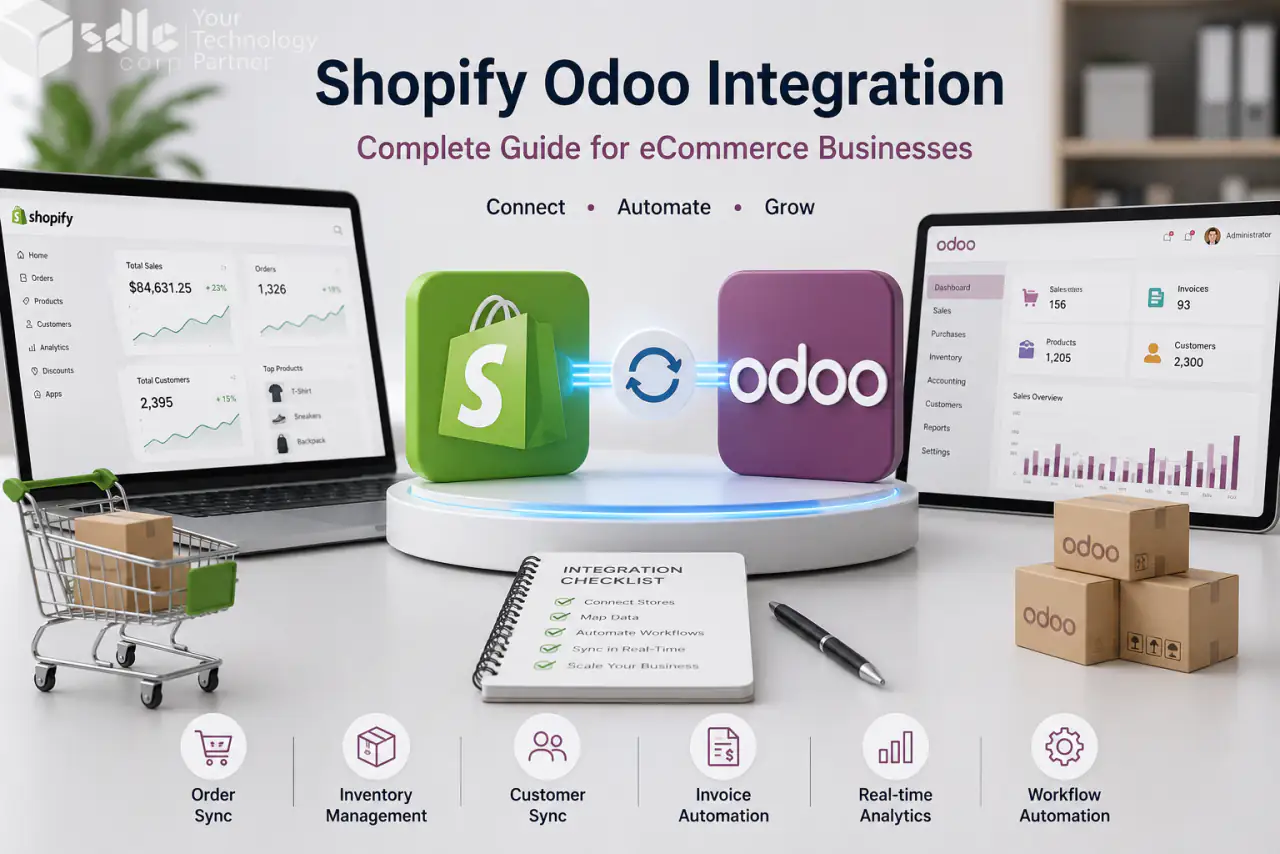
Shopify Odoo Integration connects your Shopify store with Odoo ERP so orders, products, customers, inventory, payments, and fulfillment data stay in sync.
It is useful for growing eCommerce businesses that want to move away from manual exports, spreadsheet updates, and separate stock records. Shopify can manage the storefront, while Odoo handles sales, inventory, invoicing, warehouse, and reporting workflows.
Key Takeaways
- Shopify Odoo integration connects online sales with backend ERP operations.
- Orders, products, customers, inventory, payments, and shipping data can move between Shopify and Odoo.
- A good setup needs clean SKUs, proper field mapping, tax rules, payment mapping, and testing.
- One-way sync is better for some records because each data type needs one clear source of truth.
- Real-time webhooks, cron backup sync, and error logs help keep data updated.
- Ready connectors work well for standard needs, while custom integration is better for complex workflows.
- Before launch, test orders, refunds, cancellations, inventory updates, payments, and shipping.
Why eCommerce Businesses Need Shopify Odoo Integration
Many online stores start with Shopify alone. That works in the early stage. But as orders grow, teams need better control over inventory, billing, shipping, and reporting.
Without integration, your team may copy orders by hand. Stock may show wrong numbers. Customer data may sit in two systems. This creates delays and mistakes.
Shopify Odoo Integration helps your store and ERP work as one connected setup.
Common Problems Without Shopify Odoo Integration
How Shopify Odoo Integration Works
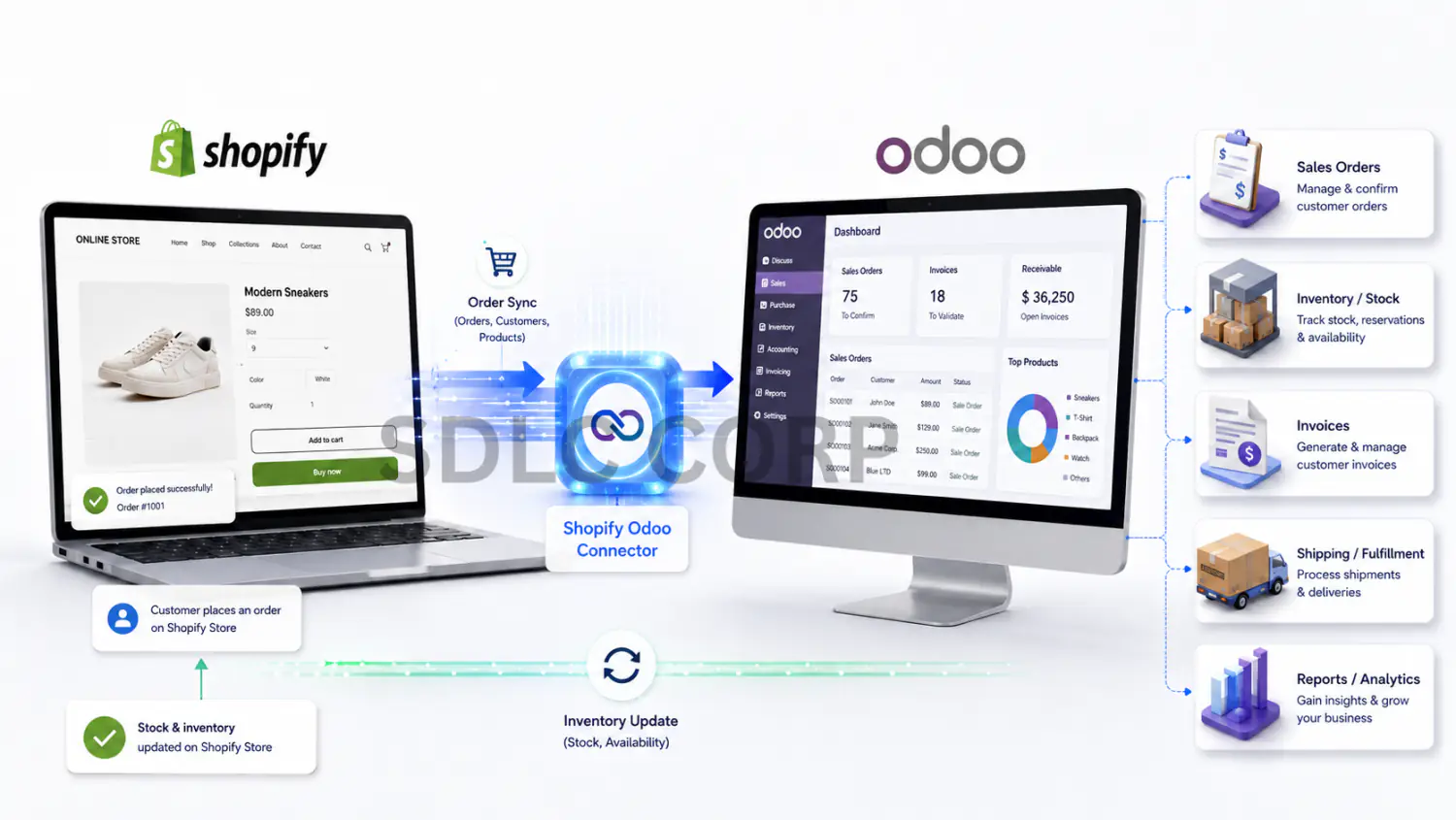
A Shopify Odoo connector creates a data bridge between both systems. When a customer places an order on Shopify, the connector sends that order to Odoo. Odoo can then handle sales orders, stock, invoices, shipping, and reports.
When stock changes in Odoo, the connector can update Shopify. This keeps the storefront and backend closer to the same data.
Security and API Access
Shopify Odoo Integration needs safe API access between Shopify and Odoo. Before setup, check who can access API keys, which data will sync, and how errors will be tracked.
For technical planning, review the official Shopify API documentation, Shopify Admin GraphQL API reference, and Odoo External API documentation. These references help your team check API access, authentication, scopes, endpoints, and integration limits before setup.
Illustrative Workflow: Shopify and Odoo Daily Operations
Consider a store moving from manual order exports to a configured integration. The following workflow is illustrative; it does not report a measured client or pilot result.
Before integration, the team had to export Shopify orders, check stock manually, create records in Odoo, update warehouse teams, and add tracking details back into Shopify.
After connecting Shopify with Odoo, new orders started syncing into Odoo automatically. Inventory updates moved back to Shopify, and tracking details synced after shipment.
Measure manual minutes per order, unmatched inventory records, failed syncs, and processing delay before and after the pilot. Use comparable order volumes and document the test period and exclusions before claiming an improvement.
What Data Should Sync Between Shopify and Odoo?
| Data Type | Common Sync Direction | Why It Matters |
|---|---|---|
| Products | Odoo ↔ Shopify | Keeps product records aligned |
| Variants | Both systems | Handles size, color, SKU, and barcode |
| Prices | Odoo → Shopify | Reduces price mismatch |
| Categories | Both ways | Keeps catalog structure clear |
| Customers | Shopify → Odoo | Helps sales, support, and order history |
| Orders | Shopify → Odoo | Moves online orders into ERP |
| Inventory | Odoo → Shopify | Helps prevent overselling |
| Payments | Shopify → Odoo | Supports finance tracking |
| Fulfillment | Odoo → Shopify | Updates delivery status and tracking |
| Gift Cards | Shopify → Odoo | Keeps gift card values and status visible |
Not every business needs the same sync rule. The best setup depends on your catalog, warehouse flow, tax rules, and fulfillment process.
One-Way Sync vs Two-Way Sync
Simple rule: Two-way sync sounds better, but it is not always the right choice. Some data should have one source of truth.
For example, Odoo is often the best place for inventory because warehouse teams work there. Shopify is usually the best place for customer checkout data.
A clean Shopify Odoo Integration defines which system owns each record. This avoids data conflicts.
Best Shopify Odoo Integration Workflow
Check how products, orders, inventory, payments, and shipping move today. Do not start with the connector first. Start with the business process.
Make sure SKUs, variants, barcodes, and product names are clear. Bad product data creates sync errors later.
Use secure API access to connect your Shopify store with Odoo. Test the connection before importing records.
Map products, customers, order lines, taxes, payment methods, shipping methods, and warehouse fields.
Use webhooks for live updates. This helps orders, products, and stock changes move faster between both systems.
Cron jobs act as a safety check and help catch records that may not sync through real-time events.
Test new orders, cancelled orders, refunds, inventory updates, payment mapping, and shipping updates.
Logs help your team see what synced, what failed, and what needs action after go-live.
Key Features to Look for in a Shopify Odoo Connector
New Shopify orders should move into Odoo quickly so teams can process orders without manual updates.
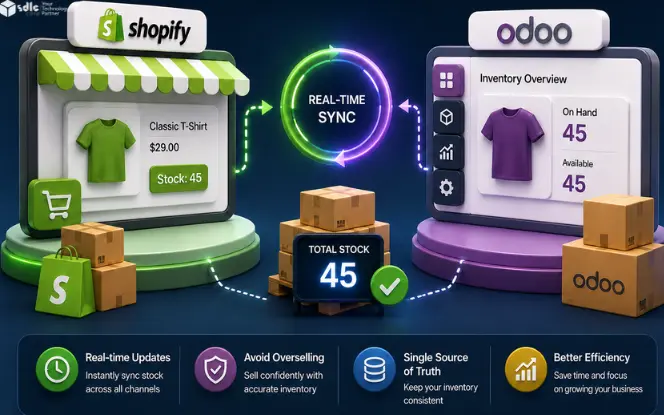
Stock should stay aligned across Shopify and Odoo to reduce overselling and improve customer trust.
Your connector should handle products, variants, SKUs, images, categories, and prices.
Customer details and order history should move into Odoo for better sales, support, and finance data.
A good connector should let you map fields based on your Odoo workflow.
Manage more than one Shopify store from one Odoo system.
When orders ship from Odoo, Shopify should receive tracking details.
Sync failures should not stay hidden. Logs and alerts help your team fix problems faster.
Backup sync helps catch missed records when real-time events fail.
Business Benefits of Connecting Shopify with Odoo
Orders move from Shopify to Odoo without manual copying. This helps the team pick, pack, invoice, and ship faster.
Stock updates stay closer to real time. This helps reduce overselling and stock confusion.
Customer details stay in one connected flow. Your team can view better order history and customer records.
Your team spends less time copying data and more time on fulfillment, support, and growth.
Sales, stock, orders, and payments become easier to track inside Odoo.
Managers get clearer visibility over orders, stock, payments, and sync errors.
Shopify Odoo Integration for Multi-Store Businesses
Multi-store eCommerce needs clear control. A business may run different Shopify stores by region, brand, or product line. In this case, each store needs its own rules.
You may need separate warehouses, payment methods, tax rules, price lists, and shipping methods. A Shopify Odoo connector with multi-store support helps manage these setups from one Odoo backend.
How Inventory Sync Works Between Shopify and Odoo
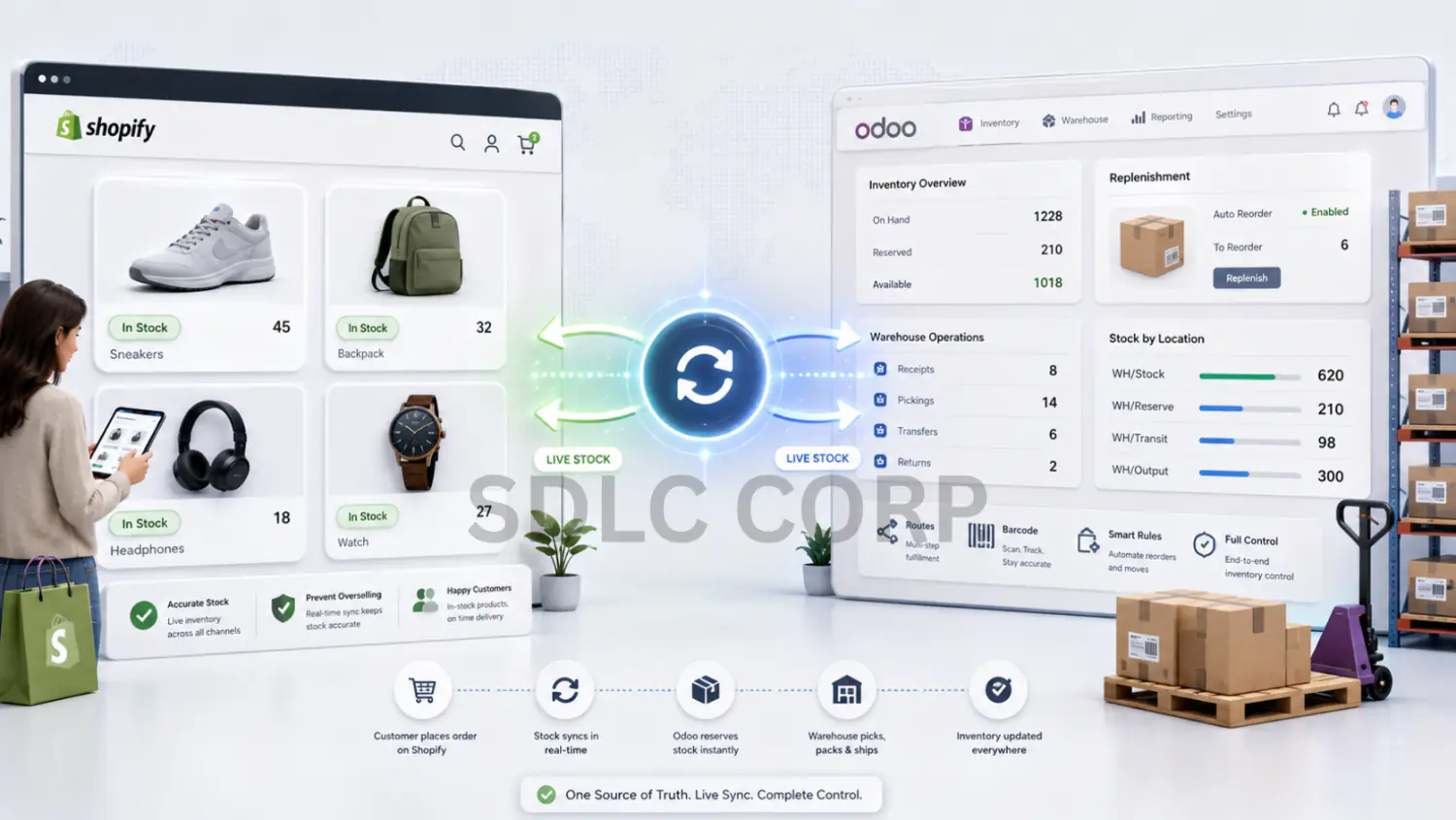
Inventory is one of the biggest reasons businesses connect Shopify with Odoo. Shopify shows products to customers. Odoo controls stock, warehouse, routes, and replenishment.
When both systems do not match, the business can sell items that are not available. A strong integration keeps stock levels updated and gives warehouse teams better control.
How Shopify Orders Move into Odoo
Order sync helps your team move faster. When a customer places an order in Shopify, the connector can create the order inside Odoo.
From there, Odoo can manage sales orders, delivery, invoicing, and warehouse steps. This creates a smoother order path from checkout to shipment.
Shopify Odoo Integration for Payments and Accounting
Payments need careful mapping. Shopify payment methods should match the right records in Odoo. This helps finance teams review order value, refunds, taxes, and payment status.
Before go-live, test payment rules with real examples.
Shopify Odoo Integration for Fulfillment and Shipping
Fulfillment should not stop after order import. Your team also needs tracking updates.
When an order ships from Odoo, the connector can push fulfillment and tracking details back to Shopify. This keeps customers informed and reduces support questions.
Connector vs Custom Shopify Odoo Integration
| Option | Best For | Main Benefit | What to Check |
|---|---|---|---|
| Ready Connector | Standard Shopify and Odoo sync needs | Faster setup | Check mapping, support, and version fit |
| Custom Integration | Complex workflows or special business rules | Full control | Needs more planning and testing |
| Middleware Tool | Teams using many apps | Central app hub | May add extra cost and dependency |
| Manual Export/Import | Very small stores | Low starting effort | Not suitable for growth |
For complex workflows, you may need to hire Odoo developer support to build custom fields, special rules, or advanced automation.
How Much Does Shopify Odoo Integration Cost?
The cost of Shopify Odoo Integration depends on how simple or complex your setup is.
A basic store with standard product, order, customer, and inventory sync may need less setup time. A business with multiple Shopify stores, custom fields, warehouse rules, payment mapping, refunds, and special workflows may need more planning and testing.
The best way to estimate cost is to review your current Shopify and Odoo workflow first. This helps avoid paying for features you do not need and makes the integration plan more accurate.
Cost note: Shopify Odoo Integration cost depends on your store size, Odoo version, number of Shopify stores, custom fields, and sync rules. Check the latest Odoo app price and setup cost before planning the project.
How Long Does Shopify Odoo Integration Take?
Shopify Odoo Integration time depends on your store size, data quality, and workflow complexity.
Agree a timeline after reviewing compatibility, data quality, mapping, migration, testing, and operational sign-off. A connector installation date is not the same as a production-ready rollout.
| Setup Type | Estimated Timeline |
|---|---|
| Basic connector setup | Few days to 1–2 weeks |
| Multi-store setup | 2–4 weeks |
| Custom workflow setup | 4+ weeks |
Request milestones for data preparation, configuration, integration testing, user acceptance, limited rollout, and support handover. Dependencies and acceptance criteria should determine the schedule.
Before launch, your team should test real scenarios such as new orders, cancelled orders, partial refunds, inventory updates, payment mapping, shipping updates, and failed sync cases.
Common Shopify Odoo Integration Mistakes
Two-way sync can create conflicts. Choose a clear source of truth for each data type.
SKU mismatch is one of the fastest ways to create sync problems. Clean product and variant data before setup.
Orders may sync, but finance can still face issues. Map tax, payment, and refund rules carefully.
Also test cancelled orders, partial refunds, failed payments, and out-of-stock products.
Without logs, your team may not notice failed records until customers complain.
Monitor sync logs after go-live so issues are fixed early before they grow.
Shopify Odoo Integration Checklist
When Should You Use Shopify Odoo Integration?
You should consider Shopify Odoo Integration when:
If your Shopify store is small and has very few orders, manual work may still be manageable. But once daily order work starts slowing your team, integration becomes important.
Why Choose SDLC Corp for Shopify Odoo Integration?
SDLC Corp offers a Shopify Odoo Connector built for eCommerce teams that need faster sync, cleaner data, and better control inside Odoo.
The connector supports product, order, customer, inventory, category, payment, fulfillment, and gift card sync.
It also supports real-time webhooks, cron auto-sync, field mapping, logs, reports, and multi-store instances. This gives your team more control without building everything from scratch.
You can also view the Shopify Odoo Connector on Odoo Apps for product details and marketplace proof.
Version Compatibility
| Area | Available Options | Status |
|---|---|---|
| Odoo Version | Exact major version and module release | Confirm for your setup |
| Odoo Edition | Community or Enterprise | Confirm for your setup |
| Shopify Plan | Basic, Advanced, or Plus | Confirm for your setup |
| Store Setup | Single store or multi-store | Confirm for your setup |
| Hosting | Odoo.sh or self-hosting for a custom Python module; assess Odoo Online separately | Confirm for your setup |
Shopify Odoo Connector by SDLC Corp: Best Fit
How to Measure Shopify Odoo Integration Results
A Shopify Odoo Connector project can improve daily operations with measurable results.
Define measurable acceptance criteria for the pilot: fewer manual entries, accurate sellable quantities, visible exceptions, and timely order release. Report the baseline, test period, order volume, and exception-handling effort with any claimed improvement.
Estimate time saved from observed minutes per order multiplied by the number of eligible orders, then subtract exception handling and reconciliation time. Review warehouse, customer support, and finance outcomes separately.
How to Choose the Right Shopify Odoo Integration Partner
Do not choose only by app price. Check the partner's Odoo knowledge, Shopify API experience, support quality, and ability to handle your business rules.
For partner checks, you can also review the Shopify Partner Program and the Odoo Partners directory. These pages help buyers understand the partner ecosystem before choosing an integration team.
Ask the supplier to demonstrate your actual order, inventory, refund, and fulfillment scenarios. Request a written compatibility matrix, upgrade policy, support scope, and recovery procedure before choosing the integration.
If your workflow needs custom mapping, multi-store rules, or advanced sync logic, SDLC Corp’s Odoo Integration Services can help.
Ask these questions before buying:
The right connector should fit your process, not force your team to change everything.
Migrating From Another Shopify Odoo Connector
If you already use another Shopify Odoo connector, review the current setup before switching. Do not remove the old connector without checking synced data first.
Start by checking product mappings, customer records, order history, inventory rules, taxes, payments, and failed sync logs.
Also check for duplicate products, duplicate customers, missing SKUs, and old sync errors. These issues can move into the new setup if they are not cleaned first.
A safe migration should include a test sync before full launch. Test new orders, refunds, cancellations, inventory updates, payments, and shipping updates.
This helps your team move to the new connector without wrong stock, missing orders, or broken customer records.
Final Thoughts
Shopify Odoo Integration helps eCommerce businesses connect online sales with backend operations. It reduces manual order work, improves inventory control, and gives teams better visibility.
The best setup starts with clean data, clear sync rules, strong field mapping, and proper testing.
If your Shopify store is growing and Odoo runs your operations, a connector can help both systems work together with less friction.
Want to see how Shopify orders, inventory, payments, and fulfillment can sync with Odoo?
Book a Shopify Odoo demo with SDLC Corp and review your current workflow with our integration team.
Frequently Asked Questions
What is Shopify Odoo Integration?
It connects your Shopify store with Odoo ERP so orders, products, customers, stock, payments, and shipping data can sync between both systems.
Why do businesses need Shopify Odoo Integration?
It helps reduce manual work, stock errors, order delays, and data gaps between store, warehouse, finance, and support teams.
Can Shopify orders sync to Odoo automatically?
Yes. New Shopify orders can move into Odoo for sales, inventory, invoicing, and delivery steps.
Can I sync products from Odoo to Shopify?
Yes. Products, variants, SKUs, prices, images, and categories can sync from Odoo to Shopify based on your setup.
Does it update inventory?
Yes. Inventory sync helps keep Shopify stock close to Odoo stock. This helps reduce overselling.
Can I connect multiple Shopify stores with one Odoo backend?
Yes. Multi-store support lets you manage more than one Shopify store from one Odoo system.
Does it work with Odoo Community and Enterprise?
Check the exact connector release for Community or Enterprise support and its dependencies. Custom Python modules require suitable hosting such as Odoo.sh or self-hosting; do not assume that the same module can be installed on Odoo Online. Confirm version and hosting before purchase.
Does it support refunds and cancellations?
Yes. Refunds, cancellations, and payment records can sync if they are mapped and tested properly.
Can I map custom Shopify fields to Odoo?
Yes. Custom field mapping helps send Shopify data to the right place inside Odoo.
What happens if webhooks fail?
Cron backup sync and error logs help catch missed records. Your team can check the error and retry the sync.
How do I start Shopify Odoo Integration?
Start by checking your current Shopify and Odoo process. Then clean SKUs, map fields, test real orders, and launch with sync monitoring.