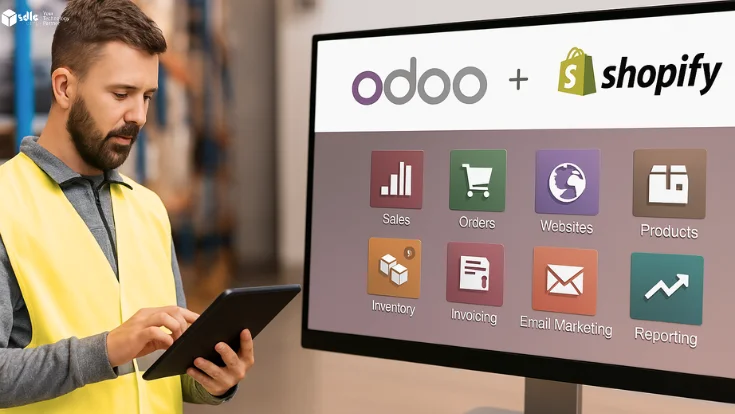
Odoo Shopify integration can reduce the handoffs between online sales, warehouse fulfillment, and finance. Shopify remains the storefront; the agreed ERP workflows and connector move the records needed to process orders, publish stock, and reconcile transactions.
This article focuses on daily operations: who owns each record, what happens when synchronization fails, and how teams verify orders, stock, deliveries, and refunds. For setup and mapping details, use the technical Shopify–Odoo integration guide.
What Is Odoo Shopify Integration?
A Shopify–Odoo integration connects defined records through a connector or supported API workflow. The selected Odoo version, connector, Shopify configuration, field mapping, and processing schedule determine what can sync and in which direction.
A connector can reduce repeated entry, but it does not remove the need for reconciliation and exception handling. Assign a source of truth for each record type and an owner for failed imports, mismatched stock, and finance discrepancies.
Daily checks for a connected Shopify–Odoo operation
| Team | Daily check | Exception to resolve |
|---|---|---|
| Order operations | Eligible Shopify orders match Odoo orders once. | Missing imports, duplicates, unmapped products, taxes, or discounts. |
| Warehouse | Published sellable stock follows mapped locations and reservations. | Failed stock updates, cancellations, returns, or incorrect location mappings. |
| Customer service | Fulfillment and tracking statuses match the agreed workflow. | Partial shipments, carrier delays, missing tracking, or conflicting statuses. |
| Finance | Order, invoice, payment, refund, fee, and payout records reconcile. | Missing documents, mismatched amounts, currency differences, or unposted refunds. |
Key Features of Odoo Integration With Shopify
Unified Inventory Management
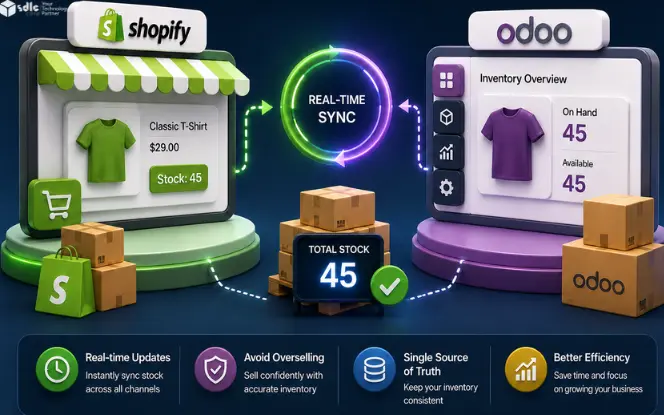
Choose which system owns sellable stock and map Shopify locations to the relevant Odoo warehouses. Account for reservations, returns, safety stock, and channel allocation. Synchronization can reduce stock mismatches; it does not guarantee that overselling is impossible. See the Shopify inventory synchronization guide.
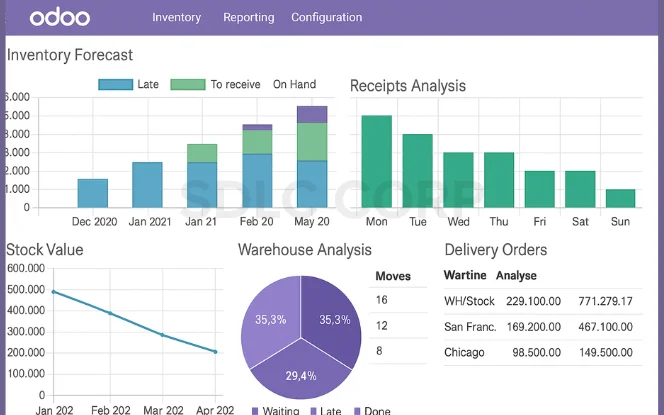
Real-Time Order Sync
Import Shopify orders according to the connector’s supported events or schedule. Check duplicate prevention, customer mapping, taxes, discounts, currency, and order status before downstream processing. Creating an Odoo sales order does not automatically prove that payment, invoicing, shipping, or delivery is complete.
Shopify Product Management in Odoo
Define ownership for product titles, variants, SKUs, images, prices, and channel-specific content. Confirm the fields and sync directions supported by the chosen connector. Avoid allowing both systems to overwrite the same field without a conflict rule.

Multi-Channel eCommerce Integration
Odoo isn't limited to Shopify; it also supports integration with platforms like Amazon, eBay, and WooCommerce. This multi-channel eCommerce capability allows businesses to manage all their online sales from a single, unified dashboard. Orders, inventory, and customer information sync across channels. Businesses can reach a broader customer base without the complexity of managing each channel separately. This leads to better coordination, fewer errors, and improved sales tracking across marketplaces.
Odoo Shopify Automation
Automate only the approved transitions: importing an eligible order, reserving stock, creating the required documents, and returning fulfillment updates. Handle exceptions through a monitored queue and test retries so the same event cannot create duplicate orders or accounting records.
Ready to Connect Shopify With Odoo?
Get expert help setting up a reliable, real-time Odoo-Shopify integration built around your catalog, warehouses, and sales workflow.
How Odoo ERP Shopify Integration Simplifies eCommerce Operations
Here are the practical benefits of Shopify ERP Integration using Odoo:

Centralized Data Management
Centralized records help only when identifiers and ownership are clear. Use stable mappings for products, variants, customers, orders, and locations. Reconcile counts and statuses between the systems; integration does not automatically eliminate duplicates or inconsistent data.
Improved Warehouse Efficiency
Configure the warehouse workflow separately from the connector. Test receiving, reservation, picking, packing, shipping, cancellation, return, and restock actions against the inventory quantity you publish to Shopify. Barcode and batch-picking adoption still requires operational setup and training.

Enhanced Customer Experience
The integration enhances the customer journey by syncing key updates like order confirmations, shipping statuses, and product availability in real time. Odoo automates these touchpoints, reducing customer service workload while improving response time. Customers get consistent and transparent communication from purchase to delivery. This builds trust and improves post-purchase satisfaction. In the long term, businesses benefit from improved customer retention and higher lifetime value.
Faster Order Fulfillment
When an eligible order reaches Odoo, the warehouse can use the configured fulfillment workflow. Measure import latency, pick/pack time, carrier handoff, and exception resolution separately. Connector speed alone does not guarantee on-time delivery.

Scalable Store Management
Multi-store and warehouse support must be confirmed for the chosen connector and version. Map entities, locations, currencies, taxes, catalogs, and access separately. Test realistic peak loads, API limits, queued jobs, and recovery behavior before adding stores.
Shopify Odoo Connector: How It Works
A Shopify Odoo Connector is typically a module or third-party app that establishes a secure API-based connection between both platforms. Here's a simplified overview of how it functions:

- Product Sync: Products created or updated in Odoo are automatically synced to Shopify.
- Order Import: New Shopify orders are pulled into Odoo with customer and payment details.
- Inventory Update: Odoo updates Shopify stock levels after each transaction.
- Shipping Sync: Odoo pushes shipping status and tracking info back to Shopify.
Some popular connectors even offer bidirectional syncing, advanced automation rules, and multi-store support.
Benefits of Odoo Shopify Sync for eCommerce Businesses

Reduce Manual Work
With Odoo Shopify Sync, businesses can eliminate the repetitive and error-prone task of entering the same data into multiple systems. Products, orders, and customer details automatically flow between Shopify and Odoo ERP, saving significant time. This not only reduces administrative burden but also speeds up operations. Employees can focus on value-added tasks instead of routine data entry. As a result, businesses operate more efficiently with fewer mistakes.
Real-Time Data Accuracy
Agree a synchronization target and monitor it. Webhooks and scheduled jobs can be delayed or retried, so the implementation needs duplicate handling and a reconciliation process. Shopify documents delivery verification and duplicate handling in its webhook guidance.

Accelerated Growth
As order volume grows, assign support ownership for mappings, queues, retries, reconciliation, and connector upgrades. Compare the measured exception rate and handling effort before and after rollout.
Better Financial Control
Define when invoices, payments, credit notes, and refunds should be created or matched. Reconcile discounts, taxes, shipping charges, fees, payouts, partial payments, and currency differences. Connector imports do not by themselves establish an accurate or fully reconciled ledger.

Smarter Reporting
Odoo's built-in analytics tools offer a consolidated view of performance across sales channels. Businesses can track product performance, revenue trends, abandoned carts, and operational KPIs all in one dashboard. With real-time data from Shopify synced into Odoo, reporting becomes faster and more insightful. These smart reports help businesses identify opportunities, spot issues early, and make strategic decisions. Data-driven insights ultimately drive improved profitability and customer satisfaction.
Illustrative workflow: a growing ecommerce brand
Consider a hypothetical fashion retailer using Shopify for sales and Odoo for inventory and accounting. Its pilot should cover a normal order, a partial shipment, a cancellation, a return, and a refund. This is a planning example, not a reported client outcome.

The pilot passes when the mapped order is created once, stock follows the agreed reservation rules, fulfillment status matches, and finance can reconcile the required documents.
- Published stock matches the agreed sellable-quantity rule.
- Automated workflows for order processing and shipping updates.
- Customer mappings follow the agreed identifiers and duplicate rules.
- Orders, payments, refunds, and accounting documents reconcile.
Choosing the Right Odoo Shopify Connector
To ensure smooth Odoo Integration with Shopify, look for connectors with:

- Bi-directional sync capabilities
- Multi-store support
- Real-time sync frequency
- Automation triggers
- Shopify POS support
- Support for variant products and product bundles
Connector options to evaluate:
- Version-specific Odoo Shopify functionality — verify the supported scope in Odoo’s documentation
- Third-party apps from the Odoo App Store or GitHub
- Custom-developed API integrations for specific workflows
Best Practices for a Smooth Integration
To simplify eCommerce operations using Odoo Shopify Automation, follow these practices:

- Clean up data before sync: Ensure SKUs, product names, and categories are aligned.
- Test with a small batch first: Run trial syncs to ensure proper configuration.
- Monitor sync logs: Identify and fix any issues promptly.
- Train your team: Educate your staff on how Odoo processes Shopify data.
Future of eCommerce With Integrated Platforms
The future of digital commerce lies in connected systems that provide businesses with control, visibility, and automation. By unifying Shopify's front-end power with Odoo's backend flexibility, businesses get the best of both worlds.
Expect innovations like AI-driven sales forecasting, smart replenishment, and deeper marketplace integrations to further simplify eCommerce operations.
Build Your Odoo-Shopify Integration the Right Way
From connector selection to data cleanup and automation rules, get hands-on support to launch a sync that scales with your store.
Conclusion
Odoo–Shopify integration is useful when it removes a specific operational handoff and preserves reliable records. Define the source of truth, supported sync scope, warehouse steps, finance checks, and exception owner before launch.
Use a scoped Odoo integration assessment to choose the connector and confirm mappings, testing, monitoring, and support responsibilities. Evaluate results using your own baseline rather than assuming automatic profitability or effortless growth.
FAQs
Does integration support multi-channel eCommerce?
Multi-channel scope depends on the connectors selected and tested for each channel. Confirm product, location, order, and finance mappings separately for Shopify and any marketplace.
How does integration affect order fulfillment?
The connector imports eligible orders through its supported events or schedule. Fulfillment still follows warehouse availability, picking, packing, carrier handoff, and exception handling. Measure the end-to-end lead time.
What is unified inventory management?
It means agreeing which system owns sellable stock and how locations, reservations, returns, and channel allocations affect the published quantity. Reconciliation is still required when updates fail or arrive late.
Can I sync customer data between Odoo and Shopify?
Confirm the customer fields, identifiers, consent requirements, access controls, and duplicate rules supported by your connector. A customer record sync is not a full behavioral analytics feed.
What kind of automation does integration provide?
It can automate the mapped records and approved workflow transitions supported by the connector. Define triggers, duplicate prevention, error queues, retries, and reconciliation before enabling financial or fulfillment actions.
How can a Shopify development company help?
The implementation team can map scope, configure the connector, test failures and recovery, and document monitoring and support. Confirm responsibilities and acceptance criteria rather than assuming the setup guarantees ROI.