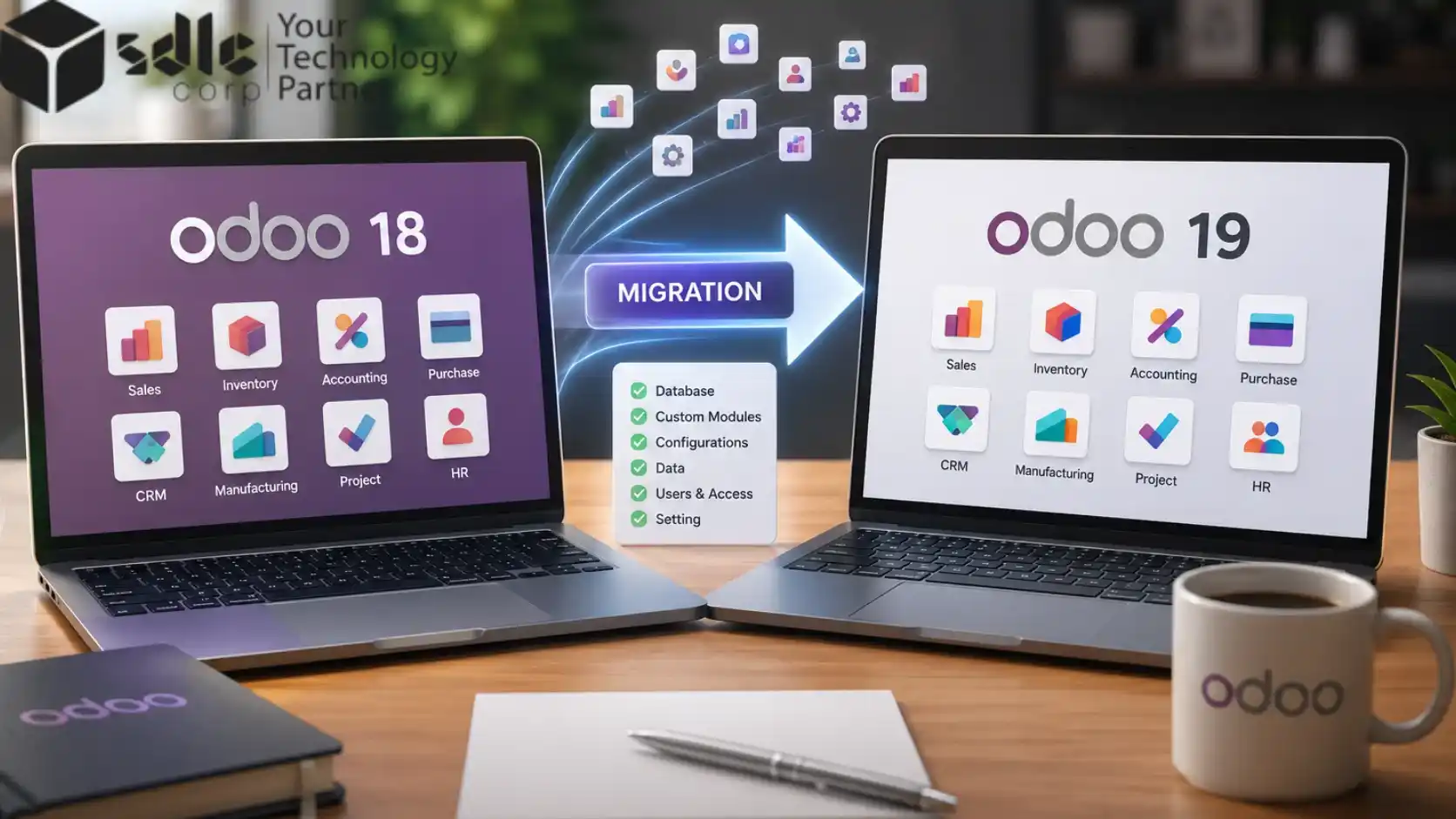
Odoo 19 is the largest structural change Odoo has shipped in years, so moving a live, customized system is a project, not a one-click update. This guide covers what breaks, how to upgrade step by step, real cost and timelines, and a full Odoo 18 to 19 code-change reference.
Why Upgrade From Odoo 18 To Odoo 19?
Odoo 19 is more than a fresh coat of paint. It adds practical AI (natural language automation, AI generated fields in Studio, and a built in assistant in Chatter and Helpdesk), a rebuilt interface with a collapsible sidebar and native dark mode, roughly 40% faster screens, and a stronger access rights model. These are the kind of gains that push Odoo's role in digital transformation further. If you run Odoo 18 and your version support window is closing, plan the upgrade to Odoo 19 for your next quiet quarter.
What Changes From Odoo 18 To 19?
Odoo 19 reworks the database schema more deeply than any recent release. It renames around 130 models, changes about 416 constraints, and renames roughly 51 fields across 443 affected models, in line with the official Odoo 19 changelog. Those Odoo 18 to 19 breaking changes fall into a few groups:
- Framework and imports.
type='json'routes becomejsonrpc, and the registry import path moves. - Models, fields and security. A new
res.groups.privilegeaccess model, andgroups_idbecomesgroup_ids. - Module renames. HR, stock and the website editor are restructured (full list below).
- ORM, search and views. Deprecated methods are removed and
kanban-boxbecomescard.
Because these touch core models and the way Odoo modules are built in Python and XML, custom modules written for Odoo 18 will not run on Odoo 19 without code changes.
Choose Your Migration Path: Enterprise Vs Community
How you run the database upgrade depends on your edition, and the official upgrade process differs for each. Odoo upgrades are sequential, so 18 to 19 is a single step and you cannot skip versions.
| Your edition or case | Migration route | Effort |
|---|---|---|
| Enterprise, Online or Odoo.sh | Official Odoo Upgrade platform | Lowest. Odoo handles the core conversion. |
| Community | OpenUpgrade community scripts | Higher. Needs scripting and testing. |
| Heavily customized or tight timeline | Third party automated upgrade tools | Varies. Validate the output. |
Not sure which path fits your setup?Our certified team scopes Community and Enterprise upgrades with rollback-ready cutover.
Find the Best Odoo SetupPre-Migration Checklist
- Back up everything. The database, the filestore, and your custom code.
- Use a staging copy. Stand up Odoo 19 on a sandbox and test there, never on production.
- Inventory and classify modules. Mark each as standard, third party or custom, then decide what to do with every custom form and module: keep and migrate, replace with a standard Odoo 19 feature, or retire.
- Confirm requirements. Python 3.10 or higher (3.12 recommended), PostgreSQL 13 or higher (15 or 16 recommended), and Node.js for assets.
Most common mistake: backing up the database but not the filestore. The filestore holds attachments and images, and a database dump alone does not include it. Skip it and you lose files.
How To Migrate From Odoo 18 To 19, Step By Step
Once prep is done, the migration follows seven steps:
- Back up and test restore.
Take a full backup (database, filestore, code) and confirm it restores cleanly.
- Stage Odoo 19.
Stand up a sandbox running Odoo 19 with a copy of your data.
- Convert the database.
Run the upgrade through your chosen path above.
- Refactor custom code and views.
Update modules to the Odoo 19 API using the reference below, or have an Odoo customization team handle the rework.
- Check data integrity.
Match a Trial Balance and General Ledger against Odoo 18.
- Run UAT and sign off.
Have key users test every critical workflow and approve in writing.
- Cut over and support.
Go live in off hours, take a final backup, then monitor closely (hypercare).
Odoo 18 To 19 Code Changes
These are the changes that most often break custom modules. Update them across Python models, XML views and reports. The security changes in particular affect how you manage users and access in Odoo.
| Odoo 18 | Odoo 19 | |
|---|---|---|
| Framework and imports | ||
type='json' | → | type='jsonrpc' |
from odoo import registry | → | from odoo.modules.registry import Registry |
self._context / self._uid | → | self.env.context / self.env.uid |
| Security and fields | ||
res.groups category_id | → | privilege_id (new res.groups.privilege model) |
groups_id | → | group_ids |
tax_id / product_uom | → | tax_ids / product_uom_id |
| Module renames | ||
hr.contract | → | hr.version (hr_contract merges into HR core) |
hr.candidate | → | hr.applicant |
procurement.group | → | stock.reference |
stock.quant.package | → | stock.package |
web_editor | → | html_builder |
| ORM, search and views | ||
_apply_ir_rules() | → | _search(domain, bypass_access=True) |
odoo.osv.expression | → | odoo.fields.Domain |
group_operator / kanban-box | → | aggregator / card |
| Unit of Measure (UoM) | ||
factor_inv | → | relative_factor |
UoM category_id | → | relative_uom_id (uom.category removed) |
Tip: after refactoring, run odoo-bin -u all --dev and watch the logs for deprecation warnings.
Integration Compatibility
Odoo rarely runs alone, so map every external connection before you cut over. The API surface changed in Odoo 19, which means scripts, middleware and connectors can break even when the core upgrade succeeds.
| Integration type | What to re-check on Odoo 19 |
|---|---|
| REST, JSON-RPC and XML-RPC clients | The json route rename to jsonrpc, removed XML-RPC methods, and the changed authenticate() signature. |
| Payment and shipping connectors | API keys, webhook URLs, and any renamed stock or tax fields. |
| E-commerce and marketplace sync | Product and unit fields such as product_uom_id and relative_uom_id. |
| Third party and OCA modules | That a maintained 19.0 branch exists, otherwise budget to port the code. |
Re-run every integration end to end on staging. If your stack is connector heavy, an Odoo integration team can re-point and re-test each link before go live.
Migration Testing Procedures
All testing happens on the staging copy, never on production. Work outward from quick checks to full workflows:
- Smoke test. Confirm the upgrade finishes, the server starts clean, and
odoo-bin -u allshows no errors in the log. - Regression test. Walk every critical workflow per module, for example quotation to invoice, purchase to receipt, and a manufacturing or payroll run.
- Permission test. Log in as each user role and confirm access still matches Odoo 18, since
groups_idbecamegroup_ids. - Automated tests. Run your module unit tests with
--test-enableto catch broken logic early.
Performance Benchmarking
Odoo 19 promises faster screens, so measure it rather than assume it, and use the same numbers to catch regressions. Record a baseline on Odoo 18 first, then repeat the exact actions on Odoo 19 under similar data volume.
| What to benchmark | How to measure it |
|---|---|
| Page and list view load | Browser dev tools or Odoo's built in profiler. |
| API response time | Time a representative JSON-RPC call. |
| Batch job duration | Time a heavy scheduled action or report run. |
| Database query time | pg_stat_statements or the slow query log. |
Confirm the new Odoo 19 indexes are in place, then tune workers and PostgreSQL memory settings if any action is slower than it was on 18.
Post-Upgrade Validation
Once you go live, prove the new system matches the old one before you call it done. Run this validation gate with finance and operations in the room:
- Financials match. Trial Balance, Profit and Loss, and aged receivables and payables tie out to the pre-upgrade figures.
- Record counts match. Customers, products, open orders, and stock quants line up with Odoo 18.
- Documents render. Invoices, reports and PDFs print correctly, since
web_editorbecamehtml_builder. - Numbering is intact. Invoice and order sequences continue with no gaps or resets.
- Automation fires. Scheduled actions, outgoing email, and integrations all run.
Capture written sign-off from each team lead as your go or no-go decision.
Rollback Walkthrough
If validation fails, revert quickly to the last known good state. Rollback only works if you took a final backup at cutover and tested the restore beforehand, so keep the Odoo 18 environment intact until sign-off.
- Stop Odoo 19.
Halt the service so no new data is written to the upgraded database.
- Restore the Odoo 18 database.
Recover from your final pre-cutover backup.
- Restore the matching filestore.
So attachments and images line up with that database.
- Bring Odoo 18 back online.
Point the original code and instance back into service.
- Reopen and confirm.
Let users back in and verify the last known good state.
- Log the failure.
Record what broke so the next attempt fixes the root cause.
Odoo 19 Migration Cost And Timeline
Two questions every team asks: how long, and how much. A clean instance with few custom modules usually takes 3 to 6 weeks; a heavily customized estate can run 8 to 16 weeks, and each custom module typically takes 3 to 8 days to rewrite. Reported budgets range from about $5,000 for small projects to $100,000 or more for large ones, with mid market upgrades often in the $24,000 to $53,000 range. Your custom module count is the single biggest cost driver, so if in-house bandwidth is tight you can hire Odoo developers to handle the rework.
Common Odoo Migration Pitfalls
Most failed migrations fail for predictable reasons:
- Backing up the database but forgetting the filestore.
- Carrying over third party apps without checking Odoo 19 support.
- Skipping user acceptance testing before go live.
- Dirty data, such as duplicates or orphaned records, turning into hard errors on the new schema.
Server side logic is another watch point. Review any automated actions that combine sudo with group restrictions, since Odoo 19 no longer allows both together. If go live still fails validation, follow the rollback walkthrough above to revert to your last known good state.
Odoo 18 To 19 Migration FAQ
Will my custom modules work in Odoo 19?
No. Custom code that references renamed models, fields or methods must be updated before it runs on Odoo 19.
Is the Odoo 18 to 19 migration harder than previous upgrades?
Yes. Odoo 19 is the largest structural change in years, with around 130 model renames and 416 constraint changes.
Can I migrate directly from Odoo 16 or 17 to 19?
No. Odoo upgrades are sequential, so you move 16 to 17, then 17 to 18, then 18 to 19.
How long does an Odoo 18 to 19 migration take?
Roughly 3 to 6 weeks for a clean system, and 8 to 16 weeks for a heavily customized one.
How much does an Odoo 19 migration cost?
Most projects fall between about $5,000 and $100,000, driven mainly by custom module count, data volume and integrations.
Is my data safe during the upgrade?
Yes, if your backup includes the filestore as well as the database. Always test the upgrade on staging first.
Is Odoo 19 stable for production?
Yes. Odoo 19 launched in late 2025 and has had several patch releases.
Enterprise or Community, which migration route?
Enterprise uses the official Odoo Upgrade platform; Community uses OpenUpgrade scripts.
Plan Your Odoo 19 Upgrade
Odoo 18 to 19 migration rewards planning. Back up everything, test on staging, clean your data, and budget time for custom module rework. Do that and you land on a faster, smarter Odoo 19 with no surprises.
Planning your Odoo 18 to 19 upgrade?Get a fixed scope assessment with every custom module reviewed up front.
Talk to our Odoo team