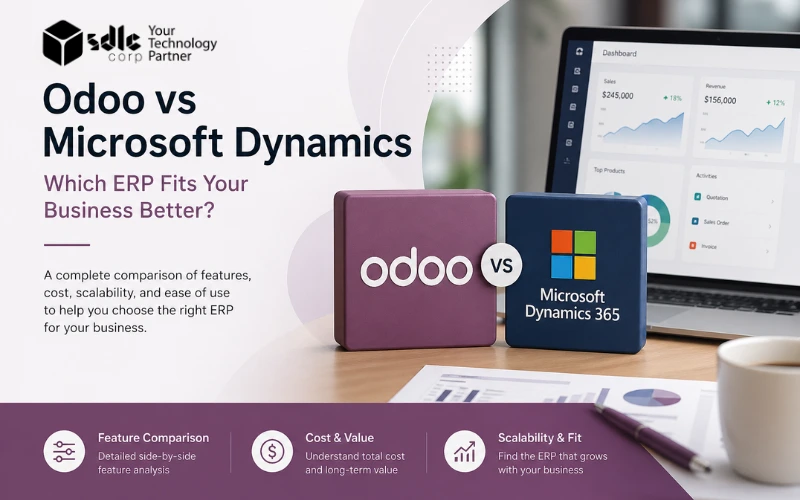
Odoo vs Microsoft Dynamics: which ERP fits the business better?
Odoo vs Dynamics 365 is a comparison between a business application suite and a family of Microsoft products. Start by choosing the relevant Dynamics product, then compare workflows, licensing, integrations, and support.
For an ERP shortlist, compare Odoo with Business Central for finance and operations, or with Dynamics 365 Finance and Supply Chain Management for more complex requirements. For a CRM-only shortlist, compare Odoo CRM with Dynamics 365 Sales.
Which Dynamics 365 product should you compare?
| Requirement | Relevant comparison |
|---|---|
| Finance, purchasing, inventory, and daily operations | Odoo vs Dynamics 365 Business Central |
| More complex finance and supply-chain scope | Odoo vs Dynamics 365 Finance and Supply Chain Management |
| Sales pipeline and customer relationship management | Odoo CRM vs Dynamics 365 Sales |
Business Central serves small and midsize businesses too. A smaller Microsoft-oriented team can shortlist it alongside Odoo; there is no universal 200-user cutoff.
Product references: Microsoft Business Central and Dynamics 365 applications.
If only one factor decides, which wins?
A modern, modular ERP that ships in stages
Shortlist Odoo when sales and operations need a connected suite with configurable workflows. Validate the edition, hosting, custom-module requirements, and support plan against your actual scope.
Enterprise depth with native Microsoft integration
Shortlist Business Central when finance and operations need to work closely with Microsoft tools. Assess Finance and Supply Chain Management separately when the operational scope calls for those applications.
Odoo vs Microsoft Dynamics, dimension by dimension
| Dimension | Odoo | Microsoft Dynamics 365 |
|---|---|---|
| Best fit | Teams that need connected ERP workflows; fit depends on scope and delivery capacity. | Business Central for small and midsize ERP needs; Finance and Supply Chain Management for their respective operational scopes. |
| Starting cost | Standard and Custom include all apps for one per-user subscription; plan and hosting choices affect the project cost. | Price the specific product, user license, and additional applications required. |
| Custom work | Open-source Python codebase. Easiest path when the process is non-standard. | Customization through extensions and Power Platform. Safer model but less flexibility at code level. |
| Time to live | Estimate from the agreed modules, migration, integrations, testing, and training. | Estimate separately for Business Central or Finance and Supply Chain Management; scope drives the schedule. |
| Ecosystem | Unified suite covering Finance, Sales, Inventory, HR, Manufacturing, POS and e-commerce. | Native fit with Microsoft 365, Azure, Teams, Power BI and Copilot. |
| Reporting & AI | Built-in reporting and automation; AI features expanding with each release. | Strong analytics path via Power BI and Copilot, especially for teams already on Microsoft. |
| Global complexity | Scales with the right architecture and partner. Multi-company supported on Custom plan. | Built for multi-entity, multi-country finance and supply chain at enterprise scale. |
| Who chooses it | Firms that want control, speed, source-level access and predictable cost. | Firms that want enterprise depth, Microsoft alignment and broad ISV support. |
Compare licensing and total project cost
Compare the same region, billing term, user roles, and application scope. A subscription price does not include the full implementation, migration, integration, training, and support budget.
Confirm current regional rates at Odoo pricing and Microsoft Business Central pricing. Finance and Supply Chain Management require their own license assessment. Odoo Studio, multi-company and external API access belong to Custom; Odoo.sh hosting is an additional cost. Build a three-year budget from your scoped quotes rather than assuming a fixed license-to-services percentage.
Get a fit-gap read in 30 minutes
A scoping call returns a phased plan, a fit-gap assessment and an honest answer on whether Odoo or Dynamics 365 is the lower-risk path for the operation.
Where each platform wins
When Odoo is the better choice
- Cost control is non-negotiable. Odoo's per-user pricing and modular structure make phased rollouts and predictable budgeting straightforward.
- Workflows are non-standard. Open-source Python codebase gives the freedom to rewrite views, fields and business logic instead of working around vendor constraints.
- One connected suite reduces tool sprawl. Sales, inventory, accounting, manufacturing, HR and e-commerce run on a single data model, removing handoffs and connector debt.
- SMB and mid-market without enterprise-tier overhead. A phased delivery plan can prioritize critical workflows; timing depends on migration, integrations, testing, and readiness.
When Microsoft Dynamics is the better choice
- Enterprise scale with global complexity. Multi-entity, multi-country, multi-currency consolidation and statutory reporting are first-class capabilities in Finance & Operations.
- Microsoft 365 is already the daily reality. Teams, SharePoint, Outlook, Power BI and Copilot integrate natively, shortening time-to-value when the stack is already Microsoft.
- Enterprise controls and audit trail. Built-in governance, separation of duties and compliance tooling fit regulated and large finance operations.
- Power Platform extensibility. Low-code customization through Power Apps and Power Automate suits IT-led governance models.
A four-step way to choose between them
Map the core processes first
List sales, inventory, purchasing, finance, manufacturing, service and CRM flows. The ERP fits the flows, not the reverse. Pick the platform that requires the fewest workarounds.
Price the full three-year project
Build the budget from the selected subscriptions and scoped delivery quotes. Add implementation, custom work, data migration, training, support and future change requests to compare on equal footing.
Audit the internal IT model
A Microsoft-led IT shop usually finds Dynamics easier to govern. A team that values speed, customization and open-source control usually moves faster with Odoo.
Run a process-led demo
Ask each vendor for a demo built around the business's own data and use cases, not a generic product walkthrough. The fit-gap surfaces faster against real workflows.
Which one fits your business? Answer five inputs.
Odoo — modern, modular, ships in stages
Open-source, priced per user, and built to roll out one app at a time. Validate the plan, hosting model, and workflow fit before selecting it.
Why this matches the profile
- Team size and budget fall in Odoo's sweet spot for cost-effective rollouts
- Open-source codebase gives source-level control when workflows are non-standard
- Modular applications support a phased rollout; subscription plans have their own licensing rules
- Implementation timing requires a scoped plan and readiness review
Microsoft Dynamics 365 — enterprise depth with native Microsoft integration
Built for the company already running on Microsoft 365. Multi-entity, multi-country controls and audit-grade reporting that justify a tier-one license.
Why this matches the profile
- Scale and complexity match Dynamics 365's enterprise sweet spot
- Microsoft 365 alignment gives native integration with Teams, Power BI, Copilot
- Budget and IT governance support a tier-one Microsoft platform
- Compliance, audit and multi-entity reporting are first-class capabilities
This widget applies illustrative scoring to five inputs. It does not assess product-level feature fit, local requirements, integrations, or migration complexity. Review Business Central separately from Dynamics 365 Finance, Supply Chain Management, and Sales before making a selection.
Where Odoo creates faster value
ERP projects rarely fail on platform choice. They fail on scope. Odoo's modular layout allows go-live in phases, lowering project risk and shortening time to first value.
Odoo Development Company
Custom modules, workflows and integrations for non-standard requirements.
Explore serviceOdoo Implementation Services
Phased rollout, data migration, setup, training and user adoption.
Explore serviceOdoo Consulting Services
ERP planning, fit-gap review, solution design and TCO modeling.
Explore serviceThree-year ROI estimate
Adjust the four inputs to see the platform's projected three-year ROI, payback period, and cost breakdown. Toggle between Odoo and Microsoft Dynamics 365 Business Central to compare side by side.
This illustrative model uses fixed example license assumptions of $37.40/user/month for Odoo Custom and $80/user/month for Business Central Essentials. These are model inputs, not verified current prices. Confirm regional vendor pricing and scoped implementation quotes. Implementation cost is modeled as a baseline plus per-user factor; actual figures depend on scope, customization depth and partner. Labor savings assume the platform replaces tool sprawl and reduces manual handoffs. Use this as a directional model, not a quote.
Frequently asked questions
Is Odoo cheaper than Microsoft Dynamics 365?
Neither platform is always cheaper. Compare the required product, user roles, region, billing term, hosting, and three-year implementation and support costs. Check vendor pricing and scoped partner quotes before deciding.
Which ERP is easier to customize: Odoo or Dynamics 365?
Compare the changes you need and the upgrade burden they create. Odoo configuration, Studio, custom modules, and external integrations depend on the plan and hosting model; Microsoft customization depends on the specific Dynamics application and its supported extension tools.
Which ERP is better for a large enterprise?
Assess Finance and Supply Chain Management when those applications fit the finance and operations requirements. Assess Odoo against the same controls, reporting, integrations, local requirements, and performance tests. Company size alone is not enough to choose.
Which ERP is better for a mid-size business?
Shortlist both Odoo and Business Central. Run the same quote-to-cash, purchasing, inventory, month-end, and reporting scenarios, then compare the gaps and full delivery costs. CRM-only comparisons require a separate shortlist.
How long does each ERP take to implement?
Implementation duration depends on modules, entities, data quality, integrations, custom work, testing, training, and rollout approach. Ask each implementation team for a scoped plan with dependencies and acceptance criteria rather than using a generic platform timeline.
What's the difference between Odoo Community and Enterprise?
Community and Enterprise differ in licensing and available functionality. Within the paid plans, Standard and Custom include all apps, while Studio, multi-company, and external API access require Custom. Hosting and custom-module requirements should be assessed separately.
Can Odoo integrate with Microsoft 365 and other tools?
Integration feasibility depends on the connector, supported data flows, authentication, API limits, and hosting model. External API access is a Custom-plan feature in Odoo paid subscriptions. Validate the exact integration before including it in scope.
Need help choosing between Odoo and Microsoft Dynamics?
SDLC Corp is an Odoo SA-verified partner with apps published on the Odoo App Store. Get a fit-gap read on the operation's size, budget, process depth and rollout path — with an honest answer on which platform is the lower-risk pick.