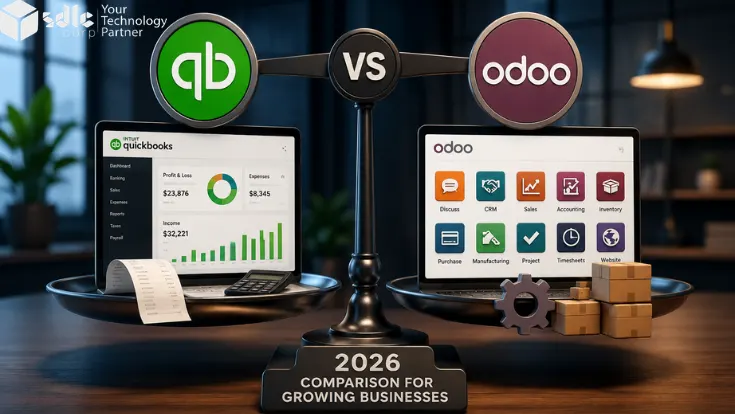
TL;DR Verdict: Tally is good if you only need accounting, GST, invoices, and CA reports. Odoo is better when your business needs inventory, sales, purchase, manufacturing, approvals, and live dashboards in one place.
You started on Tally. At ₹2 to 3 crore revenue, it handled your books, your GST returns, your invoicing. It worked.
But somewhere between your second godown, your fifth salesperson, and your hundredth Excel workaround, a question started nagging: is Tally still the right tool for where you are going?
This guide gives you an honest, side-by-side answer for Indian SMBs in 2026. No sales pitch. No jargon. Just the information you need to make the right call.
According to 6sense ERP market data, Odoo holds 6.05% of the global ERP market versus Tally's 3.03%. For Indian businesses registered under the Udyam portal, this comparison is one of the most consequential technology decisions you will make this year.
Odoo vs Tally at a Glance
Here is the quick comparison most Indian SMB owners need before reading the full guide.
| Factor | TallyPrime | Odoo |
|---|---|---|
| Price in India | Starts around ₹18,000 one-time | Starts around ₹580/user/month |
| GST and e-invoicing | Strong and CA-friendly | Strong with better automation |
| Inventory | Basic stock tracking | Advanced inventory and warehouses |
| CRM | Not available | Built-in CRM |
| Manufacturing | Basic BOM only | Full MRP and work orders |
| Multi-branch | Manual reconciliation | Central live reporting |
| Mobile access | Limited | Full mobile access |
| Offline use | Works offline | Best with cloud/internet |
What is the Difference Between Odoo and Tally ERP?
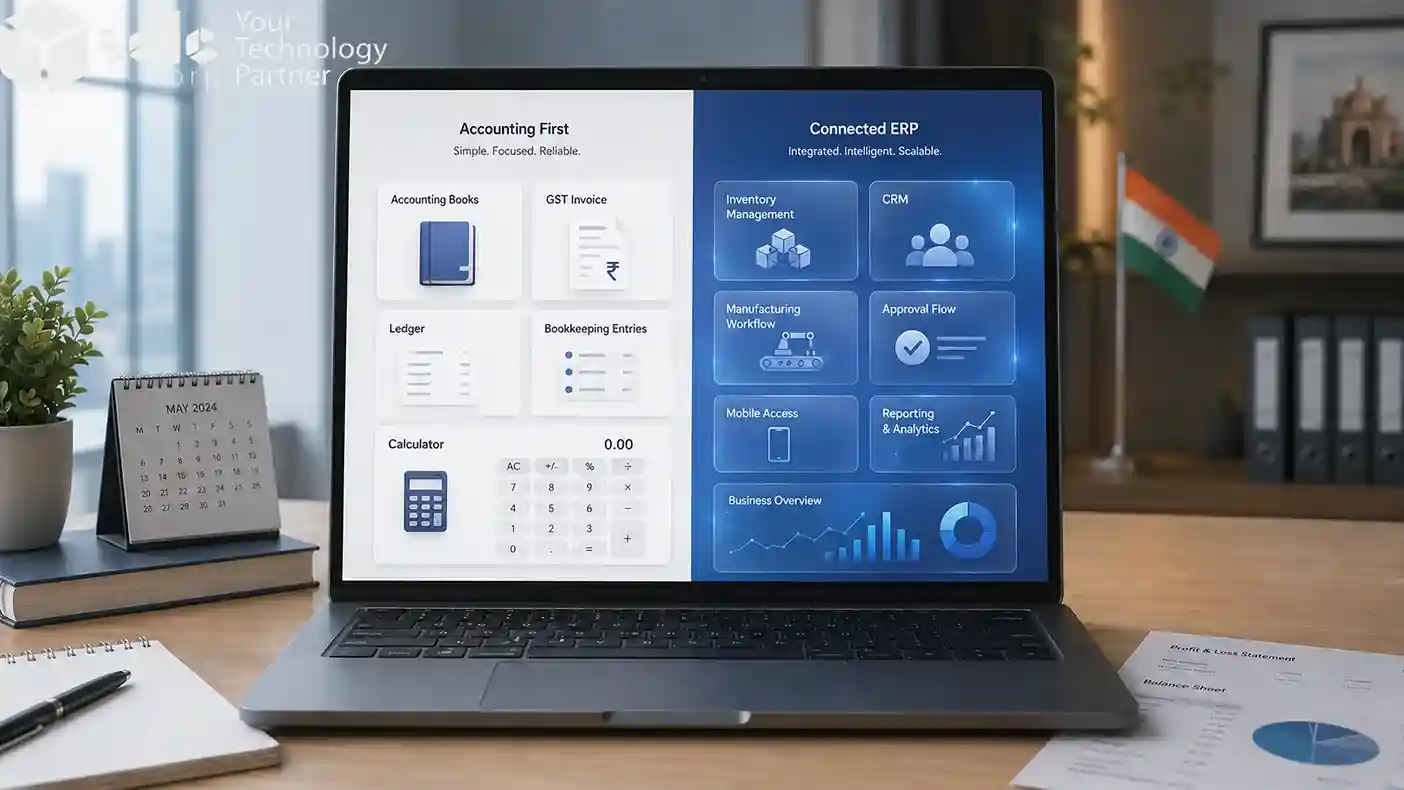
Tally is accounting-first software for bookkeeping, GST, vouchers, and statutory reports, while Odoo is a full ERP system that connects accounting, sales, inventory, purchase, manufacturing, HR, and reporting in one platform. Both platforms serve Indian businesses, but they were built for very different problems.
- Accounting-first, built for India since 1988
- Trusted by every CA in the country
- Excellent for bookkeeping, GST filing, vouchers, and statutory reports
- Best fit: finance teams are the only software users
- Full ERP with 82+ integrated business apps
- Sales order confirmed → inventory reserved → delivery created → invoice posted automatically
- Best fit: multiple departments sharing live data
The core distinction: Tally manages your accounts. Odoo manages your entire business. This is not a quality comparison. It is a scope comparison.
What Tally Does Well for Indian Businesses
Tally works best for Indian businesses that mainly need accounting, GST filing, invoicing, ledger management, bank reconciliation, and CA-friendly statutory reports.

Accounting every CA trusts
Tally's double-entry ledger, voucher system, and bank reconciliation are battle-tested. Every chartered accountant in India knows it. Audit season and GST filing run smoothly with zero learning curve for your finance team.
GST compliance from day one
GSTR-1, GSTR-3B, e-invoicing (IRN), and e-way bill are built in. Tally was among the first platforms to adapt to India's GST rollout in 2017. For standard compliance, it works without custom development.
Low cost of entry
TallyPrime Single User: ₹18,000 to ₹22,000 one-time. Multi-User Server: ₹54,000 to ₹67,500. Annual TSS renewal: ~25 to 30% of license. No implementation fee for basic accounting.
Works offline
Day-to-day entries work without internet essential for tier-2 and tier-3 cities and unreliable connectivity zones.
Honest verdict: If your primary need is accounting and GST compliance, under 15 employees, single location Tally is still the right tool for you. This guide tells you when that changes.
Where Tally Falls Short for Growing Indian Businesses
Tally falls short when a business needs real-time inventory, CRM, manufacturing workflows, multi-branch reporting, mobile approvals, or automated integrations beyond accounting.
No real inventory operations
Multi-godown tracking is basic with no automated reorder rules. Operations teams end up running parallel Excel files. See what a proper purchase order process looks like to understand where Tally falls short.
No CRM or sales pipeline
Your sales team manages leads on WhatsApp groups or personal spreadsheets. No quotation-to-invoice automation, no follow-up reminders.
No manufacturing module
TallyPrime has basic BOM and stock journals, not production management. Read about essential Odoo modules for manufacturing to see the contrast.
Multi-branch = manual reconciliation
Three branches means three separate Tally companies and 3 to 4 days of Excel consolidation every month-end. See our financial statement analysis guide for what proper consolidated reporting looks like.
No mobile access for approvals
Purchase order approvals require a desktop. See how to track purchase orders effectively to understand where Tally hits its limit.
Integrations require workarounds
No REST API means connecting to eCommerce, 3PL, or payment gateways is fragile and expensive.
10 Signs You Have Outgrown Tally
- 1You track inventory in Excel alongside Tally
- 2Your sales team manages leads on WhatsApp groups or personal spreadsheets
- 3You cannot see real-time stock across all locations without calling someone
- 4Production planning involves a notebook or a WhatsApp thread
- 5Your CA spends 3 or more days every month on manual reconciliation
- 6You have opened a second location but reporting is still manual
- 7You cannot approve a purchase order from your mobile phone
- 8Your eCommerce orders do not sync with Tally automatically
- 9You are paying for 4 or more separate software tools that do not talk to each other
- 10You, the founder or MD, are the bottleneck for most operational decisions
Odoo vs Tally: Feature-by-Feature Comparison (2026)
In a feature-by-feature comparison, Tally is stronger for accounting and GST, while Odoo is stronger for inventory, CRM, manufacturing, HR, dashboards, mobile access, and integrations.
Our Odoo ERP implementation team has compiled this based on real deployment experience across 200+ Indian businesses.
| Feature | TallyPrime | Odoo 19 |
|---|---|---|
| Accounting and bookkeeping | Excellent | Strong |
| GST compliance (GSTR-1, GSTR-3B) | Excellent | Full |
| e-Invoicing (IRN generation) | Built-in | Built-in (v17+) |
| e-Way bill | Built-in | Built-in |
| Inventory management | Basic | Advanced |
| Multi-warehouse / multi-godown | No | Yes |
| Manufacturing / MRP | No | Full MRP |
| Bill of Materials (BOM) | Basic | Full |
| CRM and sales pipeline | No | Yes |
| Purchase management | Basic | Full PO workflow |
| HR and payroll (PF, ESI, TDS) | Limited | Full statutory |
| Project management | No | Yes |
| eCommerce integration | No | Built-in |
| Mobile access | Limited | Full |
| Role-based access control | Limited | Native |
| Custom dashboards and reports | Limited | Full |
| REST API and integrations | No | API-first |
| Customisation | Very limited (TDL) | Fully customisable |
| Open source option | No | Community (free) |
| Odoo Community vs Enterprise | N/A | Community = free · Enterprise = ₹580/user/month |
| India entry pricing | ₹18,000 one-time | ₹580/user/month |
Explore Odoo Community vs Enterprise feature differences for a detailed edition comparison.
GST and e-Invoicing: Tally vs Odoo for Indian Businesses
Both Tally and Odoo can handle GST and e-invoicing in India, but Tally is more familiar to CAs, while Odoo gives better automation for reconciliation, payroll, and connected business workflows.
If GST compliance is your main concern, see our detailed guide on GST in Odoo for Indian businesses , covering GSTR reports, e-invoicing, e-way bills, TDS, and reconciliation.
GST compliance is the primary reason Indian SMBs choose their accounting or ERP software. Here is exactly how both platforms handle each requirement.
GSTR-1 Filing
- GSTR-1 export built-in, CA-familiar format
- Strong for standard B2B and B2C invoices
- Limited on edge cases: RCM, SEZ, nil-rated supplies
- GSTR-1 auto-generated from posted sales invoices
- Export to JSON or Excel for GST portal upload
- Handles B2B, B2C, exports, and credit notes natively
GSTR-3B Reconciliation
TallyPrime: Manual reconciliation. CA downloads data and compares purchase vs sales. No automated mismatch detection.
Odoo (v18+): Automated GSTR-2B vs purchase ledger reconciliation with mismatch alerts before the filing deadline.
e-Invoicing and IRN Generation
TallyPrime: Direct IRP integration. IRN generated before printing. Works well for standard B2B invoices above ₹5Cr threshold.
Odoo: IRN via IRP API integration, built-in from Odoo v17. Automated QR code on invoice PDF. See the official Odoo India localisation documentation for full technical detail.
e-Way Bill, TDS and Indian Payroll
TallyPrime: e-Way bill built-in. Strong TDS support (194C, 194J, 194Q). Payroll limited most businesses supplement with Paybooks, GreytHR, or Keka.
Odoo: e-Way bill via built-in module. Full statutory payroll with PF, ESI, professional tax, TDS on salary, Form 16 generation. No third-party payroll tool needed. See how Odoo handles financial compliance for more depth.
GST Compliance Summary
| GST / Compliance Feature | TallyPrime | Odoo 19 |
|---|---|---|
| GSTR-1 filing | Excellent | Strong |
| GSTR-3B reconciliation | Strong | Automated (v18+) |
| IRN / e-Invoicing | Built-in | Built-in (v17+) |
| e-Way bill | Built-in | Built-in |
| TDS / TCS | Excellent | Good |
| PF / ESI payroll | Limited | Full statutory |
| RCM handling | Yes | Yes |
| GSTR-2B reconciliation | Manual | Automated |
| Composite dealer GST | Yes | Partial |
| Form 16 generation | Limited | Yes |
Odoo vs Tally Pricing in India (INR) 2026
Tally is cheaper to start because it uses a one-time license, while Odoo costs more during implementation but can reduce long-term costs by replacing separate CRM, inventory, HR, and reporting tools.
For a deeper cost breakdown, read our guide on Odoo pricing in India, including licenses, implementation, AMC, and hidden ERP costs.
3-Year Total Cost of Ownership — The Honest Comparison
| Cost item | Tally (15 users, 3 yrs) | Odoo Enterprise (15 users, 3 yrs) |
|---|---|---|
| Software license / subscription | ₹67,500 + ₹18,000/yr TSS | ~₹3,13,200 |
| Implementation | ₹0 | ₹3 to 8 lakh |
| Separate CRM | ₹1 to 3 lakh/yr | ₹0 (included) |
| Separate inventory software | ₹1 to 2 lakh/yr | ₹0 (included) |
| Separate HR / payroll tool | ₹50,000 to ₹1.5 lakh/yr | ₹0 (included) |
| Finance staff for reconciliation | ₹3 to 5 lakh/yr extra | ₹0 (automated) |
| 3-year total (estimate) | ₹18 to 30 lakh | ₹12 to 22 lakh |
Tally is cheaper to start. For businesses already paying for multiple disconnected tools, Odoo's 3-year TCO is comparable or lower — because it replaces 3 to 5 separate tools in one subscription.
Not Sure Which Platform Fits Your Budget?
We will review your current Tally setup and tell you honestly whether Odoo makes financial sense for your business.
Book a Free 30-Minute ConsultationOdoo vs Tally by Industry: Which is Right for Your Business?
Tally is usually better for accounting-led businesses, while Odoo is better for trading, manufacturing, retail, eCommerce, and service businesses that need connected operations across departments.
Trading Companies in India
Understanding what a purchase order is and how it connects with an invoice illustrates where Tally's basic purchase workflow limits growing traders. Tally gap: No automated reorder alerts. Adding a second location turns stock reconciliation into a 3-day monthly exercise.
What Odoo adds: Real-time inventory across all locations, automated POs from reorder rules, landed cost allocation, customer portal. See how Odoo handles purchase order processing.
Manufacturers in India
Tally can do: Basic BOM, stock journals, job work management, batch tracking. Tally cannot do: Production scheduling, work order management with machine routing, quality control, real-time WIP, or MRP-driven procurement.
What Odoo adds: Full MRP, work orders with routing, quality checks, shop floor tablet view, actual vs planned cost. Read about Odoo for continuous production lines, Odoo for manufacturing digital transformation, and setting up efficient assembly lines with Odoo.
Retail and eCommerce Businesses
Tally gaps: No POS, no eCommerce module, no loyalty programme, no integrated payment gateway reconciliation.
What Odoo adds: Built-in POS works offline, eCommerce plus inventory in same system, Razorpay/PayU/Paytm integration with auto-reconciliation. See our guide on setting up an online store with Odoo. Our posts on invoice reconciliation and 3-way invoice matching explain what Odoo automates that Tally makes manual.
Service Businesses and Consultancies
Tally gaps: No project cost tracking, no timesheet integration, no client-wise profitability, no recurring billing. Our post on how to track expenses in Odoo is directly relevant here.
What Odoo adds: Project module tracking hours, costs, margin per client. Timesheet-to-invoice automation. Recurring invoices for retainer clients. Field service management for on-site teams.
What Your Chartered Accountant Will Say About Switching to Odoo
This section was reviewed from an Indian GST and accounting point of view to make sure the migration, GST filing, audit trail, and CA handoff guidance is practical for Indian SMBs.
Most CAs will prefer Tally at first because they already know it, but they can work with Odoo once GST exports, audit trails, and parallel-run reports are properly tested.
Why CAs Default to Recommending Tally
- Used it for 15+ years every shortcut is muscle memory
- Audit trail in Tally is fast: vouchers, ledgers, bank statements in three clicks
- GSTR exports in formats CAs can verify in seconds
- If something goes wrong in Tally, the CA knows how to fix it. Odoo is unknown territory.
What CAs Actually Say After Evaluating Odoo
- Initial concern: "I don't know Odoo." This is fair. Acknowledge it.
- After reviewing: GST export formats from Odoo are compatible with the GST portal
- The audit trail in Odoo is complete and every transaction is traceable
- From Odoo v17 onwards, India localisation is genuinely CA-ready
- Most CAs who work with Odoo clients for 6 months become comfortable with it
How to Bring Your CA into the Migration Conversation
- Share the Odoo India localisation documentation before the first meeting
- Ask your CA to sit in on the parallel run phase
- Involve your CA in reviewing the GSTR-1 export format before go-live
- Rule: CA continues filing from Tally until the first Odoo filing cycle is tested and approved
CA Handoff Checklist
- Export chart of accounts from Tally in Excel format
- Generate opening balance report as at the migration date
- Download last 2 years of GSTR-1 and GSTR-3B from the GST portal directly, not from Tally
- Confirm IRN integration is live in Odoo before go-live
- Run one complete GST filing cycle in Odoo before switching fully
Our post on what is involved in accounts payable reconciliation is a useful reference for your CA during the migration review.
Should You Switch from Tally to Odoo? A Revenue-Tier Decision Guide
You should stay on Tally if your business is accounting-only and under ₹2Cr, evaluate Odoo between ₹2Cr and ₹5Cr, and move to Odoo when you cross ₹5Cr with multiple teams, locations, or operational workflows.
- Accounting and GST is your primary need
- Fewer than 15 employees, single location
- CA manages everything comfortably
- No manufacturing or multi-branch
- No rapid expansion planned
- Sales team with no pipeline visibility
- 2+ locations, stock reconciliation painful
- CA spends 3+ days on reconciliation
- Paying for separate CRM or HR tool
- Planning eCommerce or new branch
- You manufacture or assemble products
- 50+ employees, HR is a separate system
- Multi-branch reporting via Excel monthly
- Leadership needs live dashboards
- Running 4+ disconnected tools
For Indian MSMEs registered under the Udyam portal, the ₹5Cr threshold is typically when ERP automation starts paying back faster than its cost. Businesses in the ₹2Cr to ₹5Cr range should evaluate now before operational complexity becomes a crisis.
Odoo 19 vs TallyPrime: What is New for Indian Businesses in 2026?
For Indian businesses in 2026, Odoo 19 adds stronger GST handling, payroll updates, multi-company GST support, and AI-based automation, while TallyPrime continues to improve banking, remote access, e-invoicing, and GST audit features.
New in Odoo 19 for India
- GST edge cases: RCM, SEZ invoices, composition scheme handled natively
- e-Invoicing improvements in Odoo 19.1 and 19.2
- Indian payroll: professional tax slabs updated for 2025–26
- Better multi-company GST consolidation for groups with multiple GSTINs
- Odoo AI for invoice matching and anomaly detection
New in TallyPrime in 2026
- Connected banking for automated bank statement import
- Remote access improvements via TallyPrime Edit Log
- e-Invoicing available below ₹5Cr threshold voluntarily
- Enhanced GST audit trail and report customisation
Our guide on types of charts in Odoo 18 gives a sense of how Odoo's reporting capabilities have evolved.
| Feature | TallyPrime (2026) | Odoo 19 (2026) |
|---|---|---|
| India GST compliance | Excellent, mature | Strong, improving |
| e-Invoicing IRN | Built-in | Built-in (v17+) |
| Cloud / SaaS access | Limited | Full SaaS |
| Official mobile app | No | Android and iOS |
| AI and automation | None | Odoo AI (v18+) |
| India payroll statutory | Basic | Full PF, ESI, TDS, PT |
| Open source option | No | Community edition |
How to Migrate from Tally to Odoo – 8-Week Roadmap for Indian SMBs
A Tally to Odoo migration usually takes 8 to 12 weeks and should include data audit, cleanup, parallel run, GST testing, CA review, user training, and cutover on the first day of a new GST month.
For a step-by-step migration checklist, read our full guide on Tally to Odoo migration , including data cleanup, opening balances, GST cutover, and CA review.

GST Continuity Checklist During Migration
- Never split a GST month between Tally and Odoo
- IRN integration in Odoo tested and live before the cutover date
- Run a dummy GSTR-1 export from Odoo and compare against Tally figures
- Keep Tally active for 6 months post-migration for reference reconciliation
- Notify your CA at least 4 weeks before the cutover date
- Test the e-way bill module with a test delivery order before go-live
Migration Cost in INR
| Item | INR Range |
|---|---|
| Data migration (master data and opening balances) | ₹50,000 to ₹2 lakh |
| Implementation (configuration and customisation) | ₹1 lakh to ₹10 lakh |
| User training | ₹30,000 to ₹1 lakh |
| Post-go-live AMC (annual) | ₹50,000 to ₹2 lakh |
See how QuickBooks API integration for accounting works the same integration principles apply to Tally data export.
What to Look for in an Odoo Support Partner After Go-Live
Your AMC should cover bug fixes, minor customisations, GST update patches per financial year, and user training top-ups. Read our Odoo offshore experts guide for what to look for. Before signing, ask: "Who handles our support when the implementation lead leaves your company?"
Real Example: How an Indian SMB Migrated from Tally to Odoo
Tally for accounts, Excel for inventory across 3 godowns, WhatsApp for purchase order approvals. Finance team of 4 spent 4 days every month-end on manual reconciliation. No visibility of live stock without calling the warehouse supervisor. The purchase order approval process was entirely manual via email and WhatsApp chains.
What triggered the decisionOpening a third godown made the Excel and Tally system completely unmanageable. The MD was making every purchase decision based on WhatsApp messages from warehouse staff at 10pm.
The migration8-week migration. Parallel run in month 2. Go-live on 1 April. Modules: Accounting, Inventory, Purchase, Sales, eCommerce (Shopify connector). CA signed off on the first GSTR-1 export before go-live. The automated invoice processing setup eliminated the month-end reconciliation burden.
Results at 6 months post go-liveAfter 6 months, the company reduced month-end closing time by nearly 81%, improved stock accuracy from about 82% to 98%, cut purchase approval time from 48 hours to 4 hours, and saved around 14 finance hours every week.
Frequently Asked Questions: Odoo vs Tally for Indian SMBs
Odoo is better for Indian businesses that need inventory, CRM, purchase, sales, manufacturing, approvals, dashboards, and multi-branch control in one system. Tally is better when the business mainly needs accounting, GST, invoicing, and CA-friendly reports.
The main difference is scope. Tally is accounting-first software for bookkeeping, GST, vouchers, and statutory reports, while Odoo is a full ERP that connects accounting with sales, inventory, purchase, manufacturing, HR, CRM, and reporting.
Tally is enough for a small or accounting-led business with one location and limited users. It becomes difficult when the business needs real-time stock, sales pipeline tracking, production planning, purchase approvals, multi-branch reporting, or automated workflows.
Yes. Odoo can handle Indian GST workflows, e-invoicing, IRN generation, QR code invoices, e-way bills, tax reports, and GST-ready accounting when the India localisation and required integrations are configured properly.
TallyPrime usually starts around ₹18,000 to ₹22,000 for a single-user license, with renewal costs. Odoo Community can be free to license, while Odoo Enterprise is subscription-based and usually starts around ₹580 per user per month, plus implementation and support costs.
The hidden costs of staying on Tally include separate CRM software, inventory tools, HR or payroll systems, Excel-based reporting, manual reconciliation, duplicate data entry, delayed approvals, and extra staff time spent connecting information manually.
A basic Tally to Odoo migration may cost around ₹50,000 to ₹2 lakh for data migration. A full Odoo implementation with accounting, inventory, sales, purchase, GST setup, training, and customisation can range from ₹2 lakh to ₹12 lakh or more, depending on business complexity.
A standard Tally to Odoo migration usually takes 8 to 12 weeks. Simple accounting migrations can be faster, while manufacturing, multi-warehouse, multi-branch, or heavy custom workflows may take 3 to 6 months.
Yes. Running Odoo and Tally together during migration is recommended. Most businesses use a 4 to 6 week parallel run to compare invoices, ledgers, GST reports, inventory, and opening balances before making Odoo the main system.
Yes. Odoo is better for manufacturing companies because it supports BOMs, MRP, work orders, routing, production planning, quality checks, warehouse control, and real-time cost tracking. Tally can manage accounts and basic stock, but it is not a complete manufacturing ERP.