

United States:
2457 Kane Lane, Batavia, Illinois
60510
Migrate to the latest Odoo without the risk. SDLC Corp handles version upgrades, database migration, custom module porting, and integration testing delivered by certified Odoo experts with zero data loss and minimal downtime.



A step-by-step migration service that keeps your data accurate, workflows running, and downtime low.
Staged upgrades with breaking-change checks and fixes applied in staging before production.
Migrate static and dynamic data with reconciliation checks confirming totals, links, and dates.
Refactor unsupported custom modules and keep changes upgrade-friendly for the future.
Validate screens, reports, and workflow rules fix view errors and access issues before cutover.
Handle backup, restore, and environment parity validate performance and scheduled jobs.
Monitor edge cases, stabilize performance, and deliver a clear handover pack to your team.
Every version path has its own risks ORM changes, Studio compatibility, API breaks, and module deprecations. We handle every supported path with staging rehearsals and rollback-ready cutovers.
Long jump. Odoo 13 is out of support. We bridge via intermediate refactoring, module rewrites, and staged validation to reach the latest release.
10–16 weeksMajor ORM and accounting changes. Custom-module audit required before cutover, plus view rewrites for the updated Odoo framework.
8–14 weeksOWL framework shift. Front-end components and JavaScript widgets rewritten on the new OWL runtime; QWeb templates validated.
8–12 weeksMost common migration path today. Cleaner than earlier jumps; accounting and Studio changes handled in focused sprints.
6–10 weeksShort hop. Module-compatibility adjustments and UI refactoring to align with Odoo 19 design system and data model.
5–8 weeksShortest and cleanest path. Minor refactors; fastest route to the latest Odoo release with minimal business disruption.
4–6 weeksWe handle cross-ERP migrations as data conversion extracting, mapping, cleansing, and reconciling before cutover.
ECC, S/4 HANA, or Business One accounts, vendors, customers, and open documents migrated.
Move from SuiteScript dependencies. Subsidiaries, saved searches, and workflows migrated.
IIF exports accounts, vendors, customers, invoices, plus multi-warehouse and manufacturing.
Business Central or F&O move from Power Platform with full data carry-over.
Sage 50, 100, 200, or X3 regional variants (UK, US, France) fully supported.
Tally Prime or ERP 9 add CRM, inventory, and GST-compliant config for Indian businesses.
Consolidate Books, Inventory, CRM, People, and Desk into one unified Odoo deployment.
Sales, Service, and Commerce Cloud → Odoo CRM. Accounts, contacts, opportunities migrated.
Controlled upgrade path with staging rehearsals, reconciliation checks, and rollback-ready cutovers designed to protect uptime and data integrity.
From MRP upgrades to logistics migrations staged rehearsals and reconciliation included.
US, UK, UAE, India, Qatar offices cutovers planned around your business hours.
Clients stay for support, upgrades, and custom development delivery stays predictable.
Manufacturing, healthcare, finance, retail, logistics each with tailored validation checklists.
Upgrade readiness assessment within 48 hours. Scope locked no surprise costs.
A repeatable process reduce risk first, then prove stability before production. Every phase has a deliverable, sign-off, and rollback path.
Version audit, custom module scan, and scoped roadmap within 48 hours.
Run upgrade in staging; refactor code; re-check security rules.
Migrate data; match totals, counts, and relationships end-to-end.
Real-scenario UAT; downtime window locked; rollback ready.
Phased cutover, post-go-live fixes, and documented handover.
Quality gates at every phase readiness audit, staging rehearsal, reconciliation, and rollback plan included in every engagement.
Review of version, modules, customizations, and database health to scope risks and roadmap.
Custom modules adapted, tested in staging, and validated against real workflows pre-cutover.
Field mapping, legacy cleanup, and relationship validation data is report-ready from day one.
Migration rehearsed in staging to catch version conflicts and integration issues early.
Totals and references confirmed across inventory, accounting, sales, and purchases.
Downtime windows, user access continuity, and rollback options controlled, low-risk go-live.
We use a practical stack that fits Odoo upgrades. Also, we keep tooling simple, so you can audit the work later. All work is performed with Odoo's own upgrade utilities plus open, auditable scripts.
Each industry has different migration risks data volume, compliance, and downtime tolerance. We plan the upgrade path accordingly, with staging rehearsal runs, reconciliation checks, and a cutover + rollback strategy.
Staged rehearsal validates BOMs, work orders, inventory valuation, and production moves.
Secure data handling with enforced access controls during migration windows.
Reconciliation of journals, invoices, tax logic, and reporting outputs audit-ready.
Order history, product catalogs, pricing rules, and stock integrity validated pre-cutover.
Projects, timesheets, invoicing, and approvals migrated with consistency checks.
Compliance-driven records with strict auditability and rollback readiness.
Shipment, stock moves, and operational transactions reconciled post-upgrade.
Student/enrollment records and role-based access verified before cutover.
Explore how SDLC Corp helped businesses upgrade Odoo versions, migrate databases safely, and preserve workflows through structured Odoo migration services with reconciliation checks and rollback-ready cutovers.

Migrated procurement, production planning, inventory management, and operational workflows to the upgraded Odoo ecosystem with zero data loss and full MRP continuity.
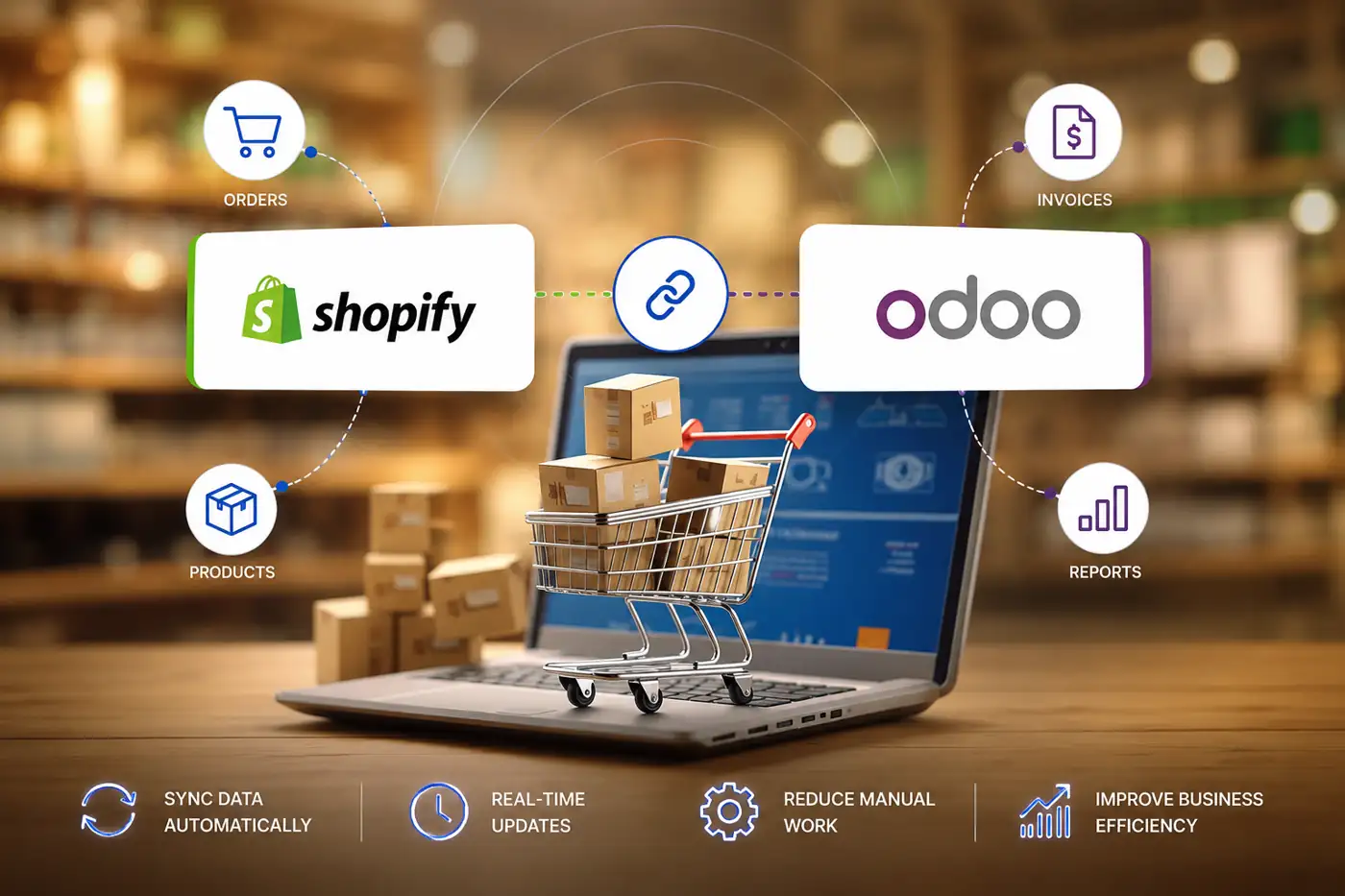
Migrated the Shopify-Odoo connector across versions while preserving automated order syncing, inventory updates, customer data flow, and centralized reporting.
Migrated logistics operations, shipment tracking, invoicing, and reporting workflows to upgraded Odoo with preserved historical data and stable connector integrations.
Odoo 19 delivers enterprise ERP at 60–70% lower total cost than SAP, NetSuite, or Dynamics with faster migration timelines and no per-module licensing. Here's how the major ERPs compare for a migration target.
| Feature | Odoo 19 | SAP B1 | NetSuite | MS Dynamics |
|---|---|---|---|---|
| Open-Source | ✓ Yes | ✗ No | ✗ No | ✗ No |
| Typical Migration Timeline | 4–16 weeks | 6–18 months | 6–12 months | 9–18 months |
| Total Cost of Ownership | Very Low | High | High | Very High |
| Per-Module Licensing | ✓ No fees | ✗ Yes | ✗ Yes | ✗ Yes |
| Built-In E-Commerce | ✓ Native | ✗ No | Add-on | Separate SKU |
| Customization Ease | Very High | Medium | Medium | High |
| Community & Developer Ecosystem | 100K+ devs | Medium | Medium | Large |
| Certified Migration Partner | ✓ SDLC Corp | Limited | Limited | Limited |
Odoo vs SAP | Odoo vs NetSuite | Odoo vs MS Dynamics | Community vs Enterprise
Clients explain how our Odoo migration services helped them upgrade with confidence protecting data integrity, keeping custom modules and integrations stable, and ensuring teams stayed productive with minimal downtime.
"SDLC Corp handled our Odoo version upgrade with a clear plan and a disciplined staging approach. They verified data accuracy, fixed custom module compatibility issues before go-live, and mapped user roles so access remained smooth after the cutover. The migration was well-controlled, downtime was limited, and our day-to-day operations continued without disruption."
"We needed an Odoo migration that included several third-party integrations and strict validation. SDLC Corp created a step-by-step roadmap, surfaced risks early, and shared regular progress updates throughout the project. Testing was thorough, key workflows were validated end-to-end, and reconciliations gave us confidence in the numbers. Post-migration, the system stayed stable."
"Our Odoo upgrade required careful handling of modules, permissions, and business processes. SDLC Corp took time to understand how we operate, then executed the migration with structured checkpoints and clear communication. Everything was delivered on schedule, data and configurations were validated, and the team supported us after launch to resolve minor issues fast."
Migrate to the latest Odoo version with zero data loss, preserved customizations, and minimal downtime. Our certified consultants deliver staged rehearsals, reconciliation checks, and rollback-ready cutovers.
These answers cover scope, downtime, data safety, and what to expect before and after go-live. If your question isn't here, reach out — a consultant will respond within 10 minutes.
United States:
2457 Kane Lane, Batavia, Illinois
60510

United Kingdom:
30 Charter Avenue, Coventry
CV4 8GE Post code: CV4 8GF United Kingdom

United Arab Emirates:
Unit No: 729, DMCC Business Centre Level No 1, Jewellery & Gemplex 3 Dubai, United Arab Emirates

India:
715, Astralis, Supernova, Sector 94 Noida, Delhi NCR India. 201301

Qatar:
B-ring road zone 25, Bin Dirham Plaza building 113, Street 220, 5th floor office 510 Doha, Qatar

© 2026 SDLC Corp. All Rights Reserved.