An agricultural ERP must bring purchasing, stock, production or harvest records, sales, and finance into a consistent operating workflow. Odoo can provide the core business system, while crop-specific management, field data, quality controls and sensor integrations generally require additional design and validation.
Best suited to growers, agricultural distributors, cooperatives and food processors that need coordinated business operations. Typical starting modules: Inventory, Purchase, Sales, Accounting and, where appropriate, Manufacturing, Quality, Maintenance and Projects. Field mapping, crop-cycle planning, weather feeds and farm telemetry should be scoped as separate custom requirements.
What an agricultural business should expect from an ERP
Farm and agribusiness operations face seasonal purchasing, variable yields, perishable or lot-controlled stock, distributed warehouses and multiple sales channels. A useful implementation starts by documenting how goods and information move from supplier or field to storage, processing, dispatch and financial reconciliation. Software cannot remove weather uncertainty or guarantee yields; it can improve the consistency and visibility of records.
Odoo modules mapped to agriculture workflows
| Business workflow | Odoo foundation | Implementation considerations |
|---|---|---|
| Seed, fertilizer and consumable purchasing | Purchase, Inventory, Accounting | Vendor terms, replenishment rules, units of measure and approval rights |
| Harvest intake and storage | Inventory; optional Barcode | Lots, grading, weights, locations, spoilage and reconciliation controls |
| Packing and food processing | Manufacturing, Inventory, Quality as needed | Recipes or bills of materials, production losses, quality checks and traceability |
| Equipment upkeep | Maintenance; optional Projects | Service schedules, downtime capture, assignments and spare parts |
| Wholesale, retail or direct sales | Sales, eCommerce, CRM and Accounting as appropriate | Pricing, allocations, order fulfilment, returns and settlement |
| Farm plots, crop cycles and irrigation | Custom applications / integrations | Field hierarchy, agronomy data, permissions, weather and IoT validation |
Reference workflow: from harvest to invoice
In a representative design, a supervisor registers produce received from a field or supplier, records the lot and measurable quantities, and assigns an approved storage location. Quality personnel can inspect or grade the lot when that workflow is configured. The sales or production team then reserves available stock, while accounting reconciles the corresponding transactions. This is a process blueprint, not a claim about a named SDLC Corp customer deployment.
How agriculture-specific functionality is integrated
Field and crop management
Odoo's standard modules are not a complete agronomic field-management platform. A custom data model may be needed for plots, planting dates, crop variety, field activities, irrigation events, expected harvests and seasonal cost attribution. Agree on unique identifiers and data ownership before building dashboards.
Weather, GPS, drones and sensors
Weather providers, GPS devices, telemetry gateways and drone-processing platforms can supply useful information through documented integrations. Define the integration protocol, data freshness, time zone, units, missing-data behavior and access controls. Do not promise native drone connectivity or automatic agronomic recommendations without an implemented and tested integration.
Traceability and quality
Where lot tracking is required, record what lot entered each receipt, production, transfer and sale. Trace-back and recall simulations should be included in acceptance testing. Regulatory suitability depends on the jurisdiction, product category, configuration and documented operational procedures; installing Odoo alone does not certify compliance.
Implementation approach for SMEs, cooperatives and enterprise agribusinesses
- Discover: map crops or product categories, sites, seasonal cycles, inventory valuation, offline constraints and user responsibilities.
- Prioritize: start with the highest-value finance, purchasing, inventory and sales flows; distinguish standard configuration from development.
- Clean data: validate items, units, lots, warehouses, vendor balances and opening inventory before migration.
- Pilot: use a representative harvest-to-sale transaction with returns, spoilage and exception cases.
- Validate: reconcile stock quantities and values, inspect permissions and verify reporting with process owners.
- Roll out: train users, monitor exceptions and document change controls and support ownership.
How to measure success without invented results
| KPI | Suggested definition | Evidence source |
|---|---|---|
| Inventory accuracy | Correctly reconciled item/location/lot records divided by records checked | Cycle-count and ERP reconciliation logs |
| Harvest-to-stock latency | Time between physical receipt and validated inventory availability | Receipt timestamps and stock movements |
| Order fulfilment accuracy | Orders fulfilled without quantity or item discrepancy divided by orders fulfilled | Dispatch and exception records |
| Traceability retrieval time | Time to identify all upstream and downstream records for a selected lot | Documented recall drill |
| Financial close effort | Staff hours and elapsed days needed for monthly reconciliation | Finance work logs and close checklists |
Common scope and delivery risks
Complex agricultural implementations can fail when crop-specific requirements are presented as native Odoo functions, lot tracking is designed after migration, data sources use inconsistent units, internet access is unreliable at remote facilities, or quality and finance owners do not agree on acceptance criteria. Resolve these in workshops before committing to automation or a go-live date.
When should an agriculture business choose Odoo?
Odoo is worth evaluating when an organization needs one extensible platform for purchasing, stock control, orders, accounting and selected production operations, and can commit to maintaining accurate master data. Compare the total cost of configuration, licensing, customization, data migration, integrations, training and ongoing support against specialized agricultural software. An agriculture-focused pilot is more informative than a generic product demo.
Frequently asked questions
Does Odoo include farm field and crop-cycle management out of the box?
Not as a complete industry-specific solution. Standard Odoo modules cover many business workflows; dedicated field, crop and agronomy management often requires custom modules or a third-party application.
Can Odoo support produce lot traceability?
Odoo Inventory supports lot and serial tracking when correctly configured. Actual traceability also depends on receipt, processing and dispatch procedures and the records captured by staff.
Can weather stations and drones connect to Odoo?
They may connect through APIs or middleware if compatible interfaces and data rights exist. Scope, test and maintain such integrations separately.
Will Odoo work without internet access in fields?
Do not assume full offline capability. Connectivity requirements vary by hosting method, module and device. Any offline capture and later synchronization requires explicit design and testing.
What should be tested before an agricultural ERP rollout?
Inventory and valuation reconciliation, lot tracing, unit conversions, approvals, exception handling, seasonal workflows, access controls, and a representative purchase-to-sale or harvest-to-sale transaction.
Next step: For a practical scope assessment, review your inventory locations, crop or product master data, purchasing approvals and reporting requirements with an Odoo implementation specialist. See SDLC Corp's Odoo implementation services.
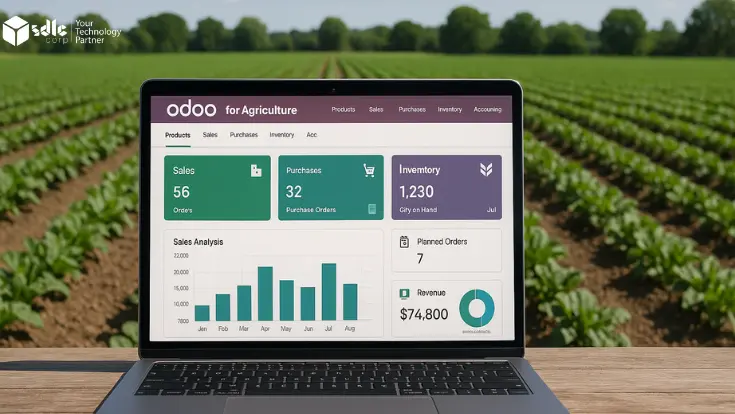
Editorial approach: technical guidance rather than an invented customer success story. No decorative dashboard screenshots are necessary to explain the workflows.