
Smart Odoo Access Control for Safer User Permissions
As the company grew, more users started working inside Odoo for daily business tasks. However, managing who could view, edit, create, delete, or access records became more difficult. Smart Access Controller gave admins a safer way to control Odoo permissions, menus, fields, buttons, chatter, and login access.
 Product Hunt Listed
 Trusted Software Partner
 Multiple Products Listed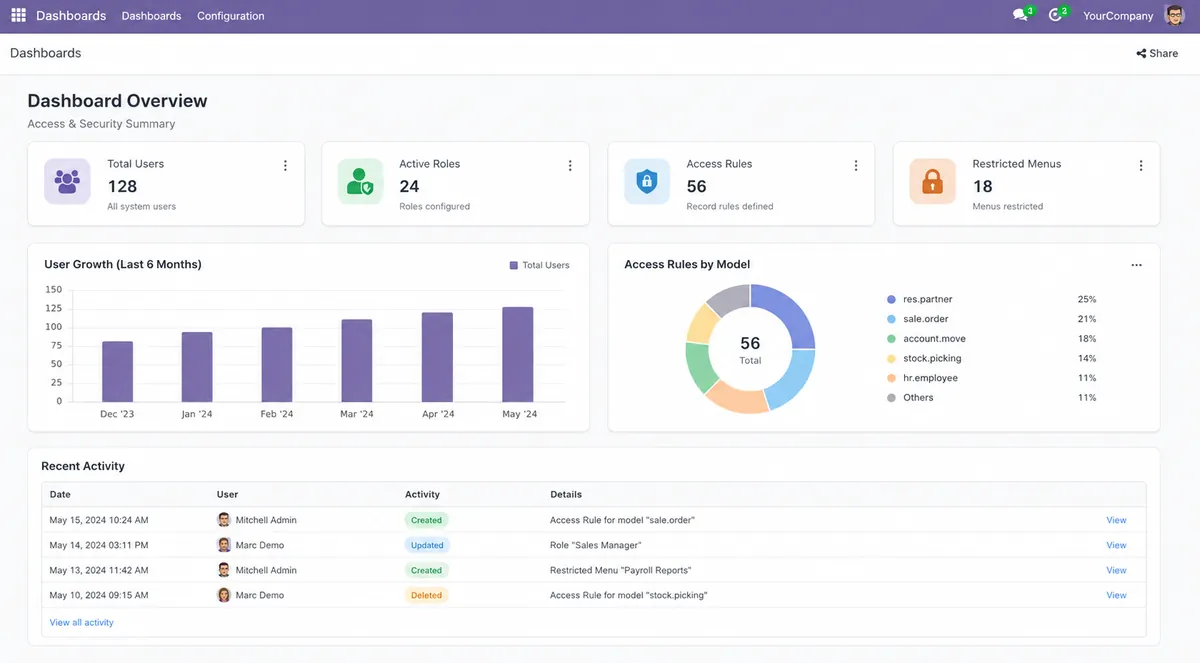
Centralized Odoo Access Control in Action
The project helped admins manage Odoo user access, sensitive records, and role-based rules from one place.
Multi-department business using Odoo ERP.
Odoo 18 and Odoo 19.
Smart Access Controller.
One place to control Odoo user permissions without custom coding.
Manual access changes made it easier to give wrong permissions or expose sensitive data.
Menu hiding, field control, CRUD restrictions, domain rules, button hiding, chatter control, group access, disable login, and disable developer mode.
Protect Odoo data and make user access control faster for admins.
Admins controlled access faster, reduced permission errors, and protected sensitive Odoo roles with clear rules.
A Growing Odoo Team Needed Safer Access Control
The client used Odoo for sales, finance, HR, support, and operations. Each team needed different access to records, menus, fields, reports, and approval actions.
As more users joined, admins spent more time updating access rights manually. One wrong setting could expose sensitive business data, block daily work, or create access gaps.
The company needed a no-code, centralized access control solution to manage Odoo permissions faster and reduce security risk.
Team Access Was Hard to Control
Each department needed different Odoo access, but manual rules made permission control slow and difficult to manage.
Manual Changes Increased Security Risk
Admins had to update many roles and access rules as the team grew, which increased the chance of wrong access.
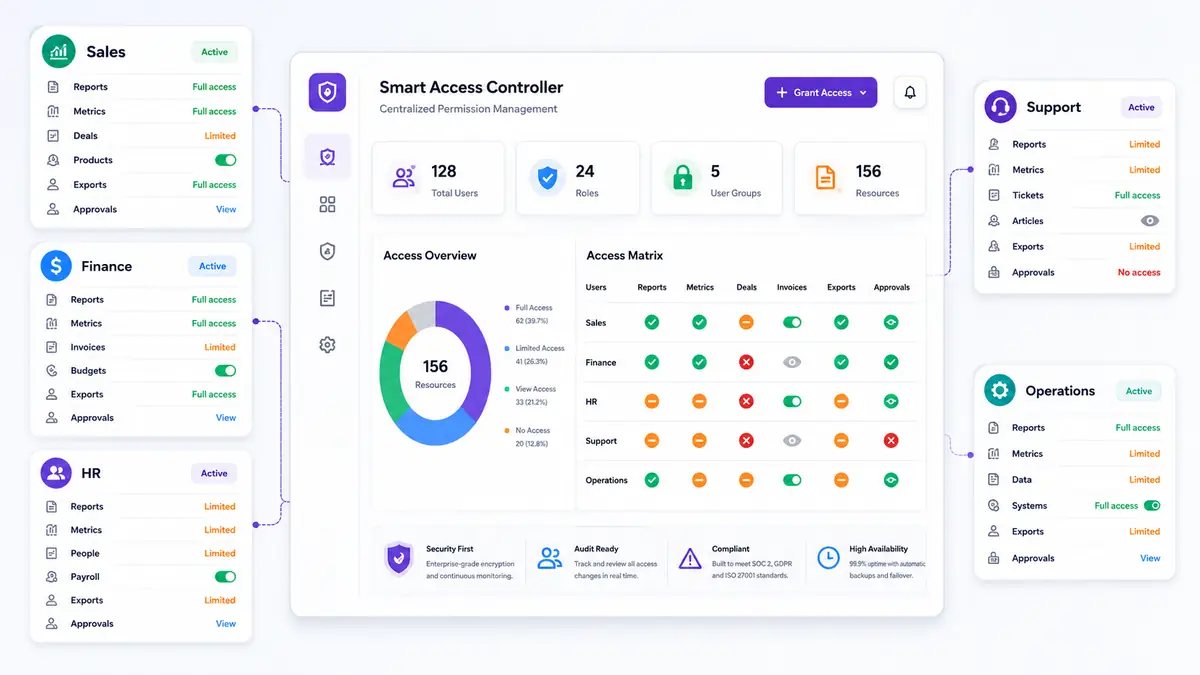
Access Gaps That Made Odoo Permission Control Risky
Manual access changes, visible sensitive fields, API-level risks, and admin lockout concerns made the existing permission process difficult to manage safely.
Too Many Manual Permission Changes
Admins had to update groups, record rules, and view settings for different users. This took time and increased the chance of wrong access.
Sensitive Fields Needed Better Protection
Some users could see fields they did not need, such as cost, margin, salary, customer details, payment data, or internal notes.
UI Hiding Was Not Enough
Only hiding menus or buttons did not fully protect business data. Users could still try actions through imports, exports, APIs, RPC calls, scripts, or external tools.
Temporary Access Was Difficult to Manage
The business worked with auditors, external users, review teams, and temporary staff. These users needed limited access, but admins did not want to change full user roles again and again.
Admin Lockout Risk Created Concern
Wrong record rules or group changes could block key users, including admins. This created risk during access testing and rollout.
Solution
How Smart Access Controller Improved Daily Odoo Control
Smart Access Controller helped admins manage user access, record rules, field visibility, CRUD actions, chatter, and backend protection without heavy Odoo Customization.
Odoo User Access Became Easier to Review
Access managers could review user permission rules from one place. They no longer had to check many technical settings to understand which user had which restriction.
Sensitive Odoo Data Stayed Better Protected
The business used field-level access control to hide or lock sensitive fields. This helped protect pricing, margins, salaries, internal notes, payment details, and private business records.
Read-Only Access Became Simple
Admins created read-only access for auditors, finance reviewers, and temporary users. These users could check records without changing important business data.
Record Updates Became Safer
Domain-based record rules helped the team block actions on selected records. For example, users could be stopped from editing confirmed orders, locked invoices, or restricted workflow records.
Chatter and Notes Became Role-Based
The client controlled chatter visibility, log notes, messages, and activity buttons. Because of this, internal communication stayed visible only to the right users.
Admins Reduced Risk Without Coding
The team did not need custom XML or Python changes for every permission rule. Therefore, Odoo permission management became faster, safer, and easier to maintain.
Smart Access Controller gave admins a safer way to manage Odoo permissions, protect sensitive data, and reduce manual access control work.
A Clean Setup Flow for Safer Odoo Permissions
The implementation focused on access review, rule setup, user testing, and safe rollout.
Access Requirement Review
The team reviewed user roles across sales, finance, HR, operations, auditors, and temporary users. They listed which menus, fields, records, actions, reports, and backend options each user group needed.
Module Installation
Smart Access Controller was installed inside the client’s Odoo environment. The team completed the setup without editing XML, Python, or core Odoo security files.
Access Manager Setup
A trusted admin received access manager rights. This user could create rules and manage Odoo permission controls from the module dashboard.
Rule Creation
The access manager selected users, defined restrictions, and applied role-based controls for each team.
Seven Access Tabs Configuration
The team configured menu, model, field, domain, button, chatter, and group rules from one interface.
Testing With Real User Roles
The team tested access using real workflows. They checked sales orders, invoices, employee records, exports, chatter, buttons, and restricted backend actions.
Final Rollout
After testing, the company applied the access rules to live users. Admins continued to review and adjust permissions as business needs changed.
Smart Access Features Used to Secure Odoo Workflows
The business used role-based access controls to limit what each user could view, edit, create, delete, export, import, or access inside Odoo.
Read-Only User Access
Admins made selected users read-only across Odoo. As a result, auditors and reviewers could check records without changing business data.
Menu Access Control
The team hid menus and submenus for specific users. As a result, users saw only the menus needed for their work.
Model Access Control
Admins controlled create, edit, delete, duplicate, archive, export, import, reports, and actions for selected models.
Field-Level Access Control
The company made fields invisible, read-only, or required based on user roles and permission needs.
Domain-Based Record Rules
Admins restricted access based on record conditions. This helped protect records by stage, status, company, user, or business rule.
Button and Tab Hiding
The business hid action buttons, smart buttons, kanban buttons, and notebook tabs for selected users.
Chatter Access Control
Admins controlled chatter visibility, log notes, send message buttons, and activity buttons.
Group Access Control
The team paused or hid group-based permissions without changing the full user record.
Disable Developer Mode
Admins restricted debug mode for users who did not need technical access.
Disable Login
The company blocked selected users from logging in when temporary access had to stop.
Technology Stack Behind the Odoo Access Control Module
The module used Odoo’s core framework, backend logic, security layer, views, and database structure to manage user permissions, access rules, and interface controls safely.
Odoo Framework
Used to manage user access, backend views, models, and permission workflows.
Python
Supported backend logic for access checks, restrictions, and rule handling.
XML and Odoo Views
Helped manage interface-level controls for forms, lists, buttons, tabs, and menus.
PostgreSQL
Stored Odoo records, user data, access rules, and business information.
JavaScript / Web Client Layer
Supported interface behavior for access visibility and action control.
Odoo Security Layer
Helped enforce access rules beyond the visible interface.
Business Results After Smart Access Controller Implementation
As a result, admins reduced wrong access, protected sensitive business data, and managed role-based controls with less manual work.
Faster User Permission Setup
Admins created and updated access rules faster from one dashboard instead of checking multiple technical settings.
Stronger Sensitive Data Protection
The company protected sensitive fields, menus, chatter, records, and backend actions based on user roles.
Fewer Odoo Access Mistakes
Centralized rules helped reduce permission gaps, wrong access, and repeated manual changes.
Safer Auditor and Temporary User Access
Auditors and temporary users received limited or read-only access without changing core user roles.
Stronger Backend Protection
The business reduced bypass risk across views, APIs, scripts, imports, exports, and backend actions.
Better Admin Confidence
Admins tested restrictions safely before rollout, which helped protect key users without blocking daily work.
Smart Access Controller helped admins manage Odoo access faster, protect sensitive data, and reduce manual permission work.
Ready to Manage Odoo Permissions From One Dashboard?
Need safer access control for your ERP system? Odoo specialists experts to set up role-based permissions, access rights, and secure Odoo workflows.
Improve Odoo permission management, reduce risky manual changes, and set role-based access control without custom coding.
- Contact Us
Let’s Talk About Your Product
What happens next?
- We review your requirements
- Strategy call with experts
- Clear roadmap & estimate
- NDA Protected
- Enterprise Grade Delivery
- Global Clients
- By submitting this form, you acknowledge that SDLC Corp may process your details to respond to your inquiry. See our Privacy Policy and Cookie Notice.


