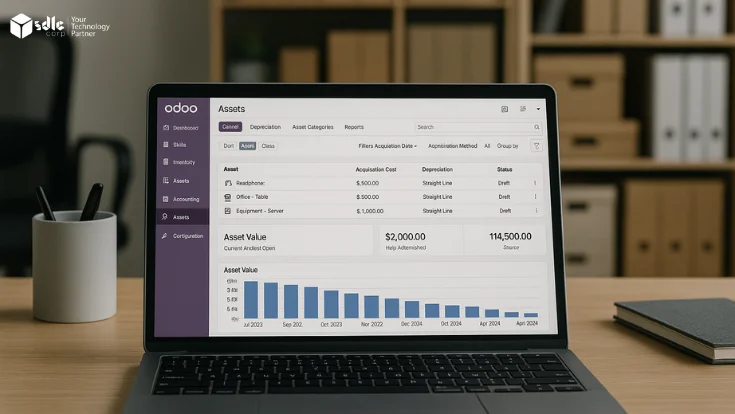
This guide explains the cleanest way to build a multi-tenant Odoo setup. It uses simple words and clear steps. It is written for business owners, product teams, and technical leads.
Can Odoo support a multi-tenant setup?
Yes. Odoo can support a multi-tenant setup. The best design depends on your product, your budget, your security needs, and how much tenant-level custom work you expect.
Best for strong isolation
Use one database per tenant. This is easier to manage when security matters most and each tenant may need its own apps, upgrades, or backup plan.
Best for lower cost
Use one shared database with strict rules. This can lower cost, but it needs careful design. It is not the best choice for every business.
What multi-tenancy means in Odoo
A multi-tenant application lets many customers use the same product while keeping each customer’s data private. In Odoo, the main job is to make sure one tenant never sees or changes another tenant’s data.
- Tenant: one client, one brand, one business unit, or one customer account.
- Isolation: the rules that keep data, files, users, and settings separate.
- Shared platform: the code, servers, and tools that power the full product.
If you want a production-ready setup, work with an Odoo consulting team before you lock the architecture.
Choose the right tenant model first
| Option | Best for | Main benefit | Main risk |
|---|---|---|---|
| One database per tenant | SaaS products, client portals, regulated data, custom tenant logic | Strong isolation, clean backups, safer upgrades | Higher ops work as tenant count grows |
| Shared database with tenant rules | Lower-cost products with similar tenant needs | Lower hosting cost and simpler base setup | More risk if access rules are weak |
| Hybrid model | Products with mixed tenant sizes or special client needs | Flexible and practical over time | Needs strong platform governance |
For most serious client-facing products, a separate database per tenant is the safest and easiest path to scale well.
Simple build plan for a multi-tenant Odoo application
Step 1: Define the tenant model
Decide what a tenant means in your product. It may be one company, one store chain, one franchise, or one partner account. Write this clearly before you start development.
Step 2: Set up the base Odoo stack
Prepare Odoo, PostgreSQL, storage, backups, logging, staging, and deployment rules. Keep the base stack clean so every new tenant starts from a stable foundation.
Step 3: Build tenant creation flow
Create a simple onboarding flow that can create a tenant, assign users, load default modules, and apply the right settings without manual work.
Step 4: Add tenant-safe custom modules
Build custom modules only after the tenant model is fixed. This helps you avoid deep changes later. Use clear naming, version control, and testing for every release.
Step 5: Add monitoring and backup rules
Track slow queries, worker load, disk use, mail queues, and failed jobs. Backups should be automatic, tested, and easy to restore per tenant.
Keep tenant data safe from day one
Security is not a final step. It is part of the first design. In multi-tenant Odoo work, the biggest mistakes usually come from weak access rules, shared admin access, or poor file handling.
- Use the least access needed for every role.
- Separate admin users, tenant users, and support users.
- Use record rules and model access rules with care.
- Lock down file storage, exports, reports, and API access.
- Test cross-tenant access before every release.
For complex cases, bring in an experienced Odoo developer early instead of fixing security debt later.
How to keep the platform fast as tenants grow
A good multi-tenant Odoo product should stay fast when new tenants join. Speed problems usually come from weak query design, too much shared load, or custom code that was never built for scale.
- Use smart indexing and review slow queries often.
- Move heavy jobs to queues where possible.
- Keep custom modules small and easy to test.
- Use caching only where it helps real user speed.
- Plan for horizontal scale before traffic spikes.
If your team is planning a long-term product, pair architecture work with Odoo implementation services so rollout and scale planning stay aligned.
Tools that usually help in this setup
Use only the tools you really need. A smaller, stable stack is better than a complex stack your team cannot manage well.
What goes wrong most often
- Starting with shared tables before the access model is tested.
- Mixing tenant logic into every module instead of using a clear base pattern.
- Using one support account with too much power across all tenants.
- Skipping restore tests for backups.
- Adding custom features without upgrade planning.
- Using the same content and settings for all tenants when tenant-level control is needed.
Most of these issues are easy to avoid if you plan the platform with an Odoo development company that has worked on custom ERP products before.
Questions buyers ask before they start
Is one database per tenant always better?
Not always, but it is often the safer choice. It gives better isolation, cleaner backups, and simpler rollback when something fails.
Can I use Odoo multi-company instead of real multi-tenancy?
Sometimes, but not for every product. Multi-company can help in some internal setups. It is not the same as a full tenant-safe SaaS design.
How long does a multi-tenant Odoo build take?
It depends on the tenant model, custom modules, onboarding flow, billing, and security needs. The best way to estimate is to define the architecture first.
What should I build first?
Start with tenant isolation, onboarding flow, user roles, and backup policy. These shape the rest of the product.
Need help planning a multi-tenant Odoo product?
We can help you choose the right tenant model, shape the module plan, and build a setup that is easier to scale and support.