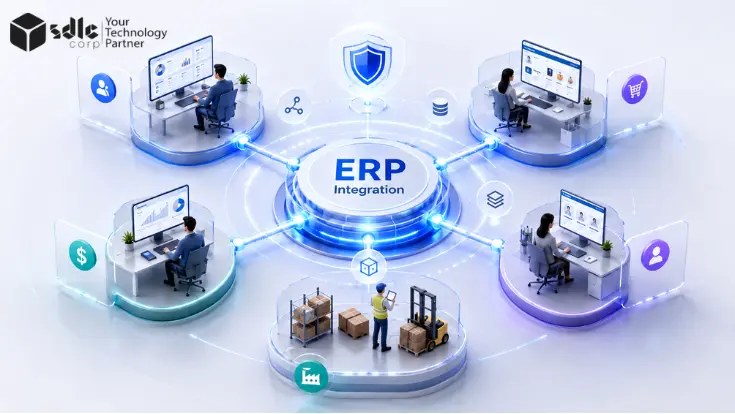
ERP integration is not just about connecting different systems. A strong ERP integration strategy creates a clear structure for how business data moves, which system owns each record, and how applications communicate. It also defines how APIs, middleware, and iPaaS manage data exchange across the organization. Just as importantly, it builds in security, reliability, and error handling so connected systems continue to work smoothly as the business grows.
Key Takeaways
- Map the business process before choosing APIs, connectors, or middleware.
- Give every important data object a clear system of record.
- Use direct APIs for simple, controlled connections.
- Add middleware or iPaaS when multiple applications, formats, workflows, or environments must work together.
- Choose real-time, asynchronous, or scheduled integration based on business need.
- Design retries, duplicate protection, monitoring, and reconciliation before launch.
- Assign both technical and business ownership for every critical integration.
What Is ERP Integration?
ERP integration connects an enterprise resource planning system with other applications so information can move between them without constant manual entry.
Common connections include:
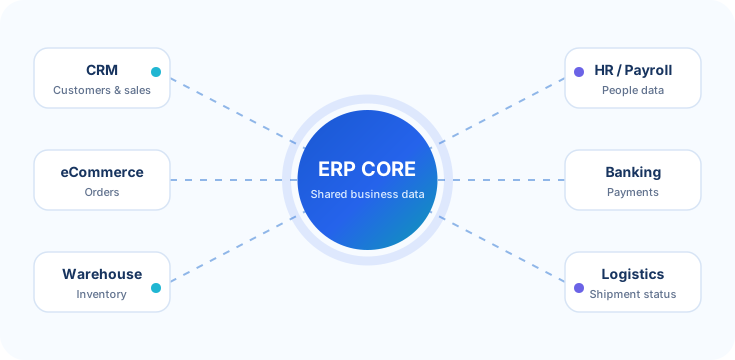
Consider an online order. The eCommerce platform captures the order. The ERP records the sale and financial transaction. A warehouse system checks stock and handles fulfillment. A shipping platform returns tracking information.
The customer sees one process, but several systems may take part behind the scenes. A strong integration keeps that process connected without allowing each system to overwrite data it does not own.
For organizations dealing with several disconnected applications, software integration services can help map these flows before individual connections are built.
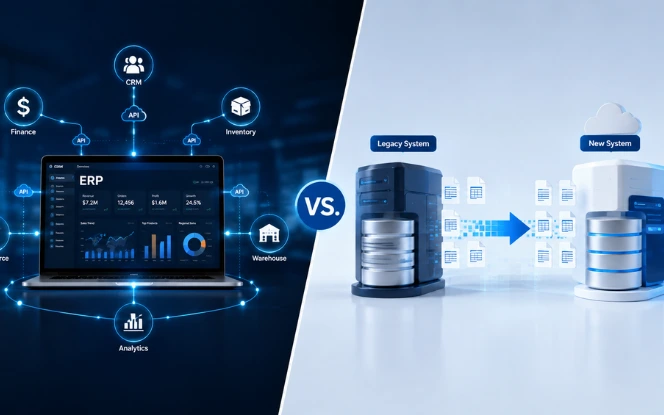
ERP Integration vs. Data Migration
ERP integration and ERP data migration solve different problems. Data migration moves data from one system or environment to another, often during an ERP implementation, upgrade, or replacement. The work usually includes extracting, cleaning, mapping, validating, and loading existing records.
ERP integration creates an ongoing exchange between systems that continue to operate.
For example:
| Comparison Point | ERP Data Migration | ERP Integration |
|---|---|---|
| Main Purpose | Moves business data from an old system to a new ERP. | Keeps ERP and other business systems connected. |
| When It Happens | Usually during ERP implementation or system replacement. | Runs continuously after systems are connected. |
| Data Movement | Mostly one-time or phased transfer. | Ongoing, real-time, scheduled, or event-based exchange. |
| Typical Example | Moving customer, product, and financial records into a new ERP. | Syncing ERP data with CRM, HRIS, eCommerce, or warehouse systems. |
| Primary Focus | Data accuracy, cleansing, mapping, and validation. | APIs, middleware, synchronization, security, and reliability. |
| End Result | Data is successfully transferred to the target ERP. | Multiple systems continue sharing accurate data automatically. |
Many ERP programs require both. Treating them as the same task can lead to unclear ownership and duplicate data flows.
How to Build an ERP Integration Strategy
Do not begin with a connector catalog, Begin with the business process.
Instead of writing:
Connect CRM with ERP
Lead → Quote → Sales Order → Inventory Check → Invoice → Payment → Fulfillment
Now identify which application handles each step and where information needs to cross a system boundary. This approach turns a vague integration requirement into an architecture decision.
Define the Business Process
Start with workflows that matter to operations, such as:
- Quote-to-cash
- Procure-to-pay
- Order-to-fulfillment
- Inventory synchronization
- Customer onboarding
- Employee onboarding
- Financial reporting
For each process, identify the teams that use it and what happens when data arrives late or does not arrive at all.
Identify the Participating Systems
List the ERP and every application that sends or receives information. Include older applications, spreadsheets, partner systems, and custom tools. They are often missing from early architecture diagrams even though the business still depends on them.
If you are still defining the target architecture, an ERP consulting and system integration assessment can help map processes, current applications, gaps, and integration priorities before development begins.
Define the Data That Must Move
Avoid requirements such as "sync customer data."
Name the actual fields and records:
- Customer ID
- Contact information
- Billing address
- Shipping address
- Payment terms
- Credit status
- Tax information
- Order status
This makes ownership and conflict rules much easier to define.
Decide How Fast the Data Needs to Move
Not every integration needs instant updates. An inventory check during checkout may need a fast response. A monthly reporting export does not.
Choose the timing based on the business process rather than assuming real-time integration is always better.
ERP Integration Architecture: Which Approach Fits?
Most ERP environments use more than one integration pattern.

| Approach | Best Fit | Main Benefit | Main Trade-Off |
|---|---|---|---|
| Point-to-point | A few simple connections | Quick and direct | Dependencies grow as more systems are added |
| Direct API | Modern systems with stable APIs | Responsive and relatively simple | Logic can become duplicated |
| Middleware / iPaaS | Several systems and workflows | Central routing, transformation, and monitoring | Requires platform governance |
| Event-driven | High-volume workflows triggered by business events | Loose coupling and fast distribution | More operational complexity |
| Batch or file | Scheduled, non-urgent transfers | Simple for bulk movement | Data is not immediately current |
| B2B / EDI | Supplier and trading-partner transactions | Standardized partner exchange | Mapping and partner management are required |
| Hybrid | Large mixed technology environments | Supports different integration needs | Requires clear architecture standards |
The goal is not to choose the newest architecture. Choose the simplest model that can meet the required volume, security, reliability, response time, and expected growth.
Using APIs for ERP Integration
An API gives one application a defined way to request data or perform an action in another application.
Modern enterprise platforms commonly provide REST-based interfaces. Some environments also use SOAP, OData, webhooks, message queues, files, or vendor-specific protocols.
OData, or Open Data Protocol, is a standard way to query and work with data through REST-style web services. For example, the Microsoft Dataverse Web API implements OData 4.0.
Oracle also provides REST APIs for Oracle Fusion Cloud Financials to view and manage data stored in Oracle Financials Cloud.
When a Direct API Connection Works Well
A direct API can be a sensible choice when:
- Two systems need to communicate
- The workflow is straightforward
- Both platforms provide stable interfaces
- Only limited transformation is required
- Transaction volume is predictable
- Monitoring is simple
For example:
eCommerce → ERP API
A completed order moves directly from the store into the ERP. Adding middleware to a small, stable workflow may create more work than value.
When Direct Connections Start to Hurt
Now imagine the ERP has separate custom connections to:
- Salesforce
- Shopify
- A warehouse platform
- A payment service
- A shipping platform
- A supplier portal
- A data warehouse
Each connection may contain its own authentication, field mapping, retry logic, logging, and error handling. A change to one ERP object may then require updates across several integrations. This is where point-to-point architecture starts creating integration debt.
Teams that need custom endpoints, third-party connections, API modernization, testing, or lifecycle management can use API development and integration services rather than placing connection logic inside every application.
When ERP Middleware or iPaaS Makes Sense
Middleware sits between applications and manages how information moves between them. An iPaaS, or integration platform as a service, provides many of these capabilities as a managed cloud platform.
Middleware can handle:
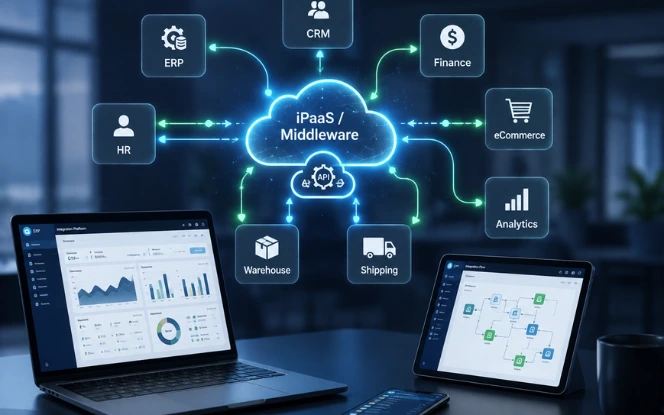
For example:
CRM → Middleware → ERP → Warehouse → Shipping
Each application can work through the integration layer instead of building custom knowledge of every other system. Middleware becomes useful when several applications connect to the ERP, workflows span multiple systems, formats differ, or teams need central monitoring and reusable integration logic.
Enterprise platforms reflect this broader model. SAP Integration Suite, for example, supports application integration, APIs, event-driven scenarios, B2B integration, governance, monitoring, and connectivity across SAP and third-party environments. Middleware should still solve a real architecture problem. Moving every simple API call through a large integration platform can create unnecessary complexity.
Data Ownership: Decide Which System Is Right
Data ownership is where many technically successful integrations become operationally messy.
Suppose a CRM and ERP both store a customer's billing address.
Sales updates the CRM at 10:05.
Finance updates the ERP at 10:08.
Clear ownership keeps customer records accurate, consistent, and synchronized across connected business systems.
If the architecture does not answer that question, a perfectly working integration can overwrite valid information.
Define a System of Record
The system of record is the application that holds the authoritative value for a particular type of data.
A simple ownership model might look like this:
Select a data type to see which system should normally own the authoritative value, then compare it with your choice.
Select a data type
The exact owner can differ by company. What matters is defining one authoritative source and clear field-level ownership rules.
WMS means warehouse management system.
HRIS means human resources information system.
PIM means product information management system.
The exact owner will differ by company. What matters is making the decision explicit.
Data Ownership Can Exist at Field Level
One application does not always own the entire record.
A CRM might own:
- Contact name
- Phone number
- Sales notes
The ERP might own:
- Credit limit
- Tax status
- Payment terms
- Outstanding balance
Field-level rules prevent one system from overwriting information controlled by another team.
Separate Master Data From Transaction Data
It also helps to distinguish master data from transactional data.
Master data describes core business entities, such as:
- Customers
- Products
- Suppliers
- Employees
Transactional data records business activity, such as:
- Sales orders
- Invoices
- Payments
- Shipments
- Purchase orders
A customer profile and a customer invoice may belong to different systems even though both relate to the same customer.
This distinction makes system-of-record decisions much clearer.
Define Rules for Data Conflicts
Once ownership is clear, decide what should happen when systems disagree.
Common rules include:
Authoritative Source Wins
The system of record overwrites the conflicting value. This is often the clearest approach for controlled master data.
Field Owner Wins
Different systems control different parts of the same record. This works well when business responsibility is already split across departments.
Latest Valid Update Wins
The most recent accepted change takes priority. Use this rule carefully. The newest value is not automatically the correct one.
Manual Review
Sensitive conflicts move to an exception queue for a person to review. An exception queue is simply a list of records that could not be processed automatically.
Real-Time, Asynchronous, or Scheduled?
Integration speed should match business need.
Synchronous Integration
The sending system waits for a response before continuing.
Example:
A storefront asks the ERP for current inventory before confirming availability. This works well when the next step needs an immediate answer.
Asynchronous Integration
The sending system submits a message or event and continues without waiting for the full process to finish.
Example:
An order is accepted and placed on a queue for ERP processing. Asynchronous flows can handle temporary delays more gracefully because the systems do not have to remain available at exactly the same moment.
Scheduled or Batch Integration
Records move at a defined interval.
Examples include:
- Nightly reporting exports
- Periodic supplier files
- Large analytics loads
- Non-urgent master-data updates
| Method | Best When | Example | Main Trade-Off |
|---|---|---|---|
| Synchronous (Real-Time) | The next step needs an immediate answer | A storefront checks ERP inventory before confirming availability | Both systems need to respond at the same moment |
| Asynchronous | The sender can continue while processing happens later | An order is placed on a queue for ERP processing | Requires queue or event handling and status monitoring |
| Scheduled / Batch | Data can move at defined intervals | Nightly reports, supplier files, or large analytics loads | Data is not updated immediately |
Where EDI Fits
EDI, or electronic data interchange, is a structured way for businesses to exchange documents such as purchase orders, invoices, and shipping notices.
It remains relevant where ERP systems need to exchange standardized business documents with suppliers, distributors, or other trading partners.
Do not make every integration real time. Faster is useful only when the business process needs faster data.
Design ERP Integrations for Failure
Production integrations should expect timeouts, unavailable systems, expired credentials, invalid records, and unexpected data. The architecture should define what happens next.
Retries
Temporary failures can be retried automatically. Retries need safeguards so the same transaction is not created twice.
Idempotency
Idempotency means the same request can be repeated without creating an unwanted duplicate.
If an order request times out after the ERP has already created the order, a safe retry should return or recognize the existing order rather than create another one.
Transaction IDs
Give important transactions a unique ID that follows them across systems.
This makes it easier to trace an order from CRM to middleware to ERP to fulfillment.
Exception Handling
Records that cannot be processed should move somewhere visible rather than disappear inside a log file.
Record:
- What failed
- Why it failed
- When it failed
- Which system sent it
- Whether it can be retried
- Who needs to act
Reconciliation
Reconciliation means comparing records or totals between systems to confirm that both sides agree.
For example:
Orders sent = Orders received + Orders in exception
A successful API response alone does not prove that every business transaction reached the correct final state.
Secure the Integration Layer
ERP systems often contain financial, employee, customer, supplier, and operational data.
Protect integrations with controls such as:
An integration account that creates sales orders does not need permission to change supplier banking information.
The same principle applies to middleware. Central connectivity makes the integration layer useful, but it also makes strong access control essential.
Treat API Contracts as Managed Interfaces
Teams need to know what an API expects and what it returns.
For each critical interface, document:
- Endpoint
- Authentication method
- Required fields
- Optional fields
- Data types
- Request format
- Response format
- Error responses
- Timeout behavior
- Retry rules
- Owner
- Version
When an ERP or connected application changes its interface, test dependent systems before retiring the old version. This prevents a routine platform upgrade from becoming an integration outage.
A Practical ERP Integration Implementation Roadmap
A good strategy should lead to an executable plan.
Step 1: Map the Current Process
Document how information moves today, including manual work and spreadsheets. Look for delays, duplicate entry, unclear approvals, and points where teams correct data by hand.
Step 2: Create an Integration Inventory
For each connection, capture:
- Source
- Destination
- Business process
- Data
- Owner
- Frequency
- Expected volume
- Business importance
- Current integration method
| Inventory Field | What to Capture |
|---|---|
| Source | System sending the data |
| Destination | System receiving the data |
| Business process | Workflow or operational process supported |
| Data | Records, objects, or fields exchanged |
| Owner | Team or person responsible for the connection |
| Frequency | Real-time, asynchronous, hourly, daily, or another schedule |
| Expected volume | Approximate transaction or record volume |
| Business importance | Criticality of the integration to operations |
| Current integration method | API, middleware or iPaaS, event, file, EDI, manual, or another method |
Step 3: Define Ownership and Rules
Set the system of record for important data. Where needed, define field-level owners and conflict rules.
Step 4: Select the Integration Pattern
Choose direct APIs, middleware, events, batch processing, EDI, or another supported method based on the workflow. Do not force every integration through the same pattern.
Step 5: Build Security and Failure Handling Into the Design
Before development finishes, define:
- Credentials and permissions
- Retry behavior
- Duplicate protection
- Logging
- Alerts
- Exception handling
- Reconciliation
Step 6: Test Business Scenarios, Not Just APIs
Test:
- Normal transactions
- Missing values
- Invalid data
- Duplicates
- API timeouts
- Expired credentials
- Unavailable systems
- Large transaction volumes
- Delayed messages
An ERP implementation should include integration testing alongside configuration, migration, and deployment work.
Step 7: Assign Production Ownership
Before launch, identify who:
- Receives alerts
- Investigates failures
- Corrects business data
- Manages credentials
- Approves interface changes
- Contacts external vendors
- Updates documentation
An integration without an operational owner becomes difficult to maintain even when the original code is good.
Common ERP Integration Mistakes
Connecting Applications Before Mapping the Process
Teams sometimes automate a workflow before checking whether the workflow itself makes sense.
Better approach: map the process and ownership first.
Giving Two Systems Control of the Same Data
Conflicting writes create confusion and unreliable reporting.
Better approach: define system-of-record and field-level ownership rules.
Building Too Many Independent Connections
Point-to-point integrations can become difficult to change as the application landscape grows.
Better approach: introduce reusable integration services when the number of dependencies justifies them.
Making Every Flow Real Time
Instant processing adds complexity where the business may not need it.
Better approach: choose timing based on operational need.
Testing Only Successful Transactions
A demo may work perfectly while production fails on duplicate records, expired credentials, or unavailable systems.
Better approach: include failure and recovery scenarios in acceptance testing.
Monitoring Servers Instead of Business Transactions
An API can be online while orders are still stuck.
Better approach: monitor whether critical business records reach their expected final state.
How to Measure ERP Integration Success
Technical uptime is only one measure.
Useful integration KPIs include:
Tie each metric to a business process. Instead of only tracking API uptime, a sales team might measure:
Percentage of approved CRM orders successfully created in ERP within the agreed processing window. That tells you whether the integration is helping the business, not simply whether the endpoint responds.
ERP Integration Readiness Checklist
Before approving the architecture, confirm that your team can answer these questions.
- Supported business workflow
- Impact of delayed data
- Required processing speed
- Defined system of record
- Data conflict resolution rules
- Duplicate prevention controls
- Direct API or middleware suitability
- Integration processing model
- Future system scalability
- Application downtime handling
- Safe retry mechanism
- Transaction tracing and reconciliation
- Least-privilege access controls
- Sensitive data encryption
Planning an ERP Integration?
SDLC Corp can help you plan the right architecture, APIs, middleware, data ownership, and implementation roadmap.
Plan Your ERP IntegrationFrequently Asked Questions
An ERP integration strategy defines which applications connect to the ERP, what data moves, who owns that data, how quickly it moves, and how the organization handles security, failures, and ongoing support.
An API is an interface that lets applications exchange data or actions. Middleware sits between systems and can manage several APIs, transformations, routes, retries, events, and monitoring processes.
No. A direct API may be enough for a simple connection between two stable systems. Middleware becomes more useful as the number of applications, workflows, transformations, and monitoring requirements grows.
A system of record is the application trusted as the authoritative source for specific data. For example, a CRM may own sales-contact details while the ERP owns invoices and payment terms.
Only when the business workflow requires it. Inventory checks or payment decisions may need fast responses, while reporting and some master-data updates can run on a schedule.
A useful assessment should review business processes, connected applications, data ownership, current interfaces, transaction volume, sync timing, security, failure handling, monitoring, and production support responsibilities.