Old software can quietly slow down a growing business. Releases take longer, small changes feel risky, and only a few people know how the system works. Legacy software modernization helps you choose the right move with less risk and more clarity.
Every growing business reaches a point where old software starts slowing work instead of supporting it. That is when modernization becomes a business decision, not just a technical task.
Key Takeaways
- Legacy software modernization is not always a full rebuild. The right path depends on how well the system still supports the business.
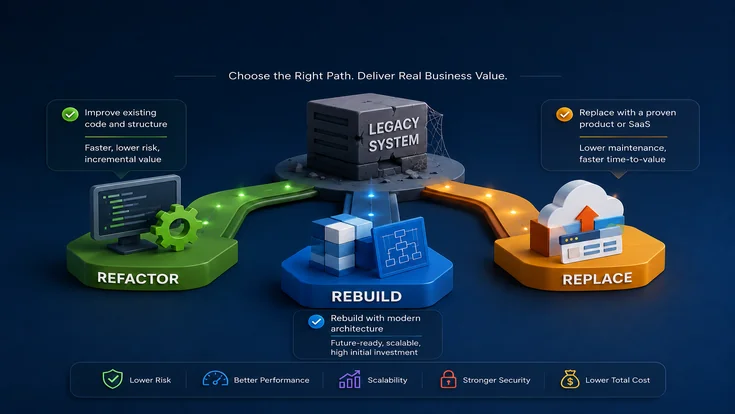
- Refactor when the system still works, but the code is difficult to maintain or change safely.
- Rebuild when the architecture is the main reason releases are slow, risky, or expensive.
- Replace when the business function matters, but custom software ownership no longer adds enough value.
What Legacy Software Modernization Actually Means
A system does not become legacy because it is old. Some older platforms still support the business well. They may be ugly, but they are stable, maintainable enough, and flexible where it counts.
At the same time, a system built only a few years ago can become a liability if every change causes regressions, every integration becomes a mini-project, and every release requires too much caution.
A useful definition: A system becomes legacy when the cost, delay, and risk of keeping it are higher than the cost, delay, and risk of changing it.
That is usually visible in familiar ways:
- Engineers spend more time protecting the system than improving it.
- Simple changes require too much testing, coordination, or rollback planning.
- Security and dependency updates start to feel risky.
- Business teams build side processes in spreadsheets, email, and approvals.
- Support knowledge becomes concentrated in a few people.
- The platform resists what the business now needs next.
A working system can still be a business problem. That is the point many teams miss.
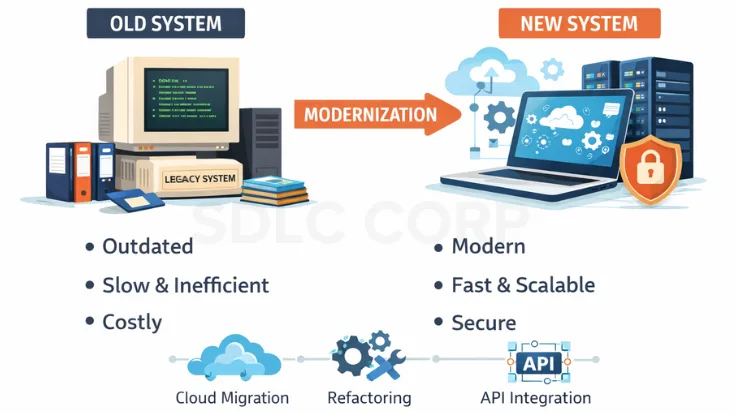
When A Working System Becomes A Business Problem
Legacy software modernization is worth serious evaluation when the same friction shows up over and over again. One sign is that maintenance starts eating the capacity that should go to delivery.
Another sign is that the system becomes difficult to change safely because test coverage is weak, module boundaries are unclear, or every local change breaks something somewhere else.
A third sign is integration pain. Modern APIs, analytics tools, cloud services, and partner systems should not require surgery every time. If they do, the software is already shaping the business in the wrong way.
Performance is another clue. If the same bottlenecks keep returning and extra infrastructure only buys temporary relief, the real issue is often inside the application design, the data model, or the workflow structure.
Then there is continuity risk. When too much knowledge sits with one or two people, the organization is carrying operational risk whether leadership says it out loud or not.
A Practical Decision Matrix For Choosing The Right Path
Before picking a path, score the system across these eight questions:
- Business fit
Does the current system still match how the business operates? - Architecture health
Is the architecture still viable, or is it slowing change? - Change cost
How hard is it to make a normal change safely? - Integration complexity
How many downstream systems depend on the current model? - Data migration risk
How difficult is it to move and validate old data? - Time-to-value
Does the business need improvement quickly? - Internal capability
Do you have the team and product clarity to deliver it? - Strategic importance
Is this system part of your competitive advantage?
For complex legacy systems, a phased modernization plan is safer than a big-bang change. AWS explains that the Strangler Fig pattern helps migrate monolithic applications incrementally while reducing transformation risk and business disruption.
Choose Refactor
If business fit is still strong and the architecture is broadly usable.
Choose Rebuild
If the architecture is the constraint and the system is strategically important.
Choose Replace
If the capability matters but custom ownership does not add enough value.
When a legacy platform supports multiple teams, deep integrations, and strict compliance requirements, a phased enterprise software development company approach is usually safer because it reduces migration risk and makes cutovers easier to control.
Refactor vs Rebuild vs Replace: Decision Comparison Table
Use this table when the decision is still unclear. It compares refactor, rebuild, and replace across the criteria that usually decide the right modernization path.
| Decision Criteria | Refactor | Rebuild | Replace |
|---|---|---|---|
| Best fit | The system still supports the business, but the code needs cleanup. | The system is still important, but the architecture is blocking growth. | The function matters, but custom ownership no longer adds value. |
| Business fit | Strong business fit remains. | Business workflows need a better technical foundation. | The business can standardize around a proven platform. |
| Architecture health | Imperfect but still usable. | Architecture is the main constraint. | Architecture should be replaced by a vendor or platform model. |
| Change cost | High, but it can improve through cleanup, testing, and safer release practices. | Very high because most changes are blocked by the system structure. | Lower over time if the new platform reduces custom maintenance. |
| Data migration risk | Low to medium because the system stays in place. | High because data must move into a new application model. | Medium to high because old data must map correctly to the new platform. |
| Time to value | Fastest for targeted improvements. | Slowest, but it can create the strongest long-term foundation. | Often faster than rebuild if the business accepts process standardization. |
| Main risk | Refactoring too long when the architecture is already the real problem. | Rebuilding too much at once and missing hidden business rules. | Over-customizing the new platform until it becomes another legacy system. |
| Choose this when | The system works, but releases, testing, and maintenance are too slow. | The system is strategic and needs a modern foundation for scale, security, and speed. | The capability is operational and a market platform can handle it well. |
Need help choosing the right path?
Get a practical modernization review before you commit to refactor, rebuild, or replace.
Before And After: Legacy Software Modernization Case Study
A mid-sized service company was running a 12-year-old internal platform used by operations, finance, and customer support teams. The system still worked, but every release took nearly 3 weeks, support tickets kept increasing, and only two senior developers understood the core workflows.
After a technical audit, the team chose a phased modernization plan instead of a full rebuild. High-risk modules were refactored first, outdated integrations were replaced, and the reporting layer was separated from the core application.
Within 4 months, release time dropped from 3 weeks to 5 days. Monthly support tickets reduced by 38%, page load time improved by 46%, and four additional developers were able to work on the system without depending on the original team.
Refactor: Improve What Still Deserves To Exist
Refactoring is the right choice when the system still fits the business, but the codebase makes change too expensive. In practice, that can mean untangling tightly coupled modules, improving test coverage around critical workflows, replacing fragile libraries, cleaning up authentication and authorization logic, reducing deployment complexity, or isolating the parts of the system that break most often.
Refactoring works best when:
- The core business logic is still valid.
- The data model is still workable.
- The architecture is imperfect but not fundamentally wrong.
- The business cannot stop delivery for a long rewrite.
- The goal is lower risk and faster improvement, not a complete reset.
Where Refactoring Fails
Refactoring becomes the wrong answer when every improvement exposes a deeper structural limit. If one team cleans up a service, then discovers the real bottleneck is the data model, then the release model, then the operating model, refactoring is no longer solving the problem. It is buying time.
Rebuild: Replace The Foundation Because The System Shape Is Wrong
A rebuild is justified when the problem is not just messy code. It is the shape of the system itself. That usually happens when the architecture cannot support the required speed, scale, security posture, workflow variation, or deployment model.
Rebuilding means creating a new application that preserves business capability while replacing the architecture, codebase, and technical foundation underneath it.
For monolithic applications, modernization can also be done in stages. Microsoft Azure describes the Strangler Fig pattern as a controlled phased approach where the existing application keeps running while new parts gradually replace old functionality.
A rebuild is usually the right call when:
- Technical debt is spread across most of the application.
- The architecture is the blocker, not just code quality.
- The stack is hard to support, secure, or hire for.
- The business needs a meaningfully different operating model.
- The system is strategically important enough to justify long-term reinvestment.
Where Rebuilding Fails
The biggest rebuild mistake is treating the old system as “bad code” instead of accumulated business behavior. Legacy systems often contain years of policy exceptions, reporting quirks, manual-review rules, customer-specific handling, and edge-case logic that never made it into documentation.
That is why the safest rebuilds are rarely big-bang replacements. They usually start with critical workflows, validate new components early, and migrate in stages.
Plan modernization with less risk
Use staged delivery, clear ownership, and measurable success criteria from day one.
Replace: Stop Owning Code That No Longer Needs To Be Custom
Replacement is the most rational option when the function matters, but the custom code does not create enough strategic value to justify continued ownership. Some systems were custom because there was no good market fit when they were first built. Years later, the market catches up.
Replacement makes sense when:
- The capability is operational, not differentiating.
- The market already solves the core problem well.
- Time-to-capability matters more than preserving every custom behavior.
- The business is willing to standardize parts of its process.
- The total cost of ownership is no longer defensible.
Where Replacement Fails
Data models rarely map cleanly. Reporting expectations often break. Users expect old exceptions to survive. Then the team starts customizing the new platform until it begins to resemble the old mess they were trying to leave behind.
A good replacement strategy requires discipline about what should be standardized, what genuinely needs to be preserved, and where the business is willing to change instead of forcing the new platform to imitate the old one.
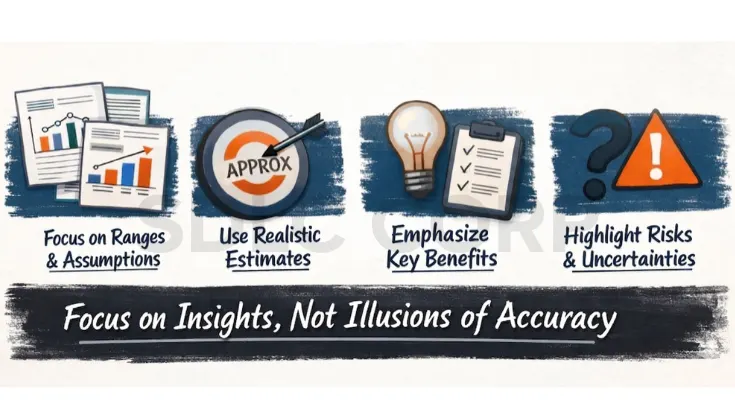
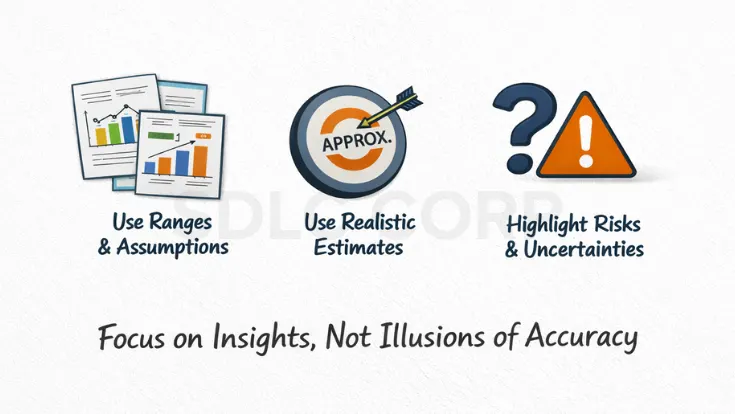
How To Build The Business Case Without Fake Precision
The strongest modernization business case does not depend on generic industry numbers. It uses your own operating reality.
This matters because technical debt is not just an engineering concern. McKinsey research on technical debt notes that CIOs estimate technical debt can equal 20% to 40% of the value of their technology estate, which makes modernization a financial and operational decision, not only a code-quality issue.
Look at:
- Maintenance effort
- Incident load
- Deployment overhead
- Infrastructure drag
- Support concentration risk
- Delayed roadmap cost
- Revenue or service impact of slow change
- Manual effort created outside the system
At a minimum, estimate engineering and platform cost, migration cost, testing and coexistence cost, training effort, expected support reduction, release speed improvement, and risk reduction.
If infrastructure limits are the main blocker, cloud transformation services can improve scalability, migration readiness, and application performance without forcing a risky big-bang rewrite.
Common Mistakes That Derail Legacy Modernization
Most modernization failures do not come from bad intent. They come from shallow diagnosis. One common mistake is skipping the technical audit and discovering critical dependencies too late. Another is treating early estimates as if they were execution plans.
Gartner application modernization research also warns that modernization investments often fail to achieve their intended outcomes when teams do not manage strategy, scope, and execution properly. That is why modernization needs clear ownership, phased delivery, and measurable success criteria from the start.
Big-bang cutovers are another recurring failure pattern. They look decisive, but they concentrate risk. The other major mistake is weak ownership. Modernization cannot be just a technical initiative with no stable business decision-maker behind it.
Conclusion
Legacy software modernization is not about choosing the most ambitious plan. It is about choosing the one that fits the actual problem. Refactor when the system still supports the business but needs to become easier to change. Rebuild with discipline when the architecture is the reason progress keeps slowing down. Replace when the capability no longer deserves custom ownership.
The strongest teams do not start with preference. They start with diagnosis, and that is what keeps modernization from turning into an expensive rewrite story nobody wants to repeat.
Once the path is clear, execution quality becomes the next major risk. Read our guide on how to choose a custom software development company to evaluate technical maturity, documentation standards, and long-term support.
FAQ
Simple answers to the most common questions about legacy software modernization.
My system still works. Do I really need to modernize it?
Not necessarily. If it is stable, secure enough for its role, cheap to maintain, and not blocking important business change, retaining it may be the right answer for now. “Old” is not a sufficient reason to modernize.
How do I choose between refactor, rebuild, and replace?
Refactor when the system still fits the business but is too hard to change. Rebuild when the architecture is the real blocker. Replace when the capability matters but custom ownership no longer does.
When is refactoring the wrong choice?
When structural limits keep returning. If every improvement reveals a deeper constraint in the architecture, data model, or release model, refactoring is probably postponing the real decision.
When is replacement smarter than rebuilding?
When the function is important but not differentiating, the market already solves it well, and the business is willing to standardize its process where needed.
What is the safest way to modernize a critical system?
Usually a phased approach. That can mean staged rollout, coexistence, shadow traffic, controlled migration, or replacing one business capability at a time instead of everything at once.
Do most companies need one strategy or several?
Several. Large application estates rarely fit a single answer. The real challenge is not choosing one label. It is knowing which part of the system deserves which path.
How long does legacy software modernization typically take?
Refactoring takes 6 to 18 months. A rebuild typically runs 12 to 24 months. Replacement through a commercial platform can move faster, often 3 to 12 months.
What is the Strangler Fig pattern and when should you use it?
The Strangler Fig pattern is a phased migration approach where new components gradually replace parts of the legacy system while the old system keeps running. The term is commonly associated with Martin Fowler’s Strangler Fig Application pattern. It is useful when a full big-bang replacement is too risky, but the business still needs steady modernization.