Common Problems in Transportation Operations
These problems do not appear all at once. They creep in as operations grow — a second depot, a larger fleet, more customers. Each system added to manage growth adds another gap where information falls through.
Logistics and accounting in separate systems
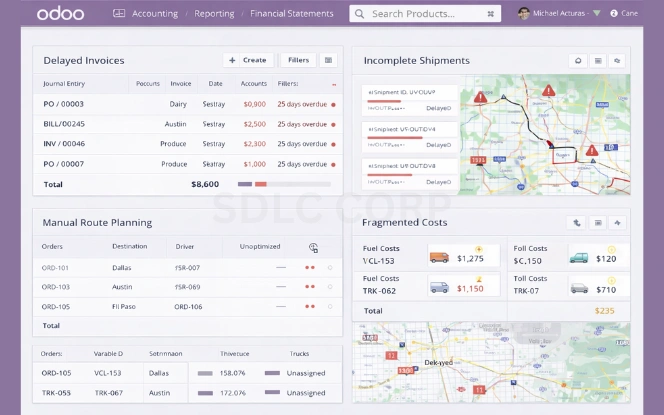
Finance does not know a delivery happened until someone tells them. Invoicing is delayed. Disputes arise because the numbers do not match. Reconciliation takes hours every week.
Route planning done manually
Dispatchers assign vehicles and routes based on what they remember, not what the data shows. Fuel costs are higher than they should be. Vehicles sit idle while other routes are overloaded.
Invoicing waits for shipment confirmation
The billing cycle slows because finance teams are chasing operations teams for proof of delivery. Cash flow takes the hit.
No clear view of fleet and delivery costs
Fuel, maintenance, driver time, and tolls are tracked separately — if at all. Nobody knows the true cost per shipment, so pricing and profitability decisions are guesswork.
Compliance reporting is manual
Pulling together the data for regulatory reports, customer SLA reviews, or internal audits takes significant time because nothing is in one place.
How Odoo Connects Transportation Operations
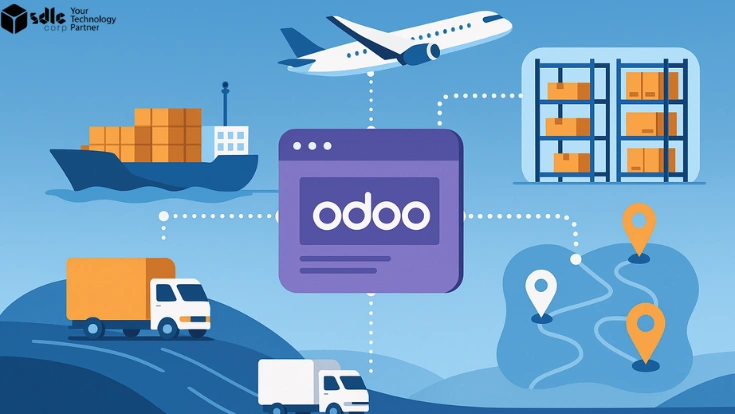
Odoo does not add another system to the stack — it replaces the stack. Logistics, finance, inventory, and fleet data share one database. When one thing happens, everything that depends on it updates automatically. There are no manual handoffs between teams.
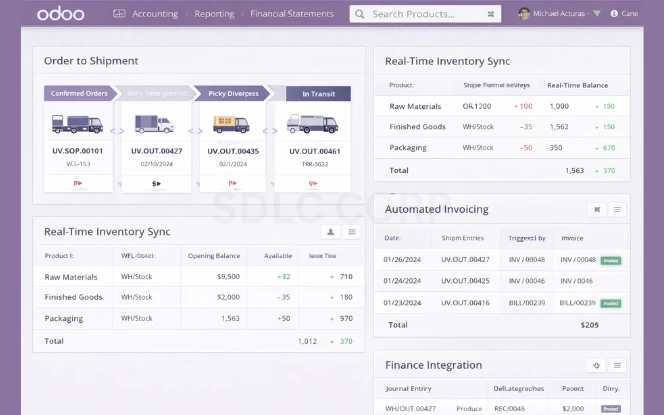
Shipments generated from confirmed orders automatically
When a customer order is confirmed, Odoo creates the delivery and assigns it to a route and vehicle. No dispatcher has to manually create a shipment record. The order, the delivery, and the invoice are all linked from the start.
Inventory and delivery stay in sync
Stock levels update as deliveries are dispatched and completed. Warehouse and operations teams see the same numbers. There is no discrepancy between what the warehouse thinks it holds and what the delivery system shows.
Invoices triggered by delivery milestones
When a delivery is confirmed — by the driver on mobile, by a customer signature, or by a GPS check-in — the invoice is created automatically. Finance does not wait for an email. p>
Operations and finance work from the same data
Both teams log into one system and see the same records. No version conflicts. No "I thought it was delivered." No reconciliation at month end.
Fleet and Route Management
Odoo holds every vehicle's full record in one place — maintenance history, fuel costs, current driver, and scheduled services. When a vehicle is due for service, a maintenance work order is created and it is removed from the available pool until the work is done. Dispatchers always assign deliveries to vehicles that are actually available.
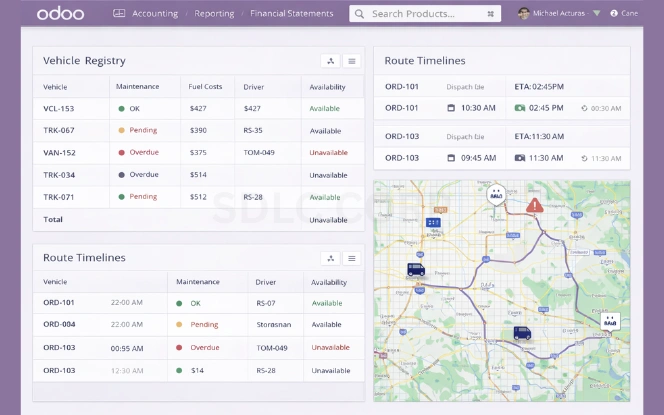
Vehicle records
- Full maintenance history per vehicle
- Fuel and repair costs tracked automatically
- Service schedules based on mileage or time intervals
- Vehicle availability visible to dispatchers in real time
Route management
- Route planning based on delivery locations and time windows
- Driver assignments matched to availability and load
- Routes updated when new stops are added
- Delivery performance tracked per route for improvement
Real-Time Visibility and Performance Tracking
Odoo dashboards show live data, not yesterday's numbers. Managers can see which deliveries are on time, which vehicles are idle, what each route is costing, and how each driver is performing — without asking anyone. Problems show up when there is still time to act on them.
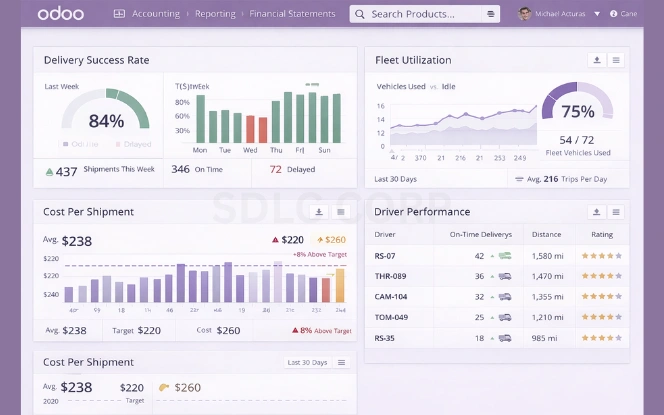
Delivery performance
On-time rate by route, driver, and region. Late deliveries flagged as they happen, not in a weekly report.
Fleet utilisation
Which vehicles are active, idle, or in maintenance at any moment. Idle capacity visible so it can be put to use.
Cost per shipment
Fuel, tolls, driver time, and maintenance costs rolled up per delivery. Margin visible by customer and route.
Driver adherence
Route adherence, stop completion rate, and delivery confirmation times tracked per driver.
Accurate Billing and Cost Control
Billing disputes in logistics usually happen for one reason: operations and finance are working from different records. Odoo links them. When a delivery is confirmed, the invoice is created from the same data — no transcription, no delay, no discrepancy.
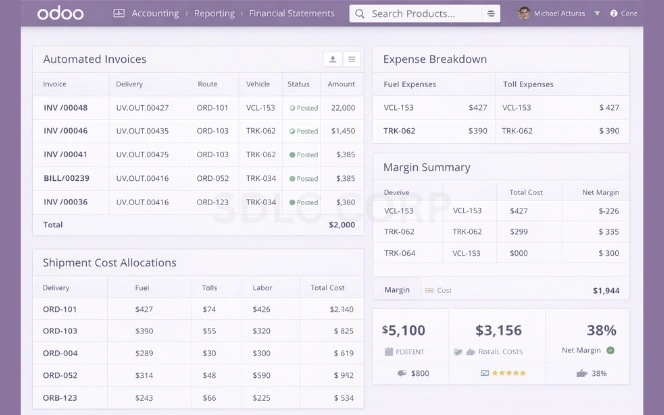
Automatic invoice creation after delivery
Delivery confirmed → invoice created. No manual step between the two. Finance gets the invoice immediately. Customers get it faster. Disputes drop because the numbers are tied to the same delivery record that operations used.
Fuel, tolls, and labour allocated per shipment
Every cost related to a delivery — fuel consumed, tolls paid, driver hours worked — is recorded and assigned to that shipment. The true cost of each delivery is visible, not estimated.
Profitability by customer and route
Revenue and cost tracked together per customer and per route. You can see which lanes are profitable and which are subsidising the others — and price accordingly.
Receivables tracked in real time
Outstanding invoices, payment status, and overdue amounts visible to finance without chasing operations. Cash flow is predictable because the data is current.
Integrations with Existing Logistics Tools
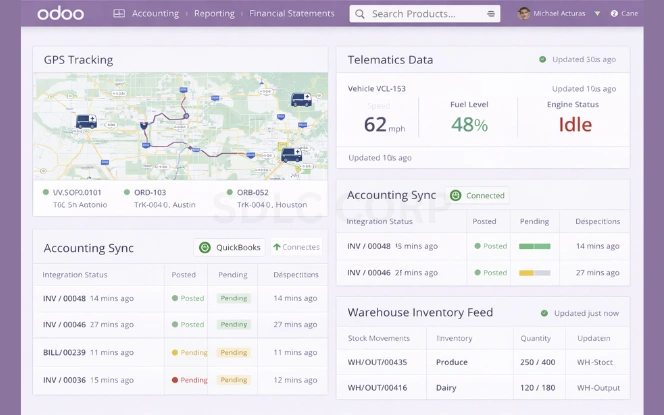
Odoo does not require you to replace everything at once. It connects to the GPS platforms, telematics systems, and carrier APIs already in use — so data flows in rather than being re-entered. See our case study on Odoo logistics integration and real-time tracking.
GPS and telematics
Vehicle location, speed, and route data pulled from GPS devices into Odoo. Live tracking visible in the delivery dashboard without a separate tracking tool.
Accounting systems
Connects to existing accounting platforms if needed, or Odoo's own accounting module handles everything. Delivery costs and invoices sync without manual journal entries.
Carrier and shipment APIs
Third-party carrier rates, booking, and tracking status pulled directly into Odoo. No switching between tabs to check shipment status from external carriers.
Warehouse and inventory
Delivery and warehouse operations connected. What leaves the warehouse updates what the delivery system shows — without a manual hand-off.
Scaling Transportation Operations with Odoo
Adding vehicles, routes, depots, or companies to a system built on spreadsheets and disconnected tools usually breaks something. Odoo is designed for this. You add a new depot and it appears in dispatch. A new vehicle is registered and it joins the fleet pool. A new company is added and it operates with its own records while sharing reporting with the parent.

Add vehicles and routes without rebuilding workflows
New vehicles are added to the existing fleet module. Routes and depots added without touching other configurations. No system rebuilds required as the operation grows.
Multi-location and multi-company support
Regional depots and subsidiary companies can each operate independently while sharing consolidated reporting. One login, one system, multiple operational entities.
High-volume shipment processing
Shipment creation, route assignment, and invoicing all automated — so processing 100 shipments or 10,000 shipments per day does not require proportionally more admin staff.
Planning an Odoo implementation for your transport business?
We scope your workflows before configuring anything. Scoping sessions are no cost.
Get started