
Employees can check their remaining leave balance directly from the dashboard without navigating away.
- ODOO 19 COMPATIBLE
Odoo HRMS Dashboard
Track attendance, leave, check-ins, check-outs, and hours worked from one Odoo HRMS Dashboard. Built for Odoo 19, this module gives HR teams a faster way to review employee activity, monthly summaries, and leave balances from a single screen.
- Automated month calendar view with clear status indicators
- Live “hours worked today” with check-in and check-out visibility
- Monthly totals plus leave balance in the same view
- Why Choose Us
Why Choose Our HRMS Dashboard
Designed for accuracy and visibility, this dashboard helps HR review attendance and leave faster from one screen.
HRMS Dashboard Attendance Overview
Review the full month at once with present, holiday, leave, and week-off indicators.
Employee Check-In and Check-Out
Open any day and confirm actual check-in/check-out times for quick validation.
Hours Worked Tracking Dashboard
Track “hours worked today” with the current check-in time. Therefore, teams catch gaps early.
Attendance Summary
See present, absent, holiday, leave, and weekend totals in one panel for faster month-end review.
Leave Balance
Show paid time off and compensatory days in the dashboard, so employees and HR stay aligned.
Work Updates and Celebrations
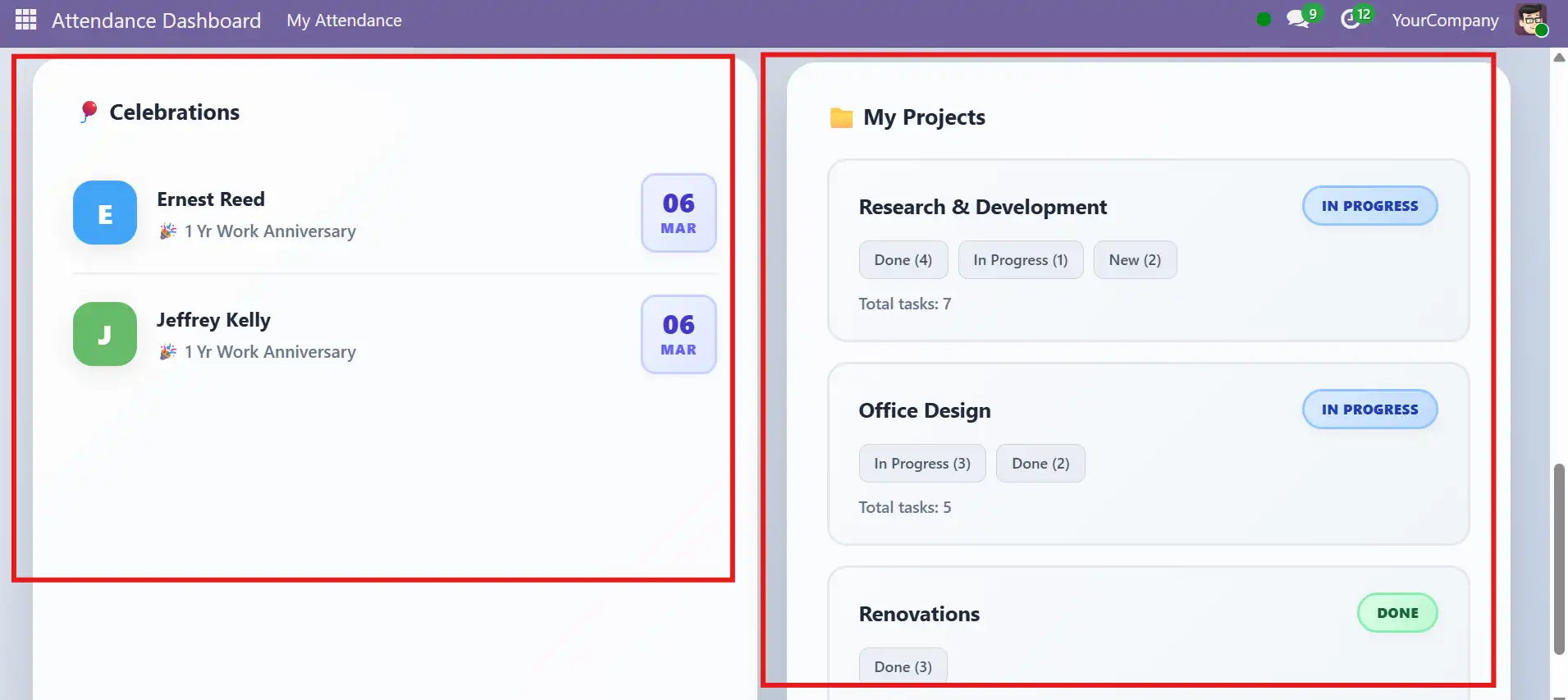
Surface anniversaries plus project/task overview for the logged-in employee. As a result, day planning improves.
- HRMS Features
Odoo Dashboard for Attendance, Leave, and Team Updates
From calendar-based attendance tracking to leave balances and daily hour summaries, this dashboard helps HR teams stay informed and efficient.
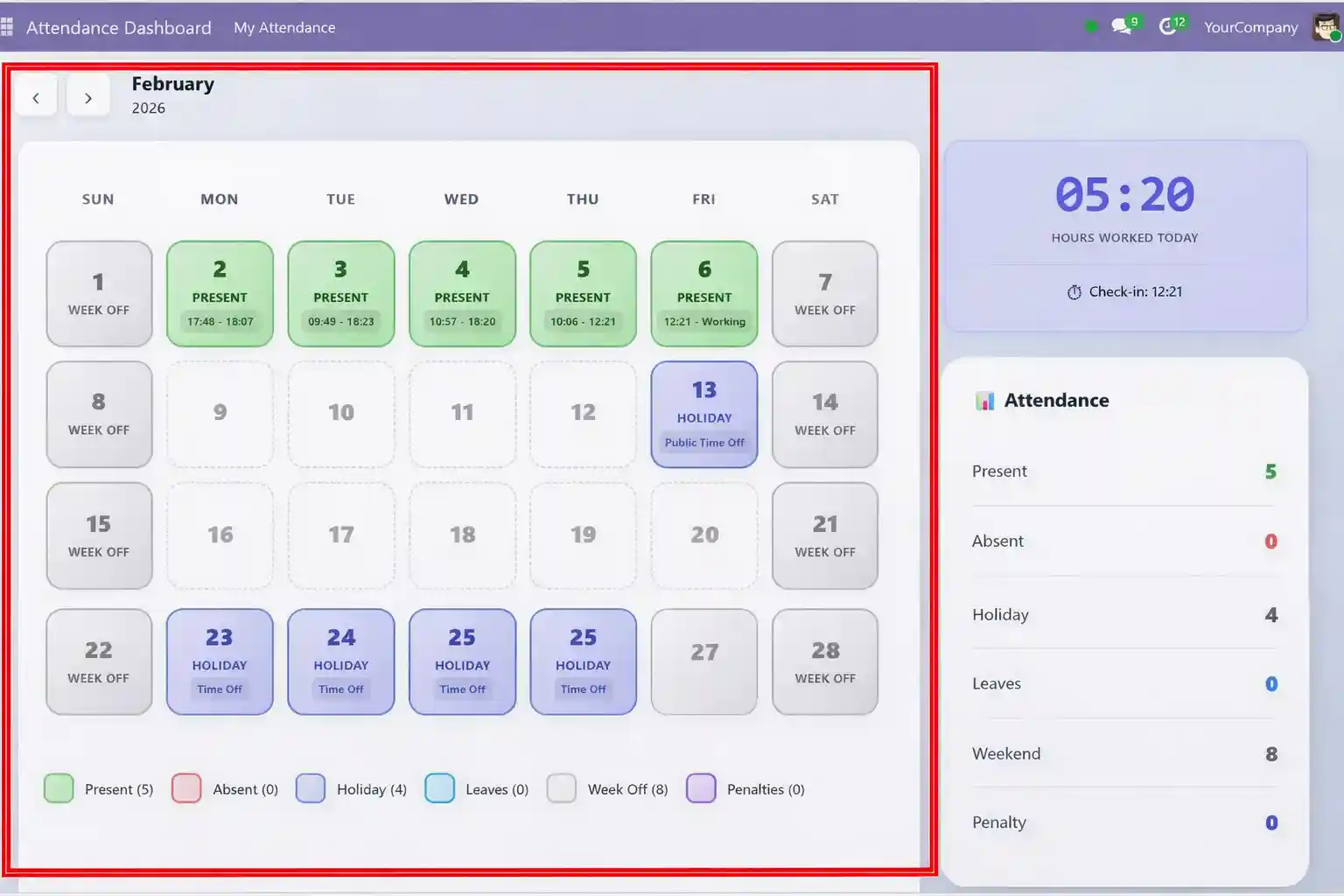
Monthly Attendance Calendar
A visual calendar showing daily attendance status with color-coded indicators for Present, Holiday, Leave, and Week Off days.
- Monthly calendar view with Present, Holiday, Leave, and Week Off indicators
- Displays daily check-in and check-out times
- Color-coded status for instant clarity
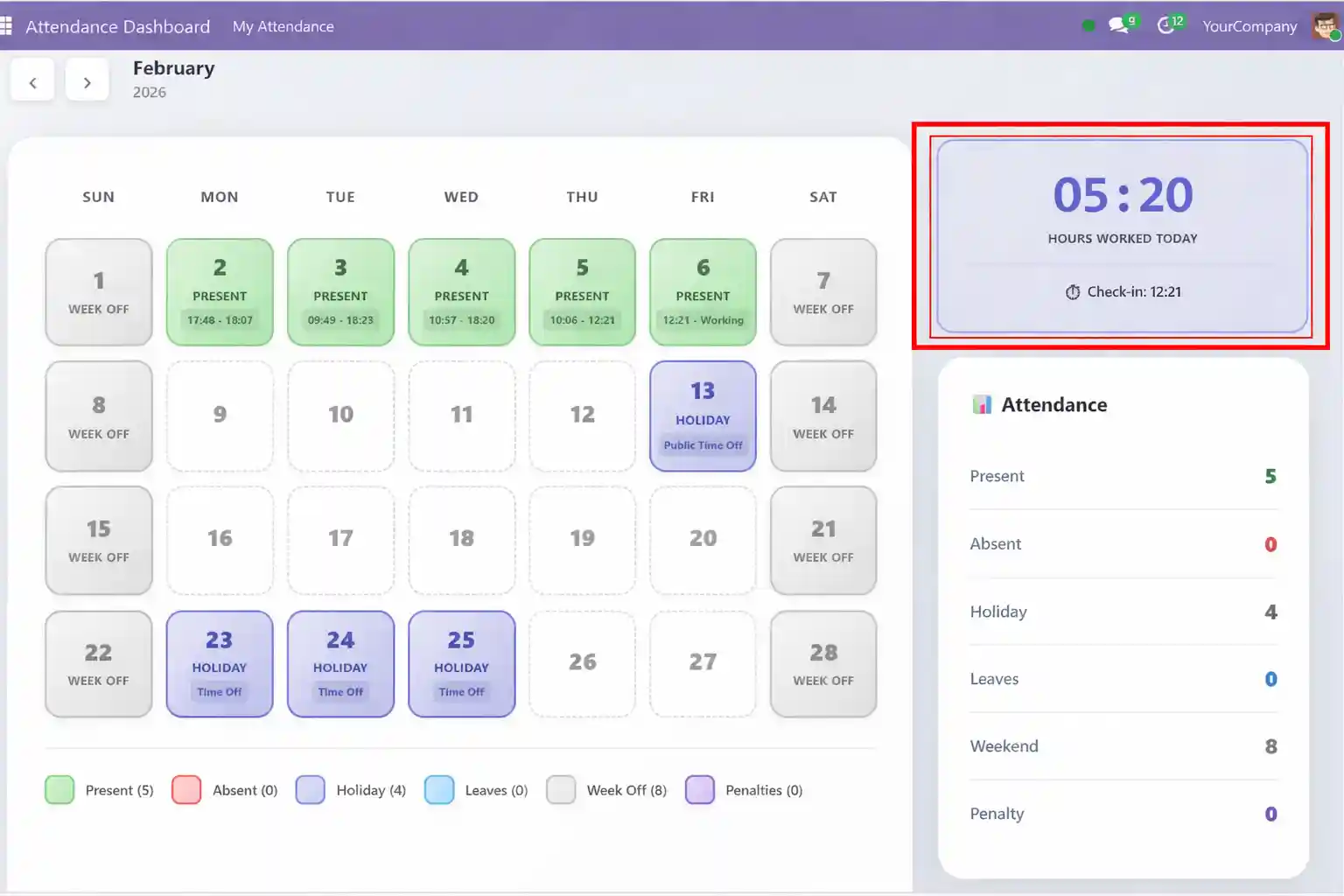
Hours Worked Today
A live widget showing how many hours you have worked today along with your current check-in time.
- Live "Hours Worked Today" widget with current check-in time
- Updates in real-time throughout the workday
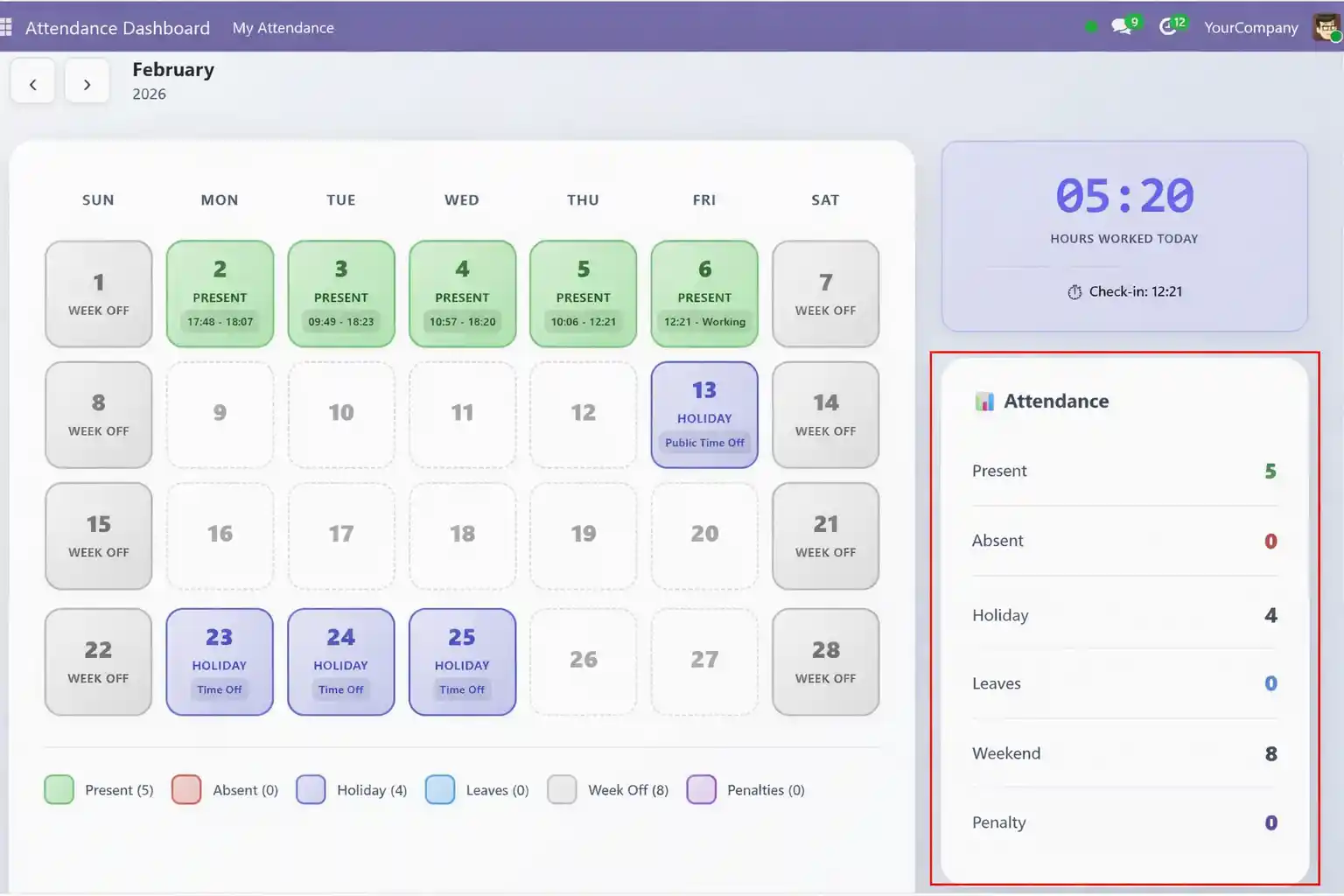
Attendance Summary
A comprehensive monthly summary showing total counts for each attendance status at a glance.
- Attendance summary with Present, Absent, Holiday, Leave, and Weekend counts
- Quick overview of the entire month
- Menu permission control
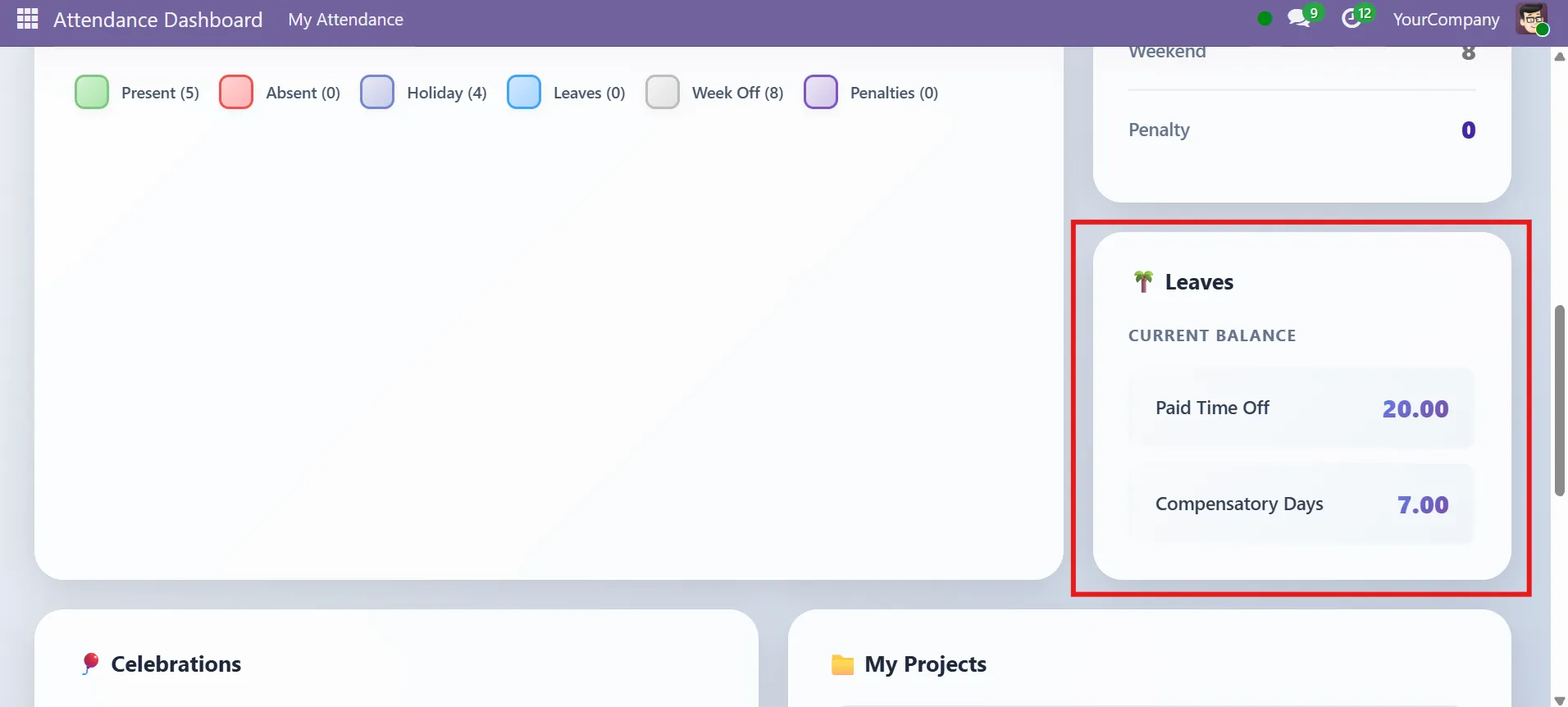
Leave Balance
- Leave balance widget (Paid Time Off & Compensatory Days)
- See remaining leaves at a glance
Celebrations & Projects
See upcoming work anniversaries and birthdays, plus an overview of your assigned projects and tasks.
- Celebrations section for work anniversaries
- Project and task status overview for logged-in employee
- Clean, responsive, and modern UI inside Odoo backend
- Pricing
HRMS Dashboard Pricing on Odoo
Choose a license for the dashboard, then add services only if you need rollout support or extra widgets.
HRMS Dashboard
Free Module
Free
Core dashboard (available on Odoo Apps)
- Monthly attendance calendar view
- Daily check-in and check-out visibility
- Live hours worked today widget
- Monthly totals and leave balance snapshot
Implementation & Customization
Full Flexibility
Contact Sales
Rollout support, access setup, and dashboard extensions
- Installation and environment validation (online / hosted / on-prem)
- Role setup, menu access, and visibility rules
- Optional widgets, layout changes, and company-specific logic
- Go-live support, testing, and handover documentation
- Delivering Measurable Outcomes
Delivering Reliable HR Review Results
Better visibility reduces manual HR checks and speeds up monthly review without extra steps.
Faster
One-View Monthly Validation
Calendar status plus monthly totals reduce clicks. Therefore, HR closes reviews faster.
Cleaner
Fewer Attendance Gaps
Check-in/check-out visibility highlights missing entries early. As a result, corrections happen sooner.
Clearer
Better Leave Planning
Approved time off and leave balance show availability in one place. Then teams plan better coverage.
Aligned
Better Day Planning Context
Anniversaries plus project/task overview add work context. In addition, employees stay focused.
- Compatibility & Requirements
Built for HR Compatibility
The dashboard relies on standard HR data. Therefore, results stay consistent when records stay clean.
Compatibility
Built for HR workflows. Also, it matches common attendance and time-off setup.
Required Data Sources
Reads attendance, time off, leave balance, employee profiles, and company calendar rules.
Data Rules and Edge Cases
Shows approved leave only. However, missing check-outs can display partial hours.
Access Control and Privacy
Access follows roles and menu permissions. Also, data stays inside Odoo by default.
Deployment Support
Works on cloud and on-prem. In addition, multi-company is supported with per-company calendars.
- We are your technology partner
Built to Scale Your HR Operations
This dashboard supports growing teams and real HR workloads. Moreover, it adapts to policies, calendars, and role structures without rework.
- Frequently Asked Questions
Everything You
Need to Know About HRMS
Find clear answers to common questions so you can understand everything without any confusion or delay.
1) What does the HRMS Dashboard show in Odoo?
The HRMS Dashboard gives HR teams and employees one clear place to review attendance, leave, hours worked, and daily check-in/check-out records. In addition, it brings together monthly summaries, leave balance, and team updates, so users can understand important HR data faster from a single screen.
Is this HRMS Dashboard compatible with Odoo 19?
Yes, this module is presented as Odoo 19 compatible. Therefore, businesses already using Odoo 19 can evaluate it as a practical option for improving attendance visibility, leave tracking, and daily HR review workflows.
Can the dashboard display employee attendance on a monthly calendar?
Yes, the dashboard includes a monthly attendance calendar with clear status indicators such as Present, Holiday, Leave, and Week Off. As a result, HR teams can review attendance patterns more quickly without checking multiple records one by one.
Does the HRMS Dashboard show daily check-in and check-out details?
Yes, the dashboard is designed to display daily check-in and check-out visibility. Moreover, this helps HR teams verify attendance activity more easily and spot missing or incomplete records before monthly review cycles become time-consuming.
Why choose SDLC’s HRMS Dashboard over other HR dashboards?
SDLC’s HRMS Dashboard is built for fast, accurate HR review in Odoo 19. It combines the monthly attendance calendar, daily check-in/check-out, hours worked today, monthly totals, and leave balance in one view. Therefore, HR teams spend less time switching screens and catch missing check-outs earlier.
Can I track hours worked today from the dashboard?
Yes, the dashboard includes a live Hours Worked Today widget. In fact, it also shows the current check-in time, so employees and managers can monitor daily work progress in real time throughout the day.
Is the HRMS Dashboard free to use?
Yes, the page presents the core HRMS Dashboard as a free module available on Odoo Apps. However, businesses that need rollout help, access setup, or tailored features can also choose implementation and customization support.
Can SDLC Corp help with implementation and customization?
Yes, SDLC Corp offers implementation and customization support for this dashboard. So, if your business needs access control, rollout guidance, or a more tailored setup, you can move beyond the standard module and request expert support.
- Get Started
Let’s Set Up Your HRMS Dashboard
Get expert guidance on setup, access control, and dashboard rollout, so you launch with confidence.
What happens after you submit?
- We review your HR setup and dependencies
- Then we confirm roles, visibility rules, and policy basics
- After that, we share next steps and rollout plan
- Secure Access
- HR Support
- Global Clients


