
- ODOO 19
- POSTGRESQL
- XLSX EXPORT
Odoo PSQL Query Execute
Execute PostgreSQL queries without leaving Odoo. However, most tools require switching environments. Therefore, this module lets you run PSQL SELECT queries directly inside Odoo with speed and control.
- Run PostgreSQL SELECT queries instantly
- View formatted HTML result tables with clean structure
- Export results using one-click XLSX download
- Detect errors quickly with clear validation messages
- Start immediately with zero configuration required
- Core Capabilities
Core Capabilities - What Makes This Odoo Module Powerful
Running database queries should be simple. However, most tools make the process complex. Therefore, PSQL Query Execute focuses on three core capabilities that solve real problems inside Odoo.
Execute SELECT Queries
Run raw PostgreSQL SELECT queries directly from the Odoo backend with a single click. No external tools needed.
Formatted HTML Results
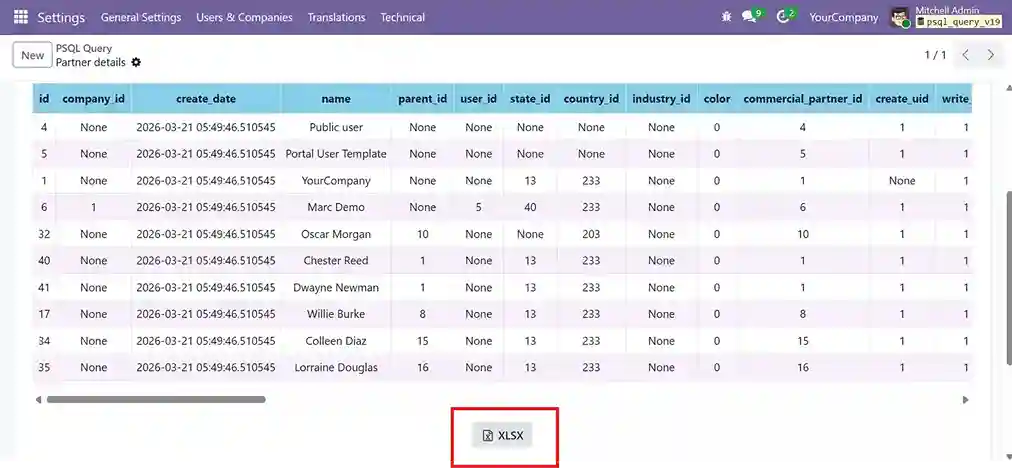
View results in a beautifully styled table with sky blue headers, alternating row colors, and scrollable layout.
One-Click XLSX Export
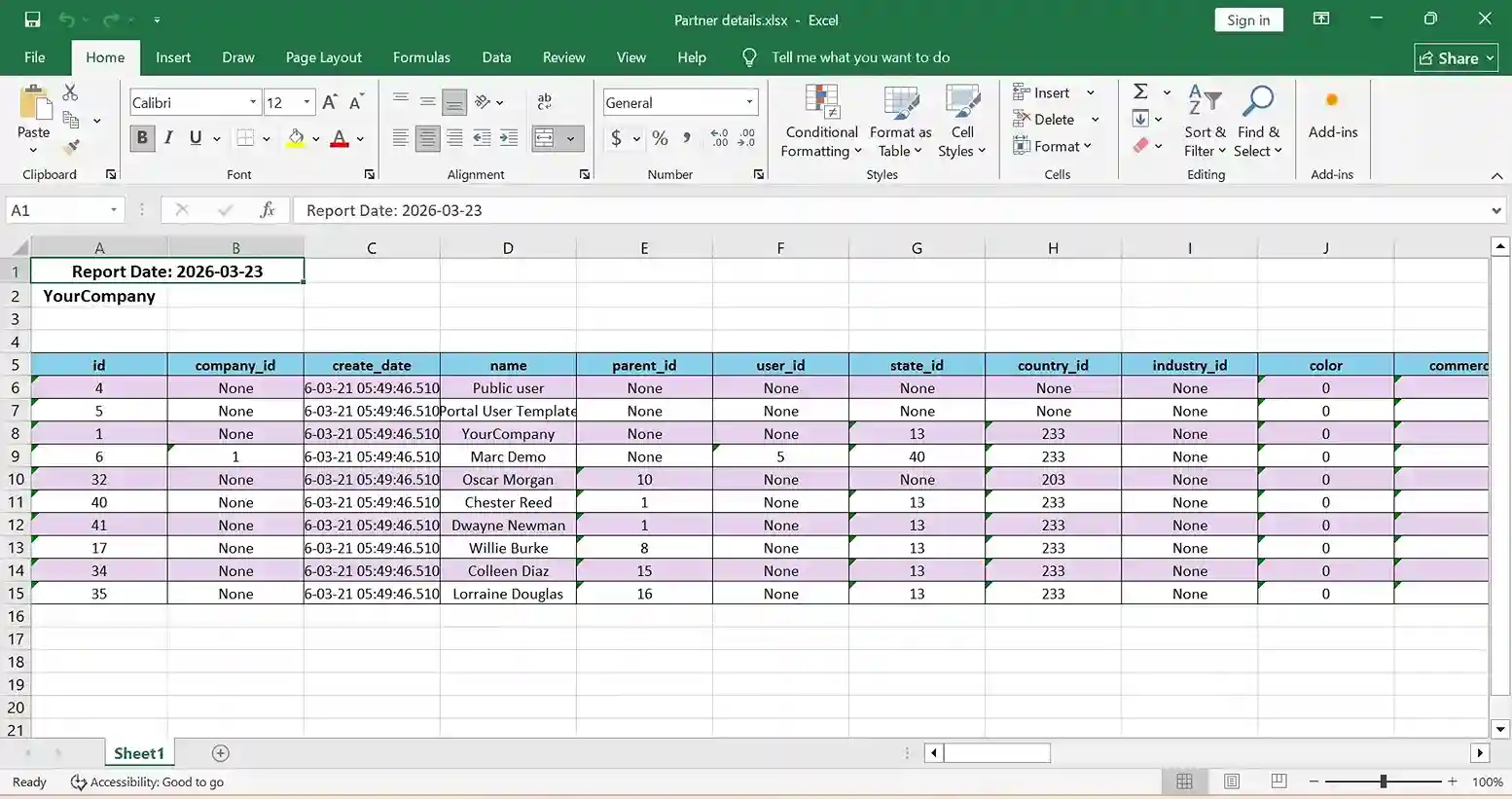
Export query results to a professionally formatted Excel file with Report Date, Company Name, and styled headers.
- Full Feature Set
Full Feature Set - Everything Under the Hood
Every feature designed for fast, safe, and convenient database inspection.
Accessible via Settings > Technical > PSQL Query. Fully integrated into the Odoo backend with no extra setup.
Label and organize saved queries with a dedicated name field for better management and quick re-execution.
Dedicated text area for writing raw PostgreSQL SELECT statements with full query flexibility and syntax support.
Run or re-run queries instantly with a single click. Results refresh immediately without any page reload.
Formatted HTML table with sky blue headers, alternating row colors, and horizontal/vertical scrolling for wide datasets.
Export to Excel with Report Date, Company Name, styled column headers, and alternating row colors for professional output.
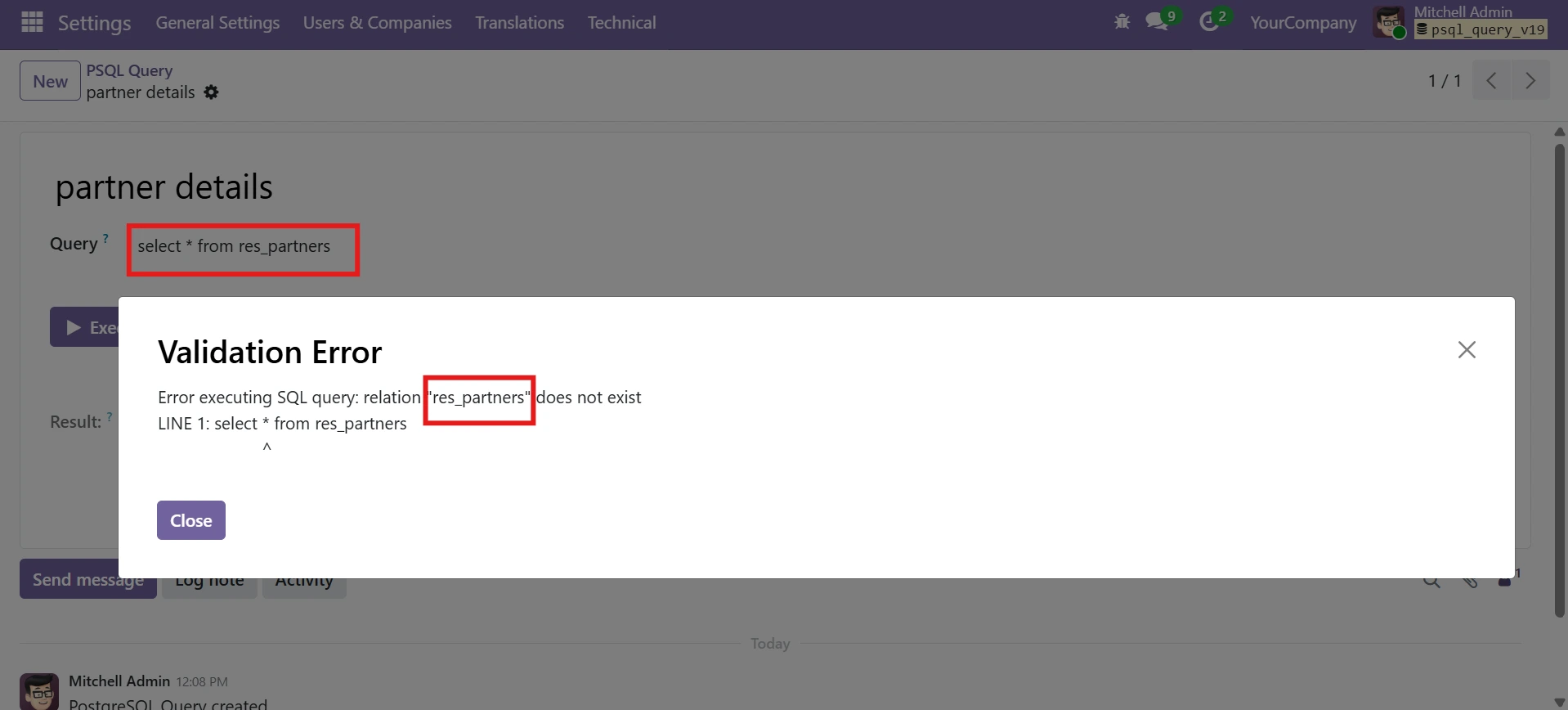
Descriptive error messages with Validation Error dialogs for invalid queries, SQL syntax errors, or missing tables. Clear feedback so users know exactly what went wrong.
- Quick Start
How It Works - Execute Odoo PSQL Queries in 7 Simple Steps
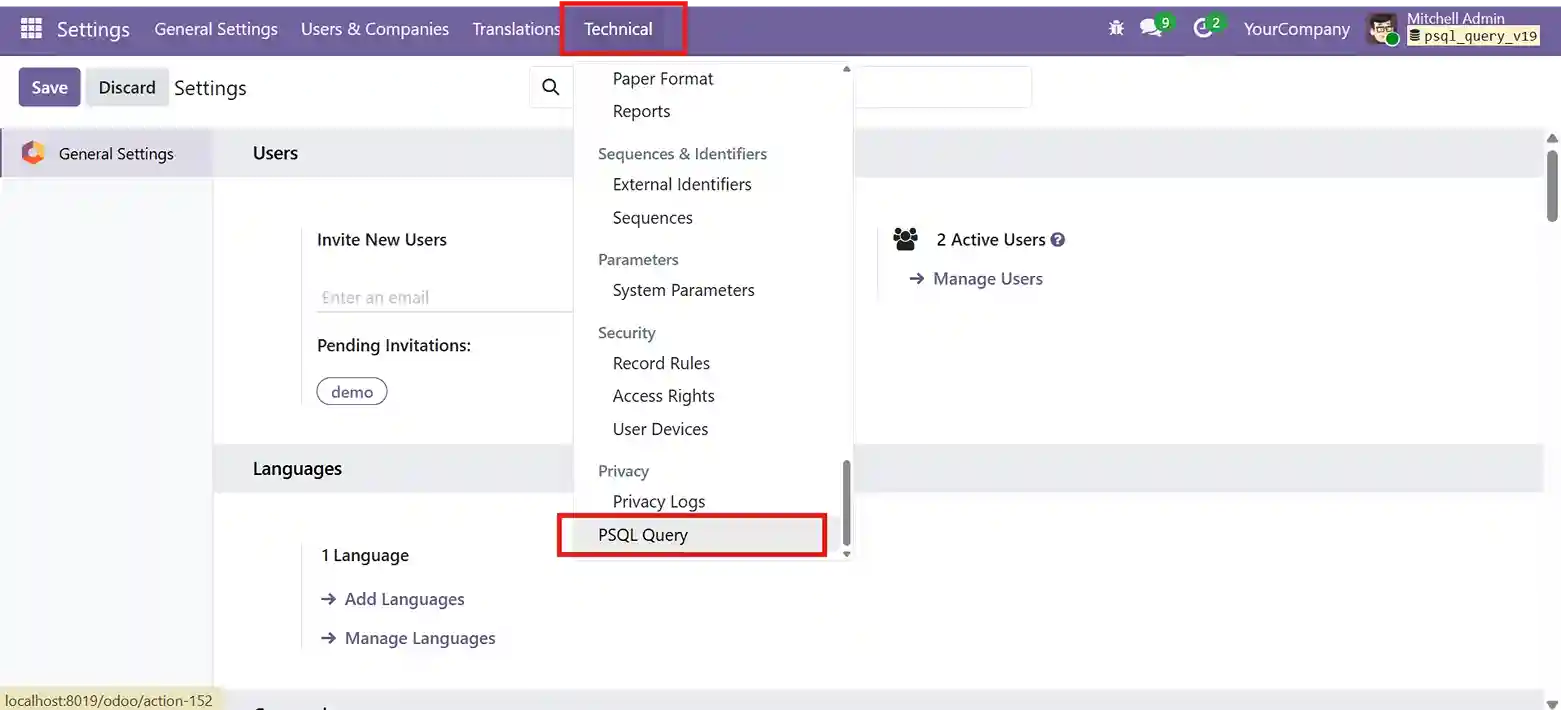
Navigate to PSQL Query Tool
Start by accessing the module from Settings → Technical → PSQL Query. Therefore, you stay inside the Odoo environment.
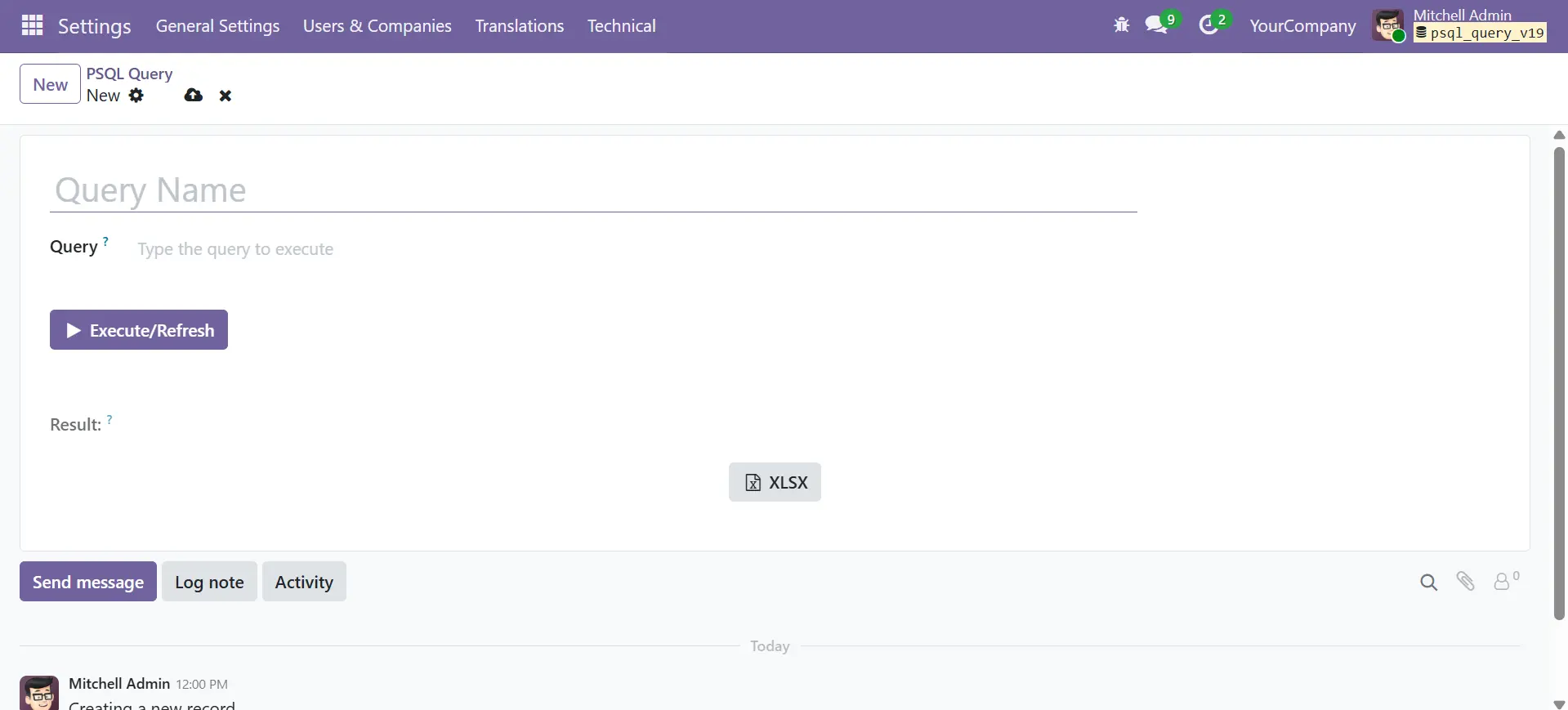
Query Form View
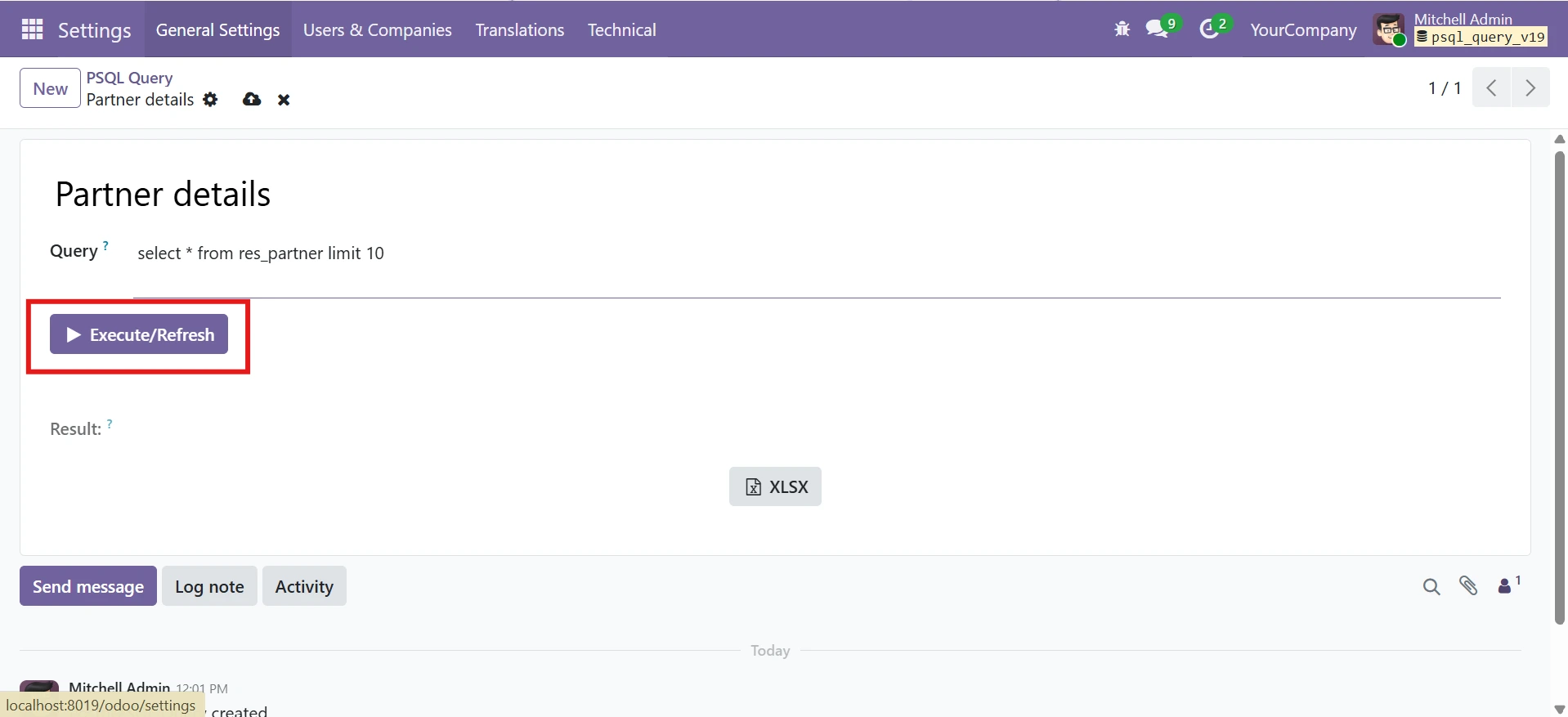
Query form view — enter a Query Name, write your SQL, and click Execute/Refresh.
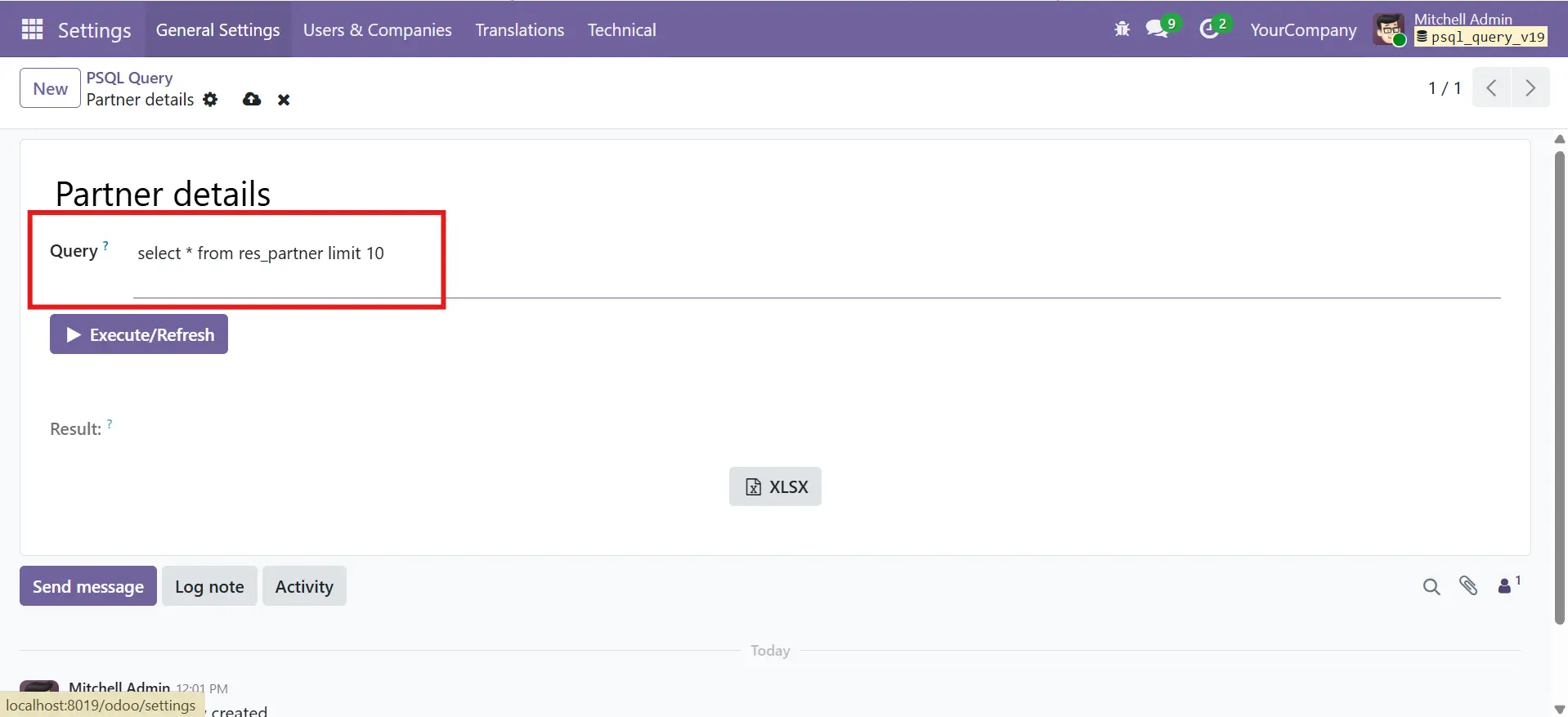
Write Your SQL Query
Execute the Query Instantly
Export Results to XLSX
Once results are displayed, you can export them with one click. Therefore, reporting becomes simple.
XLSX Report
XLSX report opened in Excel — Report Date, Company Name, styled headers, and alternating row colors.
Error Handling
Error handling — Validation Error dialog with a descriptive SQL error message.
- Built for
Built For - Who Should Use Odoo PSQL Query Execute?
PSQL Query Execute enables fast and secure PostgreSQL query execution inside Odoo, with direct database access and efficient workflow support for developers, DBAs, and admins.
System Admins
Inspect database tables, validate records, and debug data issues without leaving Odoo.
Developers
Test queries, verify data integrity, and run quick checks during development and debugging.
Consultants
Generate ad-hoc reports and investigate data for clients directly from the Odoo backend.
Odoo Partners
Provide clients with a safe, integrated tool for database inspection without external access.
Zero Configuration - Works Out of the Box
- Install the module — no settings to configure
- Navigate to Settings > Technical > PSQL Query
- Create a new record, give it a name, and write your SELECT query
- Click Execute/Refresh to run the query and view results
- Click XLSX to download results as a formatted Excel file
- Lifetime Guarantee
Free Lifetime Support - Reliable Help When You Need It
We stand behind our module. Get free lifetime bug-fix support with every installation – no hidden charges, no expiry.
Any bugs found in the module will be fixed free of charge for the lifetime of your installation.
Receive future updates and compatibility patches as new Odoo versions are released.
Reach our technical team via Email, Phone, or WhatsApp for any questions or assistance.
- Lifetime free bug-fix support
- Quick response from technical team
- Multi-channel support (Email, Phone, WhatsApp)
- No hidden charges or renewal fees
- Compatible with future Odoo updates
- Documentation and setup guidance included
- Our Services
Our Services - Complete Odoo Solutions for Your Business
Managing Odoo systems requires more than just modules. However, many businesses struggle with setup, customization, and scaling. Therefore, we provide end-to-end Odoo services designed for performance, reliability, and growth.
Odoo Customization
Tailor Odoo modules and workflows to match your exact business requirements.
Odoo Implementation
Complete end-to-end Odoo setup, configuration, data migration, go-live support.
Odoo Support & Maintenance
Ongoing technical support, bug fixes, performance tuning, and maintenance plans.
Odoo Integration
Connect Odoo with third-party platforms, APIs, payment gateways, and external systems.
Hire Odoo Developer
Dedicated Odoo developers available for short-term or long-term project engagements.
Odoo Migration
Seamless migration from older Odoo versions or other ERPs with data integrity , zero downtime.
- Get In Touch
Need Help or Have Questions?
If you need help with setup, compatibility, customization, or have any questions, feel free to contact us.
Contact Us For
- Free consultation
- Customization and workflow automation
- Priority support and advanced requirements
- sales@sdlccorp.com
- +1 415-594-0097
- +91 8920944210
- Frequently Asked Questions
Everything You
Need to Know
What type of queries can I run?
Can I export query results to Excel?
exported files include:
Report date
Company name
Styled headers
As a result, your reports are ready for use without extra formatting.
What happens if my query has an error?
Can I save and reuse queries?
Which Odoo version is supported?
This module is built and tested for Odoo 19. Therefore, it follows native Odoo design patterns and workflows.


