Case Study

How Odoo IP Access Control Secured ERP Login by Trusted IP

A growing Odoo business needed stronger login control for finance managers, remote staff, and admin users. User roles controlled what users could do inside Odoo, but they did not control where users could log in from. Odoo IP Access Control helped the team allow trusted networks, block risky access, protect ERP login, and review denied requests inside Odoo.
Trusted IP Login Control
Protection Beyond Login
Clear Blocked Access Review
Product Hunt listed badge Product Hunt Listed
Trusted software partner badge Trusted Software Partner
Multiple products listed badge Multiple Products Listed
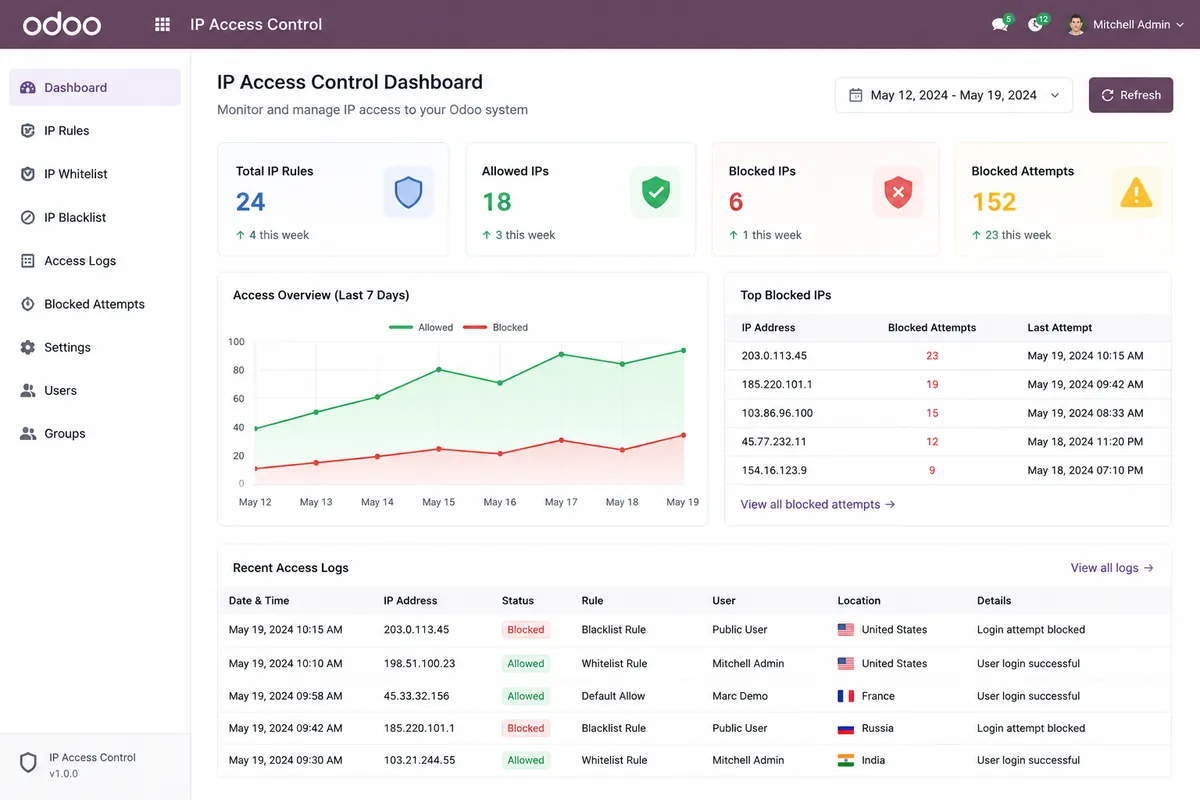
Odoo IP Access Control dashboard showing trusted IP rules blocked access logs and user level ERP login protection
Project Snapshot

Quick View of the Odoo Login Security Project

The project focused on safer Odoo login control, trusted IP access, blocked attempt tracking, and faster admin support for sensitive ERP users.

Product

Odoo IP Access Control.

Platform

Odoo 18 and Odoo 19.

Client Type

Odoo ERP business with office, remote, and admin users.

Main Need

Restrict Odoo access by trusted IP address.

Core Problem

User roles controlled ERP actions, but they did not stop login attempts from untrusted networks.

Core Features

Per-user IP rules, access toggle, current IP display, blocked access logs, and login/request-level checks.

Business Goal

Protect sensitive Odoo accounts without firewall changes or complex server setup.

Final Outcome

Safer login control, reduced access risk, faster blocked-user support, and clearer security review.

Security Outcome

Odoo IP Access Control helped the business protect sensitive ERP accounts, allow only trusted IP access, reduce risky login attempts, and support blocked users faster without changing firewall or server settings.

Per-User IP Rules
Trusted Network Access
Blocked Attempt Logs
Faster Admin Support
Client Background

A Business Using Odoo Across Sensitive Teams

The business used Odoo for daily work across finance, admin, remote, and branch teams, but it needed stronger IP-based login control for sensitive ERP accounts.

The client used Odoo to manage finance, sales, HR, support, operations, and admin work. Several users handled private business data, including invoices, employee records, payment details, vendor records, and system settings.

The company already used Odoo access rights. However, passwords and role-based permissions could not prevent login attempts from untrusted IP addresses. The team needed a safer way to allow trusted office, VPN, home, and branch networks while blocking unknown locations.

Finance and Admin Needed Extra Control

Finance and admin users handled payments, invoices, reports, and settings. They needed IP-based access control, not only role permissions.

Remote Work Increased Access Risk

Users worked from home, branches, and VPNs. The company needed to allow trusted networks and block unknown IPs.
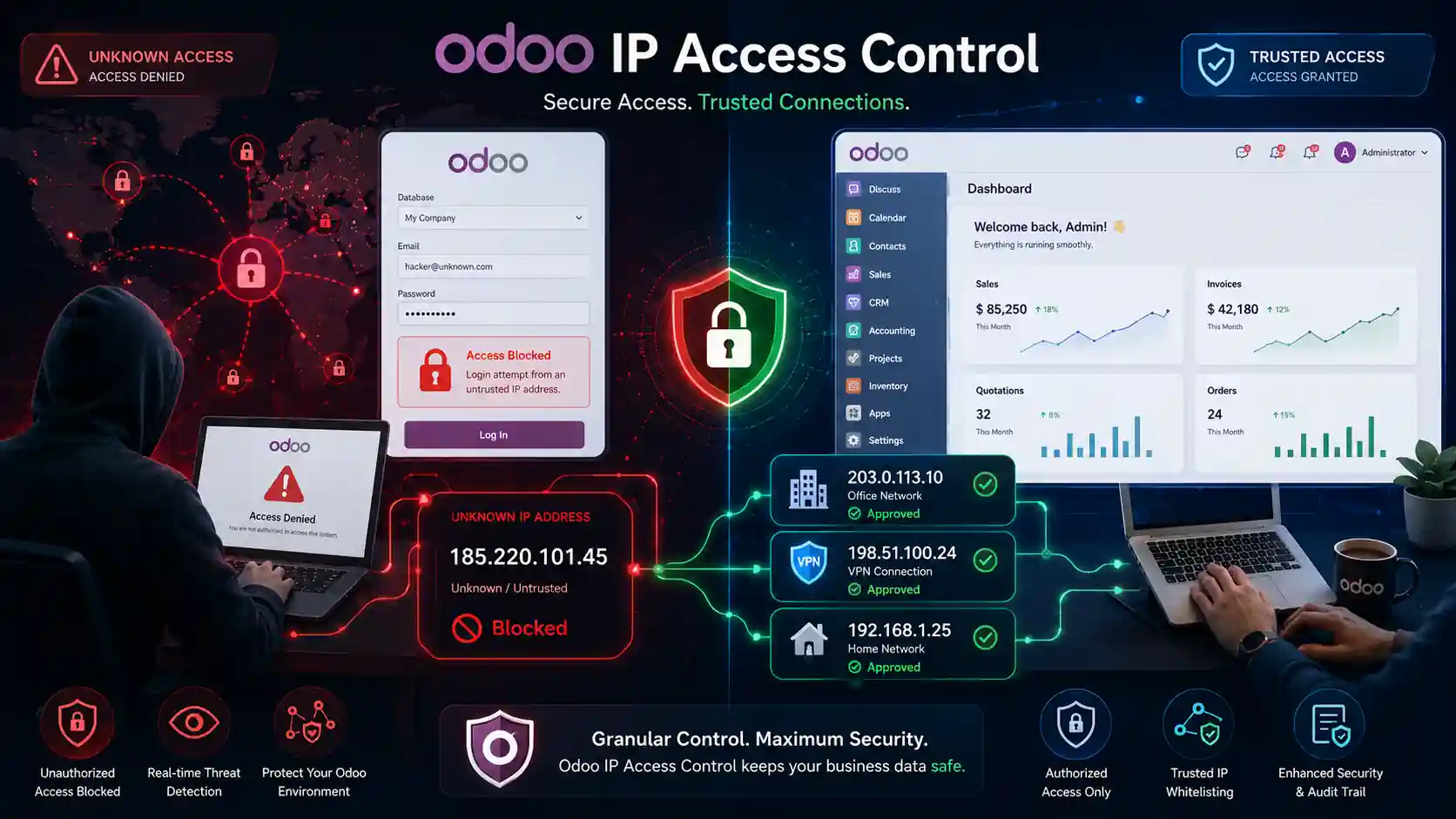
Odoo IP Access Control for finance admin remote and branch users with trusted IP login security
Problems

Security Challenges With Unrestricted Odoo Login Access

A correct password could still be risky from an unknown IP. The client needed stronger Odoo access control to protect sensitive ERP data.

User Roles Could Not Verify Login Location

Roles controlled user actions, but not where users logged in from.

Sensitive Accounts Had Higher Exposure

Finance, HR, admin, and consultant accounts needed stronger login protection.

Remote Users Needed Flexible Rules

Users worked from home, branches, and VPNs, so admins needed multiple trusted IP options.

Login-Only Checks Left Gaps

Passwords alone could not block risky IPs, API calls, RPC routes, or backend access.

Access Support Took Extra Time

Admins needed a faster way to check current IPs and fix blocked access.

Denied Access Was Hard to Review

Teams needed clear logs to review blocked attempts and improve security.

Solution

User Based IP Rules for Safer Odoo Login

This worked as a focused Odoo customization services solution because admins could manage IP rules, access toggles, and current IP details from the user profile.

Per-User allowed IP list Setup

Admins added trusted IP addresses for each user, such as office, VPN, home, or branch IPs.

Access Toggle Without Deleting IPs

Admins could pause or enable IP protection when needed, without removing saved trusted IPs.

Current IP Shown in Odoo

The user’s current IP appeared inside Odoo, helping admins approve the right IP during support.

Clear Warning for Blocked Users

Blocked users saw a clear message, so they could share the right details with admins faster.

Request-Level Enforcement

The module checked Odoo logins, backend access, API calls, RPC routes, and mobile requests.

Blocked Attempt Logs

Admins could review denied access attempts with IP details for faster security review.

Odoo IP Access Control gave admins safer login control, lower access risk, and faster blocked-user support without firewall or server changes.

Implementation Process

Step by Step IP Restriction Setup in Odoo

The setup followed a careful Odoo implementation services approach, starting with finance, HR, admin, and consultant users before expanding to more roles.

01

Identify Sensitive User Roles

The team listed finance, HR, admin, manager, and external consultant accounts first.

02

Install the Module in Odoo

The module was installed and checked against the active user setup.

03

Enable IP Control for Selected Users

Admins enabled IP restriction for selected users from the IP Access Control tab.

04

Add Trusted IPs With Labels

Office, VPN, home, and branch IPs were added with clear labels for easy review.

05

Test Access From Allowed Networks

Users logged in from approved IPs to confirm safe access to Odoo menus and dashboards.

06

Test Access From an Unapproved IP

The team tested blocked login and request behavior from an unapproved IP address.

07

Review Blocked Logs

Admins reviewed denied attempts and used current IP details to support blocked users faster.

This simple rollout helped the client apply IP restrictions carefully, reduce risky login attempts, and protect daily Odoo work without disruption.

Key Features Used

Features That Helped Admins Control Risky Odoo Access

Admins used these features to reduce unauthorized login risk, protect sensitive ERP accounts, improve admin control, and review blocked access faster.

Per User Allowed IP List

Admins assigned trusted IP addresses to each user based on office, VPN, home, branch, or consultant access needs.

IP Labels

Each IP was labeled as Office, VPN, Home, or Branch, making later review easier for admins.

Access Restriction Toggle

Admins could turn IP restriction on or off for a user without removing saved IPs.

Current IP Visibility

Admins could see the current IP inside Odoo and approve the right IP during support.

Login-Level Blocking

The system blocked users before Odoo login when they tried to access from an unapproved IP.

Request-Level Protection

The module checked backend pages, dashboards, API calls, RPC routes, and mobile requests.

Blocked Access Logs

Denied attempts were recorded with useful details for admin review and security checks.

Clear Blocked User Message

Blocked users saw a clear warning and could share the right access details with admins.

These features helped admins apply trusted IP rules, protect sensitive users, review denied access, and solve blocked login issues faster from inside Odoo.

Technology Stack

Odoo Native Setup Behind the Access Control Flow

The setup worked inside Odoo, so admins could manage trusted IP rules, blocked requests, and access reviews without separate server tools.

Built Inside Odoo for Easier Admin Control

Odoo IP Access Control worked inside the ERP setup. It used Odoo user records, backend checks, request checks, database storage, and admin views to control trusted IP access.

  • IP rules managed from the Odoo user form
  • No separate firewall or server tool required
  • Login and request-level access checks
  • Blocked attempts stored for admin review

Odoo Framework

The module worked inside Odoo and added IP restriction controls to user access management.

Python

Python handled the rule checks, access validation, and blocked request logic.

Odoo User Model

The user profile stored IP rules, restriction status, labels, and access settings.

Odoo HTTP Request Layer

The request layer checked backend activity, API calls, RPC routes, and mobile requests to keep users within trusted IP rules.

PostgreSQL

Allowed IPs, user settings, and blocked access records were stored in the Odoo database.

Odoo Views

Admin screens made setup easier through the Odoo interface, without custom code changes.

This Odoo-native setup helped admins manage trusted IP access, review blocked requests, protect sensitive accounts, and reduce server-level work from one ERP interface.

Business Results

Results After Using Odoo IP Access Control

The client gained safer login control for sensitive Odoo users, reduced risky access attempts, and improved admin support for blocked users.

Stronger Protection for Sensitive Users

Finance, HR, admin, and consultant accounts were limited to trusted networks. This reduced exposure from unknown locations.

Safer Remote Access for Trusted Networks

Remote users could still work through approved VPN, home, or branch IPs. Unlisted networks could not access restricted accounts.

Fewer Access Support Delays

Current IP visibility and clear warning messages helped admins resolve blocked access cases faster.

Better Review of Blocked Login Attempts

Blocked access logs helped the team review denied login attempts, spot repeated access issues, and prepare for internal security checks.

Lower Server Management Effort

Admins managed IP rules inside Odoo. They did not need to edit firewall rules, Nginx settings, or server scripts for each user.

Stronger Session and Request Control

The module checked more than the first login attempt. It also helped protect active Odoo requests, API access, RPC calls, and mobile usage.

Overall, Odoo IP Access Control helped the client protect sensitive users, support remote work safely, reduce access delays, review blocked attempts, and manage trusted IP rules without server-level changes.

Odoo IP Access Control

Secure Odoo Access by Trusted IP

Need a custom Odoo login security setup? Get Hire Odoo developer support to configure user-level IP rules, blocked access logs, and request-level protection for safer ERP access.

Per-User IP Rules Blocked Attempt Logs Request-Level Access Checks

Let’s Talk About Your Product

Get expert guidance on scope, architecture, timelines, and delivery approach so you can move forward with confidence.

What happens next?