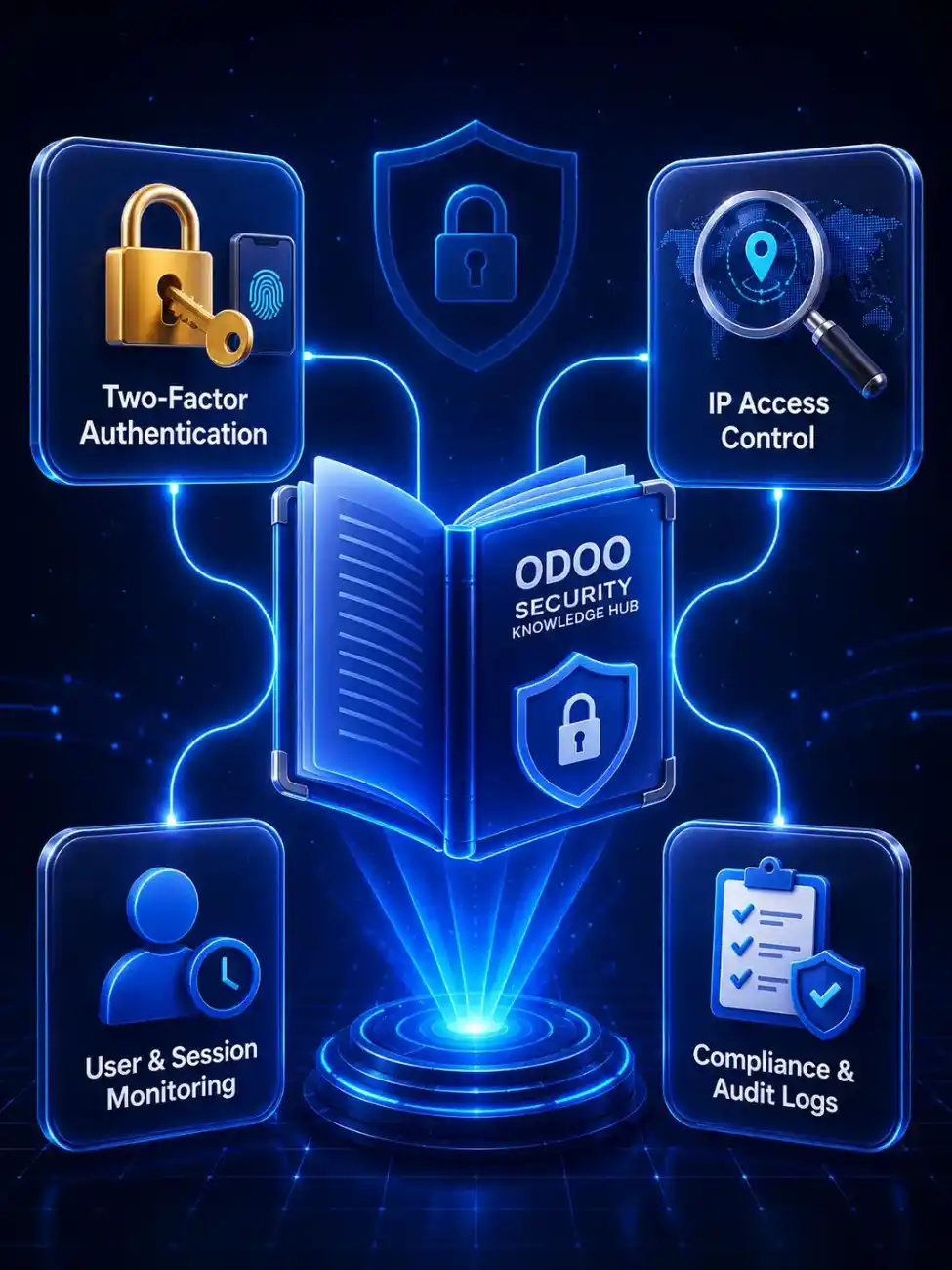
Odoo Security Module · v19.0.1.0.0

Odoo IP Restriction with Per-User Access Control

Stop unauthorized logins before passwords are even checked. Allow trusted IPs per user, block every URL and API bypass route, and keep an audit trail your compliance team can review with confidence.

  • Control Odoo access by approved office, VPN, or branch network.
  • Block unsafe login, backend, API, RPC, and mobile access attempts.
  • Track denied access with clear logs for admin and audit review.
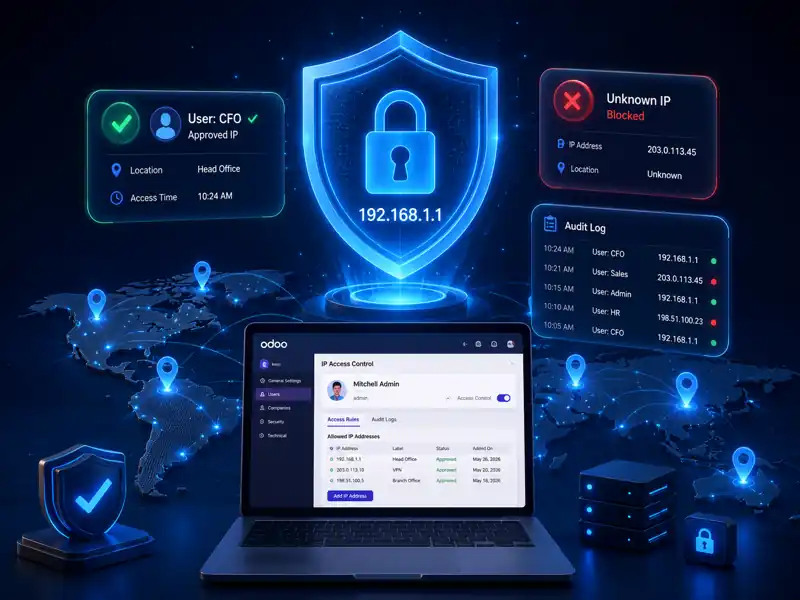
Odoo IP Access Control dashboard showing per-user IP allowlist configuration
Try Now
Active Installations
v18.0 to v19.0
Supported Versions
$
$9.83
Price
OPL-1
License Type
Odoo IP Access Control

Odoo IP Access Control Module Highlights

A quick overview of how the module protects Odoo access, reduces setup effort, and keeps security management simple.

Secure Your Odoo Login
2
Protection across login and ongoing user activity
127
Lightweight and easy-to-review module code
$4.95
One-time price with no subscription fees
0
No server configuration changes required
Reviewed by SDLC Corp Odoo Team Last updated: November 2025 Built by Odoo ERP specialists at SDLC Corp
Odoo IP Access Control Features

Key Features of the Odoo IP Restriction Module

Control who can access Odoo, where they can connect from, and how blocked login attempts are handled. Built by an experienced Odoo development company in India, this module supports secure per-user access control for growing teams.

Protect Your Odoo Access

Per-user IP whitelist

Set different approved IPs for admins, finance users, staff, and remote teams.

User-level control

Quick access toggle

Enable or pause IP restrictions without removing saved approved IP records.

No re-entry needed

Full access protection

Block unauthorized access across login pages, dashboards, mobile apps, and API connections.

More than login-only security

Current IP visibility

Show the user’s active IP inside Odoo to speed up approval and support tasks.

Faster admin support

Blocked access logs

Track denied access attempts with useful details for audits and security reviews.

Audit-ready records

Clear user warning

Show blocked users their current IP address so admins can solve issues faster.

Less support confusion
Location-Bound Odoo Security

What Is Location-Bound Trust in Odoo IP Access Control?

Odoo IP Access Control verifies both user identity and approved network location before access starts.

1

Pre-authentication enforcement

The IP check runs before password validation, so unapproved networks cannot test credentials.

2

Per-user access control

Assign different IP rules for finance users, admins, interns, and remote teams.

3

Every-request validation

Validate UI, API, RPC, webhook, and mobile calls after login, not only the first session.

This Odoo IP Access Control module is location-bound by design, so it protects routes that login-only IP restriction tools may miss.
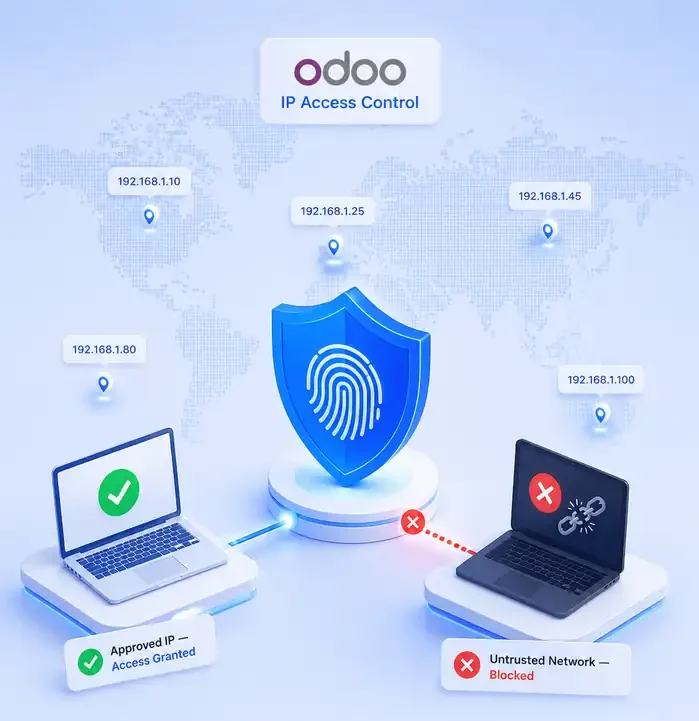
Location-bound Odoo IP Access Control security workflow
Odoo IP Access Control Comparison

Odoo IP Access Control vs 2FA: Which Security Layer Do You Need?

Short answer: both. IP restriction and 2FA solve different access risks, and they work better when used together.

Strengthen Odoo Security
 IP Restriction2FA
BlocksLogins from untrusted networksLogins by someone who is not the user
When it triggersBefore password checkAfter password check
StopsStolen credentials used from foreign IPsStolen credentials used without verification
User frictionNone for approved networksAdds one verification step per login
Best forFinance, admin, HR, and fixed-location usersAll users who need account-level protection

Think of IP restriction as the perimeter wall and 2FA as the second key to the front door. Even if an attacker gets credentials, Odoo IP Access Control still blocks access from unapproved networks.

Odoo IP Whitelisting Setup

How to Whitelist IPs in Odoo IP Access Control

Configure user-level IP restrictions directly inside Odoo without code changes, Nginx edits, or server-level scripting.

  1. 1

    Enable IP control per user

    Go to SettingsUsers → select the user → open the IP Access Control tab and turn on the access toggle.

  2. 2

    Add approved IP addresses

    Add one or more allowed IPs with optional labels such as Office, Home, VPN, or Branch. Only listed IPs can access that user account.

  3. 3

    Block unapproved access

    Any login or request from a non-whitelisted IP is blocked instantly. The blocked user also sees a clear warning with their current IP.
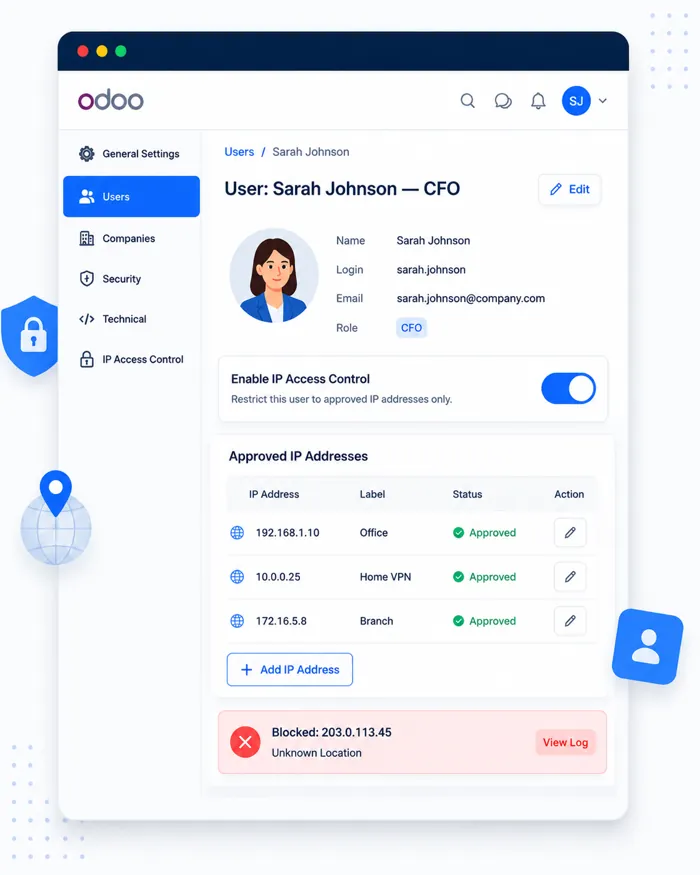
Odoo IP Access Control whitelist setup dashboard
Odoo IP Whitelist Use Cases

Odoo IP Access Control Use Cases for Real Businesses

These IP whitelist use cases help teams protect admin users, finance roles, remote access, and sensitive Odoo records. For real security workflow proof, review the Odoo IP Access Control case study.

Secure Business Access in Odoo

Hybrid office and remote teams

Restrict admin users to office and VPN IPs, while remote teams use approved home or mobile VPN networks.

Finance users handling payments

Lock Accounts Payable (AP), Accounts Receivable (AR), and accounting users to approved office networks.

Healthcare teams using Odoo

Restrict users handling patient-related records to clinic IPs and keep blocked-access logs for review.

Multi-region business access

Limit critical accounts to branch or country-specific IPs to block access from unapproved locations.

Odoo partners and Managed Service Providers

Restrict super-admin and consultant accounts to approved office and VPN IPs.

Temporary user restriction

Keep accounts active while limiting access during leave, review, or security checks.

Odoo IP Access Control Comparison

Why Choose SDLC Corp’s Odoo IP Access Control?

Compare the module against typical Odoo IP restriction alternatives by access depth, audit visibility, request-level protection, license clarity, and pricing.

Compare Odoo Security Features
CapabilitySDLC IP Access ControlTypical Alternatives
Per-user IP whitelistWith labelsOften global only
Login plus every-request enforcementDual-layerLogin-only
Toggle without deleting IPsIncludedOften re-entry needed
Audit logging built inIncludedRarely documented
Blocks API and mobile bypassCoveredKnown gaps
Shows blocked user’s IPVisible to userGeneric error only
Odoo 19 readyDay-one supportOften delayed
LicenseLGPL-3 open licenseOften proprietary
Free lifetime updatesIncludedOften paid
Price$4.95 one-time$20 to $80+

Best fit: This section works well as a decision-stage comparison block because it shows practical security depth, pricing clarity, and Odoo 19 readiness in one scan-friendly table.

Frequently asked questions

Get clear answers about Odoo IP access control, supported environments, security coverage, and setup options.

IP access control limits which network addresses can access your Odoo instance. Instead of allowing every login attempt with valid credentials, you can allow trusted IPs for each user. As a result, access from unknown networks is blocked early.

No, if you configure it carefully. You can allow multiple IPs for each user, such as office, home, or VPN IPs. For dynamic IPs, use a VPN with a static exit IP and allow that IP.

Yes. The module supports Odoo Online, Odoo.sh, and on-premise deployment for v19.0.1.0.0. An Odoo 18 version is also available.

Yes. Request-layer enforcement covers Odoo UI routes, REST calls, JSON-RPC API calls, webhooks, and the Odoo mobile app. Therefore, access rules apply beyond the login screen.

No. IP access control works best as an added security layer. It helps stop access from untrusted networks, while 2FA helps protect against stolen passwords.

No measurable slowdown is expected. Each request runs a simple IP comparison, so the module stays lightweight and easy to audit.

If someone uses a valid session from an unapproved IP, the request-layer check can block the next request. This adds protection beyond login-only checks.

Yes. The module is released under LGPL-3, so your technical or security team can review the source code before installation.

Let’s Talk About Your Product

Get expert guidance on scope, architecture, timelines, and delivery approach so you can move forward with confidence.

What happens next?