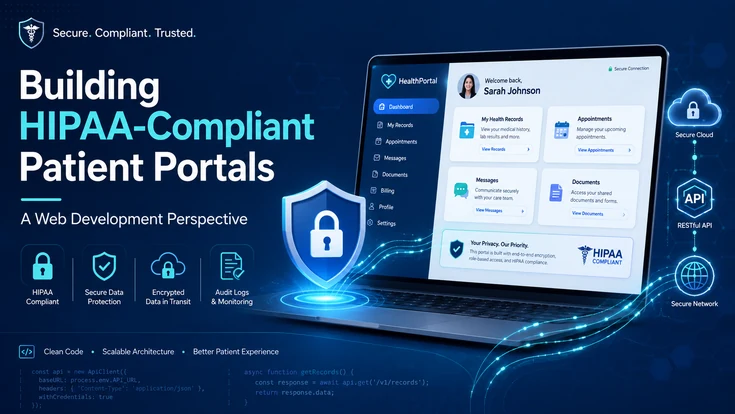
A patient portal may look like a standard web application from the outside. Patients sign in, view records, book appointments, send messages, download documents, or pay bills. Behind that simple interface, however, is a much more demanding development challenge.
The moment a portal creates, receives, maintains, or transmits electronic protected health information (ePHI), security can no longer be treated as a feature that gets added before launch. It has to influence the application architecture, authentication model, database design, APIs and integrations, logging, cloud infrastructure, development workflow, and ongoing maintenance.
That is what makes HIPAA-compliant patient portal development different from ordinary web application development.
The HIPAA Security Rule establishes standards for protecting ePHI and requires appropriate administrative, physical, and technical safeguards to preserve its confidentiality, integrity, and availability.
This guide looks at building HIPAA-compliant patient portals from a web development perspective , translating regulatory requirements into practical architecture, security, API, database, integration, testing, and deployment decisions.
What Is HIPAA?
HIPAA stands for the Health Insurance Portability and Accountability Act of 1996. It is a U.S. federal law that led to national standards for protecting certain health information and for handling electronic healthcare information.
The U.S. Department of Health and Human Services explains that HIPAA includes rules covering privacy and security for protected health information. For patient portal development, the HIPAA Security Rule is especially important because it applies safeguards to electronic protected health information, or ePHI.
From a web development perspective, HIPAA does not make one framework, cloud platform, database, or programming language automatically compliant. A healthcare organization and its business associates must understand where ePHI is created, received, maintained, and transmitted, then apply appropriate safeguards around access, authentication, storage, transmission, auditability, vendors, and risk management.
What Makes a Patient Portal HIPAA-Compliant?
A HIPAA-compliant patient portal is designed and operated so that protected health information is handled according to applicable HIPAA privacy and security requirements.
For developers, that usually means much more than adding HTTPS and encrypting a database.
The HIPAA Security Rule requires regulated organizations to implement administrative, physical, and technical safeguards for ePHI. Its technical safeguards specifically address areas including access control, audit controls, integrity, authentication, and transmission security.
HIPAA Compliance Is More Than Encryption
Encryption is an important security measure, but encryption by itself does not make an application HIPAA compliant.
Imagine that a healthcare portal encrypts its database and uses HTTPS. Those protections would not stop a patient from viewing another patient's health record if the application contains a broken authorization rule.
Likewise, encryption would not solve:
- Excessive administrator permissions
- Poorly protected user sessions
- Sensitive data copied into application logs
- Missing audit trails
- Improper third-party integrations
- Weak identity verification
- Insecure file downloads
- Unauthorized API access
- Poor incident-response procedures
Good HIPAA patient portal development treats security as a connected system rather than a collection of isolated features.
Where Does PHI Travel in a Patient Portal?
Before designing security controls, developers should understand the complete data flow.
But that is often only part of the picture.
For every connected service, ask: Does PHI reach this system? If yes, why, how is it protected, and is the relationship properly governed?
How HIPAA Requirements Translate Into Web Development Controls
One of the easiest ways to approach HIPAA-compliant web application development is to map regulatory objectives to technical controls.
| HIPAA Security Consideration | Web Development Implication | Example Technical Control |
|---|---|---|
| Access control | Limit ePHI to authorized users | RBAC, ABAC, authorization middleware |
| Authentication | Verify user identity | Secure authentication, MFA where appropriate |
| Audit controls | Track system activity involving ePHI | Centralized audit logs |
| Integrity | Protect information from improper alteration | Validation, controlled writes, integrity checks |
| Transmission security | Protect ePHI moving across networks | TLS and secure APIs |
| Risk management | Identify and address security risks | Threat modeling, risk assessments |
| Vendor management | Review vendors that handle ePHI | BAA review and vendor assessment |
| Availability | Maintain access to required systems and data | Secure backups and recovery processes |
HHS specifically identifies access control, audit controls, integrity protections, authentication, and transmission security within the Security Rule's technical safeguards.
This mapping turns broad compliance language into engineering questions the development team can actually address during architecture, development, testing, and deployment.
Design the Patient Portal Architecture Around PHI
The safest time to make security decisions is before development begins.
If a team builds the entire application first and asks how to “make it HIPAA compliant” shortly before launch, it may discover that sensitive data is spread across systems that were never designed for healthcare workloads.
A better approach is to start by identifying where ePHI enters, moves through, and leaves the application.
The frontend should expose only the information necessary for the current authenticated user and workflow.
Whether the portal uses React, Next.js, Angular, Vue, or another framework is less important than how the application handles sensitive data.
Sensitive health information generally should not be placed into URLs unnecessarily because URLs may be stored in browser history, server logs, analytics systems, or intermediary infrastructure.
Likewise, developers should avoid storing sensitive health data in browser storage simply because it is convenient.
A secure frontend should be treated as an interface to protected backend services—not as the final authority deciding which healthcare data a user can access.
The backend is where critical authorization rules should be enforced.
A request such as this should never succeed simply because the frontend hid or displayed the right button.
Who is making the request?
Is that identity authenticated?
What role or permissions does the person have?
Can this person access this specific patient's information?
Is the requested action allowed?
Should the access be recorded in the audit trail?
Many serious application security failures occur because those two concepts are treated as the same thing.
A HIPAA-compliant patient portal architecture should also treat database access as a privileged operation.
- Restricted database credentials
- Least-privilege service accounts
- Encryption protections
- Secure key management
- Encrypted backups
- Access monitoring
- Data retention controls
- Production and development separation
- Controlled administrative access
Developers should avoid giving every service or employee broad database access simply because doing so makes development easier.
Production health data should also not casually appear in developer environments, local databases, screenshots, bug reports, or test fixtures.
Synthetic or appropriately de-identified test data is usually safer for development and QA workflows.
Is HIPAA-Compliant Hosting Enough?
Choosing a cloud provider that supports healthcare workloads is only one part of building a HIPAA-compliant patient portal.
HHS cloud guidance explains that when a cloud service provider creates, receives, maintains, or transmits ePHI on behalf of a covered entity or business associate, the cloud provider is generally acting as a business associate. Appropriate contractual arrangements, including a business associate agreement where required, matter alongside technical safeguards.
“We deployed the portal on AWS, Azure, or Google Cloud, so the application is compliant.”
Instead, ask:
- Which specific services are being used?
- Which services actually handle ePHI?
- Are they configured appropriately?
- Who can access them?
- Are backups protected?
- Where are logs stored?
- Are encryption keys managed securely?
- Which vendors or subprocessors are involved?
- Are required agreements in place?
- Are security incidents monitored and documented?
HHS does not certify or endorse a specific cloud technology as automatically making an application HIPAA compliant. The organization's implementation and use of that technology still matter.
How Should Authentication and Authorization Work in a Patient Portal?
Authentication deserves special attention because a patient portal is effectively an online doorway into sensitive health information.
The login page may look simple, but behind it should be a carefully designed identity and access system.
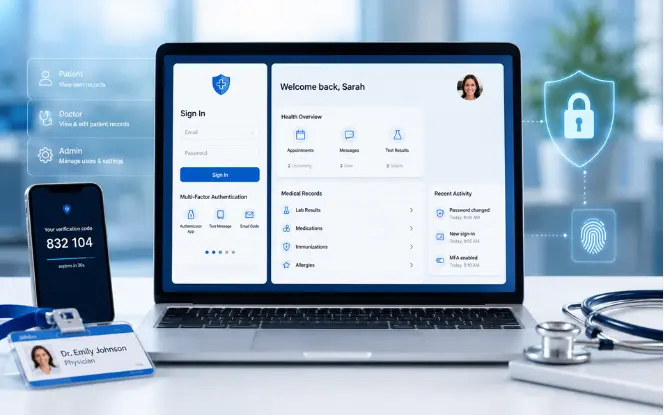
Secure Patient Authentication
A patient authentication system may include:
HHS currently requires procedures to verify that a person seeking access to ePHI is who they claim to be.
Multi-factor authentication is also a strong security practice for healthcare systems. In the proposed HIPAA Security Rule cybersecurity updates , HHS proposed broader MFA requirements with limited exceptions. As of August 2026, those proposed changes should not be confused with the requirements of the currently effective rule.
From an engineering perspective, building MFA-ready authentication now can still improve security and reduce future architectural changes.
Role-Based Access Control
A patient portal often includes more roles than the patient.
Role-based access control, or RBAC, assigns permissions according to defined roles.
For example, a billing employee may need access to payment information but not detailed clinical notes. A support employee may need to see account status without seeing medical records.
Users should have the minimum access required to perform their job or complete their task.
When Attribute-Based Access Control Helps
Complex healthcare applications may need finer control than simple roles can provide.
Attribute-based access control can consider characteristics such as:
- Organization
- Department
- Relationship to patient
- Location
- Type of healthcare record
- Treatment relationship
- Time
- Explicit delegation
This can be useful when “doctor” or “administrator” is too broad to determine whether someone should see a particular record.
Don't Forget Caregiver and Proxy Access
Patient portals frequently need delegated access.
A patient may want to authorize:
Instead, build explicit proxy-access functionality.
A well-designed system can identify:
- The primary patient
- The proxy user
- The relationship
- Which information can be accessed
- When the permission began
- When it expires
- Who granted access
- When access was revoked
This creates a much cleaner security and audit model.
Protect PHI Across the Entire Data Lifecycle
Health information moves through several stages inside a patient portal. Security should follow the information through every stage.
Protect Data in Transit
When information moves between the patient's device, application servers, APIs, integrations, and other services, transmission security becomes essential.
HHS requires technical security measures to guard against unauthorized access to ePHI transmitted over electronic networks.
Do not assume internal traffic is automatically safe just because it remains inside a cloud environment.
Protect Stored Data
Sensitive information may be stored in more places than the primary database.
Security architecture should consider all copies, not simply the main production database.
Keep PHI Out of Logs Whenever Possible
Logging is one of the most easily overlooked areas in healthcare web development.
A developer may write:
during debugging.
If the request contains symptoms, prescriptions, diagnoses, dates of birth, lab results, or other sensitive information, those details may now appear in a log platform that was never intended to store them.
The same problem can occur with:
- Stack traces
- Error monitoring
- Analytics events
- API request logging
- Session replay tools
- Debugging platforms
HHS guidance on online tracking technologies specifically addresses privacy and security risks involving tracking technologies used on websites and applications where regulated information may be involved.
Build Audit Logging Into the Application
Normal application logging and healthcare audit logging are not always the same thing.
Application Logs
Usually designed to help developers diagnose technical problems.
Audit Logs
Designed to answer security, access, accountability, and investigation questions.
HHS requires mechanisms to record and examine activity in information systems containing or using ePHI.
| Field | Example |
|---|---|
| User | Clinician-184 |
| Action | Viewed lab result |
| Resource | Record-921 |
| Result | Allowed |
| Timestamp | 2026-08-12 10:42 |
| Source | Portal application |
| Context | Authorized clinical access |
Potential audit events include:
HHS audit guidance also highlights review of security activity and documentation as part of evaluating safeguards and system activity.
The goal is not to log everything blindly. The goal is to maintain useful security records without unnecessarily copying sensitive health information into the logs themselves.
Secure Patient Forms and File Uploads
Patient portals often collect highly sensitive information through forms.
These forms deserve the same security attention as the database receiving their data.
Secure Healthcare Forms
Developers should consider:
- Server-side validation
- Input sanitization
- CSRF protection
- Injection protection
- Authorization
- Secure transmission
- Error-message handling
- Appropriate retention
Do not rely only on JavaScript validation in the browser. Anything sent by a browser can potentially be manipulated before reaching the server.
Secure File Uploads
Patient portals may accept:
- PDFs
- Medical reports
- Insurance documents
- Images
- Referral documents
- Identification
A secure upload workflow should consider:
- Allowed file formats
- Maximum file size
- MIME-type validation
- Malware scanning
- Secure storage
- Randomized object identifiers
- Authorization before retrieval
- Expiring links where appropriate
- Audit events for downloads
Integrating Patient Portals With EHR and EMR Systems
A patient portal becomes far more useful when it can securely exchange information with the healthcare organization's existing clinical systems.
This integration layer is also where development complexity can rise quickly.
Why FHIR Matters
FHIR stands for Fast Healthcare Interoperability Resources.
HL7 describes FHIR as a standard for exchanging healthcare information electronically.
FHIR organizes healthcare information into structured resources that applications can exchange through standardized interfaces.
Depending on the implementation, a patient portal may retrieve information such as:
FHIR makes healthcare interoperability more developer-friendly, but using FHIR does not automatically solve authentication, authorization, privacy, or HIPAA security.
Those protections still need to be designed around the integration.
Put a Secure Integration Layer Between Systems
This gives the application a controlled place to:
- Authenticate requests
- Validate permissions
- Normalize data
- Apply business rules
- Record audit events
- Handle failures
- Limit exposed information
Directly exposing sensitive internal systems to frontend applications usually creates unnecessary risk.
Treat EHR Credentials as High-Value Secrets
Integration credentials should never be embedded in frontend code.
Use managed secret-storage systems and tightly controlled service identities rather than hard-coded values in source repositories or configuration files that developers casually share.
Build Secure Patient Communication Features
Messaging is one of the most valuable patient portal features, but it can also expose information if poorly designed.
Developers should carefully evaluate email, SMS, push notifications, and third-party messaging providers based on what information those channels receive and how they are configured.
Follow a Secure Development Lifecycle
Building a secure patient portal should not mean writing an application first and running a penetration test at the end.
Security works better when it is part of the entire software development lifecycle.
Start With Risk Analysis
HHS risk analysis guidance describes risk analysis as a foundational part of identifying and managing risks to ePHI.
Before coding, identify:
- What ePHI the application will handle
- Where that information originates
- Where it will be stored
- Who should access it
- Which services will process it
- Which threats are relevant
- Which integrations create risk
- What happens if a system becomes unavailable
This makes security decisions much more deliberate.
Threat Model the Portal
A simple threat-modeling session can uncover problems early.
What if one patient changes the ID in an API request?
What if a session token is stolen?
What if an employee account is compromised?
What if a third-party service logs the full request body?
What if a storage bucket becomes publicly accessible?
What if an attacker uploads a malicious file?
What if an EHR integration account has excessive privileges?
These questions often expose architectural weaknesses before they become expensive to fix.
Secure Coding Practices
Development teams should build healthcare applications with practices such as:
- Peer code review
- Dependency scanning
- Static analysis
- Secret scanning
- Input validation
- Output encoding
- Secure error handling
- Access-control testing
- Patch management
Security should become part of the definition of “done,” not a separate task owned only by a security team.
Secure the CI/CD Pipeline
The deployment pipeline itself can become a high-value attack target.
- Restricted deployment permissions
- Protected branches
- Secret-management systems
- Dependency scanning
- Build integrity
- Environment separation
- Deployment approvals
- Security monitoring
Production secrets should not be pasted into source-control repositories.
How Do You Test a HIPAA-Compliant Patient Portal?
Testing should verify not only whether the portal works, but whether it fails safely.
Can Patient A view Patient A's record?
Can Patient A manipulate the request and view Patient B's record?
| Test | What It Checks |
|---|---|
| Authentication testing | Only valid users can authenticate |
| Authorization testing | Users cannot cross permission boundaries |
| Session testing | Sessions expire and invalidate correctly |
| API security testing | Unauthorized requests are rejected |
| Input testing | Malicious input is handled safely |
| Upload testing | Unsafe files are rejected |
| Audit testing | Relevant security events are recorded |
| Integration testing | EHR/API permissions work correctly |
| Recovery testing | Backups can actually be restored |
| Vulnerability scanning | Known vulnerabilities are detected |
| Penetration testing | Realistic attack paths are evaluated |
The proposed HIPAA Security Rule changes would require more prescriptive measures such as vulnerability scanning at least every six months and penetration testing at least annually. Those provisions remain proposals as of August 2026, but they show the direction in which healthcare cybersecurity expectations are evolving.
Regardless of regulatory minimums, recurring security testing is a sensible engineering practice for systems that handle sensitive health information.
Common Patient Portal Development Mistakes
Even experienced web development teams can introduce unnecessary risk when they approach healthcare software like a standard SaaS product.
Treating HIPAA-Compliant Hosting as the Entire Solution
Secure infrastructure helps, but application architecture, access controls, policies, vendor relationships, and operational processes still matter.
Enforcing Authorization Only in the Frontend
Hiding a button is not authorization. The server should validate every sensitive request independently.
Giving Administrators Unlimited Access
“Admin” should not automatically mean “can view every patient's complete medical record.” Administrative privileges should be separated wherever practical.
Logging Full API Requests
Request bodies may contain ePHI. Logging everything may unintentionally create a second sensitive data repository.
Using Third-Party Tools Without Checking Data Flow
Analytics, session replay, monitoring, support, chat, and debugging tools may collect information developers did not intend to share.
Weak Password-Recovery Workflows
A carefully designed login system can still be undermined by an insecure password-reset process.
Predictable File URLs
report-1001.pdf
report-1002.pdf
Server-side authorization should protect every sensitive download.
Using Production PHI for Development
Developers generally should not need real patient data simply to test layouts or application logic.
Ignoring Auditability Until Launch
Retrofitting useful audit trails late in the project is harder than designing them into the service layer from the beginning.
Assuming Compliance Never Changes
Security controls should be reviewed as technology, threats, integrations, regulations, and the application itself evolve.
HHS requires periodic evaluation of security measures and consideration of environmental or operational changes that affect the security of ePHI.
Example HIPAA-Compliant Patient Portal Architecture
A practical high-level architecture might look like this:
The exact architecture will vary according to organization size, portal functionality, infrastructure, clinical integrations, and identified risks.
The important idea is that HIPAA-compliant patient portal development should create multiple layers of protection rather than relying on one security control.
HIPAA-Compliant Patient Portal Development Checklist
Before launching a healthcare portal, development teams can use the following checklist as a starting point.
Planning and Risk
- Identify all ePHI handled by the portal.
- Map where sensitive information enters and leaves the system.
- Complete an appropriate security risk analysis.
- Identify vendors and business associates involved.
- Document major security decisions.
Authentication and Access
- Implement strong user authentication.
- Evaluate MFA based on security requirements and risk.
- Enforce authorization on the server.
- Follow least-privilege principles.
- Design proxy and caregiver access properly.
- Secure account-recovery workflows.
Application Security
- Validate inputs server-side.
- Protect against common web vulnerabilities.
- Secure forms.
- Protect file uploads.
- Use safe error messages.
- Avoid exposing sensitive identifiers unnecessarily.
Data Protection
- Protect ePHI in transit.
- Protect sensitive stored information.
- Protect backups.
- Restrict database access.
- Secure encryption keys and application secrets.
- Avoid unnecessary PHI in logs.
APIs and Integrations
- Authenticate API calls.
- Validate authorization for individual records.
- Protect integration credentials.
- Review EHR/EMR access.
- Secure FHIR integrations.
- Review third-party data flows.
Audit and Monitoring
- Record relevant access events.
- Record permission changes.
- Monitor suspicious authentication events.
- Protect audit data from unauthorized modification.
- Review security alerts.
Testing
- Test authentication.
- Test horizontal and vertical authorization.
- Test sessions.
- Test APIs.
- Test file uploads.
- Run vulnerability assessments.
- Conduct appropriate penetration testing.
- Test backup restoration.
Operations
- Maintain an incident-response process.
- Review vulnerabilities and patches.
- Reassess security after major application changes.
- Review third-party vendors periodically.
- Keep security documentation current.
Build Security Into the Portal From the First Architecture Decision
Building HIPAA-Compliant Patient Portals: A Web Development Perspective ultimately comes down to one principle: security has to be part of the architecture, not a patch added after development.
A secure patient portal connects many moving parts—frontend interfaces, authentication, authorization, APIs, databases, cloud services, audit systems, file storage, EHR integrations, FHIR interfaces, monitoring, and third-party vendors.
Teams that begin with data mapping, risk analysis, least-privilege access, secure APIs, careful PHI handling, auditability, testing, and ongoing security management are in a much better position than teams that treat HIPAA compliance as a launch checklist.
The result is not simply a more secure healthcare web application. It is a patient portal designed to earn trust every time a patient signs in.
Planning a HIPAA-Compliant Patient Portal?
Building a secure healthcare portal requires more than frontend design and backend development. Architecture, PHI protection, EHR integration, FHIR APIs, access controls, testing, and infrastructure need to work together from the beginning.
SDLC Corp can help you plan, design, develop, integrate, test, and scale secure patient portal solutions around your healthcare workflows and technical requirements.
Discuss Your Patient Portal ProjectFrequently Asked Questions About HIPAA-Compliant Patient Portals
A patient portal handling ePHI must operate within applicable HIPAA requirements. From a technical perspective, this means designing appropriate safeguards around access control, authentication, auditability, data integrity, transmission security, infrastructure, integrations, vendors, and risk management. HHS requires administrative, physical, and technical safeguards for ePHI .
No. Encryption is only one part of a broader security program. A portal also needs appropriate access controls, authentication, audit controls, risk management, operational security, vendor governance, and other safeguards based on how the system handles ePHI.
MFA is a strong security measure and is highly appropriate for many patient portal environments. The HHS Security Rule cybersecurity proposal includes broader MFA requirements, but those proposed provisions should not be represented as universally final requirements as of August 2026.
Organizations should determine appropriate controls based on current regulatory obligations, risk analysis, and professional compliance guidance.
Yes, modern web frameworks can be part of a HIPAA-conscious patient portal architecture. HIPAA does not make a particular JavaScript framework compliant or non-compliant by itself.
What matters is how the complete application handles ePHI, authentication, authorization, APIs, logging, storage, infrastructure, third-party services, and operational security.
No.
Cloud infrastructure can provide building blocks for secure healthcare applications, but the organization is still responsible for correctly configuring and operating its environment and application.
According to HHS cloud-computing guidance , when a cloud provider creates, receives, maintains, or transmits ePHI on behalf of a regulated organization, business-associate obligations and appropriate agreements may apply.
FHIR, or Fast Healthcare Interoperability Resources, is an HL7 standard for exchanging healthcare information electronically. It provides standardized resources and interfaces that can help patient portals connect with clinical systems and exchange healthcare information.
FHIR improves interoperability, but developers still need to secure authentication, authorization, data handling, and API access around the implementation.
Useful audit events may include authentication attempts, record access, document downloads, record modifications, permission changes, proxy-access changes, and administrative actions.
Audit logs should provide enough context to investigate system activity while avoiding unnecessary duplication of sensitive information.
Security testing should be ongoing and risk-based rather than treated as a one-time launch task.
Teams should perform appropriate vulnerability assessment, authorization testing, dependency review, security monitoring, and penetration testing according to their risk profile and compliance program.
The proposed HHS cybersecurity updates would introduce specific frequencies for some types of testing, including six-month vulnerability scanning and annual penetration testing, but those provisions remain proposed rather than universally effective requirements as of August 2026.