
Odoo BigCommerce Integration Connector

Connect BigCommerce with Odoo to sync products, customers, orders, inventory, and shipments in one reliable workflow. Use API-based data flow, webhooks, and field mapping to reduce manual updates and stock errors.

  • Bidirectional sync for products, orders, customers, and inventory
  • BigCommerce webhook support for faster order and stock updates
  • OAuth-ready connection with guided field mapping
  • Built by SDLC Corp’s Odoo implementation team
Clutch
4.9/5.0 ★★★★★
F GoodFirms
4.9/5.0 ★★★★★
AppFutura
4.9/5.0 ★★★★★
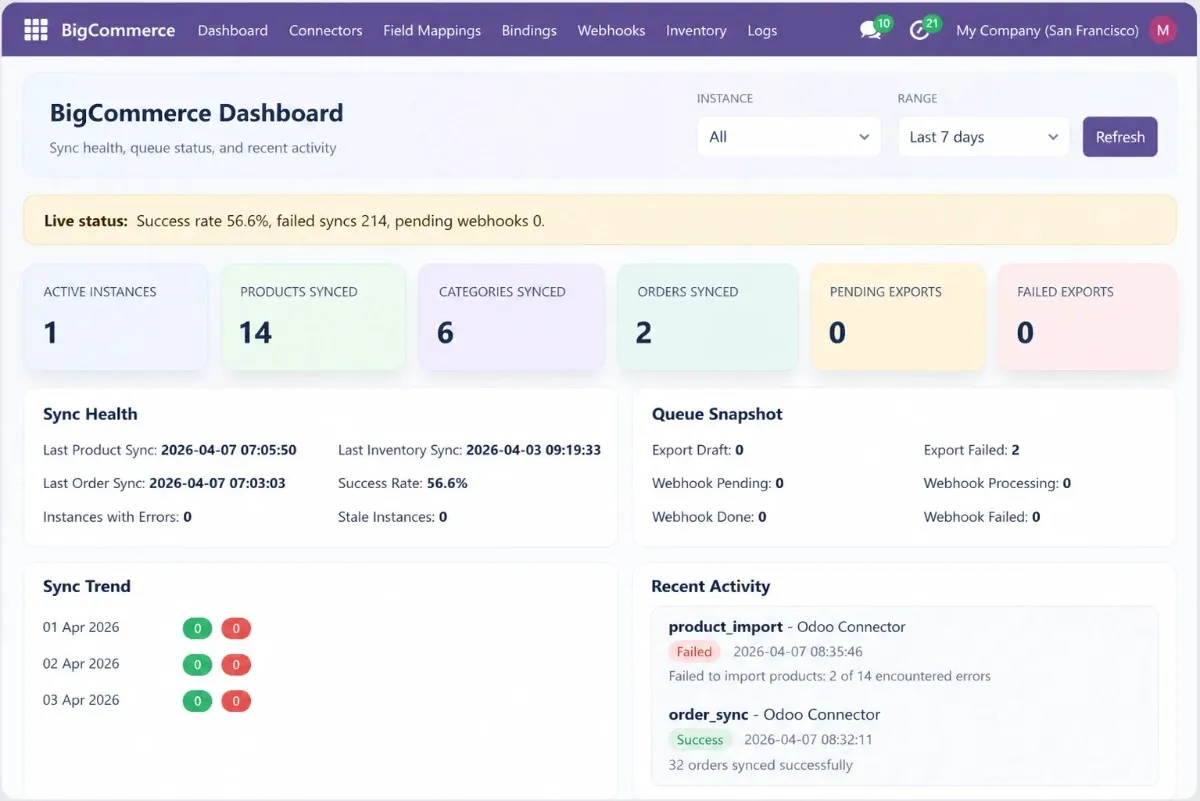
BigCommerce Odoo Connector dashboard showing synced products, orders, inventory, and shipments
Try Now
Active Installations
v18.0
Supported Versions
$19.98
Module Pricing
Buy from the Odoo Apps Store and install in your database - under 5 minutes.
License Type
The Challenge

BigCommerce Odoo Integration Should Not Slow Your Team

Manual syncing between BigCommerce and Odoo creates duplicate tasks, inventory mismatches, delayed fulfillment, and inconsistent customer updates across ecommerce and ERP operations.

Duplicate Data Entry

Product updates made in BigCommerce often need to be repeated manually in Odoo. Teams then spend more time correcting inventory and customer records.

Stock Mismatches

Odoo may show low inventory while BigCommerce still displays available stock. As a result, overselling and fulfillment errors become harder to control.

Order Processing Delays

Teams export BigCommerce orders, import them into Odoo, and validate details again before fulfillment starts. This slows daily operations and warehouse processing.

No Shipment Visibility

Shipment updates completed in Odoo may not immediately reflect in BigCommerce. Consequently, customers request manual order status confirmations.
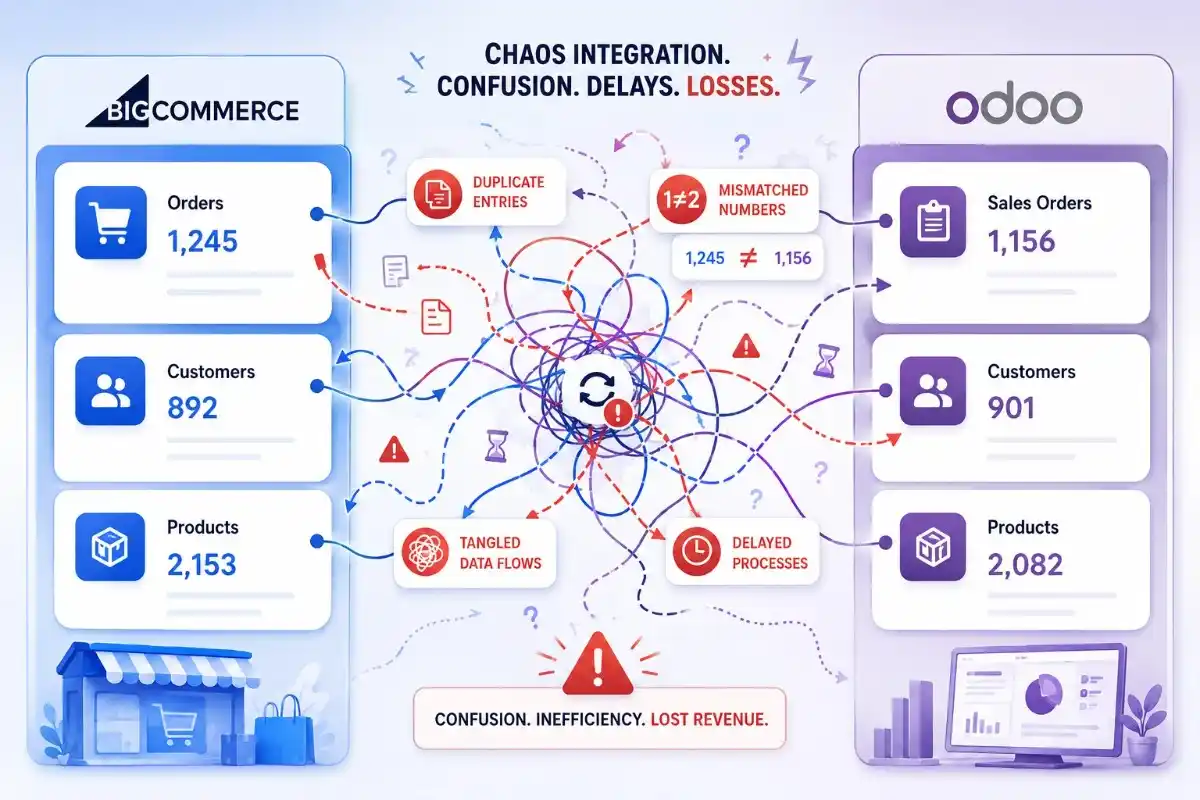
BigCommerce Odoo integration workflow challenge

The Solution

The SDLC Corp BigCommerce Odoo Connector creates a structured integration workflow between your storefront and ERP system. Products, customers, orders, inventory, and shipment updates sync through API-based automation and webhook-driven updates.

Manage operations from Odoo while BigCommerce stays updated with accurate product, order, and stock data.

Talk to an Odoo Expert
Core Features

BigCommerce Odoo Connector Features Built for Daily Operations

Sync store, ERP, inventory, and order data through one clean BigCommerce Odoo integration workflow.

Explore Connector Features
🔄

Product Sync

Sync products, categories, variants, and prices between BigCommerce and Odoo.

Why it matters: Update product data once and keep both systems aligned.
📦

Order Import

Import BigCommerce orders into Odoo with mapped customer, product, and payment details.

Why it matters: Process orders faster without manual re-entry.
📊

Inventory Sync

Keep stock levels updated in BigCommerce from Odoo inventory changes.

Why it matters: Reduce overselling and stock mismatch issues.
🚚

Shipment Updates

Send shipment status and tracking details from Odoo back to BigCommerce.

Why it matters: Keep customers informed after fulfillment.

Webhook Updates

Use BigCommerce webhooks to trigger faster order and product updates.

Why it matters: Move store changes into Odoo with less delay.
🛠️

Field Mapping

Map BigCommerce fields with Odoo fields based on your workflow.

Why it matters: Match the connector with your store setup.
Use Cases

BigCommerce Odoo Connector for Ecommerce Operations

Manage retail, wholesale, and multi-store BigCommerce operations from one connected Odoo workflow.

Discuss Your Workflow

Retail & D2C Brands

Sync products, stock, and orders between BigCommerce and Odoo.

Wholesale Ecommerce

Import bulk orders into Odoo and manage fulfillment from ERP.

Multi-Store Setup

Connect multiple BigCommerce stores with one Odoo environment.

Growing Teams

Reduce manual exports, repeated updates, and spreadsheet work.
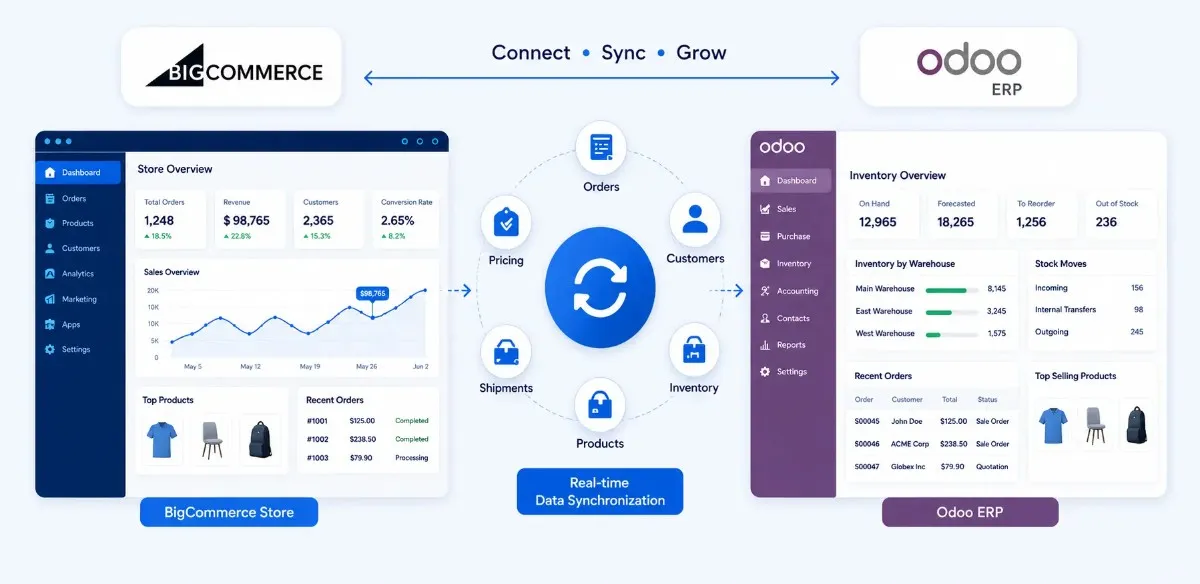
BigCommerce Odoo Connector use cases for ecommerce operations
How It Works

Set Up BigCommerce Odoo Integration in Five Steps

Connect your BigCommerce store with Odoo, map records, import data, and enable live sync from one setup flow.

Read Setup Guide
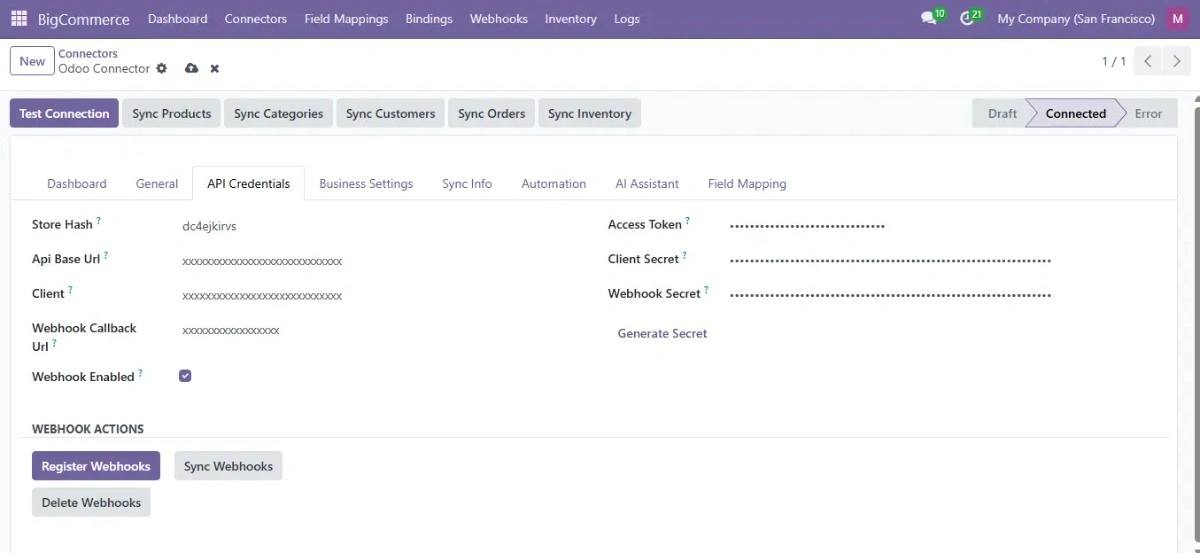
Install BigCommerce Odoo Connector module

Install the Connector

Install the module in Odoo 17, 18, or 19.
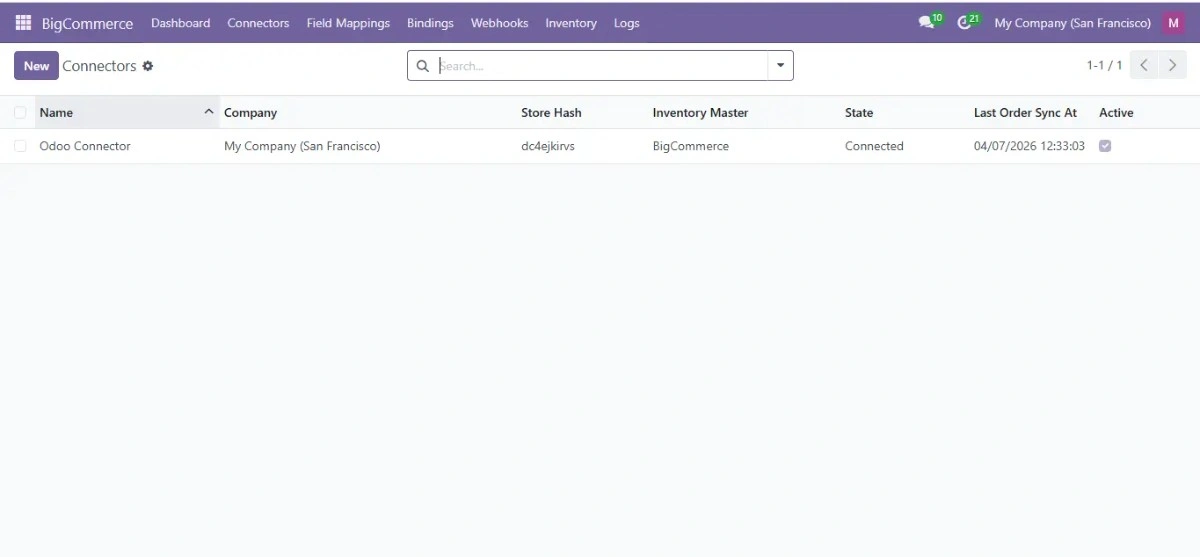
Connect BigCommerce store with Odoo

Connect Your Store

Add API credentials to connect BigCommerce with Odoo.
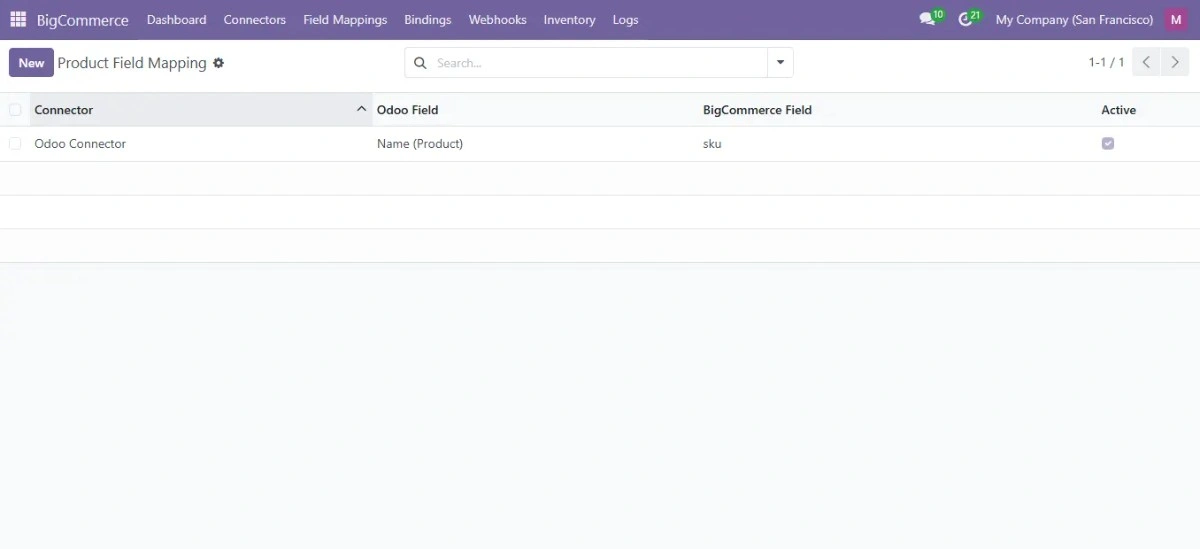
Map BigCommerce fields with Odoo fields

Map Store Fields

Match products, orders, inventory, and customer fields.
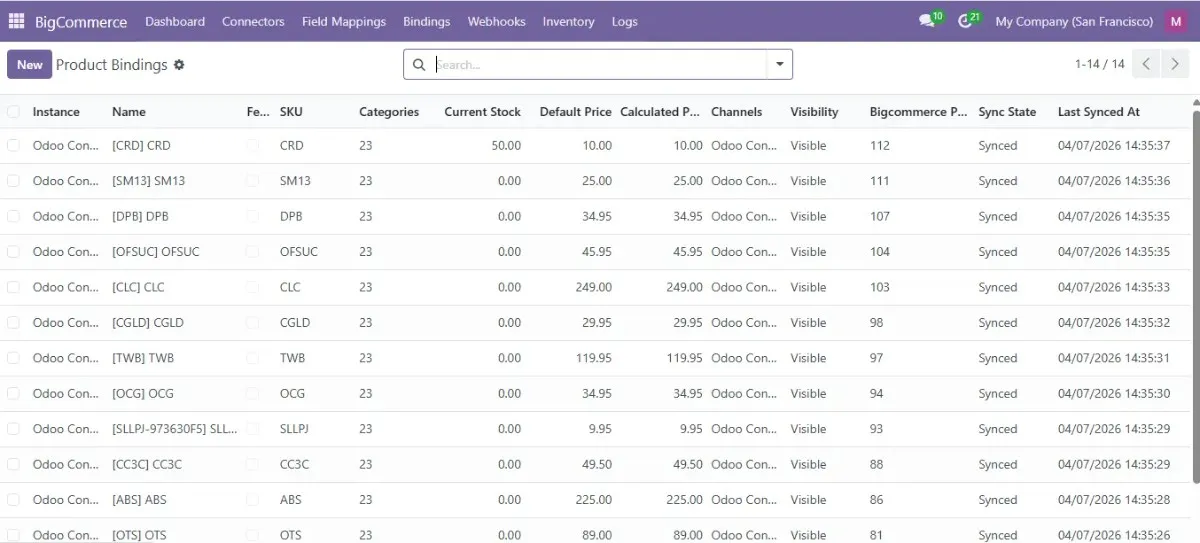
Import BigCommerce data into Odoo

Import Store Data

Import products, customers, and existing orders into Odoo.
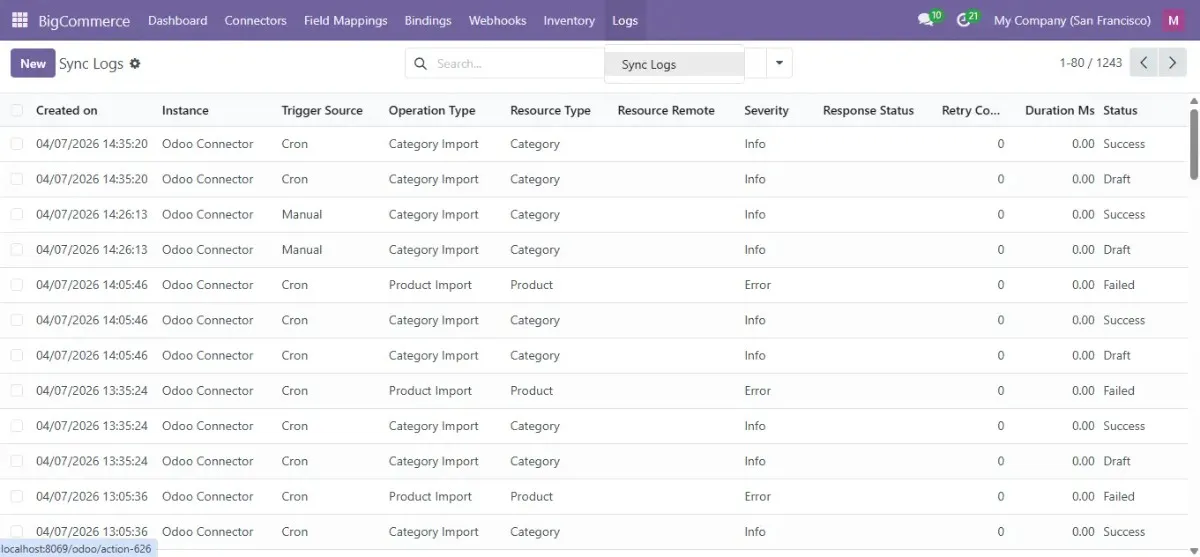
Enable BigCommerce Odoo live sync

Enable Live Sync

Activate order, inventory, and shipment synchronization.

Proof & Trust

BigCommerce Odoo Connector Backed by SDLC Corp

Built by SDLC Corp’s Odoo team with version support, setup documentation, and reliable ecommerce integration workflows.

Request Expert Guidance

Supports Odoo 17, 18 & 19

Compatible with Community, Enterprise, Odoo.sh, Online, and on-premise setups.

Webhook & API Sync

Supports automated order, inventory, and shipment synchronization workflows.

Technical Documentation

Includes setup flow, configuration steps, and connector usage guidance.

LGPL-3 License

Supports customization, inheritance, and long-term Odoo flexibility.

SDLC Corp BigCommerce Odoo Connector trust and proof
Support

BigCommerce Odoo Connector Support After Purchase

Get setup help, bug fixes, and version support from the SDLC Corp Odoo team after purchase.

Get Support Details

Bug Fix Support

Confirmed module defects are reviewed and fixed without hidden maintenance charges.

Version Updates

The connector is maintained for supported Odoo versions and upgrade needs.

Technical Assistance

Get help with setup, configuration, and BigCommerce Odoo sync questions.

Support commitment: Includes setup guidance, bug-fix review, and compatibility support for supported versions.

Comparison

Why Businesses Choose the SDLC Corp BigCommerce Odoo Connector

Compare sync features, support coverage, documentation, and integration flexibility.

Compare With an Expert
CapabilitySDLC Corp ConnectorBasic Integration Tools
Bidirectional Sync✅ Supported⚠️ Limited or partial
Webhook Updates✅ Supported❌ Usually unavailable
Field Mapping✅ Flexible mapping⚠️ Fixed structure
Multi-Store Support✅ Available⚠️ Limited support
Technical Documentation✅ Included❌ Often limited
Odoo Version Support✅ Odoo 17, 18 & 19⚠️ Varies by module
Technical Assistance✅ SDLC Corp team⚠️ Vendor dependent
Bug Fix Support✅ Included⚠️ May require extra cost
Odoo Services

BigCommerce Odoo Integration Services Beyond the Connector

Get Odoo setup, customization, migration, and integration support for your BigCommerce operations.

Build My Integration Plan

Odoo Implementation

Deploy Odoo with setup, migration, and go-live support.

Custom Development

Build custom workflows and ecommerce-related Odoo features.

API Integration

Connect Odoo with BigCommerce and third-party systems.

Hire Odoo Developers

Work with Odoo developers for improvements and support.

Odoo Migration

Upgrade from older Odoo versions or legacy ERP systems.

Support & Maintenance

Maintain Odoo with updates, fixes, and ongoing assistance.
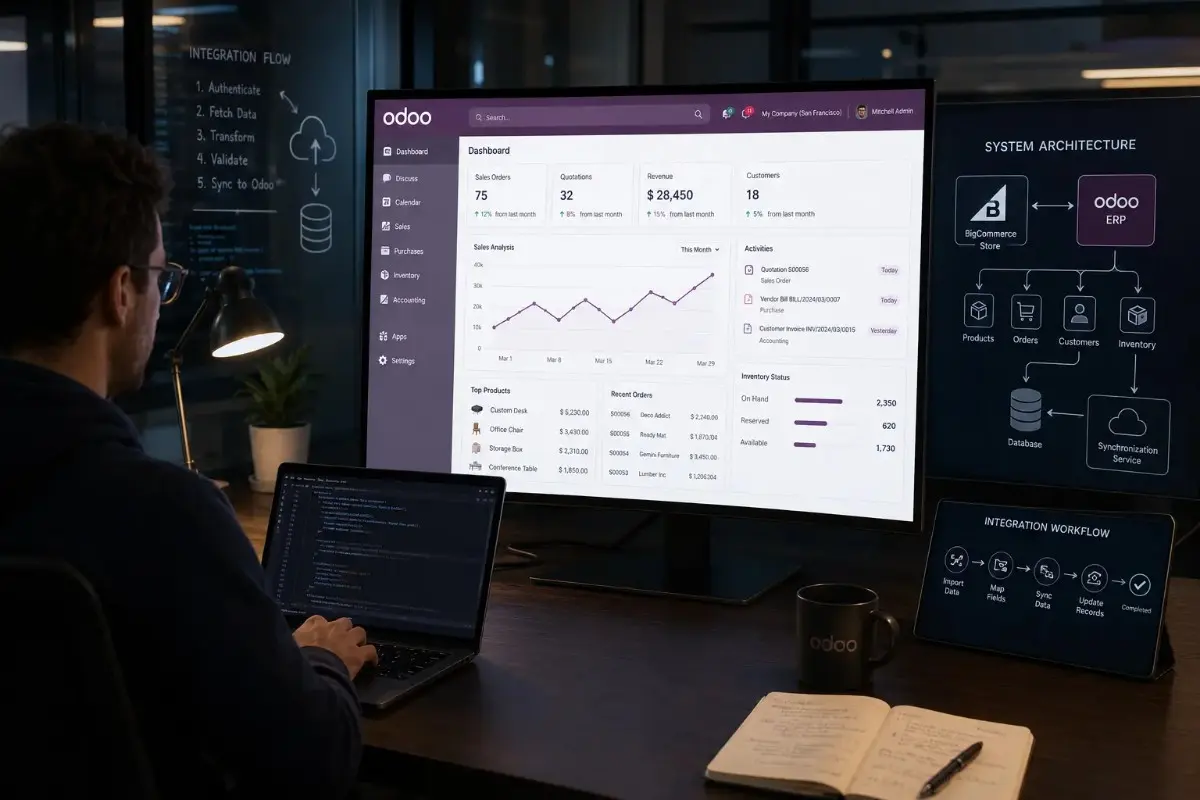
BigCommerce Odoo integration and Odoo development services
FAQ

BigCommerce Odoo Connector FAQ

Yes. The connector supports variant-based products like size, color, and configurable product options.

Yes. Products, inventory, orders, and shipment updates sync between BigCommerce and Odoo.

Yes. BigCommerce webhooks support faster order, inventory, and shipment synchronization.

Yes. Multiple BigCommerce stores can connect with one Odoo environment using separate configurations.

The connector supports Odoo 17, 18, and 19 for Community and Enterprise editions.

Yes. You can map BigCommerce fields with Odoo fields based on your workflow requirements.

Yes. Documentation includes installation, setup flow, and connector configuration guidance.

Confirmed connector issues are reviewed and fixed by the SDLC Corp support team.

Yes. The connector works with Odoo multi-warehouse inventory workflows.

Yes. You can review documentation, setup flow, and connector capabilities before purchase.

Let’s Talk About Your Product

Get expert guidance on scope, architecture, timelines, and delivery approach so you can move forward with confidence.

What happens next?


