Odoo Asset Management Software

Automate asset tracking, depreciation, maintenance, and reporting in Odoo with better accuracy, control, and compliance.

  • Automatic depreciation and asset lifecycle tracking
  • Real-time asset location and maintenance alerts
  • Audit-ready reports with full financial visibility
Clutch
5/5 ★★★★★
F GoodFirms
4.9/5.0 ★★★★★
AppFutura
4.9/5.0 ★★★★★
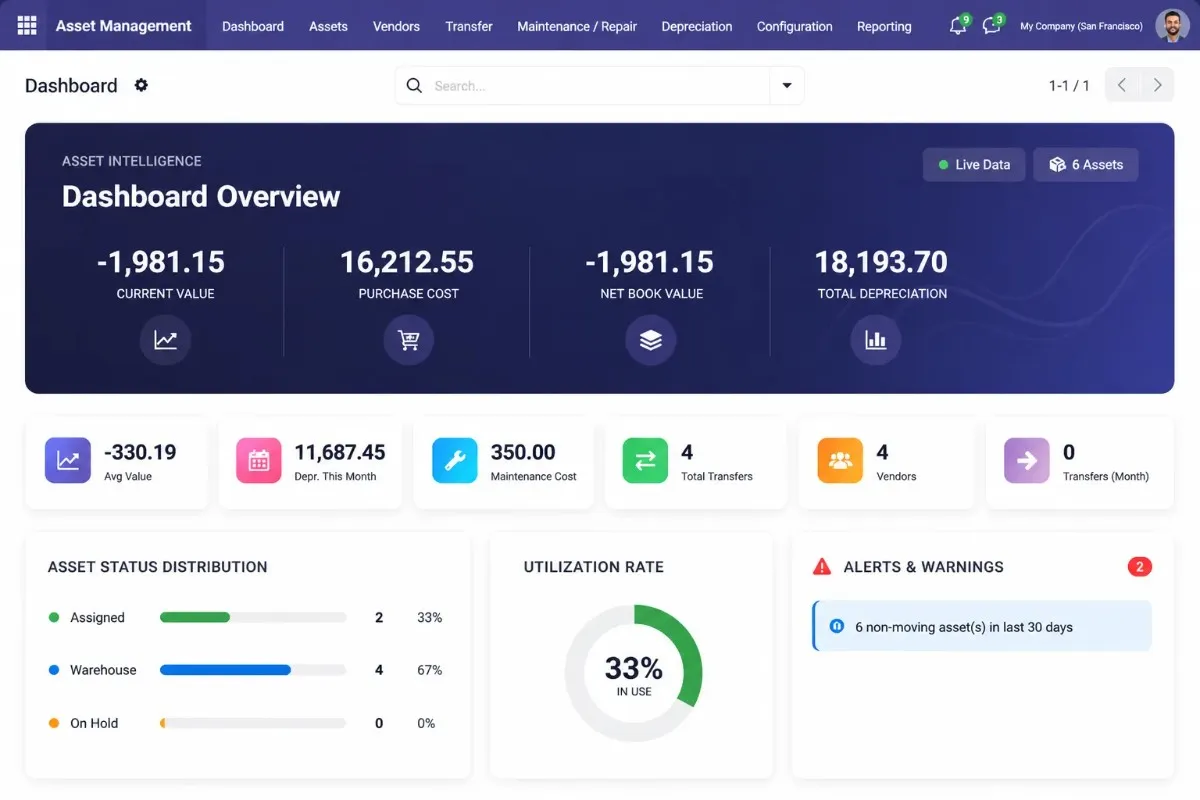
Odoo Asset Management Software dashboard
Odoo Apps Details

Verified Odoo Asset Management Module Details

Review the official Odoo Apps listing to verify downloads, supported versions, license type, and module price before installing.

View on Odoo Apps
7 downloads Downloads
v17.0 to v19.0 Supported Versions
OPL-1 (Odoo Proprietary License v1.0) License Type
$11.99 Module Price
Proof & Trust

Reliable Asset Management
Built for Odoo

Built for finance, IT, and operations teams that need structured asset control and cleaner reporting.

Live
Odoo Apps listing
4
Versions supported
90
Days support
LGPL
License type
★★★★★
"We connected warehouse assets, depreciation, and locations in one system within two weeks."
James M. — CFO, Logistics Group
★★★★★
"Every laptop is tracked, assigned, returned, and updated without manual follow-ups."
Priya K. — IT Manager
★★★★☆
"Depreciation is now automated, so our finance team only reviews the entries."
Sophie R. — Finance Director
The Challenge

Managing Assets in Spreadsheets Is Costly

Manual tracking increases audit risk, asset loss, downtime, and reporting delays.

Talk to an Expert

No Single Source

Teams lose time when asset data sits across files and manual records.

Wrong Calculations

Manual depreciation delays reports and increases audit risk.

Unplanned Repairs

Missed service dates cause downtime and higher repair costs.

Ghost Assets

Missing or disposed assets create wrong records and audit issues.

Odoo Asset Management challenges
The Solution

Manage Every Asset from Purchase to Disposal in Odoo

Replace spreadsheets with one Odoo system for depreciation, maintenance, transfers, and reports.

Book a Live Demo

One place to control the full asset lifecycle

Track assets from purchase to disposal without scattered files or manual follow-ups.

  • Central asset records with location, owner, and status
  • Automatic depreciation tracking for finance teams
  • Maintenance, transfer, and disposal workflows in Odoo
  • Cleaner audit reports with fewer manual errors

One module. One system. Full visibility.
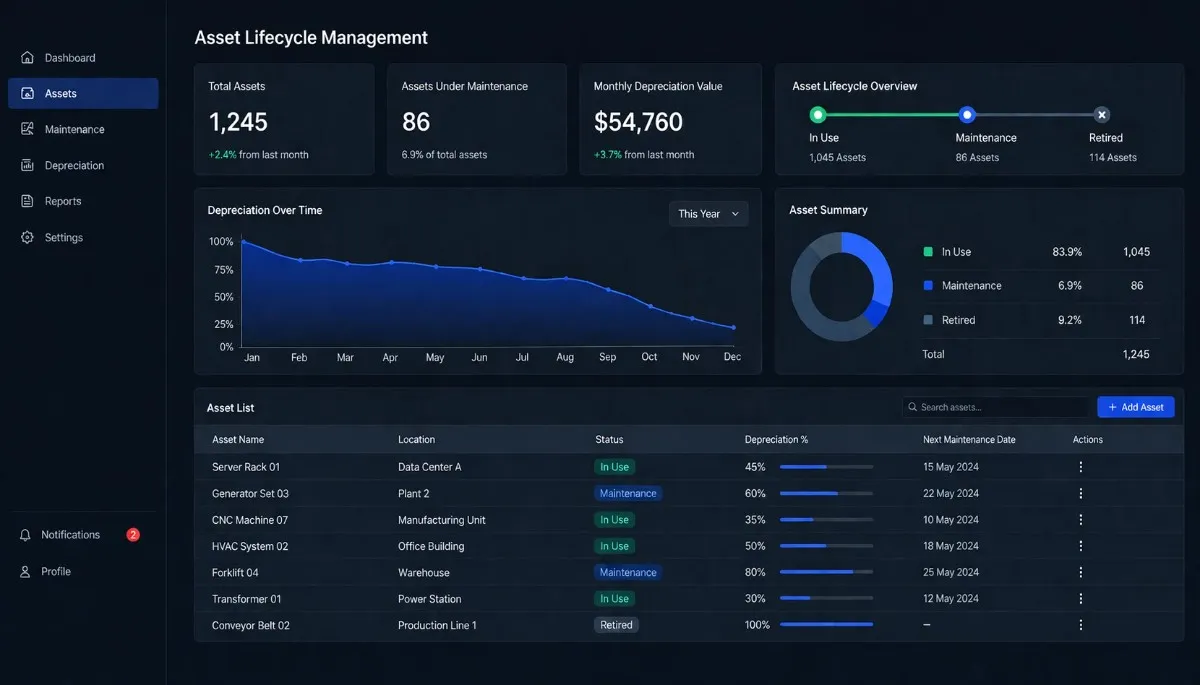
Odoo Asset Management dashboard
Key Features

Asset Management Features Built for Odoo

Manage assets, depreciation, maintenance, and reports in one Odoo system.

Book Consultation

Automated Depreciation

Create depreciation schedules and accounting entries automatically.

Location Tracking

Track assets across teams and locations with better visibility.

Maintenance Alerts

Schedule service activities to reduce downtime and repair delays.

QR & Barcode

Scan and update assets quickly with fewer manual errors.

Multi-Company

Manage assets across entities with cleaner records and control.

Odoo Integration

Sync asset data with accounting and billing automatically.

Reports

Export audit-ready reports for finance and compliance reviews.

Asset Disposal

Record scrap, sale, and write-offs with full disposal history.

Use Cases

Who Uses This Odoo Asset Management Module

Used across industries to track assets, reduce losses, and stay audit-ready.

Manufacturing

Track machines, tools, and service schedules to reduce downtime.

IT & Technology

Track laptops, device assignments, returns, and asset condition.

Logistics

Manage vehicles, warehouse equipment, and maintenance records.

Retail

Track POS systems, scanners, and branch assets across stores.

Services

Monitor office assets, depreciation, and usage history.

Healthcare

Track medical equipment, maintenance dates, and asset locations.
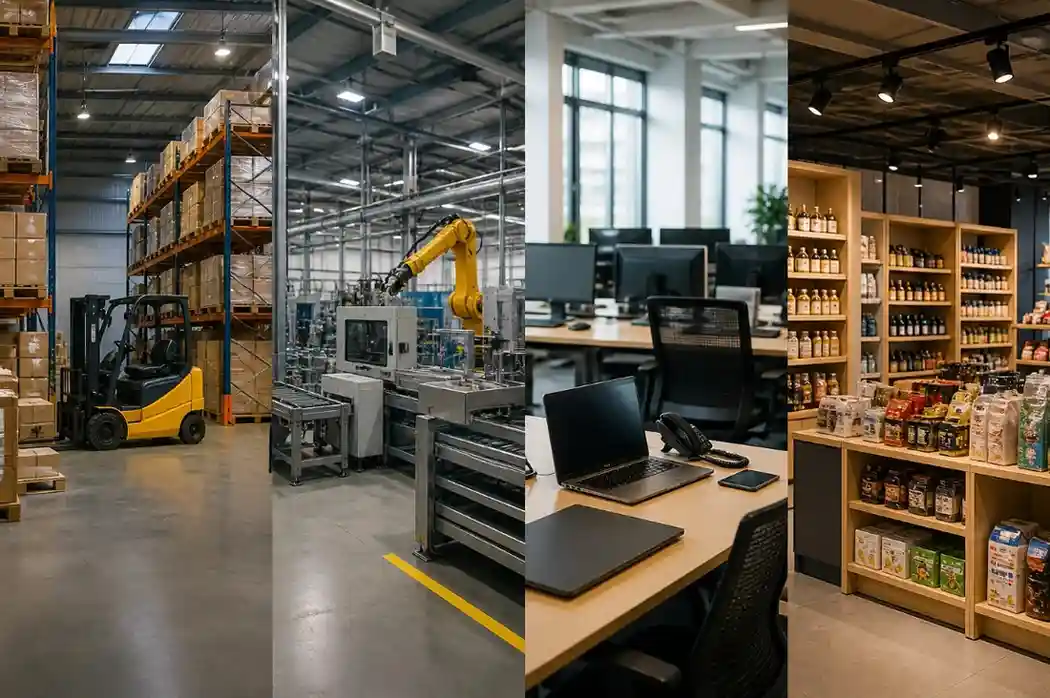
Odoo asset management use cases across industries
How It Works

From Install to Asset Control

Set up the module, add assets, automate depreciation, and manage reports in Odoo.

Get Started Now
1

Install Module

Install the module from Odoo Apps and activate it in your system.

2

Set Categories

Define asset categories, depreciation methods, accounts, and rules.

3

Add Assets

Import existing assets or create new records from vendor bills.

4

Run Depreciation

Generate depreciation schedules and accounting journal entries.

5

Track & Report

Track maintenance, locations, disposal, and audit-ready reports.

Comparison

What Makes This Asset Module Different

Go beyond basic depreciation with asset tracking, maintenance, disposal, and audit-ready controls in Odoo.

Book Consultation
CapabilityTypical Competitor ModulesThis Module
Automated depreciation journal entriesUsually included
Maintenance scheduling and cost trackingOften missing
Permanent disposal recordsLimited or unclear
Barcode and QR code scanningRarely available
Multiple depreciation methodsOften basic only
Multi-company asset controlLimited support
GDPR compliance supportOften not stated
90-day included supportOften unclear
FAQ

Odoo Asset Management FAQ

This Odoo Asset Management module supports Odoo 16, 17, 18, and 19. It works with Community and Enterprise editions.
No, standard installation does not need a developer. However, custom workflows or migration support may need technical help.
Yes, you can import existing asset records using CSV files. This helps move asset data from spreadsheets into Odoo faster.
You can add asset value, depreciated value, purchase cost, and remaining useful life. Then Odoo continues the depreciation schedule.
The module keeps disposal history instead of deleting the record. As a result, audits and internal checks remain easier.
The module includes 90 days of support for bug fixes and standard technical issues after purchase.
Yes, each company can manage its own assets, categories, locations, depreciation details, and disposal data.
Yes, the module works with the Odoo mobile interface for quick access to asset details and tracking data.

Let’s Talk About Your Product

Get expert guidance on scope, architecture, timelines, and delivery approach so you can move forward with confidence.

What happens next?