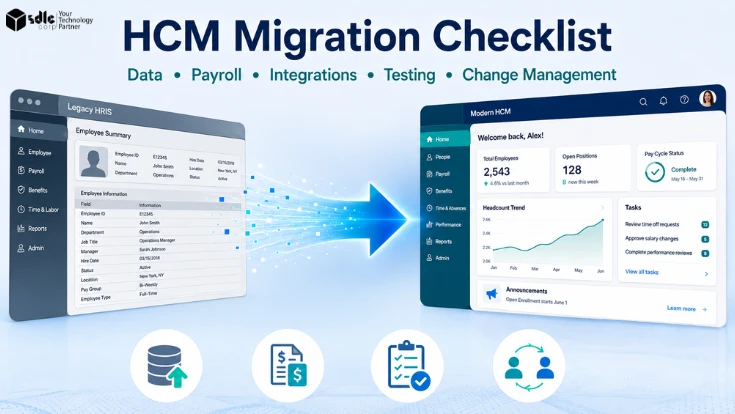
Human Capital Management (HCM) migration moves critical HR, payroll, and employee data from a legacy system to a new platform without disrupting daily operations.
The biggest risks are data accuracy, payroll, integrations, testing, user adoption, and cutover. This checklist helps teams manage each stage clearly and reduce problems before go-live.
Key Takeaways
Clean and validate data before migration, not after conversion.
Run enough parallel payroll cycles to reconcile material differences before go-live.
Inventory and test every integration, including failure conditions.
Complete UAT and close all critical defects before go-live.
Prepare employees and managers separately, because managers need their own track.
Use a controlled cutover with defined rollback criteria and a hypercare period.
DefinitionWhat Is an HCM Migration?
An HCM migration moves employee data, payroll processes, workflows, integrations, configurations, and historical records from a legacy HR system into a new HCM platform. It ends when the new system becomes the system of record and the old one is safely retired.
An HCM migration may also be described as an HRIS migration, particularly when the project centres on core HR data and processes. HCM migrations often extend further into payroll, talent, workforce management, and connected systems.
HCM Migration vs HCM Implementation
- Implementation: configuring and deploying the new HCM environment.
- Migration: moving and validating existing data, balances, and processes into it.
Most projects are both. Migration adds obligations an implementation plan does not cover: legacy data must move, balances must reconcile, integrations are remapped, and the old system needs a decommission plan.
HCM Migration Checklist at a Glance
These ten phases run roughly in sequence, though data, payroll, and integration work overlap in the middle. Each should produce a signed deliverable before the next begins.
| Phase | Primary output |
|---|---|
| Migration planning | Scope, owners, success criteria |
| Data discovery and cleanup | Cleansed source inventory |
| Data mapping and conversion | Mapping document, mock conversions |
| Payroll migration | Reconciled parallel runs |
| Integration migration | Tested integrations, cutover sequence |
| System and data testing | SIT, functional, security results |
| User acceptance testing | UAT sign-off |
| Change management and training | Trained, informed user base |
| Cutover and go-live | Go/no-go decision |
| Post-go-live validation | Stabilized system, decommission plan |
Define the HCM Migration Scope and Governance
Scope and ownership decisions made after configuration starts get made under pressure, and usually badly. Settle them first, in writing, with named people rather than departments.
Identify Systems and Data in Scope
For each, record whether it migrates, stays on its existing platform, or retires, and name the interface if it stays.
- Core HR
- Payroll
- Benefits
- Time and attendance
- Recruiting
- Performance
- Learning
- Finance-related data
Assign Migration Owners
Give every workstream an accountable owner across HR, payroll, IT, finance, security, and your implementation partner. Vendors run the tooling; they cannot decide your data, pay rules, or risk tolerance. For broader architecture and delivery decisions, software consulting services can help clarify technical scope and ownership.
Define Migration Success Criteria
State each as a measurable condition with a named approver. "Complete payroll testing" cannot be closed. "Payroll owner approves reconciled parallel results with no unresolved critical variances" can.
Prepare and Clean HCM Data
HCM data migration starts long before anything is loaded. Legacy data problems follow you into the new platform, and cleanup is cheapest before mapping begins, most expensive after conversion.
Inventory Existing HR Data
- Employee master data
- Job and position data
- Compensation
- Benefits elections
- Payroll history
- Time records
- Documents
- Custom fields
Include shadow spreadsheets, because undocumented pay rules and side systems rarely surface until testing.
Clean and Standardize the Data
Resolve duplicate records, missing values, invalid formats, outdated employee records, and inconsistent naming across jobs, departments, and locations.
Decide What Historical Data to Migrate
Sort every domain into migrate, archive, rebuild, or retire. Deep history inflates cost; too little breaks tenure calculations. Agree the number of years with HR, payroll, and legal before mapping, and plan documents separately.
Define Data Ownership
Name an owner per data domain who approves sensitive HR and payroll datasets. Protect extracts with secure transfer, least-privilege access, defined retention for temporary files, and access logging.
Map and Validate HCM Data
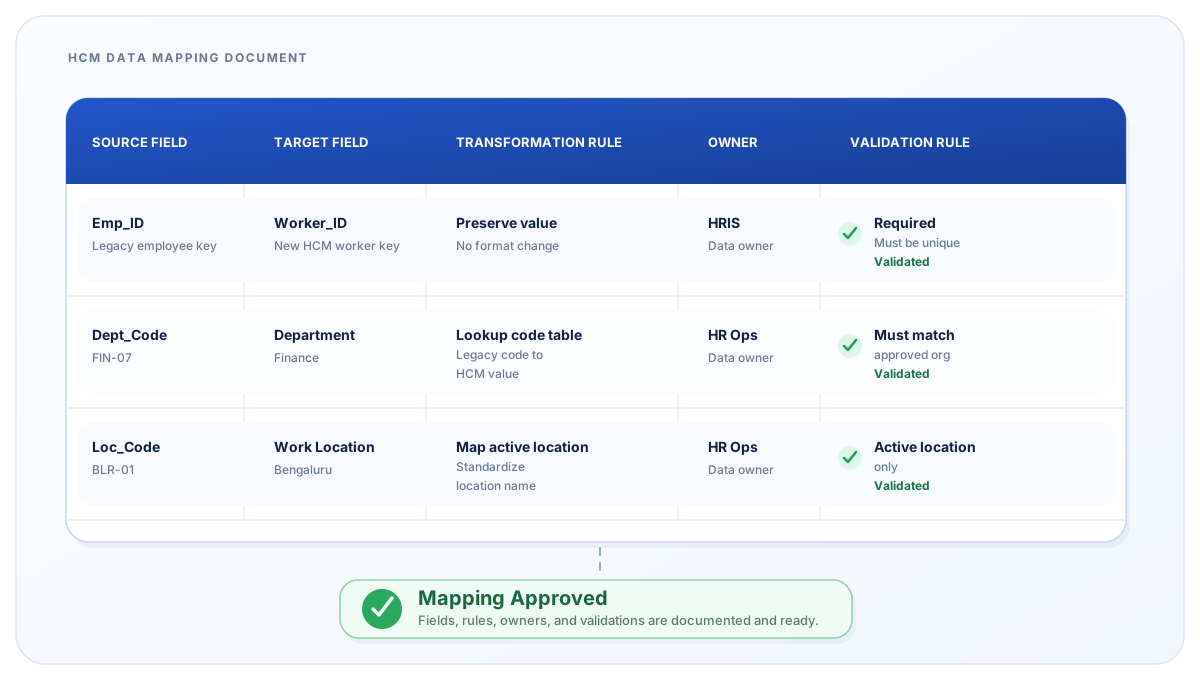
Transformation tends to cause more trouble than extraction. Getting data out is rarely the hard part; deciding what it should become is. The mapping document makes those decisions reviewable instead of burying them in a consultant's script.
Create a Data Mapping Document
For every field in scope, record the source field, target field, transformation rule, data owner, and validation rule.
Rebuild security roles from current access requirements rather than replicating accumulated legacy permissions.
Run Mock Data Conversions
Run multiple mock conversions before final cutover, adding cycles whenever reconciliation issues remain, because each pass tends to surface defects the previous one hid. Work from one frozen baseline extract so teams are not validating against shifting files.
Reconcile Migrated Data
Validate record counts, employee totals, compensation values, effective dates, and organizational structures. Explain every material variance rather than waiving it.
Exit gateHR, payroll, and IT approve a reconciled mock conversion with all material variances documented.
Plan the Payroll Data Migration and Parallel Testing
Payroll gets its own workstream because errors reach employees directly and carry compliance consequences, and because it has cutover rules core HR data does not.
Validate Payroll Data
- Employee pay rates
- Tax information and jurisdictions
- Deductions
- Benefits contributions
- Bank details
- Year-to-date balances
- Leave balances
Confirm Payroll Rules and Calculations
Check earnings, overtime, taxes, bonuses, deductions, and retroactive pay. Then verify the balances that drive filings and caps: taxable wage bases, employer tax balances, garnishment arrears, and jurisdiction-specific accumulators. Mismatches surface at the next statutory reporting point, not at go-live.
Run Parallel Payroll Testing
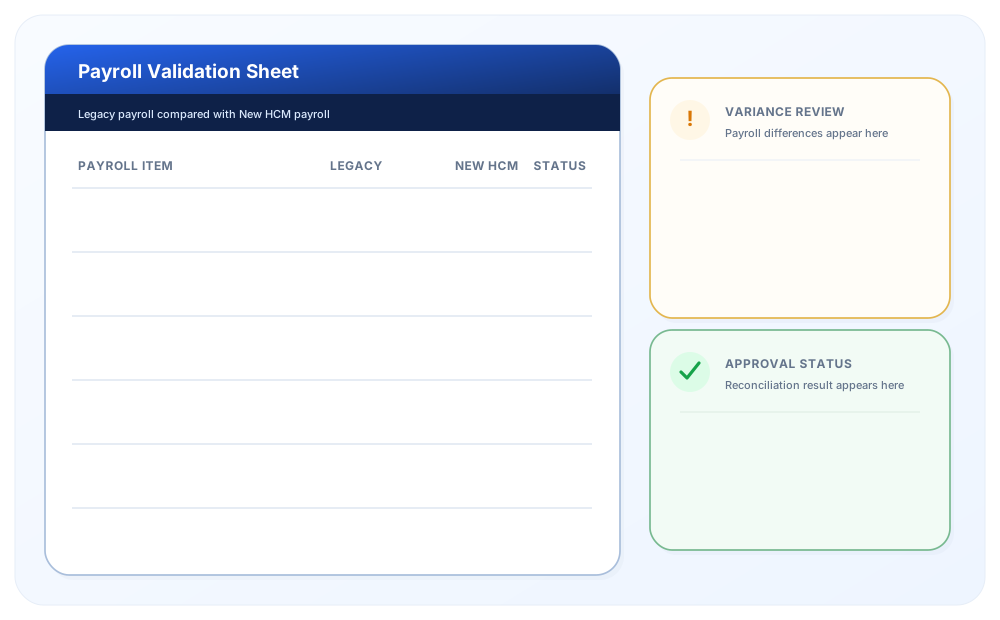
Run parallel cycles until results reconcile and payroll confirms readiness. How many you need depends on payroll complexity and data quality. Schedule the final run far enough ahead of cutover that findings can still be fixed.
Reconcile Payroll Differences
Payroll reconciliation decides whether cutover proceeds. Separate expected differences from unexplained errors; document the first, resolve the second. Settle in writing who owns statutory filings, amendments, corrections, and year-end reporting, and schedule cutover away from period-close dates.
Exit gateComplete sufficient parallel payroll testing to reconcile material differences and confirm payroll readiness, with YTD and statutory balances verified.
Inventory and Migrate HCM Integrations
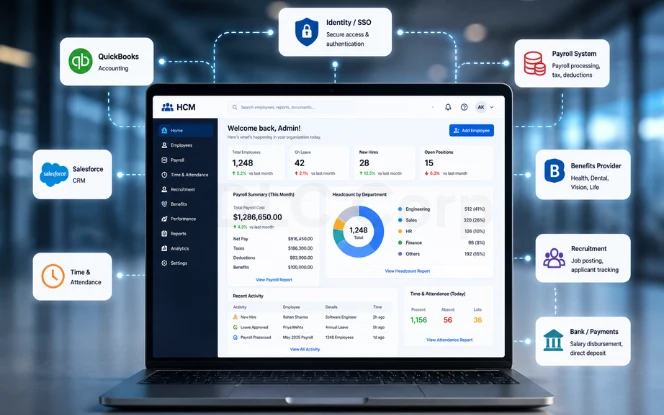
An HCM platform often sits at the center of multiple software integrations. Integrations can fail quietly, because a connection that tests successfully can still deliver the wrong data at the wrong time.
Create an Integration Inventory
- Payroll
- Benefits providers
- Finance and ERP
- Identity management
- Recruiting systems
- Learning platforms
- Time and attendance
- Banks
- Third-party workforce tools
Record owner, direction, and authentication method for each, and confirm in writing who builds, tests, monitors, and fixes it.
Review Integration Methods
APIs, SFTP and file transfers, middleware, webhooks, and batch jobs. Each carries different failure modes, lead times, and monitoring needs.
Verify Data Flows and Dependencies
Document what sends, what receives, and when, then sequence the cutover around those dependencies. As an example, a dependency-based sequence might run:
Identity and SSO
Enable secure access before any dependent employee system goes live, following established identity and access management guidance.
Core HR outbound feeds
Publish validated worker records before downstream systems begin consuming data.
Benefits carrier feeds
Complete carrier test files and confirmations before enrollment data goes live.
Retirement & Pension Feeds
Align contribution files with payroll dates before activating retirement provider feeds.
Time and attendance
Validate time capture and approvals before the first production payroll.
GL and finance
Align payroll accounting feeds with the finance period-close schedule.
Recruiting, learning, and reporting
Move lower-risk recruiting, learning, and reporting connections after core feeds.
Your own order will differ. Enrollment windows, the payroll calendar, finance close dates, and carrier lead times all shift the sequence, so build it from your dependency map rather than a generic one.
Test End-to-End
A connection test proves systems can talk, not that the integration works. Validate that production-shaped data leaves the source, transforms correctly, reaches the destination, and processes successfully.
Test Integration Failure Scenarios
Test retry handling, incorrect records, missing files, authentication errors, and delayed transfers. Confirm each fails visibly and alerts a named person, and decide who monitors runs after go-live.
Exit gateEvery critical integration passes end-to-end testing with production-shaped data and has a cutover position, rollback plan, and monitoring owner.
Test the New HCM Environment and Confirm Go-Live Readiness
HCM testing must verify system function and real business processes, not just configuration. Set entry criteria as well as exit criteria, because testing that starts on incomplete setup produces defects that are really configuration gaps.
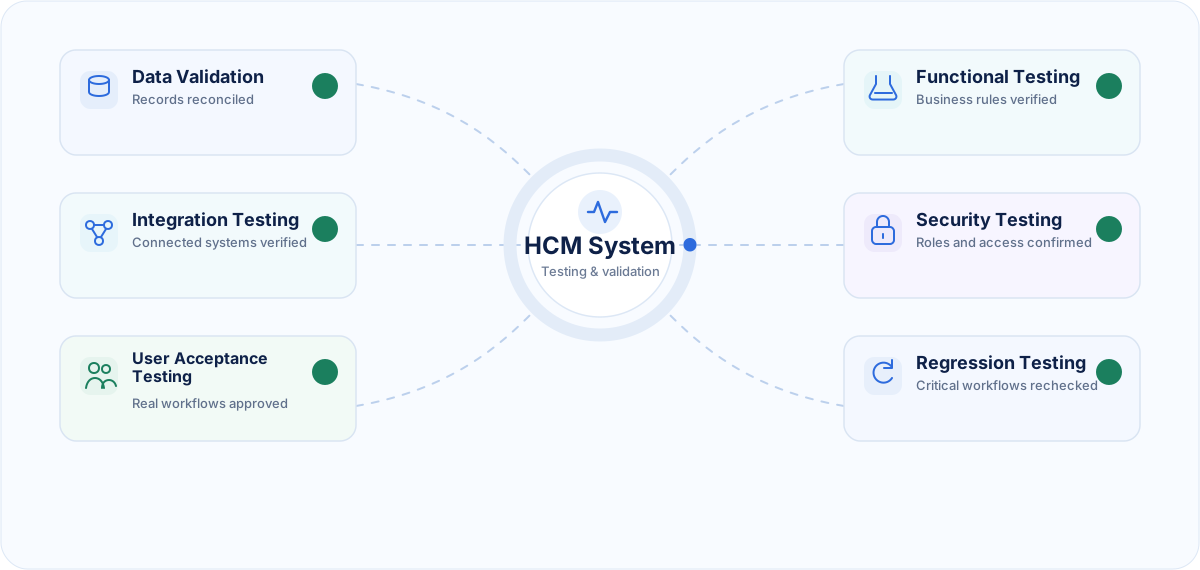
Data Validation Testing
Confirm migrated data is complete, accurate, and reconciled against the approved baseline.
Functional Testing
Test core HR and payroll workflows against documented business rules.
Integration Testing
Confirm data moves correctly between connected systems using production-shaped payloads.
End-to-End Testing
Test complete processes across systems: new hire, termination with final pay, promotion, leave request, mid-cycle pay change, retroactive adjustment. Include exceptions, not just the clean path.
Permission and Security Testing
Validate roles, access permissions, sensitive payroll data, manager access, and employee self-service, confirming users cannot reach data outside their role.
User Acceptance Testing
HR, payroll, managers, and selected employees complete real-world scenarios using a representative population slice: multiple pay groups, employment types, jurisdictions, and edge cases such as cross-border workers. Validate standard and custom reports here rather than deferring them.
Regression Testing
Retest critical workflows after fixes or configuration changes. Classify defects critical, high, medium, and low, and agree what each means for go-live before testing begins.
Exit gateAll test types closed with zero open critical defects and a documented disposition for every high-severity item.
Prepare for HCM Change Management
A migration can be technically correct and still fail. If managers do not approve in the new system and employees do not use self-service, HR absorbs the work manually and the business case never lands.
Identify Who Is Affected
- HR teams
- Payroll teams
- Managers
- Employees
- Finance
- IT administrators
- Works councils or unions, where applicable
For each group, record what changes, what they lose, and who owns the relationship.
Create a Communication Plan
Every audience needs to know what is changing, why, when it launches, what they must do, and where to get help. Key the schedule to milestones, and give each message an owner and a channel.
Deliver Role-Based Training
Separate paths for employees, managers, HR, payroll, and administrators, scheduled close enough to go-live that workflows stick. Give managers earlier access and their own session, and recruit departmental champions to absorb routine questions.
Track User Readiness and Adoption
HCM adoption is measurable. Track self-service completion, ticket volume, manager approval turnaround, payroll correction rate, and login rates at 30, 60, and 90 days. Capture a baseline before go-live or the numbers mean nothing.
Exit gateEvery group has a named owner, delivered communications, completed training, and identified go-live support.
Build the HCM Cutover and Go-Live Plan
Cutover is a controlled event, not a deployment date. Plan it at task level: what happens, who does it, how long it takes, and what must finish first.
Define the Data Freeze Window
Set a deadline for changes in the legacy system, communicate the self-service outage, and confirm afterward that the freeze held.
Complete the Final Data Conversion
Migrate the final approved data set, then capture and load deltas, meaning changes made during the freeze window, and reconcile before activating integrations. Set validation checkpoints between steps rather than reconciling only at the end.
Define Go/No-Go Criteria
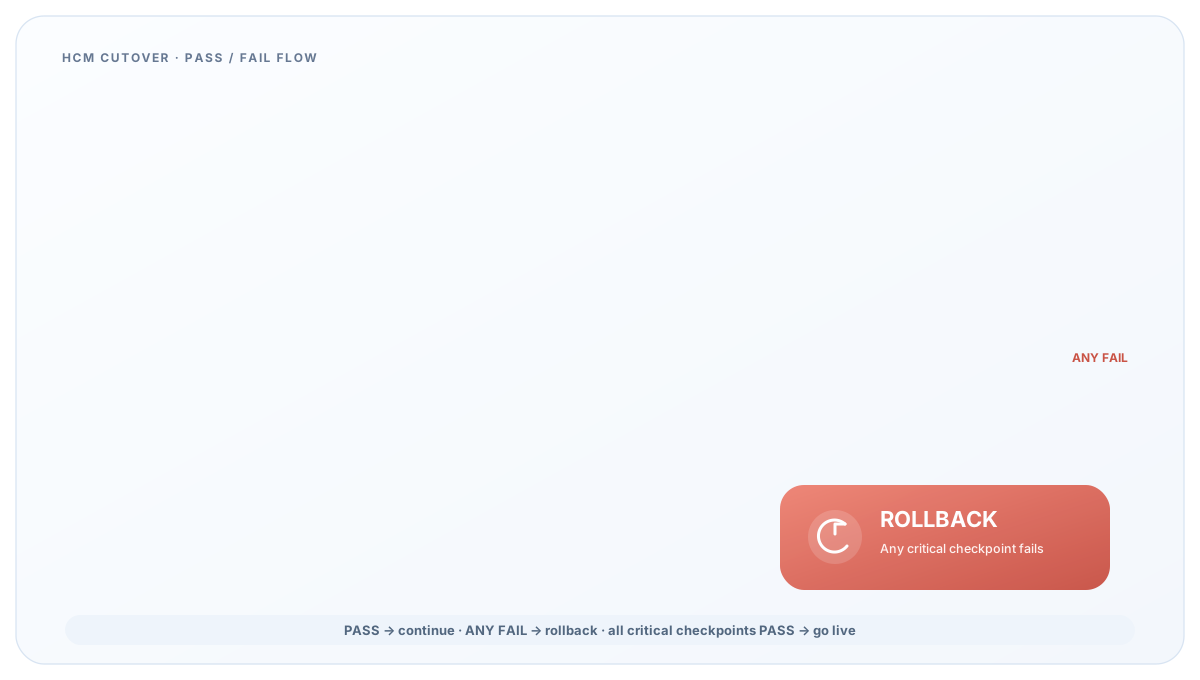
- Data reconciliation complete
- Payroll testing passed
- Critical integrations working
- UAT approved
- Security validation complete
- Support team ready
Name one person with go/no-go authority plus an alternate, and agree in advance what evidence they need.
Prepare a Rollback Plan
Document what stops the migration: missing employee records, significant payroll discrepancies, critical integration failures, or security and access failures. Decide these conditions in advance, because deciding at 2 a.m. produces bad decisions.
Post-Go-Live Validation, Hypercare, and Legacy Decommissioning
Migration work continues after launch. The first live payroll and benefits cycles provide important post-go-live validation. Where operational and contractual conditions allow, keep authorized access to the legacy environment until critical results are reconciled and the new platform is stable.
Run Post-Go-Live Validation
Check employee records, payroll calculations, integrations, access permissions, reports, and workflows against expected results.
Provide Hypercare Support
Run a defined hypercare period with a documented escalation path, named owners per workstream, and daily triage while volume is high.
Monitor Integrations and Payroll
Watch for failed transactions, incorrect records, missed files, and unexpected calculations. Confirm someone is accountable for each integration run, not merely alerted by it.
Decommission the Legacy System Safely
Do not shut down immediately. Confirm the new system is stable across a full payroll and benefits cycle, required records are archived, and audit and retention obligations are satisfied. For U.S. employers, that includes applicable employment tax recordkeeping requirements. Authorized users should still be able to reach archived information.
Common HCM Migration Mistakes to Avoid
Many HCM migration problems trace back to a short list of avoidable mistakes. Each has a corresponding control earlier in this checklist.
- Migrating poor-quality legacy data
- Moving unnecessary historical records
- Underestimating payroll complexity
- Missing third-party integrations
- Skipping or shortening parallel payroll testing
- Involving users too late
- Weak change-management planning
- Going live without rollback criteria
Complete HCM Migration Checklist
Use this as the tracking structure for the full HCM migration checklist. Every item needs an owner, due date, acceptance criterion, and evidence.
| Group | Closing condition |
|---|---|
| Planning | Scope, owners, and success criteria approved |
| Data | Reconciled mock conversion signed off by HR, payroll, IT |
| Payroll | Parallel results reconciled; YTD and statutory balances confirmed |
| Integrations | End-to-end tests passed; cutover sequence and rollback approved |
| Testing | Zero open critical defects; UAT signed off |
| Change management | All groups communicated to, trained, and supported |
| Cutover | Go/no-go criteria met and decision documented |
| Post-go-live | One full payroll and benefits cycle stable before decommission |
Get an Independent Migration Readiness Review
SDLC Corp helps enterprises scope HCM migrations, reconcile payroll data, sequence integration cutover, and set go-live criteria that hold under pressure.
Talk to our HCM teamFinal Thoughts
A successful HCM migration depends on more than transferring employee records. Data quality, payroll accuracy, integrations, testing, user adoption, and a controlled cutover all need validating before the new HCM platform becomes the system of record. Worked properly, an HCM migration checklist is a control document rather than a task list, with every workstream closing the same way: measurable evidence, a named approver, and a documented decision to proceed.
Frequently Asked Questions
How Long Does an HCM Migration Take?
Timelines vary widely. Organization size, payroll complexity, integration count, data quality, and stakeholder availability drive duration more than platform choice, so build the schedule from your own scope rather than a benchmark.
What Data Should Be Included in an HCM Migration?
Employee master data, job and position history, compensation, benefits elections, payroll history and balances, time records, documents, and custom fields, with archive-or-migrate decided per domain.
How Do You Validate Data During an HCM Migration?
Through mock conversions reconciled against an approved baseline, checking record counts, employee totals, compensation values, effective dates, and organizational structures, with material variances explained rather than waived.
What Is Parallel Payroll Testing?
Processing complete pay cycles in both the legacy and new systems simultaneously, then comparing gross pay, net pay, taxes, and deductions. Run enough cycles to reconcile material differences before go-live.
What Integrations Should Be Tested During an HCM Migration?
Every integration in the inventory, prioritizing identity and SSO, payroll, time and attendance, benefits carriers, retirement providers, and GL or finance feeds, tested end-to-end including failure conditions.
What Is UAT in an HCM Implementation?
User acceptance testing is where HR, payroll, managers, and employees complete realistic end-to-end processes in the configured system, confirming it supports actual work before go-live.
Why Is Change Management Important During HCM Migration?
Adoption determines whether the investment returns. If managers and employees route around the new system, HR keeps doing the work manually regardless of how well the migration went technically.
What Should an HCM Go-Live Checklist Include?
Data reconciliation, payroll validation, integration testing, UAT approval, security validation, support readiness, defined rollback conditions, and a named decision-maker with go/no-go authority.