Introduction
Odoo, an integrated business application suite, simplifies managing the procurement process, allowing businesses to seamlessly handle purchase orders, bills, and payments. This guide will walk you through the process of creating a purchase bill and paying it in Odoo, ensuring that your procurement workflow is smooth and efficient.
Steps to Create Purchase Bill and Pay in Odoo
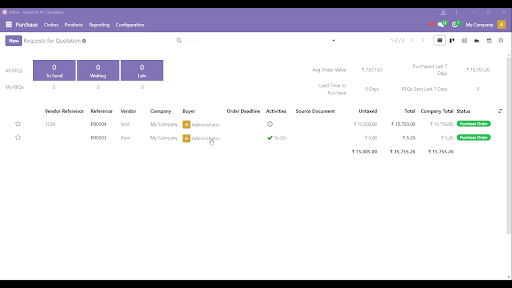
1. Go to Request for Quotation (RFQ)
- Navigate to the Purchase module in Odoo.
- Select RFQs and click on one of the requests for quotation to open it.
Get a closer look – Here’s the feature at work.
2. Fill in the RFQ Details
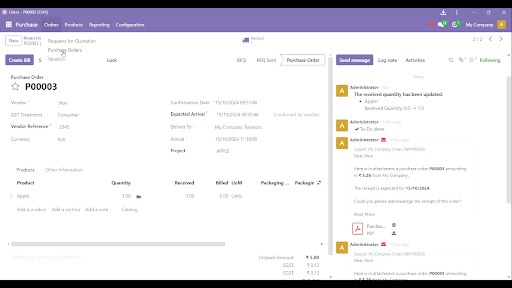
- Complete all required fields, such as product, quantity, vendor, and pricing.
- Once the products are received, click on Received Products.
Get a closer look – Here’s the feature at work.
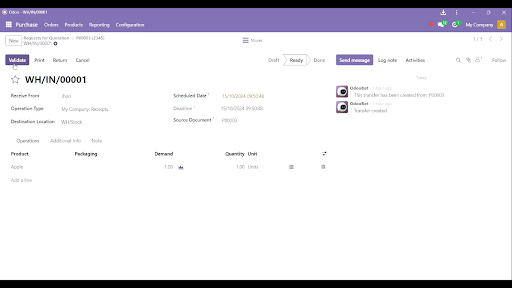
3. Validate the Receipt
After verifying that the received products match the order, click on the Validate button.
Get a closer look – Here’s the feature at work.
4. Convert RFQ to Purchase Order (PO)
Click on Order > Purchase Order to finalize the RFQ into a confirmed purchase order.
Get a closer look – Here’s the feature at work.
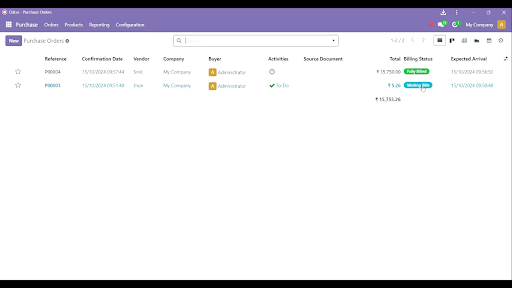
5. Check Status - Waiting for Bills
After validating the purchase, the status will change to Waiting Bills.
Get a closer look – Here’s the feature at work.
6. Confirm the Purchase Bill
- Click on Waiting Bills and review the bill.
- Click on the Confirm button to validate the bill.
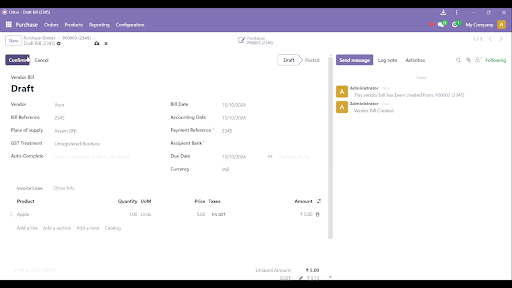
Get a closer look – Here’s the feature at work.
7. Initiate Payment
Click on the Pay button to proceed with the payment process.
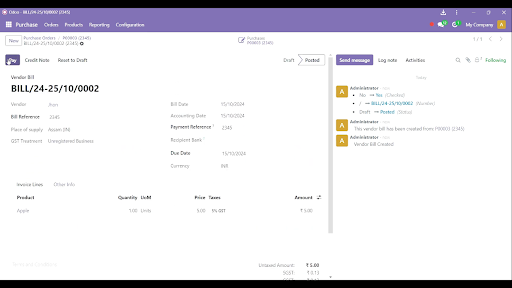
Get a closer look – Here’s the feature at work.
8. Select Payment Mode
- Choose your desired mode of payment (e.g., bank transfer, cash).
- Click on the Create Payment button to complete the payment.
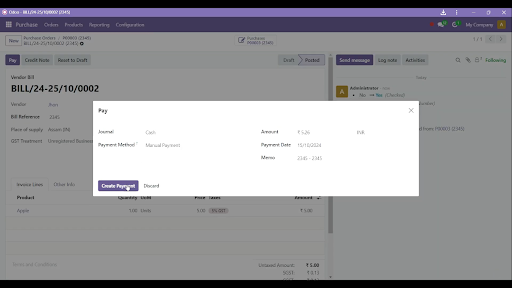
Get a closer look – Here’s the feature at work.
9. Return to Purchase Order
Navigate back to Order > Purchase Order to view the order status.
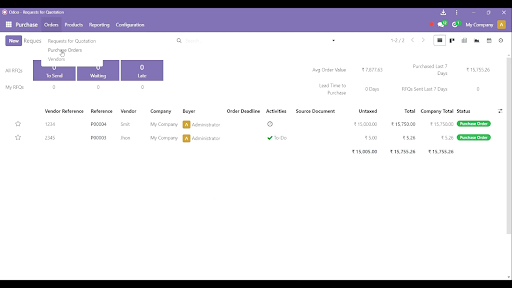
Get a closer look – Here’s the feature at work.
10. Verify the Final Status
The status should now display Fully Billed, indicating the order is complete.
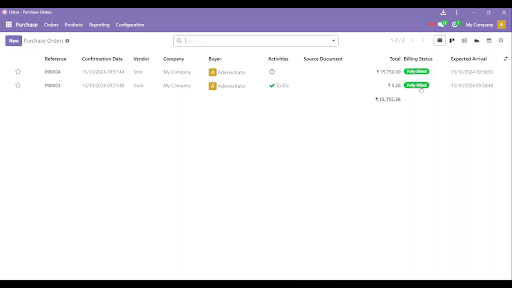
Get a closer look – Here’s the feature at work.
Expert Odoo ERP Solutions Provider
Hire Expert Odoo Developers for Tailored ERP Solutions Today!
Conclusion
Creating a purchase bill and making payments in Odoo ensures a transparent and efficient procurement process. With each step—starting from the request for quotation to finalizing payments—Odoo provides businesses with streamlined control over their purchase operations. Following the above steps guarantees that your vendors are paid on time and your purchase orders are accurately tracked.
How SDLC Corp Can Help with Odoo Development Services?
SDLC Corp, a trusted Odoo development company, offers comprehensive Odoo ERP development services to streamline and enhance business operations. As a leading Odoo ERP development company, they bring expertise in custom Odoo solutions, ensuring that each module and feature aligns perfectly with business requirements. Their team of skilled Odoo developers delivers tailored solutions, covering everything from setup to integration, designed to optimize your Odoo environment.
With SDLC Corp’s Odoo customization services, businesses can adapt the ERP to meet specific needs, adding modules for CRM, inventory, HR, or finance with ease. Their experienced Odoo ERP consultants guide clients through every phase, providing strategic advice and best practices. SDLC Corp also offers ongoing support to ensure that your Odoo platform remains efficient, secure, and up-to-date.
As a full-service Odoo development agency, SDLC Corp covers everything from technical support to process automation, allowing clients to focus on growth while they manage the technical details. By choosing SDLC Corp, businesses gain a reliable partner for scalable, high-quality Odoo ERP development solutions.