
Introduction
WordPress is one of the most popular platforms for building websites, thanks to its flexibility, ease of use, and wide range of customization options. As your website grows, having a clear and structured hierarchy becomes essential for enhancing user experience. Creating sub-pages is an effective way to organize content, making it easier for visitors to navigate.
What is a Sub-Page in WordPress?
Before jumping into the steps, it’s important to know what a sub-page is. In WordPress, a sub-page, or child page, exists under a parent page, helping create a structured content hierarchy. For instance, under a parent page titled “Services,” you can have sub-pages like “Web Design,” “SEO Services,” and “Content Marketing.”
Why Create Sub-Pages?
Sub-pages allow for better content organization and easier navigation for your visitors. They can also improve SEO, as search engines can better understand and index your site structure. This is particularly useful for businesses, portfolio sites, and blogs covering various topics, and partnering with a WordPress development company can help you set it up with ease.
Step 1:Log in to Your WordPress Dashboard
Access your WordPress admin panel using your credentials.
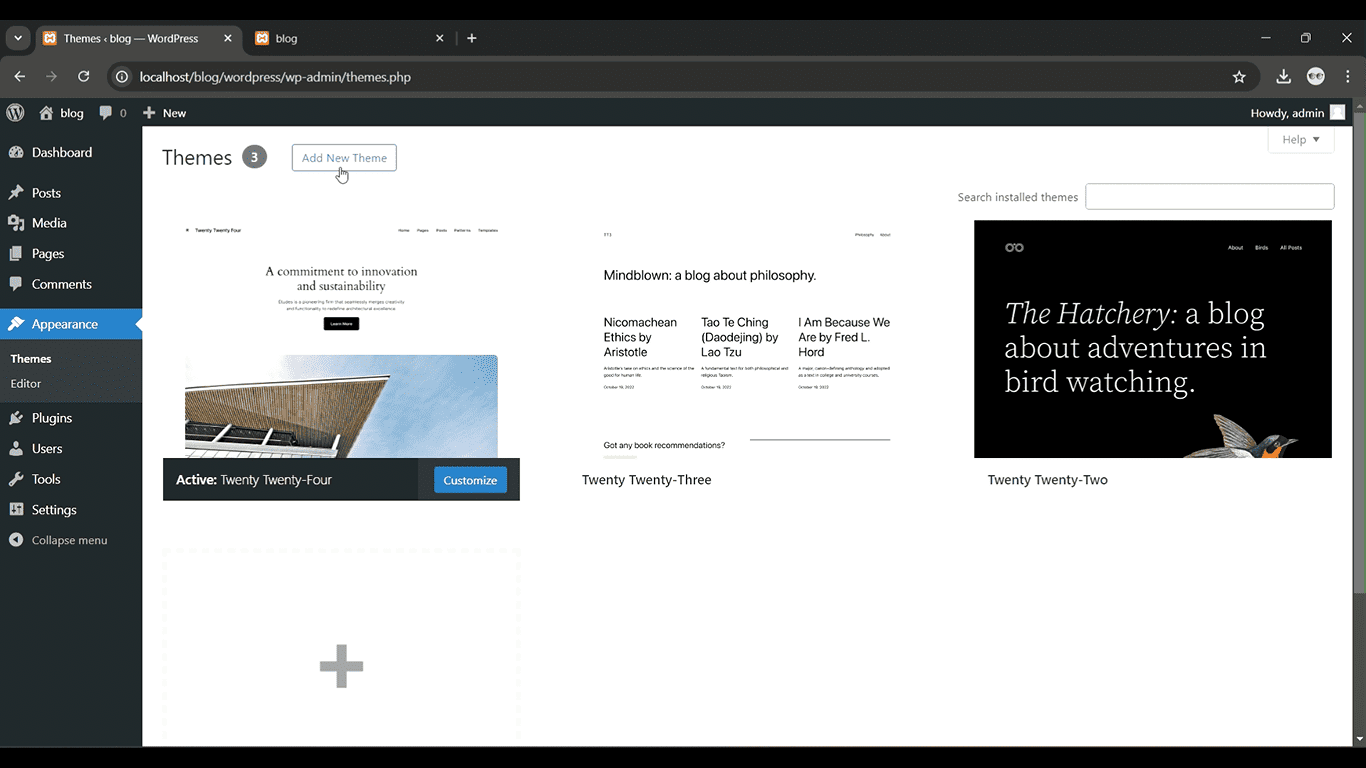
Get a closer look – Here’s the feature at work.
Step 2: Go to Pages > Add New
Click “Pages” from the left-hand menu, then select “Add New.”
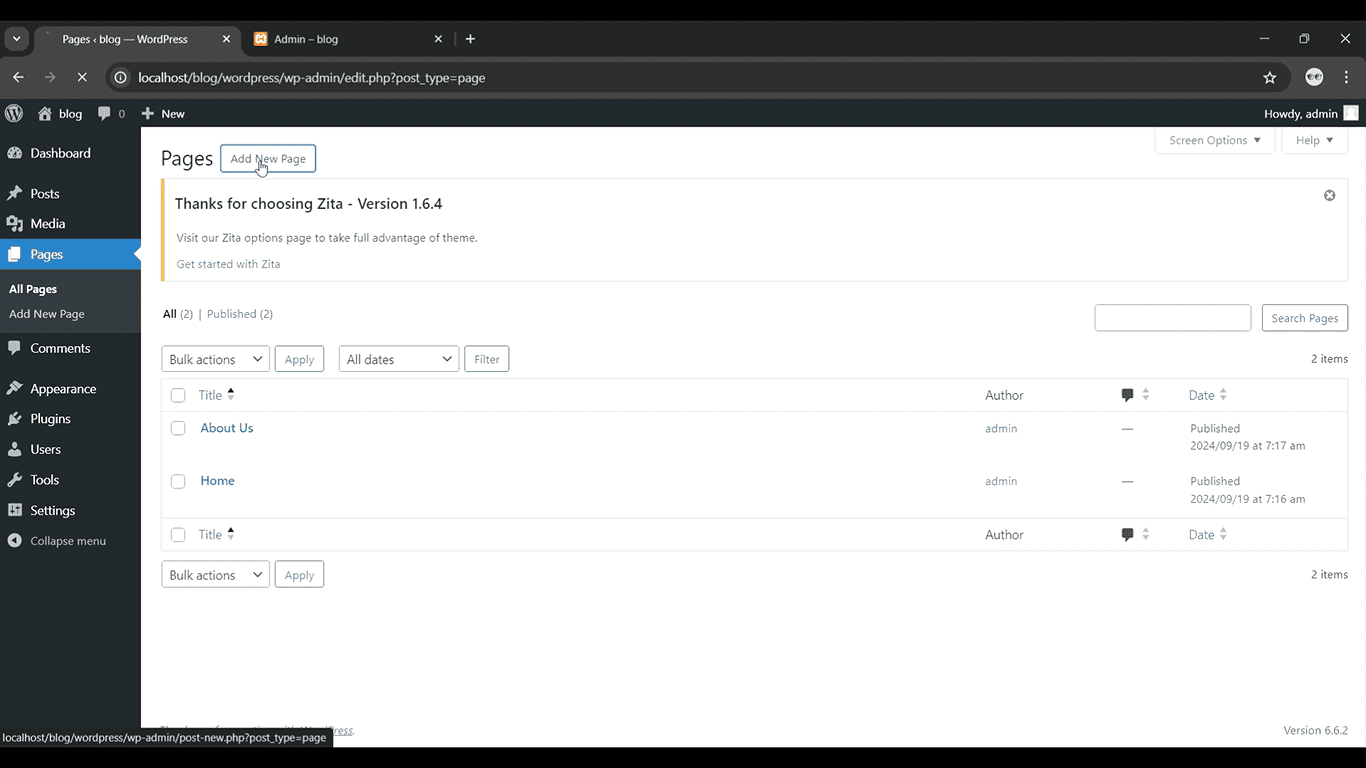
Get a closer look – Here’s the feature at work.
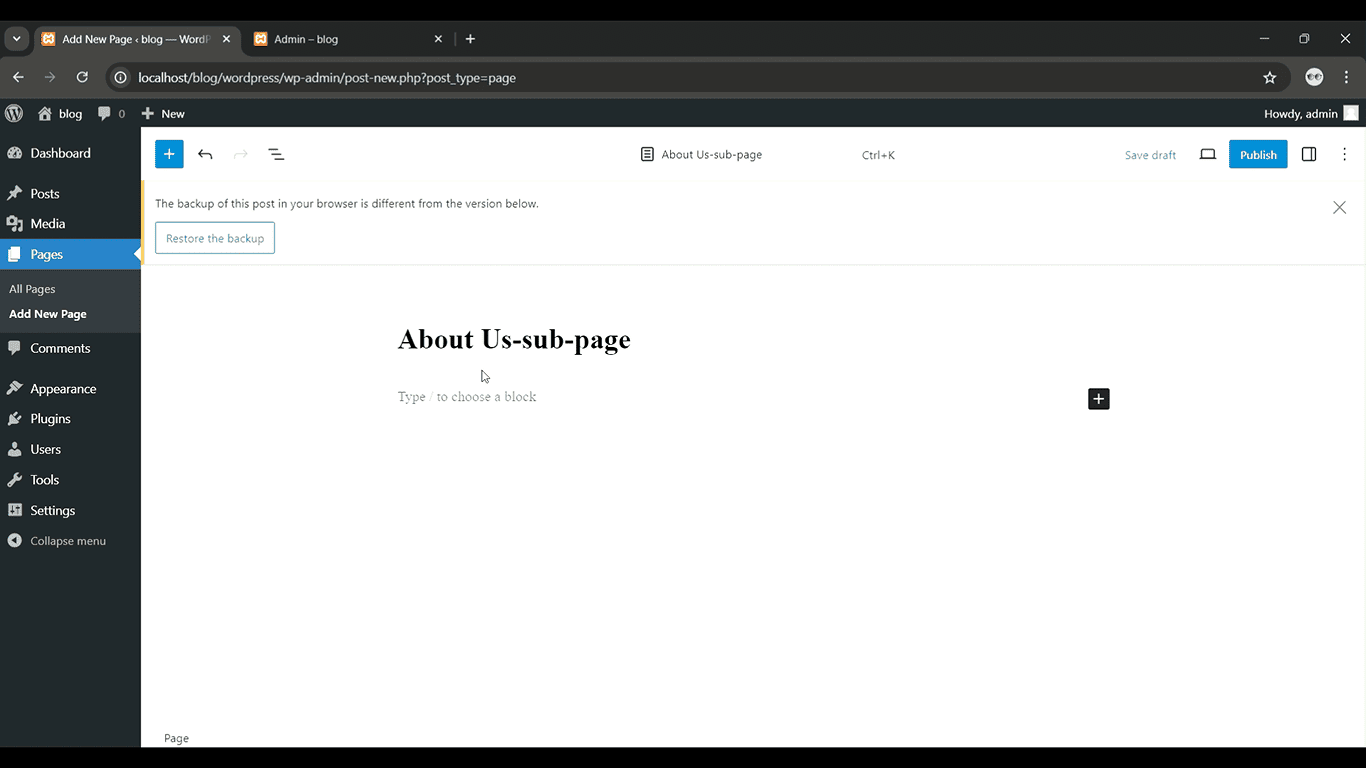
Step 3: Enter a Title and Content
Add a title and the content for your sub-page.
Get a closer look – Here’s the feature at work.
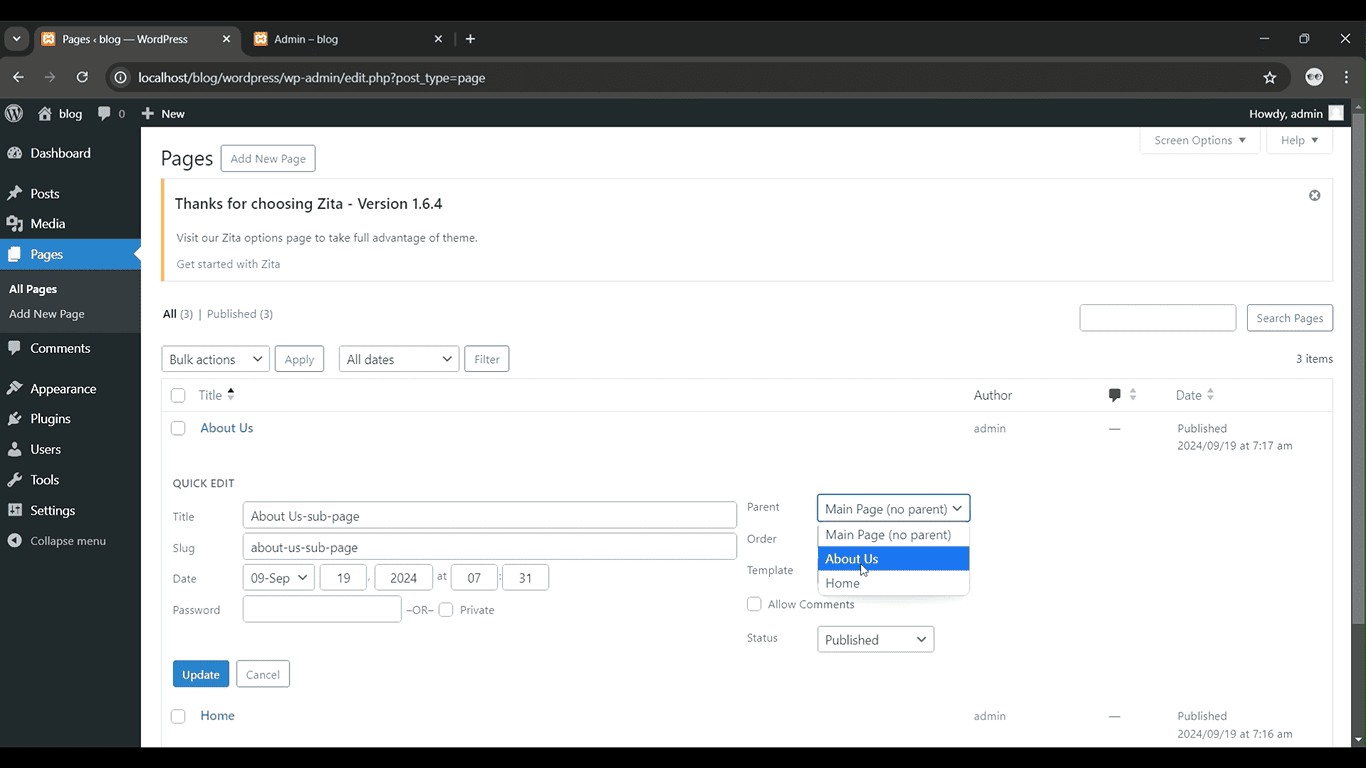
Step 4: Set the Parent Page
In the “Page Attributes” section on the right, select the parent page from the “Parent” dropdown.
Get a closer look – Here’s the feature at work.
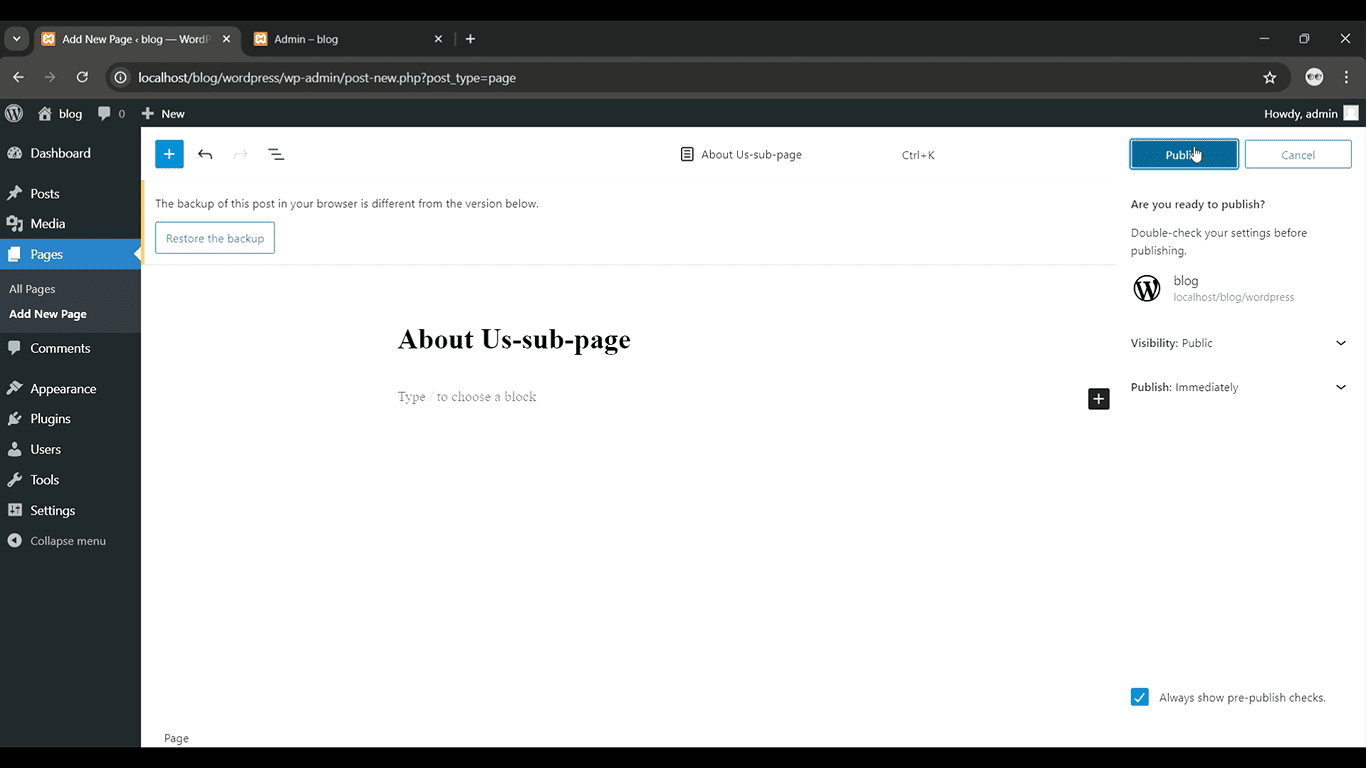
Step 5: Publish the Sub-Page
Once you’re ready, click “Publish” to make the sub-page live.
Get a closer look – Here’s the feature at work.
Conclusion
Creating sub-pages in WordPress is a simple yet effective way to organize your website’s content. It enhances user experience, improves navigation, and even offers SEO benefits. By following the steps outlined above, you can easily add sub-pages to your site, improving its overall structure. Whether you’re managing a blog, business site, or portfolio, well-organized pages ensure visitors can quickly find the content they need.