Introduction
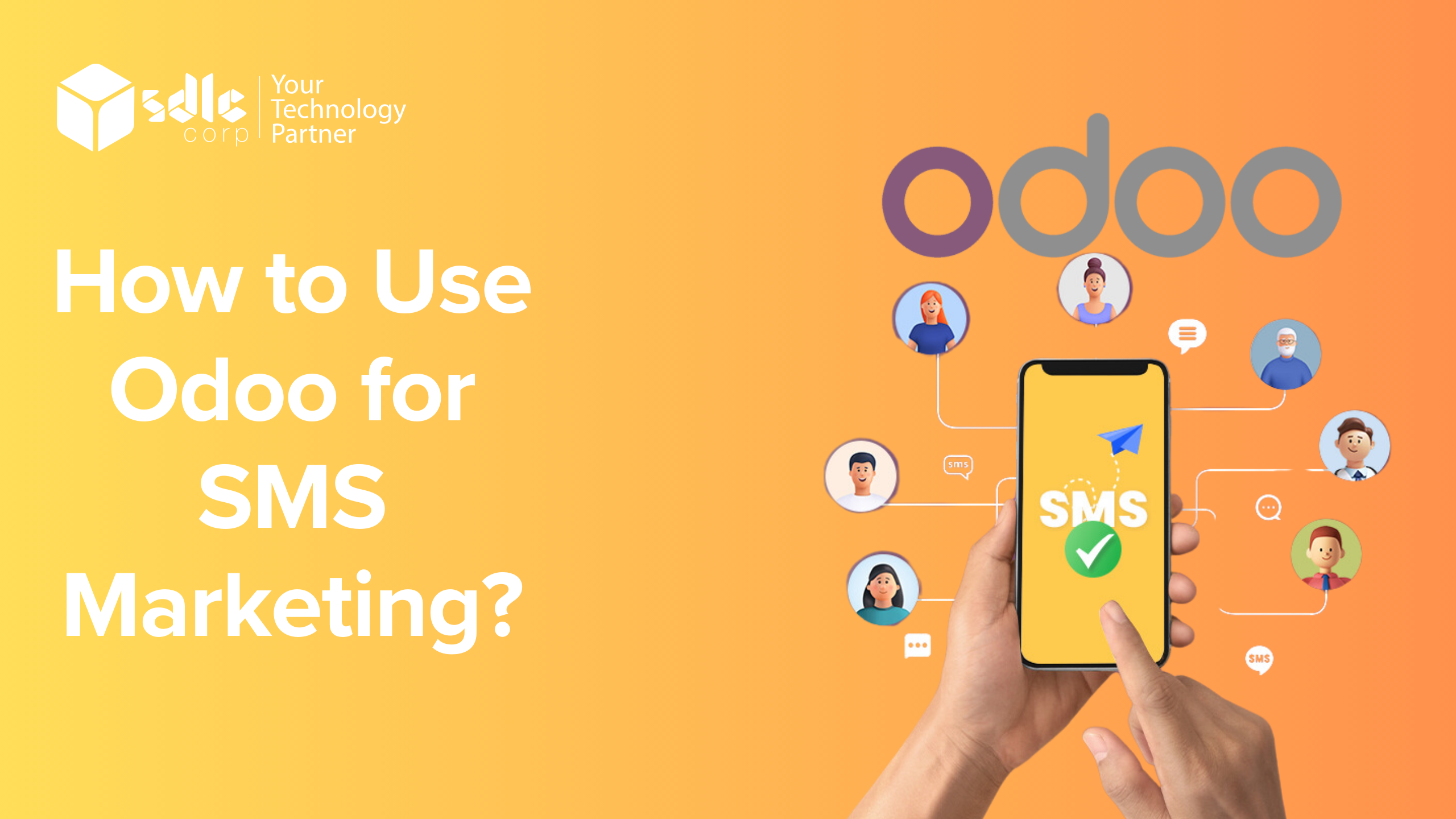
Odoo is a powerful and user-friendly platform that integrates multiple business applications, including SMS marketing, to help companies efficiently engage with their customers. SMS marketing allows businesses to send personalized promotional messages, reminders, and notifications directly to customers’ mobile phones. Here is how to create and send an SMS campaign in Odoo.
Steps to Use Odoo for SMS Marketing
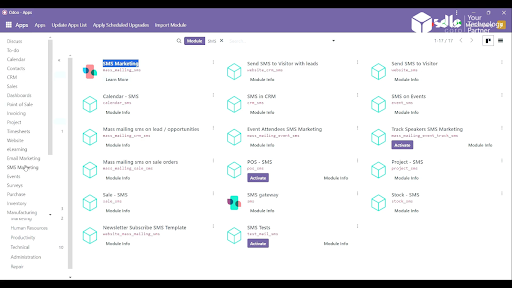
1. Click on the SMS Marketing
- Start by logging into your Odoo platform.
- From the dashboard, locate and click on the SMS Marketing module. This will open the SMS marketing interface where you can manage, create, and track campaigns.
2. Click on the New SMS Marketing
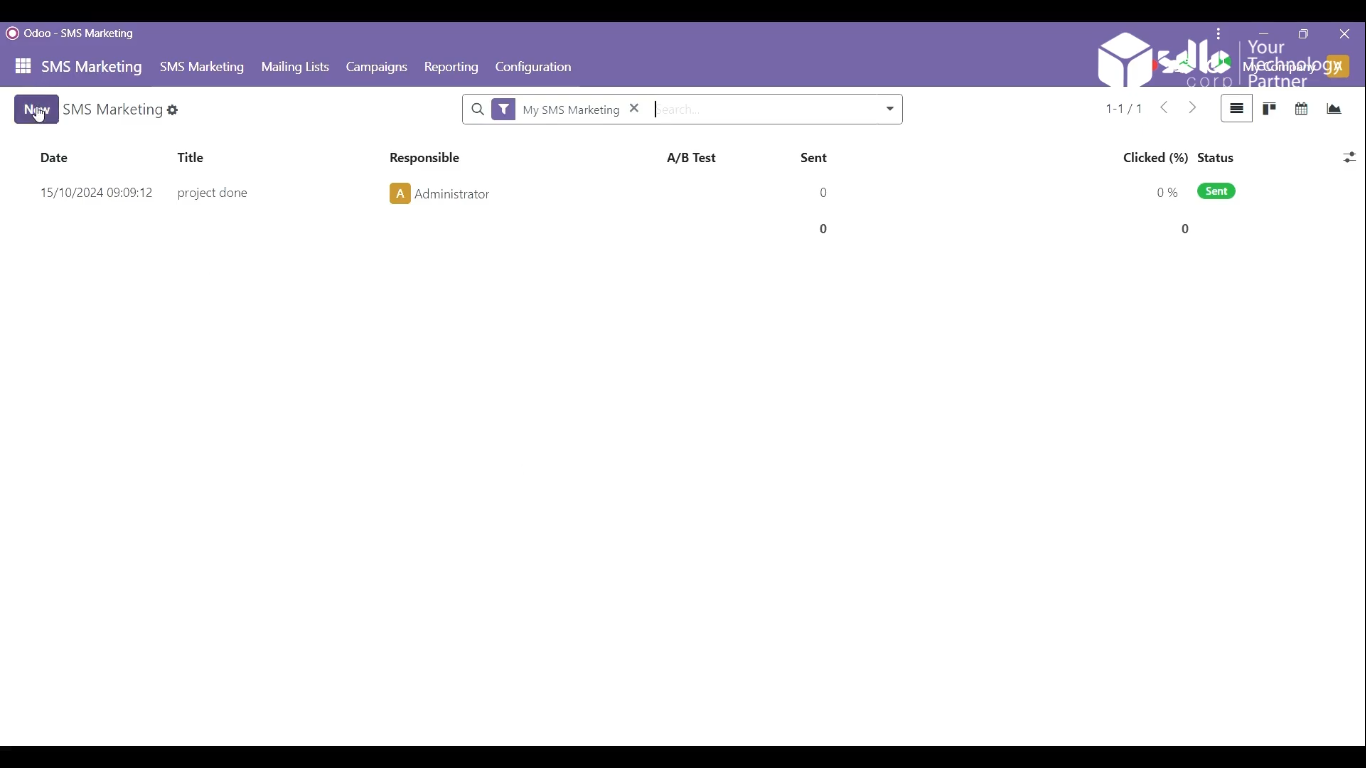
- In the SMS Marketing module, click on the New SMS Marketing button to create a fresh SMS campaign.
- This will open a form where you can define the details of your new marketing message.
3. Fill the Details and Click on the Send Button
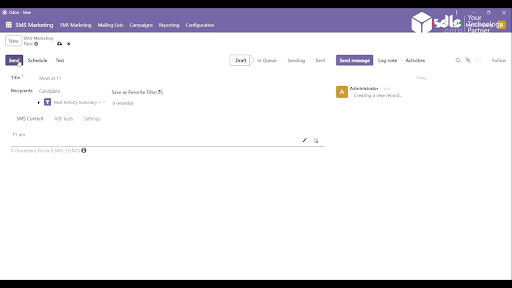
- Enter the Campaign Name to identify your SMS campaign.
- After verifying the details, click on the Send button to dispatch the SMS campaign.
4. Show New SMS Added
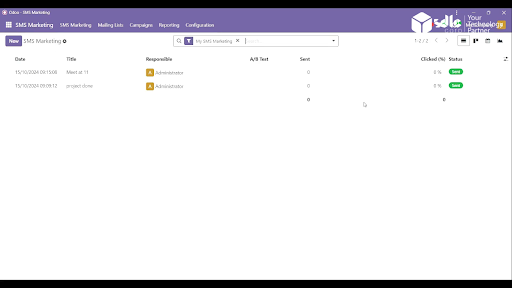
- After sending, you can view your newly created campaign listed under the SMS Marketing dashboard.
- The system will show the campaign status, such as Sent, In Progress, or Scheduled, along with key metrics like delivery reports and responses.
Expert Odoo ERP development company for tailored business solutions.
An Odoo ERP development company offers tailored solutions to streamline business operations, enhance productivity, and drive growth.
Conclusion
Odoo’s SMS Marketing module simplifies the process of reaching out to customers through targeted SMS campaigns. Following these straightforward steps, businesses can easily create and launch SMS campaigns to engage with their audience effectively. This feature-rich tool offers a direct communication channel, helping businesses boost customer engagement, promote products, and drive sales. With Odoo, tracking the performance of SMS campaigns is straightforward, ensuring continuous improvement in future marketing efforts.
Need Help Setting This Up in Odoo?
If you want this configured for your team or adapted to the way you work, our Odoo consultants can set it up, train your users and support you after go-live.