Businesses that sell, buy, or hold bank balances in multiple currencies need more than a currency dropdown on invoices. In Odoo Accounting, multi-currency setup affects the company currency, active foreign currencies, exchange rates, journal configuration, bank accounts, invoice and payment flows, reconciliation, and exchange gain/loss entries.
Odoo supports foreign-currency invoices, bills, payments, and bank accounts when the required accounting settings and journal configuration are in place. Correct exchange difference treatment depends on reconciliation status, rate configuration, and finance review at period close.
Exchange-rate treatment, realized gains/losses, month-end revaluation, tax reporting, and statutory reporting should be reviewed with your accountant or finance advisor before go-live.
This guide is useful for
Coverage
What Odoo Multi-Currency Accounting Covers
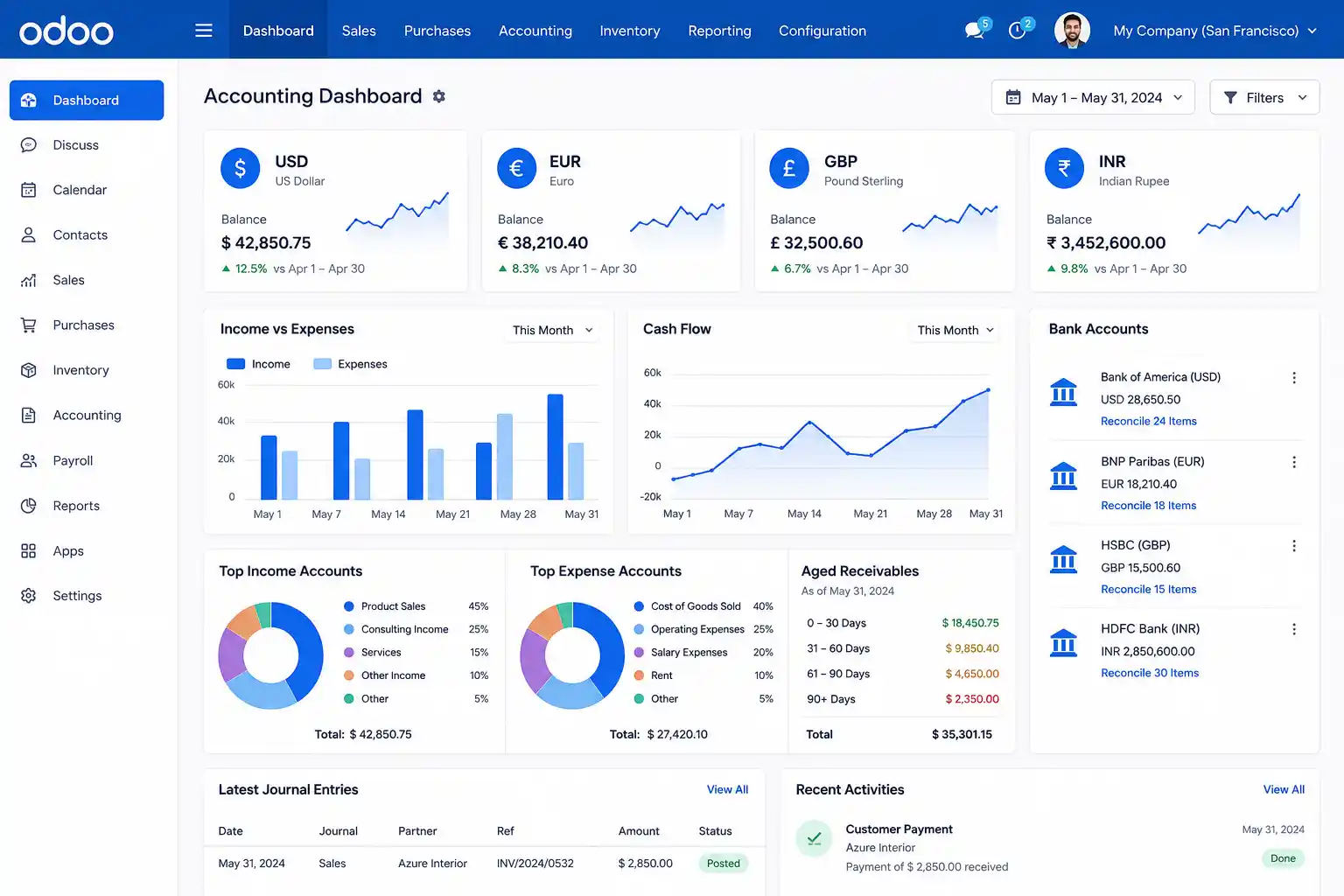
Odoo Accounting’s multi-currency functionality covers the full transaction cycle – from activating currencies and managing rates, through foreign-currency invoices and payments, to exchange difference entries at reconciliation. For businesses going through Odoo implementation services, multi-currency configuration, exchange difference account setup, and transaction testing should be included in the project scope.
| Area | What it means in Odoo |
|---|---|
| Main currency | Company's primary accounting currency - all reports anchor to this |
| Active currencies | Foreign currencies enabled for invoices, bills, payments, and bank accounts |
| Currency rates | Manual or scheduled automatic exchange-rate updates via a configured provider |
| Foreign-currency invoices | Customer invoices issued in a currency other than the company currency |
| Foreign-currency bills | Vendor bills received in a currency other than the company currency |
| Payment registration | Payments recorded in a currency that differs from the invoice or company currency |
| Exchange difference journal | Dedicated journal that receives FX gain/loss entries on reconciliation |
| Gain/loss accounts | Chart-of-accounts entries that record realized exchange gains and losses |
| Currency-specific journals | Bank or cash journals restricted to one currency |
| Currency-specific accounts | Accounts restricted to a single currency where required |
| Reports | Values shown in company currency; foreign-currency context available per transaction |
Foundation
Main Currency vs Foreign Currencies in Odoo
The main currency is the company’s accounting base – all financial reports anchor to it. Foreign currencies are activated for specific transactions, invoices, payments, or bank accounts. Understanding this distinction matters before any configuration, because reports show values in the company currency while individual transactions retain their foreign-currency context.
Main currency
- Primary accounting base for all reports
- Set during company creation
- Changing after entries exist requires migration planning
- All journal entries record amounts in main currency
Foreign currencies
- Activated per currency in Accounting settings
- Used on specific invoices, bills, payments, or journals
- Exchange rates map foreign amounts to company currency
- Exchange differences arise when rates differ across the lifecycle
Confirm the company currency before go-live. Changing the main currency after accounting entries exist can require migration planning and finance review.
Setup Sequence
How to Enable Multi-Currency in Odoo
Multi-currency is enabled from Accounting settings. Activating it opens the currency management area where foreign currencies are toggled, exchange-rate sources are configured, and the exchange difference journal and accounts are set. Each step must be confirmed before transaction testing begins.
Configuration checklist
Exchange Rates
Manual vs Automatic Currency Rates
Odoo allows currency rates to be updated manually, or automatically at daily, weekly, or monthly intervals using a selected exchange-rate service. The right choice depends on transaction volume, finance team control requirements, and whether contract-specific rates apply.
| Option | Best For | Watch Out For |
|---|---|---|
| Manual rates | Small transaction volume, accountant-controlled rates, contract-specific rates | Rates become outdated if not regularly updated; requires a defined review process |
| Automatic rates | Regular foreign-currency activity, high transaction volume, operational efficiency | Provider selection and update frequency must be reviewed with the finance team |
| One-off manual adjustment | Special contract rate or accounting correction | Requires finance approval and documentation before posting |
Automatic rates are convenient for high-volume FX operations, but finance teams should still review rates at period close - particularly for significant transactions where rate accuracy affects reported gains or losses.
Invoice Workflow
Foreign-Currency Invoices and Vendor Bills
When a foreign-currency invoice is confirmed in Odoo, the system records the accounting value in the company currency at the invoice date rate. The invoice remains visible in its original currency. When payment arrives – often at a different rate – reconciliation triggers an exchange difference entry.
How it works
Key nuances
FX Gains and Losses
Exchange Difference Journal: Gains and Losses
Odoo records exchange difference entries in a dedicated journal using configured gain and loss accounts. These entries are created automatically when reconciliation occurs and the invoice date rate differs from the payment date rate. Configuring these accounts correctly before any FX transaction is essential – the journal and accounts cannot be retroactively corrected without rework.
| Item | What it does in Odoo |
|---|---|
| Exchange difference journal | Records rate differences between invoice/bill date rate and payment date rate on reconciliation |
| Gain account | Receives credit entries when the company benefits from a favourable rate movement |
| Loss account | Receives debit entries when the company is disadvantaged by an adverse rate movement |
| Payment reconciliation | Usually the trigger for gain/loss recognition; partial payments may defer the final entry |
| Month-end review | Finance should review exchange difference entries for completeness and reasonableness |
Bank Accounts
Foreign-Currency Bank Accounts in Odoo
A foreign-currency bank account in Odoo requires a bank journal with the currency set, and a bank/cash account with the matching currency. This setup allows bank statements to be imported in the foreign currency while reporting balances in the company currency. Exchange-rate differences arising from payments and transfers post through the configured exchange difference journal.
Setup steps
Check before importing
For businesses connecting external bank feeds, treasury systems, or financial data platforms to Odoo, Odoo integration services help ensure foreign-currency bank data flows correctly into Odoo before reconciliation.
Currency Settings
Account Currency vs Journal Currency
Odoo allows currency restrictions at three levels: the individual account, the journal, and the document. Understanding when each applies prevents configuration mistakes that are difficult to correct after transactions are posted.
| Setting | Where it applies | Use when | Risk if wrong |
|---|---|---|---|
| Account currency | Chart of accounts - individual account | An account should only handle one currency | Transactions may be blocked or forced into an unintended currency |
| Journal currency | Journal (sales, purchase, bank, cash) | A bank or cash journal should handle one specific currency | Users may post in an unintended currency; reporting may be inconsistent |
| Document currency | Individual invoice, bill, or payment | A single transaction needs a foreign currency | Wrong rate selection or payment mismatch may cause incorrect exchange entries |
Quick Decision Guide
Multi-Currency Configuration Path: Match Your Situation
Match your situation to one of the six paths below. Each shows who it is for, three suggested next steps, and the most important thing to avoid.
- Confirm company currency, then activate required foreign currencies in Accounting settings.
- Configure the exchange difference journal and gain/loss accounts before any FX transaction.
- Test a foreign-currency invoice, payment, and reconciliation to verify the gain/loss entry appears.
- Select an exchange-rate provider and configure the update frequency daily, weekly, or monthly.
- Test that rates update correctly and verify finance team can override a rate when needed.
- Define a rate review process with the finance team before go-live. Automatic does not mean unsupervised.
- Create a bank journal in Odoo and set its currency to the foreign currency.
- Set the bank account's currency to match the journal, then test a bank statement import.
- Reconcile a test payment and verify the FX difference entry posts correctly in company currency.
- Confirm the exchange difference journal and gain/loss accounts are correctly configured in Accounting settings.
- Run a test: post a foreign-currency invoice, pay at a different rate, and reconcile. Then review the journal entry.
- Train finance users to review exchange difference entries monthly as part of the period-close checklist.
- Configure and test multi-currency separately for each company. Do not assume shared settings apply.
- Test intercompany transactions and verify that FX differences post to the correct entity and accounts.
- Review consolidation and reporting requirements with the accountant before go-live.
- Map all external systems that provide or consume FX rate data into or out of Odoo.
- For post-live issues: audit the exchange difference journal, gain/loss accounts, and reconciliation status before making changes.
- Apply any configuration corrections on a copy of the database before applying to production.
Troubleshooting
Common Odoo Multi-Currency Setup Errors
Most multi-currency errors in Odoo originate from missing configuration, outdated rates, or incomplete reconciliation rather than software defects. Each issue below has a preventable root cause.
| Error Type | Common Cause | How to Prevent |
|---|---|---|
| Wrong main currency | Company currency not confirmed before posting entries | Confirm with finance before go-live; changing after entries exist requires migration planning |
| Inactive currency | Required currency not enabled in Accounting settings | Activate all currencies before creating transactions |
| Outdated exchange rates | Manual rates not updated; no automatic update scheduled | Define a rate review process or enable scheduled automatic updates |
| Missing gain/loss accounts | Exchange difference accounts not configured before testing | Configure gain and loss accounts in Accounting settings before any FX transactions |
| Exchange difference not appearing | Invoice and payment not fully reconciled; partial payment pending | Confirm reconciliation status; review open residual balances |
| Wrong bank journal currency | Bank journal not assigned the correct currency before statement import | Set journal and bank account currency before importing statements |
| Partner currency mismatch | Customer or vendor default currency not reviewed | Validate partner and pricelist currency settings before invoicing |
| Multi-company confusion | Companies use different main currencies but share configuration assumptions | Configure and test each company separately; do not assume shared currency settings |
| Reporting mismatch | Finance team compares foreign-currency amounts with company-currency reports | Train finance team on report currency logic before go-live |
Recurring exchange difference issues, reconciliation errors, or bank statement import problems should be reviewed systematically rather than corrected one transaction at a time. Post-go-live Odoo support helps identify root causes without disrupting live accounting records.
SDLC Corp can review your currencies, exchange-rate settings, gain/loss accounts, foreign-currency journals, bank reconciliation flow, and reporting checks before go-live.
Readiness
Odoo Multi-Currency Readiness Checklist
Work through all five groups before issuing live foreign-currency transactions. Each item should be confirmed – not assumed – and accountant sign-off completed before the first real FX entry is posted.
Implementation
Step-by-Step Implementation Roadmap
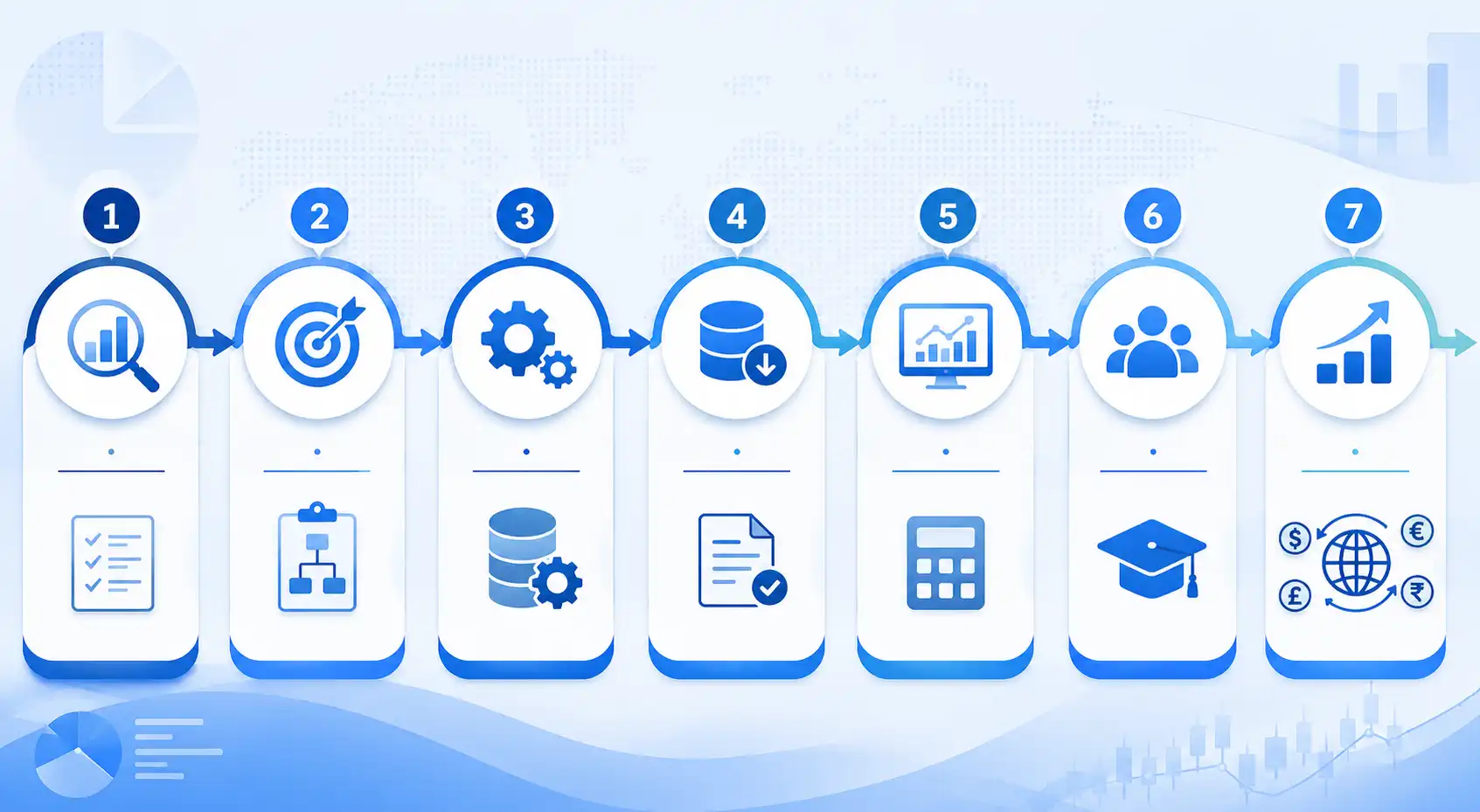
A structured multi-currency implementation covers currency model confirmation, accounting configuration, transaction testing, reporting review, and team training in sequence. Compressing steps increases the risk of exchange difference errors that are difficult to correct after live entries are posted.
Confirm the main company currency, required transaction currencies, foreign-currency bank account needs, customer and vendor currencies, and reporting requirements with finance before configuration.
Activate required currencies in Accounting settings, choose manual or automatic rate updates, define the update interval, and test a manual rate update before advancing.
Set the exchange difference journal, gain account, and loss account in Accounting settings. Get finance approval on the accounts before creating any FX transactions.
Set currency restrictions on any foreign-currency bank or cash journals. Review account currency restrictions where a ledger account should handle only one currency.
Test foreign-currency invoices, vendor bills, payments after rate changes, partial payments, credit notes, and bank statement reconciliation. Verify exchange difference entries appear correctly after each reconciliation.
Review receivable and payable balances in company currency, FX gain/loss journal entries, bank balances, and relevant tax reports. Get accountant sign-off before month-end close.
Train users on selecting the correct invoice currency, reviewing and updating rates, reconciling foreign-currency payments, reading exchange difference entries, and understanding reporting in company currency.
Business Scenarios
Business Scenarios to Test in Odoo
These five scenarios cover the most common multi-currency situations businesses encounter. Each should be tested in Odoo before go-live, including edge cases like partial payments and multi-company FX flows.
- Invoice currency: USD; company currency: EUR
- Payment arrives later at a different rate
- Exchange difference entry expected on reconciliation
- Finance reviews gain or loss in EUR at month-end
- Vendor bill in GBP; company currency is different
- Payment made in GBP at a new rate
- Gain or loss depends on rate change between bill and payment dates
- Payable balance reviewed in company currency before close
- Bank journal currency: USD
- Statements imported in USD; Odoo converts to company currency
- Reconciliation tested against payments in USD
- FX difference review completed after each statement period
- Partial payment does not always trigger the final exchange difference
- Residual open balance remains until fully settled
- Finance must review reconciliation status and open amounts
- Final gain/loss entry appears only on full reconciliation
- Company A reports in EUR; Company B reports in USD
- Intercompany transactions require careful rate and account mapping
- Consolidation reporting requires accountant review
- Not just a currency setting - each entity configured separately
Decision Guide
Native Odoo Multi-Currency vs Customization
Native Odoo multi-currency covers standard FX invoicing, payments, bank journals, and exchange difference accounting for most businesses. Customisation or integration is needed when rate sources, treasury systems, or reporting requirements fall outside the standard Odoo scope.
- Invoices and bills use standard Odoo Accounting workflows
- Exchange rates can be manual or scheduled via standard providers
- Bank accounts follow standard journal setup in Odoo
- Gain/loss accounts follow standard chart-of-accounts structure
- Finance team reviews month-end FX entries without custom dashboards
- A custom exchange-rate provider or treasury system is required
- Rates must follow contract-specific or hedge-specific logic
- Multi-company consolidation involves complex FX reporting
- FX exposure dashboards or approval workflows for rate changes are needed
- Bank statement imports require custom field mapping or external system sync
If your multi-currency workflow includes custom rate providers, treasury integrations, or automated bank data flows, Odoo customization services can extend the system without disrupting standard accounting flows.
Team Responsibilities
Finance, Odoo Admin and IT Responsibilities
Multi-currency accounting involves finance policy, accounting configuration, and technical integration. Define ownership across all five roles before go-live to prevent gaps in rate review, reconciliation, and period close.
| Role | Responsibilities |
|---|---|
| Finance team | Currency policy, rate review process, gain/loss review, reconciliation, month-end sign-off |
| Odoo admin | Currency activation, journal and account settings, permissions, rate update scheduling |
| Accountant/advisor | FX accounting treatment, statutory reporting treatment, tax implications, revaluation policy |
| IT/integration | Bank feeds, exchange-rate providers, external system integrations, data sync |
| Management | FX approval policy, risk controls, reporting expectations, go-live sign-off |
How SDLC Corp Helps
How SDLC Corp Helps with Odoo Multi-Currency Accounting
SDLC Corp helps businesses configure Odoo multi-currency accounting, including foreign-currency invoices and vendor bills, exchange-rate setup, gain/loss account configuration, foreign-currency bank journals, bank reconciliation workflows, reporting checks, custom rate provider integrations, and post-go-live support.
FAQ
Frequently Asked Questions
Start with the right company currency, active foreign currencies, exchange-rate policy, gain/loss accounts, bank journals, and finance review process before go-live.
Talk to an Odoo expert