Why Implementation Quality Determines Odoo's Outcome
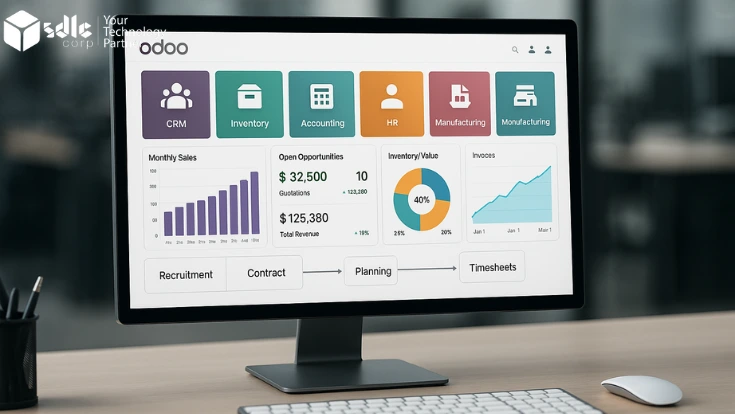
Odoo is an open-source, modular ERP platform that spans CRM, sales, inventory, manufacturing, purchasing, accounting, HR, and project management. Its modular architecture is both the reason organisations choose it and the reason implementations require careful planning. You can activate only the modules you need — but each module has configuration dependencies on others. How you configure the inventory module affects purchasing behaviour. How you structure your chart of accounts determines what is possible in financial reporting. Get the configuration order or the configuration logic wrong, and you create rework that is expensive to unwind.
Odoo implementations succeed when the configuration reflects how the business actually operates — not how the team wishes it operated, and not how a default Odoo setup works out of the box. The practices in this guide are primarily about creating the conditions for that alignment. See our overview of essential Odoo modules and configuration decisions.
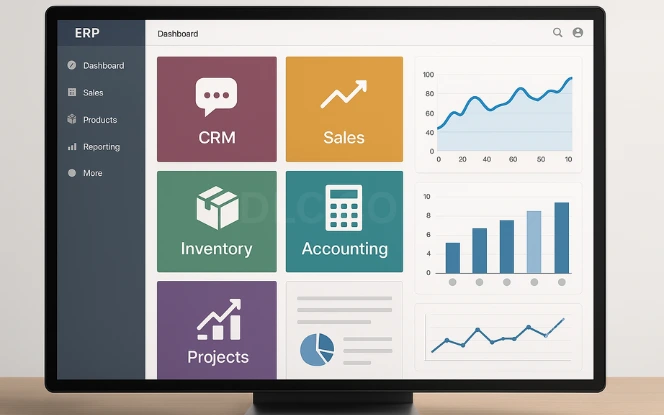
Modules are interconnected
Odoo modules share data models. A configuration decision in one module — inventory valuation method, product category structure, warehouse routing — creates constraints and implications in others. Implementation order matters.
Community vs Enterprise
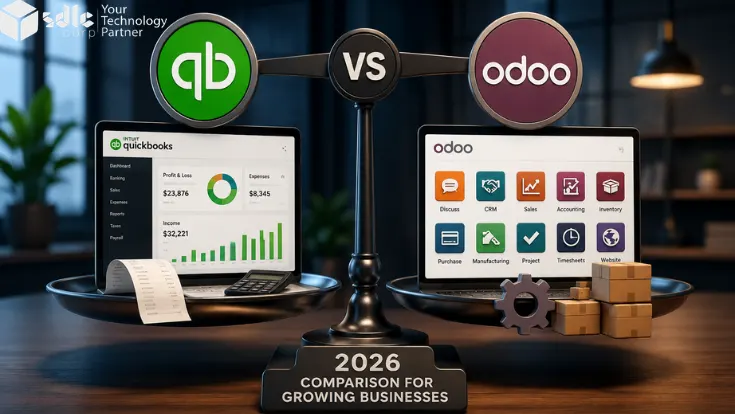
Community Edition is free and open-source. Enterprise adds full accounting, HR, marketing automation, and Odoo.sh support — at a per-user monthly cost. The right choice depends on your requirements and your budget. See our implementation cost guide.
Configuration before customisation
Most requirements can be met by configuring Odoo's standard settings and workflows. Custom development should come after standard options are exhausted — it adds upgrade complexity and maintenance cost.
Adoption determines ROI
An Odoo system that is correctly configured but poorly adopted produces worse outcomes than a spreadsheet that people actually use. The practices around training and change management are not optional — they directly determine whether the investment pays back.
Define Scope and Success Criteria Before Engaging a Partner
The most consistent predictor of a successful Odoo implementation is the quality of the pre-engagement work — not the quality of the implementation partner, though that matters too. Organisations that start with a clear, documented scope and measurable success criteria consistently get better outcomes than those that start by selecting a partner and asking them to define the scope through discovery.
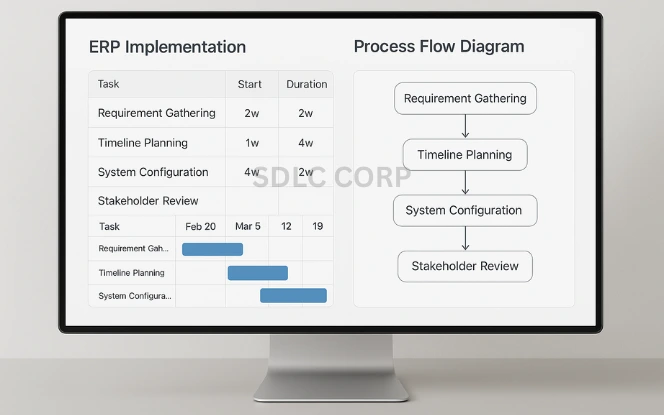
Document current business processes before discovery begins
Every department in scope should have its core workflows documented — not described verbally in a meeting, but written down and reviewed. The implementation partner's discovery process will surface gaps in your own understanding of your processes. It is far better to discover those gaps before a contract is signed than during a paid sprint.
Define success in specific, measurable terms
Implementation success should be defined as concrete, measurable outcomes — reduction in invoice processing time from X days to Y days, elimination of manual stock reconciliation, consolidated financial reporting across entities by a specific date. "Better visibility" and "improved efficiency" cannot be measured. Success criteria that cannot be measured cannot be achieved, because no one will agree on whether they have been.
Define scope by module, not by aspiration
The scope document should list specific Odoo modules to be implemented, in priority order, with explicit exclusions documented as future phases. "We might add manufacturing later" is scope uncertainty, not scope control. Every out-of-scope module should have a documented reason it is out of scope and a defined criterion for when it would be included.
Secure a named executive sponsor before the project starts
Odoo implementations surface disagreements between departments — about how a business process should work, about who owns a data field, about which team's workflow takes priority. These disagreements need an authorised decision-maker who can resolve them without escalating to a committee. Without a named sponsor with actual authority, projects stall on internal disputes that should take an hour to resolve.
The most avoidable planning failure: Starting with an implementation partner before the internal team has agreed on scope. Discovery surfaces real disagreements between departments — they are much faster and cheaper to resolve before a contract is signed than during a paid project sprint.
Select a Partner for Industry Experience, Not Just Odoo Certification
Odoo partner certification (Gold, Silver) is a necessary baseline — it confirms that the partner has certified consultants and a track record of completed implementations. It is not sufficient on its own. The configuration decisions that most affect outcomes are industry-specific: a partner who has configured Odoo for retail twenty times makes different decisions about product variants, pricing rules, and point-of-sale workflow than one who has done it twice. Industry experience is the variable that drives configuration quality. See our Odoo consulting services.
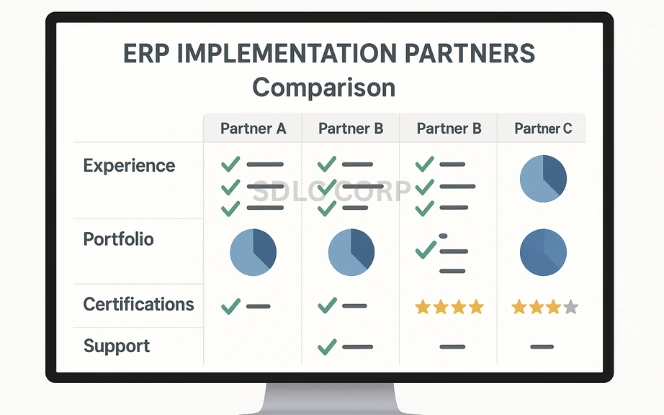
Verify partner status on Odoo's official directory
Partner status is publicly verifiable at odoo.com. A partner who claims Gold or Silver status but is not listed, or whose listing shows different information than what they claim, is a red flag before a conversation about their experience.
Ask for references in your specific industry
Not adjacent industries — your industry. A manufacturing partner and a retail partner will make different configuration decisions on inventory valuation, costing, and workflow. Ask for two or three client references in your sector, and ask those clients specifically about decisions the partner made that turned out to be wrong and how they were resolved.
Confirm the team includes functional consultants, not only developers
Odoo implementations require two different skill sets: functional consultants who understand your business processes and know how to configure Odoo to support them, and developers who build custom modules when required. A team of only developers will produce technically correct but operationally misconfigured Odoo. A team of only functional consultants cannot build custom code when it is needed.
Define post-go-live support terms before signing the contract
The leverage to negotiate support terms disappears the moment the implementation contract is signed. Define explicitly in the contract: what constitutes a bug vs. a new requirement; response time SLAs by severity; how training requests are handled; and what the process is for minor configuration changes post-launch.
A useful interview question for any shortlisted partner: "Tell me about an Odoo implementation in our sector that ran into significant problems — what went wrong, and what did you do to resolve it?" A partner who cannot answer this either has no experience in your sector or is not being honest.
Treat Data Migration as a Business Activity, Not a Technical One
Data migration is the phase of an Odoo implementation most likely to cause delays, and the phase most commonly treated as a technical exercise to be handled by the implementation team. The reason it causes delays is that legacy data quality is almost always worse than anyone in the business believes — and discovering that during the migration phase, rather than before it, is expensive. See our data migration best practices guide for technical execution detail.
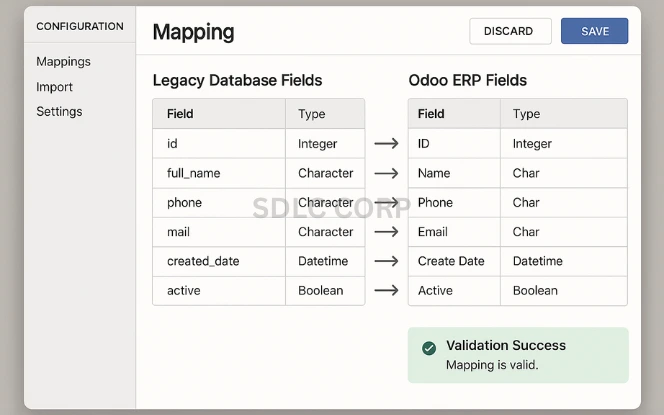
Audit legacy data quality before the migration plan is written
Before estimating migration effort or setting a go-live date, run a row-level audit of every entity to be migrated — customers, suppliers, products, inventory positions, open orders, financial balances. Duplicate records, missing mandatory fields, inconsistent formats, and accumulated bad data are the rule in legacy systems, not the exception. The audit makes them visible while there is still time to clean them without delaying the project.
Define migration scope precisely — what moves, what archives, what stays
Not all legacy data belongs in Odoo. Active customers, open transactions, and current inventory should migrate. Historical transactions from closed financial years often serve better as an archived read-only system than as bulk-migrated records that inflate the Odoo database and confuse reporting. A clear migration scope reduces effort, reduces risk, and produces a cleaner system at go-live.
Assign data ownership to business users, not the IT team
The finance team is responsible for validating migrated financial balances. The warehouse team is responsible for confirming inventory positions. Operations owns open order accuracy. Migration scripts and technical mapping are the implementation partner's responsibility; data accuracy validation is a business user responsibility. Projects where IT or the implementation partner owns data quality are projects where data quality problems are discovered after go-live.
Run a complete test migration and validate the output before setting a go-live date
A full dry-run migration into a staging environment, validated by the relevant business users, is the only way to know whether the migration will work before the production cutover. Setting a go-live date before a successful test migration has been validated is committing to a deadline without knowing whether it is achievable.
The most common data migration failure: Discovering that the legacy system contains years of duplicate customer records, unreconciled inventory adjustments, or chart of accounts inconsistencies — after the migration script has been written. Data cleanup at this stage takes three to five times longer than it would have at the planning stage and almost always delays go-live.
Default to Configuration; Customise Only Where There Is a Measurable Business Need
Odoo customisation — writing code to extend or modify standard behaviour — is sometimes necessary and sometimes the right choice. It is also frequently overused, driven by comfort with existing processes rather than analysis of what the business actually needs. Every custom module adds future upgrade complexity and maintenance overhead. The best practice is not to avoid customisation entirely, but to apply a discipline to it that most organisations do not. See our Odoo customisation services for when and how custom development is appropriate.
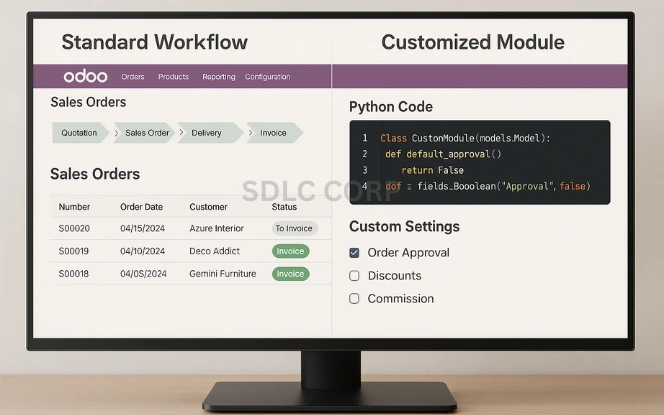
- Standard Odoo cannot meet the requirement after all configuration options are exhausted
- The requirement provides competitive advantage specific to the business
- The business process cannot be adapted to the standard workflow without operational impact
- The custom development follows Odoo's coding guidelines for upgrade compatibility
- The standard workflow already meets the business need and the remaining gap is primarily a user preference
- The requirement comes from one or two users and does not affect reporting
- The existing business process could be adapted without operational impact
- The customisation would need to be rebuilt for every Odoo version upgrade
Write functional specifications before development begins
Every custom module or modification needs a written functional specification before development starts. "Build a screen that shows me X" is not a specification. Code written to a verbal brief is almost always wrong in at least one important detail — and the cost of fixing those details after development is higher than the cost of writing a proper spec before it.
Confirm upgrade compatibility as a requirement, not an afterthought
If you are on Odoo Enterprise and plan to take version upgrades — and you should, because version upgrades bring security patches and new capabilities — all custom code must follow Odoo's module development guidelines. Non-compliant custom code is the primary reason Odoo upgrades are deferred indefinitely, accumulating technical debt until a migration becomes a full re-implementation.
Want a partner who applies these practices, not just talks about them?
SDLC Corp's implementation team works through structured pre-planning, validates data before migration begins, and designs configurations against documented business processes. We manage the full deployment or provide specialist support for implementations already in progress.
Talk to an Odoo implementation specialist
Test in Phases, with Business Users Owning UAT
Testing phases are the most commonly compressed part of an Odoo implementation — usually because earlier phases ran over time or budget. Compressing testing does not save time; it defers problems to post-launch when they are three to five times more expensive to fix, and when the cost is measured in operational disruption rather than project budget.
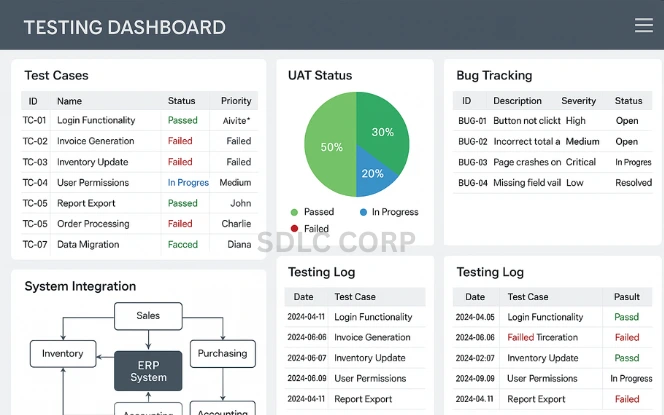
Test individual modules against written test scripts, not from memory
Each module is tested against scenarios written before testing begins. Testing without scripts produces inconsistent coverage — what gets tested depends on what the tester happens to think of that day. The same configuration defects will be missed each time because the same assumptions are applied each time.
Test in a staging environment frozen at production configuration
Testing in the development environment, where configuration is still changing, does not produce valid results. The staging environment should be a snapshot of the production configuration, and it should be frozen before functional testing begins.
Test end-to-end process flows across module boundaries
A sale that becomes a purchase requisition that triggers a production order that updates inventory — the full chain must be tested as a unit, not just each module in isolation. Cross-module failures are the most common source of post-launch operational disruptions, and they are invisible in module-level testing.
UAT must be conducted by business users, not the implementation team
The implementation team testing their own work is verification — it confirms the system does what it was built to do. UAT confirms that what it was built to do is what the business actually needs. These are different questions. Key users from each department run real business scenarios using realistic data, and their documented sign-off is the gate for go-live confirmation.
A practical testing timeline: Functional testing should complete at least four weeks before the planned go-live date. Integration testing at three weeks. UAT at two weeks. This leaves one week to resolve critical UAT defects and re-test before go-live is confirmed. Tighter timelines produce go-live decisions made under pressure rather than based on evidence.
Train on the Production System, Close to Go-Live, by Role
Training is the most direct determinant of adoption rate — and adoption rate determines whether the implementation delivers its projected value. When organisations report that "Odoo is complicated", they almost always mean that users were not adequately shown how to do their specific work in Odoo, not that the platform is inherently difficult. Three training decisions consistently differentiate successful implementations from ones with adoption problems. See our Odoo training services.
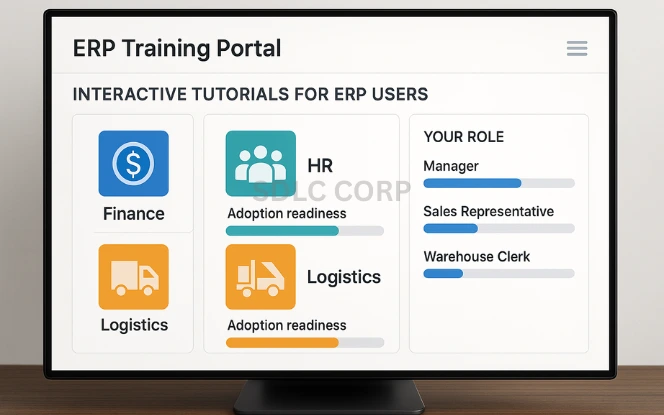
Design training by role, not by module
A warehouse operator and a finance manager use different Odoo modules, different workflows, and different reports. Generic training — "this is how Odoo works" — teaches every user about features they will never use and fails to cover the specific workflows they will use every day. Training designed around what each role actually does is more efficient and produces better retention.
Train on the production configuration, not a demo environment
Training on a demo or generic Odoo installation teaches users how a standard Odoo setup works. It does not teach them how your specific configured system works — with your product categories, your workflow rules, your approval chains, your reports. Training on a staging copy of the production system is substantially more effective because what users learn maps directly to what they will use from day one.
Conduct training close to go-live
Training conducted four weeks before go-live is largely forgotten by the time users first work in the system. Training conducted two weeks before go-live — close enough that users can apply it immediately — consistently produces better retention. Schedule training in the two weeks immediately before go-live, not as a project milestone weeks earlier.
Identify and invest in super-users
One user per department who receives deeper training — covering configuration context, not just daily workflows — and who is available to answer first-level questions from colleagues reduces support burden dramatically in the first weeks after go-live. Super-users should be involved in UAT and given access to a deeper level of system knowledge than standard end-user training provides.
Low adoption traces back to training decisions, not system quality. The two most common adoption failure modes are training conducted too early (forgotten by go-live) and training on the wrong environment (users trained on a generic demo who encounter a different-looking production system on day one).
Plan Go-Live as a Managed Transition, Not a Hard Cutover
Go-live day is a transition, not a finish line. The practice of treating it as a managed transition — with defined go/no-go criteria, a parallel running period or clear rollback plan, and a structured first-week support response — consistently produces smoother launches than the alternative: a date-driven cutover where go-live happens because the date arrived, not because the system is ready.
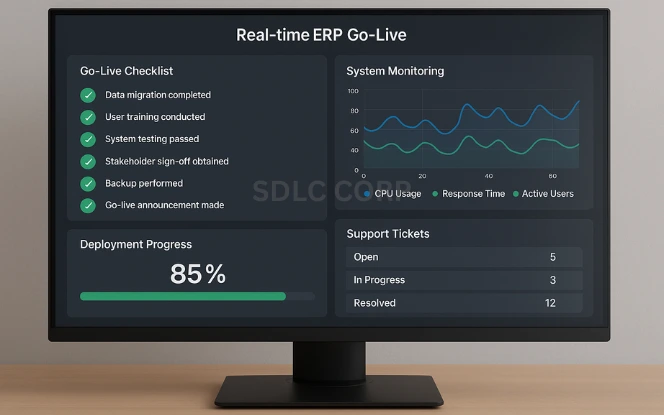
Establish explicit go/no-go criteria agreed before go-live week
Define in writing what conditions must be met for go-live to proceed — UAT sign-offs from all departments, successful test migration with validated data, all critical UAT defects resolved. The decision to proceed to go-live should be made against this list, not under the pressure of a date that has already been communicated to the business.
Document a rollback plan and keep the legacy system accessible
No go-live plan should lack a rollback procedure. Define who authorises the rollback decision, what the trigger criteria are, and how the organisation returns to the legacy system if Odoo's production launch fails. Keep the legacy system in read-only mode for at least 30 days after go-live. Users who cannot find historical data in Odoo should be able to access it without escalating.
Staff a dedicated support response for the first week
Every Odoo go-live produces a high volume of user questions in the first week. The questions are mostly "how do I do this?" — they are a training residue, not system failures. Staffing a dedicated support channel for the first week — super-users available throughout the business day, clear escalation to the implementation partner for actual defects — absorbs this volume without disrupting operations.
Verify access rights in the production environment on go-live day
Access rights and security configurations tested in staging sometimes behave differently in production. Before the first real transactions are processed, confirm that each user role has the correct access — can see what they should see, cannot access records outside their role. This takes 30 minutes and prevents a category of problems discovered by users on day one.
Do not proceed to go-live if: UAT sign-offs are not complete from all departments, the production data migration has not been validated by a business owner (not just a developer), or any business-critical integration has not been tested with production credentials.
Treat the First 90 Days as Part of the Implementation, Not the Aftermath
The first 90 days after go-live strongly influence whether the implementation delivers its projected ROI or stalls before teams fully adopt and optimize the new workflows. Projects that define go-live as the end of the implementation consistently underperform compared to those that plan a structured 90-day optimisation phase as part of the project scope. The questions are different post-launch — adoption, optimisation, and first-cycle process review — but the investment in structured attention is the same. See our guide to choosing the right Odoo support model.
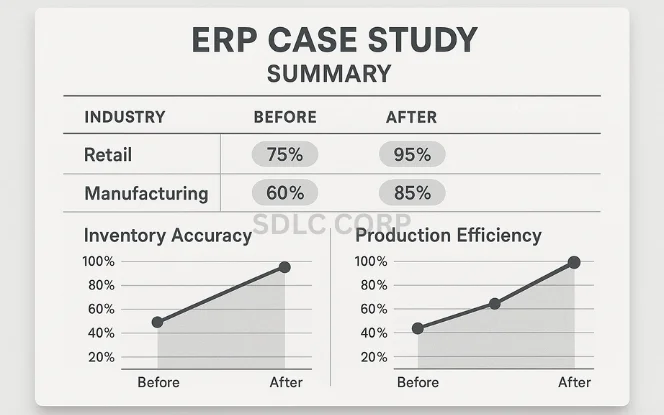
Measure KPIs against pre-implementation baseline in the first month
The success metrics defined in pre-planning — reduction in processing time, elimination of specific manual tasks, consolidated reporting — should be measured for the first time within 30 days of go-live. Early measurement reveals whether the implementation is delivering and surfaces adoption or configuration gaps while there is still budget and team attention available to address them.
Collect user feedback systematically and categorise it
User feedback in the first 90 days is a high-signal source of information about what is working and what is not. Not all feedback warrants action — some reflects training gaps, some reflects resistance to process change, and some reflects genuine system deficiencies. Categorising feedback before acting on it prevents over-investing in configuration changes that solve a training problem, or dismissing feedback that identifies a real defect.
Review deferred scope with updated knowledge
The modules and improvements deferred from the initial scope should be reviewed at the 90-day mark in the context of actual system performance — not the assumptions made at the start. Priority for the next phase should be driven by observed operational impact, not the original project plan. See our Odoo implementation services for how we structure phased deployments.
Plan the first Odoo version upgrade before technical debt accumulates
Odoo releases a major version annually. The best time to plan the first upgrade is in the first six months after go-live — before custom code accumulates and before the implementation team's knowledge of the configuration fades. Organisations that defer upgrades indefinitely accumulate technical debt that eventually makes upgrading more expensive than a re-implementation.
Looking for a partner who implements Odoo the right way?
Our Odoo implementation services are built around the practices in this guide — structured pre-planning, data validation before migration, configuration that reflects actual business processes, and a structured post-go-live phase.
Request an implementation consultation
What is the most common reason Odoo implementations fail?
How long should an Odoo ERP implementation take?
Should we implement all Odoo modules at once or in phases?
Is Odoo scalable for large organisations?
How much does an Odoo ERP implementation cost?
Odoo Community or Enterprise — which is right for my business?