Introduction
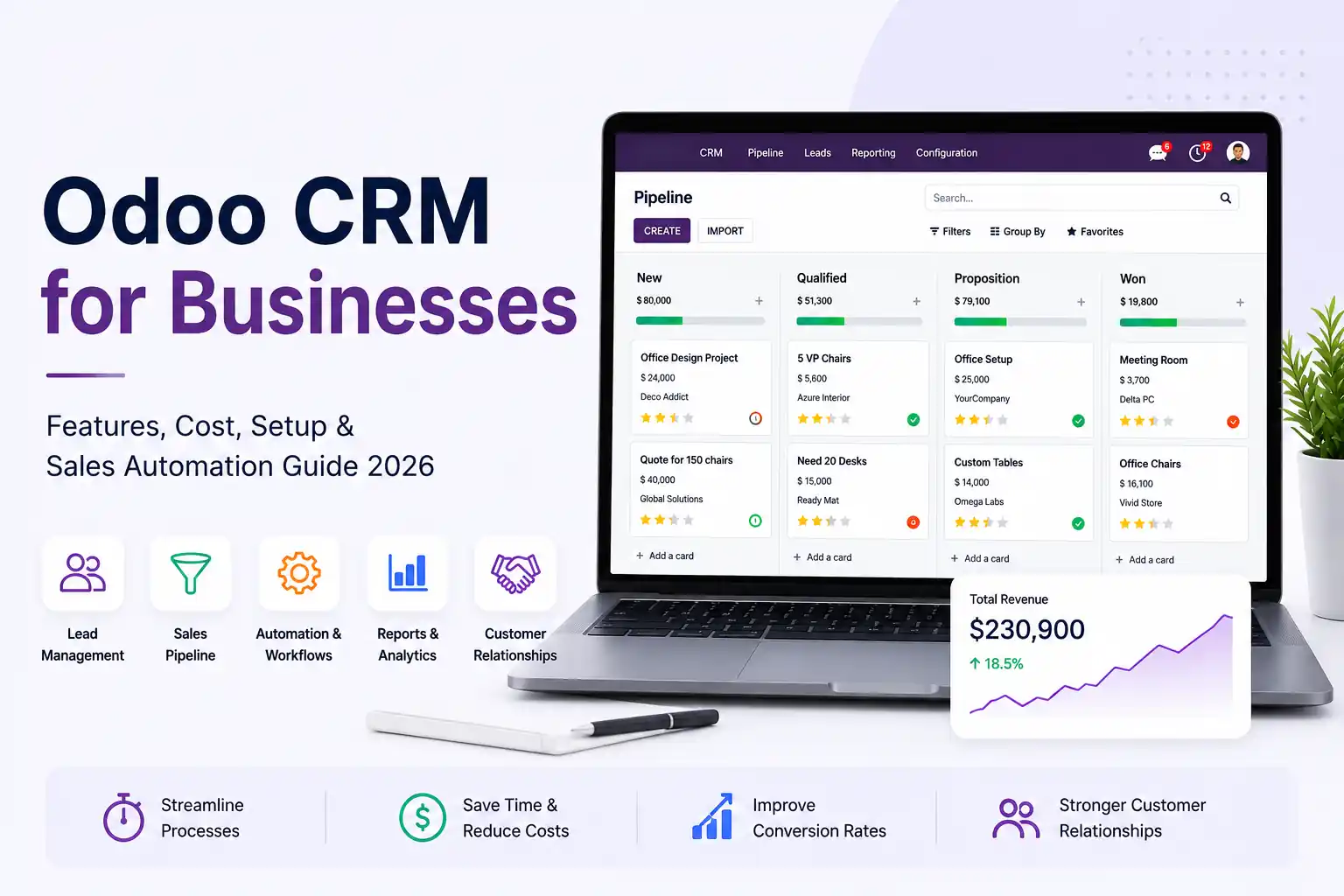
Odoo CRM for businesses helps organize leads, automate sales activities, and give managers better control over every deal stage.
However, Odoo CRM delivers real value only when it fits the way your sales team works. In this guide, we cover Odoo CRM features, pricing, sales automation, ROI, and setup planning for 2026. We also explain how Odoo CRM services from SDLC Corp help businesses build a sales-ready CRM system that supports faster follow-ups and better pipeline control.
Key Takeaways
- Lead and pipeline tracking: Odoo CRM helps businesses track leads, follow-ups, pipelines, and sales activity from one place.
- Better sales ROI: The biggest ROI comes from faster response, fewer missed follow-ups, and better sales visibility.
- Workflow-based automation: Odoo CRM works best when automation matches your real sales process.
- Clear cost planning: Total cost depends on license, setup, migration, integrations, training, and support.
- Sales-ready CRM setup: A sales-ready Odoo CRM system delivers more value than a basic install when it is built around how your team actually sells.
Top Odoo CRM Features That Drive Real Business ROI
The real value of Odoo CRM is not in its feature count. It is in how well those features reduce missed leads, delayed follow-ups, and weak pipeline visibility.
Odoo CRM includes tools for lead tracking, opportunity management, sales activities, pipeline views, forecasting, lead assignment, and reporting. However, ROI comes from configuring these features around your sales process, not from using every feature by default.
| Odoo CRM Feature | What It Does | Business Impact |
|---|---|---|
| Lead Tracking | Captures and organizes leads in one place | Reduces scattered lead handling |
| Lead Assignment | Routes leads to the right team or salesperson | Improves ownership and response control |
| Pipeline Stages | Maps deals across your sales process | Gives managers clearer deal visibility |
| Activity Scheduling | Tracks calls, emails, meetings, and next actions | Reduces missed follow-ups |
| Lead Source Tracking | Shows where leads come from | Helps compare channel performance |
| Sales Dashboards | Shows pipeline, activity, and sales movement | Supports faster sales reviews |
| Quotation Flow | Connects CRM opportunities with sales quotes | Reduces manual handoff between CRM and sales |
| Forecast Reports | Tracks expected revenue and upcoming opportunities | Helps owners review pipeline health |
Here is the catch: these results depend on proper setup. Many teams install Odoo CRM with default stages and fields, then struggle because the system does not reflect how they actually sell.
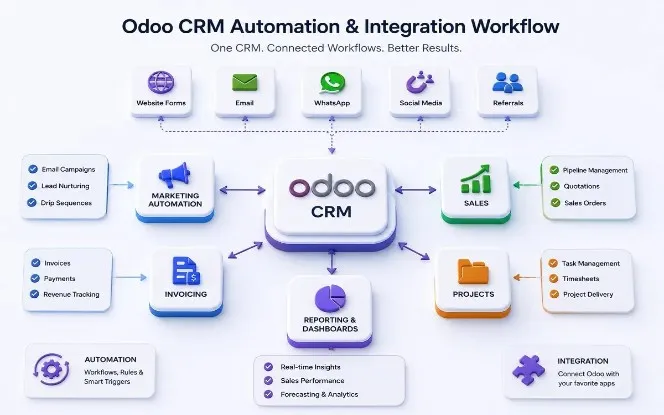

Odoo CRM Automation: SDLC Corp Client Results
Odoo CRM automation helps sales teams reduce manual work, connect CRM with other business workflows, and track results more clearly. These client examples show how SDLC Corp used Odoo to solve real sales, operations, and reporting problems.
Real Odoo Results Delivered by SDLC Corp
Eyefuze Marketing
The Problem We Solved
Multiple tools made CRM, sales, invoicing, projects, timesheets, marketing, and website data harder to manage.
Result Delivered
Replaced 4 legacy tools, saved 15–20 hours per month, and reduced monthly close from 3–4 days to 1–2 days.
Transworld Logistics
The Problem We Solved
Fleet, warehouse, orders, documents, and shipment tracking workflows were running through disconnected tools.
Result Delivered
Improved document processing by 30%, reduced missed shipments, and replaced 5 disconnected tools.
KISS USA
The Problem We Solved
Retail operations needed one connected system for POS, inventory, payments, employee workflows, loyalty, and reporting.
Result Delivered
Delivered 19 custom modules, 200+ data models, and 80+ API endpoints for multi-store retail operations.

How Odoo CRM Improves Sales Team Performance
In many CRM projects, the same problem appears: reps spend time updating records manually, while managers still chase reports that the CRM should already show.
Odoo CRM solves this by connecting sales activity with pipeline visibility, reporting, quotations, and business workflows. Here is how that helps each team:
For Sales Reps
Every lead can have a clear owner, next activity, and deal context. This helps reps avoid missed follow-ups, scattered conversations, and delays during active sales discussions.
For Sales Managers
Stuck deals, overdue activities, and rep performance become easier to review. Teams can focus more on pipeline movement and faster deal closures during weekly reviews.
For Business Owners
Forecast reports, pipeline health, and sales movement become easier to track. Business owners gain clearer visibility without depending on delayed manual reporting cycles.
Performance Comes From Process Alignment
However, this does not happen automatically. Out-of-the-box Odoo gives you the CRM engine. The performance lift comes when stages, fields, dashboards, and activities are aligned with your actual sales process.
Want to Improve Your Sales Workflow?
Share your current sales process with our team. We will identify practical Odoo CRM automation opportunities based on your existing workflow and reporting structure.
Odoo CRM Pricing in 2026: License, Setup, Migration, and Support Costs
Odoo CRM cost has two parts: license cost and implementation cost. The license gives you access to Odoo, but setup, migration, integrations, training, and support decide the final budget.
For official Odoo pricing, the current yearly plans list One App Free at $0, Standard at $16.90/user/month, and Custom at $25.50/user/month. Standard works for teams using Odoo Online, while Custom fits businesses that need Odoo Studio, multi-company setup, external API, Odoo.sh, or on-premise options.
Odoo Official License Pricing
| Plan | Cost | Best For |
|---|---|---|
| One App Free | $0 | One Odoo app with unlimited users |
| Standard | $16.90/user/month | CRM with standard Odoo apps on Odoo Online |
| Custom | $25.50/user/month | Custom workflows, API access, multi-company, Odoo.sh, or on-premise setup |
SDLC Corp Odoo Implementation Pricing
| Package | Cost | Best For |
|---|---|---|
| Essential | $8,000 – $25,000 | Small businesses, 1–3 modules, up to 50 users |
| Growth | $25,000 – $80,000 | Mid-market rollouts, 4–8 modules, 50–500 users |
| Enterprise | $80,000+ | Full-suite, multi-site, or multi-country deployments |
These are indicative implementation ranges. Final cost depends on scope, modules, migration, and team size, with typical timelines of 4–6 weeks, 8–14 weeks, and 16–24 weeks across the three tiers.
So, the real question is not only “How much does Odoo CRM cost?” It is “Do you need a basic CRM, or a sales-ready CRM built around your workflow?”
Get Your Free Odoo CRM Quote →Where Most Odoo CRM Setups Fail Before Sales Teams See Results
Many Odoo CRM setups fail because businesses configure the system before mapping the sales process. The CRM may look ready, but sales teams still miss leads, delay follow-ups, and depend on manual reports when ownership, stages, automation, and data are not planned properly.
Common Setup Gaps That Reduce CRM ROI
No Clear Lead Ownership
Leads enter the CRM, but no one defines ownership, response time, or manager escalation rules.
Generic Pipeline Stages
Default stages rarely match the real sales journey, so reps update deals poorly and managers lose visibility.
Weak Follow-Up Rules
Without activity rules, reps still depend on memory, spreadsheets, or manual reminders to follow up.
Poor Data and Reporting Setup
Duplicate records, missing fields, and weak dashboards make CRM data hard to trust.
These gaps are predictable and avoidable when CRM setup is planned around the real sales workflow before configuration begins.
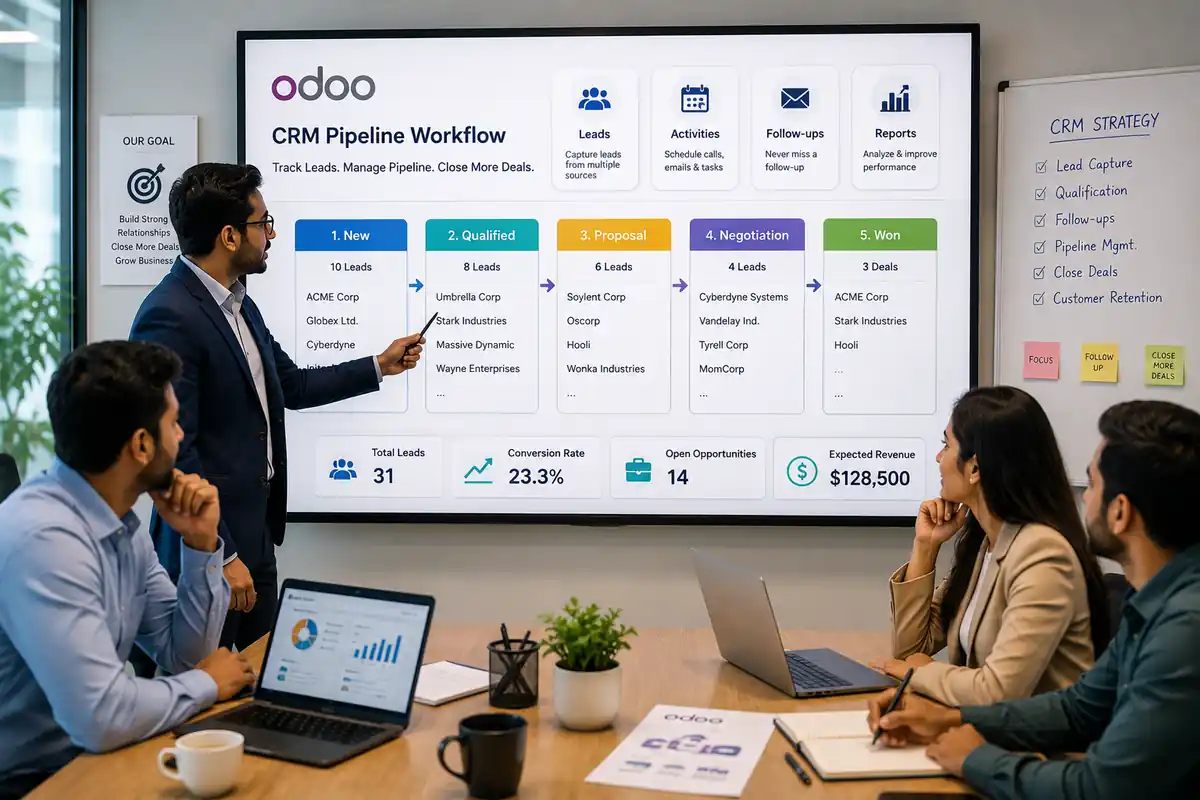
How SDLC Corp Helps Businesses Build a Sales-Ready Odoo CRM
SDLC Corp helps businesses move beyond a basic Odoo CRM setup. We build CRM workflows around how your team captures leads, assigns owners, follows up, sends quotes, tracks deals, and reports sales performance.
Our team supports Odoo CRM setup, customization, sales automation, CRM integration, data migration, dashboard setup, reporting configuration, user training, and post-launch support.
CRM Work We Handle
- CRM setup
- Workflow customization
- Sales automation
- CRM integration
- Data migration
- Dashboard setup
- Reporting configuration
- Post-launch support
Want Odoo CRM built around your sales process? Talk to SDLC Corp for setup, customization, automation, integration, and support.
Talk to SDLC Corp →Industries That Use Odoo CRM for Better Sales Workflows
SDLC Corp provides Odoo CRM services for businesses across real estate, manufacturing, retail, eCommerce, logistics, healthcare, education, finance, technology, and professional services. Each industry has a different sales process, so CRM setup should match how leads, quotations, follow-ups, and customer communication work in that business.
Real Estate CRM
Manage property leads, site visits, buyer follow-ups, and deal pipelines with clear sales visibility.
Manufacturing CRM
Track B2B leads, product inquiries, quotations, and distributor follow-ups from first contact to order.
Retail CRM
Organize customer inquiries, store leads, franchise requests, and repeat sales opportunities in one CRM.
eCommerce CRM
Connect online leads, order inquiries, support requests, cart recovery, and customer follow-ups faster.
Logistics CRM
Manage freight inquiries, shipment quotes, contract leads, and account follow-ups with better control.
Healthcare CRM
Track patient inquiries, appointment leads, referral sources, and service follow-ups in one system.
SDLC Corp provides Odoo CRM setup, CRM customization, sales automation, CRM integration, data migration, dashboard setup, reporting configuration, user training, and post-launch support for businesses that want a sales-ready Odoo CRM system.
Need Odoo CRM built for your industry and sales workflow? Get a plan mapped to how your leads, quotes, and follow-ups actually move.
Get My Industry CRM Plan →How to Get Started With Odoo CRM in 3 Simple Steps
Getting started with Odoo CRM should not begin with random setup. It should begin with your sales process. When the workflow is clear first, the CRM becomes easier to use, measure, and scale.
Share Your Sales Workflow
Tell us how leads enter your business, how follow-ups happen, and where deals usually slow down.
Get an Odoo CRM Plan
We review users, pipeline stages, automation, reports, integrations, and migration requirements.
Build and Launch
We configure Odoo CRM, test workflows, migrate clean data, train users, and support your launch.
Ready to plan your Odoo CRM setup? Book a free workflow review with SDLC Corp.
Book Free Workflow Review →Final Thoughts
Odoo CRM can improve lead tracking, follow-ups, pipeline visibility, and sales reporting. However, it works only when the setup matches your real sales process.
If your team still manages leads across spreadsheets, inboxes, WhatsApp, or disconnected tools, Odoo CRM can bring that sales flow into one system. With the right setup, every lead gets ownership, every follow-up has a next action, and every manager gets clearer pipeline control.
SDLC Corp helps businesses plan, customize, integrate, and scale Odoo CRM for better sales execution.
Ready to build a sales-ready Odoo CRM system? Talk to SDLC Corp and get a clear setup plan for your business.
FAQs
1. How much does Odoo CRM cost in 2026?
Odoo currently lists One App Free at US$0, Standard at US$16.90/user/month yearly, and Custom at US$25.50/user/month yearly. However, the final Odoo CRM cost also depends on setup, customization, migration, integrations, training, and support. Odoo confirms these plan prices on its official pricing page.
2. What features are included in Odoo CRM?
Odoo CRM includes lead tracking, opportunity management, sales pipelines, activity scheduling, reporting dashboards, forecasting, and sales performance views. It can also connect with other Odoo apps such as Sales, Website, Accounting, Inventory, Project, and POS.
3. Can Odoo CRM automate sales follow-ups?
Yes. Odoo CRM can help teams schedule calls, emails, meetings, reminders, and next actions. This helps sales reps follow up on time and gives managers better control over pending activities.
4. Can Odoo CRM integrate with website forms, email, WhatsApp, and ERP tools?
Yes. Odoo CRM can integrate with website forms, email, sales, accounting, inventory, marketing, and third-party tools. For growing teams, integration helps keep lead capture, follow-ups, quotations, and reporting connected.
5. Do I need Odoo CRM consultants for setup?
You may need Odoo CRM consultants if your business has custom sales stages, old CRM data, multiple lead sources, integrations, or advanced reporting needs. A consultant helps configure CRM around your actual sales workflow instead of using a generic setup.
6. Can SDLC Corp help with Odoo CRM implementation?
Yes. SDLC Corp helps businesses with Odoo CRM setup, customization, integration, migration, sales automation, dashboards, user training, and support. The goal is to build a sales-ready CRM system that your team can use daily.