Introduction
Many businesses using WooCommerce and Odoo face the same problem: orders sync late, stock levels do not match, and teams spend extra time fixing records manually. In many cases, a weak connector creates daily operational issues instead of reducing them.
For example, a customer may place an order in WooCommerce while Odoo still shows outdated inventory or delayed order flow. As a result, teams deal with fulfillment confusion, reporting errors, and extra manual checks across both systems.
That is why choosing the right Odoo WooCommerce connector matters. This guide explains what to check before selecting a connector, including sync logic, mapping flexibility, error handling, and support quality. When the connector works well, your team saves time, avoids manual errors, and keeps business operations stable.
Why the Right Odoo WooCommerce Connector Matters
Most businesses compare features first, yet long-term value depends on sync quality, operational stability, and implementation support. If product details fail to sync correctly, your store may show outdated pricing, incorrect stock, or missing order data. As a result, customer experience suffers and internal teams spend more time fixing issues manually.
An effective Odoo WooCommerce connector should reduce repeated work, improve visibility, and support daily operations without constant intervention. Therefore, buyers should focus on real business outcomes, not only checklist features.
How an Odoo WooCommerce Connector Works
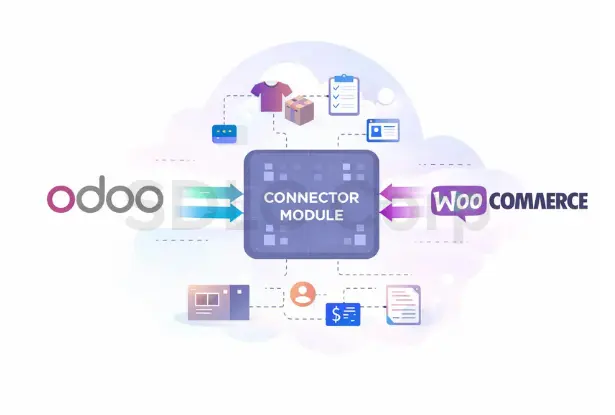
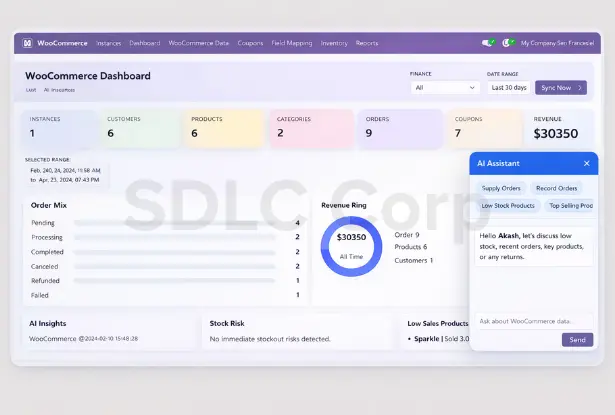
An Odoo WooCommerce connector creates a bridge between your WooCommerce store and Odoo system. It allows important business data to move between both platforms in a structured and manageable way.
Most connectors sync data such as:
- Products and variants
- Product prices
- Stock levels
- Categories and attributes
- Customer details
- Sales orders
- Taxes and shipping data
- Order status updates
Real-Time or Near Real-Time Sync
In this model, updates move quickly after a change happens. For example, once an order is placed in WooCommerce, the connector pushes that order into Odoo without a long delay.
Scheduled Sync
In scheduled sync, the connector updates records at fixed intervals. This method can work well for businesses that do not need instant updates for every event.
Hybrid Sync
Some connectors combine both approaches. For example, they may sync orders in near real time, while product updates, stock corrections, or bulk records move on schedule.
Red Flags to Watch for in an Odoo WooCommerce Connector
Before you buy, check for these warning signs:
- No clear explanation of sync direction and sync frequency
- Weak support for variable products or product variants
- Limited error logs or poor visibility into failed syncs
- No field mapping flexibility
- Weak support for taxes, shipping rules, and order states
- No version compatibility details
- No implementation support or upgrade support
- Unclear handling of duplicate records
- No evidence of performance support for larger catalogs
Questions to Ask Before Buying an Odoo WooCommerce Connector
Before selecting a module, ask practical questions such as:
- Which data can sync between WooCommerce and Odoo?
- Is sync one-way, two-way, scheduled, or real-time?
- How are products, variants, customers, and orders mapped?
- How does the module handle failed syncs and retry logic?
- Can it manage tax rules, shipping methods, and multi-store setups?
- What Odoo and WooCommerce versions are supported?
- Do you provide implementation help, bug fixes, and version updates?
- Can the connector handle larger catalogs and higher order volumes?
Key Things to Check Before Choosing a Connector
| What to Check | Why It Matters |
|---|---|
| Data sync direction | Prevents mismatch between store data and Odoo records |
| Sync timing options | Supports business needs for real-time or scheduled updates |
| Variant support | Helps manage variable products correctly |
| Field mapping flexibility | Allows better control over how records move between systems |
| Error logs and retry logic | Improves troubleshooting and reduces manual correction work |
| Tax, shipping, and order flow support | Keeps operational data accurate from checkout to fulfillment |
| Version compatibility | Reduces risk during Odoo or WooCommerce upgrades |
| Implementation and support quality | Improves stability after purchase and during long-term use |
Common Mistakes Buyers Should Avoid
One common mistake is choosing a connector only because it looks affordable or claims many features. However, feature lists do not always reflect real sync reliability. Another mistake is ignoring implementation needs, version support, and post-purchase help. In many cases, buyers realize too late that they need support for mapping, data cleanup, workflow setup, or upgrade handling.
Buyers should also avoid modules that do not explain how they manage errors, duplicate records, or failed data transfers. A connector may appear suitable at first, but weak control over these areas creates repeated operational problems later.
Basic vs SDLC Corp WooCommerce Connector
| Area | Basic WooCommerce Connector | SDLC Corp WooCommerce Connector |
|---|---|---|
| Order Sync | Limited flow or manual review in some cases | Smoother order movement with better operational support |
| Product Sync | May be basic only | Handles broader product and store requirements |
| Inventory Sync | Can be delayed or restricted | Supports more reliable stock visibility across systems |
| Error Handling | Limited visibility | Improved sync monitoring and issue tracking |
| Scalability | May slow with larger data volumes | Better suited for growing catalogs and operations |
| Support | Often basic | Implementation guidance and technical assistance |
| Upgrade Readiness | May require extra effort | Stronger version support and update continuity |
This comparison helps buyers understand that the best connector is not always the one with the longest feature list. Instead, the stronger choice is the one that supports stable business flow in real use.
Explore Odoo WooCommerce Connector for Odoo 18
If you are comparing solutions and want a practical module option, this Odoo WooCommerce Connector for Odoo 18 is built to connect WooCommerce with Odoo in a more structured way. It is designed to support product synchronization, order flow, inventory updates, customer data movement, and smoother day-to-day store operations from one connected workflow.
For businesses that want more than basic sync, this module offers a direct way to review the product, understand the workflow, and evaluate whether it matches your Odoo WooCommerce integration requirements before purchase.
View Product DetailsFinal Buyer Checklist
- Check data sync coverage
- Review sync timing options
- Confirm variant and product support
- Test field mapping flexibility
- Review error handling and logs
- Check tax and shipping flow
- Verify version compatibility
- Ask about implementation support
- Review post-purchase update policy
- Confirm performance for your expected store volume
If a connector meets the checklist clearly, it is more likely to support stable day-to-day operations.

Conclusion
Choosing the right Odoo WooCommerce connector requires more than comparing features. You need to evaluate how the connector handles real business operations such as product sync, inventory updates, order flow, and error handling.
First, check whether the connector supports accurate and flexible data mapping. Then, review how it manages sync timing, including real-time and scheduled updates. Also, confirm how it handles failed syncs, duplicate records, and system errors.
Next, evaluate compatibility with your current Odoo version and WooCommerce setup. A reliable connector should support upgrades without breaking workflows. In addition, strong implementation support plays a key role in long-term success.
Finally, focus on operational fit. The best connector is not the one with the most features, but the one that keeps your business data accurate, reduces manual work, and supports stable growth over time.
FAQ
You should look for reliable product sync, inventory sync, order synchronization, variant support, flexible field mapping, clear error logs, version compatibility, and strong post-purchase support. A good Odoo WooCommerce connector should reduce manual work and improve data accuracy between both platforms.
To choose the best Odoo WooCommerce connector, compare sync scope, automation quality, support for products and orders, implementation help, upgrade support, and overall stability. The right connector should match your catalog size, order volume, and business workflow.
Some Odoo WooCommerce connectors support real-time or near real-time sync, while others work on scheduled intervals. Before buying, you should confirm how quickly inventory, order, and customer updates move between WooCommerce and Odoo.
Variant support is important because many WooCommerce stores sell products with different sizes, colors, or attributes. If an Odoo WooCommerce integration does not manage variants correctly, product data, stock levels, and order records can become inconsistent.
A weak connector can cause duplicate records, failed order sync, stock mismatches, incorrect customer data, pricing errors, and extra manual work. Over time, these issues can affect operations, reporting accuracy, and customer experience.
Yes, implementation support is very important. Many businesses need help with setup, field mapping, workflow alignment, testing, and troubleshooting. Good support makes the Odoo WooCommerce connector easier to launch and more stable in daily use.
You should review the connector documentation, supported Odoo versions, WooCommerce compatibility details, and vendor update policy. A reliable provider should clearly mention version support and future update availability.
Not always. Some connectors work well for smaller stores but struggle with large catalogs, higher order volumes, or complex workflows. That is why scalability is an important factor when selecting an Odoo WooCommerce connector.