A practical guide to using AI inside Odoo, from quick wins like summaries and document sorting to custom development, dashboards, and integrations, without losing control of your ERP workflows.
Start with one workflow. Prove value. Scale safely.
Odoo + AI + Automation
What Does AI in Odoo ERP Mean?
A quick, practical definition before the use cases.
AI in Odoo ERP means using AI inside business workflows to help users, handle repetitive steps, and improve how information is created, checked, and routed. In Odoo, this usually appears as:
- AI-suggested field values
- Short summaries and draft notes
- Document sorting and routing
- Workflow decisions based on record data
- Plain-language reporting
- Links to outside AI tools when needed
AI should make Odoo easier to use, not harder to manage.
Types of AI Features in Odoo
The five ways AI shows up inside Odoo.
Odoo 19 documents four built-in AI building blocks in its official AI documentation , plus a fifth option for anything beyond them:
Generate or suggest values inside an Odoo record.
Understand plain language and work with Odoo tools.
Read the Odoo record data and pick the next action.
Sort, route, and process incoming documents.
Connect outside LLMs, OCR, or AI agents when needed.
Standard Odoo AI vs Custom AI Development
When standard features are enough, and when they are not.
Most teams should start with standard features and move to custom development when AI must follow business-specific rules.
| Standard Odoo AI is enough when | Custom Odoo AI development is needed when |
|---|---|
| You need simple content, summaries, or field suggestions | AI must work with custom fields, modules, or dashboards |
| Basic document sorting covers the need | Document handling must connect to approval rules |
| Standard prompts fit the task | AI must follow role-based access and audit controls |
| No outside systems are involved | Odoo must connect to external APIs, LLMs, or OCR |
Why Teams Add AI to Odoo
The everyday gaps AI actually closes.
Most teams do not struggle because they lack software. They struggle because work still depends on manual checks, repeated data entry, scattered documents, slow approvals, and reports that take too long.
AI helps close those gaps. A sales rep can get a short summary of a customer before writing a quote. Finance can have documents sorted before review. A warehouse team can see exceptions before they turn urgent. Support can read a ticket summary before replying. None of this asks AI to run the business. It asks AI to support one step in a workflow.
Key AI Use Cases in Odoo ERP
The handful of tasks AI handles across apps.
- Drafting text such as notes, descriptions, and replies
- Summarizing long records and histories
- Sorting and routing documents
- Flagging unusual values and exceptions
- Turning report data into plain-language insight
The table below maps common AI use cases to Odoo apps.
AI Use Cases by Odoo App
Where AI fits across CRM, sales, accounting, inventory, manufacturing, and support.
| Odoo app | AI use case |
|---|---|
| CRM | Lead summaries, follow-up drafts, opportunity scoring |
| Sales | Quote notes, customer intent summaries |
| Accounting | Invoice sorting, payment exception notes |
| Inventory | Low-stock insights, warehouse exception summaries |
| Manufacturing | Production delay summaries, quality issue notes |
| Project | Meeting summaries, sprint updates |
| Helpdesk | Ticket summaries, reply drafts |
| HR | Employee request summaries, document sorting |
AI Dashboard and Reporting in Odoo
Turn dashboards into plain-language insight.
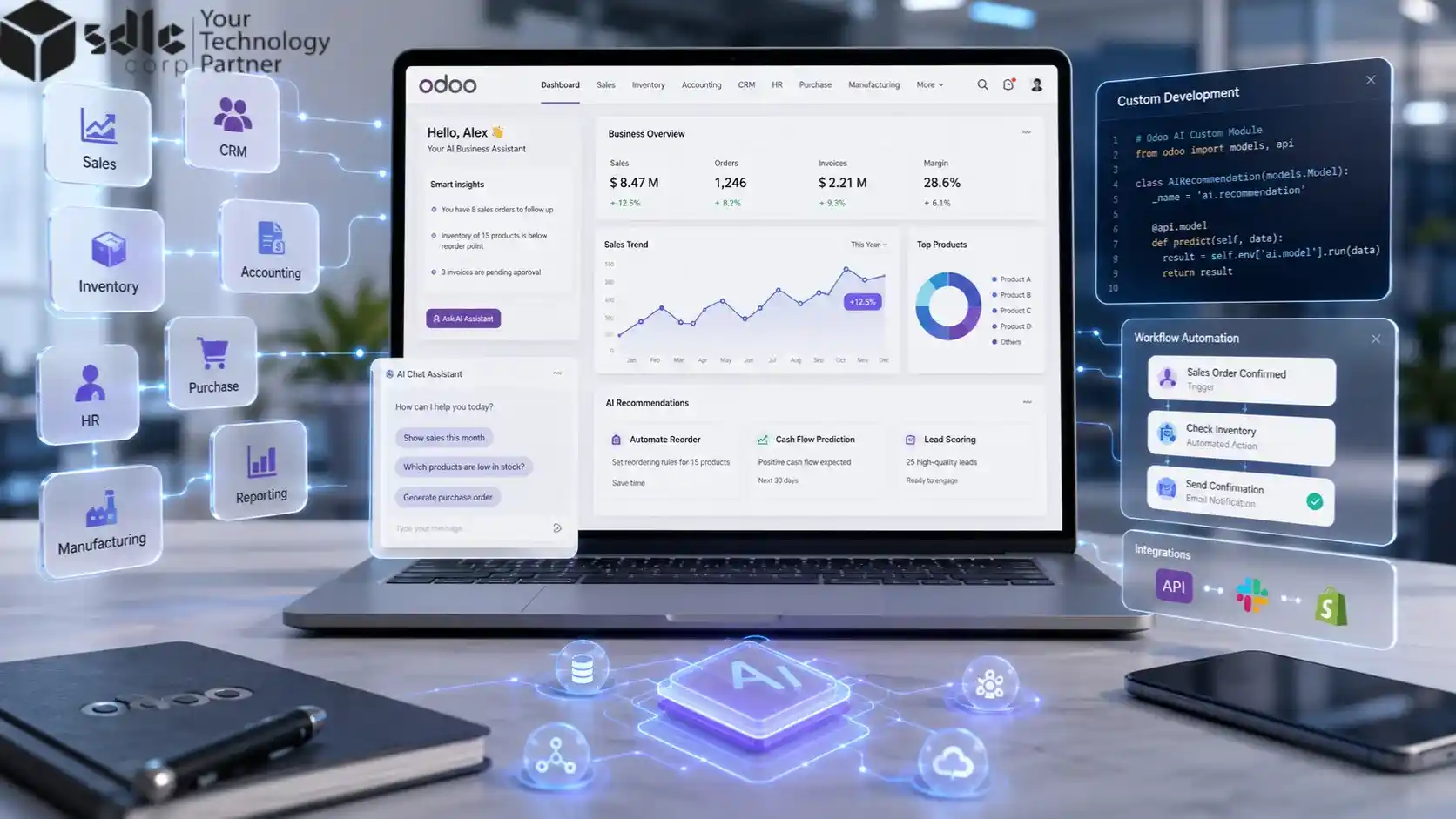
A dashboard shows the numbers. AI explains what changed, what needs review, and which exceptions matter most, across sales, inventory, finance, and projects.
Sales risk
2 deals slipping this week
Stock alert
3 SKUs below reorder level
Finance exception
1 invoice mismatch flagged
Project delay
Sprint 4 at risk
AI dashboard insight
Inventory risk increased because 3 fast-moving SKUs dropped below reorder level. Review purchase orders for those items first.
This works best when dashboards sit on clean Odoo data, the right custom fields, and correct user roles, so each person sees only what they should.
AI OCR and Document Automation in Odoo
From scanned file to linked Odoo record, step by step.
AI OCR helps process scanned documents such as invoices, purchase orders, receipts, contracts, and vendor files. AI OCR should do more than read text. It should connect each document to the right Odoo workflow.
Done well, this cuts manual data entry while keeping a clear record of every step.
What to Automate, and What to Keep Human
Let AI draft and summarize; keep people on the decisions that count.
- Drafting text
- Summarizing records
- Sorting documents
- First-draft replies
- Suggesting field values
- Flagging exceptions
- Payment approvals
- Legal sign-off
- Payroll and tax decisions
- Inventory write-offs
- Vendor selection
- High-value purchases
Where Custom Odoo Development Fits
When a use case needs real development.
Standard AI features cover simple needs. You move to custom Odoo development when AI has to work inside your specific process. That usually means:
- AI must read custom fields or modules
- Results must follow your approval rules
- AI must write results back into Odoo records
- You need role-based prompts or access
- AI must feed a custom dashboard
- Odoo must talk to an outside system
If the change is mostly about adjusting existing screens, fields, or rules, Odoo customization services may be the better fit. AI works best when it fits the way your business already runs.
Connecting Odoo with External AI Tools
Connecting Odoo to outside models and APIs.
Sometimes the built-in features are not enough and Odoo needs to work with outside models, such as an LLM, an OCR engine, or an AI chatbot tied to CRM. Plan these links with care: decide what data AI can read, what it can change, what needs human approval, and how results are logged.
For businesses that need AI beyond standard Odoo features, SDLC Corp also provides enterprise AI development services for custom AI agents, automation systems, document intelligence, LLM workflows, and AI integrations. For two-way data flow with other systems, Odoo integration services handle the API and sync work.
How to Plan AI in Odoo ERP
Start with the workflow, not the tool.
- What problem are we solving (slow approvals, hard-to-sort invoices, repeated notes)?
- What data does AI need?
- What should AI produce (summary, draft, alert, category)?
- Who reviews the result?
- Where is the result stored for tracking?
- What needs an audit trail?
For a brand-new Odoo setup, plan AI as part of the rollout rather than an afterthought. Odoo implementation services can build it in from the start.
Find the Right AI Use Case for Your Odoo Setup
Answer seven questions to find your starting point.
Use these to decide between standard Odoo AI, custom Odoo development, or an external AI integration.
Which team has the most manual work?
Start where manual work is highest.
What type of input needs AI?
This shapes the AI approach.
What should AI produce?
Defines the output type.
Should AI suggest only, or update records?
Suggest-only is safer to start.
Are custom fields or modules involved?
Custom usually means development.
Is sensitive data involved?
Sensitive data needs human review.
Does Odoo need to connect to outside tools?
Outside tools may need integration.
Recommended AI Starting Points Based on Your Goal
Match your goal to a sensible first move.
Match your main goal to a sensible starting point, and use the table to choose the first workflow to test.
Swipe left/right to view the full table.
| Your goal | Recommended starting point | Best-fit approach |
|---|---|---|
| Reduce repeated writing | AI fields, summaries, draft notes | Standard Odoo AI |
| Sort invoices or documents | AI document automation with a review queue | Odoo AI plus workflow setup |
| Summarize leads or tickets | CRM and helpdesk summaries, follow-up drafts | Standard Odoo AI or custom workflow |
| Build AI dashboards | AI-assisted reporting and dashboard summaries | Custom Odoo development |
| Connect ChatGPT, Gemini, OCR, or an LLM | API-based AI integration | Odoo integration plus AI development |
| Use custom fields or modules | Role-based prompts and custom record logic | Custom Odoo development |
| Handle finance, HR, or legal workflows | Human review, audit logs, access control first | Control-first implementation |
| Start Odoo from scratch | Add AI during rollout planning | Odoo implementation |
Not sure where to start?
Begin with one low-risk workflow such as document sorting, CRM summaries, or dashboard insights. Avoid automating finance, HR, legal, or payment approvals without human review.
A 30/60/90-Day Roadmap for AI in Odoo
A low-risk path from pilot to scale.
A simple phased plan keeps AI adoption low-risk. Prove value on one workflow first, then widen.
Pick one workflow
Define data access and test standard Odoo AI features on a single, low-risk task.
Run a controlled pilot
Add review steps, audit logs, and user feedback before anyone relies on it.
Expand carefully
Move to another team and add dashboards or integrations, with control rules documented.
Each phase ends with a quick review, so you only scale what works.
Data Privacy and Governance
Controls that keep AI safe inside your ERP.
AI inside an ERP touches sensitive data, so controls matter as much as features. A sound setup includes:
- Role-based access so AI only sees what the user can see
- Field-level permissions for sensitive data
- Human review before any sensitive action
- Clear audit logs of what AI generated and who approved it
- Prompt control and result checks
- Staging tests before anything goes live
AI should never create hidden decisions. Anyone should be able to see what AI did and where the result came from.
A Practical Example: Invoice Handling
How an AI-assisted invoice flow runs in Odoo.
Say a company receives vendor invoices by email and wants less manual sorting. An AI-assisted flow in Odoo could look like this:
- Odoo receives or stores the document.
- AI sorts it as an invoice, contract, or receipt.
- Key details are extracted or suggested.
- The document is routed to the right team.
- A reviewer checks the details.
- The approved file is linked to the vendor or purchase record.
- The approval note is stored for audit.
The value comes from combining AI with a controlled Odoo workflow.
How SDLC Corp Helps with AI in Odoo
How SDLC Corp builds AI-ready Odoo.
SDLC Corp plans, builds, and extends Odoo with AI-ready development: custom modules, workflow automation, AI-assisted dashboards, document routing, custom reports, portals, API hooks, and outside AI integrations, with staging tests and admin handover. You can see the full range on our Odoo ERP services page.
Final Thoughts
AI in Odoo ERP is not about adding a tool without a clear workflow goal. It is about improving real work: less manual writing, faster summaries, cleaner document handling, quicker approvals, and clearer reporting. Standard features are a safe starting point. When AI needs to fit custom workflows, modules, dashboards, or outside systems, custom development is what makes it reliable. Start with one workflow, prove the value, then expand.
Planning AI inside Odoo?
Talk to our Odoo development team to find the right use cases, define the workflow, and build AI-ready Odoo modules that are secure, tested, and practical.
If your AI roadmap goes beyond Odoo, our AI development team can also help with custom AI agents, document automation, LLM workflows, and enterprise AI systems.
Next step: Have an AI use case in mind for Odoo? Talk to our Odoo team about scoping it.
Frequently Asked Questions
Short answers to common AI-in-Odoo questions.
AI in Odoo ERP means using AI inside Odoo workflows to generate content, suggest values, summarize records, sort documents, support automation, and improve reporting.
Yes. Odoo supports AI fields, AI agents, AI server actions, AI-powered automated actions, and AI document automation.
Common ones include document sorting, CRM summaries, sales follow-ups, approval notes, dashboard insights, support ticket summaries, project briefs, and workflow automation.
AI can support approvals by summarizing context, flagging missing details, and drafting notes. Sensitive approvals should still include human review.
Yes. Odoo can connect with outside AI tools through APIs and custom development, which is useful when the built-in features are not enough.
When AI must work with custom modules, custom fields, approval rules, dashboards, portals, outside systems, or strict access controls.
It can be, with role-based access, human review, audit logs, validation rules, and proper testing. AI should support sensitive workflows, not replace final approval.
Start with standard features if the need is simple. Choose custom development when AI must follow your business logic, read custom data, or trigger controlled actions.