
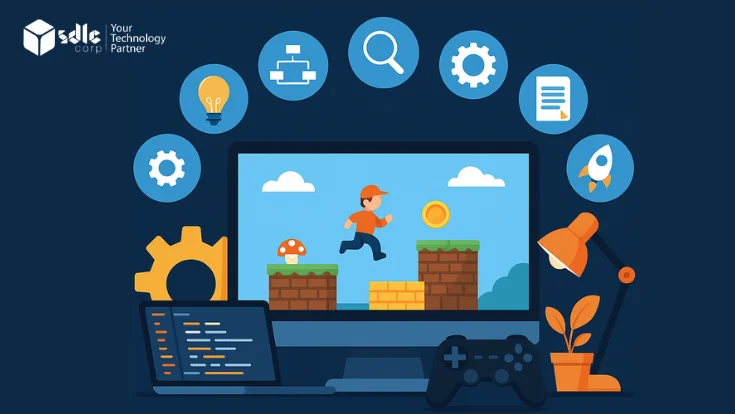

Game Planning & Ideation
⚡ Why this stage matters
A game without a clear plan is more likely to face scope, budget, and production issues. The planning phase sets the entire project foundation — defining genre, goals, target audience, platform, and budget — before a single line of code is written.
- ✓Define your game genreChoose Action, Puzzle, RPG, Strategy or another genre that aligns gameplay mechanics with player expectations.
- ✓Set measurable objectivesDetermine whether your game aims to entertain, educate or monetize — this guides every feature decision.
- ✓Research your target audienceUnderstand player demographics, preferences, and competing titles to position your game effectively.
- ✓Choose your target platformsSelect mobile, PC, console, or cross-platform deployment based on audience size, production budget, and platform requirements.
- ✓Draft initial budget & timelineCreate a realistic cost plan covering team, tools, marketing, and post-launch support cycles.
- ✓Create a Game Concept DocumentA one-page synopsis covering story, core loop, unique selling point, and launch success criteria.
✅ Decision gate before pre-production: Confirm target audience, core gameplay loop, platform(s), monetization model, and estimated production budget. Do not start the GDD until these five decisions are locked.

Pre-Production
⚡ Why this stage matters
Pre-production transforms your vision into structured, actionable documentation. Resolving design unknowns in this phase prevents costly pivots and team misalignment mid-build.
- ✓Game Design Document (GDD)A comprehensive doc covering gameplay mechanics, storyline, UI/UX flows, art direction, and all technical requirements.
- ✓Wireframes & storyboardsVisual layouts mapping user interactions, screen flow, and core gameplay sequences before development begins.
- ✓Technical architecture planningDefine engine selection, database structure, server architecture, and third-party API integrations.
- ✓Team assembly & role definitionConfirm developers, designers, artists, audio engineers, and QA roles with clear ownership and accountability.
- ✓Prototype developmentBuild a minimal playable prototype to validate core mechanics before committing the full production budget. Note: monetization model decisions should be made in this phase, not after production begins.
- ✓Asset pipeline & tooling setupEstablish version control, naming conventions, art pipelines, and build automation for the full team.

Production
⚡ Why this stage matters
Production is where your game comes to life. Code gets written, assets are created, and all components are integrated into a functional, testable build — sprint by sprint.
- ✓Script core gameplay logicUse engine-appropriate languages: Unity uses C#, Unreal Engine uses C++ or visual Blueprints, and Godot uses GDScript (Python-like) or C#.
- ✓Create 2D/3D assetsModel characters, environments, props and effects that define your game's look — see our dedicated 3D game development or 2D game development services.
- ✓Implement UI/HUDBuild all in-game menus, HUDs, loading screens, and settings panels to approved wireframes.
- ✓Integrate audio systemsAdd music, voice, ambient sounds and SFX using FMOD or Wwise for dynamic audio management.
- ✓Backend & multiplayer infrastructureSet up servers, matchmaking, leaderboards and player data persistence for online features.
🎮 Game Developers
Program core logic, physics, mechanics and interactions using game engines and coding frameworks.
🎨 UI/UX Designers
Design intuitive interfaces and player experiences that drive smooth navigation and engagement.
✏️ Animators
Create character movements, transitions, and environment animations that enhance storytelling.
🔊 Audio Engineers
Compose soundtracks, design SFX, and integrate audio systems for immersive player experiences.

Testing & Quality Assurance
⚡ Why this stage matters
Thorough game testing separates a polished launch from a broken one. A comprehensive QA pipeline catches issues before they reach players, protecting your reviews, ratings, and reputation.
- ✓Multi-stage QA pipelineAlpha → Beta → Regression → Performance → Compatibility — each layer targets different failure modes.
- ✓Automated test suitesUse automated scripts for repetitive scenarios, freeing QA engineers for exploratory and edge-case testing.
- ✓Centralized bug trackingLog all issues in Jira or Linear with severity ratings, reproduction steps, and assigned owners.
- ✓Cross-device compatibilityTest across iOS, Android, PC, and console hardware variants to eliminate device-specific failures.
Alpha Testing
Internal testing on early builds to catch core bugs and refine initial functionality.
Beta Testing
External users validate real-world usability, performance, and device stability.
Regression Testing
Re-test systems after code updates to prevent new changes from breaking existing features.
Performance Testing
Stress-test to identify frame drops, memory leaks, and rendering issues under load.
Compatibility Testing
Verify correct operation across all target devices, OS versions, and screen resolutions.
Accessibility Testing
Check color contrast, control remapping, font scaling, and subtitle support for all players.
Certification & Store Testing
Complete platform certification for App Store, Play Store, Steam, and console stores — each requires specific assets, age ratings, and technical compliance.

Pre-Launch
⚡ Why this stage matters
Even a strong game can underperform if it launches without visibility. Pre-launch builds your audience, generates buzz, and ensures your store listings are optimized before day one.
- ✓Build media press kitsCreate downloadable packs with screenshots, trailers, brand assets, and story summaries for media coverage.
- ✓SEO-optimized landing pagesPublish landing pages and blog content to generate organic traffic and build early wishlists or pre-registrations.
- ✓Community buildingGrow Discord servers, Reddit communities, and social channels to create a launch-day audience ready to amplify.
- ✓Influencer & streamer outreachPartner with relevant content creators for early access coverage and Let's Play content ahead of launch.
- ✓App store optimization (ASO)Craft compelling store descriptions, select high-impact keywords, and A/B test icon and screenshot art.
- ✓Platform certification submissionComplete all technical certification requirements for Steam, App Store, Play Store, and console platforms.
⌛ Timing note: Pre-launch planning should not wait until development is complete. Store assets, community building, teaser content, and wishlist campaigns must start while QA and polishing are still active — this is how you build a launch-day audience.

Game Launch
⚡ Why this stage matters
Launch day determines your market entry. A well-orchestrated release — with real-time monitoring, support teams, and press distribution — maximizes opening week performance.
- ✓Multi-platform deploymentRelease on selected platforms via a phased rollout or coordinated multi-platform launch — the right approach depends on team size, QA readiness, and server capacity. A phased launch reduces risk for smaller teams.
- ✓Real-time monitoring dashboardTrack player behavior, session data, crash reports, and performance metrics from the very first hour.
- ✓Server optimization for peak trafficScale infrastructure to handle launch-day spikes without downtime or slow matchmaking queues.
- ✓Dedicated launch support teamStaff a team to triage player issues, respond to reviews, and push emergency hotfixes within hours.
- ✓Press release distributionSend embargoed press releases to gaming outlets, YouTubers, and streamers on launch day.
- ✓Review & rating monitoringTrack and respond to early reviews across all platforms to actively manage launch reputation.

Post-Launch Support & Growth
⚡ Why this stage matters
The launch is just the beginning. Long-term retention, community loyalty, and sustained revenue depend on a consistent cadence of updates, new content, and live player engagement.
- ✓Release patches & fixesDeploy regular updates resolving bugs, improving performance, and maintaining gameplay stability.
- ✓Launch DLCs, skins & expansionsIntroduce new downloadable content and cosmetic updates.
- ✓Host community eventsRun limited-time events, seasonal content, and tournaments to spike engagement and re-engage lapsed players.
- ✓Analytics & feedback loopsCombine player surveys, analytics dashboards, and review monitoring to guide the content roadmap.
- ✓Live ops & season passesImplement battle passes and seasonal content for predictable recurring revenue and daily login incentives.
- ✓Long-term content roadmapPlan quarterly updates and major expansions to sustain engagement and justify ongoing investment.
Tech Stack Decisions Made During Pre-Production
The right technology stack depends on your game type, team experience, and target platform. Here are the leading tools across each layer — from core engines and programming languages to art pipelines, audio middleware, and cloud infrastructure.

🎮 Game Engines
💻 Languages
🎨 Art & Design
🔊 Audio
☁️ Backend & Cloud
📊 Analytics & Ops
Monetization Decisions to Make Before Production
Monetization should be decided in pre-production, not after development. The right model shapes every feature decision — from UI design to server infrastructure — and changing it mid-build is expensive.

| Model | Best For | When to Decide |
|---|---|---|
| Premium (one-time purchase) | Indie PC and console games with no ads or microtransactions | Planning stage |
| Ad-supported | Casual mobile games with high daily active users | Planning stage |
| Freemium + in-app purchases | Free-to-play mobile games — optional currency, power-ups, cosmetics | Pre-production |
| Battle pass / season pass | Live-service games needing recurring engagement and revenue | Production planning |
| Subscription | Platform-wide access or premium content; predictable recurring revenue | Pre-production |
| DLC and expansion packs | Premium or PC games that monetize an existing audience without cannibalizing base game sales | Post-launch roadmap |