Choosing the right ERP for business operations starts with understanding the available system types. They differ by deployment, cost, control, scalability, and industry fit.
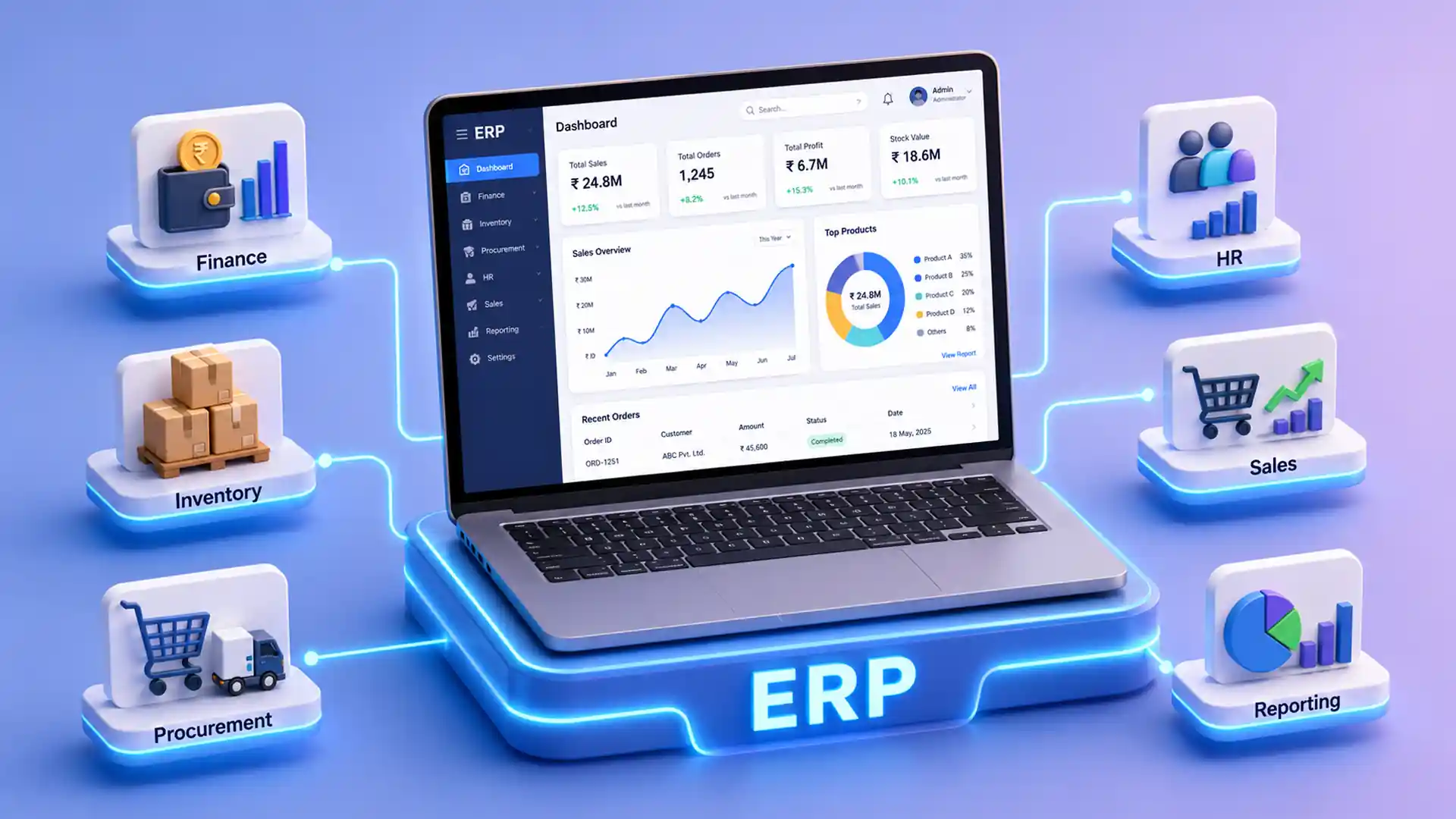
ERP software connects finance, inventory, HR, sales, procurement, operations, and reporting in one system. Some ERP systems run in the cloud, some are hosted on company servers, and others are built for specific industries or business sizes.
Key Takeaways
Here are the main points to understand before comparing ERP system types.
ERP systems are grouped by business need
ERP systems are grouped by deployment, business size, industry, modules, customization, and control needs.
Common ERP deployment models matter
The main ERP deployment models include cloud, on-premise, hybrid, two-tier, and open-source ERP.
Each ERP type has a different role
Each ERP type fits a different goal, such as faster access, stronger control, phased modernization, or branch-level operations.
The best ERP depends on fit
The best ERP depends on workflow fit, reporting needs, integration scope, budget, adoption, and future growth.
What Are ERP Systems?
An ERP system is business management software that connects core departments and workflows into one platform. ERP stands for enterprise resource planning. For the basics, read this what is ERP guide.
For example, when a sales order is created, ERP can update stock, alert procurement, notify finance, and show order status to managers. Without ERP, these steps often happen across spreadsheets, emails, and separate tools.
Common ERP Modules
Types of ERP Systems: Main ERP Models
The main types of ERP systems include cloud ERP, on-premise ERP, hybrid ERP, two-tier ERP, open-source ERP, industry-specific ERP, small business ERP, mid-market ERP, and enterprise ERP.
Each ERP type solves a different operational need. Some ERP models focus on faster deployment and easier access, while others focus on deeper control, stronger customization, complex governance, or industry-specific workflows.
Use this section as a quick comparison before choosing an ERP solution. It helps you understand which ERP type fits your team size, infrastructure preference, reporting needs, integration requirements, and long-term growth plan.
| ERP Type | Best For |
|---|---|
| Cloud ERP | Fast deployment, remote access, and scaling |
| On-premise ERP | Strong data and infrastructure control |
| Hybrid ERP | A mix of cloud and local systems |
| Two-tier ERP | Enterprises with subsidiaries or branches |
| Open-source ERP | Custom workflows and source-level flexibility |
| Industry-specific ERP | Sector-specific processes |
| Small business ERP | Startups and SMEs |
| Mid-market ERP | Growing companies |
| Enterprise ERP | Large and complex organizations |
ERP Deployment Models
ERP deployment models define where the system runs, who manages it, how updates happen, and how much control the business has over data, security, customization, and infrastructure.
Choosing the right deployment model affects rollout speed, long-term cost, IT ownership, integration planning, user access, and future scalability. Compare each option with your compliance needs, IT capacity, locations, data migration plan, and customization requirements. You can also review SAP's cloud ERP deployment options for more deployment context.
Cloud ERP
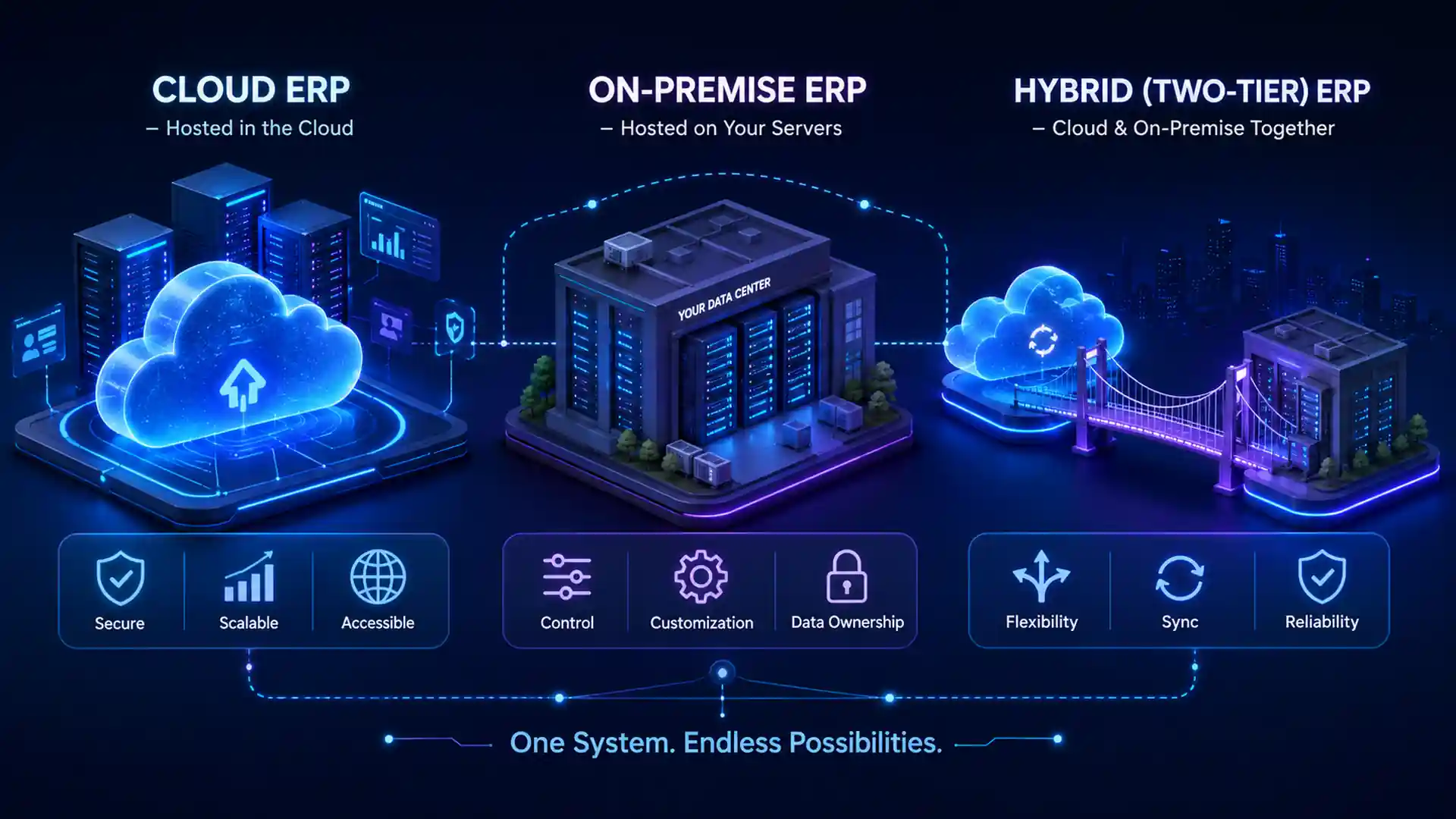
Cloud ERP runs online through a browser or app. It fits teams that need faster rollout, remote access, automatic updates, easier scaling, and multi-location use.
On-Premise ERP
On-premise ERP runs on company-owned servers. It fits teams that need strong data control, deep customization, strict security, and internal infrastructure ownership.
Hybrid ERP
Hybrid ERP combines cloud and local systems. It fits businesses that want cloud flexibility while keeping selected data, workflows, or legacy systems on private infrastructure.
Two-Tier ERP
Two-tier ERP uses one system at the parent level and another for branches, regions, or subsidiaries. It fits enterprises that need local flexibility with central reporting.
Open-Source ERP
Open-source ERP gives access to the software code. It fits teams that need custom workflows, technical flexibility, controlled hosting, documentation, and long-term support.
ERP Deployment Comparison
This table compares common ERP deployment models by hosting, cost, control, scalability, IT effort, and best fit.
Deployment choice affects how your ERP is hosted, maintained, upgraded, secured, and integrated with other business systems. It also decides how much responsibility stays with your internal IT team and how much is handled by the ERP vendor or cloud provider.
Before selecting cloud, on-premise, hybrid, or two-tier ERP, compare your budget, data control needs, user access requirements, compliance rules, backup planning, customization scope, and future expansion goals.
| Factor | Cloud ERP | On-Premise ERP | Hybrid ERP | Two-Tier ERP |
|---|---|---|---|---|
| Hosting | Vendor/cloud provider | Company infrastructure | Cloud + local systems | Parent + unit ERP |
| Upfront Cost | Lower | Higher | Medium to high | Medium to high |
| Control | Moderate | High | Selective | High at group level |
| Scalability | High | Infrastructure-based | High if integrated well | High for enterprises |
| IT Effort | Lower | Higher | Shared | Shared |
| Best Fit | Growing businesses | Regulated operations | Gradual modernization | Multi-unit enterprises |
ERP Systems by Business Size
Business size affects ERP needs, users, modules, reporting depth, integrations, and rollout complexity. A small team may need simple finance and inventory control, while a growing company may need stronger approvals, multi-location workflows, and connected reporting.
The right ERP size also controls cost and adoption. Small business ERP should be quick and simple, mid-market ERP should support growth and integrations, and enterprise ERP should handle governance, compliance, complex permissions, and large rollout planning.
The best ERP for business growth should match your current operations, team capacity, process maturity, and long-term expansion plan.
For startups, SMEs, and early-stage teams
Small business ERP is built for startups, SMEs, and early-stage teams. It usually covers accounting, invoicing, inventory, sales orders, purchasing, customer records, and basic reporting.
It should be easy to use, quick to set up, and affordable to maintain.
For growing companies with more control needs
Mid-market ERP supports growing companies with more users, departments, approvals, inventory layers, reporting needs, and integrations.
It may include advanced finance, warehouse workflows, role-based access, multi-location support, approval management, and custom reporting.
For large and complex organizations
Enterprise ERP supports large organizations with complex operations, high transaction volume, multiple entities, and advanced compliance needs.
It may include multi-company operations, multi-currency support, regional tax rules, complex procurement, advanced manufacturing, global reporting, and strict permissions.
Industry-Specific ERP Solutions
Industry-specific ERP systems are built for sector workflows, compliance needs, reporting requirements, and operational processes.
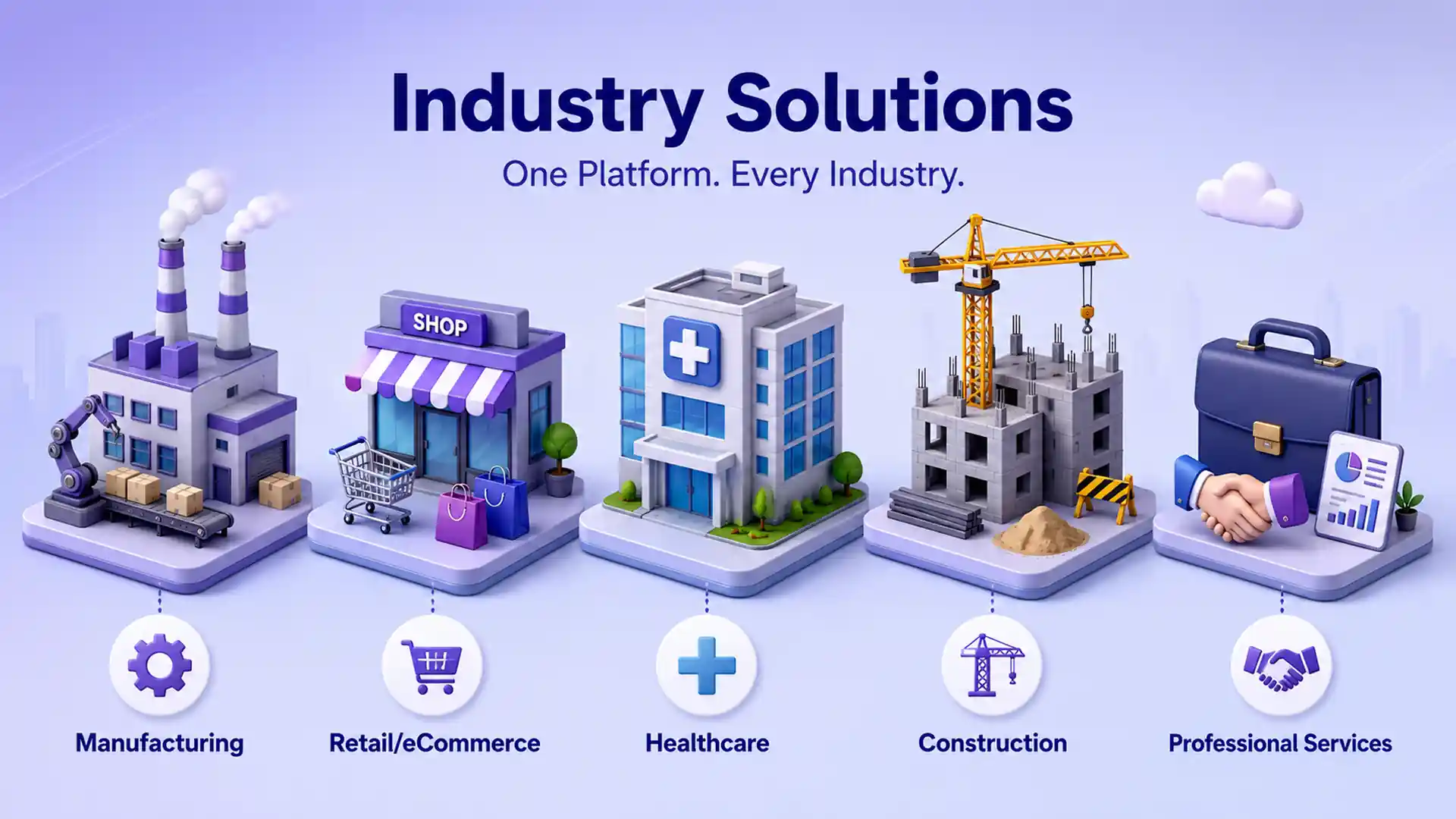
Each industry has different ERP priorities. Manufacturing teams need production and inventory control, retailers need order and stock accuracy, healthcare teams need access control, construction teams need project costing, and service firms need resource and billing visibility.
Use the points below to match each ERP solution with the workflows, modules, integrations, and implementation focus areas that matter most for that industry.
Manufacturing ERP
Manufacturing ERP connects materials, production planning, work orders, inventory, procurement, and quality checks.
It helps manufacturers track available stock, production progress, delay points, quality issues, and how every production activity affects cost.
Retail and eCommerce ERP
Retail ERP connects inventory, orders, pricing, warehouse activity, customer data, POS, online stores, and sales channels.
It helps reduce overselling, delayed fulfillment, manual stock updates, and disconnected records across physical stores and online platforms.
Healthcare ERP
Healthcare ERP supports procurement, medical supply inventory, finance workflows, staff scheduling, vendor management, asset tracking, access control, and audit trails.
It is useful when healthcare teams need better visibility into supplies, permissions, compliance records, purchase approvals, and operating costs.
Construction ERP
Construction ERP manages job costing, project budgets, subcontractors, purchase orders, materials, equipment, billing, and site reporting.
It helps construction teams compare planned cost with actual cost, track project progress, control material usage, and manage billing across sites.
Professional Services ERP
Professional services ERP supports resource planning, time tracking, billing, project profitability, team utilization, and revenue forecasting.
It is useful for consulting firms, agencies, IT service companies, and project-based businesses that need better control over people, time, budgets, and margins.
Common ERP Modules
ERP modules are the main functional parts of an ERP system. Each module manages a specific business area.
Common ERP modules include finance, HR, inventory, supply chain, manufacturing, CRM, procurement, project management, and reporting. NetSuite also explains common ERP modules in detail.
Finance ERP handles accounting, budgets, payables, and receivables. HR ERP manages employee records, payroll, attendance, and onboarding. Inventory ERP tracks stock, warehouses, and product movement.
Supply chain and procurement modules manage suppliers, purchase requests, logistics, and fulfillment. Manufacturing ERP supports production planning, work orders, and quality checks. CRM ERP manages customer data, sales activity, and service history.
Project ERP helps track tasks, budgets, resources, billing, and profitability, while reporting ERP provides dashboards, forecasts, and business insights.
ERP Module Areas
ERP System Examples
Different ERP systems fit different business sizes, industries, and workflow needs. The best option depends on modules, integrations, budget, customization, and implementation goals.
SAP S/4HANA
Complex finance, procurement, manufacturing, supply chain, compliance, analytics, and multi-entity operations.
Oracle NetSuite
Finance, inventory, CRM, orders, reporting, and operations in one connected cloud system.
Microsoft Dynamics 365
Connected finance, sales operations, reporting, workflows, and Microsoft ecosystem alignment.
Acumatica
Finance, distribution, inventory, projects, approvals, dashboards, and scalable access.
Sage Intacct
Accounting, approvals, budgeting, reporting, consolidation, and stronger financial controls.
Infor CloudSuite
Manufacturing, distribution, healthcare, and service operations with advanced process and compliance needs.
ERPNext
Flexible customization, source-level control, affordable modules, and full workflow ownership.
ERP System Cost Factors
ERP cost includes more than the license. The total cost depends on deployment model, users, modules, customization, implementation scope, integrations, and support.
| Cost Factor | Why It Matters |
|---|---|
| License or subscription | Main software cost |
| Implementation | Planning, setup, testing, and rollout |
| Data migration | Moves records from old systems |
| Customization | Adds business-specific workflows |
| Integrations | Connects ERP with CRM, HRMS, POS, eCommerce, payroll, or BI |
| Infrastructure | Mainly for on-premise or private hosting |
| Training | Helps users adopt the system |
| Support | Keeps the system stable after launch |
ERP vs Accounting Software vs CRM
Accounting software, CRM, and ERP solve different business needs. ERP is broader because it connects multiple departments and workflows. For customer and operations alignment, see our guide on ERP with CRM integration.
| System | Main Purpose |
|---|---|
| Accounting software | Handles finance, invoices, payments, and records |
| CRM | Manages leads, customers, pipeline, and sales activity |
| ERP | Connects finance, inventory, procurement, HR, sales, operations, and reporting |
How to Choose the Right ERP System Type
Start with business needs before comparing vendors. ERP selection should start with workflows, not software demos.
Review how your teams work today, where manual effort is slowing them down, and which ERP model can support those workflows without adding unnecessary complexity.
The right ERP type should match your business size, industry requirements, data control needs, integration scope, reporting goals, and long-term growth plan.
Review These Areas
Use these points as quick decision filters before comparing ERP vendors or booking software demos.
- Business size and growth plans
- Industry workflows
- Deployment preference
- Integration requirements
- Data migration needs
- Customization requirements
- Compliance rules
- Reporting needs
- User training and support
ERP Implementation Considerations
Each ERP type has different implementation risks. A strong ERP implementation process should include process review, requirements, configuration, ERP migration, ERP integration, testing, training, go-live planning, and post-launch support.
A clear plan also defines system ownership, data responsibilities, approval flows, integration points, access roles, and user adoption steps before configuration starts. Expert ERP implementation services can reduce rollout risk and support cleaner adoption.
Use the points below to match each ERP model with the most important implementation focus areas.
Cloud ERP
Cloud ERP needs strong workflow planning, clean data migration, role-based access setup, and clear reporting requirements. Teams should also confirm subscription scope, integrations, backup rules, and user training before go-live.
On-Premise ERP
On-premise ERP requires IT readiness, server capacity planning, security controls, backup processes, and internal maintenance ownership. It also needs a clear upgrade plan so the system stays stable after launch.
Hybrid ERP
Hybrid ERP needs clear integration architecture so cloud and local systems sync properly. Data flow rules, API ownership, access permissions, and exception handling should be defined early.
Two-Tier ERP
Two-tier ERP needs strong data governance to avoid reporting mismatches between parent and branch systems. Master data, approval rules, consolidation reports, and regional process differences must be planned carefully.
Open-Source ERP
Open-source ERP needs technical ownership, proper documentation, hosting planning, security review, and long-term support. Custom changes should be controlled so upgrades and maintenance do not become difficult.
Enterprise ERP
Enterprise ERP needs strong change management because many users, roles, departments, and locations are affected. Governance, phased rollout, process documentation, testing cycles, and training support are critical.
When Not to Choose Each ERP Type
Every ERP model has limits. The wrong choice can increase complexity, cost, and implementation risk.
Use this section to understand when each ERP type may not fit your business needs, IT capacity, data control requirements, integration plans, or long-term growth goals.
| ERP Type | When It May Not Fit |
|---|---|
| Cloud ERP | You need strict local data control |
| On-premise ERP | You lack IT resources |
| Hybrid ERP | Integration ownership is unclear |
| Two-tier ERP | Subsidiaries do not need separate systems |
| Open-source ERP | You lack technical support |
| Industry-specific ERP | Your workflows are simple |
| Enterprise ERP | Your team is not ready for a large rollout |
Best Practices for ERP Selection
A strong ERP selection process should start with clear requirements, clean data, realistic workflows, and early agreement from the teams that will use the system every day.
Use these practices to reduce selection risk, compare vendors more clearly, avoid unnecessary customization, and prepare the ERP project for smoother implementation after the final decision. For market-level context, Gartner covers the broader enterprise resource planning category.
Map current workflows
Map how finance, inventory, sales, procurement, HR, and operations work before comparing ERP vendors or demos.
Define must-have features
Separate essential ERP needs from nice-to-have features so demos, budgets, and proposals stay focused.
Clean data before migration
Plan ERP migration carefully by reviewing duplicates, missing fields, old records, naming rules, and formats before moving data into the new system.
Involve key teams
Include finance, sales, HR, IT, warehouse, operations, and leadership in ERP requirement planning.
Review integrations early
Define ERP integration requirements early by listing the CRM, HRMS, POS, eCommerce, payroll, BI, and other tools that must connect with the system.
Confirm reporting needs
Decide which dashboards, KPIs, approvals, audit views, and management reports are needed from day one.
Avoid unnecessary customization
Customize only where the workflow creates real value and cannot be handled by standard ERP configuration.
Plan user training
Prepare role-based training, process documents, support channels, and user guides before ERP go-live.
Assign an ERP owner
Choose one responsible ERP owner for priorities, vendor coordination, adoption, fixes, and improvements.
Review post-launch support
Confirm maintenance, user support, update planning, issue handling, and optimization after launch.
How SDLC Corp Helps You Choose and Implement the Right ERP
SDLC Corp helps businesses choose and implement ERP systems based on real workflows, data needs, reporting gaps, and integration requirements. Our ERP consulting services help teams compare the right ERP path before implementation starts.
The team can support ERP consulting, requirement planning, custom ERP development, implementation, migration, integration, workflow automation, modernization, and post-launch support. The goal is to build or implement an ERP system with the right modules, clean data flow, proper access control, useful reports, and a rollout plan users can follow.
Conclusion
The best ERP system is the one that fits your workflows, team size, data needs, budget, compliance rules, and growth plans.
Types of ERP systems help you compare options clearly. Cloud ERP supports fast access and scalability. On-premise ERP gives more control. Hybrid ERP supports gradual modernization. Two-tier ERP fits complex enterprise structures. Open-source ERP works when customization and flexibility matter.
Before choosing, review your processes, integrations, reporting gaps, data readiness, implementation effort, and user adoption risks.
FAQs
Common questions about ERP system types, deployment models, modules, and selection. Click any question to view its answer. Only one answer opens at a time.
The main types of ERP systems include cloud ERP, on-premise ERP, hybrid ERP, two-tier ERP, open-source ERP, industry-specific ERP, small business ERP, mid-market ERP, and enterprise ERP.
The four common ERP deployment types are cloud ERP, on-premise ERP, hybrid ERP, and two-tier ERP. These models define where the system runs, who manages it, and how much control the business has.
Cloud ERP is hosted online and accessed through the internet. It is often used for faster rollout, remote access, automatic updates, easier scaling, and multi-location operations.
On-premise ERP runs on company-owned infrastructure. It gives more control over data, security, customization, and hosting, but it also needs internal IT resources and maintenance planning.
Hybrid ERP combines cloud and on-premise systems. It is useful when a business wants cloud flexibility while keeping selected data, integrations, or workflows on private infrastructure.
Two-tier ERP uses one ERP system at the parent company level and another system for subsidiaries, branches, or regional units. It helps large organizations manage local needs without losing group-level control.
Cloud ERP or lightweight small business ERP often fits small businesses because it is easier to deploy, easier to maintain, and does not require heavy IT infrastructure.
Choose the right ERP system type by reviewing business size, workflows, industry needs, deployment preference, budget, data migration, integrations, customization, reporting needs, and long-term growth plans.
Before choosing an ERP type, review your business size, departments, manual workflows, deployment preference, integration needs, data migration scope, compliance rules, reporting needs, customization level, training needs, and long-term growth plan.
Useful ERP selection questions include which departments will use ERP, what workflows are manual, what data must be migrated, which tools must connect, how many users need access, whether remote access is needed, what reports leaders need, and who will own ERP adoption.