Unity, Unreal Engine, and HTML5 each solve a different problem. The wrong choice costs months of rework and sometimes forces a full rebuild. This guide compares all three across performance, cost, platform support, learning curve, and the types of game they are actually built for - so you can make the right call before writing a line of code.
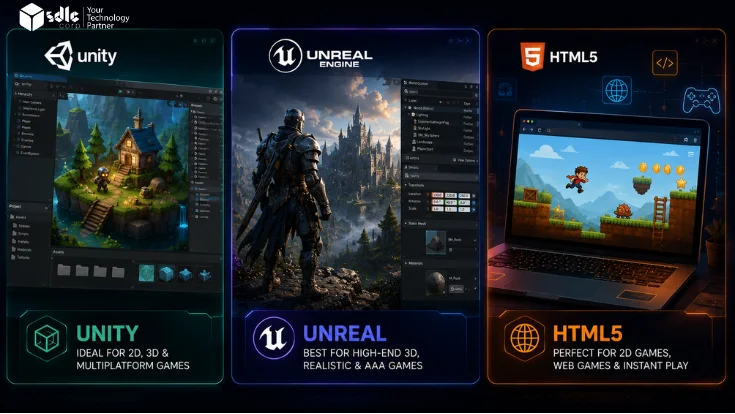
Quick answer: Choose Unity for mobile, casual, and cross-platform games with a fast development cycle. Use Unreal Engine 5 for high-fidelity 3D, AAA-quality visuals, and PC/console-primary titles. Pick HTML5 for instant-play browser games, marketing activations, and lightweight web experiences where no install is acceptable.
Who this guide is for: Game founders, studio owners, product managers, and developers evaluating their first engine or considering a switch. Assumes no prior engine preference.
Last reviewed: May 2026. Engine licensing terms change frequently - verify current pricing directly with Unity and Epic before signing any agreement.
Best Engine by Use Case
| Use case | Best starting point | Why |
|---|---|---|
| Mobile casual game (iOS / Android) | Unity | Fastest mobile pipeline, broadest device support, largest asset store |
| AAA 3D game for PC or console | Unreal Engine 5 | Lumen, Nanite, and visual tooling built for high-fidelity 3D |
| Browser casino or web game | HTML5 | Instant play and low distribution friction - no install required |
| 2D platformer or indie title | Unity | Purpose-built 2D toolset, Tilemap, Sprite tools, and physics |
| First-person shooter (PC) | Unreal Engine 5 | Built-in Gameplay Framework, GAS, and replication system |
| Advertising or promotional game | HTML5 | Embeds directly on any site, loads in seconds, no store approval needed |
| VR / AR experience | Unity or Unreal | Both are strong - choice depends on headset and visual fidelity target |
| Educational platform game | HTML5 or Unity | HTML5 for browser LMS embed; Unity for app-store distribution |
Unity, Unreal, and HTML5 - What Each Does Best
Select an engine to see its strengths, weaknesses, and best use cases.

Unity is the most widely used engine for mobile, 2D, and cross-platform games. Its C# scripting, component-based architecture, and Play Mode iteration loop make it accessible for solo developers and large studios. Over 70% of the top 1,000 mobile games use Unity across iOS and Android.
Strengths
- Best-in-class mobile build pipeline for iOS and Android
- Largest asset store - 11,000+ ready-to-use assets
- Purpose-built 2D toolset (Tilemap, Sprite, Physics 2D)
- Broadest hiring pool - C# is widely known
Weaknesses
- 3D visual ceiling below Unreal for AAA photorealism
- Licensing terms have changed twice in 12 months - verify before committing
- Large open-world games need significant performance tuning
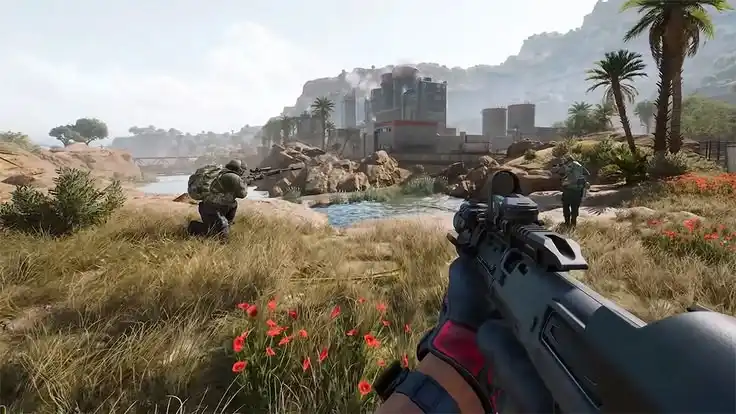
Unreal Engine 5 is the standard for AAA and high-fidelity 3D game development. Lumen and Nanite reduce many traditional visual quality constraints, though performance planning is still required.
Epic offers UE5 free for games. A 5% royalty applies after the first $1 million in gross revenue per product, with a reduced 3.5% rate for qualifying “Launch Everywhere with Epic Release” titles.
Strengths
- Lumen and Nanite reduce lighting and geometry constraints significantly
- Blueprints visual scripting lowers the C++ barrier for designers
- $0 upfront - royalty only after $1M gross revenue per title
- Full engine source code available on GitHub
Weaknesses
- Steeper learning curve - C++ and Blueprints take longer than C#
- Overkill for 2D games, casual mobile, and lightweight titles
- Longer compile times slow iteration on large projects
HTML5 uses JavaScript, Canvas, and WebGL to build games that run directly in any browser without installation. Common frameworks include Phaser.js (MIT licensed), PlayCanvas, and PixiJS. If instant browser access is the core requirement, HTML5 is usually the cleaner choice because the browser is the native delivery environment - no build-size workarounds needed.
Strengths
- Zero install - plays instantly in any browser on any device
- Lowest distribution friction for marketing and portal games
- Free frameworks (Phaser, PixiJS) with no licensing fees
- Fastest iteration cycle - refresh browser to test
Weaknesses
- Hard performance ceiling - complex 3D is impractical in browser
- No native app store presence without a wrapper
- WebGL performance varies across mobile browsers and hardware
Head-to-Head Comparison
A direct comparison across the twelve criteria that matter most for choosing a game engine.
| Criteria | Unity | Unreal Engine 5 | HTML5 / WebGL |
|---|---|---|---|
| Primary language | C# | C++ and Blueprints | JavaScript / TypeScript |
| 3D visual quality | Good | Industry-leading | Limited |
| 2D game support | Excellent (purpose-built) | Possible but not ideal | Excellent (Phaser, PixiJS) |
| Mobile performance | Best-in-class | Possible with optimization | Depends on complexity |
| Learning curve | Moderate (C# approachable) | Steep (C++ + Blueprints) | Low for web developers |
| Platform reach | PC, console, mobile, web, VR, AR | PC, console, VR (mobile harder) | Any browser, any device |
| Zero install / instant play | WebGL export only | Very limited web support | Native - core advantage |
| Asset ecosystem | Largest (Unity Asset Store) | Large (Fab / Marketplace) | Smaller, web-focused |
| AAA / photorealistic 3D | Capable with effort | Purpose-built for this | Not practical |
| Open source / free tools | Free Personal tier; paid Pro | Free; 5% royalty above $1M | Phaser / PixiJS fully free |
| VR / AR support | Excellent | Excellent | WebXR (experimental) |
| Iteration speed | Fast (Play Mode, hot reload) | Slower compile times | Fastest (browser refresh) |
Which Engine Should You Choose?
Match your project type to the right engine. Each row describes a real development scenario and the recommended starting point.
Building a mobile casual or hyper-casual game targeting iOS and Android
fast development cycle, broad device compatibility, and store publishing are priorities.Unity's mobile pipeline, Play Store and App Store export tooling, and asset store make it the most common choice for mobile-first studios.
Building a photorealistic open-world or AAA 3D game for PC or console
visual fidelity, dynamic lighting, and cinematic production values are the selling point.Lumen and Nanite virtualized geometry reduce many lighting and geometry constraints. that previously required dedicated optimization engineers.
Building an advertising game, marketing activation, or branded game
the game must run instantly in a browser with no download, no app store, no install.If instant browser access is the core requirement, HTML5 is usually the cleaner choice because the browser is the native delivery environment - no build-size workarounds needed.
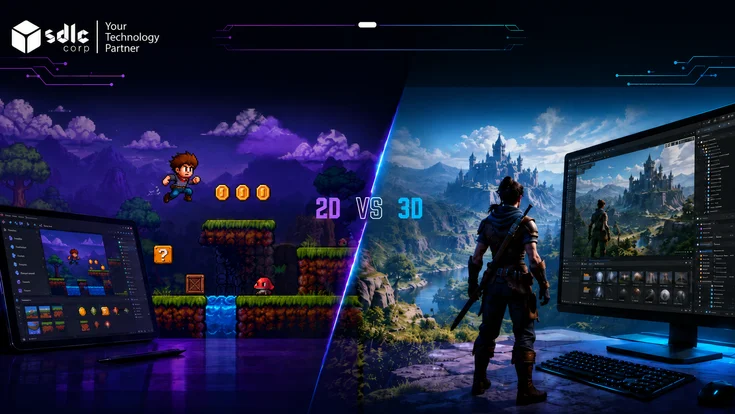
Building a 2D platformer, top-down RPG, or puzzle game
visual style is pixel art or handdrawn; gameplay is 2D with no 3D rendering requirement.Unity's 2D physics, Tilemap system, and Sprite toolset were built specifically for this use case. Unreal is overkill; HTML5 works but has a smaller tooling ecosystem.
Building a first-person shooter, battle royale, or high-end multiplayer action game for PC
fastpaced gunplay, large maps, and competitive netcode are required.UE5's built-in Gameplay Framework, replication system, and GAS (Gameplay Ability System) are purpose-built for this genre. Fortnite, PUBG, and Valorant all run on Unreal.
Building a VR or AR experience
targeting Meta Quest, HTC Vive, PlayStation VR, or ARKit/ARCore on mobile.Both are strong. Unity leads on mobile VR/AR (Quest, ARKit/ARCore). Unreal leads on tethered PC VR where visual quality is the priority. Choose based on the headset, not the engine.
Building a game portal, browser casino, or educational platform
players arrive via web link; the game must be embeddable and load within seconds.Load time and embeddability are structural requirements. Unity WebGL export produces 30-100 MB builds that load slowly. Native HTML5 games load in 1-3 seconds.
Cost and Licensing Compared
Engine cost is rarely the largest line item in a game budget, but licensing terms matter when your game scales. All figures reflect the position as of early 2025 - verify current terms directly with each vendor before signing a publishing deal.
Free to Pro
Personal (free): For individuals and organizations with less than $200,000 annual gross revenue. Includes a Unity splash screen on game launch.
Pro (price changes periodically - verify at unity.com before budgeting): No revenue cap. Removes splash screen. Required for organizations over $200K annual revenue or funding. Includes professional support and team features.
Royalties: None. Unity charges by seat, not by revenue share. Unity officially cancelled the Runtime Fee for games in September 2024 and returned to a seat-based model. (Source: unity.com/products/pricing-updates, September 2024.)
Source code: Closed source for most engine components. Unity Industry license required for source code access.
Unity officially cancelled the Runtime Fee for games in September 2024 and returned to a seat-based model. Read Unity pricing updates.
Free + 5% royalty
Development: Completely free to download, develop, and publish. No subscription fee, no seat fee.
Royalty: Epic waives the first $1 million in gross revenue per product. After that, the standard royalty is 5% of gross revenue per quarter.
A reduced 3.5% royalty applies to titles that qualify for the “Launch Everywhere with Epic Release” program. This applies to the game itself, not to internal tools, film/TV use, or architectural visualization. For current royalty and license terms, review the Epic Games EULA.
Source code: Full engine source code is available on GitHub to registered developers - a major advantage for studios that need to modify core engine behavior.
Non-game use: The royalty model applies to game products. Non-game commercial applications (visualization, simulation, enterprise) may require seat-based licensing at different rates. Check unrealengine.com/license for current terms.
Custom license: Epic offers custom enterprise agreements for studios that need different royalty terms - contact Epic directly.
Check Unreal Engine licensing before publishing your game.
Free (open source)
Phaser: MIT license. Free for commercial use. No royalties, no seat fees, no restrictions. The most widely used 2D HTML5 game framework.
PlayCanvas: Open-source engine (MIT) with a cloud editor. The editor has free and paid plans. Free for open/public projects; paid plans from $15/month for private projects.
PixiJS: MIT license. A 2D WebGL renderer (not a full game engine) commonly used as a rendering layer for HTML5 games.
Hosting: Static hosting via Netlify, Vercel, or AWS CloudFront is typically under $20/month for most HTML5 games. Bandwidth scales with player load.
Watch out for: Unity's licensing terms have changed twice in 12 months. Always check the current EULA at unity.com/legal before signing a publishing or licensing agreement. Engine cost is rarely the decision factor for indie studios but becomes significant for titles generating over $1M revenue on Unreal or studios with 10+ developers on Unity Pro seats.
Always check the current Unity legal terms before signing a publishing or licensing agreement.
Platform Support in Detail
Platform certification and build pipelines are where engines diverge most practically. A promising engine choice can become a costly mistake if its platform support does not match your distribution targets.
| Platform | Unity | Unreal Engine 5 | HTML5 / WebGL |
|---|---|---|---|
| iOS (App Store) | Native, best-in-class | Supported, needs optimization | Via wrapper (Capacitor) |
| Android (Google Play) | Native, best-in-class | Supported, needs optimization | Via wrapper (Capacitor) |
| PC (Windows / Mac / Linux) | Full support | Full support | Browser only |
| PlayStation 4 / 5 | Full support (cert required) | Full support (cert required) | Not supported |
| Xbox One / Series X|S | Full support (cert required) | Full support (cert required) | Not supported |
| Nintendo Switch | Full support (cert required) | Full support (cert required) | Not supported |
| Meta Quest (VR) | Excellent - Unity recommended by Meta | Full support | WebXR only (limited) |
| Browser / WebGL | WebGL export (large build size) | Experimental / limited | Native - primary platform |
| Smart TV / set-top box | Via partner programs | Via partner programs | If TV has browser support |
PlayStation, Xbox, and Nintendo Switch all require a formal developer registration before you can publish. Engine choice does not affect this process - both Unity and Unreal require the same platform certification steps. Budget 4-8 weeks per console platform for certification testing regardless of which engine you use.
Hiring and Team Size Considerations
The right engine for your project is often the one your team already knows - or the one with the largest talent pool for your hiring context.
| Factor | Unity | Unreal Engine 5 | HTML5 / WebGL |
|---|---|---|---|
| Hiring market size | Largest - most game developers know Unity | Large, growing - strong in AAA studios | Smaller - overlaps with web developers |
| Day-1 productivity (new hire) | Fast - C# is widely known | Slower - Blueprints + C++ takes time | Fast for web developers, slow for game devs |
| Solo developer viability | High - solo Unity games ship | Possible with Blueprints; harder with C++ | High for small scoped games |
| Minimum viable team (commercial) | 2-5 people | 5-15 people | 1-3 people |
| Training time (intermediate developer) | 2-4 months to productivity | 4-8 months to productivity | 2-6 weeks for web devs |
| Freelancer availability | Highest | Moderate | Moderate (web pool) |
When to Switch Engines Mid-Project (and When Not To)
Switching game engines after production has started is one of the most expensive decisions a studio can make. The cost is not just the technical migration - it includes re-training, tool rebuilds, asset pipeline changes, and schedule slippage. Engine switches that looked reasonable on paper have caused 6-18 month delays on commercial titles.
Switch engines if: Your current engine genuinely cannot deliver a core requirement (e.g., you need Lumen-quality lighting and Unity cannot get there without prohibitive custom shader work; or you need sub-2-second browser load times and your Unity WebGL build is 80 MB). "It would look better in Unreal" is not a sufficient reason to switch during production.
Do not switch engines if: The reason is preference, aesthetics, or competitive comparison. Engine switches mid-production that are driven by "the other engine is better" rather than a specific technical blocker almost always cost more than they return. Finish the game in the engine you started with, then evaluate for the next project.
The practical rule: Choose your engine before pre-production ends. Lock it before a single production asset is created. Review it only at the transition between projects, not between milestones. For help scoping the right engine for your specific project, see our guide to comparing game development engines and our overview of game development stages.
Eight Questions to Choose the Right Engine
Answer these questions before committing to an engine. Most mismatches come from choosing the engine before the project constraints are clear.
1. Is your game mobile-first, PC/console-first, or browser-first?
Where the player primarily accesses the game determines more about engine fit than almost any other factor.2. Does the game need instant play without installation?
If players arrive via URL and cannot be asked to install anything, the engine choice is largely made for you.3. Is photorealistic visual fidelity the main selling point?
If the game's market position depends on graphics that look indistinguishable from pre-rendered content, the engine toolchain matters significantly.4. Is your team stronger in C#, C++, or JavaScript?
Switching programming languages mid-team is expensive. Match the engine to what your existing developers already know.5. Do you need 2D, 3D, VR, AR, or multiplayer?
Some engines are better tooled for specific dimensions of this question. 2D and AR favor Unity; cinematic 3D favors Unreal; browser 2D favors HTML5.6. Is your launch target App Store, Play Store, Steam, console, or web portal?
Some targets have strong engine alignment; others require specific platform certification pipelines regardless of engine choice.7. Do you need fast prototype speed or long-term AAA scalability?
Iteration speed and architectural depth pull in opposite directions. A team that needs a prototype in 6 weeks has different needs than a team planning a 4-year production.8. Is licensing predictability more important than upfront cost?
Royalty-based models like Unreal’s can mean lower cost early but higher cost at scale. Seat-based models like Unity’s are predictable but higher upfront. HTML5 frameworks are generally free.Reading your answers: Mostly mobile/app-store answers → Unity. Mostly PC/console/high-fidelity answers → Unreal Engine 5. Mostly browser/instant-play answers → HTML5. Mixed answers across categories → start with a technical discovery call before committing - a full-cycle game development partner can help you scope the right fit.
Not sure which engine fits your project?
SDLC Corp has shipped 500+ games across Unity, Unreal Engine, and HTML5 for mobile, PC, console, VR, and web platforms. We can recommend the right engine for your game type, team size, and budget, then scope the full build.
Frequently Asked Questions
Is Unity or Unreal Engine better for beginners?
Unity is usually easier for beginners because C# is more approachable, tutorials are widely available, and the workflow is simpler for mobile and 2D games. Unreal Engine is powerful, but C++, Blueprints, and advanced rendering tools take longer to learn.
Can Unity export to HTML5 / browser?
Yes, Unity can export WebGL builds for browser use. However, Unity WebGL projects can have larger file sizes and slower load times than native HTML5 games. For browser-first games, Phaser, PixiJS, or PlayCanvas are often more practical.
Is Unreal Engine really free?
Yes, Unreal Engine is free to download and use. For game products, Epic generally applies a royalty after the first $1 million in gross revenue per product. Always check the latest Unreal Engine EULA before publishing.
What happened with Unity's Runtime Fee in 2023?
Unity announced a Runtime Fee in 2023, but the plan received strong developer backlash. Unity later changed its licensing direction and cancelled the Runtime Fee for games in 2024. Studios should still verify current Unity pricing before budgeting.
What is Godot, and should I consider it as an alternative?
Godot is a free, open-source game engine under the MIT license. It is a strong choice for 2D games, indie projects, and teams that want no royalties or seat fees. However, Unity and Unreal still offer deeper pipelines for large-scale commercial 3D games.
Which engine is best for casino or real-money games?
HTML5 is commonly preferred for browser-based casino and real-money games because players can access games instantly without installation. Unity can work for mobile apps or downloadable clients, while Unreal is rarely needed for standard 2D casino formats.
How long does it take to learn each engine?
Learning time depends on experience. Unity may take 2–4 months for a developer with basic programming knowledge. Unreal Blueprints may take a similar time, while C++ takes longer. HTML5 frameworks can be faster for developers already familiar with JavaScript.