
Odoo 19 POS Product Price Display on Product Cards
Show product prices directly on Odoo 19 POS cards, so cashiers can check prices faster, apply discounts clearly, and complete checkout with less effort.
- Display prices instantly on the Odoo POS product grid.
- Show discount prices with strike-through pricing.
- Supports Odoo Community, Enterprise, and Odoo.sh.
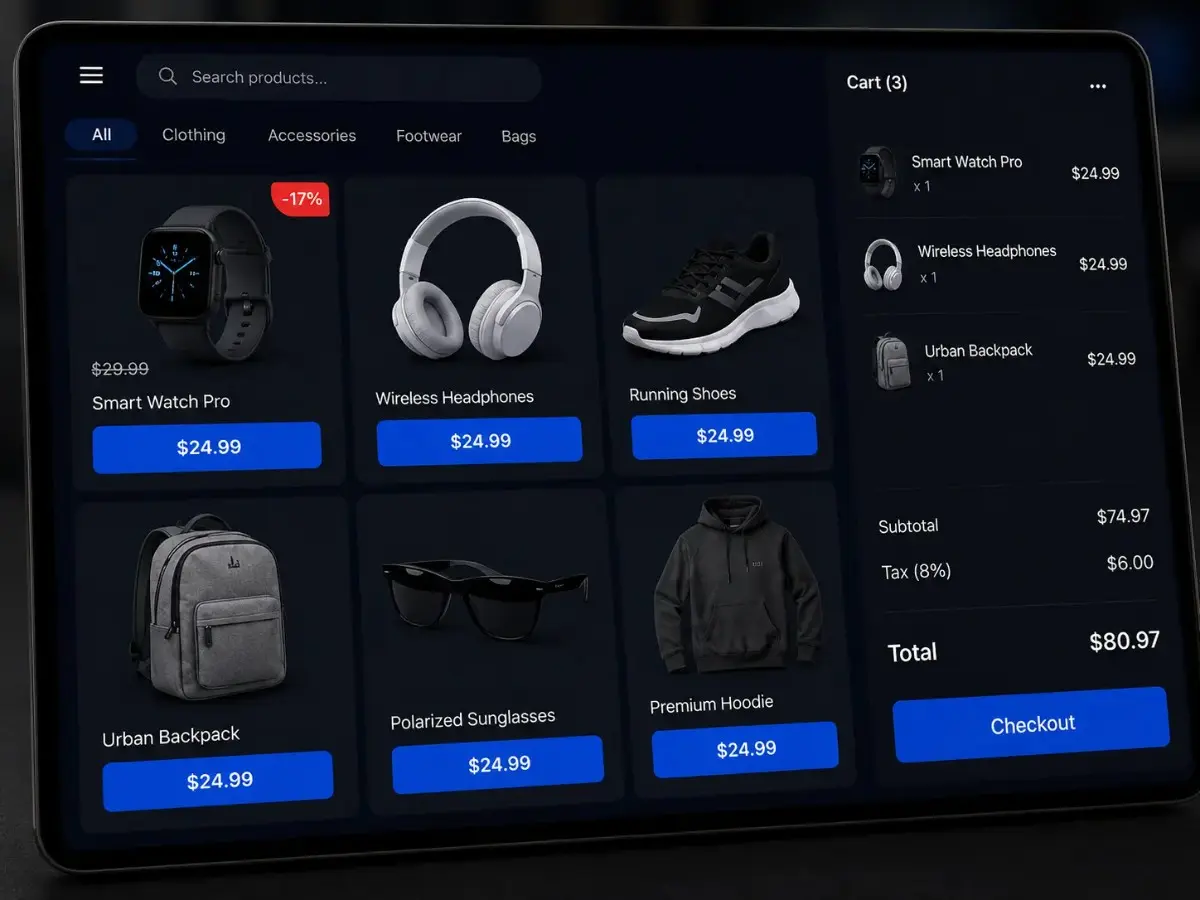
Why Odoo 19 POS Product Price Display Matters
The Odoo 19 POS product price display module shows prices directly on product cards. As a result, cashiers check prices faster, reduce checkout effort, and give customers clearer pricing before adding items to the order.
See How It WorksOdoo POS Price Visibility
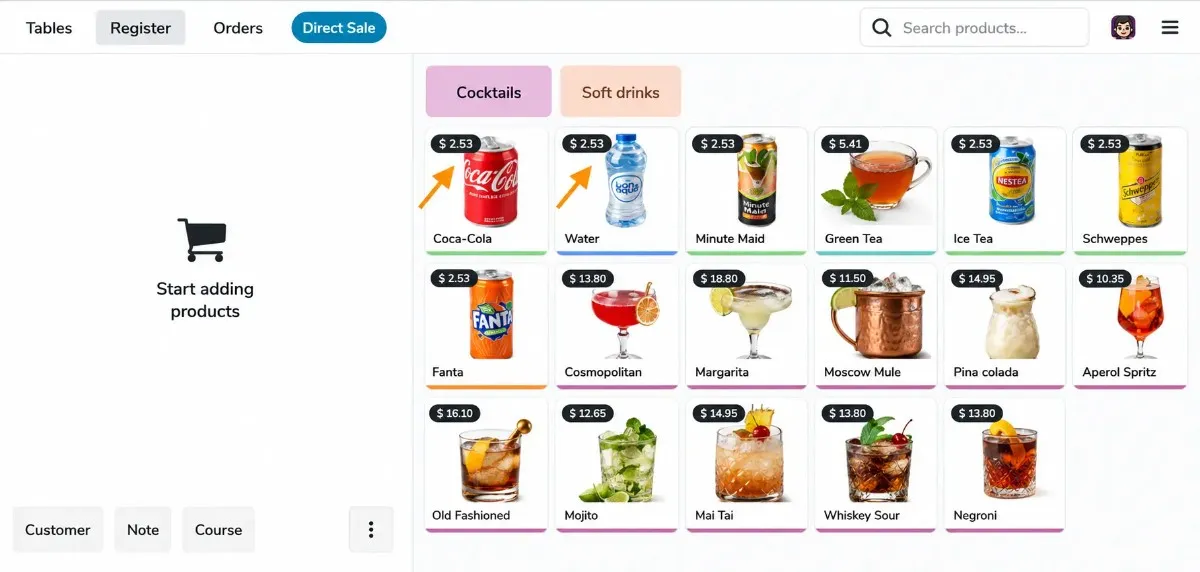
Show product prices on every Odoo POS card, so cashiers can confirm rates faster during checkout.
Discount Price Display
Display strike-through prices and discount badges to make offers clear on the POS screen.
Shop-Wise POS Control
Enable or hide POS product prices for each shop, giving retailers better control over store workflows.
Safe Odoo 19 Extension
Built with Odoo OWL and designed without core overrides for safer POS customization.
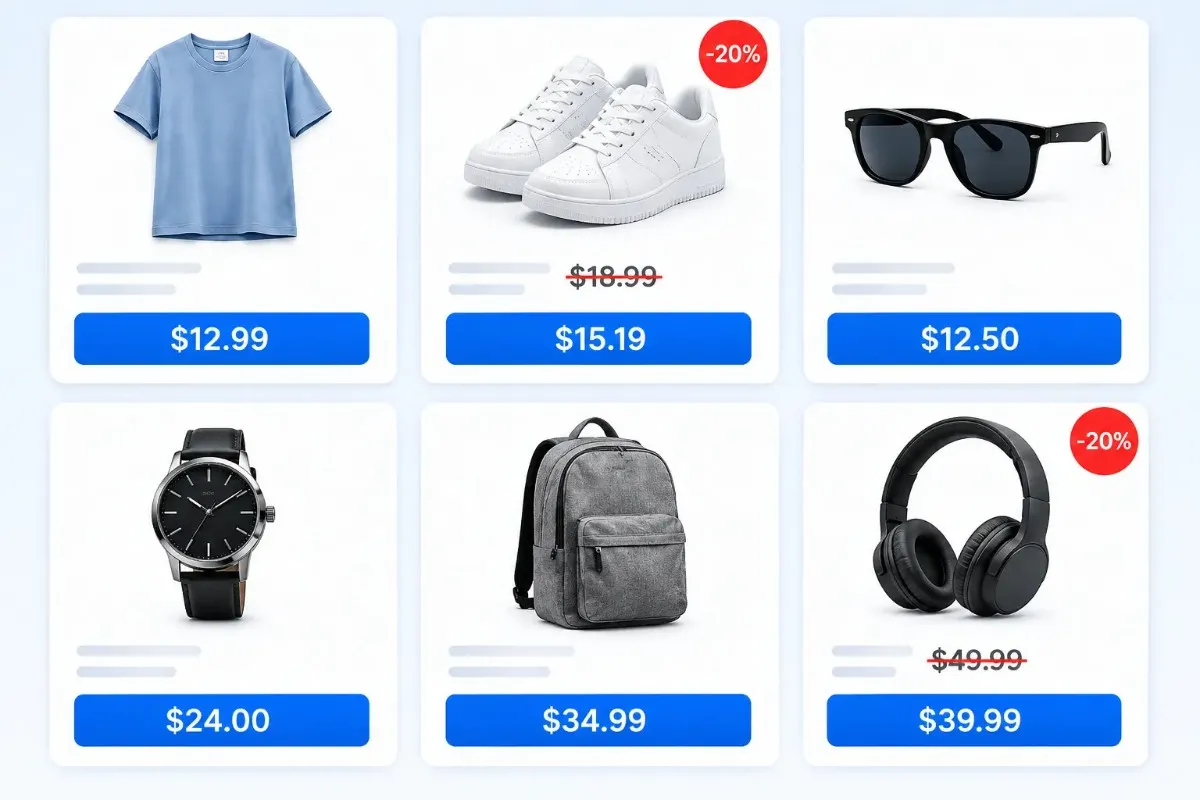
Odoo 19 POS Product Price Display Features
Use these Odoo POS price display features to show prices, discounts, and shop-wise controls directly inside the checkout flow.
Install Free from Odoo Apps
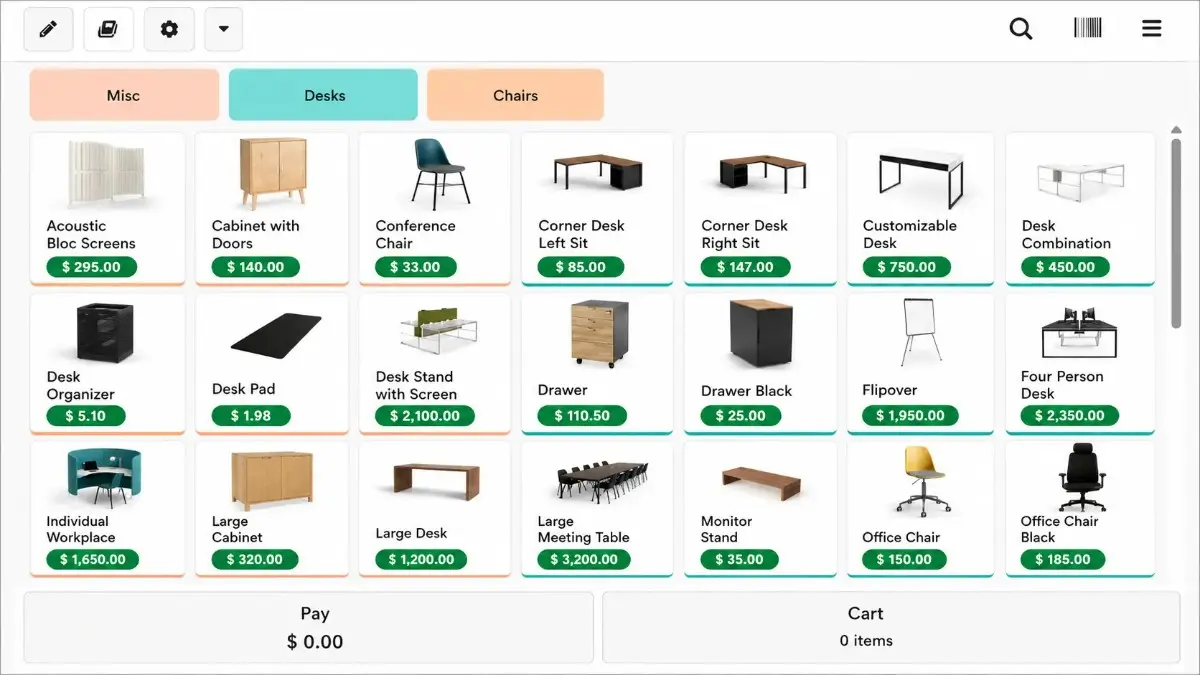
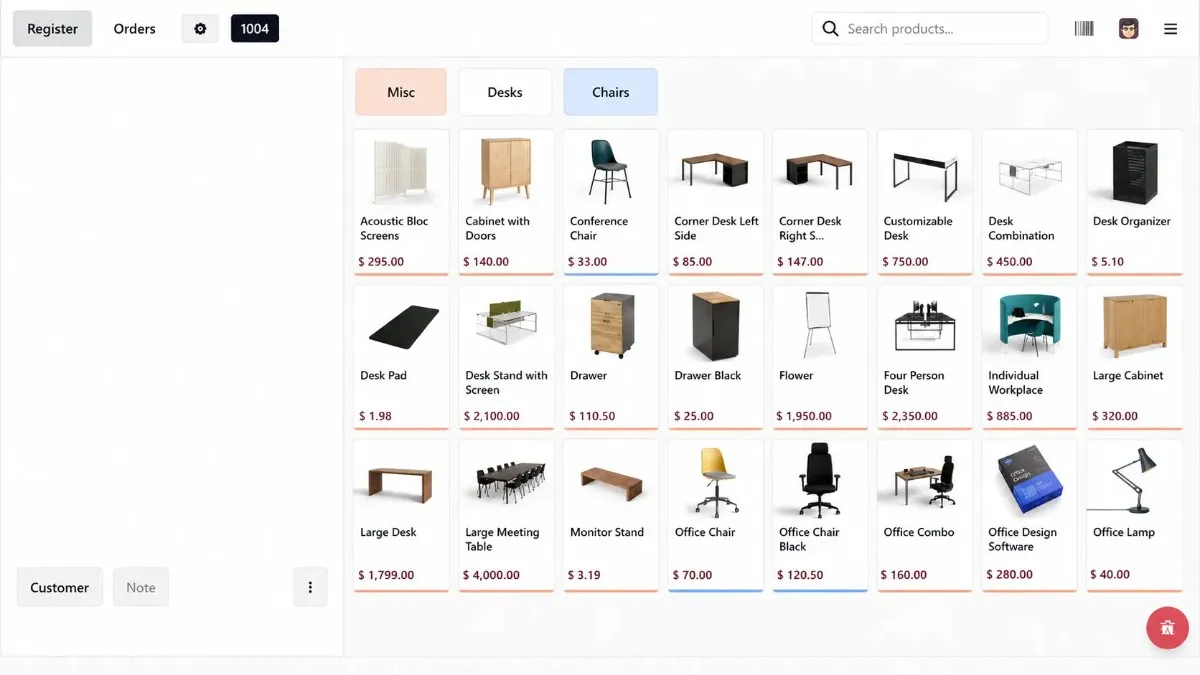
POS Price Pill on Every Product Card
Show the selling price under each product name, so cashiers can confirm rates faster during checkout.
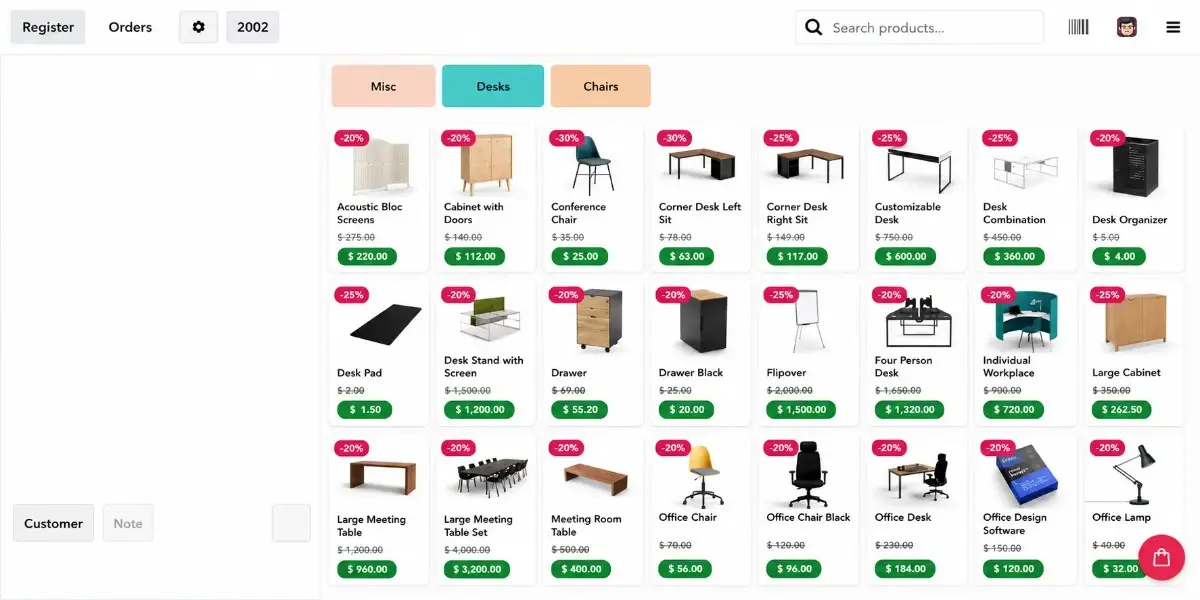
Discount Price Display Before Checkout
Show discounted prices, original strike-through prices, and savings badges before items are added to the cart.
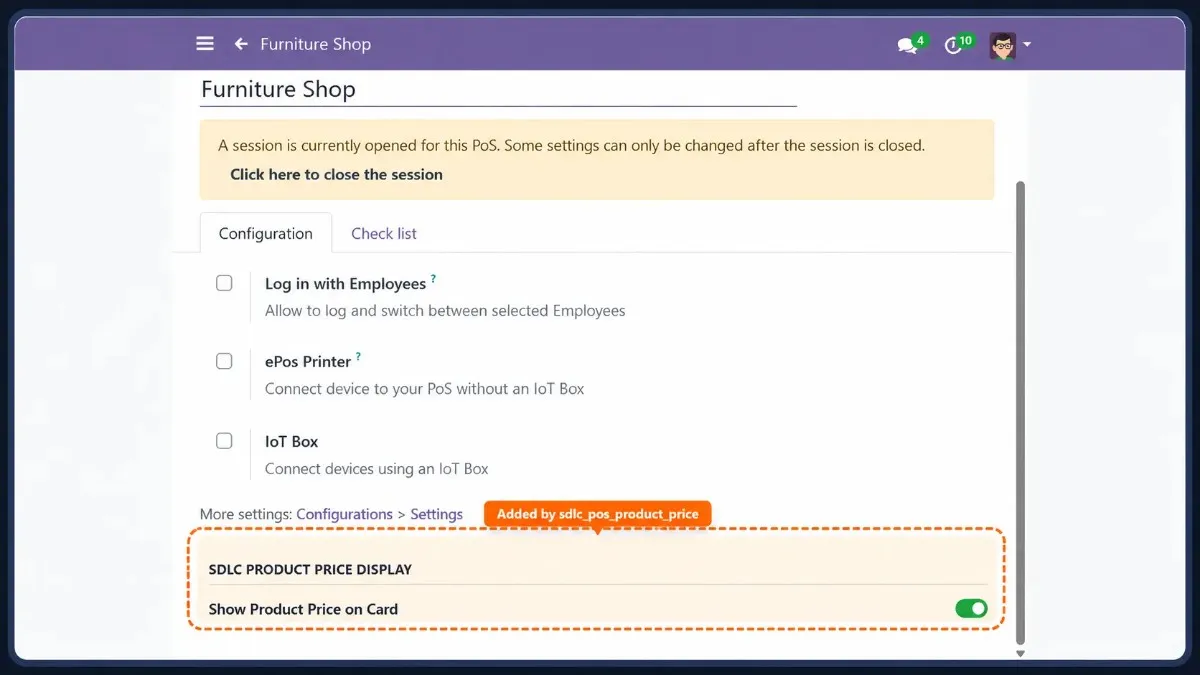
Shop-Wise POS Price Control
Enable or hide product prices for each POS shop from configuration, so every store follows the right pricing workflow.
OWL-Based Odoo 19 POS Extension
Built with Odoo OWL patterns to avoid risky core changes and support safer POS customization.
Strike-Through Original Pricing
Show original and discounted prices together, so cashiers can confirm promotions without extra clicks.
Clean Rollback After Uninstall
Remove the module and return POS to the standard Odoo 19 layout without leftover UI changes.
Best Use Cases for Odoo POS Product Price Display
Use Odoo POS product price display where cashiers need faster price checks, clearer discounts, and smoother checkout across retail counters. For real POS workflow proof, review the Odoo POS Product Price Display case study.
Install Free from Odoo AppsGrocery Store POS
Show product prices on POS cards, so cashiers can confirm item rates faster during busy billing hours.
Café and QSR POS
Display drink, side, and combo prices directly on the Odoo POS screen for quicker order taking.
Wholesale Counter POS
Show member pricing, pricelist rates, and discounts before items are added to the cart.
Pharmacy POS
Reduce confusion across similar products by showing clear card-level prices in the POS grid.
Retail Chain POS
Control product price visibility for each shop while keeping one clean Odoo POS setup.
Hospitality POS
Let staff view menu, add-on, and service item prices at a glance before billing.
Install Odoo 19 POS Product Price Display in Simple Steps
Set up the Odoo 19 POS product price display module without data migration, complex setup, or extra menus. Once installed, product prices appear directly on POS cards for faster checkout.
Install from Odoo App
Search the module in Odoo Apps and install it.
Open a POS Session
Open any POS shop and view prices on cards.
Apply a Pricelist
Apply a pricelist to show discount pricing clearly.
Control Each Shop
Enable or hide POS card prices for each shop.
SDLC POS Product Price vs Standard Odoo 19 POS
Compare how Odoo 19 POS product price visibility improves checkout speed, discount clarity, and cashier workflow.
Book a Live Demo| Feature | Standard Odoo POS | With SDLC POS Product Price |
|---|---|---|
| Product card price | Hidden | Visible on every card |
| Pricelist price | After adding to cart | Visible before adding to cart |
| Discount display | Not shown | Strike-through price + discount badge |
| Shop-level control | Not available | Per-shop visibility toggle |
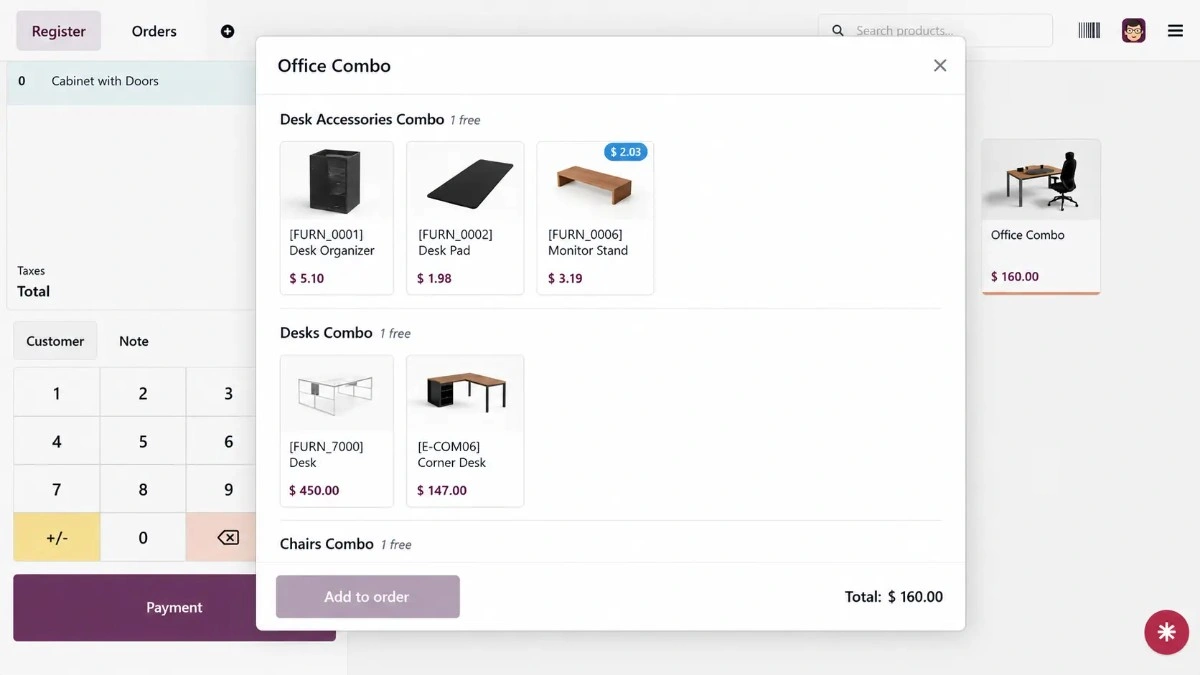
| Variant and combo pricing | Hidden until tapped | Shown directly on POS cards |
| Uninstall behavior | Default POS layout | Clean rollback after uninstall |
Product card price
Pricelist price
Discount display
Shop-level control
Variant and combo pricing
Uninstall behavior
The Odoo Team Behind This POS Product Price Display Module
SDLC Corp builds Odoo POS and ERP extensions for clean setup, safer customization, and reliable support as an experienced Odoo development company in India. This module helps stores improve Odoo 19 POS price visibility without changing core files.
Contact SupportBuilt for Reliable Odoo 19 POS Use
This Odoo POS product price display module follows simple engineering rules: no risky core edits, open-source access, and clear support after installation.
No Core Overrides
Uses Odoo extension patterns instead of editing core POS files, which keeps upgrades safer.
LGPL-3 Open Source
Review, audit, and adapt the module under an open-source Odoo license.
Support-Focused Delivery
Get help for setup questions, issue fixes, and Odoo POS customization requests.
Odoo 19 POS Product Price Display FAQs
getPrice logic Odoo runs when products are added to the cart. Therefore, variant prices, combo prices, and attribute-based pricing work without extra setup.patch() API and t-inherit template extension. As a result, it avoids risky core edits and supports safer use with other POS customizations.static/src/scss/product_card_price.scss. You can adjust colors, shadows, hover effects, badges, and animation based on your POS design needs.- Contact Us
Let’s Talk About Your Product
What happens next?
- We review your requirements
- Strategy call with experts
- Clear roadmap & estimate
- NDA Protected
- Enterprise Grade Delivery
- Global Clients
- By submitting this form, you acknowledge that SDLC Corp may process your details to respond to your inquiry. See our Privacy Policy and Cookie Notice.




