
Odoo Chatter Position Module
Improve Odoo workspace visibility with flexible chatter positioning, cleaner layouts, and better form readability.
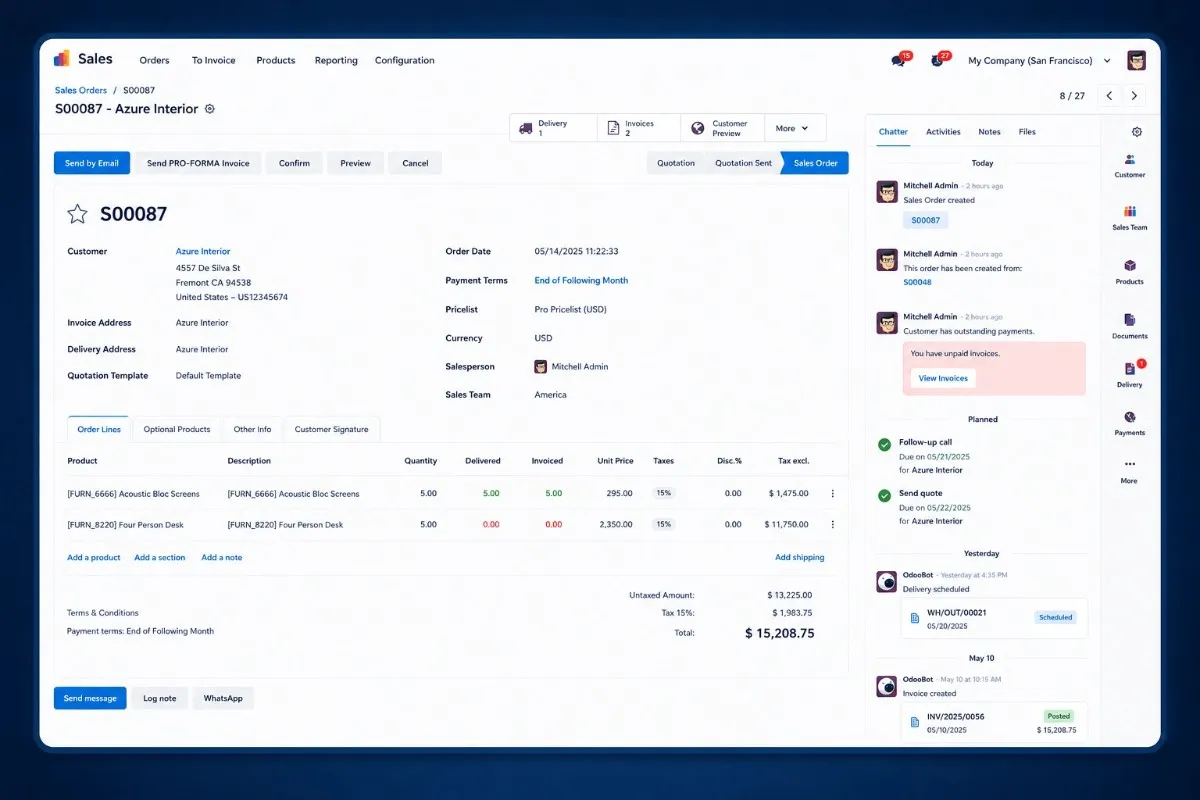
Quick Odoo Chatter Installation for Modern Teams
Install the Odoo Chatter Position module quickly, configure side or bottom chatter layouts with minimal setup, and keep teams productive across Odoo Community, Enterprise, Odoo.sh, and on-premise environments.
Request Setup Assistance
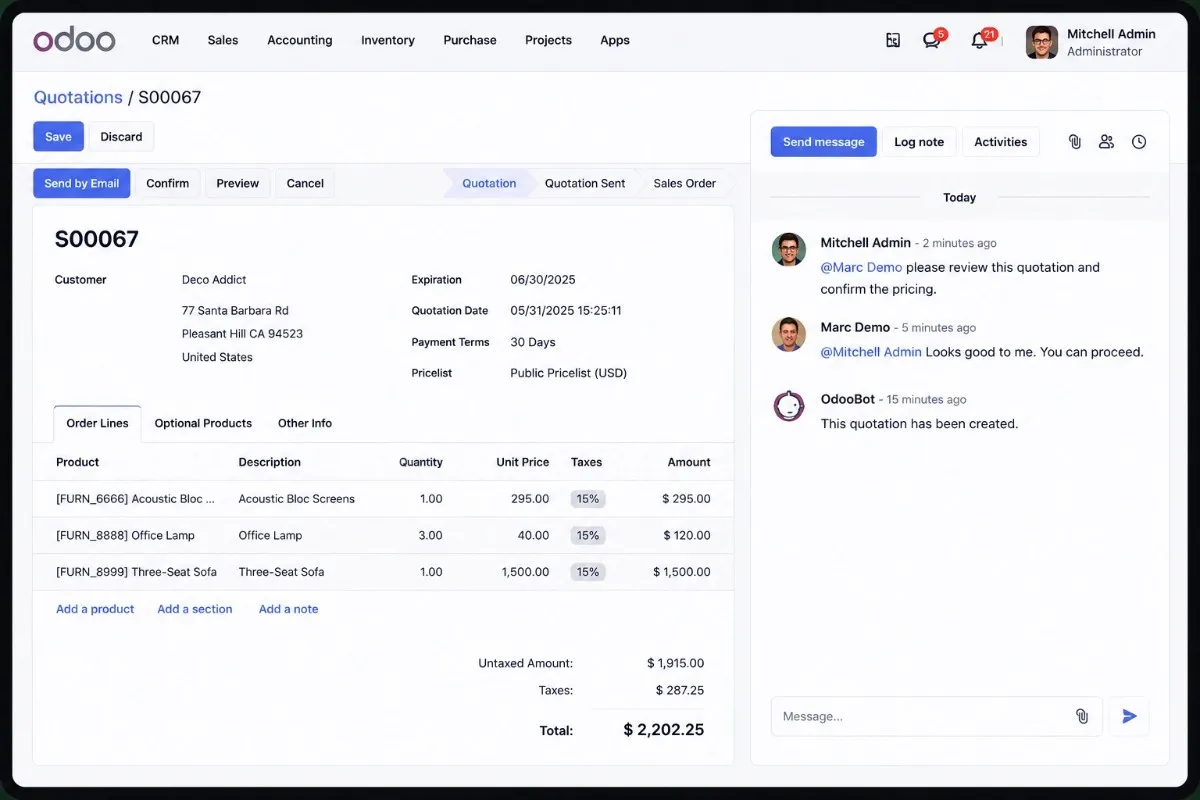
“The side chatter layout helped our teams reduce scrolling and improve workspace visibility across CRM and Accounting workflows.”
Operations Lead · Odoo Customer
Why Standard Odoo Chatter Layouts Slow Teams Down
Odoo’s default chatter works for basic usage, but large workflows often need a cleaner and more flexible workspace.
Talk to Our Experts- Reduced Form Visibility Important fields become harder to access with default chatter layouts.
- Excessive Scrolling Teams spend extra time navigating long operational forms.
- Limited Workspace Flexibility Layouts cannot adapt properly to widescreen workflows.
- Poor Screen Utilization Valuable workspace remains underused during daily operations.
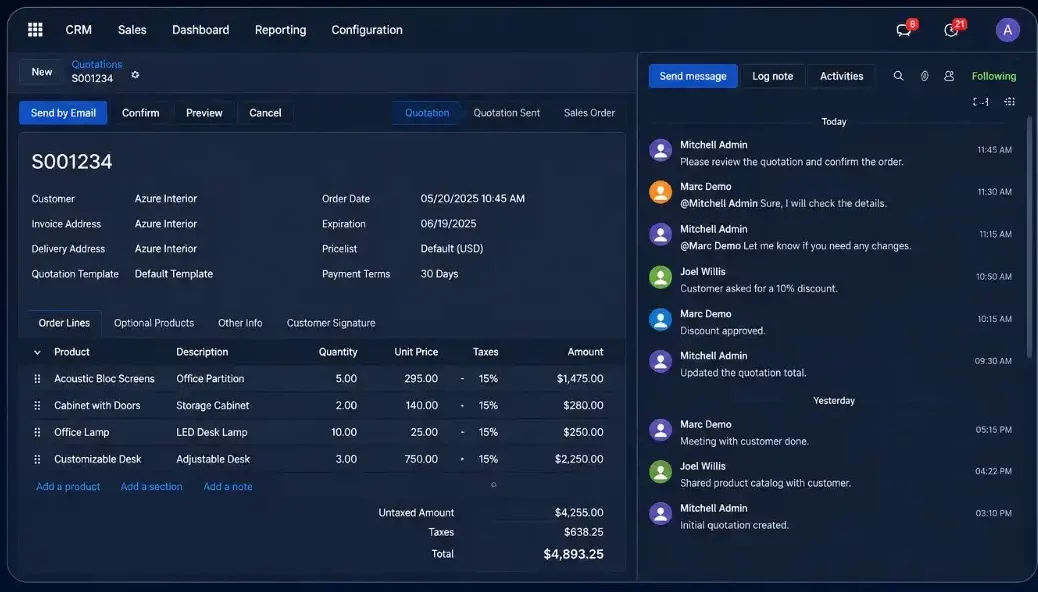
Flexible Odoo Workspace Layouts
Customize Odoo chatter placement for cleaner forms, better record visibility, and smoother daily work across different screen sizes.
Contact Our Experts
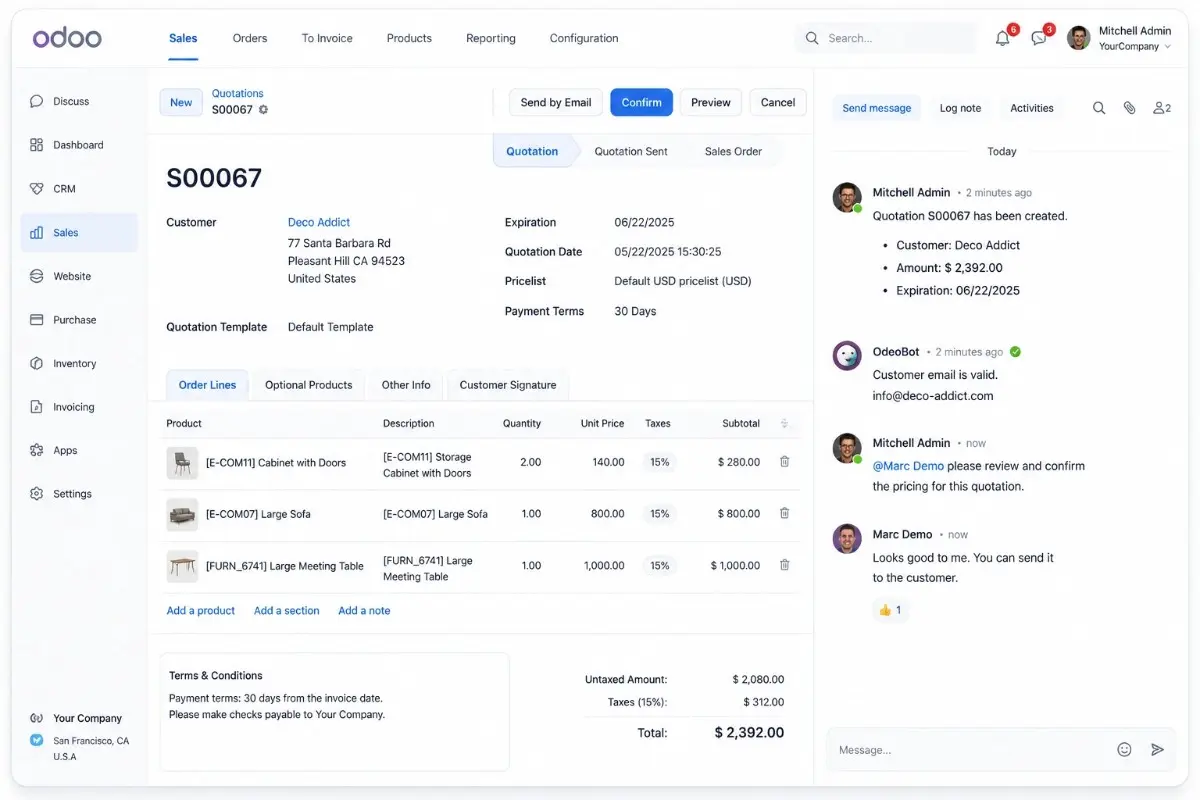
Side Chatter Layout
Place chatter beside the form so users can view messages, activities, and record details together.
Bottom Chatter View
Move chatter below the form to improve wide form visibility for invoices, quotations, and detailed records.
Responsive Layout
Keep the Odoo workspace usable across desktop, tablet, and mobile screens with adaptive chatter placement.
User Preferences
Let users save their preferred chatter position based on role, screen size, and daily workflow needs.
Teams That Benefit From Odoo Chatter Customization
Improve workspace visibility and daily productivity across every major Odoo department.
Get in TouchSales Teams
Manage quotations, sales orders, follow-ups, and customer messages with better form visibility.
Accounting
Review invoices, vendor bills, payments, and related chatter notes with cleaner workspace layouts.
CRM Users
Track leads, opportunities, scheduled activities, and customer communication without losing form context.
Inventory
Handle stock moves, transfers, receipts, and delivery records with better spacing and visibility.
Project Teams
Manage tasks, updates, attachments, and team discussions in a clearer Odoo workspace.
Purchase Teams
Review purchase orders, approvals, RFQs, and vendor messages with less scrolling.
Key Odoo Chatter Features That Improve Daily Productivity
Smart chatter customization features designed for cleaner layouts, better record visibility, and faster daily workflows inside Odoo.
Request Live Demo
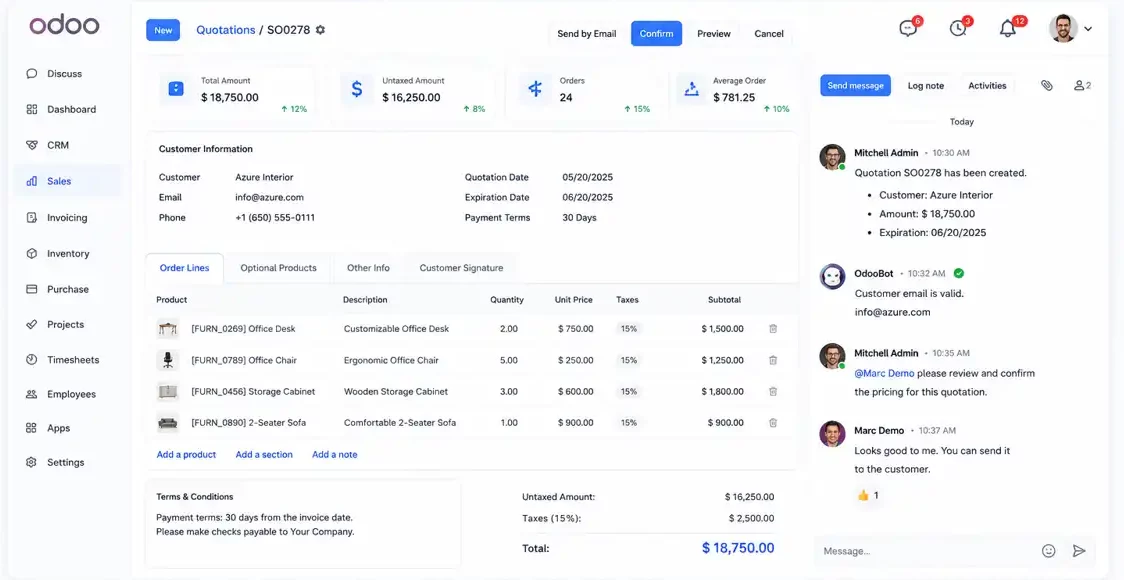
Side Chatter Layout
Keep chatter beside the form so users can view messages, activities, and record details together.
Bottom Chatter View
Place chatter below the form so users can view long records, quotations, invoices, and detailed forms more comfortably.
Responsive Layout
Adjust chatter placement automatically across desktop, tablet, and mobile screens for a cleaner workspace.
User Preferences
Let users save their preferred chatter position for faster access and more comfortable daily workflows.
Better Chatter Positioning Means Better Daily Productivity
Small workspace improvements add up to major workflow benefits for teams working inside Odoo every day especially on widescreen monitors.
Explore Productivity BenefitsHow Workspace Optimization Helps Teams
- Reduce unnecessary scrolling
- Improve form readability
- Minimize interface clutter
- Improve multitasking efficiency
- Create cleaner communication flows
- Improve large-screen usability
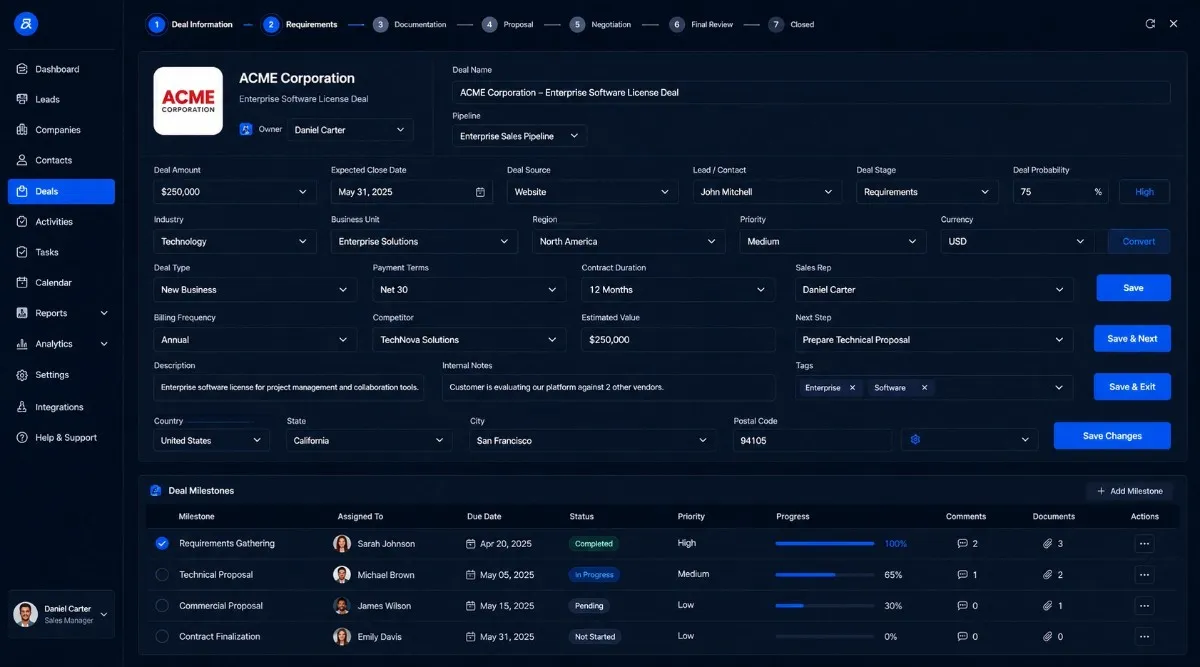
How the Odoo Chatter Position Module Works
Set up flexible chatter layouts in minutes with a simple and user friendly workflow.
Get Setup Assistance
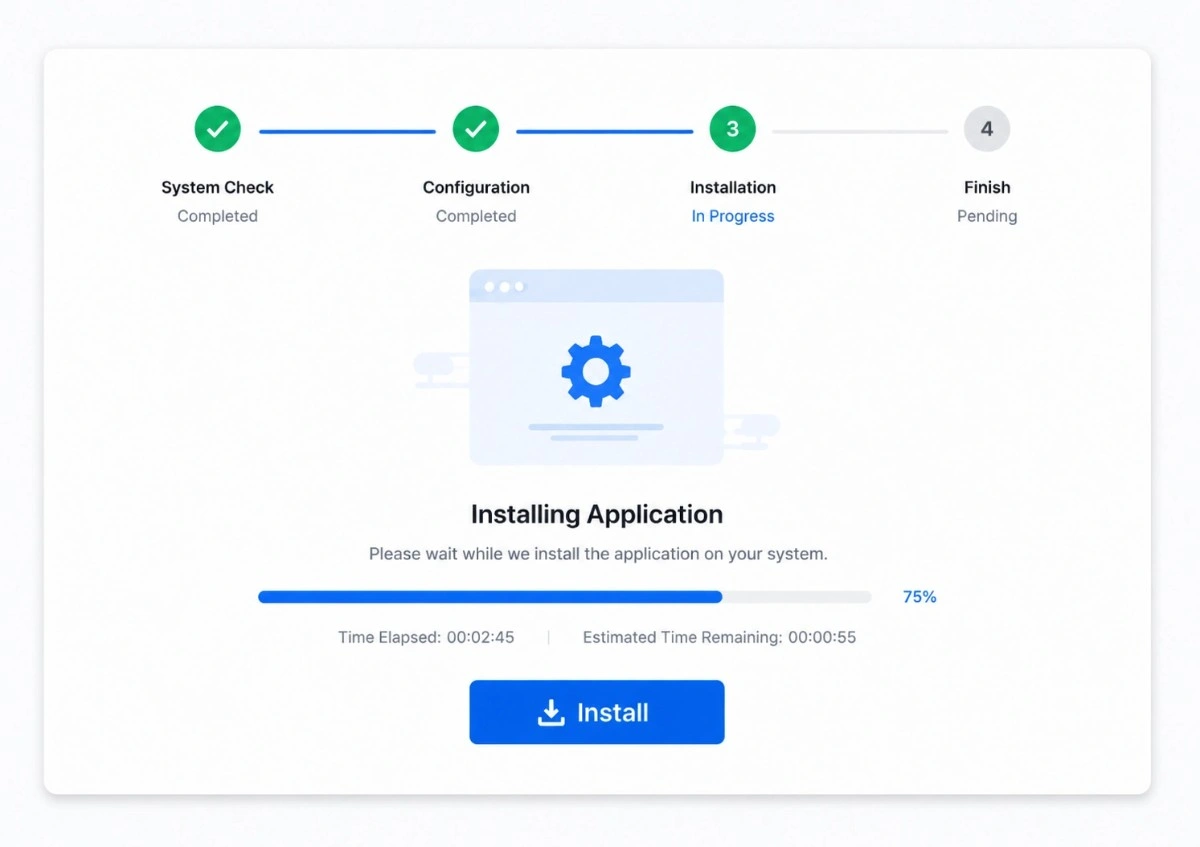
Install the Module
Quick installation with minimal configuration.
Open Any Form
Works across CRM, Sales, Accounting, Inventory, and more.
Choose Layout
Switch between side chatter, bottom chatter, or responsive mode.
Work More Comfortably
Enjoy a cleaner workspace with saved user preferences.
Why the Odoo Chatter Position Module Works Better Than Standard Chatter Layouts
Compare how this module improves chatter positioning, workspace visibility, user level preferences, and large-screen usability inside Odoo.
Get Installation Support| Feature | Default Odoo | Standard Competitors | Odoo Chatter Position Module |
|---|---|---|---|
| Side Chatter Layout | Limited | Yes | Advanced |
| Bottom Chatter Layout | Basic | Yes | Enhanced |
| Responsive Behavior | Basic | Limited | Advanced |
| Per-User Preferences | No | Some | Yes |
| Workspace Optimization | Weak | Moderate | Strong |
| Modern UI Styling | Basic | Limited | Enhanced |
| Upgrade-Friendly | Mixed | Mixed | Yes |
| Productivity-Focused Design | Weak | Weak | Strong |
| Better Large-Screen Usage | No | Limited | Yes |
Before vs After: The Odoo Workspace Experience
See how flexible chatter positioning changes the way your teams use Odoo every day across CRM, Sales, Accounting, and Inventory workflows.
Talk to Our TeamDefault Odoo Workspace Problems
- Chatter consumes valuable screen space
- Long forms become difficult to manage
- Excessive scrolling slows daily workflows
- Communication panels reduce form visibility
- Workspace feels cramped on widescreen monitors
- Difficult to balance data and communication views
With Odoo Chatter Position Module
- Flexible side or bottom chatter layout
- Cleaner and more organized interface
- Better visibility for forms and line items
- Improved multitasking experience
- Faster and more comfortable workflows
- Optimized workspace usage for large monitors
Safe Odoo Chatter Customization Without Workflow Disruption
Built with a lightweight and upgrade-friendly structure that helps businesses customize Odoo chatter layouts safely while reducing maintenance risks and preserving long-term system stability.
Talk to Our Odoo Experts- No direct Odoo core modifications, which helps businesses handle future Odoo upgrades with lower compatibility and maintenance risks.
- Lightweight frontend rendering designed to improve workspace usability without adding heavy performance overhead.
- Smooth deployment across Odoo.sh, cloud-hosted, and custom on-premise Odoo environments.
- Stable compatibility with Odoo Community and Enterprise editions for safer long-term deployment.
FAQs About Odoo Chatter
Odoo chatter positioning lets users control where the chatter panel appears inside Odoo form views. Instead of working with a fixed layout, teams can place the chatter on the side, keep it below the form, or use a responsive layout based on screen size. As a result, users get better form visibility, less scrolling, and a cleaner workspace for daily Odoo operations.
With the Odoo Chatter Position module, users can move the chatter panel to the side without changing the core Odoo interface manually. The side layout helps users view records, messages, notes, attachments, and activities in a more organized way. Therefore, teams can work on CRM, Sales, Projects, Accounting, and other form-heavy screens with better visibility.
Yes. Each user can choose and save a preferred chatter layout based on personal workflow needs. For example, one user may prefer side chatter on a large desktop screen, while another user may prefer bottom chatter on a smaller screen. This flexibility improves comfort without forcing one layout across the entire team.
Yes. The module supports both Odoo Community and Odoo Enterprise editions. It is designed to work with standard Odoo form views and common business apps, so teams can use it across daily workflows without needing separate layout changes for each edition.
Yes. The module works with Odoo.sh, cloud-hosted Odoo, and on-premise Odoo deployments. Since it follows an upgrade-friendly implementation approach, businesses can use it in different hosting environments while keeping their Odoo setup stable and easier to maintain.
No. The module uses a lightweight frontend structure and focuses only on chatter layout behavior. It does not add heavy workflows or unnecessary backend processing. As a result, users can improve workspace usability without creating extra load on the Odoo system.
No. The module avoids direct Odoo core file modifications. This helps keep the implementation safer for future updates, maintenance, and version upgrades. Moreover, it reduces the risk of conflicts that usually happen when core files are changed directly.
Yes. Users can switch between side chatter, bottom chatter, and responsive layouts based on their workspace preference. This makes the module useful for different screen sizes, departments, and working styles. Also, teams can test the layout that works best before setting a preferred view.
- Contact Us
Let’s Talk About Your Product
What happens next?
- We review your requirements
- Strategy call with experts
- Clear roadmap & estimate
- NDA Protected
- Enterprise Grade Delivery
- Global Clients




