
- ODOO 19 COMPATIBLE
Odoo Project & Task Dashboard for Real-Time Tracking
- Real-time project and task progress tracking
- Team workload and performance monitoring
- Early delay detection with live alerts
- Works with Odoo Project, Timesheets, and Employees modules
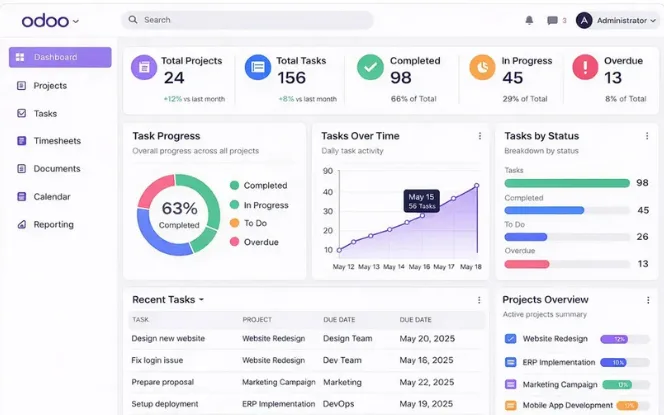
- Report Comparison
Odoo Project Dashboard VS Default Odoo Project View
Compare the Odoo Project Dashboard with the default view to see how it improves visibility, tracking, and decision-making with real-time insights in one place for better project control and efficiencyOdoo Project Task Dashboard case study.
| Feature | Default Odoo Project View | This Dashboard |
|---|---|---|
| Cross-project progress overview | Not available | All projects in one view |
| Team workload across projects | Per-project only | Aggregated across all projects |
| Overdue task detection | Manual filter required | Auto-flagged in real time |
| Excel report export | Not available natively | One-click export |
| Visual progress charts | Basic Kanban only | Bar, donut, and trend charts |
| Deadline risk alerts | Not available | Built-in |
| Setup required | None (built-in) | Quick install, no complex config |
- Full Feature Set
Core Features - What This Dashboard Actually Does
Explore the key features that give you complete control over projects and tasks.
Track progress, manage workload, and make faster decisions with real-time insights.
Real-Time Project Progress Tracking
Every project in your Odoo instance is displayed with a live progress indicator. You can see at a glance how many tasks are completed, in progress, blocked, or overdue across all projects simultaneously.
Team Workload and Performance Monitoring
Understand team workload distribution before bottlenecks form.
See task assignments per member and identify overload or underutilization.
Track logged hours vs expected using timesheets for early resource warnings.
Task Status and Deadline Management
View and filter tasks by status across all projects in one place. Color-coded indicators show deadlines on track, near due, or overdue. Delayed tasks are highlighted automatically without opening each project.
One-Click Excel Report Export
Generate full project and task reports in Excel with one click. Reports include project details, tasks, assigned users, status, deadlines, and logged hours. Ready to share with clients or stakeholders—no extra formatting needed.
Visual Charts and Performance Graphs
Understand project health with bar, donut, and trend charts showing progress and productivity. Track task completion and deadlines clearly across projects. Simple visuals designed for quick understanding no training needed.
Early Delay Detection
The dashboard automatically flags tasks and projects at risk of missing deadlines. Get early warnings based on real-time progress. Take action quickly by adjusting resources or timelines before delays occur.
- Quick Start
How to Get Started - 5 Steps to Full Project Visibility
Managing projects should be fast. However, most tools require manual effort.
This dashboard simplifies everything into clear steps. Moreover, you can start quickly.
Install the Module
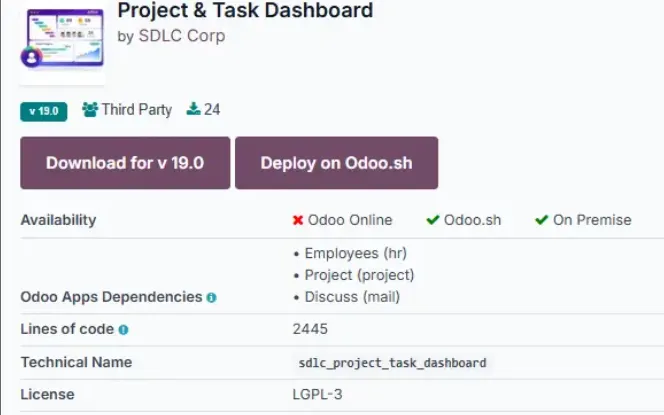
Install the Project & Task Dashboard module from [Odoo apps source / Odoo App Store link]. It is compatible with Odoo 18, both Community and Enterprise editions. Installation takes under 10 minutes.
Connect Your Existing Data
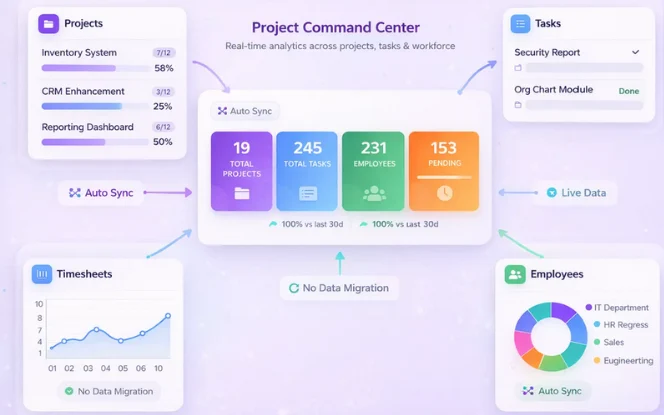
The dashboard automatically reads your existing Odoo project and task data. No data migration or re-entry required. If you have Timesheets and Employees modules active, those integrate automatically.
Configure Your Dashboard View
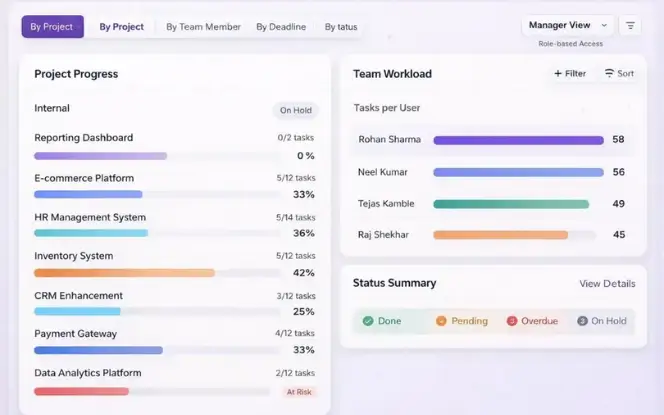
Set your preferred default view — by project, by team member, by deadline, or by status. Role-based access ensures project managers, team members, and executives each see the level of detail appropriate for their role.
Start Monitoring in Real Time
From day one, you have a live overview of all active projects and tasks. Identify delayed tasks, check team workload, and track project completion rates without opening a single project record.
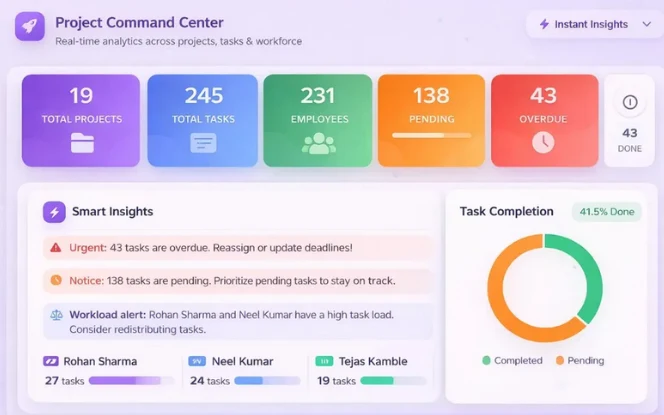
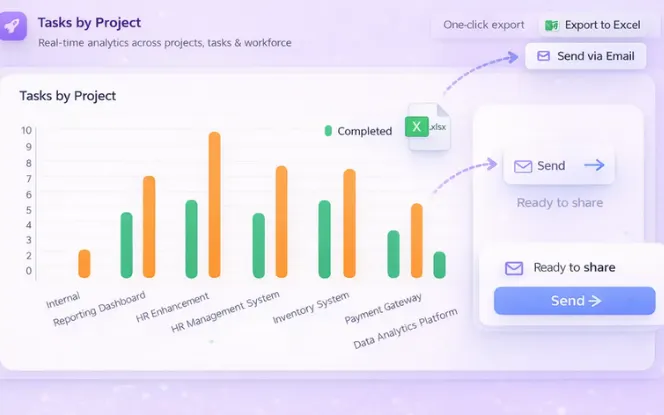
Export and Share Reports
When stakeholders need a status update, generate your Excel report with one click. Share it directly or attach it to an Odoo email without any additional formatting work.
- Built for
Built For - Who Should Use Odoo Project & Task Dashboard?
Every role needs clear visibility. However, different users require different insights.
This Project & Task Dashboard adapts to each role. Moreover, it helps users work with better clarity and control.
Project Managers and Team Leads
Development and Delivery Teams
Business Owners and Directors
Operations Teams
- Report Comparison
Complete Technical Specifications Details
Get a clear overview of all system requirements, features, and technical capabilities. This section ensures transparency, helping you understand performance, compatibility, and configuration details for smooth implementation.
- Lifetime Guarantee
After Sales Support - What You Get After Purchase
Many Odoo modules are sold without ongoing support. This dashboard comes with a committed support structure from day one.
Free Bug Fixes
Any bugs or technical errors in the module are fixed at no additional cost, regardless of when they occur.
Free Version Updates
When Odoo releases new versions, your dashboard is updated to maintain compatibility. You do not pay for version upgrades.
Dedicated Support
Reach our team via Email, Phone, or WhatsApp for installation help, configuration, or technical issues.
- Free bug-fix support
- Quick response from technical team
- Multi-channel support (Email, Phone, WhatsApp)
- Installation and initial setup guidance
- Bug resolution and error fixes
- Odoo version upgrade assistance
- Our Services
Our Services - Complete Odoo Solutions for Your Business
We provide expert setup and optimization to ensure your Project & Task Dashboard runs smoothly and meets real business needs. From initial configuration to ongoing support, we ensure everything works efficiently Odoo development company in India.
Custom module development and feature extensions tailored to your business workflow. We work with your existing Odoo setup and build on top of it.
Full Odoo deployment from requirements gathering to go-live, including configuration, data migration, user training, and post-launch support.
Ongoing technical support for your Odoo instance, including bug fixes, performance monitoring, and version upgrades.
Connect Odoo with third-party systems — eCommerce platforms, payment gateways, ERPs, CRMs, logistics providers, and APIs.
Hire dedicated Odoo developers from our team for your in-house projects, hourly or full-time.
Safe migration from older Odoo versions (v14, v15, v16, v17) to Odoo 18 with zero data loss and minimal downtime
- Your Smart Project Management Partner
Designed to Scale Your Project & Task Management
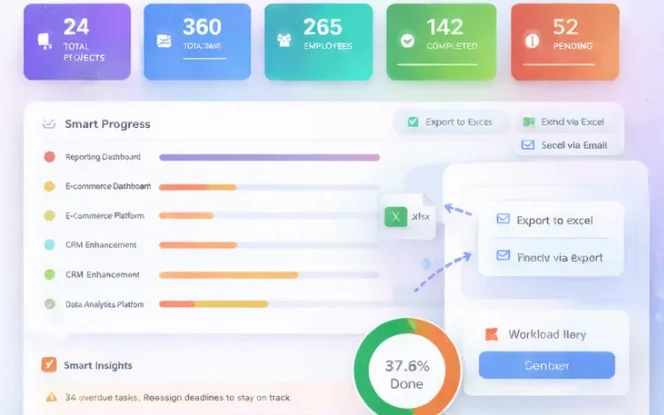
Our Project & Task Dashboard adapts as your business grows. Whether you manage a few projects or hundreds of tasks, the system scales effortlessly with your workflow.
It helps teams improve visibility, track progress in real time, and manage projects across departments with greater efficiency.
- Frequently Asked Questions
Everything You
Need to Know
Understanding the dashboard is important, so we provide clear and practical answers to help you make better decisions, focused on real usage and everyday business scenarios.
What does the Odoo Project & Task Dashboard actually show?
The dashboard shows a consolidated real-time view of all your Odoo projects and tasks in one screen. This includes project completion percentages, task status breakdowns (new, in progress, blocked, done, overdue), team workload per member, deadline status, and hours logged against estimates. It pulls all data live from your existing Odoo records no separate data entry is needed.
Is this a replacement for Odoo's native project module?
No. This dashboard works alongside Odoo’s native project module, not instead of it. Your team still creates and manages tasks in the standard Odoo project interface. The dashboard adds a layer of visibility on top giving managers and executives a consolidated, real-time view that the native Odoo project list and Kanban do not provide.
Which Odoo versions and editions does it support?
The dashboard is compatible with Odoo 18, both Community and Enterprise editions. If you need compatibility with an older version (Odoo 16 or 17), contact us to discuss availability.
Can I export project reports from this dashboard?
Yes. You can generate a full project and task status report in Excel format (.xlsx) with a single click. The report includes project name, task name, assigned user, status, deadline, and logged hours. Reports can be generated at any time and shared directly with stakeholders.
How long does installation take?
Installation follows the standard Odoo module process and typically takes under 10 minutes. Setup and configuration for your specific workflow takes an additional 30 to 60 minutes depending on the number of projects and team members. We provide setup documentation and can assist with installation if needed.
Can I manage multiple projects at the same time?
Yes. The dashboard is specifically designed for multi-project environments. All active Odoo projects appear in the same view, making it easy to compare progress, spot delays, and manage workload across your entire project portfolio simultaneously.
Is the data updated in real time?
Yes. The dashboard reads directly from your live Odoo database. Every task update, status change, or timesheet entry made in Odoo appears in the dashboard immediately no manual sync or refresh is required.
Can the dashboard be customized for our workflow?
Yes. The dashboard can be customized to match your specific project stages, task fields, reporting requirements, and role-based access rules. Contact us with your requirements and we will scope the customization needed.
What happens if there is a bug or a new Odoo version is released?
Bug fixes are provided free of charge for the lifetime of your purchase. When Odoo releases new versions, we update the dashboard for compatibility at no additional cost. You will not lose access to the dashboard due to version upgrades.
- Get In Touch
Need Help or Have Questions?
Contact Us For
- Free consultation
- Customization and workflow automation
- Priority support and advanced requirements
- sales@sdlccorp.com
- +1 415-594-0097
- +91 8920944210






