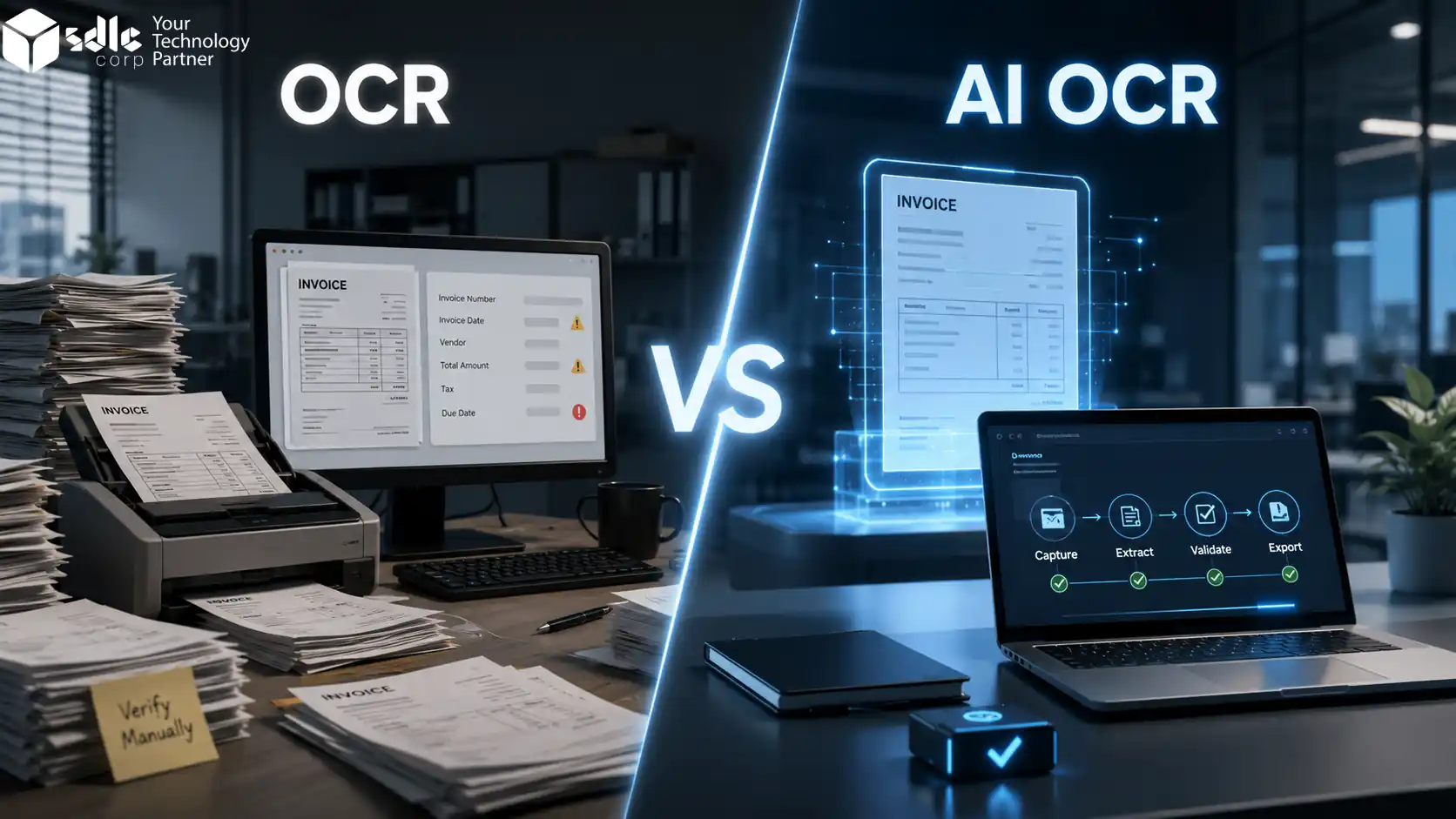
Quick Answer: OCR reads text from an invoice. AI OCR reads the text, understands the layout, maps fields, and checks totals, tax, PO numbers, and duplicate risks. For a few fixed-format invoices, OCR may be enough. For 100+ invoices per month or mixed vendor formats, AI OCR is usually the better fit.
Key Takeaways
- OCR is useful when invoices follow one fixed format and the team only needs searchable text.
- AI OCR is better when invoices come from many vendors, layouts change often, or line item extraction is needed.
- AI OCR can check totals, tax values, PO numbers, duplicate risk, and low-confidence fields before approval.
- Finance teams should keep human review for risky invoices such as missing PO numbers, tax mismatches, new vendors, or changed bank details.
- DAN helps teams test AI OCR with real invoices, review exceptions, and export approved data to ERP or accounting tools.
What Is OCR in Invoice Processing?
OCR stands for Optical Character Recognition. In invoice processing, OCR scans a PDF, image, or paper invoice and turns printed text into machine-readable text.
It can read invoice numbers, vendor names, dates, totals, and other visible text. This is useful when a business wants to move away from manual typing.
But OCR often needs rules, templates, or manual checks to know what each value means. It may read the number correctly but still place it in the wrong field.
OCR can typically capture:
- Invoice number and invoice date
- Vendor name and billing address
- Subtotal, tax, and total amount
- Line items with variable accuracy
The Real Problem
The issue is not always text capture. The real issue is understanding which value belongs where. That is where traditional OCR starts to struggle.
What Is AI OCR in Invoice Processing?
AI OCR uses OCR with machine learning, layout understanding, and data validation. It does not only read text. It studies the full invoice structure.
AI OCR is part of modern AI document processing, where software can read invoices, understand field context, and turn document data into structured output for review or ERP export.
It checks field positions, labels, tables, totals, tax values, and line items. This matters when invoices have different layouts, tax labels, tables, and supplier formats.
Traditional OCR
Sees text as characters
Reads what is on the page without understanding business context or which field each value belongs to.
AI OCR
Sees text as business information
Understands "Total Due" as payable amount, "VAT" or "GST" as tax, and table rows as item-level data.
- Identifies PO numbers and checks them against purchase records
- Flags duplicate invoices before payment risk grows
- Marks low-confidence fields for human review
- Routes risky invoices to a reviewer before approval
OCR vs AI OCR Invoice Processing: Main Difference
The biggest difference is how both systems treat data. Traditional OCR sees text as characters. AI OCR sees text as business information.
| Area | Traditional OCR | AI OCR |
|---|---|---|
| Main job | Reads text from invoices | Reads, understands, and structures invoice data |
| Layout handling | Works best with fixed layouts | Handles changing supplier formats |
| Field mapping | Often needs rules or templates | Identifies fields using context |
| Line item capture | Can be limited | Better for tables and item rows |
| Data validation | Usually manual or rule-based | Checks totals, tax, PO, duplicates, and confidence |
| Human review | Often needed for many invoices | Needed mainly for exceptions |
| Setup effort | Higher when layouts vary | Lower for mixed invoice formats |
| Accuracy control | Depends on image quality and rules | Uses confidence scores and review logic |
| ERP export | May need cleanup | Sends structured data to ERP or accounting systems |
| Best use case | Simple invoices with stable layouts | High-volume, multi-vendor, mixed-format invoices |
Why Traditional OCR Is Not Enough for Modern Invoice Processing
Traditional OCR solved one old problem: typing invoice data by hand. But finance teams now need more than text capture.
They need clean data, faster approvals, fewer errors, and better control over exceptions.
Different vendor layouts
Suppliers do not follow a standard format, causing field mapping failures across invoices.
Poor PDF quality
Scanned invoices that are tilted or blurred can reduce extraction accuracy.
Complex line item tables
Traditional OCR may struggle with item rows, tax rates, SKUs, quantities, and amounts.
Tax field variation
Tax values appear in different places with labels such as VAT, GST, or Tax.
Duplicate invoice risk
The same invoice may arrive twice by email, upload, or scan.
ERP field mapping
Exact ERP fields can leave teams doing spreadsheet cleanup after extraction.
The Hidden Cost
The work does not fully disappear with OCR. It only shifts from typing to checking and cleanup.
How AI OCR Improves Invoice Processing
AI-based invoice capture does more than copy text from a PDF. It turns invoice details into structured data that AP tools, ERP systems, and finance users can work with.
For a deeper breakdown of field capture, validation, and ERP-ready output, read our guide on invoice data extraction with AI OCR.
Capture invoices from all sources
PDFs, scans, email attachments, uploads, and shared folders can move into one invoice flow.
Extract header and line item fields
Supplier name, invoice number, date, PO number, tax, total, item name, quantity, unit price, and amount.
Validate totals and records
Check subtotals against tax values, match vendor records, compare purchase orders, and flag duplicates.
Route exceptions for review
Low-confidence fields, missing PO numbers, mismatched totals, and risky invoices go to a reviewer.
Export approved data
Approved data can move to ERP, accounting software, CSV, Excel, API, or webhook.
AI OCR Invoice Processing Benchmarks
In DAN invoice automation tests, header field accuracy reached up to 94% on clean supplier invoices. Average processing time was around 8 to 12 seconds per invoice, depending on file quality, invoice layout, and field complexity.
Manual touchpoints were reduced by up to 65% when invoices had clear layouts, valid totals, and matching supplier details. Most review cases came from low-confidence fields, missing PO numbers, tax mismatch, duplicate invoice risk, or changed bank details.
Header Field Accuracy
Reached up to 94% on clean supplier invoices with readable layouts and clear field labels.
Average Processing Time
Most invoices processed in around 8 to 12 seconds, based on file quality and field complexity.
Lower Manual Touchpoints
Manual checks were reduced by up to 65% when totals, supplier data, and layouts were clean.
Finance teams can start with 20 to 50 real invoices from different vendors. This helps test field accuracy, line item capture, tax checks, PO matching, and export quality before a full rollout.
OCR vs AI OCR Invoice Processing: Which One Should You Choose?
Choose Traditional OCR When Your Process Is Simple
- You receive low invoice volume
- Most invoices follow one fixed format
- You only need searchable text
- You do not need deep validation
- Your team can review invoices manually
- You do not need ERP-ready structured data
Choose AI OCR When Your Process Is Growing
- You receive invoices from many vendors
- Layouts change often
- You need line item extraction
- You need PO matching or approval routing
- You want structured export to ERP or accounting software
- You need confidence scores and review control
Real Example: OCR vs AI OCR in a Finance Team
Let's say a company receives 1,500 supplier invoices every month. With traditional OCR, the system reads the text from each invoice, but the finance team still checks fields, totals, and line items.
With AI OCR, the system reads the invoice, understands field context, checks totals, flags missing PO numbers, and sends only low-confidence cases for review.
| Step | Traditional OCR Process | AI OCR Process |
|---|---|---|
| Invoice arrives | OCR reads text | AI OCR reads and classifies invoice |
| Field capture | Text is captured | Fields are mapped into structured data |
| Review | Team checks most invoices | Team checks only exceptions |
| Validation | Manual or basic rule checks | Tax, total, PO, duplicate, and confidence checks |
| Export | CSV cleanup may be needed | Data can move to ERP or AP tools |
| Result | Less typing, but still many checks | Faster review with better control |
What Fields Should AI OCR Extract From Invoices?
A strong AI OCR invoice setup should capture more than the invoice number and total. It should extract header data, line item data, and validation fields.
Header Fields
Supplier, invoice, payment, and amount details
Line Item Fields
Item-level rows used for checking and posting
Validation Fields
Checks that help reduce payment and ERP errors
Important Point
Field extraction is only half the process. The real value comes when the system checks the data before it reaches the ERP.
Where DAN Fits in AI OCR Invoice Processing
DAN by SDLC Corp helps teams move from manual invoice handling to structured invoice automation.
Teams can test DAN with real supplier invoices, check field-level confidence, review exceptions, and send approved data through JSON, CSV, Excel, API, or webhook.
In practical DAN pilots, the strongest results usually come from fields such as vendor name, invoice number, invoice date, tax, total amount, and PO number. These fields are easier to validate when the invoice is clear and the supplier record already exists.
DAN also helps finance teams separate clean invoices from risky ones. Clean invoices can move faster, while invoices with missing PO numbers, tax mismatches, duplicate risk, changed bank details, or low-confidence fields can go to human review.
OCR vs AI OCR Invoice Processing: Benefits for Finance Teams
The main value is not only faster data entry. The bigger value is better control before payment.
Faster Month-End Close
AP teams spend less time checking the same fields again and again before reporting and closing.
Fewer Rechecks
Missing fields, wrong totals, duplicate records, and low-confidence values are flagged early.
Cleaner ERP Data
Approved invoice data can move into ERP or accounting tools in a structured format.
Less Approval Delay
Invoices can move to the right person based on supplier, amount, PO status, department, or exception type.
Lower Duplicate Payment Risk
Repeated invoice numbers, matching supplier names, and similar totals can be flagged before payment.
Common Problems AI OCR Can Solve
Invoice delays often start with small errors. A missing PO number, unclear tax value, or duplicate file can slow the full approval process.
Different Supplier Formats
Suppliers do not follow one invoice layout. Some use tables, some use blocks, and some place totals in different areas.
Missing PO Numbers
If the PO number is missing, the AP team has to check the order manually before approval.
Unclear Tax Values
AI OCR can flag tax values that do not match the subtotal, tax rate, invoice country, or supplier record.
Duplicate Invoices
The same invoice may arrive through email, upload, or scan, creating duplicate record and payment risk.
Slow Month-End Close
When too many invoices need manual checks, finance teams lose time before closing and reporting.
What AI OCR Should Not Do Alone
AI-based invoice processing should not auto-approve every invoice from day one. Keep manual checking for high-risk scenarios.
- New vendors
- High-value invoices
- Changed bank details
- Missing purchase order numbers
- Tax mismatch
- Duplicate risk
- Low-confidence fields
- Unusual payment terms
Safe Setup Principle
A safer setup lets automation handle routine fields while finance users check risky invoices before approval.
Security Checklist for AI OCR Invoice Processing
Invoices contain sensitive business data. Before choosing a tool, check the security side carefully.
For better control, follow a clear cybersecurity risk management approach before using any AI OCR tool. This helps finance teams check data access, file security, audit logs, user roles, and safe invoice exports.
How to Choose Between OCR and AI OCR Invoice Processing Tools
Before choosing a tool, ask practical questions. The right answer depends on your invoice volume, invoice formats, review rules, and ERP needs.
What invoice types do you receive?
Include scanned PDFs, email attachments, supplier PDFs, multi-page invoices, and handwritten notes if they appear.
How many invoices do you process each month?
Small volume may not need advanced automation. High volume usually needs AI OCR, validation, and export control.
Do you need line item extraction?
If you need item rows, quantities, tax, SKU, or cost center data, AI OCR is the better fit.
Do you need PO matching?
If yes, choose AI OCR with validation and matching logic. Simple OCR will not be enough.
Where does the data go next?
Check if the tool can export to your ERP, accounting system, spreadsheet, API, or webhook.
One-Week Setup Plan for Testing AI OCR
You do not need to change your full finance process on day one. Start with a small pilot and test the output with real supplier invoices.
| Day | Action | Goal |
|---|---|---|
| Day 1 | Collect Real Samples Use 20 to 50 invoices from different vendors, formats, tax types, and file sources. | Representative test dataset |
| Day 2 | Choose Required Fields List invoice number, vendor name, date, PO number, subtotal, tax, total, and line items. | Clear extraction scope |
| Day 3 | Run the First Test Upload the sample files and check which fields are captured correctly. | Baseline accuracy measure |
| Day 4 | Add Basic Checks Set rules for totals, tax, duplicate invoices, missing PO numbers, and required fields. | Validation layer active |
| Day 5 | Set Review Rules Decide which invoices need manual checking, such as low-confidence fields, mismatched totals, or new vendors. | Exception workflow ready |
| Day 6 | Test Data Export Check whether approved data can move into Excel, CSV, API, webhook, ERP, or accounting software. | End-to-end flow confirmed |
| Day 7 | Start Small Launch with one team, one invoice inbox, or one vendor group. Fix issues early before scaling. | Controlled go-live |
Common Mistakes to Avoid When Choosing an Invoice OCR Tool
Many buyers compare tools only by extraction accuracy and miss the workflow issues. Avoid these mistakes.
Looking Only at Extraction Accuracy
Accuracy matters, but it is not the only thing. Check validation, review flow, security, and export quality too.
Ignoring Line Items
Some tools capture header fields well but struggle with item rows. Test line items before you decide.
Skipping Human Review Rules
AI OCR should not auto-post every invoice from day one. Start with review rules and reduce them as confidence improves.
Not Testing Real Vendor Invoices
Demo invoices are usually clean. Use your own invoices for testing because they reveal the real edge cases.
Forgetting ERP Format
Extracted data must fit your ERP fields. If not, your team will still spend time fixing files.
Why SDLC Corp / DAN Is Reliable for Invoice Automation
DAN is backed by SDLC Corp, a technology team with experience in AI, automation, ERP, document workflows, and custom business software.
This matters because invoice automation also needs field mapping, approval rules, secure access, and ERP handoff.
Final Verdict: Which Option Fits Your Invoice Process?
Traditional OCR is useful when you only need searchable invoice text or when most invoices follow one fixed format.
AI-based invoice capture is better when your team needs structured data, field checks, exception handling, and ERP-ready output.
If your invoice volume is growing, supplier formats keep changing, or AP teams still spend time checking every record, AI OCR is the better long-term option.
Start Smarter Invoice Processing With DAN
Start with 20 real vendor invoices. DAN can show what data can be extracted, which fields need review, and how approved output can move into your ERP or accounting system.
Book a DAN Walkthrough →FAQs
OCR reads text from invoices. AI OCR reads the text, understands the invoice layout, identifies fields, checks data, and prepares structured output for review or export.
Yes, AI OCR is better for most growing finance teams. It handles varied invoice layouts, line items, tax fields, PO numbers, and validation rules better than traditional OCR.
Traditional OCR can capture text automatically, but it often needs templates, rules, and manual checks. It may not understand field context or business logic.
Yes, AI OCR can process scanned invoices if the image quality is readable. It can extract fields from PDFs, images, and scanned files.
Yes, a good AI OCR setup can extract line items such as item name, quantity, unit price, tax, discount, and line amount.
No. AI OCR reduces manual work, but human review is still important for exceptions, low-confidence fields, duplicate risks, high-value invoices, and missing PO numbers.
AI OCR works best for businesses that receive invoices from many vendors, process high volumes, need line item extraction, and want ERP-ready structured data.
A small pilot can start within a week. Use 20 to 50 real invoices, define required fields, test extraction, add validation rules, and check export quality.
Yes, many AI OCR tools can export data through CSV, Excel, API, webhook, or direct integration. The exact setup depends on your ERP or accounting system.
DAN combines AI OCR, field extraction, validation, confidence scoring, human review, and structured export. It is useful for teams that want invoice automation with review control.