Built for Odoo 18 & 19

Odoo AI Assistant

Ask Your Data. Get Instant Answers.

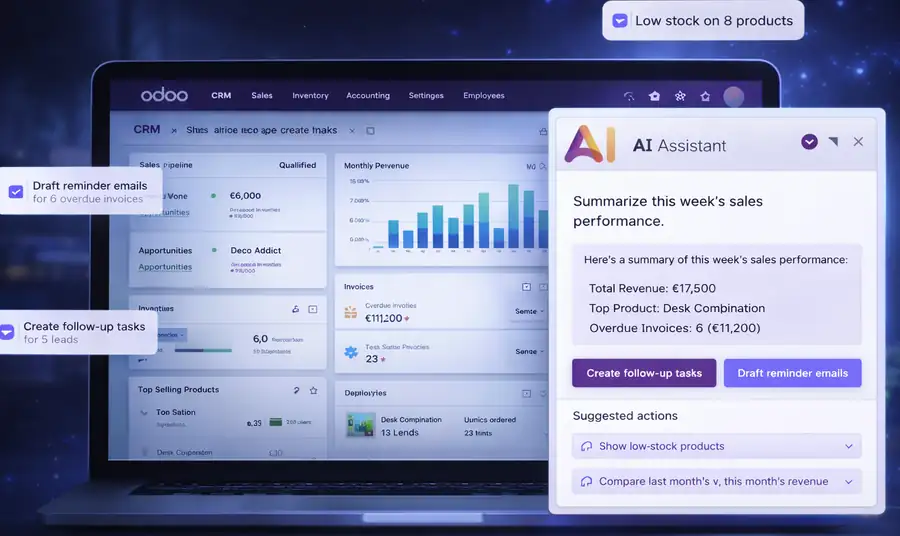
Ask questions in plain English and get real-time answers from your Odoo data without reports, SQL, or manual work.

  • Secure role-based access control
  • Works across CRM, HR, Sales and Accounting
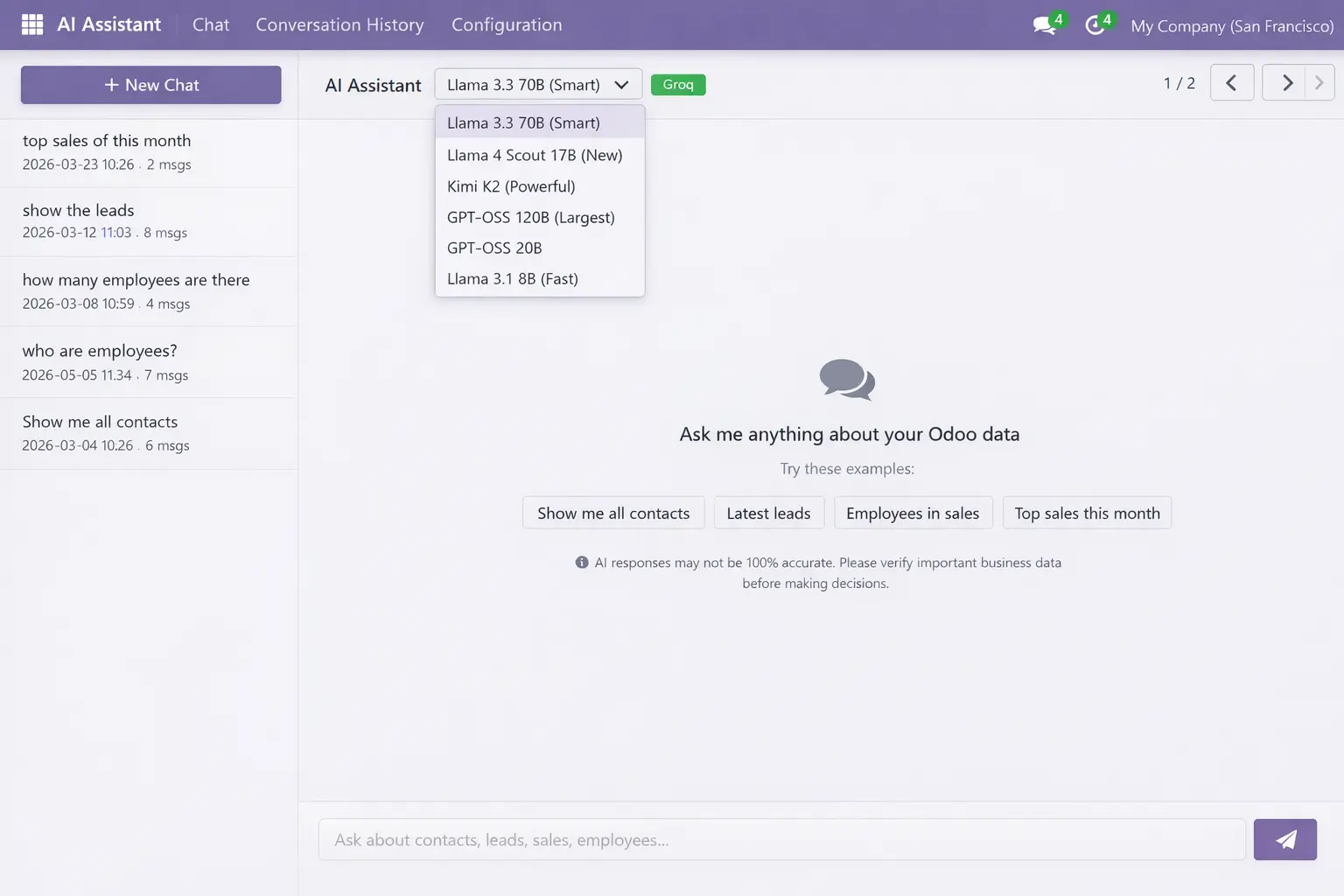
  • Supports multiple AI models
  • One-time setup with no recurring cost
Clutch
5/5 ★★★★★
F GoodFirms
4.9/5.0 ★★★★★
AppFutura
4.9/5.0 ★★★★★
Odoo AI Assistant Dashboard
4 downloads
Active Installations
v02
Supported Versions
$9.90
Price
OPL-1
License Type
AI Configuration

Easy Admin Setup

Enter API key, choose the default model, configure intent mappings, and manage user access directly from Odoo.

Add API Key

Connect your AI provider and activate the assistant from the configuration screen.

Choose Default Model

Select the preferred AI model for day-to-day queries and response generation.

Set Intent Mappings

Enable or disable data areas based on your workflow and business requirements.

👥

Manage User Access

Control visibility and permissions from Odoo settings for secure assistant usage.

Performance Metrics

Reliable Odoo AI Performance

Key metrics that show business-area coverage, model flexibility, query flow, and dependable availability across your Odoo environment.

18
Queryable Odoo Business Areas
6
AI Models with Auto-Fallback
3
Step AI Query Pipeline
99.9%
Availability with Fallback
Reliable odoo AI
Full Coverage

Core Odoo Feature Coverage

Eight built-in features in one module. No extra plugins or external tools needed.

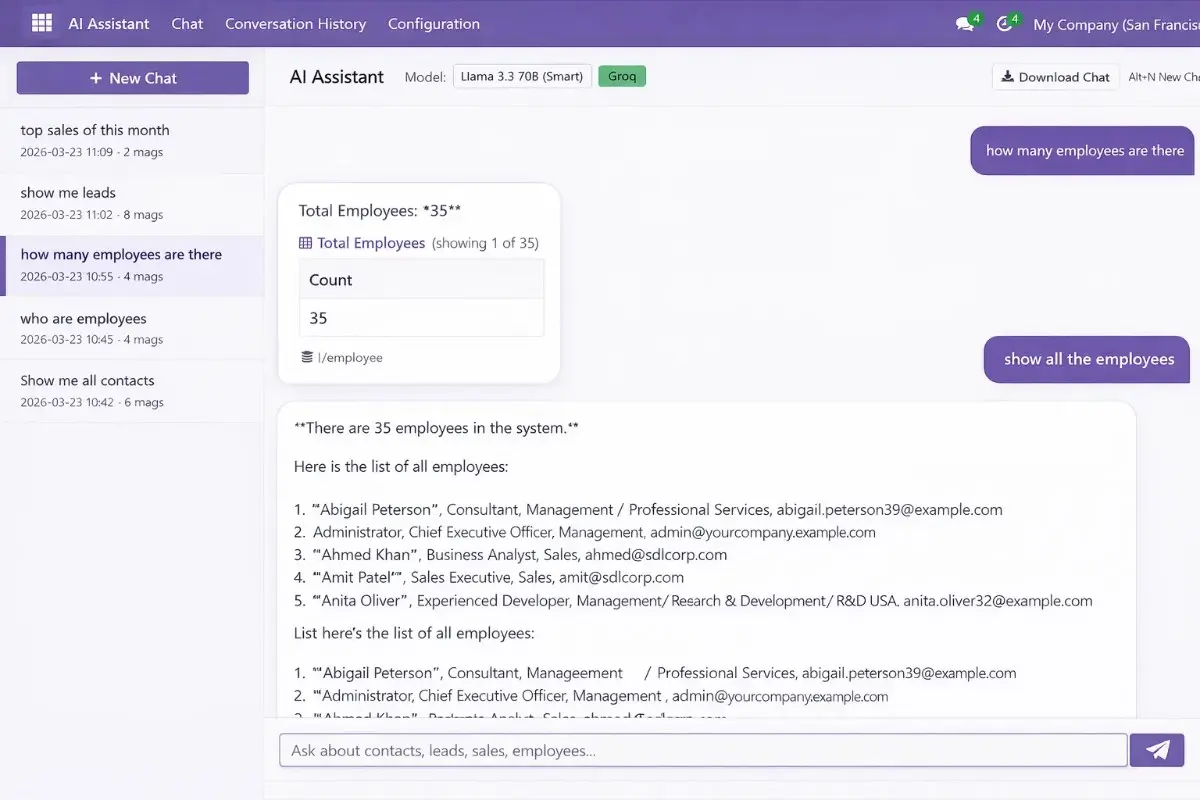
Natural Language Chat

Ask in plain English and get answers without writing SQL.

18 Data Areas

Access CRM, Sales, HR, Inventory, Accounting, and more in one chat.

6 AI Models + Auto-Fallback

Switch models easily, with automatic fallback during rate limits.

Access Permissions Per User

Control user and admin access directly from Odoo settings.

Export CSV, JSON & Text

Export results, copy tables, and download chats in useful formats.

Mobile Responsive

Use it smoothly on desktop, tablet, and mobile devices.

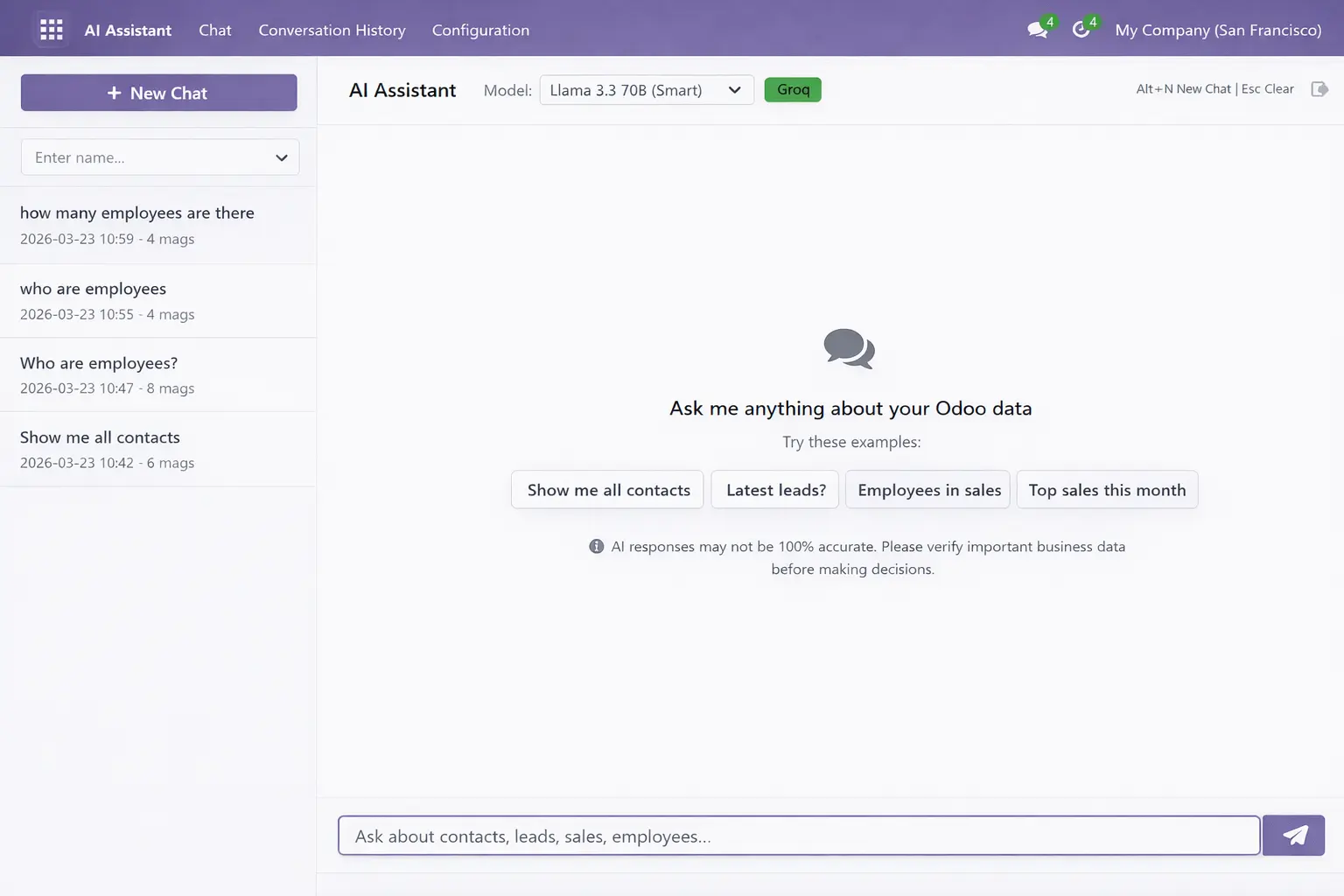
Conversation History

Save, reopen, review, and download past AI conversations anytime.

Easy Configuration

Set API key, model, intent mapping, and access in minutes.

Process

How It Works — 3 Simple Steps

Execute the Odoo AI Pipeline in seconds

1

Ask in Plain English

Type your question naturally.

2

AI Processes Odoo Data

The AI interprets and runs queries.

3

Get Instant Answers

Receive formatted results instantly.
Data Coverage

18 Queryable Odoo Business Areas

Ask in plain English and get accurate, real-time answers from your Odoo business data.
Sales Orders
Order Lines
Contacts & CRM
Departments
Job Positions
Categories
Sales Teams
CRM Stages
Warehouses
Stock Levels
Invoices
Employees
Products
Calendar Events
Accounting
Purchase Orders
Deliveries
Project Tasks
Odoo AI Assistant chat window showing live CRM query results
Security

Role-Based Access Control Built for Odoo

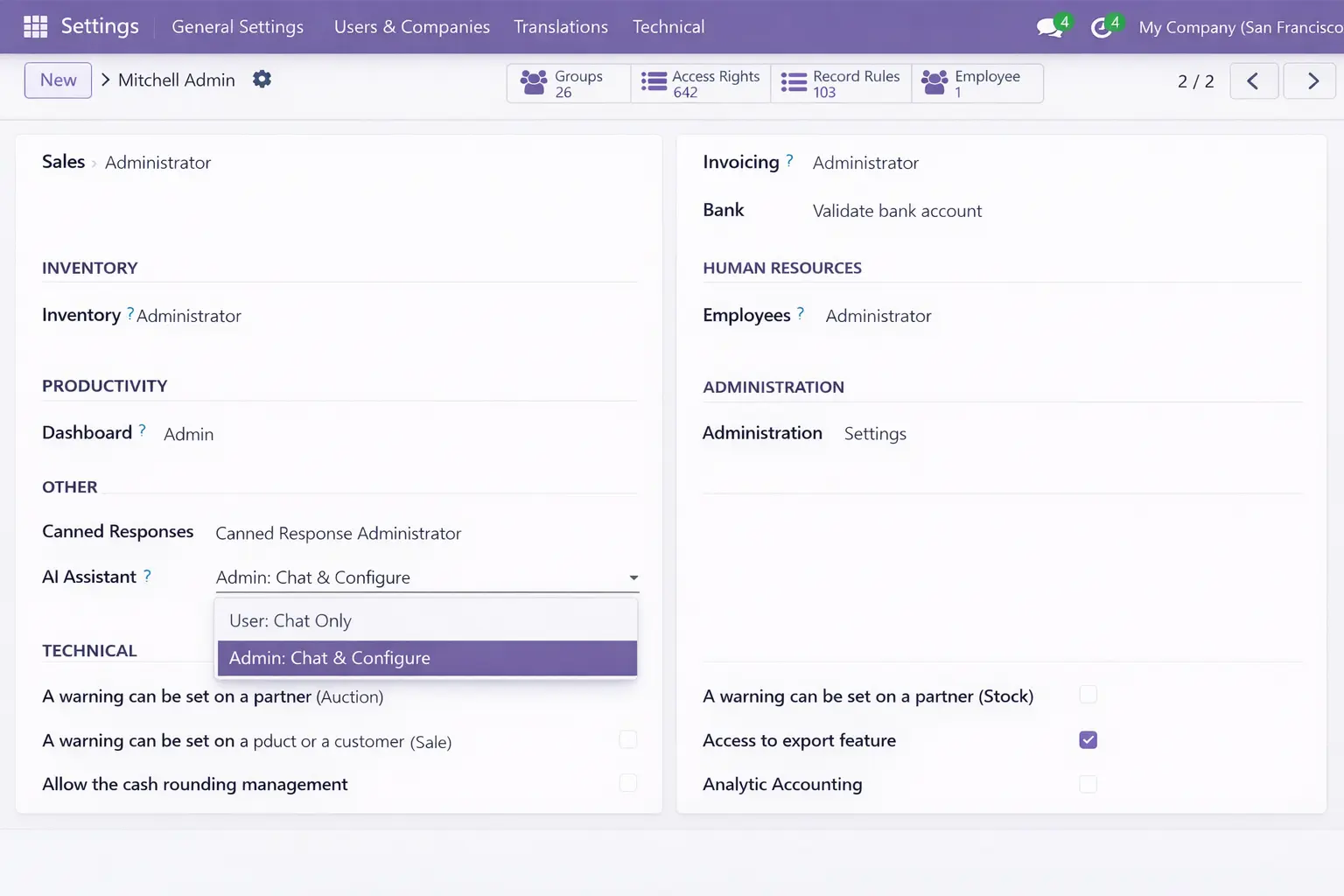
Three permission levels give you granular control over who can access the AI Assistant and what they can do. Configured directly from Odoo Settings → Users with zero extra tooling.

Restricted Access

AI Assistant menu is hidden completely. User cannot see or interact with the module.

User (Chat Only)

Can use the AI chat interface to query data. Cannot modify settings, API keys, or model configuration.

Admin (Full Access)

Full control: configure API keys, select AI models, set intent mappings, and manage per-user access.
Quickstart

Get Started in 4 Simple Steps

Set up the assistant, choose a model, ask naturally, and get answers in seconds.

1

Open AI Assistant

Install the module and open the AI Assistant inside Odoo.

2

Select AI Model

Enter your API key and choose the model you want to use.

3

Ask Your Question

Ask in plain English without writing technical queries.

4

Get Your Answer

Receive clear, structured results instantly on screen.

Our Services

Six Ways SDLC Corp Supports Your Odoo AI Rollout

From setup to scaling, SDLC Corp helps businesses deploy Odoo AI with the right customization, integration, control, and long-term AI development services.

FAQ

Everything You Need for AI Setup

What AI models does the Odoo AI Assistant support?
The assistant supports 6 AI models via Groq’s API, including Llama 3, Mixtral, and Gemma variants. Auto-fallback automatically switches to the next available model if one hits its rate limit, so your team keeps working without interruption.
Is my Odoo data sent to external AI servers?
Only the minimal query context required to answer your question is sent to the AI model. Your full database is never transmitted. All queries run through Odoo’s native ORM, so your existing field-level access rules and security groups always apply.
Do I need a monthly subscription?
No. The Odoo AI Assistant is a one-time purchase on the Odoo Apps Store. You only need a Groq API key, which has a generous free tier, to power the AI queries. There are no recurring platform fees from SDLC Corp.
Which Odoo versions and business areas are supported?
The module is compatible with Odoo 18 and 19 Community and Enterprise editions. It supports querying 18 business data areas across CRM, Sales, HR, Inventory, Accounting, Contacts, Calendar, and more, without requiring any additional Odoo modules beyond the core installation.
Can I restrict which users have access to the AI Assistant?
Yes. Role-Based Access Control is built natively into the module. You can assign three permission levels, No Access, User (chat only), or Admin (full configuration), directly from Settings → Users in Odoo. No custom configuration is required.
Can I export query results?
Yes. Every query result can be exported as CSV or JSON files, copied as a table to the clipboard, or downloaded as a full conversation text file. This is useful for sharing results with people outside your Odoo system.

Let’s Talk About Your Product

Get expert guidance on scope, architecture, timelines, and delivery approach so you can move forward with confidence.

What happens next?