
Document-driven work is where robotic process automation most often stalls. A bot can log into a system, move a file and key a value into a field, but it cannot read a supplier invoice whose layout changed last month, decide whether a contract clause is acceptable, or tell a delivery note from a credit note. Document AI supplies that judgement layer, and RPA supplies the hands.
Where Document AI Ends and RPA Begins
The split is worth stating plainly, because most failed automations blur it.
| Document AI | RPA | |
|---|---|---|
| Job | Turn a document into structured, validated data | Move that data through systems and screens |
| Handles | Layout variation, scans, photos, mixed formats | Repeatable steps against known interfaces |
| Output | Fields, confidence scores, exceptions | Records created or updated, files moved, notifications sent |
| Breaks when | Document quality collapses or a new document type appears | A screen, field or permission changes |
A Working Document-Driven Workflow
- Intake. One route in: mailbox, portal upload, scanner output or an API drop. Multiple uncontrolled routes are the most common source of lost documents.
- Classification. Decide what the document is before trying to read it. Invoice, purchase order, delivery note, contract, claim, statement, each has different required fields.
- Extraction. Pull the fields the downstream process needs, with a confidence score per field rather than a single document-level score.
- Validation. Business rules first: totals reconcile, tax is plausible, the supplier exists, the reference matches an open order, the document is not a duplicate.
- Exception review. Anything failing a rule or falling below threshold goes to a person, with the document, the extracted values and the failed rule on one screen.
- System update. This is the RPA or integration step: create the record in the ERP or CRM, attach the document, trigger the approval, update the case.
- Approval and audit. Route for approval where value or risk requires it, and keep the extraction, the reviewer and the final values as an audit record.
Choosing Between an API and a Bot
Where a target system exposes an API, use it: it is faster, more reliable and does not break when the interface is redesigned. Reserve RPA for systems with no usable interface, for legacy terminal or desktop applications, and for steps where a licence or policy blocks direct integration. In most estates the finished workflow is a mix, and an orchestration layer decides which path each step takes, holds credentials and handles retries.
Exception Handling Is the Design, Not the Afterthought
Straight-through processing rates in document workflows are rarely close to a hundred per cent, and the exceptions decide whether the automation saves money. Three things matter: routing rules that send each exception type to the team that can resolve it, a review interface that shows the evidence rather than a raw field list, and feedback capture so corrections improve extraction rather than disappearing into a ticket.
What to Measure
- Straight-through rate by document type, not as one blended number.
- Exception rate by reason, which is what tells you where to improve.
- Correction rate after posting, the signal that validation is too loose.
- Cycle time from receipt to posted or approved.
- Cost per document, including review time.
Where This Runs in Practice
Accounts payable is the usual starting point because volume and rules are both high. The same pattern supports order processing, logistics paperwork such as bills of lading and delivery notes, claims intake, KYC and onboarding packs, HR documentation and contract review queues.
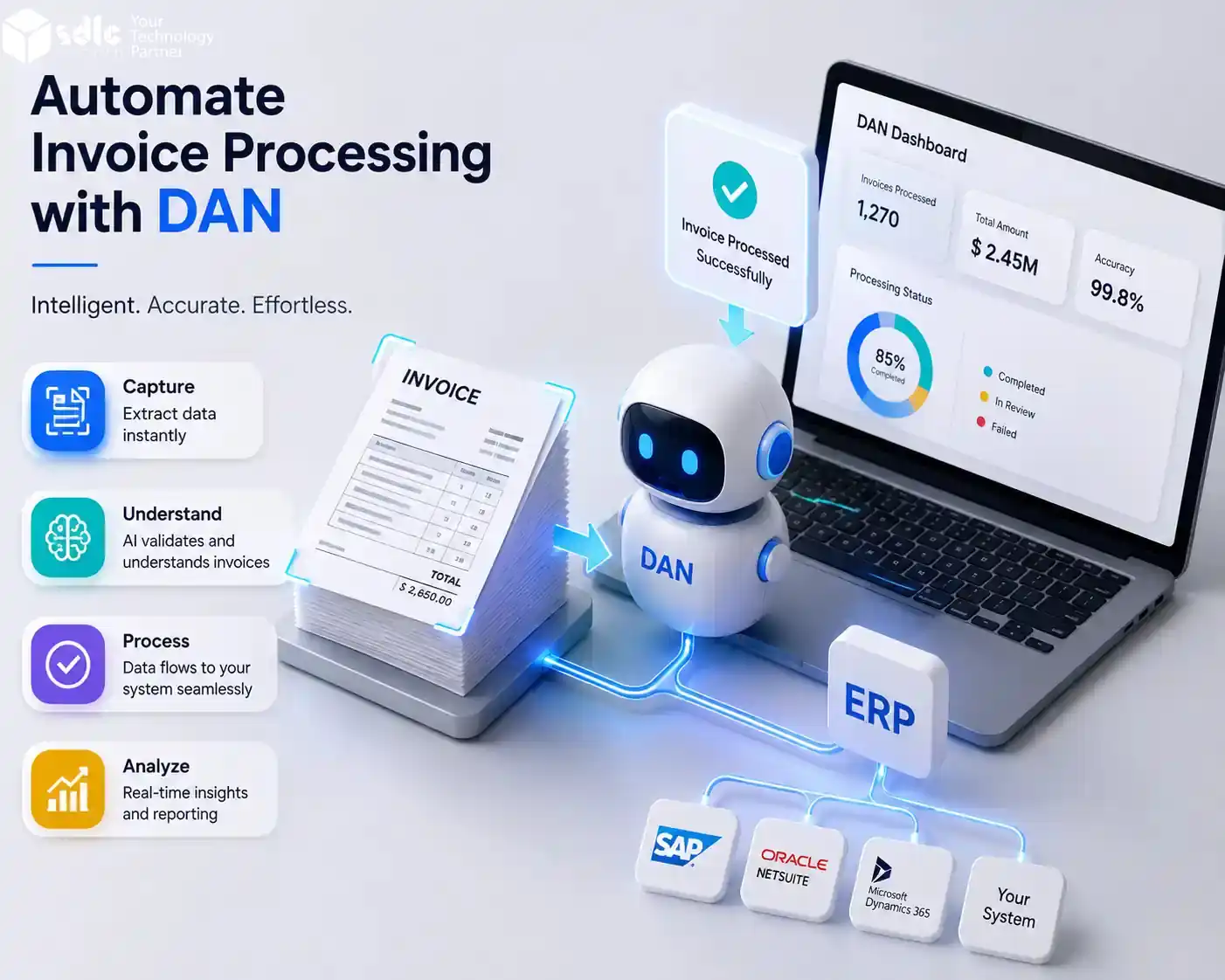
Our own document automation product, Data AI Ninja (DAN), covers the classification, extraction, confidence scoring, validation and exception review side of this pattern, and exports through file, API or webhook into whatever runs the next step. Connecting that output to ERP, CRM and workflow systems, whether through APIs or existing RPA bots, is AI integration and implementation work.
Getting Started Without a Programme
Pick one document type with real volume, agree the fields that block posting, run extraction against the messy historical documents rather than clean samples, set validation thresholds deliberately, and keep a human in the exception path from day one. Add a second document type only when the first is stable. That sequence produces a working automation in weeks and an auditable one from the start.

Frequently asked questions
1. What differentiates Data AI Ninja (DAN) from other RPA tools?
2. How does DAN handle handwritten documents?
3. What types of ERP systems can DAN integrate with?
4. How much manual intervention is required when using DAN?
DAN requires minimal manual intervention, with around 5% of documents needing human oversight. This low level of intervention is due to its advanced AI capabilities, which accurately process and extract data from various document types.
5. Can DAN be deployed on both on-premises and cloud environments?
6. What output formats does DAN support?
7. Is DAN suitable for small businesses or only large enterprises?
DAN’s flexible deployment options, high accuracy, and broad compatibility make it suitable for businesses of all sizes. Whether a small business or a large enterprise, DAN can be tailored to meet specific automation needs and enhance operational efficiency.
8. How does DAN ensure the accuracy of extracted data?
DAN includes built-in accuracy and confidence scoring for extracted data, providing users with an indication of the data’s reliability. This feature helps in better decision-making and reduces the need for manual verification.