Staffolder Care Management Platform

Client location: London, UK

SDLC Corp is building Staffolder, a multi-tenant SaaS platform that replaces the paper records UK home-care providers run on. When a CQC inspector arrives, every record is complete, in date, signed by the right person and printable.

  • 64Word forms replaced
  • 6steps from assign to sign
  • 1isolated tenant per provider
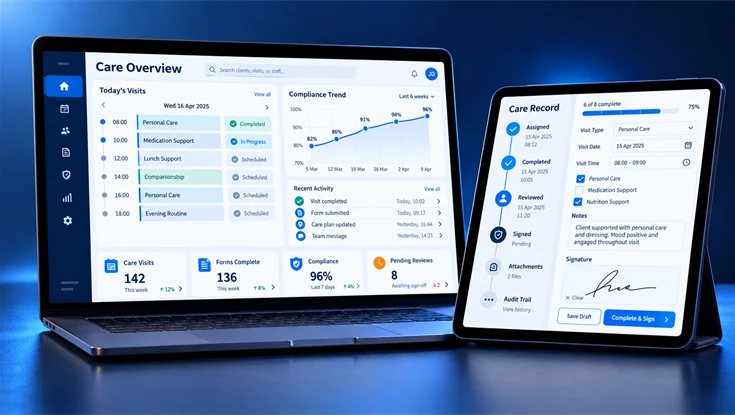
Illustration of the Staff folder care management platform on a laptop and tablet, showing visit schedules, compliance metrics, and a digital care record.
Project Snapshot

Care Management Software for UK Home Care

Staffolder brings digital records, approval steps and permission controls into one care management platform.

Forms
64Digital Forms
First, a planned digital library for the 64 forms in the project scope.
Process
6Approval Steps
Then a configurable path from assignment through review and sign-off.
Journeys
2Lifecycles
Both staff and clients follow their own journey, while one engine runs both.
Data
1Tenant per Provider
Each care organisation still has its own isolated users, clients and data.
ClientStaffolder Ltd

UK care-software company led by Dr Mustafa Ibrahim

MarketUK Home Care

Domiciliary providers regulated by the CQC

StatusPrototype Delivered

Form handling, approvals and user permissions in one design

The Challenge

Why 64 Paper Forms Are Hard to Keep Inspection-Ready

To begin with, our project brief identified 64 Word-based forms used across staff and care processes. Managing versions, signatures and expiry dates in separate files made oversight difficult. We designed Staffolder to bring those records into a structured workflow that supports better record keeping.

We focused on five operational challenges.

  • Compliance Kept on Paper

    Staff and care records were spread across Word documents and paper files, making updates and retrieval harder.

  • Inspection Pressure

    Moreover, managers needed a clearer view of missing information, outstanding reviews and sign-offs.

  • Expiring Checks

    Meanwhile, expiry dates for checks and training needed reminders and clear ownership.

  • Many Roles, Strict Access

    Different roles need different record permissions, with provider data kept separate.

  • Two Lifecycles at Once

    Finally, staff recruitment and client care follow different journeys. Yet both needed to work within the same platform.

What We Built

Eight Areas Built Into the Platform

Specifically, we organised Staffolder around eight areas of care operations. Recruitment, staff development, care records and compliance oversight.

01 / 08
01

Form and Workflow Engine

First, we created a configurable library for forms, assignment and approval.

02

Recruitment and HR

We brought applications, interviews, contracts and onboarding checks into the recruitment flow.

03

Workforce Compliance

We mapped supervision, competency and training records into staff development.

04

Client Care

We grouped enquiries, assessments, care plans, consent and scheduled reviews.

05

Care Delivery

Next, we added rota planning and a mobile carer view from our mobile app development services, with visit capture, tasks and care records in the project scope.

06

Compliance Dashboard

We designed a dashboard for pending approvals, reviews and expiring checks.

07

Portals

We planned separate portal views for families, applicants and external users.

08

Platform Admin

Finally, we included tenant setup, training catalogue management and role permissions.

Our Solution

Three Layers Let 64 Forms Ship Without 64 Builds

Instead, we designed three connected layers: a configurable form engine, an approval workflow and a permission model. This lets us manage form rules separately from sign-off steps and user access.

Form Engine: 64 Forms, One Build

Specifically, we configured the form engine around the 64 records in scope. Still, each form can use its own fields and validation rules.

  • Staff, client, Home Folder and audit forms
  • One configurable engine
  • No separate build per form

Workflow Engine: Assign to Sign

We then defined review, correction and sign-off stages for records that require approval.

  • Reject, recall and correction paths
  • Steps switched on or off per form
  • One approval path for every record

Permission Model: Roles and Isolated Tenants

Equally, we designed role-based permissions and tenant boundaries to separate provider records. Access restrictions require testing before deployment.

  • An isolated tenant for every care organisation
  • Role-based access for each user type
  • Read-only client portal
One Record Workflow

How Every Form Moves From Assign to Sign

To begin with, we mapped a six-step record journey. Approval stages follow the form and the user's role.

Any of the 64 Forms

It includes reject, recall and correction paths

  1. Assign

    At first, we assign the record to its owner.

  2. Fill

    Next, the assigned user enters the required details.

  3. Submit

    Afterwards the user submits the record for review or recalls it when permitted.

  4. Review

    After that, a reviewer checks the information and can request changes.

  5. Approve

    The authorised person approves the record.

  6. Sign

    Lastly, the designated signatory completes the sign-off.

  7. Ready for the CQC

    Ultimately, the completed record is available for review and export, subject to access rights.

Side by Side

Paper Records vs Staffolder

In particular, we compared five common record tasks with their proposed digital equivalents in Staffolder.

How the two approaches differ across 5 points
AspectPaper RecordsStaffolder
Documents64 Word documents, still in ring binders64 digital forms on one engine instead
CompletenessIncomplete or out of dateWorkflow steps and expiry jobs keep records current, so gaps show early
Inspection GapsFound later, by manual checkingShown on the compliance dashboard while gaps are still fixable
Expiring ChecksNothing chased them, so checks lapsedExpiry jobs chase DBS checks, training and reviews before they lapse
Day-to-Day CareRing binders still hold care plans, MAR charts and auditsRotas, visits, tasks and MAR linked once care plans are approved

Why Build Instead of Buying

We chose configurable forms instead of creating a separate application for each record. That custom software development approach gives the project a reusable foundation for additional forms and approval rules.

Technology

Platform Stack & Architecture

We structured the technical design around form configuration, record history and scheduled checks. The shared architecture supports the planned form library while keeping workflow and access rules separate.

  • First, the record layer: form engine · workflow engine · permission model. We reuse the core form engine while configuring fields and approval stages for each record.
  • Second, the data layer: shared store · record history · tenant boundary. Record history is designed to retain form versions and approvals within the correct tenant.
  • Third, the automation layer: expiry jobs · compliance dashboard · audit output. Likewise, scheduled checks flag approaching review or expiry dates for the dashboard.
Two Lifecycles

Staff and Client Journeys Run Side by Side

Simultaneously, we planned connected journeys for employees and care recipients. Each has different milestones, while both use the platform's record and access controls.

Both journeys compared across 6 stages
6 stages comparedEmployee LifecycleClient Lifecycle
Starting PointApplication, then interview scoringEnquiry
ChecksDBS and right-to-work checks under Regulation 19Assessment
AgreementJob offer, then contractConsent
PreparationInduction together with shadowingRisk assessments and care plan
Day to DaySupervisions, spot checks, as well as appraisalsVisits, tasks and MAR recording during each call
Ongoing CoverTraining records, refresher training, as well as expiry alerts12-week reviews, as well as the digital Home Folder
Expected Outcomes

What Care Providers Should Gain

We built Staffolder around practical operational goals: clearer record status, timely checks and simpler access to care documentation. Instead, measured client outcomes will need live-use evidence.
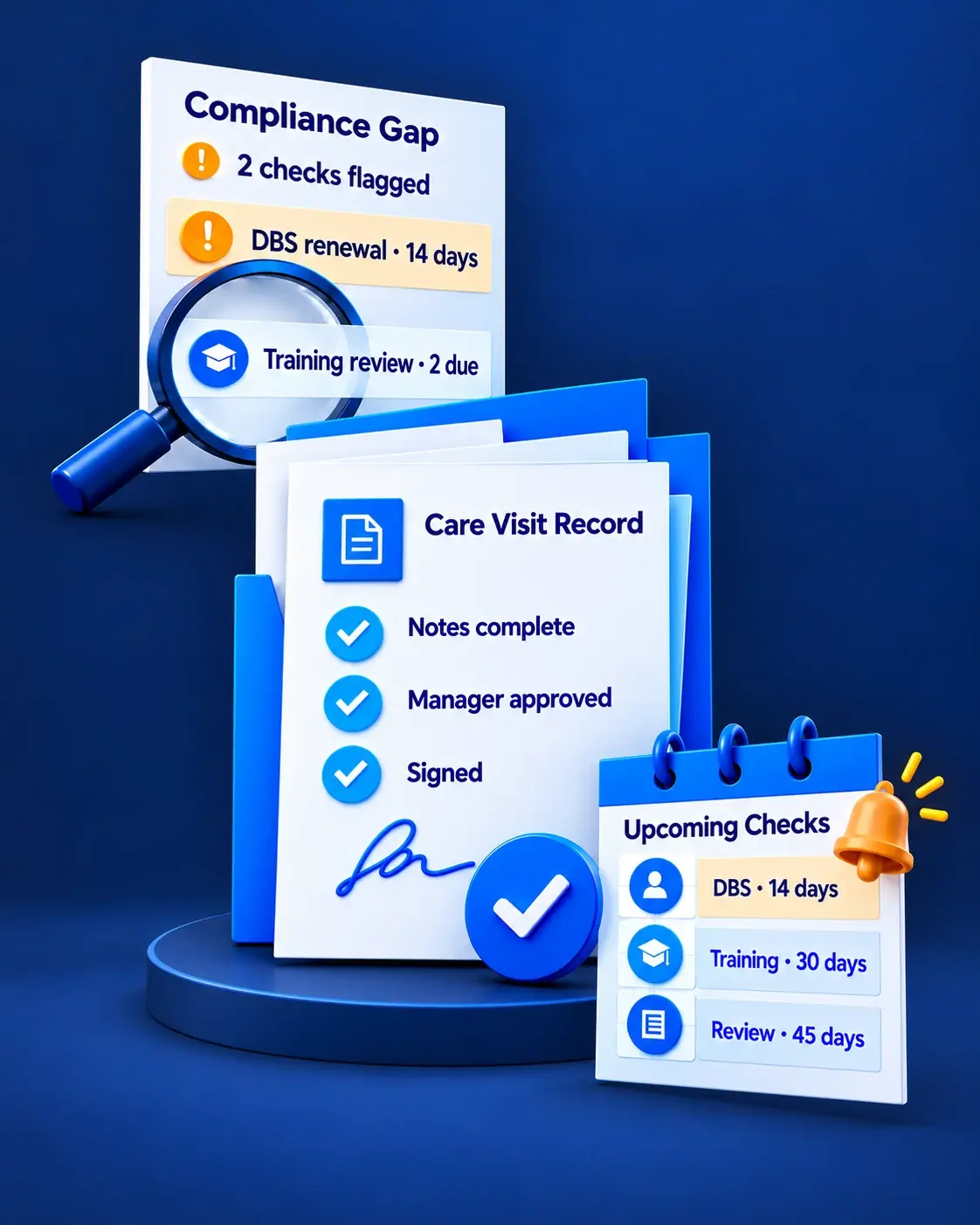
Staffolder care management platform showing a flagged compliance gap with DBS renewal and training review, a completed and signed care visit record, and upcoming DBS, training and review checks.

Gaps Seen Before an Inspector Sees Them

Firstly, the dashboard is designed to highlight missing records and outstanding approvals.

Checks Chased Before They Expire

Secondly, scheduled reminders are intended to flag upcoming checks, training and reviews.

64

Paper Forms to Retire

Providers can move all 64 paper forms into one system and finally retire the ring binders.
1

Working Prototype Delivered

One shared data store, live role switching and an end-to-end flow from referral to visit.
Plan Your Care Platform

Plan a Care Compliance Platform of Your Own

First, share your current forms, approval steps and reporting needs. Afterwards we can help plan a secure care management platform with clear workflows and access rules.
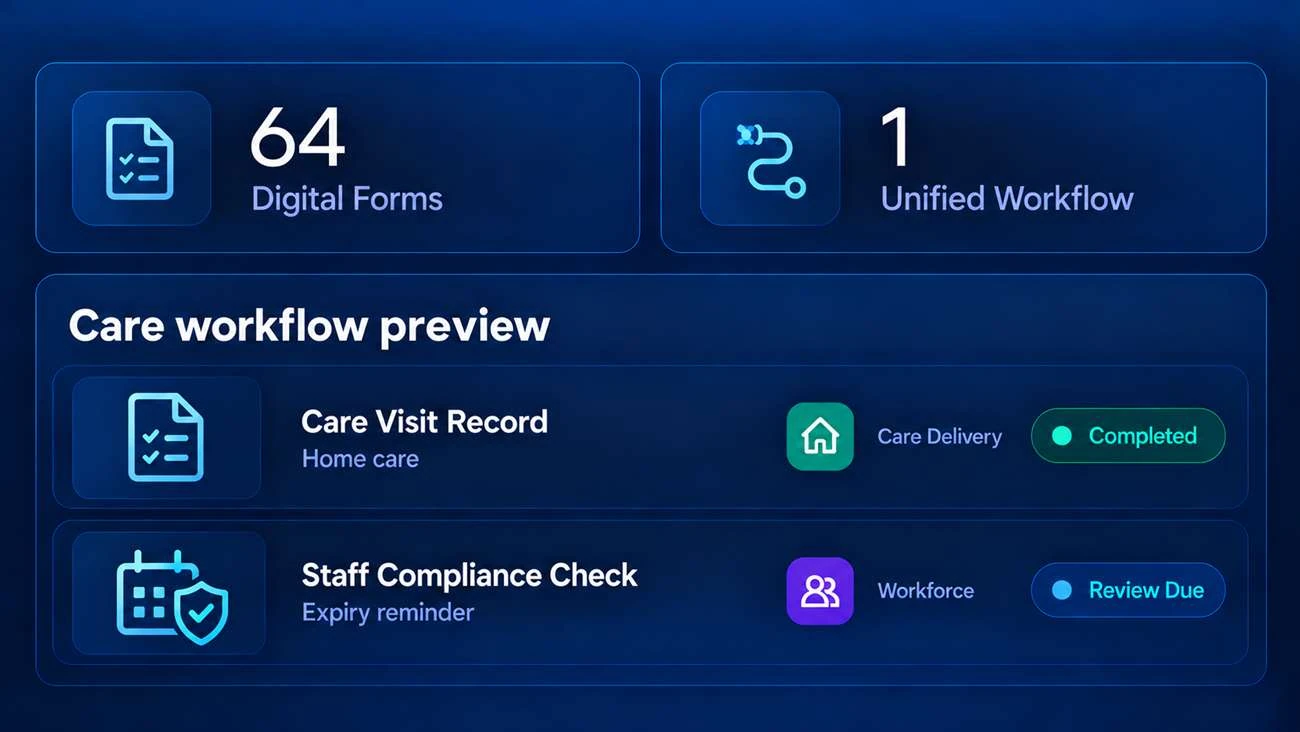
Staffolder care management dashboard showing 64 digital forms, a unified workflow, a completed care visit record, and a staff compliance review due.

Plan Your Care Platform

Share your current forms, approval steps and reporting needs. We will come back with a workflow plan, a tenancy and access model, and a clear delivery estimate.

What happens next?