
- Home
- Case Studies
- Educational VR Simulation Game Development
VR Simulation for Higher Education
SDLC Corp worked with a leading US Ivy League university on an educational VR simulation game centered on practical academic learning. Specifically, the laboratory-based concept connects equipment familiarization, experimental procedures, and interactive learning activities in a virtual setting.
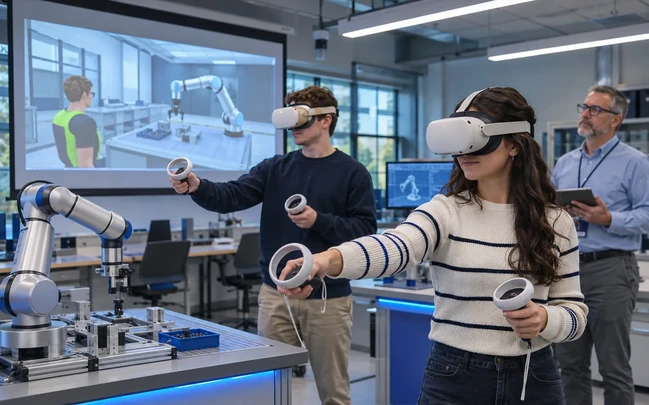
A University Learning Experience Built Around Practical Skills
A leading Ivy League university approached SDLC Corp to explore an educational VR application that could complement practical instruction. As a result, the engagement brought the university’s learning requirements into a game development project spanning approximately four and a half months.
Laboratory Familiarization
First, students recognize instruments, materials, and the stages of an experimental exercise in a simulated workspace.
Interactive Practice
Next, they explore guided procedures and see how one interaction relates to the step that follows.
Academic Learning
Finally, the activity connects theoretical concepts with a visual, participation-based experience.
- ClientLeading US Ivy League University
- IndustryHigher Education and E-Learning
- Project TypeEducational VR Simulation Game
- DurationApproximately 4.5 Months
- Budget$25,000–$35,000
Making Practical Laboratory Learning More Accessible
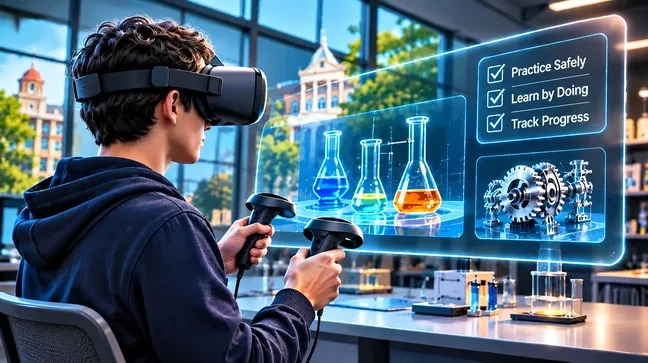
Laboratory learning asks students to connect theoretical concepts with equipment and experimental procedures. For that reason, the university wanted an additional interactive format that could help learners approach practical activities with greater familiarity.
- 01
Understanding Procedures
Before carrying out the full exercise, students need to understand the purpose of each stage.
- 02
Recognizing Equipment
In addition, the experience should explain how instruments and materials fit into the selected activity.
- 03
Following the Right Sequence
Equally important, an experiment depends on actions taken in a logical order, from preparation through execution.
- 04
Observing Experimental Effects
Meanwhile, a simulation can show how decisions influence the next stage or the result of an experiment.
- 05
Supporting Student Familiarization
Above all, clear navigation and instructional cues help students focus on the learning task rather than the interface.
An Interactive Virtual Laboratory Learning Experience
SDLC Corp’s Educational VR Game Development engagement centered on the university’s academic use case. Therefore, a virtual laboratory offers a coherent model for turning equipment identification, procedural learning, and simulated outcomes into an interactive student experience.
- Priority 0101
Virtual Laboratory Setting
First, the laboratory concept presents instruments, materials, and learning areas as 3D objects for the academic exercise.
- Priority 0202
Guided Student Workflow
Next, a student reviews the activity, identifies the required equipment, and then follows each stage with clear guidance.
- Priority 0303
Action-Based Learning
Finally, interactions pair with contextual guidance and simulated responses, so each activity stays connected to its learning objective.
From Academic Requirements to an Educational VR Application
The university’s educational requirements informed the VR Simulation Development engagement. Overall, the workflow connects the virtual setting, learning content, and interactive behavior while keeping the student experience understandable.
- 01Phase 1
Learning Objectives and Scope
First, define the academic purpose, the intended learner activities, and the boundaries of the educational simulation.
- 02Phase 2
3D Laboratory and Asset Planning
Next, plan the laboratory environment and the 3D equipment assets around the learning exercise.
- 03Phase 3
Interactive VR Development
Then use an Unreal Engine 5 workflow to link controller inputs, object interactions, and simulation behavior.
- 04Phase 4
Learning Workflow and Guidance
Afterwards, organize exercise instructions and contextual feedback around the sequence students follow.
- 05Phase 5
Testing and Experience Review
Subsequently, review navigation, interactive objects, visual clarity, and simulated responses.
- 06Phase 6
Application Delivery Planning
Finally, prepare the application around the agreed learning scope and the target hardware.
Unreal Engine-Based Technology for Educational VR
Altogether, Unreal Engine 5, C++, Blueprints, OpenXR, Blender, UMG, and Enhanced Input form the technical approach for the virtual laboratory scenario. Chaos Physics is relevant when an exercise requires physics-based object behavior.
- Unreal Engine 5
- C++
- C++Blueprints
- OpenXR
- Blender
- UMG
- Enhanced Input
- Chaos Physics
- Unreal Engine 5
- C++
- C++Blueprints
- OpenXR
- Blender
- UMG
- Enhanced Input
- Chaos Physics
- 3D Laboratory Environment
- Interactive Equipment
- VR Controller Input
- Guided Procedures
- Simulated Responses
- Contextual Instructions
- Learning-Oriented Gameplay
- Activity Progression
- 3D Laboratory Environment
- Interactive Equipment
- VR Controller Input
- Guided Procedures
- Simulated Responses
- Contextual Instructions
- Learning-Oriented Gameplay
- Activity Progression
- VR Performance Profiling
- Controller Interaction Testing
- Simulation Logic Review
- Visual Clarity
- Navigation Usability
- Asset Optimization
- Interaction Consistency
- Headset Compatibility
- VR Performance Profiling
- Controller Interaction Testing
- Simulation Logic Review
- Visual Clarity
- Navigation Usability
- Asset Optimization
- Interaction Consistency
- Headset Compatibility
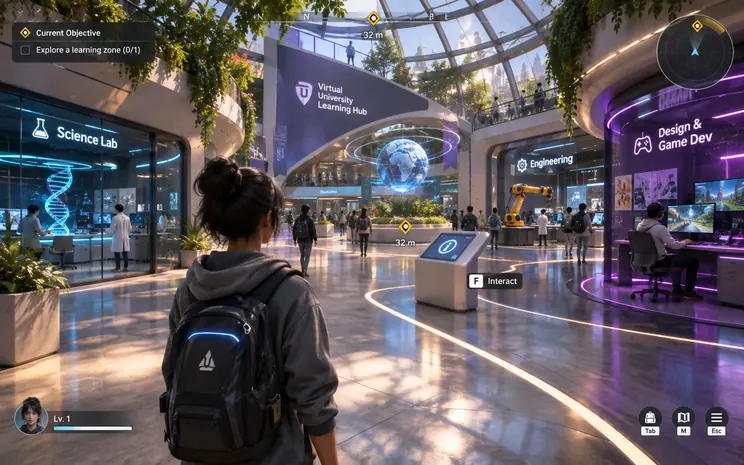
Connecting Academic Content With Interactive Simulation
The educational VR simulation game engagement focused on translating a university learning requirement into an immersive application. In particular, the laboratory scenario illustrates a practical scope for organizing student activities within one virtual environment.
- Scope 01
Virtual Laboratory Experience
First, a three-dimensional workspace gives educational activities a recognizable setting with task-relevant objects.
- Scope 02
Equipment Familiarization
In addition, students examine virtual instruments and understand their role in the selected exercise.
- Scope 03
Guided Experimental Activities
Meanwhile, a clear progression connects preparation, equipment identification, procedures, and outcome review.
- Scope 04
Simulated Action Responses
Likewise, interaction logic illustrates how selected actions relate to the activity’s next stage.
- Scope 05
VR Interaction and Usability
Above all, navigation, guidance, and control responsiveness support understandable participation. Accordingly, the settings below fix the hardware target and the comfort rules for the build.
- Headset target
- Meta Quest 3 standalone, OpenXR build
- Frame-rate budget
- 90 fps target, 72 fps floor
- Comfort handling
- Fixed horizon, vignette while moving, no forced camera motion
- Locomotion
- Teleport by default, 30 degree snap turn, smooth movement optional
- Seated use
- Supported, with height calibration and everything within arm reach
How a Student Moves Through the Virtual Laboratory
A laboratory exercise provides a concrete way to describe the educational VR experience. Accordingly, the sequence below follows one exercise from the first instruction through to the observed result.
- 01
Review the Activity
First, the learner reads the purpose of the experiment and the instructions for the activity.
- 02
Identify Equipment
Next, the simulated workspace introduces the materials and instruments the exercise needs.
- 03
Prepare the Setup
Before the procedure begins, the student arranges or selects the relevant objects.
- 04
Complete the Procedure
Afterwards, guided interactions connect the practical steps with the learning objective and the expected sequence.
- 05
Examine the Response
Finally, the simulation shows how an action relates to the resulting state of the experiment.
What the Educational VR Build Delivered
The numbers below set out the delivered scope of the virtual laboratory. Together, they cover the content modeled, the hardware it runs on, and the familiarity check agreed with the department.
- Lab procedures modeled1 full exercise
Specifically, one laboratory exercise runs end to end across the five guided stages, from the opening instruction to the observed result.
- 3D assets builtAbout 70 assets
In addition, instruments, glassware, consumables, and room fittings give the workspace a recognizable shape.
- Target headsetMeta Quest 3
Moreover, the OpenXR build keeps the same application portable to other OpenXR headsets.
- Session length12 to 15 minutes
Meanwhile, a single run fits inside one teaching slot, so a class can rotate through the headsets.
- Pilot cohort24 students
Likewise, the pilot group matches one teaching section rather than a full year group.
- Familiarity measurePre and post check
Finally, students rate equipment naming and step order before and after the session, and no graded assessment applies.
Develop Your Educational VR Simulation Game
SDLC Corp provides VR Simulation Development Services for universities and institutions exploring interactive laboratory learning, immersive training, and custom academic applications. Discuss the student activities, simulation requirements, and VR technology relevant to your institution.
Let's Discuss Your Educational VR Project
Share your requirements, timeline, existing build, or game concept. Afterwards, SDLC Corp will review your project and recommend the right scope, team structure, and delivery approach.
What happens next?
We review your brief, estimate scope, and recommend the right team model.
- NDA Available
- 106+ Games Delivered
- Response Within 1 Business Day
No sales pressure. Then we reply with realistic scope and delivery recommendations.